
Assistify for WooCommerce
| 开发者 | shameemreza |
|---|---|
| 更新时间 | 2026年1月16日 14:52 |
| 捐献地址: | 去捐款 |
| PHP版本: | 8.0 及以上 |
| WordPress版本: | 6.9 |
| 版权: | GPLv2 or later |
| 版权网址: | 版权信息 |
详情介绍:
- Show me orders from last week that are still processing.
- Which products are running low on stock?
- What's my revenue this month compared to last month?
- Find all customers who ordered more than $500.
- Create coupons with specific rules and expiry dates.
- Process refunds without clicking through five screens.
- Update product prices and stock levels.
- Add notes to orders.
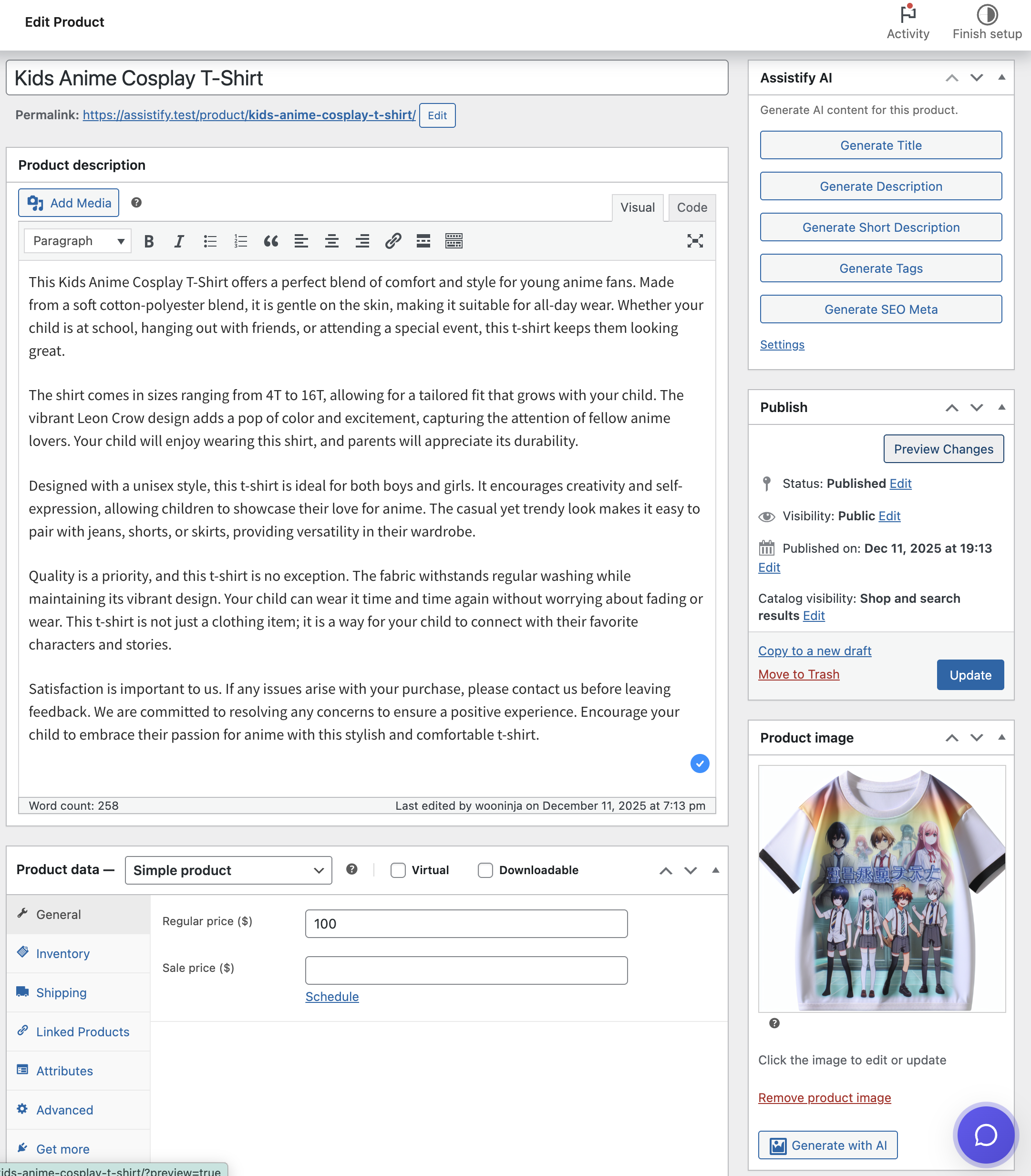
- Product titles that don't sound like "Product #4523".
- Descriptions that actually describe the product.
- Review responses that don't take 20 minutes to write.
- Email templates for common situations.
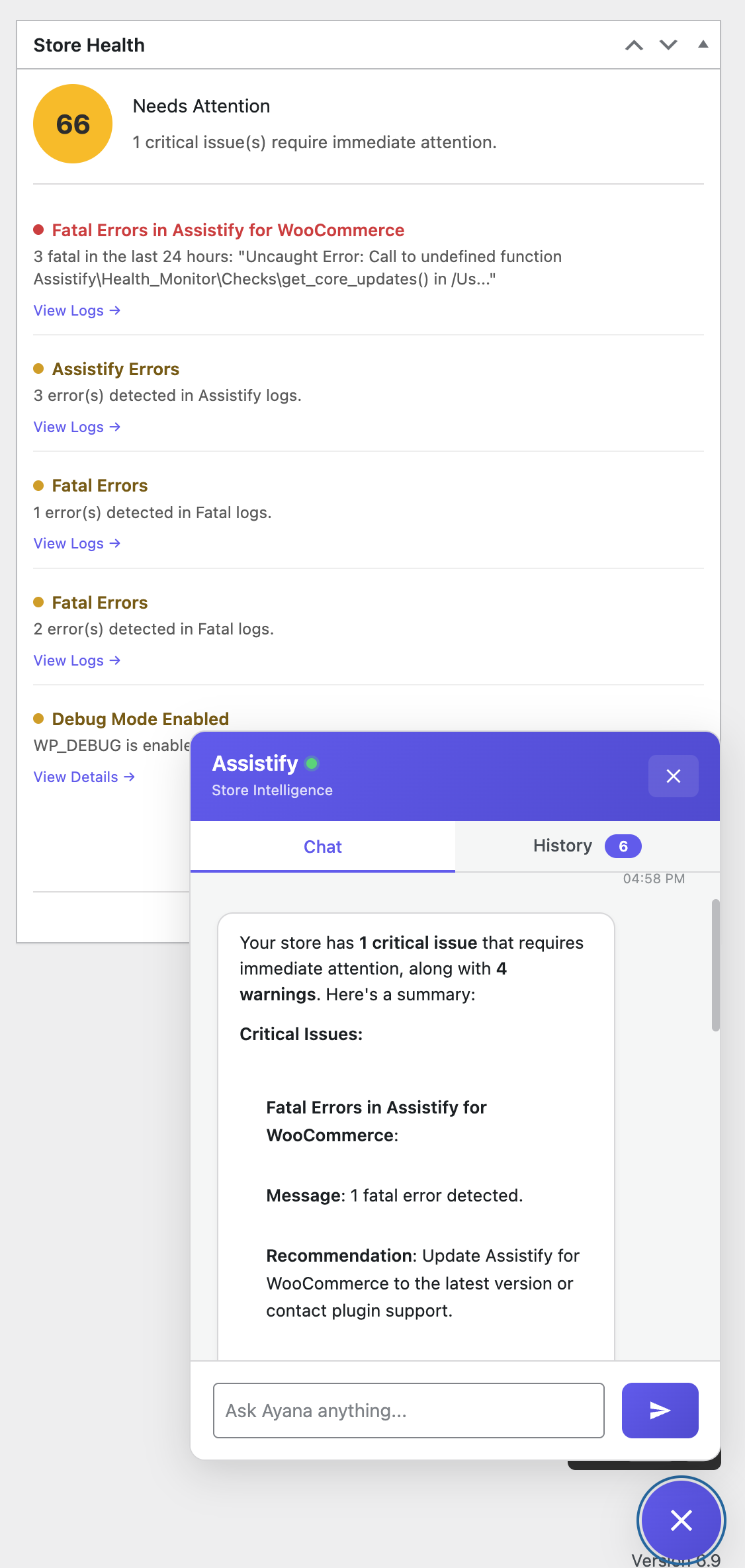
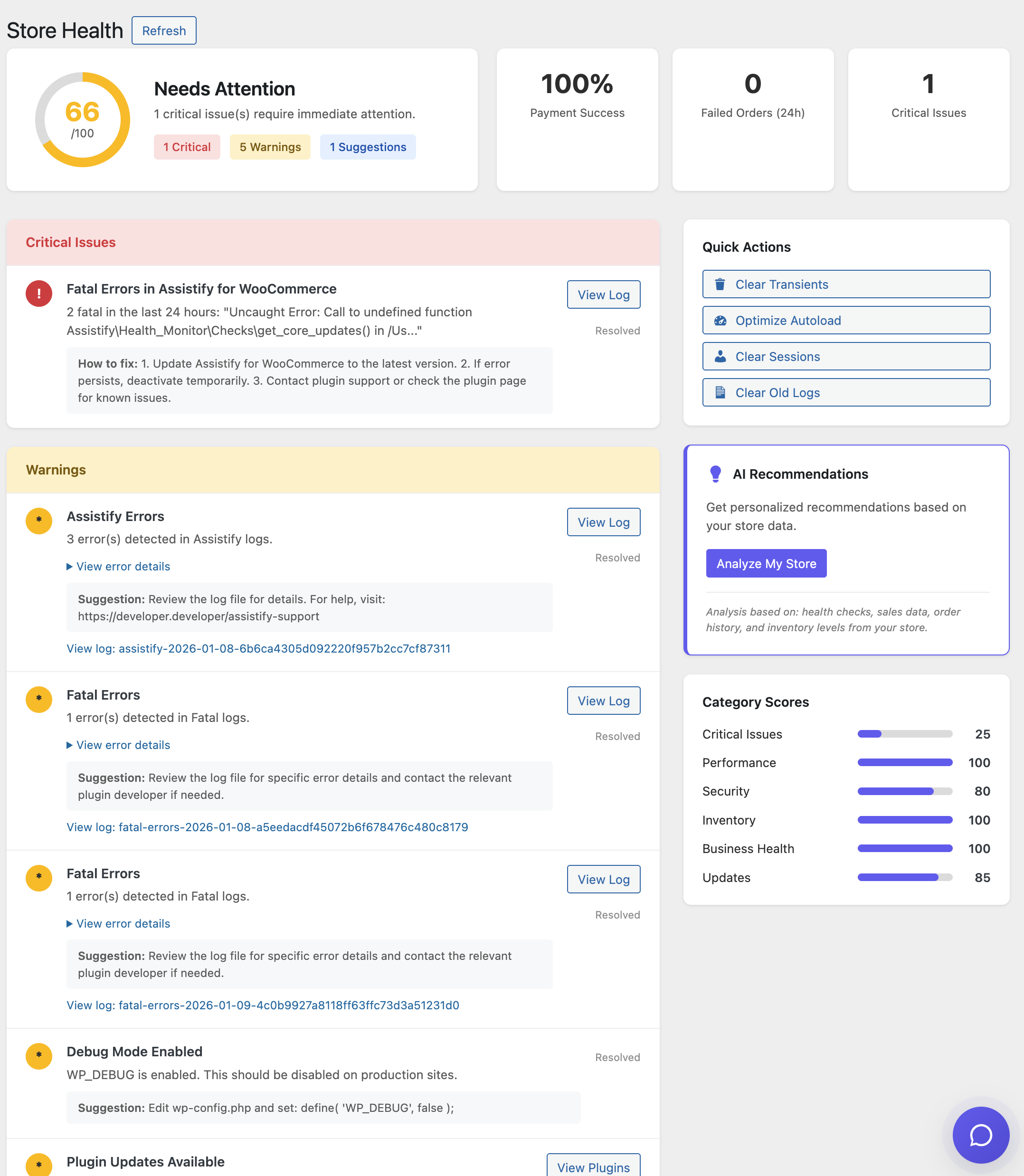
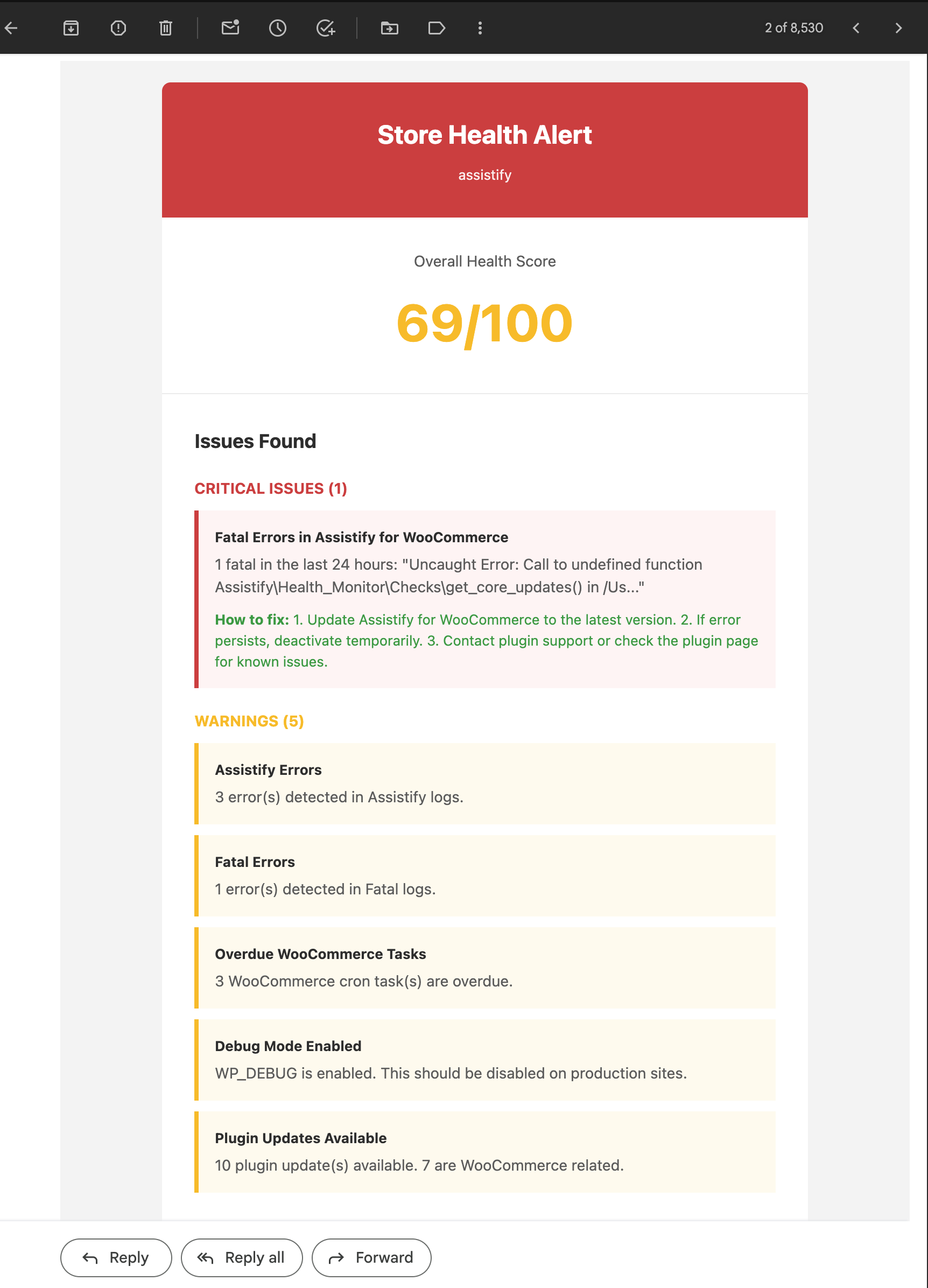
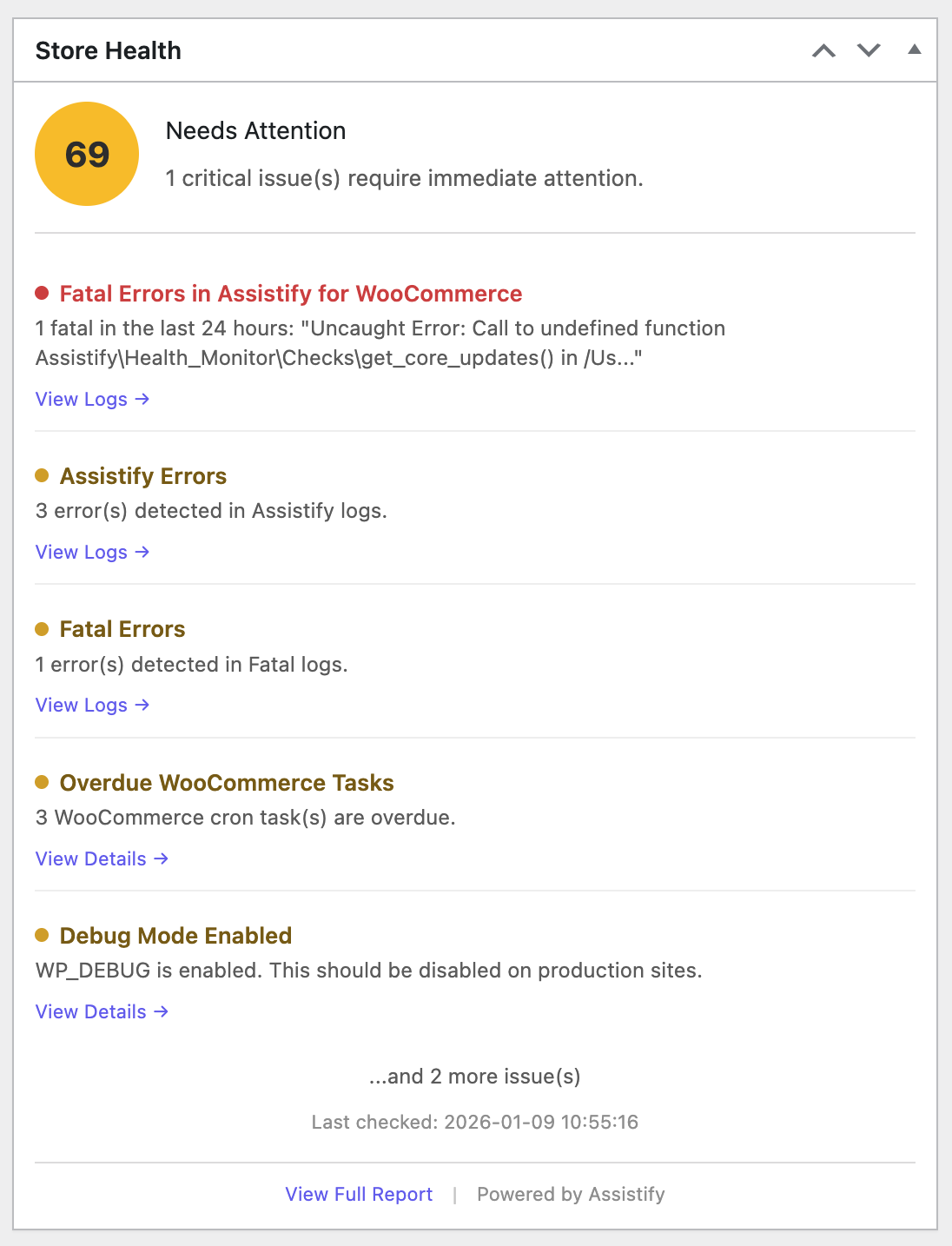
- Get alerts when something breaks (not three days later).
- See error logs without SSH access.
- Track failed payments before customers complain.
- Know when plugins need updating.
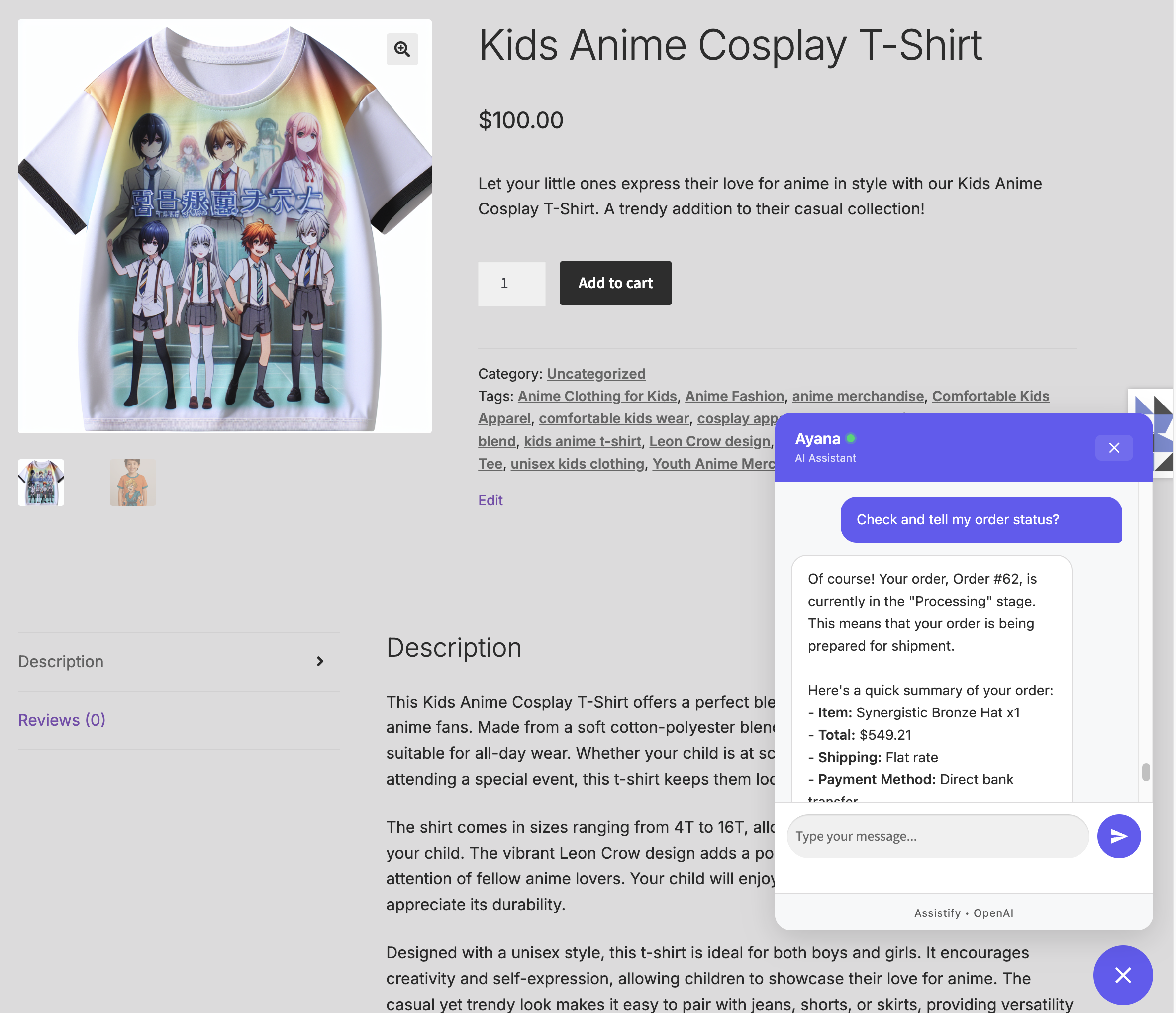
- Order tracking: "Where's my order?" gets a real answer, not a tracking link.
- Subscription management: Pause, skip, or cancel without hunting through account pages.
- Booking changes: Reschedule appointments through a quick chat.
- Product questions: Get specifications, availability, shipping info instantly.
- Customers can pause, resume, or cancel their subscriptions.
- You get MRR, churn rate, and retention analytics.
- See at-risk subscriptions before they cancel.
- Track failed renewals and retry payments.
- View today's schedule, upcoming appointments, available slots.
- Customers can check availability and cancel bookings.
- Booking revenue and cancellation rate tracking.
- Resource utilization reporting.
- Manage member access and plan assignments.
- Track expiring memberships for retention outreach.
- Customers can view their benefits and membership status.
- Member analytics by plan.
- Search available rooms by dates, guests, and capacity.
- Check room availability and get instant pricing.
- View today's check-ins and check-outs at a glance.
- Hotel analytics: occupancy rates, revenue, popular rooms.
- Customers can browse rooms, check availability, and view their reservations.
- AI-powered alternative suggestions when dates are unavailable.
- OpenAI: GPT-4o, GPT-4o-mini, GPT-4.1, o1, o3-mini.
- Anthropic: Claude Sonnet 4, Claude Opus 4, Claude 3.5 Sonnet/Haiku.
- Google: Gemini 2.5 Pro, Gemini 2.5/2.0 Flash.
- xAI: Grok 3, Grok 3 Mini, Grok 2.
- DeepSeek: DeepSeek-V3, DeepSeek-R1 (budget-friendly option).
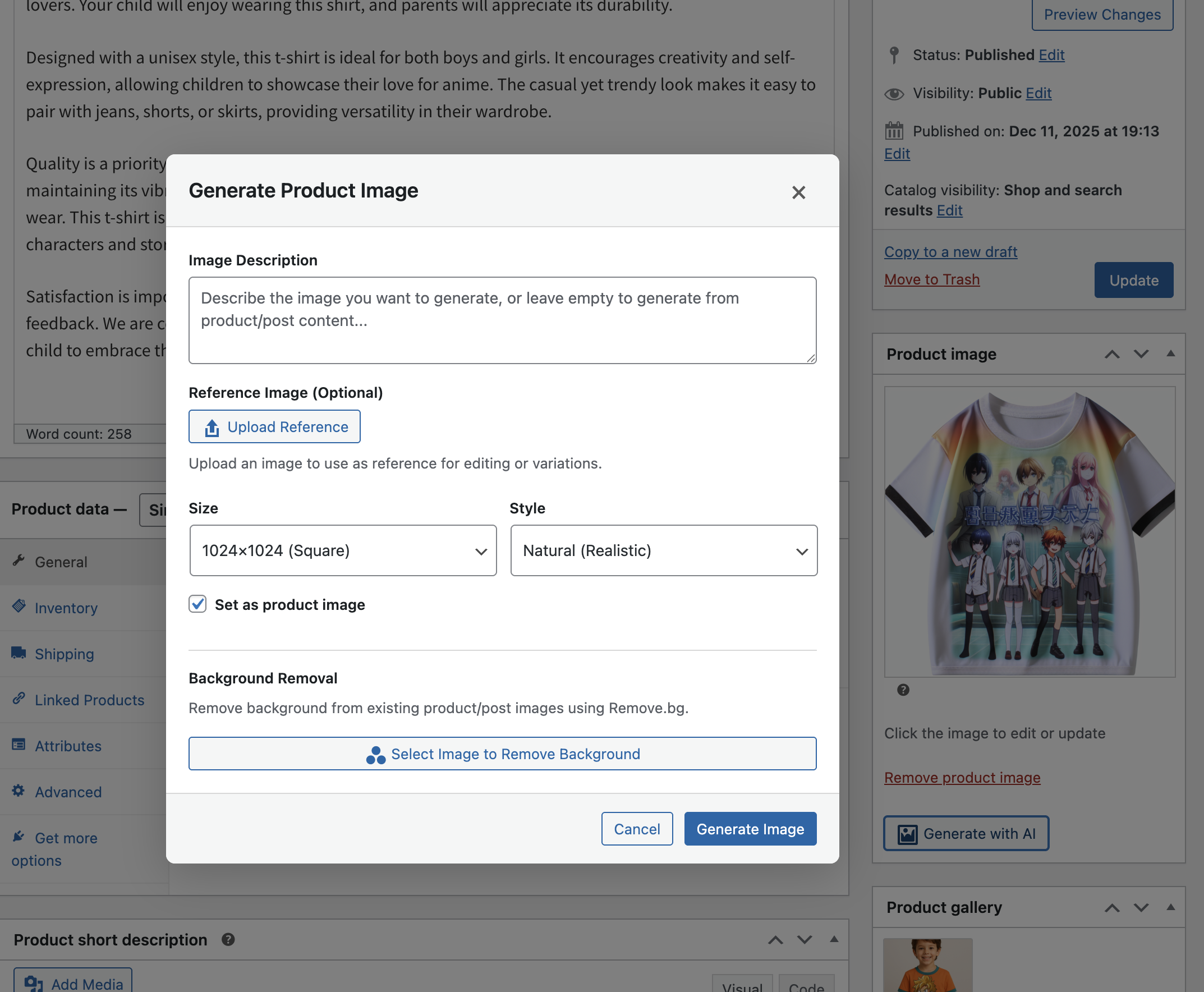
- OpenAI gpt-image-1
- Google Imagen 4.0
- xAI Grok 2 Image
- Destructive actions (refunds, cancellations) require confirmation.
- High-risk actions need you to type a confirmation code.
- Everything gets logged, see exactly what the AI did and when.
- Credit card numbers are automatically filtered (never sent to AI).
- Customer data stays in WordPress.
- GDPR consent built in.
- Export and delete conversation data on request.
- HPOS compatible: Works with WooCommerce's High-Performance Order Storage.
- WCAG 2.1 AA: Accessible interface with keyboard navigation.
- Translation ready: Full i18n support with POT file included.
- Clean code: PHPStan Level 2 compliant, WordPress coding standards.
安装:
- WordPress 6.4+
- WooCommerce 8.0+
- PHP 8.0+
- MySQL 5.7+ or MariaDB 10.3+
- Install and activate the plugin.
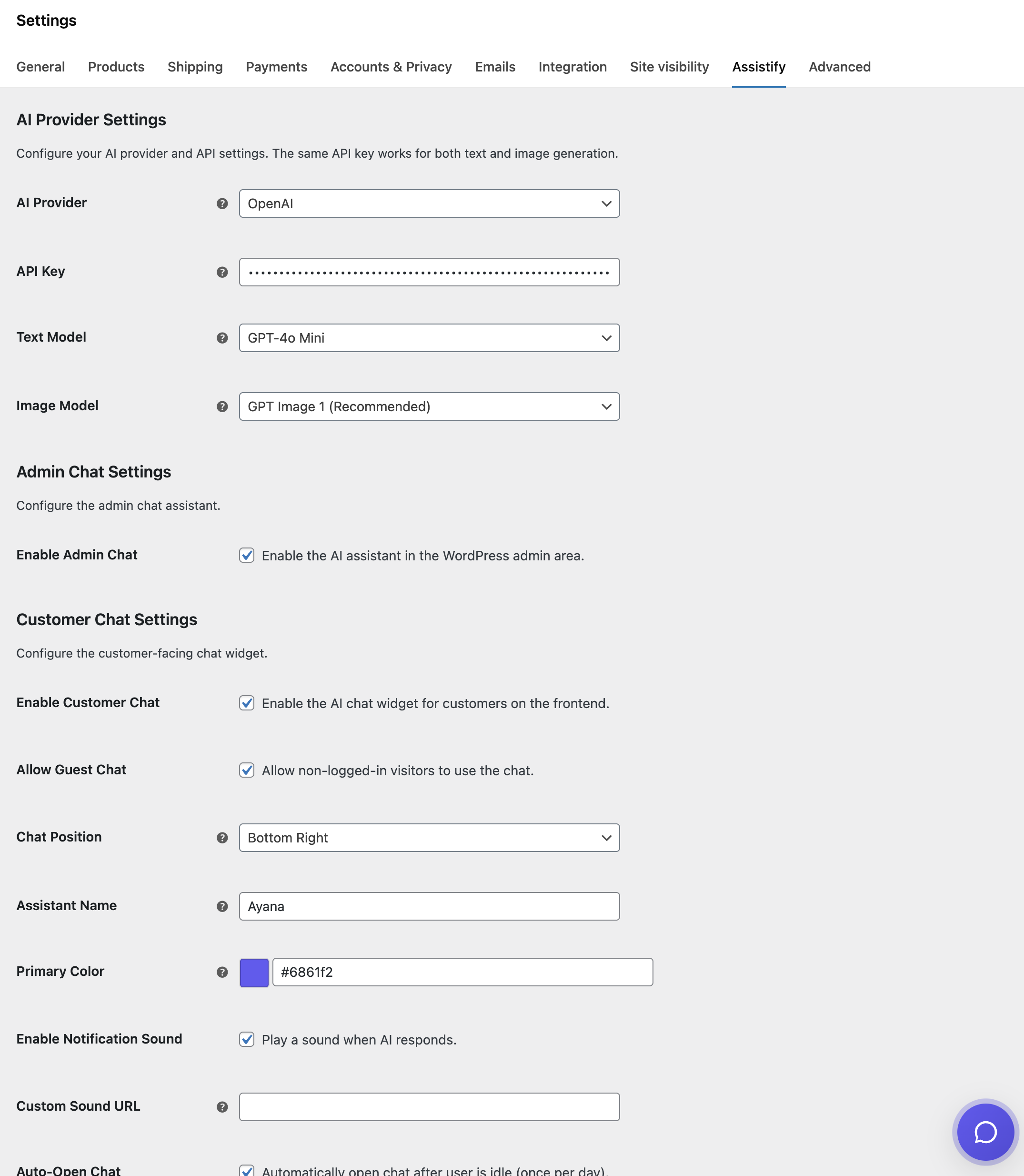
- Go to WooCommerce > Settings > Assistify.
- Add your API key (OpenAI, Anthropic, Google, xAI, or DeepSeek).
- Pick a model for text and image generation.
- Enable the admin chat, customer chat, or both.
屏幕截图:
常见问题:
Do I need an API key?
Yes. Assistify uses a BYOK (Bring Your Own Key) model. You pay your AI provider directly — no middleman markup from us.
How much will this cost me?
The plugin is free. AI costs depend on usage and provider. Typical conversations cost $0.001 to $0.02 each. A small store might spend $5-20/month total.
Is my store data sent to the AI?
Only conversation context. The AI doesn't get your entire database. Sensitive data (card numbers, passwords) is filtered out automatically. Everything is encrypted in transit.
Will it work with my WooCommerce extensions?
Core WooCommerce works out of the box. We've built specific integrations for Subscriptions, Bookings, Memberships, and Hotel Booking for WooCommerce. More coming.
Can the AI actually change things in my store?
Yes, but with safeguards. The admin assistant can process refunds, create coupons, update products, etc. Destructive actions require confirmation. Everything is logged.
What if the AI makes a mistake?
All actions are logged with timestamps and details. You can see exactly what happened. For dangerous actions, you'll need to confirm before anything executes.
Is it GDPR compliant?
Yes. Consent management, data export, data deletion, it's all built in.
Can customers access other customers' data?
No. Customers can only see their own orders, subscriptions, and bookings. Permission checks happen on every request.
How do I get help?
GitHub Issues for bugs and feature requests. And forum for support.
更新日志:
- Added 15 new AI abilities for hotel/accommodation management.
- Admin: List rooms, check availability, view reservations.
- Admin: Today's check-ins/check-outs dashboard.
- Admin: Upcoming reservations and hotel analytics.
- Admin: Occupancy rate, revenue tracking, popular rooms.
- Customer: Search available rooms by dates and guests.
- Customer: Check room availability and get pricing.
- Customer: View personal reservations.
- Customer: AI-powered alternative suggestions when dates unavailable.
- Natural language queries: "Do you have a room for 2 adults next weekend?"
- 103+ AI tools for store management.
- Order lookup, refunds, status updates.
- Product management and inventory.
- Customer search and insights.
- Revenue and sales analytics.
- Coupon creation and management.
- Order tracking and status.
- Self-service account management.
- Product information and recommendations.
- OpenAI (GPT-4o, GPT-4o-mini, GPT-4.1, o1, o3-mini).
- Anthropic (Claude Sonnet 4, Claude Opus 4, Claude 3.5).
- Google (Gemini 2.5 Pro, Gemini Flash).
- xAI (Grok 3, Grok 2).
- DeepSeek (V3, R1).
- OpenAI gpt-image-1.
- Google Imagen 4.0
- xAI Grok 2 Image.
- Remove.bg background removal.
- WooCommerce Subscriptions: 16 abilities (admin + customer).
- WooCommerce Bookings: 14 abilities (admin + customer).
- WooCommerce Memberships: 13 abilities (admin + customer).
- Product titles, descriptions, tags.
- Review responses.
- Email templates.
- Category descriptions.
- Health score dashboard.
- Email alerts for critical issues.
- Error and update monitoring.
- One-click fixes for common problems.
- Audit logging for all AI actions.
- Confirmation modals for destructive actions.
- GDPR compliant with consent management.
- HPOS compatible.