
Astricode Ops
| 开发者 | astricode |
|---|---|
| 更新时间 | 2026年10月12日 04:05 |
| PHP版本: | 8.0 及以上 |
| WordPress版本: | 7.0 |
| 版权: | GPLv2 or later |
| 版权网址: | 版权信息 |
详情介绍:
- Unified operational dashboard.
- WordPress and PHP requirement checks.
- Database, filesystem, locking, and WebP diagnostics.
- Clear health scores based on real installation data.
- Detection of technical conditions that require attention.
- Real-time registration firewall for native and third-party registration routes.
- Multi-signal risk scoring for suspicious registrations and existing users.
- Server-signed native registration challenge that rejects fabricated direct-post timing.
- Lightweight local JavaScript execution proof for public browser registration, without external CAPTCHA services.
- Registration rate limiting and burst protection, including repeated low-score attempts.
- Repeated-offender detection and IP blocking.
- User audits with reasons and risk distribution.
- Manual protection for legitimate accounts.
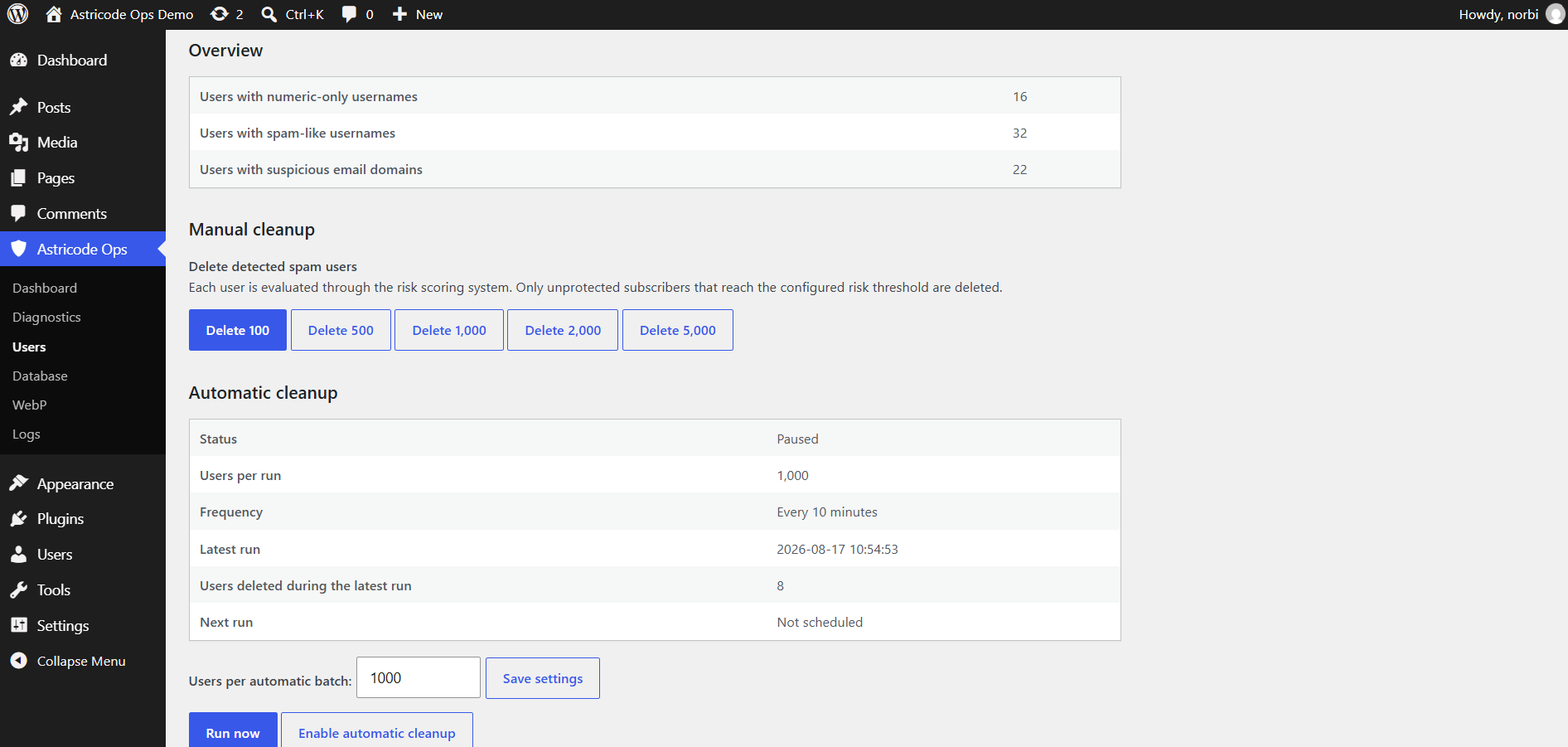
- Controlled manual cleanup of detected spam users.
- Manual deep analysis and cleanup tools with additional safeguards.
- Protection for administrators, privileged roles, active users, authors, and users connected to site content.
- Database size and health analysis.
- Table optimization with measured results.
- Inspection of WordPress options and autoloaded data.
- Detection and review of database records that may require cleanup.
- Inspection of post metadata and plugin tables.
- Protected previews and controlled exports.
- Manual protection of critical records.
- Reversible quarantine for supported option, metadata, and table operations.
- Integrity verification before restoration.
- Explicit restoration and permanent purge workflows.
- Controlled manual JPG and PNG to WebP conversion in bounded batches.
- Configurable quality and batch size.
- Preservation of every original JPG and PNG image.
- Conversion of WordPress-generated image sizes.
- Coverage, activity, savings, skipped-file, and failure metrics.
- Automatic WebP processing is available with Astricode Ops Pro.
- Registration blocking records.
- User cleanup activity.
- WebP conversion results.
- Database operation records.
- Limited log retention to avoid uncontrolled growth.
安装:
- Upload the
astricode-opsfolder to the/wp-content/plugins/directory. - Activate Astricode Ops from the WordPress Plugins screen.
- Open
Astricode Ops > Diagnostics. - Run the technical diagnostic.
- Review the Dashboard before performing user cleanup, database, or WebP operations.
屏幕截图:


常见问题:
Does Astricode Ops delete the original JPG or PNG files?
No. WebP conversion creates WebP alternatives alongside the original files and WordPress-generated image sizes.
Can I deactivate the plugin without losing its configuration?
Yes. The stored configuration, statistics, quarantine records, and logs are preserved.
Does Astricode Ops Free automate user cleanup or WebP conversion?
No. Astricode Ops Free provides administrator-controlled manual user cleanup and manual WebP processing. Scheduled user cleanup and automatic WebP processing require Astricode Ops Pro. The registration firewall can still block or remove an unequivocally malicious account during registration as a real-time protection safeguard. That is separate from scheduled cleanup.
What is reversible database quarantine?
For supported database operations, Astricode Ops can isolate selected option, metadata, or table records before permanent deletion. Quarantined records can be reviewed, integrity-checked, restored when supported, or permanently purged later.
Is reversible quarantine a replacement for a database backup?
No. Quarantine adds a controlled restoration path for supported operations, but a verified external backup remains essential.
Why does the diagnostic inspect the uploads directory?
WebP processing requires write access to the current and historical upload folders containing the physical image files.
更新日志:
- Security: Adds a lightweight local JavaScript execution proof for public browser registration.
- Security: Binds the proof to the existing signed registration challenge and network source.
- Compatibility: Keeps REST and AJAX integrations compatible by default.
- Privacy: Avoids proof of work, browser fingerprinting, User-Agent binding, additional proof cookies, and third-party CAPTCHA services.
- Security: Enforces the signed registration challenge on public custom registration forms and the universal user-creation barrier.
- Security: Binds registration challenges to their originating network source and rejects replayed challenge tokens.
- Compatibility: Keeps trusted administrator, WP-CLI and cron user creation exempt while allowing integrations to adjust challenge enforcement through filters.
- Harden public registration against low-score automated signup campaigns.
- Replace the manipulable native registration timestamp with a server-signed challenge.
- Add bounded registration velocity controls for repeated source attempts, successful account creation, and extreme site-wide bursts.
- Preserve the existing structural risk thresholds and legitimate-user safeguards.
- Adds the formal extension contract required by Astricode Ops Pro.
- Exposes the versioned Free/Pro extension API and core-ready lifecycle contract.
- Keeps Astricode Ops Free functionality and public compatibility unchanged.
- Prepared the stable Astricode Ops package for public distribution.
- Added registration firewall traceability to the Dashboard.
- Added counters for native registration, custom forms, REST API, AJAX,
wp_insert_user,registration_errors,user_register, and recent-user consistency checks. - Added the last detected registration route, blocking layer, score, username, and email domain without storing the complete email address.
- Fixed duplicate IP penalization during post-registration safeguards.
- Expanded registration protection to third-party forms and integrations.
- Added consistency checks for recently created accounts.
- Centralized post-registration spam safeguards and event traceability.
- Added separate pre-registration and post-registration risk thresholds.
- Added an immediate safeguard for unequivocally malicious newly created accounts.
- Preserved administrator, WP-CLI, cron, privileged-role, and explicitly allowed registrations.
- Unified registration protection with the complete user risk engine.
- Added protection for registration flows using
wp_insert_user(). - Added firewall consistency diagnostics.
- First stable release of the original production-tested architecture.
- Included health diagnostics, registration protection, user auditing, database operations, reversible quarantine, WebP processing, and activity logs.
- Preserved conservative cleanup rules and persistent data during deactivation. Older development history is preserved in the project documentation.