Astro Booking Engine
| 开发者 | alian |
|---|---|
| 更新时间 | 2026年10月6日 18:49 |
| PHP版本: | 7.4 及以上 |
| WordPress版本: | 7.1 |
| 版权: | GPLv2 or later |
| 版权网址: | 版权信息 |
详情介绍:
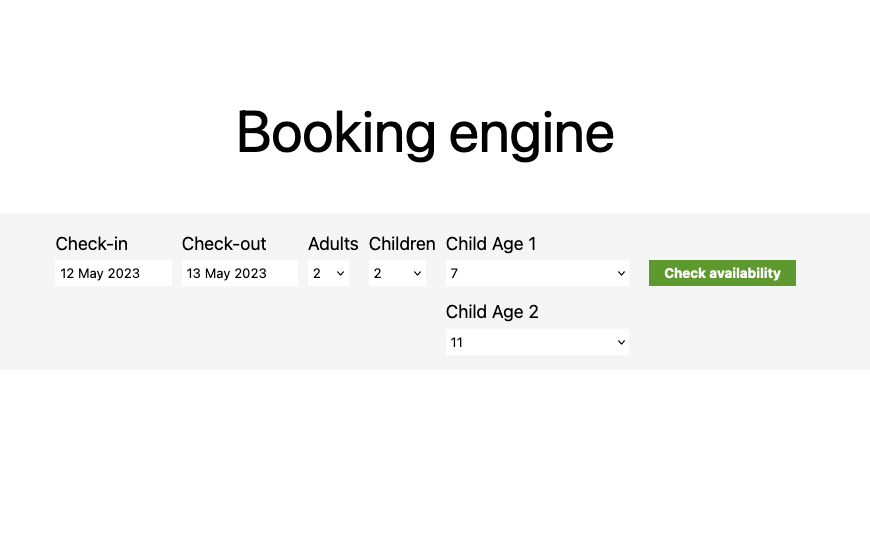
Astro Booking Engine adds a simple, intuitive and responsive hotel booking form to your WordPress site and connects it to the booking engine you already use. Visitors pick their dates and party size on your website and land on your booking engine with everything already filled in.
The form is independent from the provider. If you change booking engine, your website does not change: select the new provider, enter the settings it gives you, and the form on your pages keeps the same design, the same position and the same options. No redesign, no page edits.
Why use Astro Booking Engine
- Ready in minutes, no custom development. Install, choose your provider, enter its data, add the form to a page. Done.
- Free to change provider. Your layout and your pages stay as they are; only the provider settings change.
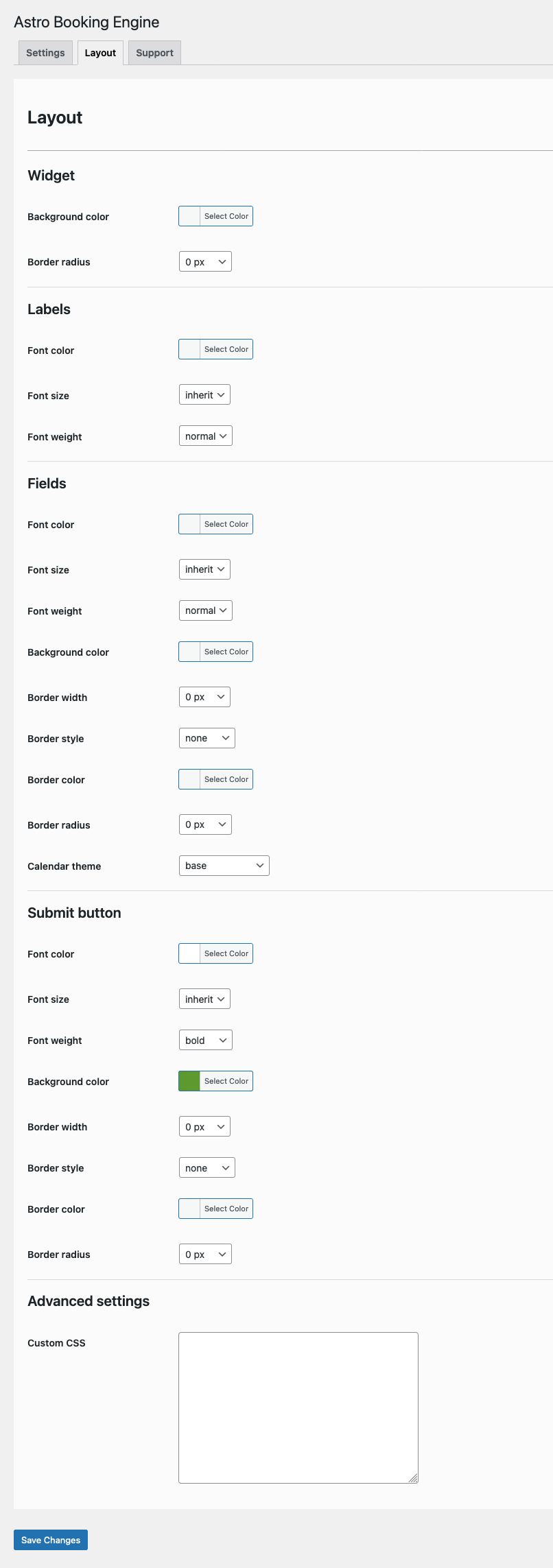
- Yours to customize. Colors, fonts, borders, calendar theme and custom CSS from the Layout settings, plus per-block options in the editor.
- Built for every guest. Responsive, follows the language of your site, with fields labelled for screen readers following the WCAG guidelines.
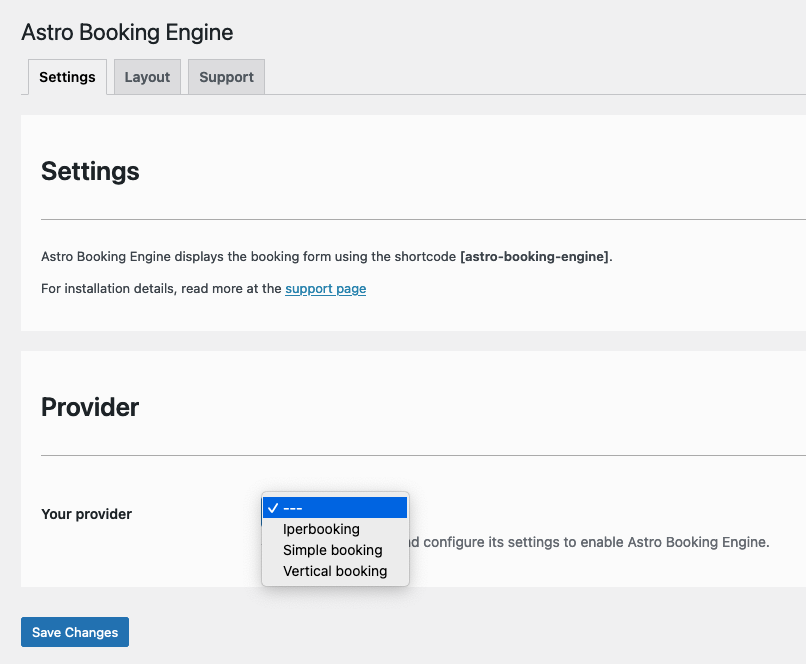
- Select your booking engine provider in the plugin settings.
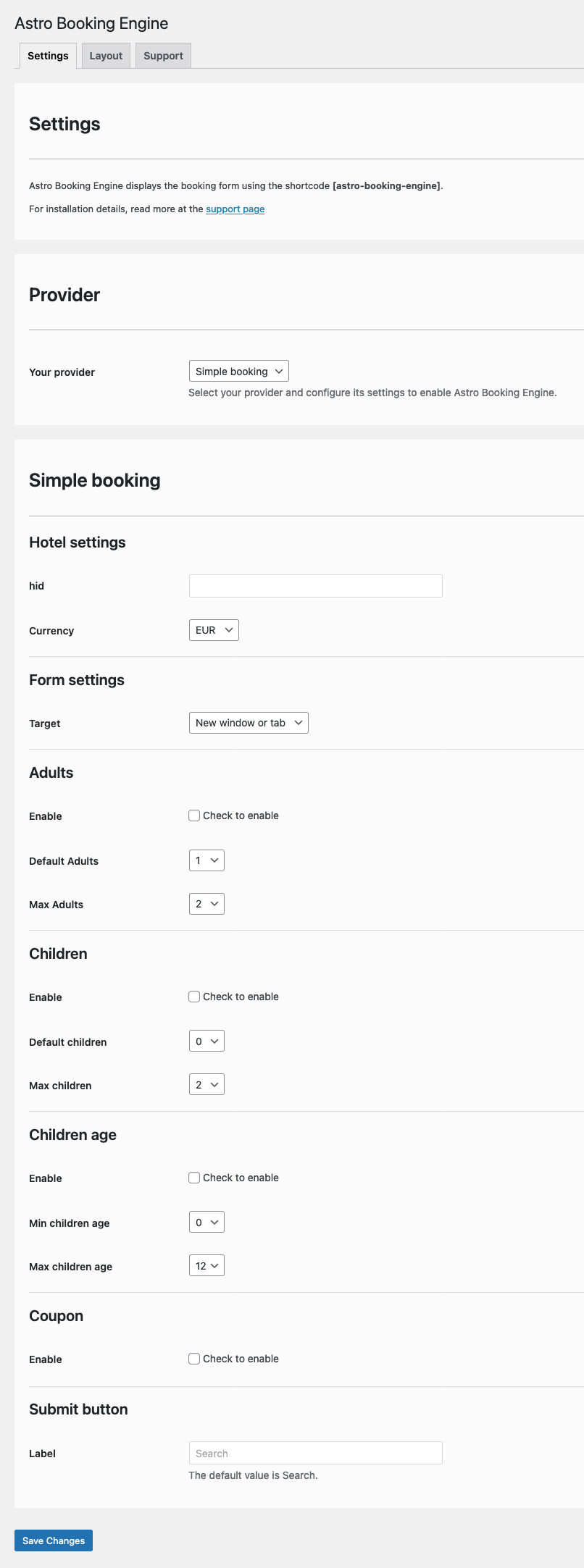
- Enter the data your provider gives you (hotel ID, language, currency and so on).
- Add the form to your site with the Gutenberg block, the shortcode or the widget.
- with the Astro Booking Engine Gutenberg block, with live preview in the editor and per-block customization: submit button label, form colors (with transparency), border radius, plus the standard alignment, spacing and background options;
- with the shortcode [astro-booking-engine], anywhere in your content;
- with the classic widget, in any widget area.
- 5Stelle (Italy)
- Amadeus iHotelier (TravelClick) (Spain)
- Beddy (Italy)
- Bedzzle (Italy)
- BeGenius (Italy)
- Blastness (Italy)
- Booking Designer (Italy)
- Booking Expert (Italy)
- Bookvisit (Sweden)
- Cloudbeds (United States)
- Data Sistemi (Italy)
- D-EDGE (France)
- DIRS21 (Germany)
- Ericsoft (Italy)
- ErmesHotels (Italy)
- Guestline (United Kingdom)
- HotelNetSolutions (OnePageBooking) (Germany)
- Iperbooking (Italy)
- Journey (United Kingdom)
- Kross Booking (Italy)
- Mews (Netherlands)
- Mirai (Spain)
- MyGuestCare (Italy)
- Octorate (Italy)
- Passepartout (San Marino)
- Profitroom (Poland)
- Reservit (France)
- ResNexus (United States)
- RevPlus (WebHotelier) (Greece)
- Roiback (Spain)
- Sabre SynXis (United States)
- Scidoo (Italy)
- Simple Booking (Italy)
- Sirvoy (Sweden)
- SiteMinder (Australia)
- Slope (Italy)
- ThinkReservations (United States)
- Vertical Booking (Italy)
- Witbooking (Spain)
- WuBook (Italy)
安装:
- Upload the entire
astro-booking-enginefolder to the/wp-content/plugins/directory. - Activate the plugin through the Plugins screen (Plugins > Installed Plugins).
屏幕截图:

常见问题:
How can I report a bug or suggest an improvement?
You can use the support forum on WordPress.org or write to alian@alian.it. Feature requests and bug reports are welcome.
更新日志:
2.6.0
- Added: Bedzzle provider, with adults, children and their ages and promo code. The property key can also be entered by pasting the whole booking engine address.
- Added: Booking Designer provider, with adults, children and their ages and promo code. The booking engine address is entered as it is, also the one on the domain of the hotel.
- Added: Bookvisit provider, also used by Nozio, with adults, children and their ages and promo code. The channel code can also be entered by pasting the whole booking engine address.
- Added: DIRS21 provider, with adults, children and their ages and promo code: the search opens on the rooms. The property code can also be entered by pasting the whole booking engine address, including the one of the older DIRS21 booking engine.
- Added: Kross Booking provider, with adults, children and their ages: the guest starts the search on the booking engine, as with the Kross widget. The property code can also be entered by pasting the whole booking engine address.
- Added: Profitroom (Upper Booking) provider, with adults, children and promo code: the children are counted in the age ranges of the hotel, 0-3 and 4-14 years unless the settings give other ones. The property code can also be entered by pasting the whole booking engine address.
- Added: Sirvoy provider, with the guests and booking code: the search opens in the Sirvoy widget of a page of the website, whose address is the setting. Sirvoy receives the number of guests only, without telling adults and children apart.
- Added: Slope provider, with adults and children: Slope asks for the ages of the children on its own pages. The property code can also be entered by pasting the whole booking engine address.
- Changed: the Italian translation is now the one approved on translate.wordpress.org.
- Compatibility: tested with WordPress 7.1.
- Added: Beddy provider.
- Added: ErmesHotels provider.
- Fixed: with the modern style and more than one booking form on the same page, the first form opened the booking engine without the dates and the guests.
- Compatibility: tested with WordPress 7.1.
- Added: a modern form style, shown as a single card with one calendar for both dates and a guests panel with steppers, children ages and pets. The classic style stays the default on the sites that already use the plugin, and the modern one is the default for new installations.
- Added: a notice on the plugin pages telling the sites that already use it that the modern style is available, with a button that opens the form style setting. It appears once and goes away as soon as it is dismissed or the style is changed.
- Added: the hover background color of the modern style, among the layout settings, and the layout settings now drive the modern style too, so the colors already chosen come along with it.
- Added: the density of the modern style, compact or roomy, with the larger touch targets recommended by the accessibility guidelines.
- Added: the width of the modern style, fit to the content or full width, for the sites that use the form as a booking bar across the whole content column.
- Added: the block preview in the editor shows the modern style too, instead of the classic form.
- Added: the layout settings warn when the colors chosen do not reach the 4.5:1 contrast asked by WCAG AA, without preventing the choice.
- Fixed: the per block layout overrides now reach the modern style as well, instead of applying only to the classic rules.
- Fixed: with more than one booking form on the same page, the children ages of the second form were never shown, because the script read the number of children of the first form.
- Fixed: more than one booking form on the same page produced duplicate element ids, so the labels of the second form pointed at the fields of the first one.
- Compatibility: tested with WordPress 7.1.
- Added: ResNexus provider, with adults, children and pets: the numbers of the capacity slots the property uses for the children and for the pets are settings. The property code can also be entered by pasting the whole booking engine address.
- Added: ThinkReservations provider, with adults and promo code: the children are set on the booking engine, which splits them into age categories configured for every property. The property name can also be entered by pasting the whole booking engine address.
- Added: Amadeus iHotelier (TravelClick) provider, with adults, children, discount code, currency and the choice of the language of the booking engine. The property code can also be entered by pasting the whole booking engine address.
- Added: Cloudbeds provider, with adults, children, promo code, currency and the choice of the language of the booking engine. The booking engine address is entered as it is, also the regional one.
- Added: D-EDGE provider, with adults, children and their ages and promotional code. Both generations of the booking engine are supported, told apart by the address, which is entered as it is.
- Added: Guestline provider. The site and property codes can also be entered by pasting the whole booking engine address, including the old one.
- Added: HotelNetSolutions (OnePageBooking) provider, with adults, children and their ages and booking code. The booking engine address is entered as it is.
- Added: Journey provider. The property name can also be entered by pasting the whole booking engine address.
- Added: Mirai provider, with adults, children and their ages, promotional code and the currency.
- Added: Reservit provider, with adults, children and their ages and discount code. The two codes of the property can also be entered by pasting the whole booking engine address.
- Added: Roiback provider, with adults, children and their ages and promotional code.
- Added: Sabre SynXis provider, with the children ages. The hotel and chain codes can also be entered by pasting the whole booking engine address.
- Added: SiteMinder provider, with adults, children and infants and promo code. The property name can also be entered by pasting the whole booking engine address.
- Added: Witbooking provider, with adults, children and infants, promo code and the choice of the language of the booking engine. The booking engine address is entered as it is, also when it is on the domain of the property.
- Added: Spanish, French and German translations, complete for the admin screens and the block editor panel.
- Changed: the providers list of the plugin support page is now a table with the country of each company, and the providers list of this page shows the country next to each name.
- Fixed: a double horizontal line between the last two sections of the RevPlus (WebHotelier) provider settings.
- Compatibility: tested with WordPress 7.1.
- Added: Booking Expert provider, with dates and coupon: the guests are chosen on the booking engine, whose guest types are numeric codes different for every property. The layout can also be entered by pasting the whole booking engine address.
- Added: Mews provider. The Configuration ID can also be entered by pasting the whole booking engine address.
- Added: Octorate provider. The codice can also be entered by pasting the whole booking engine address.
- Added: RevPlus (WebHotelier) provider, with adults, children and infants, voucher and optional single hotel of a multi-hotel account. The property name can also be entered by pasting the whole booking engine address.
- Added: Scidoo provider. The cod can also be entered by pasting the whole booking engine address.
- Added: the confirmation message "Settings saved." on the plugin settings pages, which were saving without telling it.
- Compatibility: tested with WordPress 7.1.
- Security: the plugin settings are now sanitized when saved and validated again when used, so that a user with access to the settings cannot inject scripts into the site pages through the Layout colors, sizes and custom CSS (relevant on multisite, where site administrators are not allowed to add unfiltered HTML).
- Security: the Iperbooking form address is now escaped.
- Security: direct access protection added to all the PHP files; the settings tab, the provider and the calendar theme are checked against the allowed values before being used in file paths and URLs; output escaping completed on the admin screens.
- Added: BeGenius provider.
- Fixed: the widget printed the theme's widget markup as visible text instead of HTML.
- Fixed: the Iperbooking form address was "Array" when the site language matched none of the configured languages, instead of the default language; PHP warnings when no treatment is configured.
- Fixed: deleting the plugin now removes its settings and widgets from the database, also on multisite: the previous uninstall routine was never executed.
- Fixed: "Remove all plugin settings" now also clears the object cache, so deleted settings are no longer read back on sites with a persistent object cache.
- Changed: in the block-based widget editor only the Astro Booking Engine block is offered: the classic widget, which did the same, is hidden from the inserter as WordPress does for its own widgets replaced by blocks; widgets already added keep working.
- Changed: the color fields of the Layout settings and of the block accept hex, rgb/rgba, hsl/hsla, CSS variables and named colors.
- Compatibility: tested with WordPress 7.1.
- Added: Astro Booking Engine Gutenberg block with live editor preview and per-block layout customization (submit button label, form colors with transparency, border radius), alongside the existing shortcode and widget.
- Added: Blastness provider.
- Added: Data Sistemi provider.
- Added: WuBook provider.
- Added: review request notice on the plugin settings screen, shown only to administrators after 30 days of use, with permanent dismiss and snooze options.
- Added: "About the author" section in the readme and on the plugin Support page, with links to the author's website and to AboutMyHotel, plus a FAQ entry on how to report bugs and suggest improvements.
- Added: "Support" and "Author website" links in the plugin row on the Plugins screen.
- Fixed: booking form accessibility: every field now has a unique id with its label programmatically associated, and the decorative spacer label above the submit button is hidden from assistive technologies (WCAG 1.3.1, 4.1.2).
- Fixed: two Italian translations on the settings screen ("For installation details…" and "support page") were never applied because of malformed entries in the translation file.
- Changed: Italian translation updated with the new strings (plugin description, security check message, 5Stelle "Portal" field label).
- Changed: milestone release, fully backwards compatible: existing settings, shortcode, widget and templates keep working unchanged.
- Compatibility: tested with WordPress 7.1.
- Added: Ericsoft provider.
- Added: MyGuestCare provider.
- Fixed: on the settings screen some saved values were displayed wrong after saving: the Simple booking currency and the default and maximum numbers of adults and children for Simple booking and Vertical booking.
- Compatibility: tested with WordPress 7.1.
- Compatibility: tested with WordPress 7.1.
- Security: fixed a Cross-Site Request Forgery issue in the "Remove all plugin settings" function (CVE-2025-10308). The action was performed on a plain GET request without nonce validation, so an administrator could be tricked into deleting all plugin settings by following a forged link. The request is now validated with a nonce and an explicit capability check. Thanks to Nabil Irawan (Heroes Cyber Security) for the responsible disclosure.
- Fixed: on the Settings screen the shortcode name was showing the literal <strong> tags instead of being displayed in bold.
- Changed: the plugin author is now Alian Schiavoncini (https://www.alian.it) and the support address is alian@alian.it. The previous AstroThemes website and email address are no longer active.
- Changed: the admin menu is now named "Astro Plugins" instead of "AstroThemes".
- Changed: the plugin version is now stored in the ASTRO_BE_VERSION constant instead of being read at runtime with get_plugin_data().
- Changed: the jQuery UI calendar stylesheet is now enqueued with a version number, so browsers pick up changes after an update.
- Compatibility: tested with WordPress 7.0.
- Added: Wordefence vendor verification key.
- Compatibility: tested with WordPress 6.8.3.
- Security: added security checks to the code.
- Compatibility: tested with WordPress 6.6.1.
- Added: Passepartout provider.
- Changed: the plugin description.
- Added: 5Stelle provider.
- Added: Italian translation.
- Changed: the support link on the admin settings screen.
- Initial version.