Atarim - AI Agency for WordPress: Edit Pages, Fix Code, Update Plugins, SEO & Client Feedback
| 开发者 |
wpfeedback
pratapdungrani |
|---|---|
| 更新时间 | 2026年10月16日 15:45 |
| PHP版本: | 7.4 及以上 |
| WordPress版本: | 7.1.3 |
| 版权: | GPLv2 or later |
| 版权网址: | 版权信息 |
标签
下载
详情介绍:
✅ Try this: "The client has rebranded. Swap the old logo for the new one everywhere it appears, and fix the alt text while you are in there."🤖 Bring your own AI, or use ours The plugin is an MCP server. That means you can point your own AI at it. 🧠 Use any MCP client – Claude, Codex or anything else that speaks MCP. Your AI gets the same access described above. 👥 Or use the six specialists – They come with Atarim and you assign work to them by name. 🖱️ Or click on the page – Point at anything on a live site, say what you want changed, and the work starts from that click. Same site, same guardrails, whichever way you drive it. Setup commands for Claude, Codex and any other MCP client are on the Atarim MCP page.
✅ Try this: "Claude, read the homepage on the client site, work out what is making it slow, and fix it. Aim for 100% on lighthouse across the board."🛡️ Agency grade means it can be undone Access is the easy part. Doing this safely on a site a client pays for is the hard part. So every write goes through the same checks: 🗂️ Dated backups before every file change – Theme files are copied before they are touched. You can list every backup and restore any one of them. 🚫 Broken PHP is refused – Syntax is checked before a file is saved. Broken PHP is rejected, not written. ↩️ A restore is itself backed up first – So you can undo an undo. 👀 Nothing is deleted without a preview – Anything that deletes shows you what it would delete and does nothing until you confirm. 🔒 Your wp-config rules are respected – If the site has file editing turned off in
wp-config.php, the plugin stops.
📋 Every action is logged – With a name against it.
Nothing publishes on its own unless you allow it. Copy and design changes are drafted and wait for you. Anything near checkout or payment goes to a person every time.
ℹ️ Keep your own backup as well. The checks above cover files and pages, and they live on the same site. They are not a server-side or "3rd location" full site backup. Keep one of those too, on your server or with a backup service you trust. An AI can get something wrong. So can a plugin update, a host, or a person. No site you are paid to look after should have only one way back. More on how this works on the Trust page.
✅ Try this: "That last change broke the layout. Put the file back how it was this morning."🔧 An example: updating a plugin A plugin update is one click. Doing it well is not one click. Here is what happens instead. First it reads the site and lists what has updates waiting. It checks the change log for each one and flags the risky ones. A backup is taken. Then it updates. Then it checks the site still loads and that your forms are still getting submissions. If something broke, you get told what and when. If nothing broke, you get a short report you can send to the client.
✅ Try this: "Run a full update round - plugins, themes and core. But use your own workflow, to do it properly, with the backup and testing."Same idea for the rest of it. Broken link sweeps. Page speed checks. Content and SEO reviews. Backups. Security checks. ⏰ It runs on a schedule, without you You can set work to run on a cadence. Daily, weekly, monthly, or any cron schedule you like. That is the part that changes the job. Nobody has to remember the monthly update round. Nobody has to notice that a contact form went quiet three weeks ago. The site is checked whether you are at your desk or not, and you hear about it when there is something to decide. Work can also start from other things: a client email arriving, a comment being left, a task changing status, or another workflow finishing. There are around 200 workflows ready to use, built on how good agencies already work. You pick which ones run and how much waits for your approval. If the one you need isn't there, describe it in plain words or draw it on a canvas. See workflows.
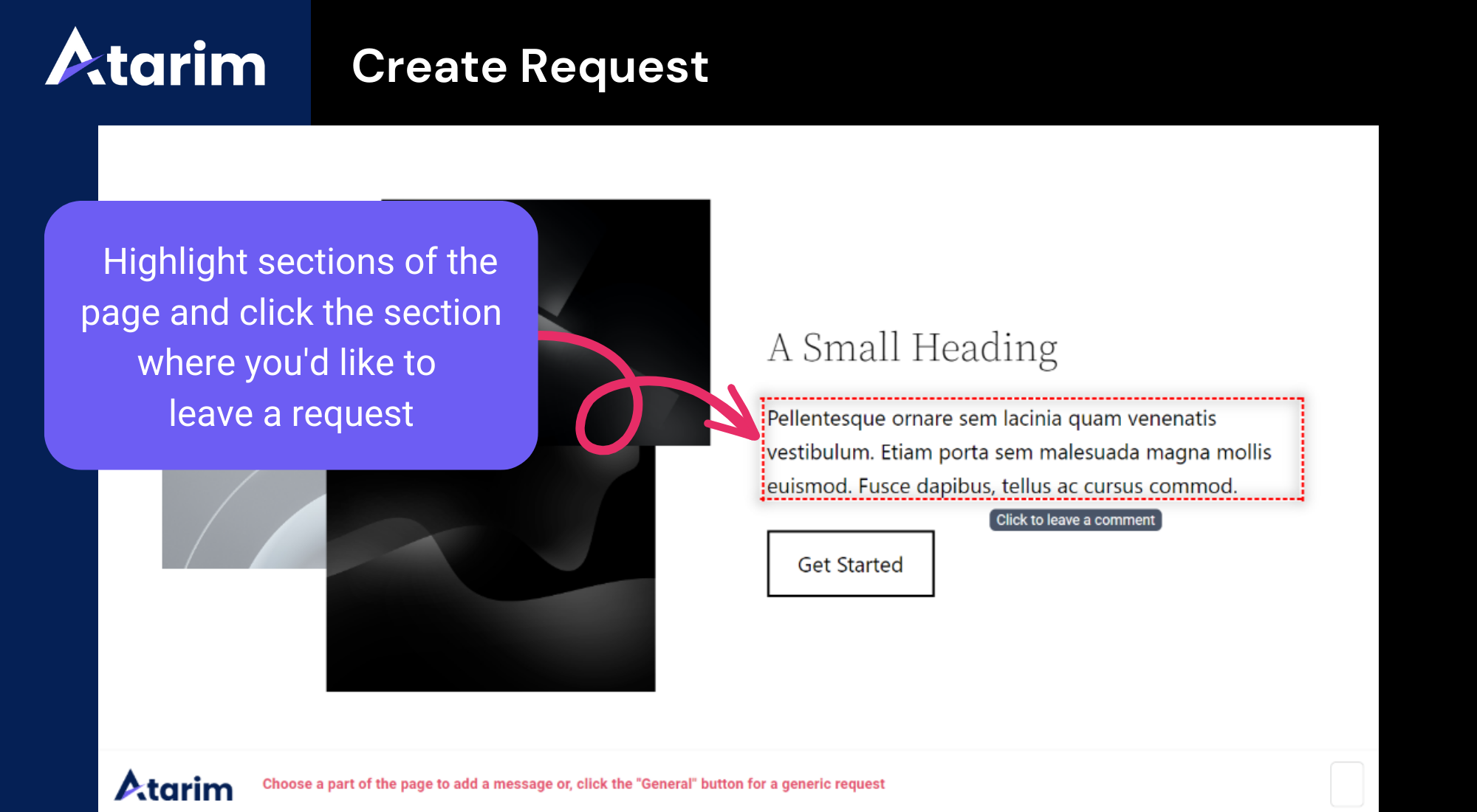
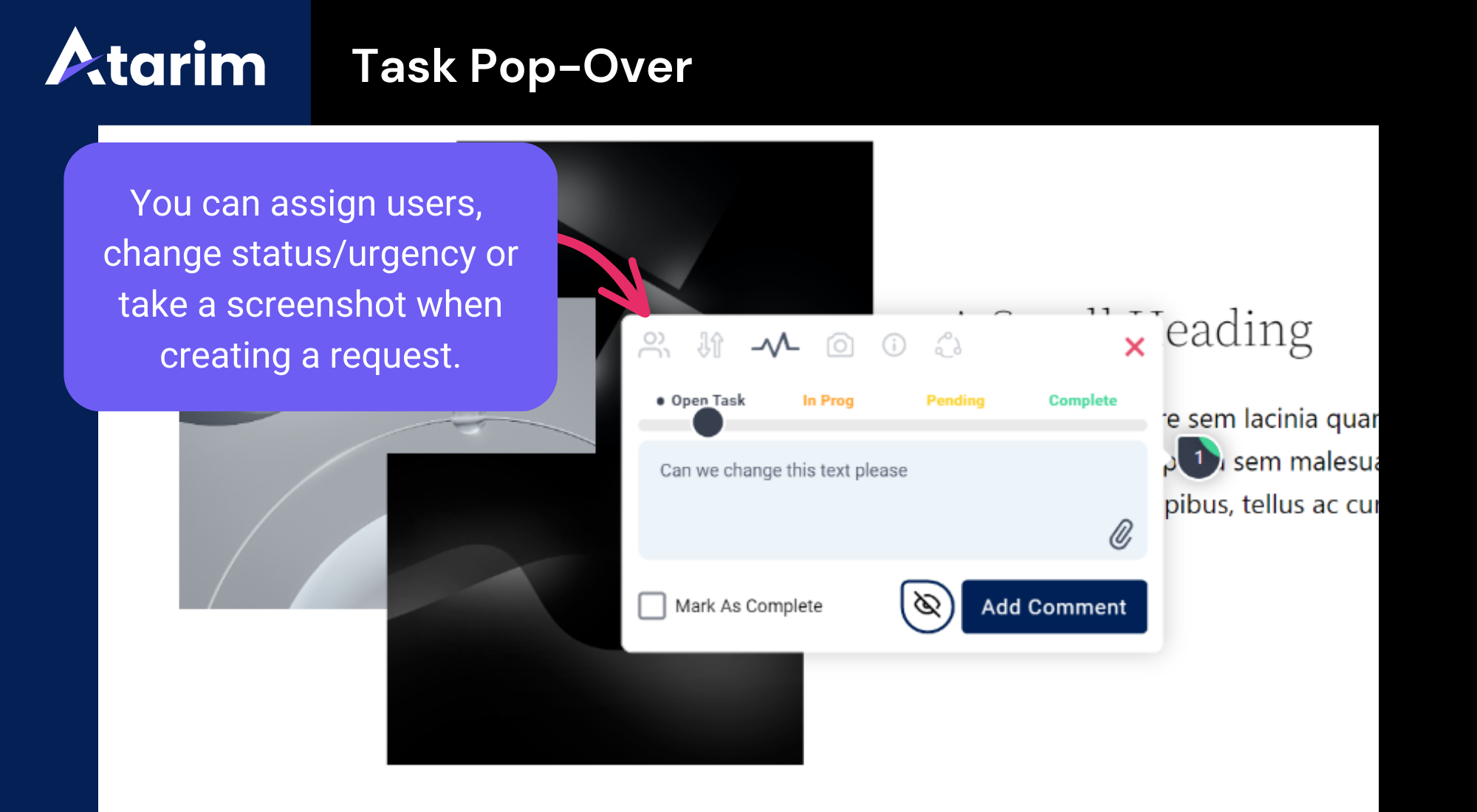
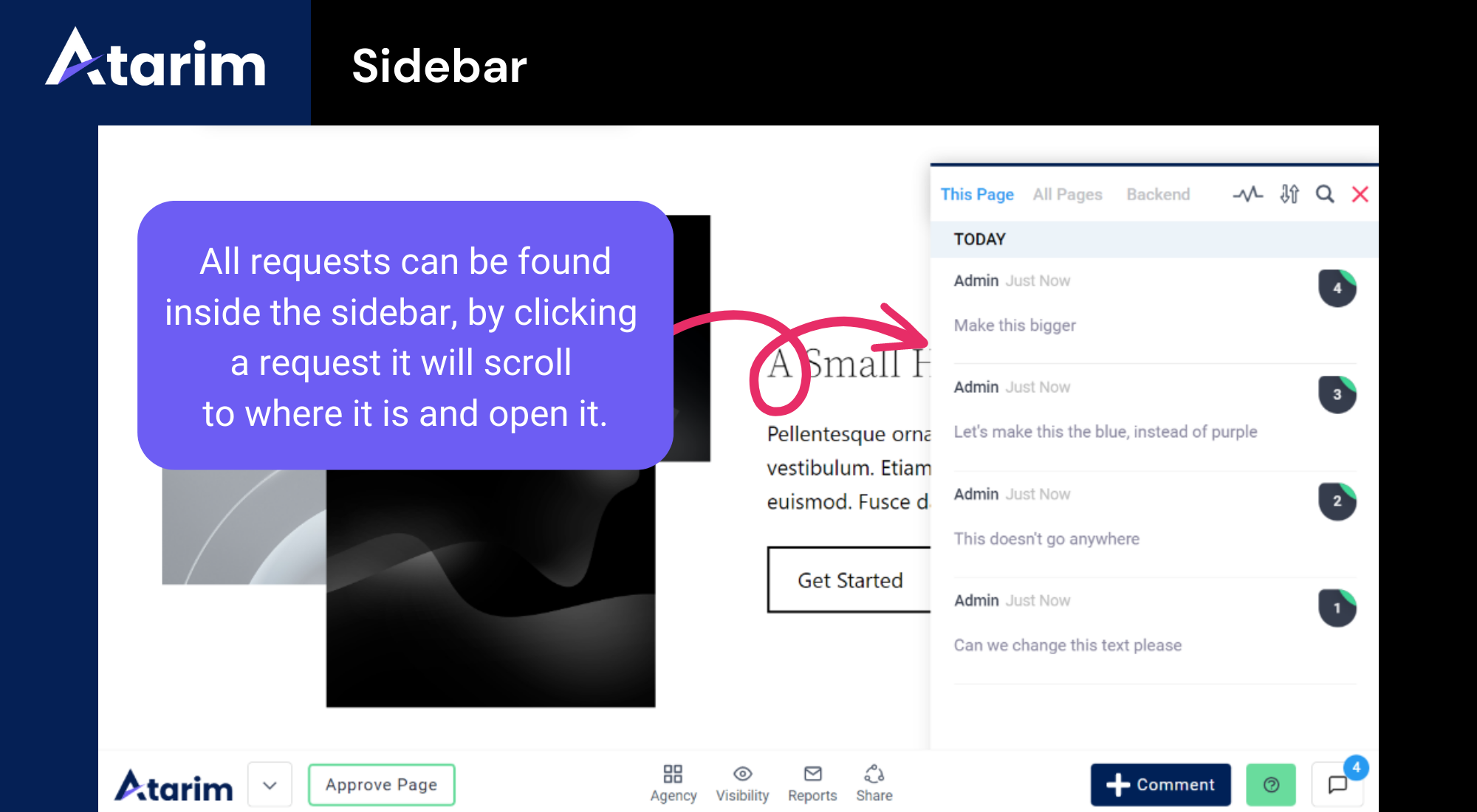
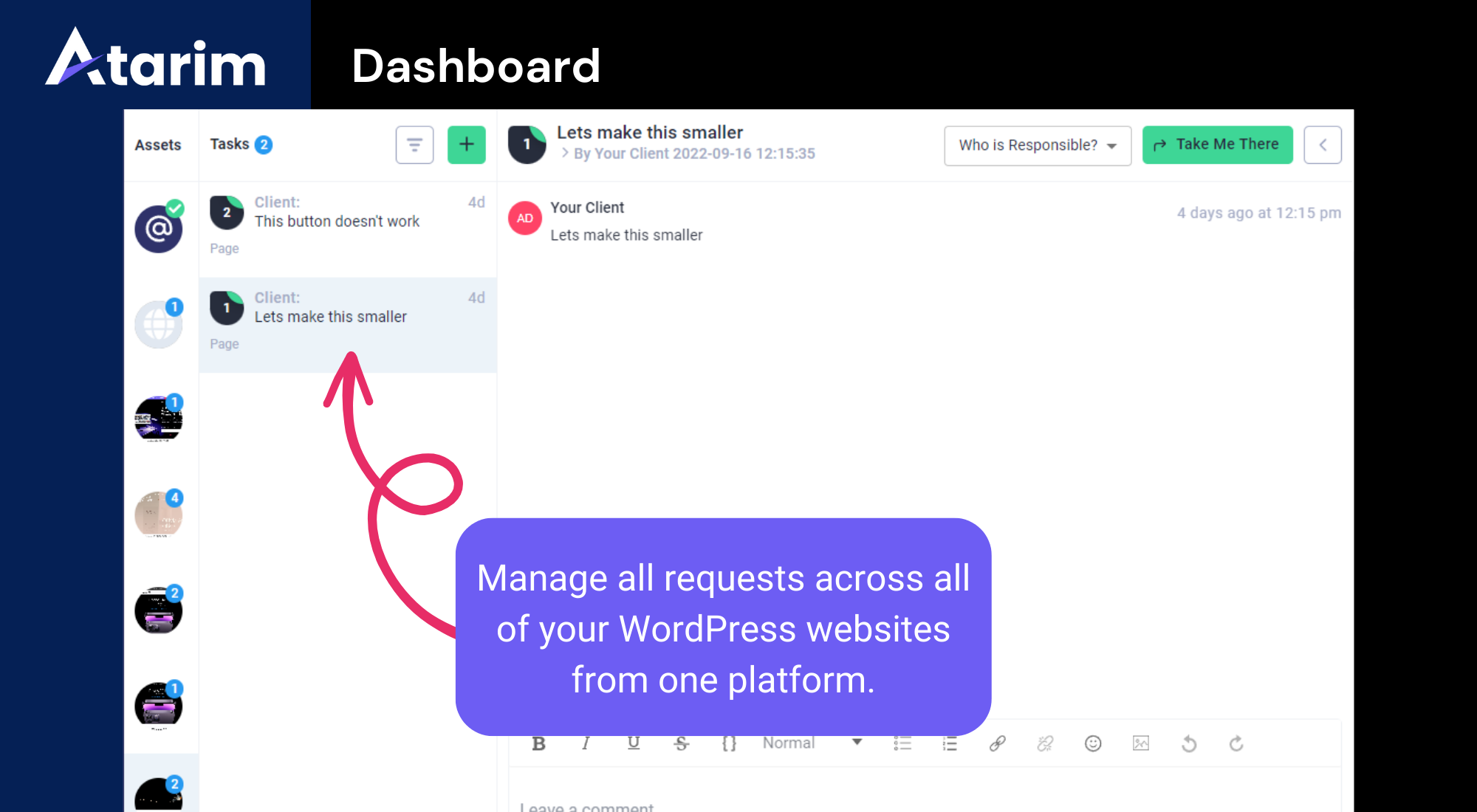
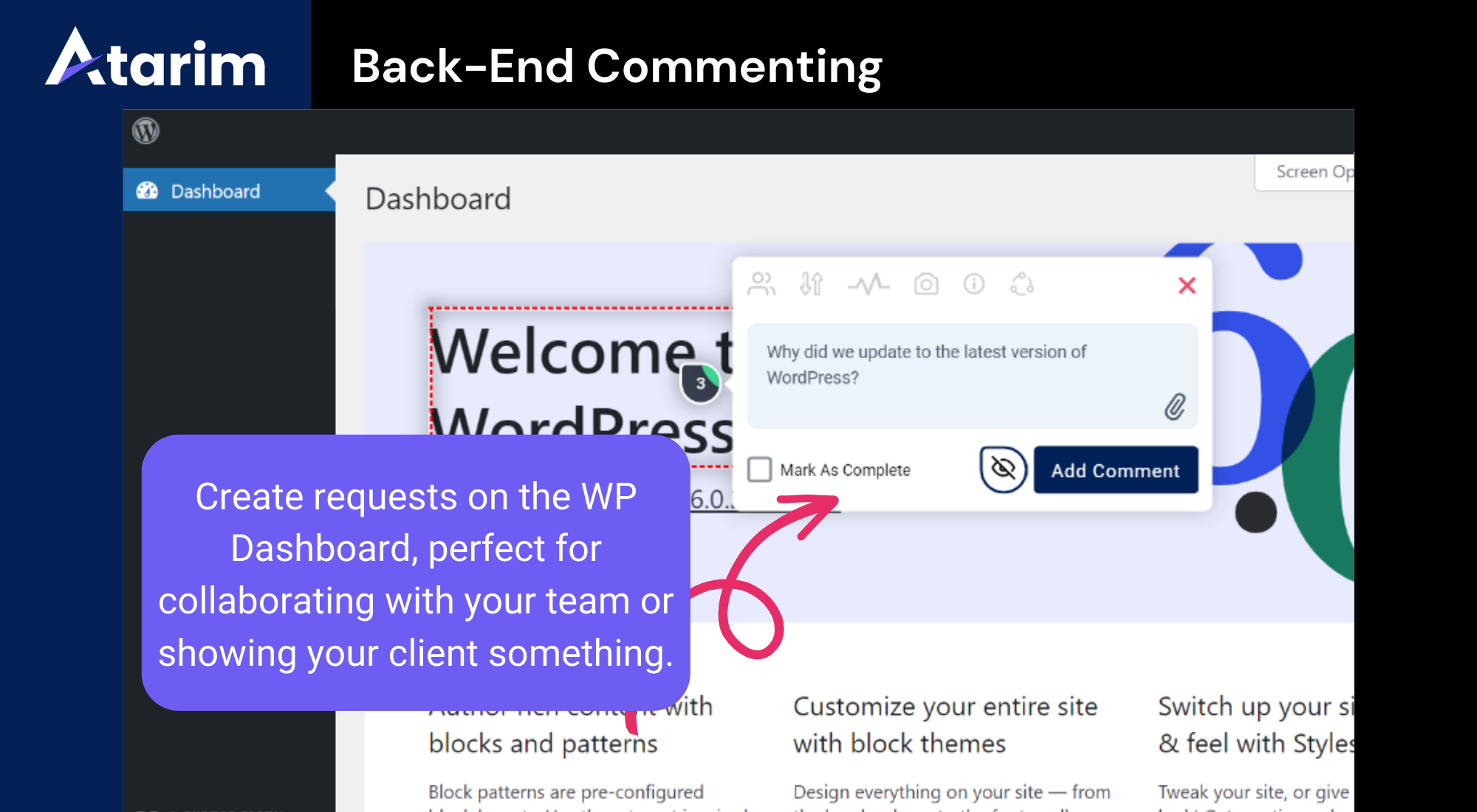
✅ Try this: "Every Monday, check the site for broken links and fix the ones you can. Tell me about the rest."👥 The six specialists You assign work to them by name. 🎨 Pixel - design – Drafts concepts and visuals from your brand kit. 🧭 Navi - UX and accessibility – Fixes the gaps instead of listing them. 📈 Index - SEO and speed – Metadata, headings, links, image weight, mobile. ✍️ Lexi - copy – Writes in your client's voice. 🐛 Glitch - bugs and code – Finds the break, then writes the fix. 🧩 Claro - coordination – Turns vague feedback into clear work and directs the rest. They tell you what they found and why. You are approving a decision, not guessing. Meet the AI Inner Circle. 💬 Visual feedback and client collaboration This half of Atarim has been running since 2019, and it works on every WordPress version we support - not just 6.9 and up. Your client opens the page and clicks on what they mean. They type a note. The comment arrives with a screenshot, the URL, the browser, the screen size and the exact element attached. No more "the button looks weird on my phone." 🖱️ Visual feedback on any page – Leave clear, contextual notes that appear exactly where you click, just like putting a post-it on a page. 📸 Automatic screenshots – Every request includes a visual snapshot, so you always see what your client sees. ⚙️ Technical context included – Browser details, screen size, URL and the exact element are captured automatically, so nothing has to be chased. 💬 In-context discussions – Threads, replies and review rounds stay in one place, with no external apps and no project management back-and-forth. 🔐 Guest access – Anyone can leave feedback with no WordPress login. Perfect for client reviews and staging sites. 🎯 Smart task management – Assign, prioritise and track tasks, tags and statuses without switching tools. 📨 Grouped notifications – Daily or weekly summaries instead of endless email threads. More on visual collaboration. Then you decide what the AI picks up. You ask for it in plain words:
✅ Try this: "Go through every task the client left in the last review round and do them all."🔗 Works with the stack you already have You should not have to change how you build. 🧱 Page builders – Elementor, Gutenberg, Bricks, Divi, Beaver Builder, WPBakery, Breakdance, Etch, Mosaic and custom themes. 📥 Forms – WPForms, Gravity Forms, Fluent Forms, Formidable, Forminator, Ninja Forms, Contact Form 7 and Flamingo. 🗃️ Custom fields – ACF, Meta Box, JetEngine, Pods, ACPT and ASE. 📈 SEO – Yoast, Rank Math and All in One SEO. 🖥️ Hosting, backups and fleets – MainWP, JetBackup, WP Activity Log. 🔌 Your other tools – ClickUp, Asana, Jira, Trello, Basecamp, Slack, Figma, Zapier, Pabbly, Make and webhooks. The full list is on the integrations page. 🏷️ Your clients see your agency Your logo and your colours go on the screens your client works in. They comment, ask questions and suggest ideas under your brand. What ships is still your call. 💳 Price A free account gets you one site and 200 AI credits. That is enough to put a real client site in and watch the AI do real work before you pay anything. There is one paid plan. It costs $67 a month. You get everything: 5,000 credits, 1,000 sites and 100 seats. 5,000 credits covers three to five clients. Think care plan clients, on around $100 a month each. Credits go up as your client list does, not as your hours do. Full details on the pricing page. Over 50,000 teams and 1.6 million sites since 2019. SOC 2 and GDPR compliant.
安装:
- Install from the plugin directory, or upload the files to
/wp-content/plugins/. - Activate it on the Plugins screen.
- Log in, or make a free account, to connect the site.
- Use a real client site, not a blank test one. A blank site has nothing to find.
屏幕截图:



常见问题:
I already use ChatGPT. What does this add?
ChatGPT can tell you what to change. It cannot open your site and change it. This can. It also looks at the site on a schedule, so it finds things nobody asked about yet.
Can I use my own AI instead of yours?
Yes. The plugin is an MCP server. Point Claude, Codex or any MCP client at it and your AI gets full access to the site, with the same backups, checks and approvals. Setup takes a couple of minutes: see the Atarim MCP page.
Do I still need to log in to WordPress?
For most work, no. You can run the site from Atarim or from your own AI. Everything reports back with a preview and a log.
Does it change things without asking?
Only if you let it. By default, content and design changes are drafted and wait for you. Updates and backups can run on their own if you allow it. Payment and checkout always go to a person.
What if it breaks something?
Theme files are backed up before every change, and broken PHP is refused before it is saved. Pages have revisions you can restore. Deletions show you what they would remove and wait. And every change is logged, so you can see what happened and when. Even with all that, keep a third party backup in place. It is good practice on any client site, with or without this plugin, in case of a fatal error.
Do I have to rebuild the site first?
No. That is the point. It works on the site as it is, whatever it was built with and whenever it was built. There is nothing to migrate and nothing to move. Install it and the site you already have can be run by AI.
My sites are custom. Will it cope?
It depends on the site, and we would rather say so. It loads real tooling for Elementor, Gutenberg, WooCommerce, form plugins and custom fields when it finds them. It cannot guess at a system it has never seen. Install it on your most awkward client site and see. That part is free.
Does it work with my page builder?
Yes. Elementor, Gutenberg, Bricks, Divi, Beaver Builder, WPBakery, Breakdance, Etch, Mosaic and custom themes. It edits the real structure, so your layout and analytics stay intact.
How do I get paid for work the client did not ask for?
That is the usual reason people stop doing it. When the AI spots work outside a client's plan, it writes up the scope and a price at your rate first. You send it as a quote.
Can clients comment without an account?
Yes. Guests can mark up a live or staging page with no WordPress login.
Will my clients know an AI did the work?
We do not hide it and we do not announce it. The work arrives under your brand. If a client asks, what they find is true.
Does it work on sites that are not WordPress?
Feedback, review and analysis work on any URL. The full access described here needs the plugin, so that part is WordPress only.
What does it cost?
A free account includes one site and 200 AI credits. The paid plan is $67 a month. It turns on the AI team, the workflows and the schedules, across up to 1,000 sites. See the pricing page.
更新日志:
- Use plugins' own AI tools - when a site has a plugin that provides its own AI tools (such as Elementor or WS Form), the assistant can now use those native tools directly, falling back to Atarim's own when they aren't available.
- Wider timezone support - setting a site's timezone now accepts all the zones WordPress itself accepts, including regional aliases like America/Montreal and US/Eastern.
- Additional CSS saved exactly as written - CSS with inline SVGs, special characters or HTML entities is no longer altered on save.
- No unexpected revisions from viewing a page - opening a page no longer creates revisions or changes its "last modified" date; identifiers are added when the page is saved instead.
- Additional CSS kept exactly as written - CSS saved through the AI tools is no longer altered on save, so inline SVG backgrounds, HTML entities and other valid CSS are preserved instead of being stripped or corrupted. A save whose stored result doesn't match what was sent now reports failure instead of a false success.
- No more phantom revisions from viewing a page - opening a block-editor page (as a visitor or in the Atarim app) no longer rewrites the page, so it can't create unexplained revisions, change the "last modified" date, or affect restore points. Block identifiers are now added when the page is saved, not when it is viewed.
- Elementor detection fix - pages that were switched from Elementor back to the block editor are no longer treated as Elementor, which previously caused editing errors.
- Embedding on more hosts - the Atarim app can now load the site in its editor on hosts that block framing by default (e.g. Seravo), by sending the appropriate security header.
- Clearer Do It status - when Do It can't run on a page, the plugin now tells Atarim why (Do It is turned off, the page is a blog index or archive, or your account can't edit it), so you no longer see "Log in to your WordPress" while already logged in.
- Auto format - when content written by the AI is turned into blocks, HTML such as headings, lists and tables is kept in an HTML block instead of being wrapped in a broken paragraph.
- Draft dates - posts, pages and media that were never published now report real created and modified dates to the AI instead of 0000-00-00.
- Update checks report - list-plugins / list-themes now indicate whether WordPress's update check actually completed, so a failed or rate-limited check can no longer look like "everything is up to date" (which had made a site several updates behind appear current).
- Content edits - raw content saved through the content tools no longer loses backslashes (Windows paths, regex, JSON, code, LaTeX), and a write whose stored result doesn't match what was sent now reports failure instead of a false success.
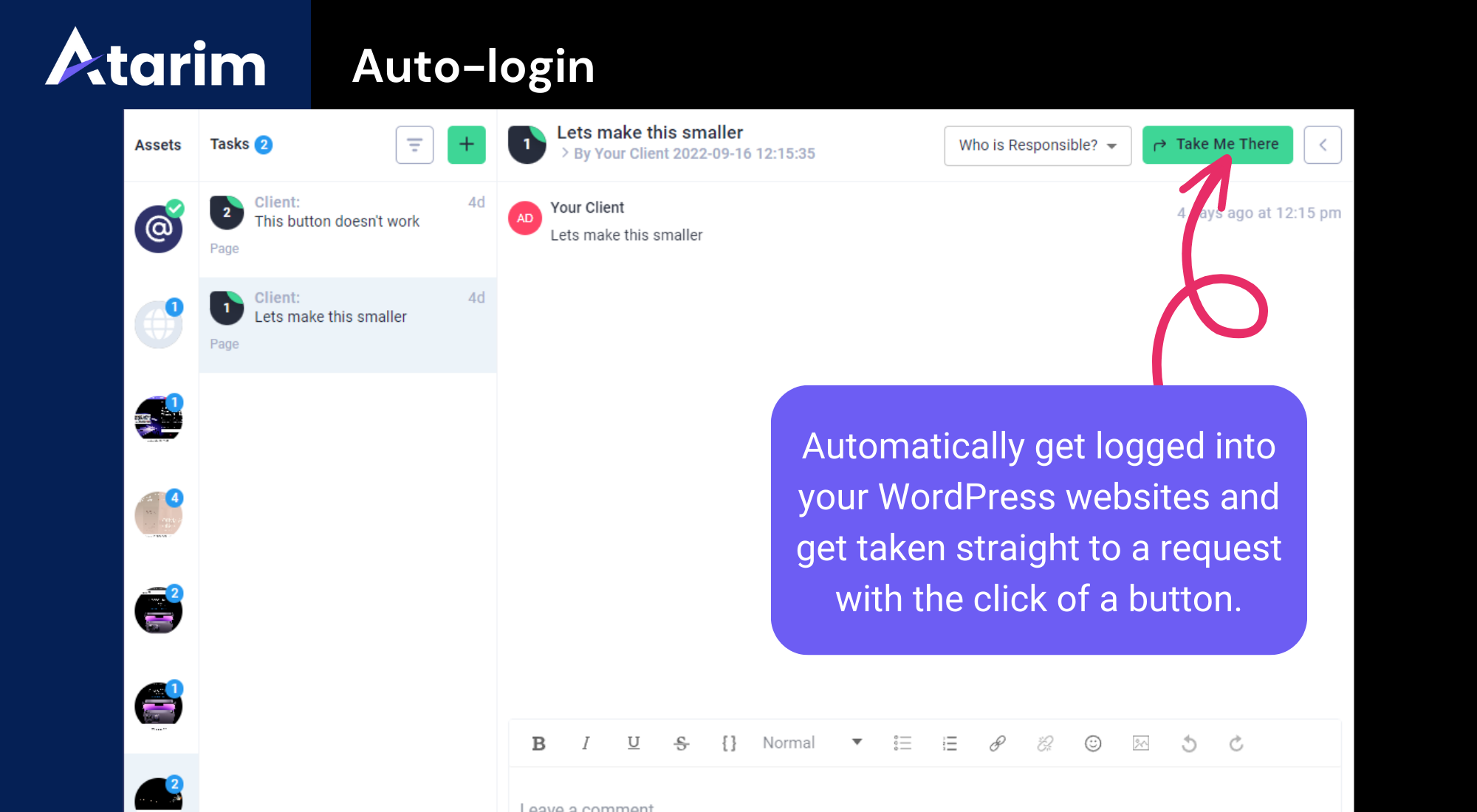
- Reliable auto-login on cached hosts - auto-login now works on edge-cached hosts (e.g. Cloudflare / Rocket.net) where the login cookie was being stripped; the admin area always opens in browse mode; and the one-time login token no longer lingers in the address bar.
- Remote disconnect - when a site is removed from the Atarim dashboard, collaboration is now switched off on that site automatically.
- Editing one setting - changing a single nested value on an Elementor, Bricks, or Gutenberg element (for example a button's link, an icon, or a block's spacing) now preserves the element's other settings - SEO/tracking attributes, icon library, remaining styles - instead of dropping them.
- Faster, leaner AI actions - The AI can now batch many operations into a single request - for example updating alt text on every image, or applying the same change across a page - instead of one round trip each. It can also request only the tool categories it needs, and large reads are trimmed and capped, cutting the time and overhead of bulk work.
- Restore points no longer fill your backup storage - Arming a restore point now releases the previously locked snapshot, so retention can reclaim old backups and only the current restore point stays protected - preventing the backup quota from filling up over repeated rounds.
- Invalid Elementor settings are caught before they break the editor - When the AI creates or edits Elementor (v4) elements, setting values are validated against Elementor's own rules before saving. An invalid value - for example a heading tag outside h1-h6 - is rejected up front, instead of saving silently and then aborting the whole page the next time someone clicks Publish.
- Clearer messages when a change can't be applied - Write and backup failures now report the actual reason - the specific Elementor element and setting that was rejected, or the real JetBackup error - instead of a generic failure.
- Do It: more page builders, and undo - The AI action layer can now target and edit Beaver Builder and SiteOrigin layouts alongside Gutenberg and Elementor, with more reliable block handling, and content changes can be rolled back through built-in undo.
- Run WP-CLI commands - For large or long-running jobs no other ability covers - bulk search-and-replace, database export, media regeneration - the AI can run WP-CLI commands, in the background where needed. Administrator only, and every run is logged.
- Arm a restore point before risky changes - Before editing, a files and/or database restore point can be armed and its readiness tracked, so a change can be undone if it goes wrong - including driving the JetBackup queue on sites where the host cron doesn't, and restoring a snapshot by name.
- Plugin updates keep plugins active - Updating a plugin through the dashboard now leaves it active, matching WordPress's own update behaviour, so scheduled update runs no longer switch plugins off.
- Security fix (arbitrary file deletion) - Hardened the media-replace ability so it only ever operates on files inside the uploads directory, and blocked traversal/absolute values and other WordPress-managed attachment meta from being written through the generic field abilities. Fixes an authenticated (author and above) arbitrary file deletion issue reachable through the DoIt abilities.
- Security hardening (MCP surface) - The AI action layer is now reachable only through Atarim's own token-authenticated MCP server; the adapter's ungated default server is no longer registered.
- Back up and restore through JetBackup - Using JetBackup, a connected AI can take a fresh backup before it starts editing, watch it finish, and restore a snapshot if a change needs undoing.
- Run a PHP snippet on the site - For the times a fix needs code rather than a content change, a snippet can be run on the site and its output handed straight back. Administrator only, refused on sites that have file editing switched off, and every run is logged.
- Push attachments straight into the media library - Images and files left on a task in Atarim can be sent to the site's media library from the dashboard, instead of downloading them and uploading them again by hand.
- Image optimization through the plugin already on the site - Compress a single image or run a bulk pass using whichever optimizer is installed (ShortPixel, EWWW, Smush, reSmush.it, Imagify, Optimole), and check how far a bulk run has got.
- Full site editing over MCP - Filled the remaining gaps in the editing flow, so a connected AI can take a page or template change from start to finish without running into a missing ability.
- Update content from a URL - Point an update at a URL and the AI pulls the content from there as the source for the change, instead of you pasting it in.
- Cache purging through your own caching plugin - When a change is written, Atarim clears the cache using the caching plugin already installed on the site, so the client sees the new version and not the old one.
- Update WordPress core - Core version updates now sit alongside the existing plugin and theme update abilities, so a full update round can be run in one go.
- Refreshed logo and icons - Updated Atarim branding across the plugin interface.
- Requires WordPress 6.9+ - The AI abilities run on the WordPress Abilities API, available in core from version 6.9. On older versions the rest of the plugin keeps working and the AI layer simply stays inactive.
- The Atarim AI action layer (DoIt) is here - Atarim now exposes a full, secure set of abilities that let your connected AI teammates take real actions on your site, driven straight from your tasks and feedback. Over 650 abilities span WordPress core, WooCommerce, forms, page builders, custom fields, SEO and more.
- Bring your own AI over MCP - The plugin is an MCP server. Point Claude, Codex or any MCP client at your site and it gets the same abilities, backups and approvals as the built-in specialists.
- Enabled by default on new installs - "Do it" via Atarim AI is switched on automatically the first time you activate the plugin. Updating from an earlier version never changes your existing setting - if you had it off, it stays off.
- New settings toggle - A single Enable "Do it" via Atarim AI switch in the plugin settings turns the whole action layer on or off. While it's off, the endpoint stays closed.
- Theme file editing with a safety net - Edit theme files through the AI layer with automatic, restorable backups.
- Built-in diagnostics - A health-check endpoint lets the Atarim dashboard tell you exactly why the AI layer isn't connecting, on the rare occasion it doesn't.
- DoIt — Magical Editing on the Live Page (Beta)
- DoIt lets you update content directly on the live page — no need to open the page builder. Click on a 'do it' button inside task. The change is applied to the page right away.
- Supported page builders:
- Block editor (Gutenberg) — edit any block type
- Elementor — edit widgets directly
- Classic editor — edit standard HTML content
- If a page is built with another page builder, DoIt stays inactive on it and your content is left untouched.
- Added quick access to Project Settings directly within the plugin settings.
- Integrated Share Modal into the Settings page for easier project sharing and collaboration.
- Optimization - Sanitized and improved project connectivity.
- Security - Sanitized and improved input validation.
- Compatibility - Standardized plugin prefixes to prevent naming conflicts.
- Compliance - Updated plugin headers and readme to align with WordPress.org guidelines.
- Service Disclosure - Added External Services and User Consent documentation for the remote collaboration script.
- Enhancement - Integrated improved True Guest Mode flow for smoother client feedback without requiring WordPress login.
- Security - Improved permission checks when saving plugin settings to prevent unauthorized access.
- Fixed - Consent modal readability issues caused by CSS overrides.
- Simplified settings - for a faster and more intuitive configuration experience
- Unified experience - across URL method, script injection, and Chrome extension
- Optimized performance and improved security
- Security Fixes & Hardening
- Improved authorization and request validation in the license activation flow.
- Enhanced access controls for internal REST API endpoints.
- Strengthened validation and handling of media-related requests.
- Improved user-related request validation to prevent exposure of sensitive information.
- Hardened token authentication flow in coordination with the Atarim platform.
- Heads up - This version is preparing the plugin for a major release on the next version: bringing deep AI collaboration to the plugin and fixing security concerns.
- ESC key conflict – Fixed an issue where toggling between browse and comment modes using the ESC key caused the collaboration bar to not appear.
- Legacy jQuery override – Resolved a conflict where older jQuery versions (below 2.0) loaded by some themes caused AJAX POST requests to degrade to GET, breaking functionality.
- jQuery conflict - Our jQuery UI library had conflict with WordPress's default sortable UI jQuery. This is fixed.
- Task center - Issue creating General task from plugin's Task center. This is fixed.
- XSS vulnerability - A Cross-Site Scripting (XSS) vulnerability was identified in our plugin, this is now fixed.
- Auto Screenshot - On some sites, the auto screenshot were not getting captured due to delay in the process. This is fixed.
- Guest mode - Disabled guest mode by default when plugin is installed.
- Added security - Secured ajax call by adding nonce to secure them from CSRF.
- Arbitrary Content Deletion Vulnerability - Fixed a critical issue that allowed unauthenticated users to delete files or pages via arbitrary requests when Guest mode was activated by default.
- Stored XSS Vulnerability - Fixed a stored Cross-Site Scripting vulnerability that allowed malicious actors to inject harmful scripts when Guest mode was enabled, affecting collaboration features on pages.
- Security Update - Updated Lottie library version from @latest to a fixed 2.0.8 version to ensure a stable and secure experience.
- Issue Fix - Prevents future occurrences of popups from third-party changes by loading a specific, verified version of the animation library.
- Guest User Auto Screenshot Fix - Resolved an issue where the auto screenshot feature was not capturing when a guest user created a task.
- Avada Theme Conflict - Fixed a conflict with the Avada theme structure that prevented proper click actions in collaboration mode.
- Conflict with Mobile Menu Plugin - Addressed a conflict with a third-party mobile menu plugin, which updated the DOM and caused element location issues, preventing click actions from working in collaboration mode.
- Multiple Default Users - Integrated the option to set multiple default users for task assignments, instead of just one.
- Guest User Restrictions - Disabled the edit and delete options for guest users, preventing them from modifying or deleting comments.
- Custom Post Type Archive Support - Added support for custom post type archive pages, ensuring the collaboration interface loads properly on these pages.
- Task Assignment Issue - Fixed issue where assigning/unassigning users to tasks was not reflecting live in the sidebar.
- Task Completion Animation - Fixed and optimized the animation for the complete task button, ensuring it works for new tasks.
- Task Center Loader Removal - Removed the wait loader for user assignment, status change, and urgency change actions in the Task Center.
- Task Center Attachment Issue - Fixed issue with uploading attachments in the task center.
- Elementor Compatibility - Added support for the latest Elementor structure changes to the collaboration tool.
- Menu Cleanup - Removed unnecessary plugin menus: Integration and Support.
- Responsive Sidebar Issue - Fixed issue with closing the sidebar in responsive mode.
- Frontend Task Loading Issue - Fixed issue with tasks not loading on the frontend for some projects.
- Performance Optimization - Optimized plugin setting code to enhance performance and speed.
- Improved Auto Screenshot Accuracy - Resolved an issue where the Auto Screenshot feature sometimes failed to highlight the correct section due to mouse movement.
- Fixed White Label Color Display - Addressed a problem where the white label color was not reflecting correctly on the front side.
- Enhanced Security for Settings - Strengthened security when saving settings to prevent Cross-Site Request Forgery (CSRF) attacks.
- API Call Optimization - Reduced the number of API calls to optimize performance for certain actions.
- User list - Collaborator user list was available for guest user in the bottom bar. We are no longer showing them as a part of enhancing security.
- Admin notice - Secured admin notice action to make sure it can be only triggered by logged in user.
- Code Cleanup - Removed code that is not needed after UX changes.
- Task Center Notification Issue - Fixed notify user was not reflecting the change on the Task center.
- HTML Task List Filter - Fixed broken HTML of the task list when using filter on Task center.
- HTTP Token/Reshare Link Issue - Copy token or reshare link action was not working for site with http has been fixed.
- Share Modal UI for Invited Users - Fixed UI for invited user on the share modal.
- Sidebar Page Tab UI - Fixed Page tab UI in the sidebar when the page image is not available.
- Access Control Vulnerability - Fixed access control vulnerability for adding/deleting/editing comment.
- Task Tab Information Overflow - Fixed information overflow in the task tab for each task element.
- Sidebar Pagination - Fixed pagination not working for 'All page' filter in the sidebar.
- Optimization - Modified page tab integration to optimize the page loading speed.
- Compatibility - Added support to resolve Bootstrap conflict with Woodmart themes.
- Code Cleanup - Removed code that was not needed after UX changes.
- Feature Enhancements
- Implemented auto-closing of open task popup on creation of a new one.
- Auto login is now enabled by default instead of disabled.
- Bug Fixes
- Fixed an issue where remapping a task was triggering the open task action.
- Resolved the issue where users were unable to delete new tasks without a page refresh.
- Security - Improved overall security of the plugin.
- Other Changes - Removed EDD license key dependency from the code.
- XSS vulnerability - A Cross-Site Scripting (XSS) vulnerability was identified for tag integration in our plugin, this is now fixed.
- XSS vulnerability - A Cross-Site Scripting (XSS) vulnerability was identified in a previous version of our plugin, this is now fixed.
- License key - We have removed license key dependency for better security and compatibility with our platform.
- Plugin check - Implemented recommended changes suggested by the plugin check plugin.
- Subfolder Support - Our plugin now supports subfolder structures, enabling you to activate our plugin and collaborate on site with the subfolder structure.
- Removed models - We have removed a few restriction models that were not relevant to the current integration.
- Activation error - Upon plugin activation on plugin-install.php page, it was throwing an error due to the inability to redirect after activation. This is fixed.
- Animation - Added animation for task completion action.
- Priority reflection - Fixed issue where changing priority on a new task did not reflect in the sidebar.
- Image preview - Resolved issue where deleting a previewed image inside popover did not remove the last one.
- Broken UI - Fixed file upload problem in edit page mode.
- Guest link - Addressed a bug related to guest token link cookies.
- Sidebar view - Sidebar task text now clips to a single line for better display.
- New sidebar - Redesigned the sidebar with a modern layout and improved functionality, enhancing user navigation and accessibility to tasks and pages in the collaboration interface.
- New bottombar - Revamped the bottom bar design to provide a sleek and intuitive user experience, offering quick access to essential functions and options while minimizing screen clutter and maximizing workspace efficiency.
- Collaboration mode - Introduced a collaboration mode feature, enabling users to collaborate more effectively by toggling between different modes:
- Comment Mode: Users can provide feedback and comments on shared tasks in real-time.
- Browse Mode: Users can browse and view content, ensuring uninterrupted naviagtion and focus.
- Page tab - Integrated a page tab functionality, allowing users to organize and switch between different pages or sections seamlessly, improving overall user experience and navigation.
- Popover design - Redesigned the popover interface with modern aesthetics and improved usability, providing users with contextual information and actions in a visually appealing manner.
- Bulk upload - Added support for bulk uploading multiple files simultaneously, saving users time and effort when importing large amounts of content into the task/comment interface.
- Image preview - Implemented an image preview feature, enabling users to preview uploaded images directly within the task/comment interface, facilitating easier content accessibility.
- File download - Enhanced file management capabilities by enabling users to download files directly from the task/comment interface, streamlining the process of accessing and sharing documents.
- Instant task - Introduced instant task creation functionality, allowing users to quickly add new tasks or action items without navigating away from the current page, improving productivity.
- Instant comment - Implemented instant comment feature, enabling users to provide feedback or collaborate on specific items, fostering effective collaboration.
- Instant update - Enhanced real-time updating capabilities, allowing users to instantly update task statuses and priorities, ensuring that changes are reflected instantly in the task, providing a seamless user experience.
- Code optimization - Conducted comprehensive code optimization and refactoring to improve overall performance, stability, and maintainability of the plugin, resulting in smoother operation and reduced resource consumption.
- Default user - Fixed issue with setting default user for new task upon plugin activation.
- Theme conflict - Beaver Builder Bootstrap had a conflict with our plugin.
- Code optimization - We have optimized some APIs to improve response time.
- Auto login - We have integrated option to enable/disable auto login to site from app.
- Image optimization - To reduce the plugin size, many images have been optimized.
- GeneratePress theme JS/CSS - The theme had JS and CSS conflict with our plugin which is now fixed.
- Beaver Child theme JS - The theme had JS and CSS conflict with our plugin which is now fixed.
- Guest URL token - For the old plugin versions, we have added support for guest URL with token.
- ePress theme JS/CSS - The ePress theme had JS and CSS conflict with our plugin which is now fixed.
- CSS changes - We have made some small CSS changes to improve some element alignments.
- JS/CSS exclusion - We have integrated a way to auto-exclude our JS and CSS from blocking inside the WP Rocket plugin.
- Guest mode - Allowing collaboration on-site via sharing URL with token has been integrated to provide quick and easy guest invitations.
- Conflict with Block editor - Js conflict with Block editor was detected, this is now fixed.
- CSS override - CSS of certain themes was overriding a few elements, this is now fixed.
- Password strength - Password validation during user registration has been upgraded to allow the user to set a strong password.
- License activation - There was an issue updating database value during license reactivation on some sites, this is now fixed.
- XSS vulnerability - A Cross-Site Scripting (XSS) vulnerability was identified in a previous version of our plugin, this is now fixed.
- Js conflict with ACF - Date selection on the date field was not working due to js conflict, this is now fixed.
- User Avatar - Due to the changes on the Gravatar API data response, comment author images were not loading, this is now fixed.
- Comment overflow - On certain themes, there was a problem with comment box overflow which cut off the comment, this is now fixed.
- CSS conflict with Springfield theme - Springfield theme CSS was overriding Comment box CSS, this is now fixed.
- Default permission for users - We have modified the default permission for users when the user type is not selected.
- Screenshot issue with Bricks Theme - There was a problem with automatic screenshots with Bricks Theme, this is now fixed.
- Push To Media - There was an issue with pushing media from the Atarim Dashboard to WordPress websites, this is now fixed.
- CSS Fixes - There were a few CSS fixes required inside the Atarim interface, these have been fixed.
- Activation Flow - We have stripped loads from the activation flow to make it super fast to get started, no more wizard and no more role selection on the front-end.
- Automatically assigning roles - When you invite users via the front-end share, they will be automatically assigned as a client inside the plugin.
- Removal of graphics - Graphic feedback has now been completely removed from the plugin, you can collaborate visually on designs inside the Atarim Dashboard. More info on that here.
- Reduced triggers on page load - We've reduced the number of action triggers on page load when collaboration is enabled, to make everything faster!
- CSS fixes - Some minor CSS fixes across the board.
- Task pop-up design update - We've improved the design of the task pop-over, making it nicer to use.
- Date and time - The plugin now uses the time inside your browser, to ensure you see the correct timings on tasks.
- Tag CSS - The alignment of tags were not pretty, we've fixed the CSS.
- Task center CSS - There were some issues with image alignment and size control on the task center, this is now fixed.
- PhP errors - On some websites, php errors were showing, this is now fixed.
- User invite security - To increase security, we've sanitized the values used when inviting users.
- Login pop-up - Added proper validation and message on the pop-up when logging into a WordPress website using the Atarim modal.
- Variable names - We've changed variable names to make them visibly relevant in some places.
- Optimizing loading - To decrease load times, we've optimized some API calls.
- Inviting from the back-end - When inviting from the back-end of the website, the invite link has been changed to the homepage of the website.
- Uploaded files - Sometimes the uploaded files were not rendering properly inside the task popup, this is now fixed.
- Task center author - Sometimes the author name of comments inside the task center was incorrect, this is now fixed.
- Theme css conflict - There was an issue where theme CSS was overriding the comment box CSS, this is now fixed.
- Text domain support - We've added text domain support for many strings that were missing for translation.
- French translation - The plugin is now fully translated into French.
- Reorder post conflict - There was a conflict with the reorder post plugin, this is now fixed.
- CSS Fix - Some theme styles were conflicting with the new "Invite to Collaborate" feature. This is now fixed.
- Security - There was a security risk (not abused) that needed to be fixed which was spotted by one of our users. Was fixed with priority.
- Language support - Added plugin translation for French(France), Spanish(Spain), and Portuguese(Brazil) languages.
- Menu Bar - We have now added the option to open the Atarim Dashboard menu bar, to give Admins quick access.
- White Label Invite - Previously if you had the white label on, the invitation email was not displaying it, this is now fixed.
- PHP Notices - A warning was showing because of PHP, this is now fixed.
- Post-Type Taxonomy - Tasks were not loading correctly on custom taxonomy pages, this is now fixed.
- Bottom bar conflict - There was a JS conflict happening with our new bottom bar, this has been fixed.
- Red overlay - When a task was being created, sometimes a red overlay would show, this has been fixed.
- Task complete validation - You could mark a task as complete before creation, this has been fixed.
- Saving settings - Sometimes when saving settings, an error would occur, this has been fixed.
- Task center filter - When filtering inside the task center, an error was triggering, this has been fixed.
- VC cookie issue - There was an issue with VC cookies on sites hosted on 20i, this has been fixed.
- JS validation with username - We've added validation to fix tasks not listing when a username was not present.
- Formidable forms - We fixed a conflict that was occurring when Formidable Forms was installed along with Atarim.
- Bottom bar - We've redesigned the bottom bar of the Atarim plugin to make it more in line with the Atarim Dashboard.
- Skip wizard - You now have the option to skip the initial wizard, making installation even faster.
- Sharing version 2 - The share function inside your websites has been updated in a variety of ways to increase the speed of collaboration with your clients. By inviting them, you generate and send a unique link to their email, enabling them to see the Atarim plugin on their website without being logged in.
- Popover conflict - There was a conflict that was stopping the pop-over from being closed, this has now been fixed.
- CSS fix - There were some font css conflicts causing text not to show correctly, this has now been fixed.
- Autologin error - Auto logging was not working with all websites, this has now been fixed.
- Links in comments - There was an issue with links not working in comments when some tasks load, this is now fixed
- CSS in Task Center - When the author of a comment's name was too long, it broke the design, this is now fixed.
- Comments container - When a link was too long it would break the design, this is now fixed.
- Schema pro plugin - There was a JS conflict with the Schema pro plugin, this is now fixed.
- Sites disconnecting - Sometimes sites would become disconnected and you'd have to re-activate, this is now fixed.
- Woocommerce function - A function inside Woocommerce became deprecated, this is now replaced.
- White label - Fixed white label integration not working sometimes.
- Main file name - We have changed the main file name as per the WordPress standard.
- Updraft conflict - Fixed a JS conflict with the Updraft plugin.
- Loading Icon - Moved the loading icon to local storage to prevent a CORS error.
- Non-English Characters - Non English characters were causing some comments to load incorrectly, this is now fixed.
- Auto-login from the dashboard - Auto-logging in from the dashboard was not working in some cases, this is now fixed.
- Alt-text on images - Added alt text to all image tags to make them SEO friendly.
- Support for The Theme - Added support for the theme to adjust the dashed box on the front side.
- One click activation - You can now activate with one click, speeding up with the setup process for the Atarim plugin.
- Added a password field when creating an account - You can now create your password for brand new accounts inside the plugin, making it faster!
- Bottom bar during installation - The bottom bar was showing during the wizard, this has now been removed.
- Default state of bottom bar - The bottom bar was closed by default after installation, this has been changed to be open by default.
- Images not loading - Images inside tasks were not loading correctly due to a conflict in an API, this has been fixed.
- Global Elementor color - The global Elementor color was overriding the color on the Atarim login pop-up, this is now fixed.
- Edit comments - Editing a comment was not showing the comment inside the box, this is now fixed.
- Added support for the Black Bros theme - The selection box had an alignment issue on the front end when the Black Bros theme was installed.
- Blocked interface on Bricks theme editor mode - The plugin was showing when using the Bricks theme editor mode, this has now been fixed.
- Conflict with Bricks quill classes - There was a class conflict with Bricks quill classes, this has now been fixed.
- Mark as complete - We changed "Mark as complete" on the task pop-over to "Complete", to clear up some space.
- Youtube video preview - Youtube video previews were not showing correctly inside tasks, this is now fixed.
- Internal task icon toggle - There was an issue with the internal task icon on the pop-over, this has been fixed.
- FluentCRM issue - There was an issue where the plugin was not loading inside FluentCRM, this is now fixed.
- General CSS fixes - We fixed a few CSS issues and made some small changes to improve design
- Skipped a version - The plugin was one version behind the dashboard, so we have gone straight to 3.4.3
- General task icon - We have changed the icon on the general task icon to make it more pleasing to the eye!
- Comment text font size - We have updated the font size on comments to make it more readable.
- CSS changes - Multiple small CSS updates and changes to make the design of the plugin more consistent.
- Task center layout - We've changed the layout of comments inside the task center to match the new pop-over design comment feed.
- Internal task icon toggle - There was an issue with the internal task icon on the pop-over, this has been fixed.
- Author name alignment - Fixed an issue where the length of the author name could break the design if too long.
- Pop-over design update - We've slightly updated the pop-over design for tasks, including the order of icons and color of the comment button.
- Comments feed design update - We've changed the layout of the comments feed to make it more of a chat, by adding author images and aligning everything to the left.
- Notes issue - Previously you could create a task with the first comment being a note, this has now been fixed.
- Divi add-on conflict - There was a conflict with a Divi add-on that made page ID's incorrect, this is now fixed.
- Warnings generated by plugin code - A warning was showing in the WP admin due to some code inconsistencies, this has now been fixed.
- Secured SQL Query - Fixed an edgecase security vulnerability inside the plugin.
- General Tasks - In some cases, you could not add text to a general task, this is now fixed.
- Formidable Forms Plugin Conflict - When this plugin was installed alongside Atarim, it was causing issues, this has now been fixed.
- Uncode Theme Conflict - Some styling issues with the Uncode Theme, which are now fixed.
- Bootstrap JS conflict - There were a few conflicts that have now been fixed with the JS.
- Bootstrap CSS conflict - There were a few conflicts that have now been fixed with the CSS.
- Tablet View - Tablet view was not showing correctly due to the width being too small, this has now been fixed.
- Filter issue - There was previously an issue with the sticker color of task status in the task center, this is now fixed.
- Empty comments - It was possible to add empty comments due to rich text, we have added more validation to stop this from happening.
- Graphic Feedback Notice - The notice we added in our last update kept showing, now when you close it you'll never see it again.
- Google signup - When you install the plugin on a WordPress website, you now have the option to sign up for a new free account with Google, making the signup process even shorter!
- Graphic FeedBack Notice - We are planning to move the graphic feedback tool from the plugin to the dashboard, with this update you’ll see a notice to let you know about this.Plugin
- Internal Task Icon - Alignment on the internal task icon was a bit off, this has been fixed.
- Internal Task Icon Colour - There were some issues with the color of the icon, this has also been fixed.
- Bottom bar - On some websites, the bottom bar had a problem with its width, this is now fixed.
- CSS Conflict - There were some CSS conflicts on specific websites, this has been fixed.
- Rich Text - You can now highlight your comments while adding to add rich text. You can also edit previous comments and add it too!
- Tag Creation - Previously, you could not add tags to a task after creating it, you needed to refresh, this has been fixed.
- Tasks At The Bottom Of A Page - Sometimes tasks at the bottom of the page caused the comment button to be hidden, this has been fixed.
- Arrow On Pop-Over - After we removed bootstrap, we lost the arrow on pop-overs that connected the sticker, this has been fixed.
- Removing Stickers - Previously, if you tried to create a task, and then create another one without finishing the first, you'd have two stickers. This has been fixed.
- Automatic Screenshots Not Showing Images or Gradient - Sometimes images and gradients inside automatic screenshots were not showing, this has now been fixed.