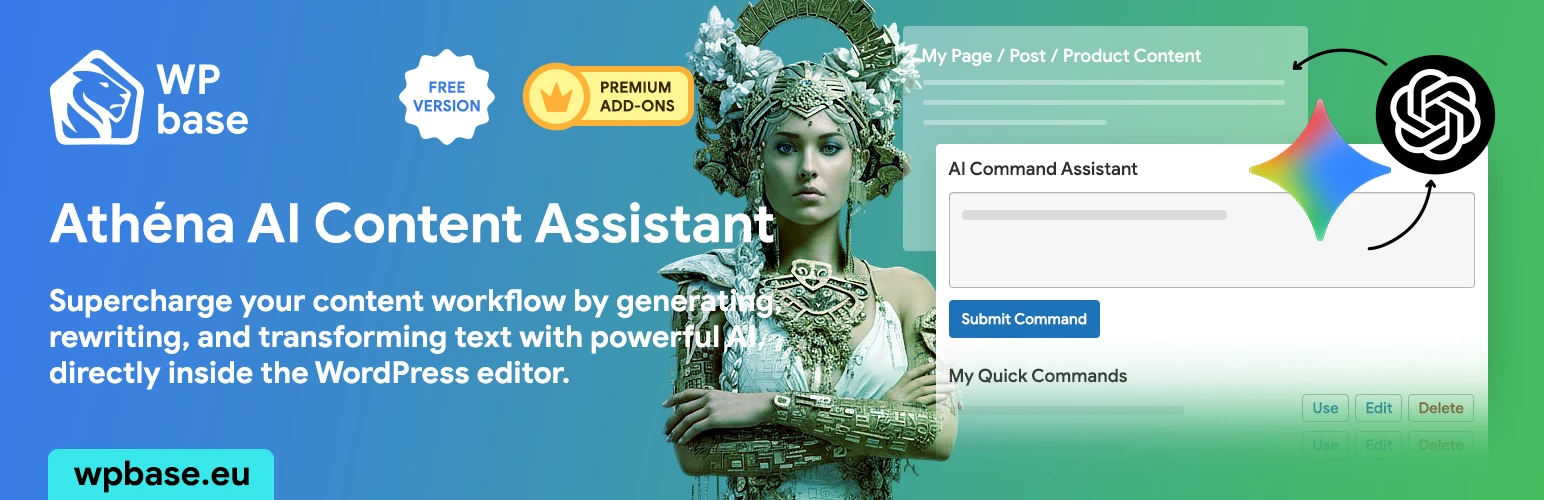
Athena AI Content Assistant
| 开发者 |
janvasek
WPBase WPBase.eu |
|---|---|
| 更新时间 | 2026年8月16日 17:49 |
| PHP版本: | 7.4 及以上 |
| WordPress版本: | 7.1 |
| 版权: | GPLv2 or later |
| 版权网址: | 版权信息 |
详情介绍:
- 🤖 Direct Editor Integration: Use a simple command box below the editor on all your Pages.
- 💬 Sidebar AI Chat: A powerful chat assistant that helps you rewrite, brainstorm, and answer any question. It remembers your conversations, allows you to copy formatted content directly to the editor, supports narrow/wide layouts, and persists your state across admin pages.
- 🧠 Multi-Provider Support: Choose between OpenAI (GPT models) and Google AI (Gemini models) to fit your needs.
- ✍️ Content Generation & Transformation: Create new paragraphs from scratch or rewrite, summarize, and change the tone of your existing text.
- 🕰️ Version History: Never lose a great idea. The plugin automatically saves the original content and every AI-generated version, allowing you to restore any version with a single click.
- ⚙️ Customizable AI Model: Choose the AI model that best fits your needs and budget, right from the settings page (e.g., GPT-5.4, Gemini 3.5 Flash, Gemini 3.1 Pro or Flash-Lite).
- 📦 Post & CPT Expander: Extends the AI console to standard posts and your own custom post types.
- 🛍️ WooCommerce Classic Editor: Brings the power of the AI assistant to your classic WooCommerce product editor.
- 🚀 Quick Commands: Save your favorite and most-used prompts to reuse them anytime, speeding up your workflow.
- 🔎 AI SEO Meta (for Yoast): Automatically generate SEO-friendly meta descriptions for your content with one click.
- 🎧 Text to Speech: Convert your articles into lifelike audio using OpenAI or ElevenLabs voices, complete with a built-in player and play statistics.
- 🧩 ACF Expander: Adds AI command functionality directly to your Advanced Custom Fields (Text, Textarea & WYSIWYG).
- 📰 GN Publisher: Transforms your site into a Google News compliant source with optimized RSS feeds, sitemaps and AI-generated content.
安装:
- Upload the
athena-ai-content-assistantfolder to the/wp-content/plugins/directory. - Activate the plugin through the 'Plugins' menu in WordPress.
- Go to
AI Assistant -> Settingsand enter your OpenAI API key. - The AI Command console will now be available on all your Pages.
常见问题:
Do I need an API key to use this plugin?
Yes, this plugin connects to an AI provider's API to function. Depending on your choice in the settings, you will need an API key from either OpenAI or Google AI. When you use the plugin, the following data is sent to your chosen AI provider for processing:
- The content of the post/page you are editing (to provide context for the AI).
- The command (prompt) you write.
- Your API key for authentication. WPbase does not store, log, or collect any of this data. Your usage is subject to your chosen provider's policies. For more information, please review their documentation:
- Terms of Use: https://openai.com/policies/terms-of-use
- Privacy Policy: https://openai.com/policies/privacy-policy
- API Data Usage Policies: https://openai.com/policies/api-data-usage-policies
How much does using the AI cost?
The cost depends entirely on your usage and the model you choose in the plugin settings. OpenAI charges per "token" (roughly, 1,000 tokens is about 750 words). For example, the GPT-5.4-mini model is incredibly cost-effective. As of September 2025, you could process approximately 600,000 words of output for just $1 USD. This means you can generate a vast amount of content, like hundreds of articles or thousands of product descriptions, for a very low cost. For the most up-to-date pricing, please refer to the OpenAI Pricing Page or Google AI Pricing Page.
Which GPT versions does the plugin support?
The plugin allows you to choose from a list of powerful and efficient models directly in the settings, including:
- OpenAI: GPT-5.4, GPT-5.4-mini, and other GPT-5/4.1 models.
- Google AI: Gemini 3.7 Flash, Gemini 3.6 Flash, Gemini 3.5 Flash, Gemini 3.1 Pro/Flash-Lite, Gemini 2.5 Pro, Gemini 2.5 Flash, and other Gemini models.
- The list is regularly updated to include the latest models available via API.
- The list is regularly updated to include the latest models available via API.
Which features are free?
The core plugin is free and includes the AI command console with full generation capabilities and version history for the 'Page' post type.
How do I install and activate premium modules?
All our premium features are now distributed as standalone plugins. Simply install the add-on's ZIP file via the Plugins -> Add New -> Upload Plugin menu in your WordPress admin. After installation, activate your license key on the AI Assistant -> Licenses page to enable the new features.
Where can I find my license key?
You will receive your license key via email after completing your purchase on wpbase.eu.
Which editors are supported?
The plugin is designed to work with the Classic Editor (both Visual and Text/Code modes). This includes support for the main content editor and the Excerpt field. The premium WooCommerce module adds support for the classic product editor.
更新日志:
- Fix: Fixed Gutenberg excerpt generation not saving or updating the excerpt field in the post state and sidebar.
- Fix: Prevented AI action toolbox in Block and Classic editors from inserting unwanted
<p>wrapper tags around rewritten inline text. - Enhancement: Verified compatibility with WordPress 7.1.
- New: Added support for new Google Gemini model
gemini-3.7-flash.
- New: Added support for new Google Gemini model
gemini-3.6-flash. - New: Added support for OpenAI's new Frontier models (
gpt-5.6-sol,gpt-5.6-terra,gpt-5.6-luna,gpt-5.5, andgpt-5.5-pro).
- Fix: Migrated Google image generation models from deprecated Imagen 4 to Gemini 3.1 Flash Image.
- Enhancement: Updated API requests to support the
:generateContentendpoint andimageConfigpayload format for Gemini 3.1 Flash Image. - Enhancement: Added deprecation warning for legacy Imagen models in the admin settings.
- Fix: Universal TinyMCE support for any target ID (ensures content insertion works in WooCommerce excerpts and other TinyMCE fields).
- Enhancement: Improved content retrieval and insertion logic for custom meta boxes.
- Enhancement: Added support for new Google Gemini versions:
gemini-3.1-flash-liteandgemini-3.5-flash. - New: Verified compatibility with WordPress 7.0.
- New: Premium Revision & History UI (Modern design, NOW badges, version numbering).
- New: Added "Clear Versions" action to remove all AI revisions while preserving the Original content.
- New: Added "Remove Version" to delete specific revisions from history.
- New: Integrated "Copy Prompt" with clipboard support for all history items.
- New: Smart pagination for history: initially shows 3 items with a "Show more" button.
- Enhancement: Revisions now record and display the AI model that generated the content.
- Enhancement: Redesigned the loading bar for a more premium experience.
- New: Added support for latest GPT models (GPT-5.4 series, GPT-5 series, GPT-4.1).
- New: Integrated Web Search functionality for GPT models (can be toggled in settings).
- Enhancement: Removed legacy/unsupported GPT models and implemented automatic fallback to gpt-5.4-mini.
- Enhancement: Updated plugin version to 1.9.8.
- New: Added support for Google Gemini 3.1 Pro Preview model.
- New: Added settings for Sidebar AI Chat (Enable/Disable, Custom Position, Edge Offset).
- Enhancement: Improved AI system prompt to answer all queries, regardless of topic.
- Fix: Resolved style issues with code blocks in chat (overflow and formatting).
- Fix: Ensure sidebar scripts are not loaded when disabled, fixing persistent display issues.
- New: Added a powerful Sidebar AI Chat assistant to the core plugin.
- Fix: Security fixes.
- New: Added a polite review request notice (appears after 3 days of usage).
- Enhancement: Improved Excerpt generation workflow. You can now generate an excerpt with one click (without typing a prompt) if "Use main content as context" is checked.
- Fix: Resolved an issue where Excerpt generation wasn't receiving the full article content as context.
- New: Added support for Google Gemini 3 Flash Preview model.
- Fix: Resolved an issue where
get_ai_handler()could return an uninitialized value, causing errors in add-on modules like ACF Expander.
- Enhancement: Introduced
atheaico_settings_sanitizefilter to allow add-ons (such as text-to-speech) to hook into the settings sanitization process.
- New Feature: Added support for Google AI (Imagen models) for image generation, providing an alternative to OpenAI's DALL-E.
- New Feature: You can now select your preferred image generation provider (OpenAI or Google) in the settings.
- Enhancement: The AI command box now displays the currently active image model alongside the text model.
- New Feature: AI Image Generation (DALL-E 2/3 Support)
- New Feature: Generate a "Featured Image" directly from the editor sidebar. The AI automatically uses the post's title and content for context.
- New Feature: Added an option for a "Custom Prompt" for image generation, allowing for precise control over the output.
- New Feature: Added an "Improve Prompt" button that uses AI to refine your custom image descriptions for better results.
- New Feature: Added a new "AI Action" to the editor toolbar: "Add image before content", which opens a modal to generate and insert an image directly into your text.
- New Feature: The main command box can now generate images within the content by using a placeholder system.
- New Feature: Added settings for image aspect ratio and artistic style for both featured images and in-content images.
- Enhancement: Redesigned the plugin settings page for improved clarity and user experience.
- Enhancement: Improved AI system prompt to better understand contextual commands (e.g., add, modify, replace) without replacing the entire content.
- Enhancement: Improved content formatting for both Gutenberg and the Classic Editor (TinyMCE) to prevent empty paragraphs and ensure clean HTML.
- New Feature: Added full support for the Gutenberg Block Editor.
- New Feature: Introduced "AI Actions" toolbar for both Classic (TinyMCE) and Gutenberg editors.
- Major Refactoring: All premium modules have been converted into standalone plugins. This improves modularity, simplifies installation, and aligns with WordPress best practices.
- Enhancement: Removed shared functions from the core plugin that are now located within their respective add-on plugins.
- Enhancement: Standardized function prefixes and text domains across all plugins for better code quality and to prevent conflicts.
- Enhancement: Updated all
readme.txtfiles to the new standalone plugin format.
- Enhancement: Added support for the new
gemini-3-pro-previewmodel from Google AI. - Enhancement: Set
gemini-3-pro-previewas the default Gemini model.
- Enhancement: General code optimization and refactoring to improve performance and adhere to WordPress coding standards.
- Enhancement: Replaced hardcoded script with standard
wp_enqueue_scriptfor better dependency management. - Fix: Addressed PHPCS warnings related to input sanitization in the license handling logic.
- New Feature: Added AI command console support for the 'Excerpt' field when the 'Post & CPT Expander' module is active.
- Enhancement: Implemented specific AI prompting for Excerpt generation to ensure unformatted, single-paragraph output.
- Enhancement: Refactored 'Quick Commands' module to support multiple instances on a single page, allowing quick commands to be used with both main content and excerpt AI consoles.
- Fix: Resolved issues with history display and saving for both main content and excerpt command consoles.
- Fix: Corrected an issue where 'Quick Commands' module was not displaying due to updated HTML IDs.
- Fix: Ensured proper history saving and loading for the 'Excerpt' field by correcting REST API endpoint logic.
- Fix: Corrected meta box registration logic in 'Post & CPT Expander' to prevent duplicate meta boxes and ensure correct display.
- Fix: Updated
uninstall.phpto correctly remove excerpt history data.
- Major Refactoring: Complete internal renaming of all functions, classes, hooks, and database options to use the
athena_ai_prefix. This improves code consistency and prevents conflicts with other plugins. - Fix: Corrected an issue where some premium modules were not appearing on the license page after the initial renaming.
- Fix: Resolved a REST API routing error that occurred after the renaming.
- New Premium Module: Added support for the "ACF Expander" module, which brings AI command functionality directly into ACF Text, Textarea, and WYSIWYG fields.
- Enhancement: The ACF Expander includes advanced context options, allowing the AI to use the full page content or selectively chosen fields as context for generation.
- Enhancement: Improved module loading logic in the core plugin.
- New Feature: Added support for Google AI (Gemini models) as an alternative to OpenAI.
- New Feature: Added a settings field to select the desired AI provider (OpenAI or Google AI).
- Enhancement: The AI command box now displays the name of the currently active model.
- Updated plugin name and slug to
Athena AI Content Assistantfor WordPress.org compliance. - Updated the list of available GPT models to reflect current OpenAI offerings.
- Added a direct link to the OpenAI API keys page in the plugin settings.
- Initial release.