Atomic Edge Security
| 开发者 | shift8 |
|---|---|
| 更新时间 | 2026年1月30日 00:23 |
| PHP版本: | 7.4 及以上 |
| WordPress版本: | 6.9 |
| 版权: | GPLv2 or later |
| 版权网址: | 版权信息 |
详情介绍:
- Two-Factor Authentication (2FA) - Protect WordPress logins with TOTP authenticator apps (Google Authenticator, Authy, etc.)
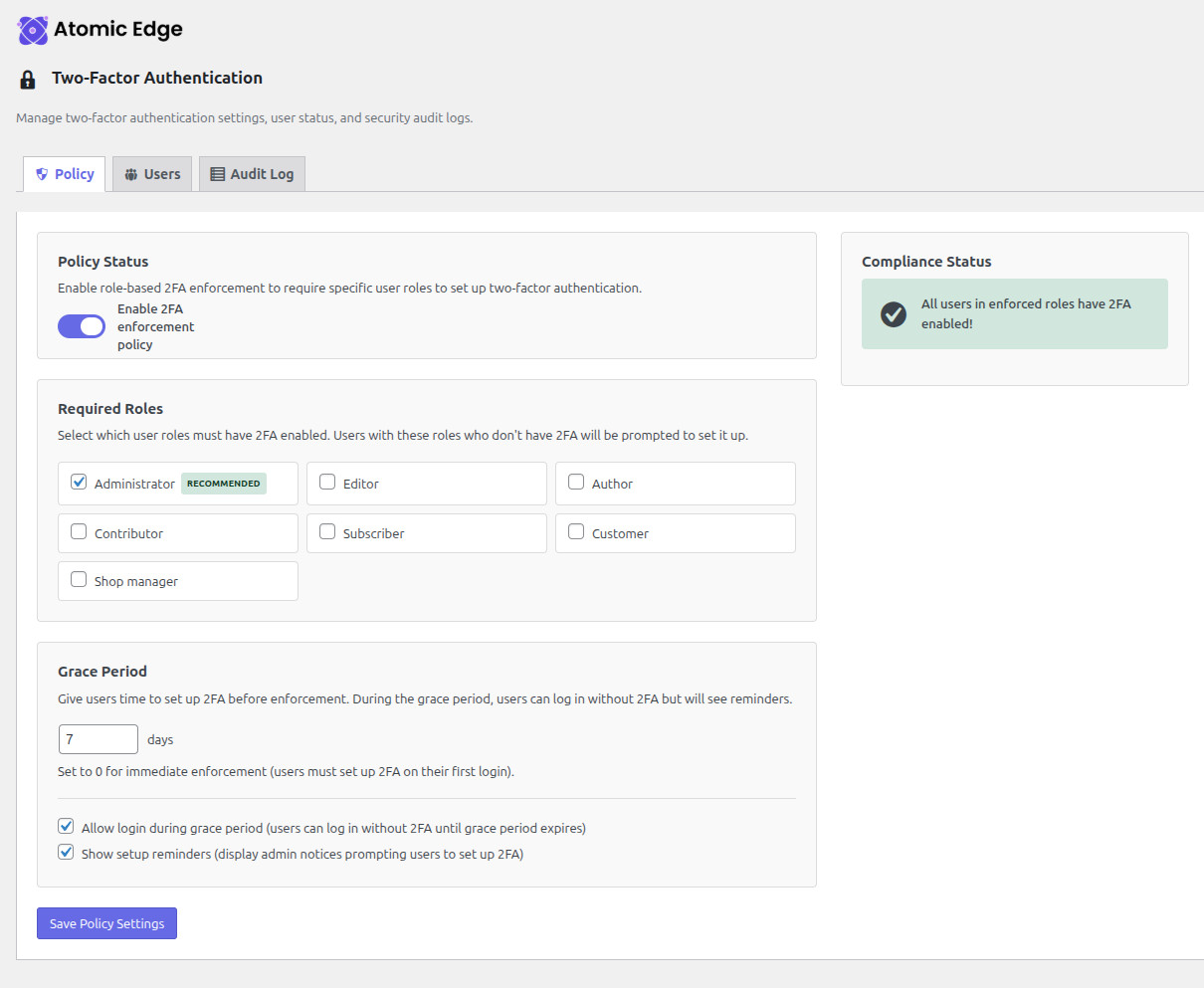
- 2FA Enforcement Policies - Require 2FA for specific user roles with configurable grace periods
- 2FA Audit Logging - Complete security audit trail for all 2FA events
- Web Application Firewall (WAF) - Block SQL injection, XSS, and other attacks with OWASP Core Rules
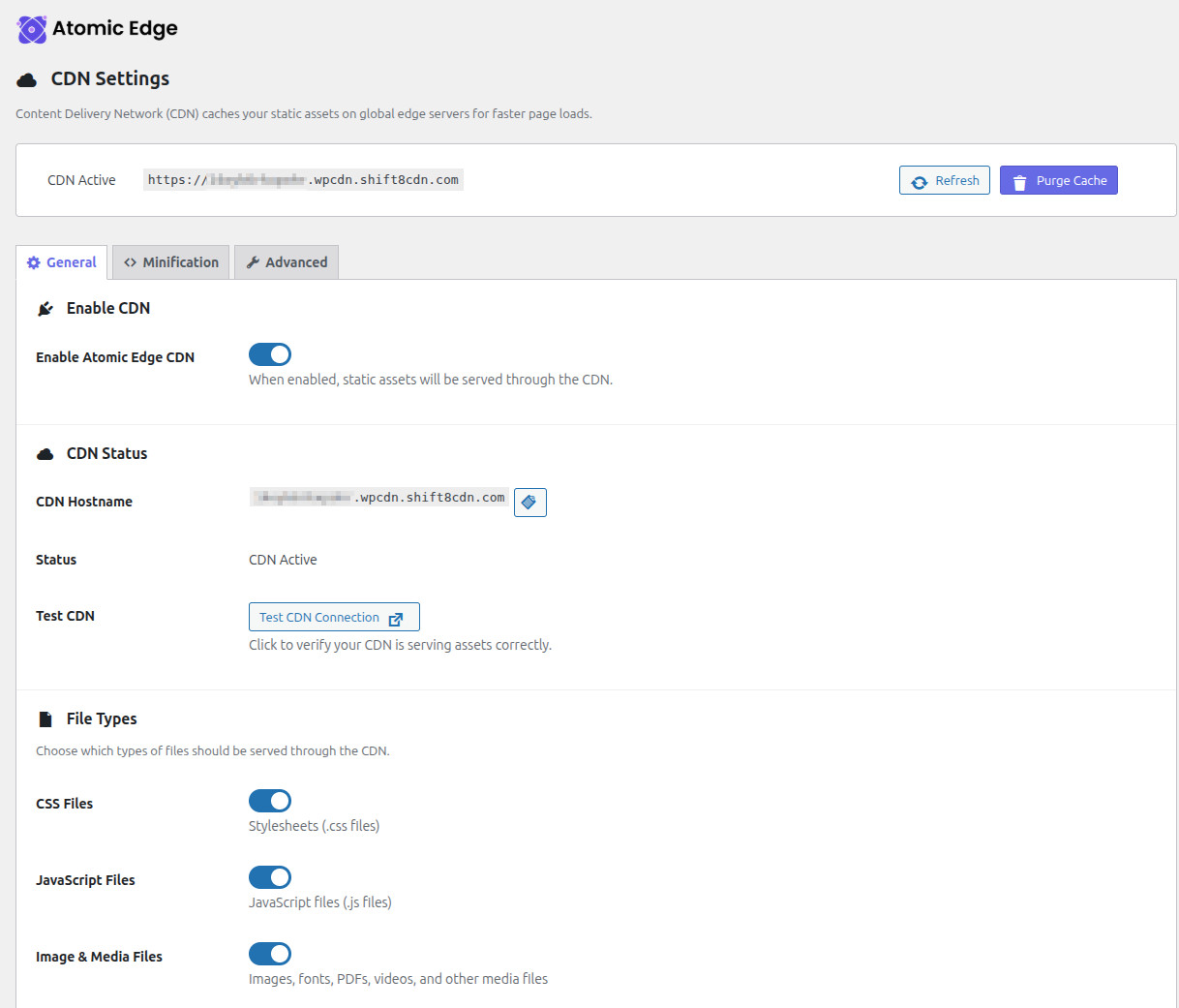
- Content Delivery Network (CDN) - Serve static assets from global edge servers for faster page loads
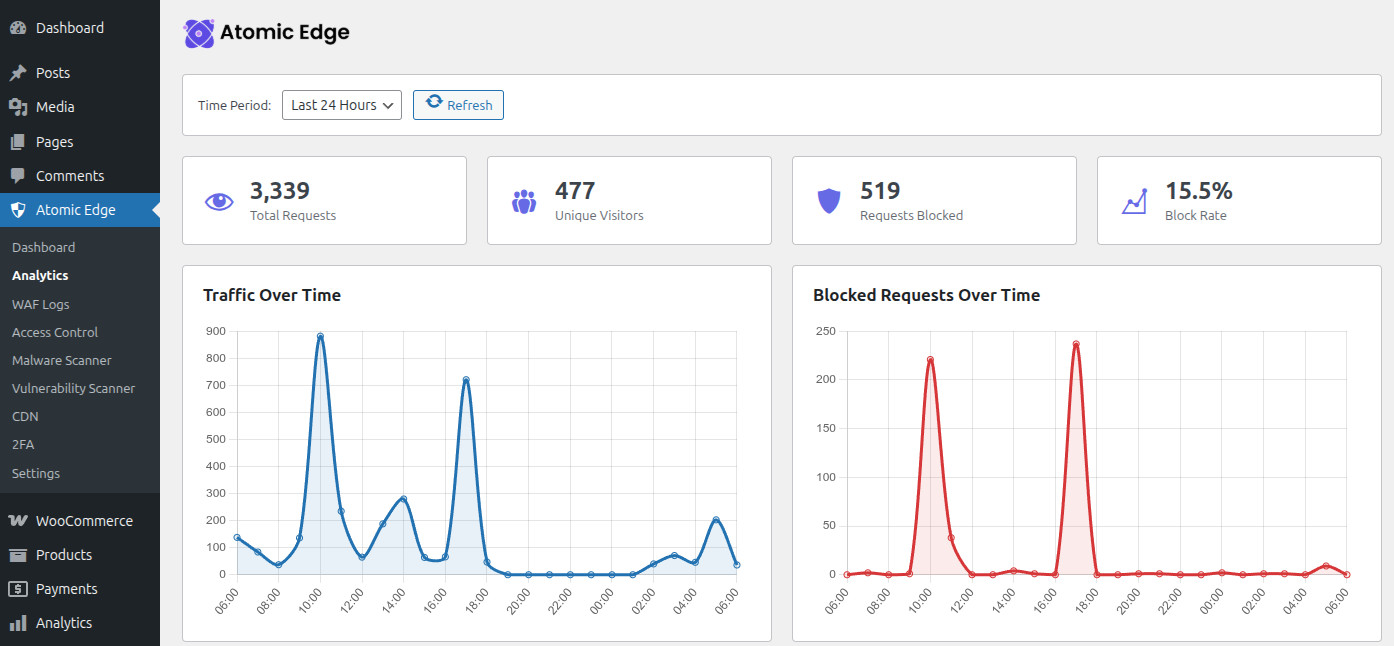
- Real-time Analytics - Monitor traffic, blocked threats, and security events in real-time
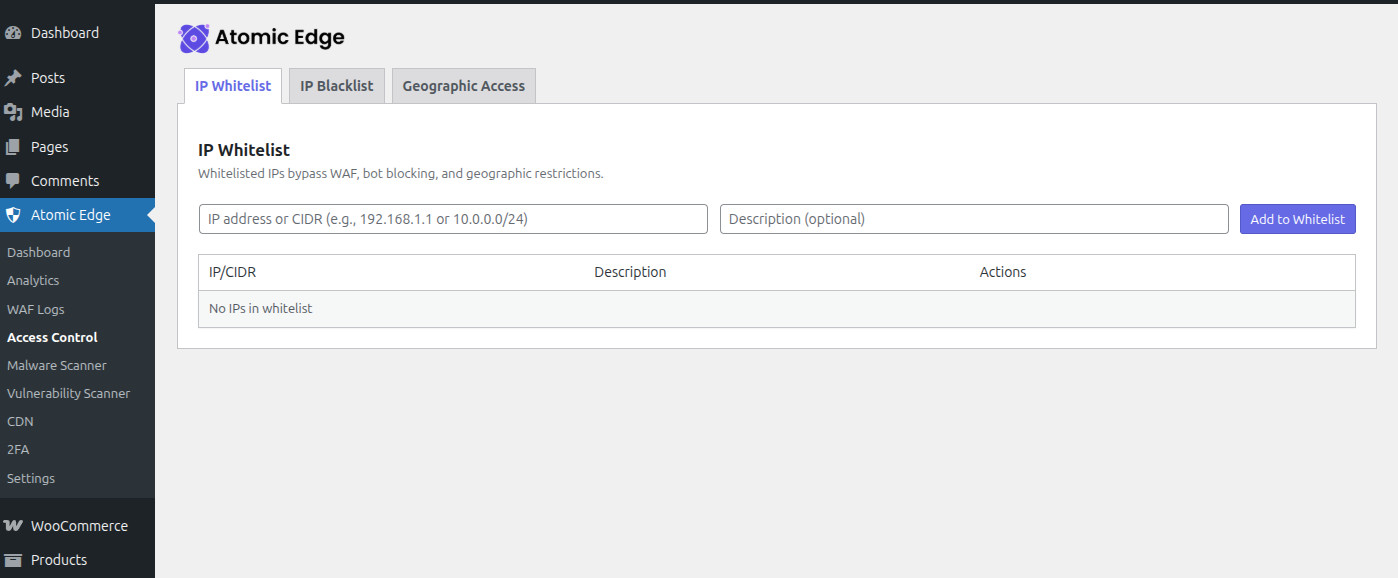
- IP Access Control - Easily whitelist or blacklist IP addresses and CIDR ranges
- Geographic Blocking - Block or allow access based on visitor country
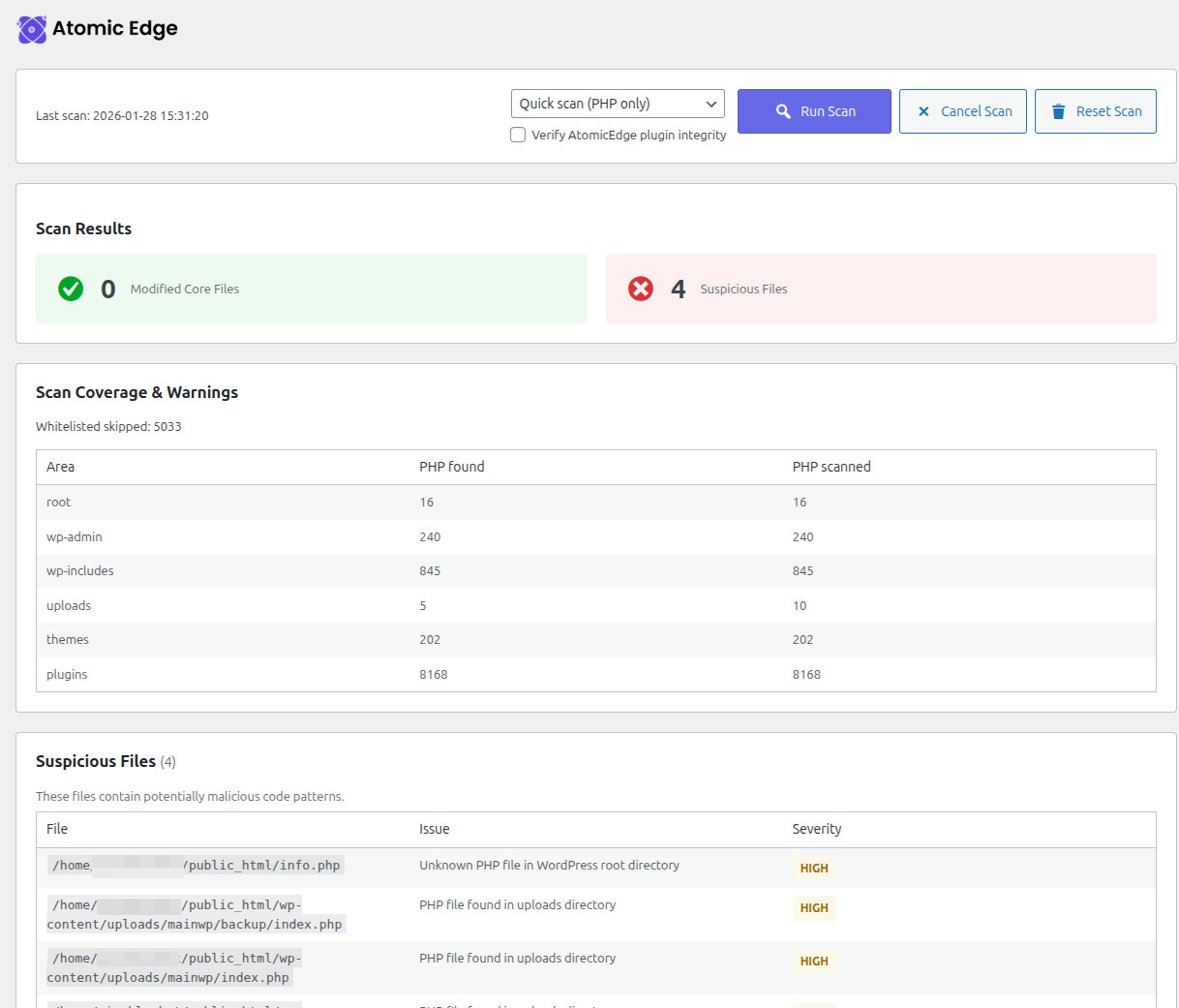
- Malware Scanner - Scan WordPress files for modifications and suspicious code patterns
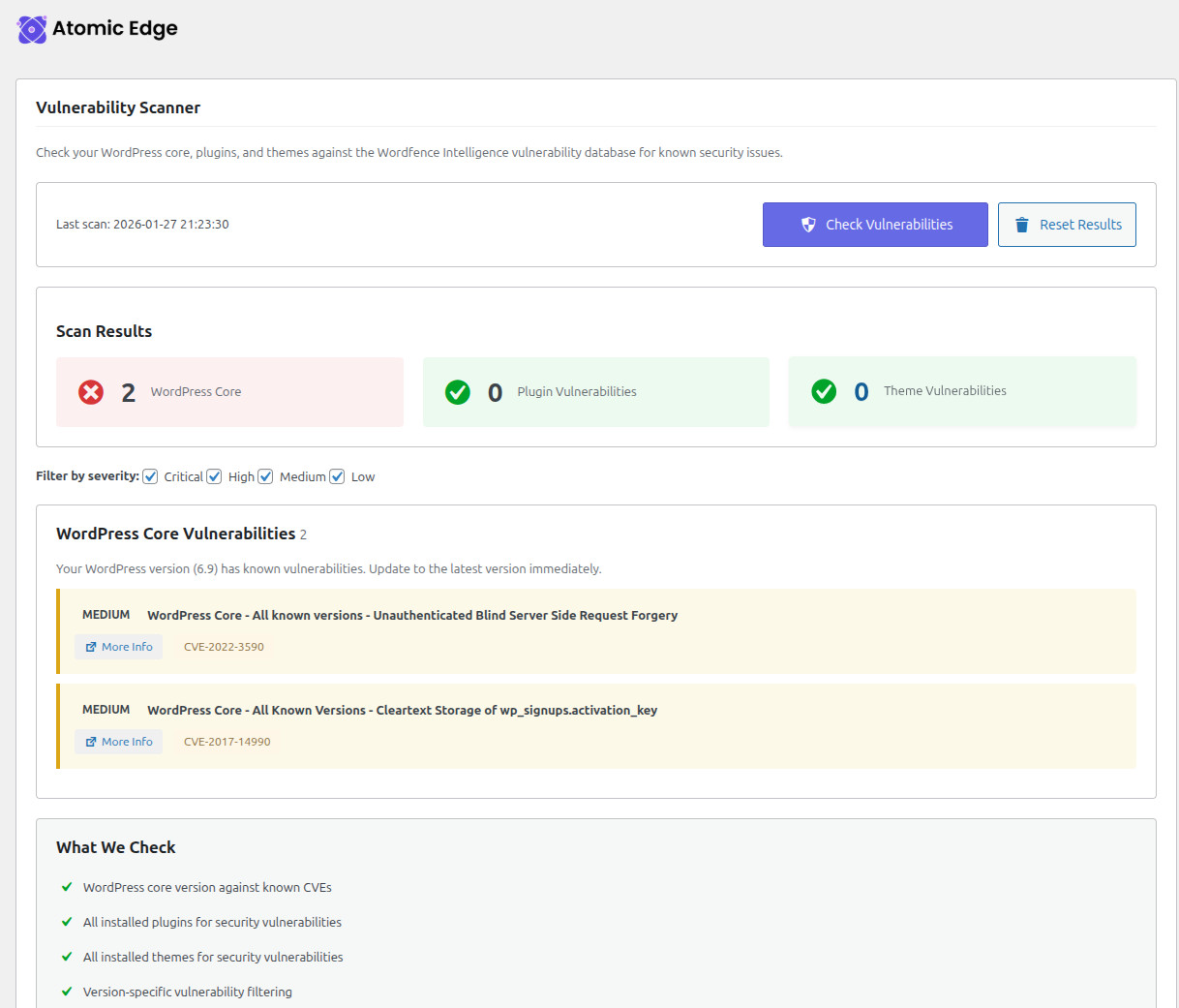
- Vulnerability Scanner - Check WordPress core, plugins, and themes for known vulnerabilities (requires Atomic Edge connection)
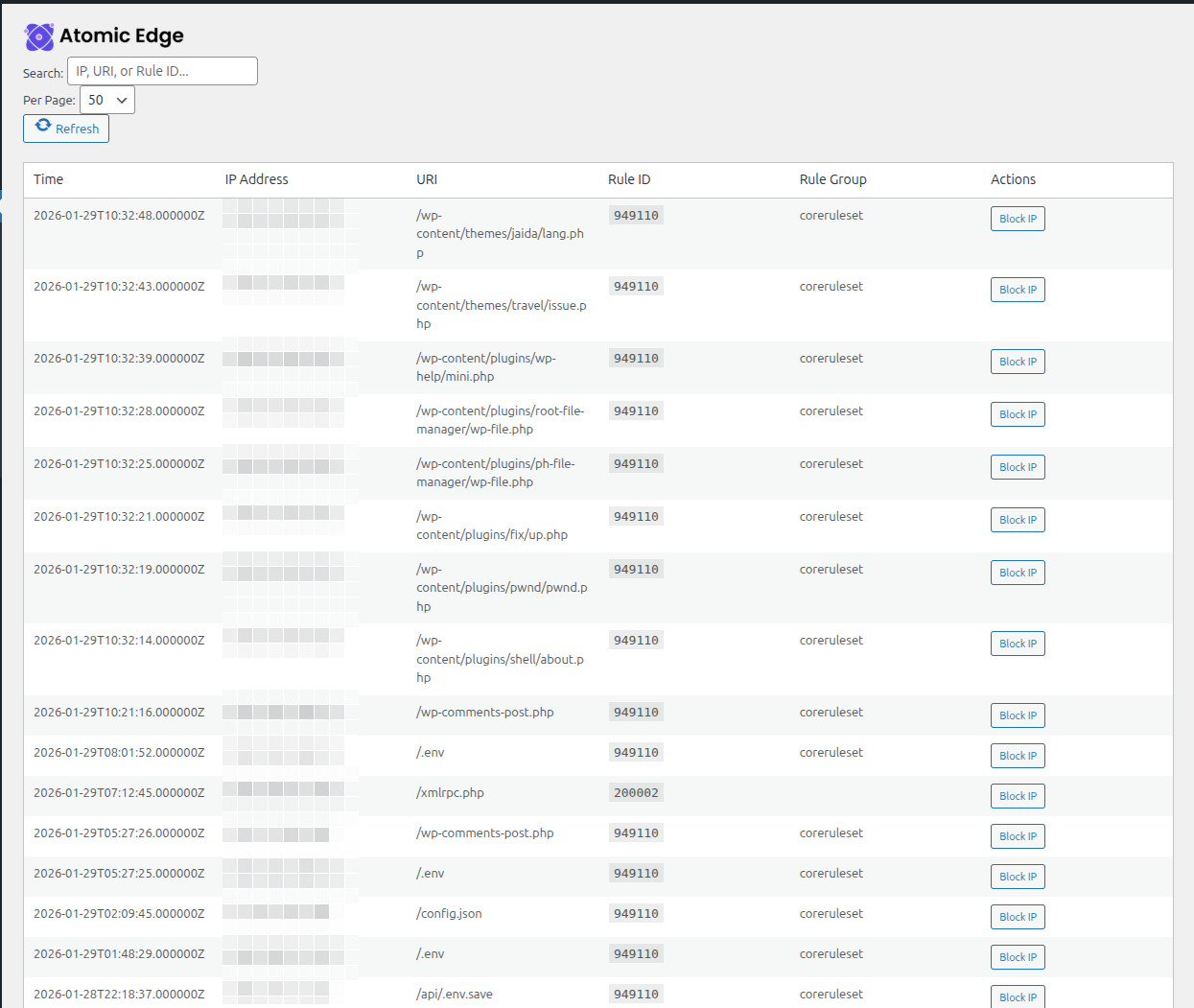
- WAF Log Viewer - See exactly what threats are being blocked
- WP-CLI Integration - Run security scans from the command line
- Sign up for an Atomic Edge account at atomicedge.io
- Add your site to Atomic Edge and get your API key
- Install this plugin and enter your API key
- Manage your security settings directly from WordPress
- PHP 7.4 or higher
- WordPress 5.8 or higher
- An Atomic Edge account (free tier available)
- OpenSSL PHP extension
安装:
- Upload the
atomic-edge-securityfolder to the/wp-content/plugins/directory - Activate the plugin through the 'Plugins' menu in WordPress
- Go to Atomic Edge > Settings and enter your API key
- Your site is now protected!
屏幕截图:
常见问题:
Do I need an Atomic Edge account?
Yes, this plugin requires an Atomic Edge account to function. You can sign up for free at atomicedge.io.
Is there a free tier?
Yes! Atomic Edge offers a free tier with basic WAF protection. Advanced features are available on paid plans.
How do I get my API key?
After creating your Atomic Edge account and adding your site, you can generate an API key from the site settings page in your Atomic Edge dashboard.
Does this plugin slow down my site?
No. The Atomic Edge WAF runs on our edge servers, not on your WordPress installation. The plugin only communicates with our API for configuration and analytics.
Does the plugin include vulnerability scanning?
Yes. When your site is connected to Atomic Edge, you can run a vulnerability scan of WordPress core, plugins, and themes from the Atomic Edge admin menu.
What attacks does the WAF block?
Atomic Edge uses the OWASP Core Rule Set to block:
- SQL Injection
- Cross-Site Scripting (XSS)
- Remote File Inclusion
- Local File Inclusion
- And many more common attack vectors
Does Two-Factor Authentication (2FA) work without an Atomic Edge account?
Yes! The 2FA feature works independently and does not require an Atomic Edge account or API connection. It uses industry-standard TOTP (Time-based One-Time Password) compatible with Google Authenticator, Authy, 1Password, and other authenticator apps.
What are the server requirements for 2FA?
2FA requires PHP 7.2+ with either:
- Native libsodium extension (recommended, included in most modern PHP installations), OR
- WordPress 5.2+ (which includes sodium_compat, a pure PHP fallback) The plugin automatically detects and uses the best available option.
更新日志:
- MAJOR: CDN architecture overhaul - simplified URL management for better reliability
- REMOVED: User-configurable CDN URLs (prevented URL corruption bugs from form serialization)
- NEW: Developer constant support - define ATOMICEDGE_CDN_DEV_URL in wp-config.php for local testing
- IMPROVED: CDN enable logic simplified - now only checks local switch + CDN URL availability
- REMOVED: Dashboard status gating - CDN works with local settings only (no API calls required)
- FIXED: Consistent UI design pattern across all admin pages (logo, wrapper classes, headings)
- FIXED: 2FA settings page now matches design pattern of other plugin pages
- IMPROVED: Malware scanner now adapts to server performance (faster on capable servers)
- Scanner time budget auto-detects based on max_execution_time setting
- Adaptive polling reduces overhead on slow/shared hosting
- On servers with 30s timeout: ~15s per step; with 300s+: ~20s per step
- FIX: 2FA buttons (enable/disable) now work - JS was checking for wrong element ID after anchor fix
- FIX: 2FA encryption now works with sodium_compat polyfill (servers without native libsodium extension)
- sodium_memzero() calls now only execute when native libsodium is available
- FIX: 2FA setup link from admin notice now correctly scrolls to the 2FA section on profile page
- Fixed anchor ID mismatch (was #atomicedge-2fa, now #atomicedge-2fa-section)
- Added smooth scroll animation when navigating via hash link
- IMPROVED: Added comprehensive debug logging for 2FA enrollment when WP_DEBUG is enabled
- Debug logs show exact failure point in enrollment flow for easier troubleshooting
- Logs cover: crypto availability checks, encryption steps, user meta operations
- FIX: Removed problematic sodium_memzero() call on plaintext that could cause encryption failures
- IMPROVED: Encryption errors now show the exact underlying error message for easier diagnosis
- IMPROVED: 2FA enrollment now shows specific error messages (encryption unavailable, encryption failed, database issues)
- Better diagnostics for troubleshooting 2FA setup failures
- FIX: 2FA enrollment now works on servers with persistent object caching (Redis, Memcached)
- Added cache bypass for enrollment state verification
- Added debug logging for 2FA enrollment failures
- SECURITY: Fixed potential XSS vulnerability in JavaScript error message display (admin.js)
- Security audit: Verified proper escaping for all external data (WAF logs, analytics, 2FA audit logs)
- NEW: 2FA Audit Log - Security audit trail for all 2FA-related events
- Event logging: enrollment, disable, login success/failure, backup code usage, rate limiting
- Filterable log viewer with pagination (by user, event type, date)
- 30-day statistics dashboard with success/failure metrics
- Security events section highlighting failed logins and suspicious activity
- CSV export functionality for compliance and reporting
- 90-day log retention with automatic cleanup
- NEW: 2FA User Management - Admin interface for managing user 2FA status
- View all users with 2FA status (enabled/disabled)
- Search and filter users by 2FA status
- Admin reset capability for locked-out users
- Shows backup code counts and policy compliance status
- Confirmation dialog for reset actions with admin audit logging
- NEW: 2FA Enforcement Policy - Require two-factor authentication for specific user roles
- Role-based 2FA enforcement (Administrator, Editor, etc.)
- Configurable grace period before enforcement (1-90 days)
- Grace period bypass option - allow login during grace period with reminders
- Admin dashboard showing compliance status and non-compliant users
- Admin notice reminders for users who need to set up 2FA
- Dismissible reminders (24-hour reset) for less intrusive notifications
- Policy settings page with intuitive UI under Atomic Edge menu
- NEW: Two-Factor Authentication (2FA) for WordPress login protection
- TOTP authenticator app support (Google Authenticator, Authy, etc.)
- Backup recovery codes with secure generation and one-time use
- Encrypted secret storage using libsodium
- Rate limiting on failed 2FA attempts with progressive lockout
- 2FA settings integrated into User Profile page
- Client-side QR code generation for authenticator app setup
- Admin notice when retired Shift8 CDN plugin is active
- Malware Scanner: Cancel/Reset buttons now match Vulnerability Scanner sizing and spacing
- Malware Scanner: Cancel/Reset buttons now match Vulnerability Scanner styling
- Malware Scanner: Suspicious Files table formatting fixed
- Malware Scanner: Quick scan now skips excluded paths earlier (e.g., .git), reducing noise and improving speed
- Malware Scanner: Progress now uses stable totals and ETA
- Scanner: Core checksum verification now uses WordPress core verifier
- Fixed CDN settings sync: Brotli and image optimization now properly sync between plugin and AtomicEdge dashboard
- JS/CSS minification settings are now plugin-local only (they don't require edge-side configuration)
- CDN "Refresh Status" now pulls latest edge-side optimization settings from API
- Text domain updated to match WordPress.org plugin slug
- WordPress.org Plugin Review Team compliance: refactored path handling to use WordPress API functions instead of internal constants (ABSPATH, WP_PLUGIN_DIR, WP_CONTENT_DIR, WPMU_PLUGIN_DIR)
- WordPress.org Plugin Review Team compliance: AJAX handlers now sanitize all inputs at point of retrieval
- WordPress.org Plugin Review Team compliance: improved file inclusion guards for test compatibility
- Added recursive array sanitization support for complex AJAX request data
- Malware scanner: resumable scanning with DB-backed queue, improved progress reporting, and live activity log
- Malware scanner: quick (PHP-only) vs thorough (all files) scan modes (quick is default)
- Malware scanner: added Cancel Scan and Reset Scan controls (reset clears both state and saved results)
- Malware scanner: added optional AtomicEdge plugin integrity verification via shipped SHA-256 manifest
- Scanner diagnostics: clearer warnings for unreadable/partial scans and improved false-positive tuning
- Updated malware scanner results to show full file paths
- Improved vulnerability scanner UX (scan summary jump links and consistent "More Info" links)
- Simplified Settings page to focus on connection and core configuration
- Initial release
- WAF integration
- Analytics dashboard
- IP whitelist/blacklist management
- Geographic access control
- Malware scanner