Atomic Addons for Elementor - 170+ Elementor Widgets, Elementor Templates, Elementor Addons & WooCommerce Builder
| 开发者 |
wpcaliph
oyorox freemius |
|---|---|
| 更新时间 | 2026年8月20日 05:30 |
| 捐献地址: | 去捐款 |
| PHP版本: | 6.5 及以上 |
| WordPress版本: | 7.1 |
| 版权: | GPLv3 |
| 版权网址: | 版权信息 |
详情介绍:
- 170+ Elementor widgets covering content, creative, navigation, posts, forms, marketing, and WooCommerce
- Free and Pro Elementor widgets are documented separately below, so availability is clear before installation or upgrade
- WordPress.org package includes free Elementor widgets, free Elementor extensions, and core plugin features
- Atomic Addons Pro unlocks additional Pro widgets for Elementor, Pro extensions, and premium features
- 5 free Elementor extensions and 16 Pro extensions for sections, columns, and containers
- Elementor template library with importable Elementor templates, plus SVG Support, Live Copy Paste, and Duplicator in the free plugin
- Mega Menu builder, Dynamic Tags, Display Conditions, and Variation Swatches in Pro
- WooCommerce builder and WooCommerce widgets for grids, carousels, pricing, filters, and reviews
- Header and footer builder plus a full Theme Builder for single posts and products
- Mobile-first, fully responsive controls on every Elementor widget
- Smooth animations, hover effects, and scroll interactions
- Lightweight assets and performance-oriented defaults that will not slow your site down
- Works with any WordPress theme and runs cleanly alongside other addons for Elementor
- Regular updates with new Elementor widgets and Elementor templates, plus friendly support
- Accordion - Build collapsible FAQ and content accordions in Elementor with smooth open/close animations and full typography control.
- Animated Link - Eye-catching animated hover links with underline, slide, and reveal effects for modern Elementor layouts.
- Brand Carousel - Showcase client logos and brand partners in a responsive, autoplay Elementor carousel with touch swipe.
- Brand Grid - Display brand, sponsor, or client logos in a clean responsive grid with hover effects.
- Call Out - Highlight offers and key messages with a call-out box, icon, and inline call-to-action button.
- Fancy List - Create styled feature or checklist items with custom icons, dividers, and hover states.
- Featured Box - Present services or features in an icon box with heading, description, and link.
- Image Stack - Stack overlapping images into a creative layered composition with custom offsets.
- Static Carousel - Turn any set of custom slides into a touch-friendly, responsive Elementor carousel.
- Creative Button - Animated Elementor buttons with gradient, hover, and icon effects for high-converting CTAs.
- Dual Button - Place two call-to-action buttons side by side with an optional separator badge.
- Slider - Full-width Elementor slider with captions, buttons, autoplay, and transition effects.
- Hover Box - Reveal hidden content, text, or links on hover with smooth CSS transitions.
- Hover Video - Play a silent video preview on hover, ideal for portfolios and product showcases.
- Image Accordion - Interactive horizontal or vertical image accordion that expands on hover or click.
- Image Compare - Before and after image comparison with a draggable slider handle.
- Mobile Menu - Mobile-first off-canvas navigation menu with a customizable hamburger toggle.
- Scrollnav - One-page scroll navigation with active-section highlighting and smooth scrolling.
- Age Gate - Age verification popup for restricted, alcohol, or 18+ content with cookie memory.
- Forminator Forms - Style and display Forminator forms inside Elementor with full design control.
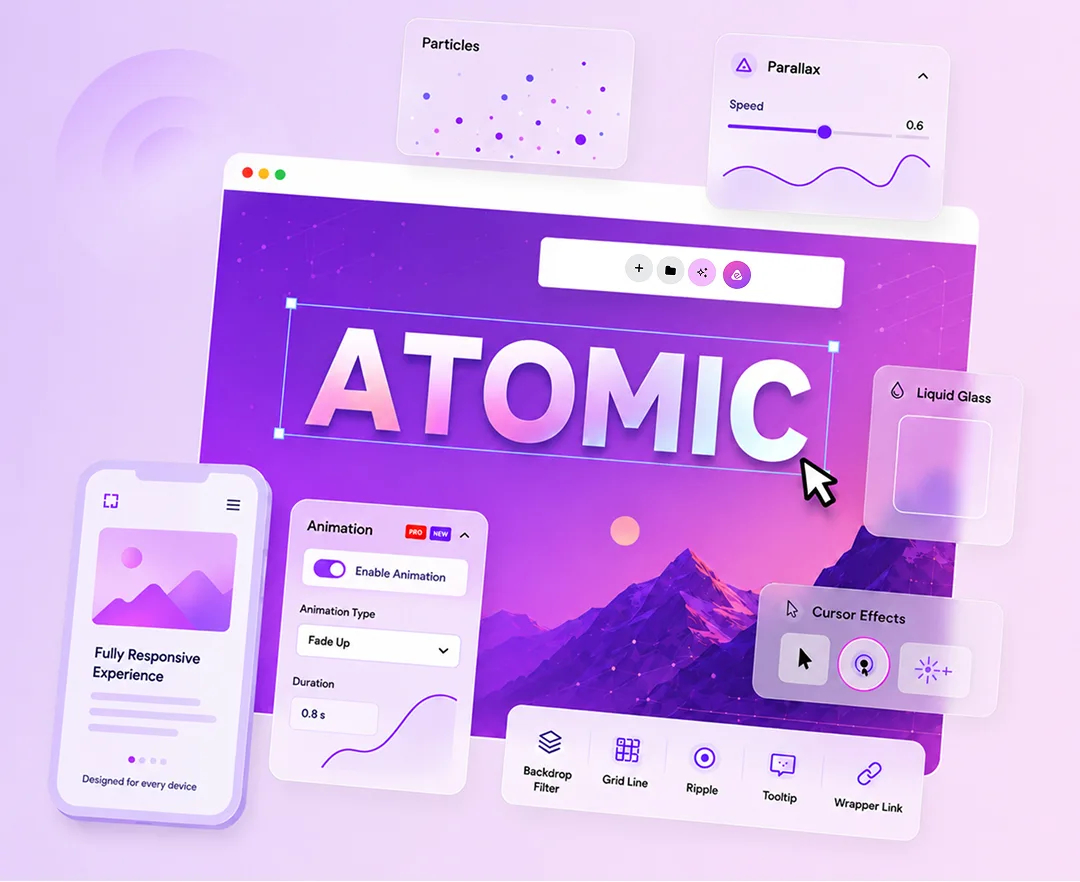
- Backdrop Filter - Blur, brightness, and backdrop filter effects for sections and columns.
- Grid Line - Decorative grid lines and layout guides on containers.
- Ripple Effects - Ripple animations on click or hover for interactive elements.
- Tooltip - Custom tooltips with position, style, and trigger options.
- Wrapper Link - Make containers or sections fully clickable with a custom link.
- AdBlock Detector - Detect ad blockers and show a custom message or fallback content.
- Animated Gradient Background - Animated gradient backgrounds for sections and columns.
- Confetti Effects - Confetti animations for celebrations, CTAs, or page events.
- Cursor Effects - Custom cursor shapes, trails, and interactive cursor effects.
- Custom CSS / JS - Add custom CSS and JavaScript scoped to sections or widgets.
- Equal Height - Match column or widget heights for even grid-style layouts.
- Floating Effects - Floating motion with translate, rotate, and scale on scroll or idle.
- Liquid Glass Effects - Glassmorphism-style blur, transparency, and frosted surfaces.
- Notation - Hand-drawn style underlines, highlights, brackets, and annotations.
- Parallax Effects - Parallax movement on scroll for depth and motion.
- Particles - Configurable particle backgrounds with density, color, and motion.
- Reveal Effects - Reveal elements on scroll with direction and easing options.
- Scroll Box - Styled scroll areas with custom scroll behavior in containers.
- Sticky - Sticky sections and columns with offset and breakpoint controls.
- Text Gradient Background - Gradient fills and backgrounds applied to headings and text.
- Transform Effects - Scale, rotate, skew, and translate animations for elements.
- Live Copy Paste - Copy and paste Elementor content across pages or sites when enabled in settings
- Duplicator - Duplicate posts, pages, and templates from the workflow
- Template Library - Browse and import templates when the module is enabled
- SVG Support - Enable SVG uploads and safer SVG handling in Elementor when enabled
- Mega Menu Builder - Build advanced mega menus with dropdown layouts
- Dynamic Tags - Additional dynamic tags for posts, WooCommerce, ACF, and more
- Display Conditions - Show or hide widgets and sections based on rules
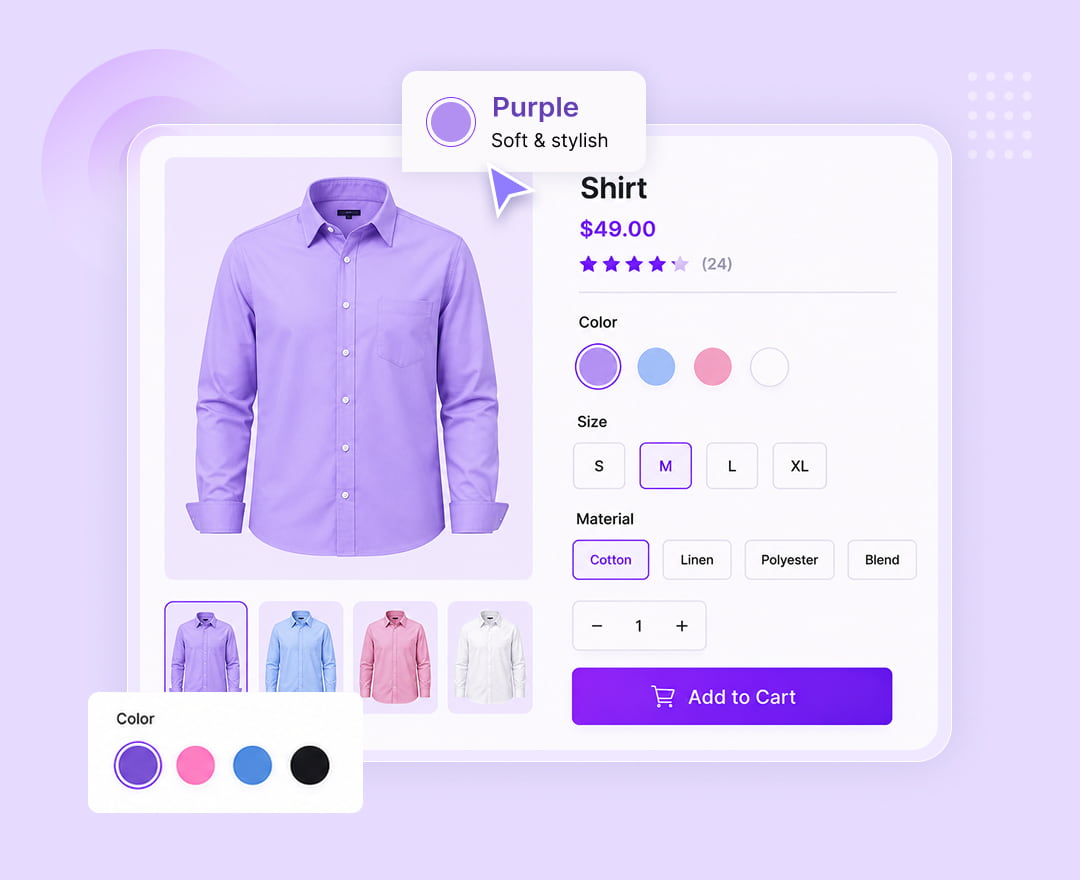
- Variation Swatches - Color, image, and label swatches for WooCommerce variations
- Variation Swatches - Turn product attribute dropdowns into color, image, label, and button swatches.
- Quick View - Add a button that opens a product preview modal with gallery, price, and add-to-cart.
- Product Wishlist - Let customers save products to a wishlist, with a My Account tab and the
[atomel_wishlist]shortcode. - Product Compare - Let shoppers compare products side by side in a configurable comparison table.
- Currency Switcher - Let customers shop in their local currency with live exchange rates, fees, and rounding.
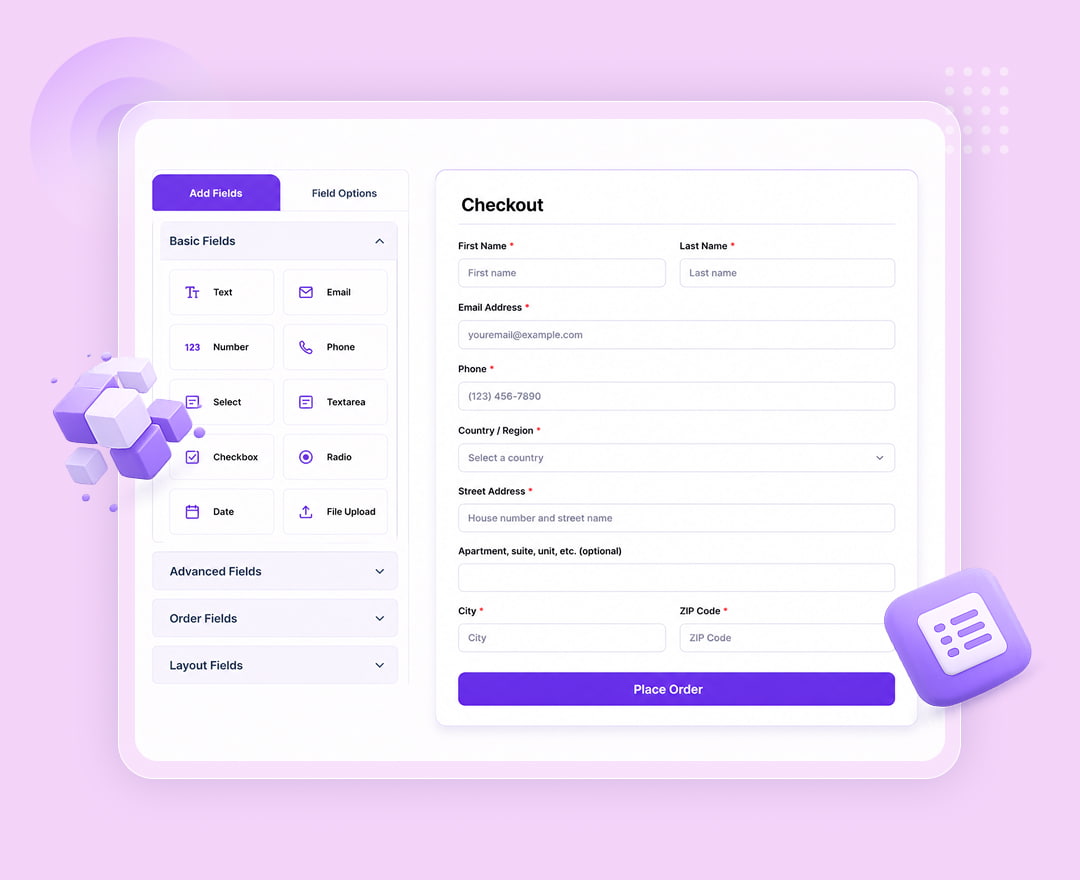
- Checkout Field Editor - Add, edit, reorder, and validate WooCommerce checkout fields on classic and block checkout.
- One Page Checkout - Let customers choose products and complete checkout on a single page.
- Role Based Pricing - Set different prices per user role, hide prices, and control add-to-cart visibility.
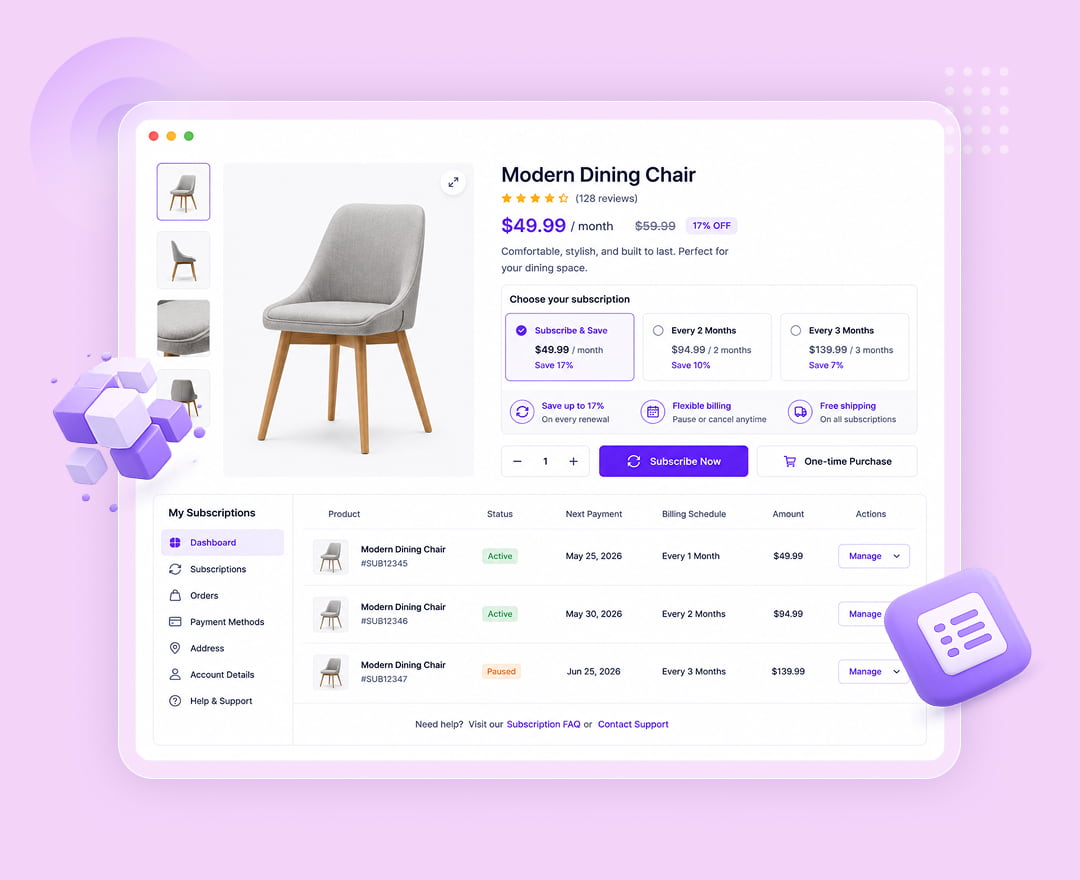
- Subscriptions - Offer products on a subscription, collect recurring revenue, and manage renewals.
- Min / Max Quantities - Set minimum and maximum order quantities per product and for the whole cart.
- Sales Notifications - Show social-proof purchase popups with recent orders or curated products.
- Hide Add to Cart and Price - Hide prices and the add-to-cart button for selected products, roles, or logged-out visitors.
- Flash Sale Countdown - Urgency-driven countdown timers on sale products.
- Product Recommendations - Smart upsell and cross-sell blocks powered by purchase data.
- WooCommerce Pre-Orders - Accept orders for products before they are available.
- Distance Rate Shipping - Calculate shipping rates based on distance from your store.
- Accommodation Bookings - Date-based room and accommodation booking for hospitality.
- Post Grid & Post Carousel - display blog posts, custom post types, and taxonomies in filterable grids and sliders
- Product Grid & Product Carousel - build WooCommerce shop layouts with add to cart, wishlist, and compare buttons
- Mega Menu - build multi-column dropdown menus using full Elementor sections inside the menu
- Advanced Heading & Animated Heading - typewriter, rotate, and gradient text effects for hero sections
- Price Table & Comparison List - pricing plans and feature comparison tables that convert
- Countdown & Social Proof - urgency and trust widgets for launches and sales campaigns
- Contact Form, Contact Form 7, WPForms, Ninja Forms & Everest Forms - style any form plugin inside Elementor
- Table of Content & Reading Progress - improve on-page SEO and readability for long articles
- Freelancers who deliver client sites faster with ready-made Elementor widgets and Elementor templates
- Agencies that need one consistent set of addons for Elementor across many projects
- WooCommerce store owners who want full design control over product, cart, and checkout pages
- Bloggers and publishers using dynamic post widgets, timelines, and reading progress
- Business owners building a professional site without hiring a developer
安装:
- Go to Plugins > Add New in your WordPress dashboard.
- Search for Atomic Addons for Elementor.
- Click Install Now, then Activate.
- Make sure the Elementor page builder is installed and active.
- Open any page with Elementor and find the Atomic Addons Elementor widgets in the editor panel.
- Open Atomic Addons > Templates to import ready-made Elementor templates.
- Upload the
atomic-elementsfolder to the/wp-content/plugins/directory. - Activate the plugin through the Plugins menu in WordPress.
- Start using it by going to the Elementor editor.
- WordPress 6.5 or higher
- PHP 7.4 or higher
- Elementor page builder (free version is enough)
- WooCommerce (only if you want to use the WooCommerce widgets and extensions)
屏幕截图:


常见问题:
What are Atomic Addons for Elementor?
Atomic Addons is a free Elementor addons plugin that extends the Elementor page builder with 170+ Elementor widgets, ready-made Elementor templates, extensions, a header footer builder, and a WooCommerce builder. You install it next to Elementor and the new widgets appear directly in the Elementor editor panel.
Do I need Elementor Pro to use this plugin?
No. Atomic Addons works with the free version of Elementor. You do not need Elementor Pro to use any of the widgets, templates, or extensions included in this plugin.
How many Elementor widgets are included?
The plugin ships with 170+ Elementor widgets in total. The free WordPress.org package includes the free widgets and 5 free extensions listed above, and Atomic Addons Pro unlocks the remaining Pro widgets, 16 Pro extensions, and premium features such as the Mega Menu builder, Dynamic Tags, and Display Conditions.
Will these Elementor addons slow down my website?
No. Atomic Addons loads assets conditionally, so a widget's CSS and JavaScript are only enqueued on pages where that widget is actually used. You can also disable any widget or extension you do not need from the plugin settings to keep your site as lean as possible.
Does this plugin support all WordPress themes?
Yes. Atomic Addons is compatible with all WordPress themes, including popular free and premium Elementor themes such as Hello Elementor, Astra, GeneratePress, OceanWP, and Kadence.
Does it work with WooCommerce?
Yes. The plugin includes WooCommerce widgets for product grids, carousels, filters, prices, reviews, cart, checkout, and my account pages, plus 12 WooCommerce extensions: Variation Swatches, Quick View, Product Wishlist, Product Compare, Currency Switcher, Checkout Field Editor, One Page Checkout, Role Based Pricing, Subscriptions, Min / Max Quantities, Sales Notifications, and Hide Add to Cart and Price.
Can I use Atomic Addons together with other Elementor addons?
Yes. Atomic Addons is built to run alongside other Elementor addon plugins without conflicts. Each widget uses its own namespaced styles and scripts.
Can I build headers and footers with this plugin?
Yes. The Theme Builder lets you design custom headers, footers, single post layouts, and WooCommerce single product templates with full Elementor design control.
Are there ready-made Elementor templates?
Yes. The Template Library lets you browse and import pre-built Elementor templates and blocks straight into your page, then customize every element.
Are these addons for Elementor free?
Yes. The WordPress.org download is a free Elementor addons plugin. It includes the free Elementor widgets, 5 free Elementor extensions, the Elementor template library, Live Copy Paste, Duplicator, and SVG Support at no cost. Atomic Addons Pro is optional and unlocks the remaining Pro Elementor widgets and extensions.
How many Elementor templates are included?
The Elementor template library ships with ready-made Elementor templates for landing pages, business sites, portfolios, shops, and blogs, and new Elementor templates are added in regular updates. Import any template with one click and every element stays fully editable in Elementor.
Where do I find the Elementor widgets after activation?
Open any page in the Elementor editor and look in the widget panel. All Atomic Addons Elementor widgets are grouped into their own categories, such as Content, Creative, Menu, Posts, Forms, Marketing, and WooCommerce, so they are easy to find next to the default Elementor widgets.
Can I disable the Elementor widgets I do not use?
Yes. Every widget and extension has an on/off toggle in the plugin settings. Turning off the Elementor widgets you do not need keeps the editor panel tidy and your site even lighter.
Do you provide tutorials and documentation?
Yes. We provide detailed documentation and video guides covering the plugin, every Elementor widget, every Elementor template, and each extension.
How do I get support for an issue?
Just contact us through the support forum or our website, and our technical team will follow up within 24 hours.
How do I get updates?
When we release a new version you will get an update notification in the WordPress plugin manager, so you can update from there in one click.
更新日志:
- Updated: System improved
- Fixed: Elementor built Compare and Wishlist pages loading without their CSS fixed
- Fixed: Sales notifications design issue fixed
- Added: Dropbar Elementor widget added (Free)
- Added: Business Hours Elementor widget added (Free)
- Added: Sales Notifications woocommerce extension added (Pro)
- Added: Min/Max Quantities woocommerce extension added (Pro)
- Updated: System improved
- Fixed: Theme Builder fatal error on Post Content (
atomel_set_single_post_preview_dataundefined) - Fixed: Theme Builder Post Content preview/excerpt rendering
- Fixed: WooCommerce disabled extensions no longer show settings or product meta in admin
- Fixed: WooCommerce Settings page only lists enabled extensions
- Fixed: WooCommerce Extensions grid Settings button follows on/off toggle
- Fixed: WooCommerce settings save blocked when the extension is off
- Fixed: Activate issue Fixed
- Updated: System udpate
- WooCommerce Currency Switcher extension (multi-currency, exchange rates, shortcode
[atomel_currency_switcher]) - WooCommerce Quick View extension (AJAX product preview modal)
- WooCommerce Product Compare extension (floating bar, comparison table, shortcode
[atomel_compare]) - WooCommerce Wishlist extension (user meta + cookie storage, My Account tab, shortcode
[atomel_wishlist]) - Checkout Field Editor ported as a native WooCommerce extension (classic + block checkout)
- Variation Swatches moved from Features to WooCommerce extensions
- Wishlist, Compare, and Quick View action buttons on Elementor Product Grid, Product Carousel, and Product List widgets (Additional → Action btn switchers)
- Shared WooCommerce settings UI helper (
atomel-wcx-*) for extension settings panels - Compare products & wishlist products widgets added
- Changed: Admin dashboard light theme refresh; styles moved from PHP to SCSS
- Fixed: Toast notifications and Save Changes button colors
- Added: WooCommerce Subscriptions extension added
- Added: WooCommerce One Page Checkout extension added
- Added: WooCommerce Role Based Pricing extension added
- Added: Contact Form 7, WPForms, Ninja Forms, Everest Forms Elementor widgets added
- Added: Image Accordion, Image Expand, Hover Box and Hover Video Elementor widgets added
- Added: Total Count, User Register & Image Compare Elementor widgets unlocked from the pro version
- Added: Search, Navbar, Barcode Elementor widgets unlocked from the pro version
- Updated: Readme lists aligned with Free (WordPress.org) vs Pro packaging — widgets, extensions, and features
- Documented: Free widgets in the WordPress.org package (16): Accordion, Age Gate, Animated Link, Brand Carousel, Brand Grid, Call Out, Creative Button, Dual Button, Fancy List, Featured Box, Forminator Forms, Image Stack, Mobile Menu, Scrollnav, Slider, Static Carousel
- Added: Free extensions in the org package: Backdrop Filter, Grid Line, Ripple Effects, Tooltip, Wrapper Link
- Documented: Free features — Live Copy Paste, Duplicator, Template Library, SVG Support; Pro features — Mega Menu, Dynamic Tags, Display Conditions, Variation Swatches
- Added: Initial Release