Attendra – Client Attendance Manager
| 开发者 | simpledigital |
|---|---|
| 更新时间 | 2026年5月30日 03:38 |
| PHP版本: | 8.0 及以上 |
| WordPress版本: | 7.0 |
| 版权: | GPL-2.0-or-later |
| 版权网址: | 版权信息 |
详情介绍:
- Personal trainers and fitness studios
- Yoga, pilates and wellness studios
- Tutors, language schools and learning centers
- Therapists, psychologists and coaches
- Consultants and 1-to-1 service providers
- Sports clubs and after-school programs
- Any business that sells services by session or package
[attendra_public_calendar]. Visitors can see available sessions and request bookings.
Reporting dashboard
See occupancy rate, no-show rate, revenue collected, most booked services, active clients and packages running low — for any date range you choose.
Recurring appointment series
Create a recurring appointment series for a client with a single action. Manage the whole series or individual sessions.
Appointment rescheduling and cancellation rules
Reschedule any appointment from the admin editor or staff portal — change the date, time, or service. Set a limit on how many times a booking can be rescheduled, and a late cancellation window (e.g. no cancellations within 24 hours of the session). Both are configured in Settings → Booking.
Group booking with capacity limits
Group services (Weekly / One-time) support a configurable maximum number of bookings per session. When the limit is reached, the slot is closed automatically. Useful for group classes, workshops, or any fixed-capacity event.
Package expiration dates
Each client package can have an optional expiration date. When the package expires, new sessions are blocked automatically.
Appointment notes
Attach client-facing notes to any appointment — these appear in the confirmation and reminder emails. Internal notes are also available for admin-only observations that are never sent to the client.
Client attendance confirmation
Clients can confirm attendance from the portal ("I'm coming") for upcoming group sessions. This creates a confirmed booking and removes the slot from the available list.
Mobile-first Staff and Client portals
The Staff Portal and Client Portal support a dedicated mobile template that removes the theme header and footer, giving both portals a full-screen, app-like layout. Apply it with one click from the Setup Guide or Settings → Mobile Template. Works across all themes without customization.
CSV client import
Import clients in bulk from a spreadsheet using the provided template. Optionally create WordPress portal accounts automatically.
Flexible Pricing and Payment Tracking
Set a base price per session on each service. Per-client package pricing supports custom discounts and package totals. Every booking snapshots the effective price at the moment of creation so your records stay accurate even when you adjust pricing later.
Packages support full payment or split installments. Track how much has been paid, how much is still outstanding, and confirm individual payments directly from the client profile. A "Payment received" email is sent to the client automatically when each payment is confirmed.
Customizable Labels
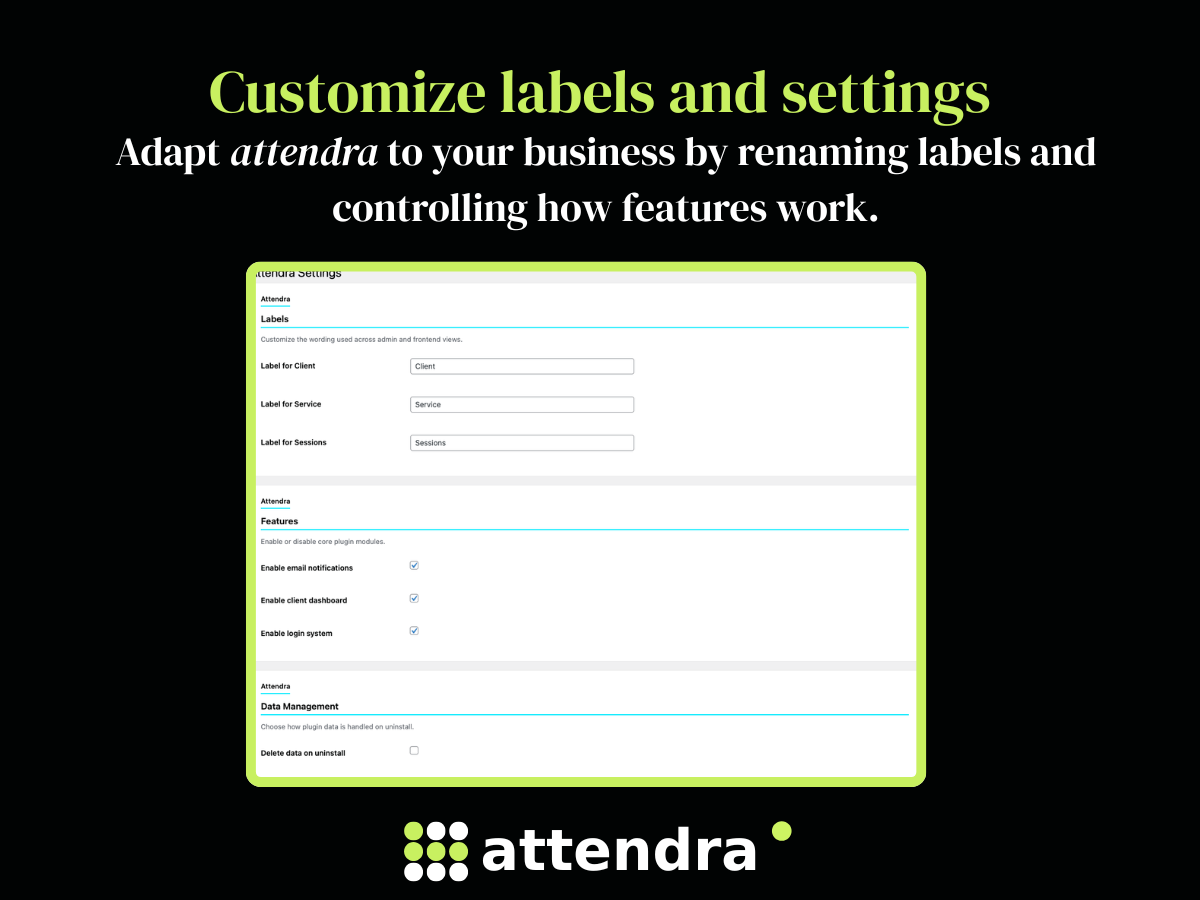
Rename "Client", "Service", "Package" and "Session" to match your business language. Settings are available under Attendra > Settings > Labels.
Your Data, Your Server
Attendra is fully self-hosted. No API calls to external services, no subscription required, no SaaS lock-in. All data is stored in your own WordPress database.
安装:
- Upload the plugin folder to
/wp-content/plugins/or install from the WordPress Plugins screen. - Activate Attendra under Plugins.
- Follow the Setup Guide or go to Attendra > Settings to configure labels and features.
- Create portal and calendar pages, then add the shortcodes:
[attendra_portal]— client-facing portal[attendra_staff_portal]— staff attendance interface[attendra_public_calendar]— public schedule and booking- Create your services under Services, then create clients and assign services to them.
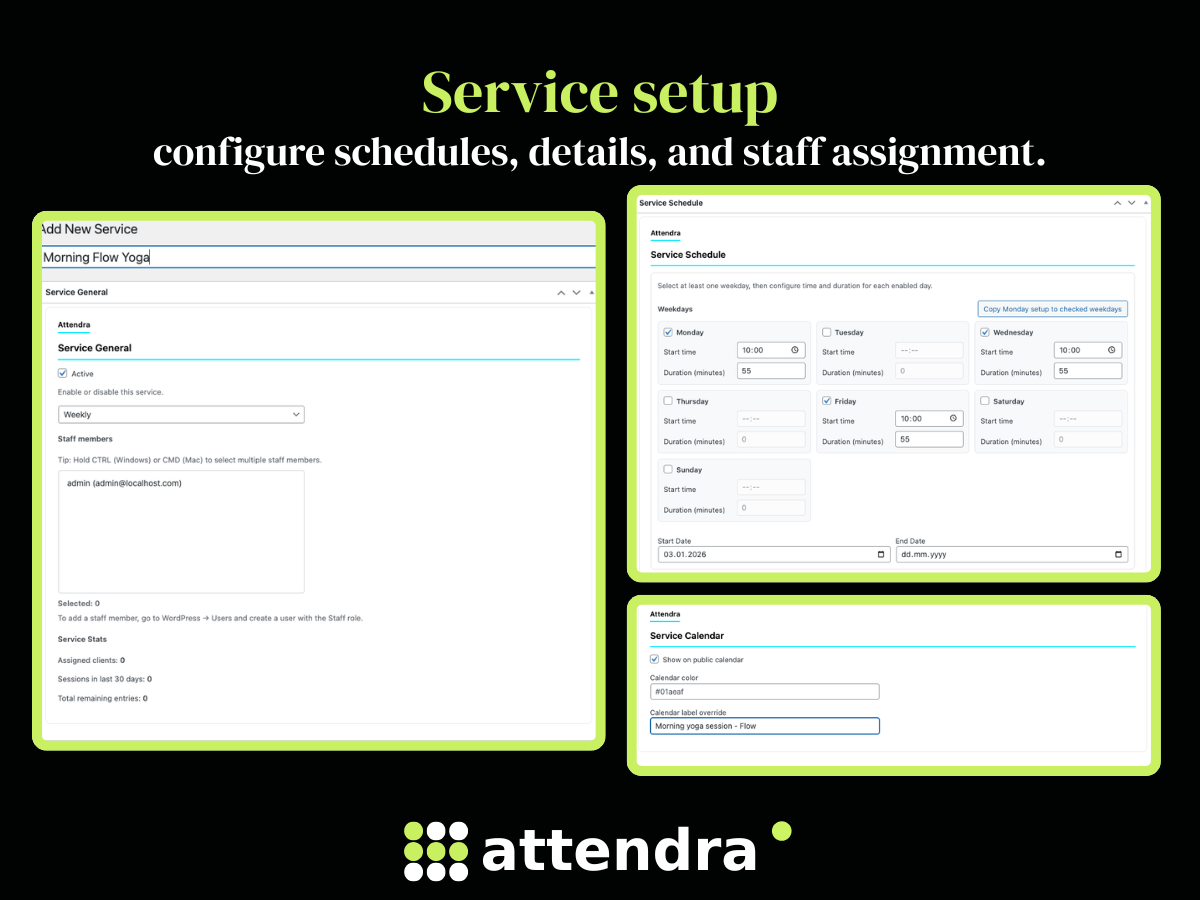
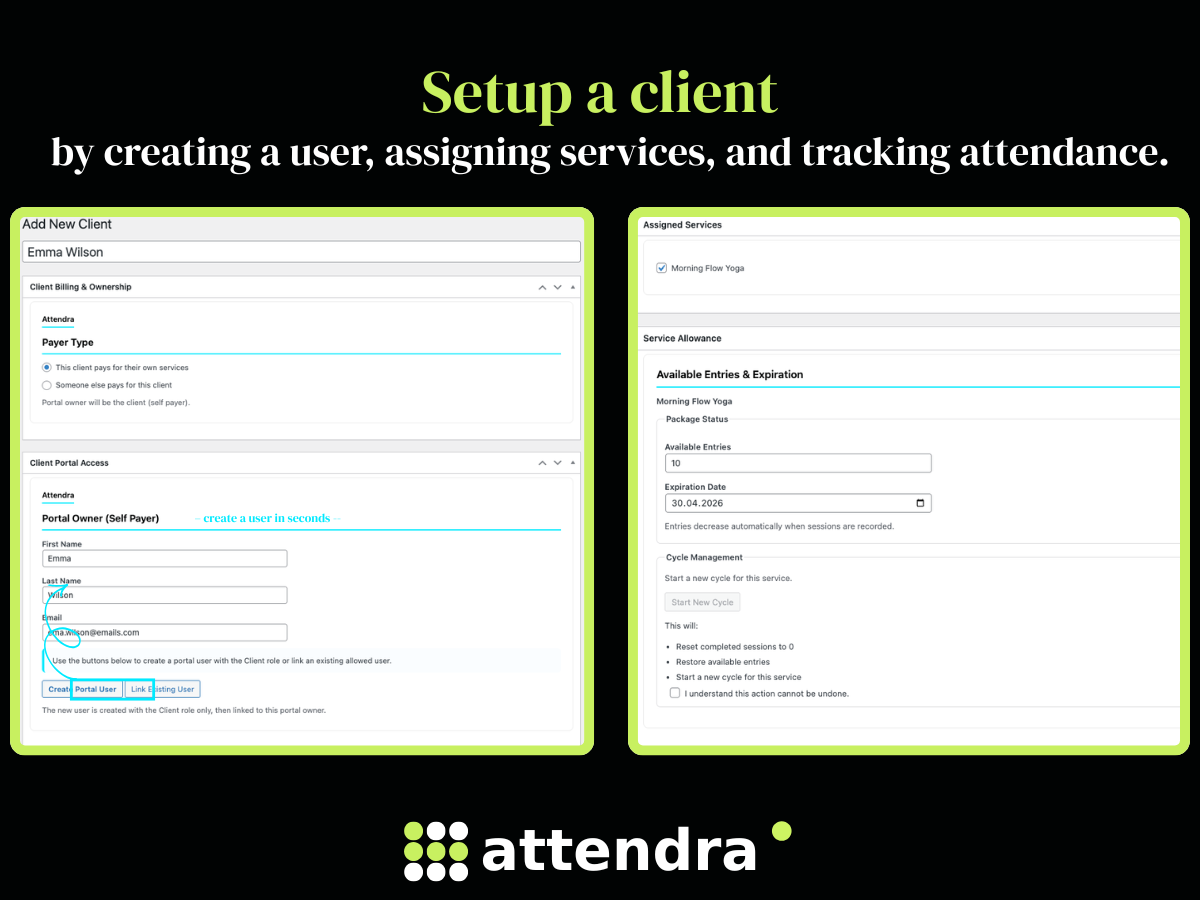
- Set package entries per client-service pair in the Package metabox on the client edit screen.
- Start booking appointments or logging sessions.
屏幕截图:
常见问题:
What kind of businesses can use Attendra?
Any business that sells services by session or package. The most common use cases are personal trainers, yoga studios, tutoring centers, therapists, coaches and sports clubs — but the labels and workflow are fully customizable to fit any service-based business.
Is this a booking plugin?
Yes. Attendra supports public-facing appointment requests via the [attendra_public_calendar] shortcode, private admin-created appointments with a full status lifecycle, and recurring appointment series.
Does Attendra work without WooCommerce?
Yes. Attendra is completely independent of WooCommerce. It has its own pricing, billing mode and payment status system.
Do I need a monthly subscription?
No. Attendra is a self-hosted WordPress plugin. You pay once (or use the free version) and there are no recurring fees. All data stays on your own server.
How does session tracking work?
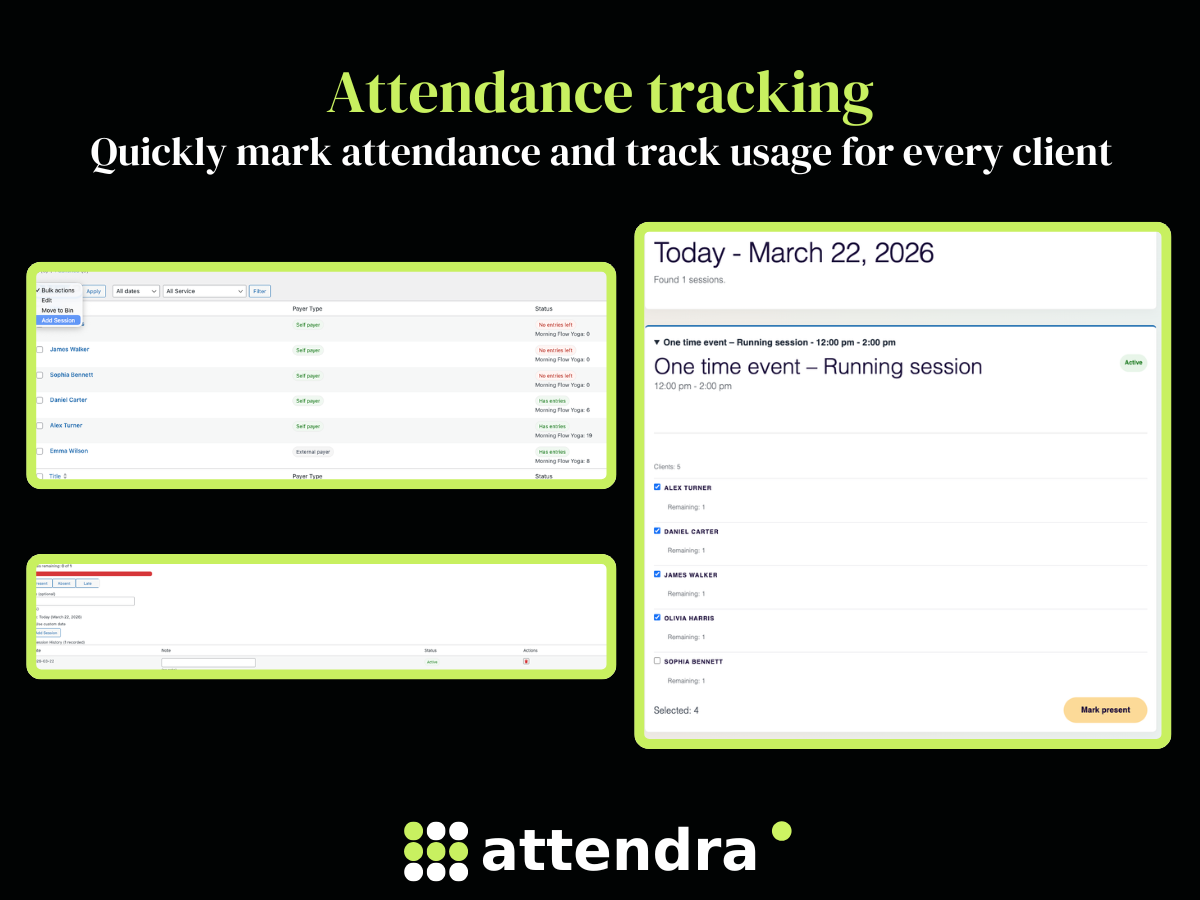
Each client has a configurable number of entries per service. When you log a session or mark an appointment as attended, entries are deducted automatically. You always see how many sessions remain per client per service.
How do appointments work?
Appointments are created from Attendra > Appointments or from a client edit screen. Each appointment is linked to a client, service and optionally a staff member. You track the date, duration, status, billing mode (package credit, pay per session, or free) and payment status.
Can I create recurring appointments?
Yes. When creating an appointment you can set it to repeat on a schedule and generate a full series. You can manage the whole series or individual sessions within it.
How do automated emails work?
Attendra sends emails on key events: appointment confirmed, cancelled, rescheduled, reminder 24 hours before, package running low, package exhausted, and more. All templates are editable in Attendra > Settings > Email Templates.
Can someone else pay for a client — like a parent or a company?
Yes. On the client profile, select "Someone else pays for this client" under Payer Type, then create a portal user. The account will be created with the Payer role instead of the Client role. Both roles have identical portal access — the distinction is purely organisational, so you can see at a glance in your WP Users list who is a self-paying client and who is an external payer.
Can clients see their own appointments and sessions?
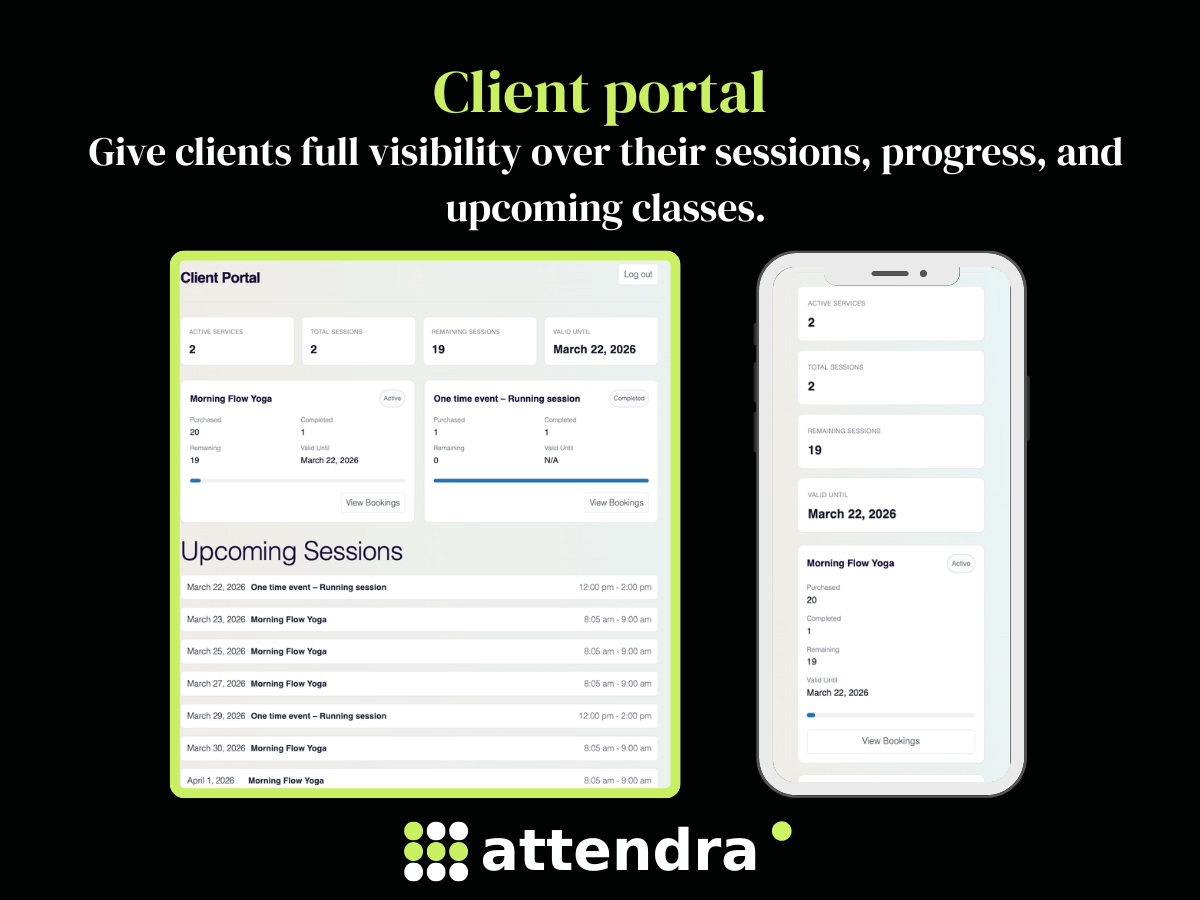
Yes. The [attendra_portal] shortcode gives each client a personal portal page where they can see their upcoming appointments, remaining sessions and full attendance history.
Can staff mark attendance without admin access?
Yes. The [attendra_staff_portal] shortcode creates a frontend page where staff can log attendance quickly. Access is limited to services and clients assigned to that staff member.
Can sessions be deleted?
Yes. Sessions can be soft-deleted with a required reason. Deleted sessions are kept in history and do not consume entries.
How does the public calendar work?
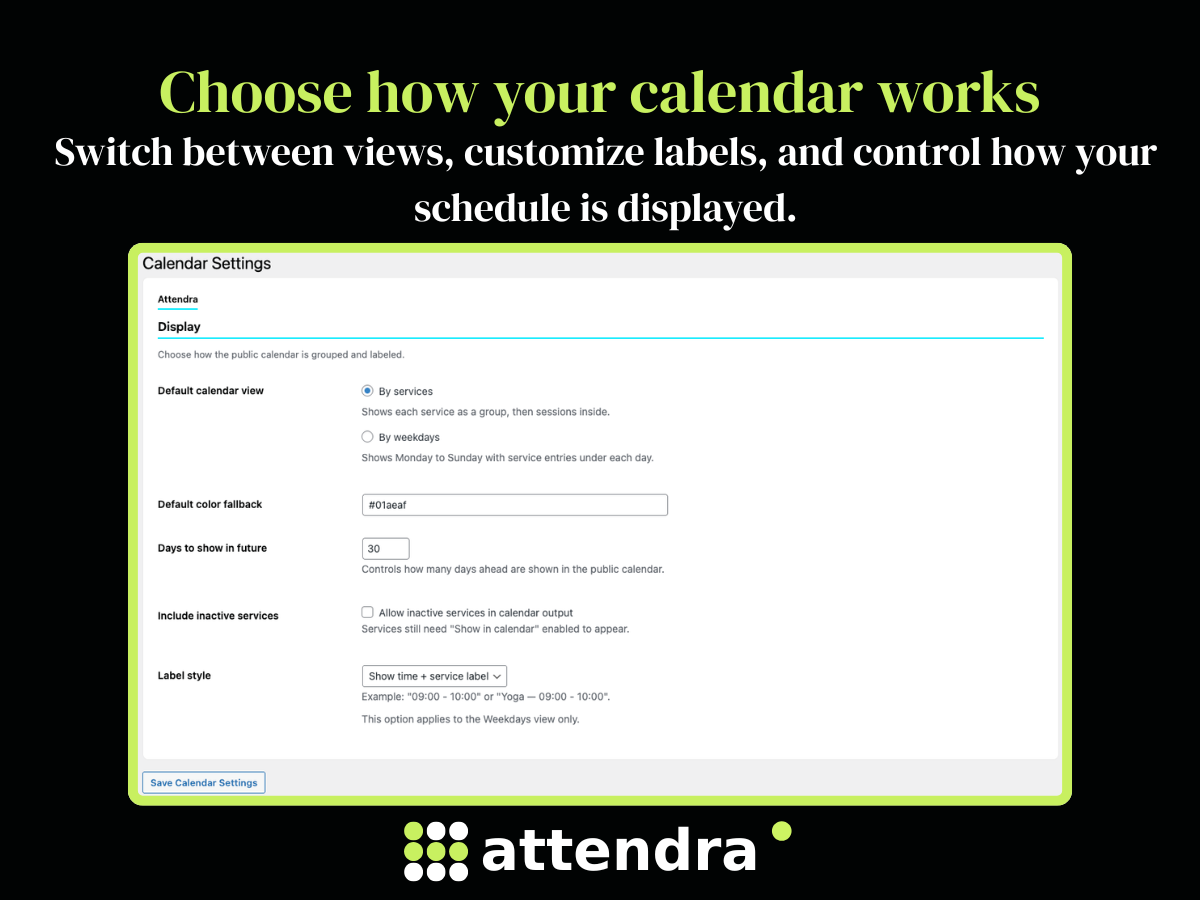
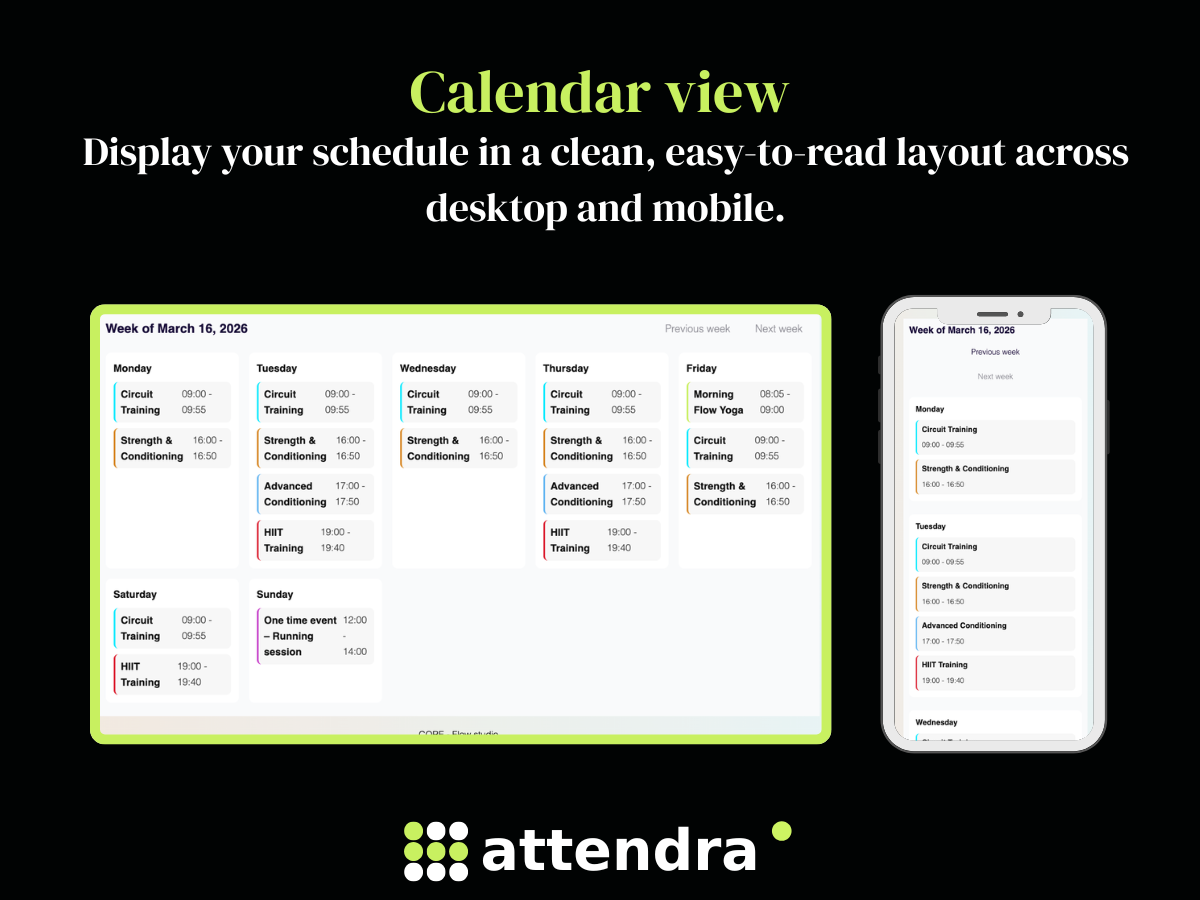
The [attendra_public_calendar] shortcode displays your service schedule. Visitors can see available sessions and request a booking. Services must have a valid schedule and be set to show in the calendar.
Can I import clients from a spreadsheet?
Yes. Use Attendra > Import to upload a CSV file. Download the template from the same page, fill it in with your client data, and import. You can optionally auto-create WordPress user accounts for each client.
What happens when I uninstall?
Roles, capabilities and plugin settings are removed automatically. Client and service data is only deleted if Delete data on uninstall is enabled in plugin settings.
Can I reschedule appointments?
Yes. Open any appointment from the admin editor or the Staff Portal and change the date, time, or service. You can also set a maximum number of allowed reschedules per booking in Settings → Booking.
What happens when a client does not show up?
Set the appointment to No Show. The session is still recorded and deducted from the client's package balance. An automatic no-show email is sent to the client.
Can I set cancellation rules?
Yes. In Settings → Booking you can configure a late cancellation window (in hours). You can also limit how many times a booking can be rescheduled.
Can clients confirm attendance in advance?
Yes. The client portal shows upcoming group sessions with an "I'm coming" button. When the client clicks it, a confirmed booking is created and the slot is removed from the available list.
Can I set a package expiration date?
Yes. Each package has an optional expiration date. When the date passes, new sessions are blocked automatically and the client receives an email when the package is started with the expiry date included.
Can I manage group classes with a capacity limit?
Yes. Group services (Weekly and One-time) support a configurable maximum capacity per session. When the limit is reached, the slot is closed to new bookings automatically.
Can I add notes to appointments?
Yes. Every appointment has two note fields: Client Notes (visible to the client, included in confirmation and reminder emails) and Internal Notes (admin-only, never sent to the client). Staff can also edit client notes from the Staff Portal.
Does Attendra work with my existing email setup?
Yes. Attendra sends all emails through the standard WordPress wp_mail() function. If you use an SMTP plugin (WP Mail SMTP, FluentSMTP, Postmark, etc.) Attendra automatically uses it — no extra configuration needed.
Can staff receive a daily schedule by email?
Yes. Enable the daily schedule summary for staff in Settings → Staff Notifications. Each staff member gets an email every morning with their appointments for the following day.
Can I customize the words "Client", "Service", and "Sessions"?
Yes. Go to Settings → Labels and rename any of the core labels. The new names appear throughout the admin, portals, and emails. Useful if your business uses "Student", "Class", or "Treatment" instead.
Can I split a package payment into instalments?
Yes. When creating a package for a client, choose Installments and set the number of payments. The package total is split evenly across each instalment. Confirm payments one by one from the client profile — each confirmation updates the amount paid and sends an automatic "Payment received" email to the client.
What financial data does the Reporting page show?
The Reporting page includes a Financial Summary section with total collected, total pending, packages sold, and sessions paid — for any date range you choose. All figures are based on actual package payments confirmed in your system.
Does Attendra replace Excel or a spreadsheet?
Attendra replaces the common pattern of managing clients, session counts, packages, and attendance in a spreadsheet or shared Google Sheet. Everything is stored in your WordPress database — searchable, filterable, and linked across clients, services, and appointments.
Does Attendra integrate with Google Calendar, Stripe, or WooCommerce?
Not currently. Attendra does not sync with Google Calendar, does not process payments through Stripe or PayPal, and does not extend WooCommerce. It is a self-contained system for managing sessions and attendance. Payment tracking is manual — you record whether a session was paid, not paid, or handled via package credit.
What is Attendra NOT suitable for?
Attendra is not a good fit for businesses that need: online payments at booking time, Google Calendar sync, SMS or WhatsApp notifications, multi-location management (separate rooms or branches), or booking for services that do not follow a session/package model (e.g. hourly rental, hotel rooms, restaurant tables).
Is this plugin translation-ready?
Yes. All strings use the attendra text domain and a .pot file is included.
更新日志:
- Public booking calendar with session booking requests (
[attendra_public_calendar]) - Recurring appointment series — create a full series in one step, manage or cancel individually
- Staff Portal frontend with Attendance, Appointments and Enrollment tabs
- Client Portal with upcoming appointments, session history, "I'm coming" self-confirmation and 1-to-1 self-booking
- Mobile template for Staff and Client portals — full-screen app-like layout, applied with one click
- Payment installments — split package payments across multiple instalments, confirm each individually with automatic "Payment received" email
- Financial Summary in Reporting — total collected, total pending, packages sold, sessions paid
- CSV client import with optional bulk portal account creation
- Per-service base pricing and per-client package discount with booking price snapshots
- Walk-in attendance for group services
- Package expiration dates — block new sessions automatically when a package expires
- Appointment rescheduling limits and late cancellation window
- Group service capacity limits — close slots automatically when full
- Automated email notifications for all booking lifecycle events including payment received
- Staff daily schedule summary email
- Guide banners on each admin page with permanent dismiss
- Staff optional permissions: can edit service details, can edit clients
- Private 1-to-1 appointments with client, service, staff, status, billing mode and package-credit recording
- Client portal appointment visibility
- Appointment status lifecycle with admin email notifications
- Custom post type capability hardening
- Translation template regeneration
- Frontend style and script cleanup
- Initial release