Aura Chat Button
| 开发者 | auraplugin |
|---|---|
| 更新时间 | 2025年12月28日 22:33 |
| PHP版本: | 7.4 及以上 |
| WordPress版本: | 6.9 |
| 版权: | GPLv2 or later |
| 版权网址: | 版权信息 |
详情介绍:
- Easy WhatsApp Integration - Add WhatsApp chat button to WordPress in minutes
- Professional WhatsApp Widget Styles - 4 beautiful designs for your WhatsApp contact button
- Click to Chat WhatsApp - Let customers reach you instantly via WhatsApp
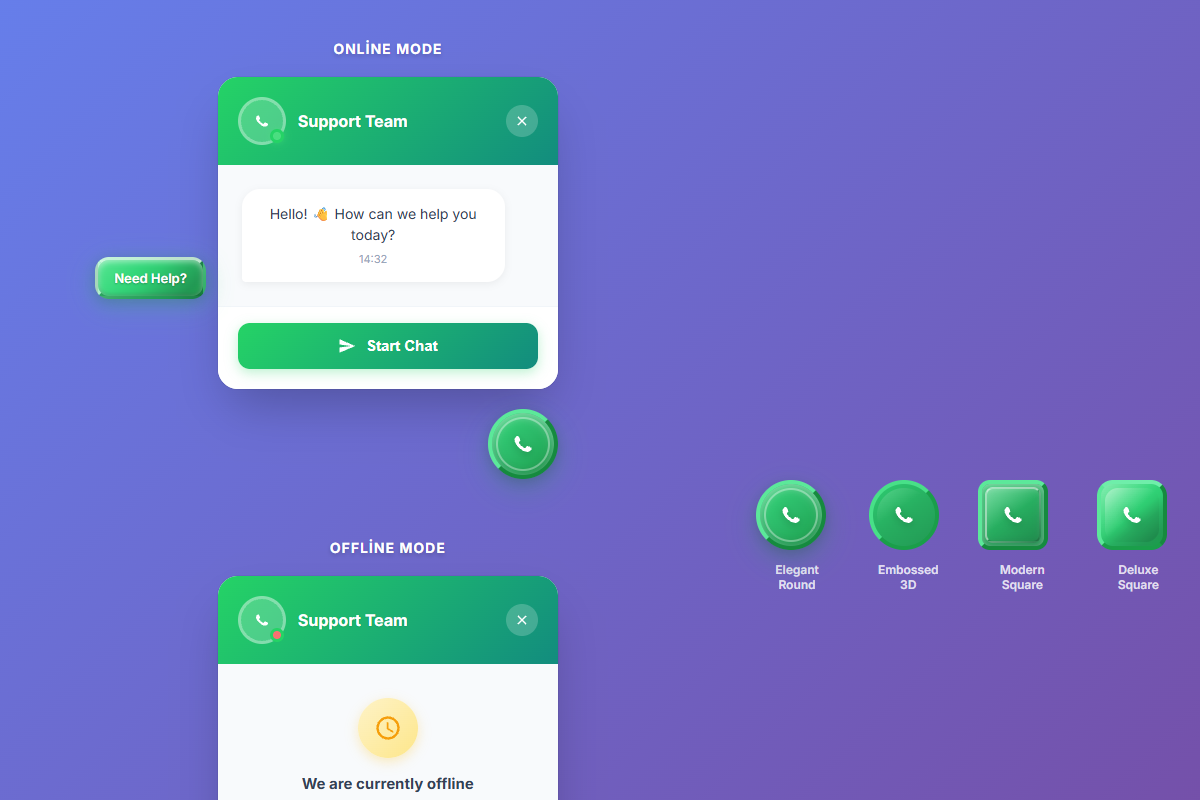
- Business Hours for WhatsApp - Show online/offline status based on your schedule
- WhatsApp Click Statistics - Track how many visitors click your WhatsApp button
- Mobile-Friendly WhatsApp Widget - Optimized WhatsApp chat button for all devices
- 4 Professional Button Styles - Elegant Round, Embossed 3D Round, Modern Square, Deluxe Square
- Custom Colors - Green, Purple, Gold presets or custom color picker
- Working Hours Scheduling - Set available days and times with offline message
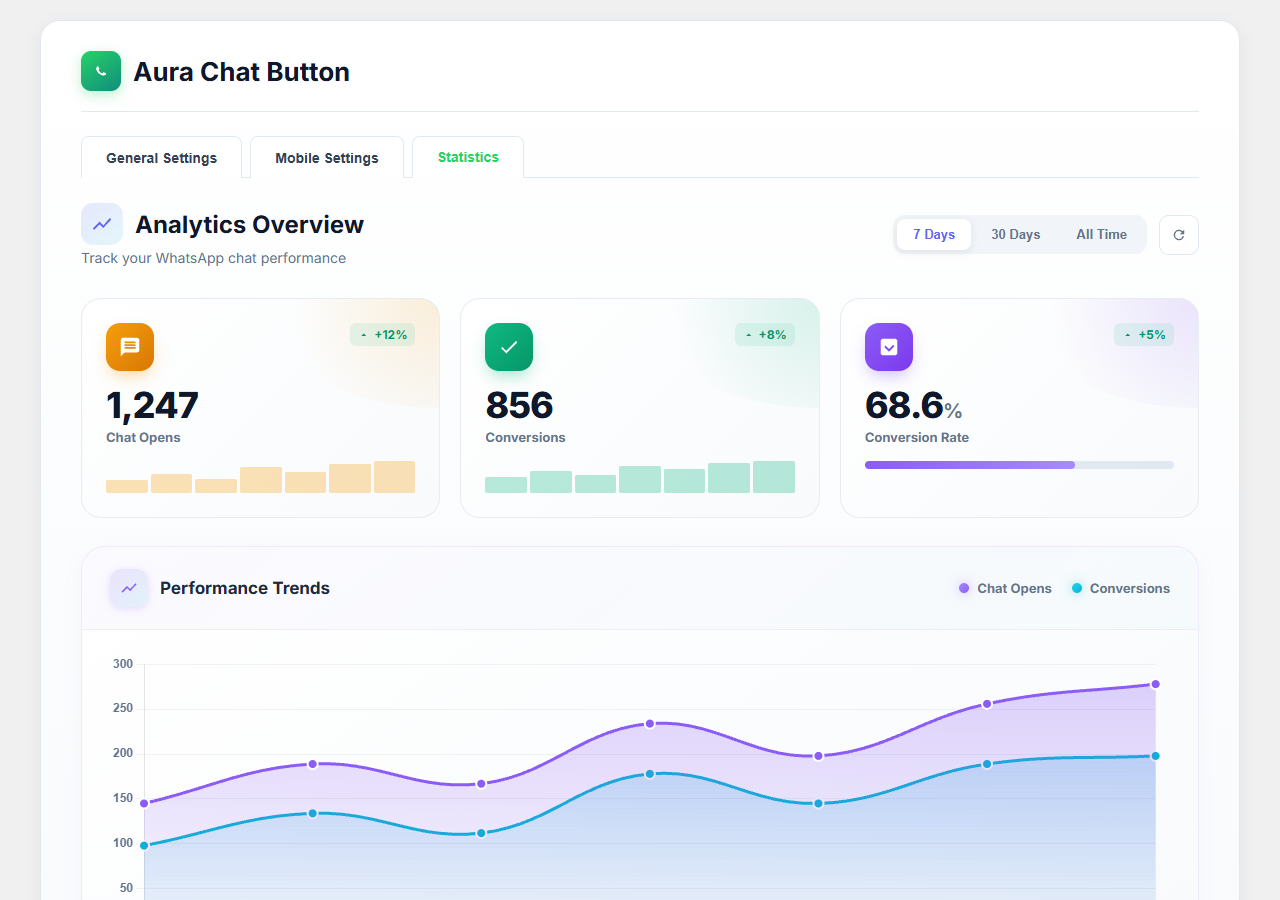
- Statistics Dashboard - Track chat opens, conversions, and conversion rates
- Mobile Optimization - Separate settings for mobile devices
- Page Visibility Control - Show button on specific page types
- Position Fine-tuning - Pixel-perfect horizontal and vertical positioning
- Auto Popup - Automatically open chat box after specified seconds
- Custom Avatar - Upload your own avatar image
- Offline Mode - Custom message when you're not available
- E-commerce stores needing WhatsApp support button
- Service businesses wanting WhatsApp contact button
- Agencies looking for WhatsApp live chat solution
- Freelancers needing quick WhatsApp communication
- Any WordPress site wanting WhatsApp chat integration
- English (default)
安装:
- Upload the
aura-chat-buttonfolder to/wp-content/plugins/directory - Activate the plugin through 'Plugins' menu in WordPress
- Go to 'Aura Chat Button' in admin menu
- Enter your WhatsApp phone number with country code (e.g., 905551234567)
- Customize your WhatsApp button appearance
- Save changes and your WhatsApp chat button will appear on your site
屏幕截图:
常见问题:
How do I add WhatsApp chat button to my WordPress site?
Simply install and activate Aura Chat Button plugin, enter your WhatsApp number, and the WhatsApp chat button will appear on your website automatically.
How do I enter my WhatsApp phone number?
Enter your WhatsApp number with country code but without + sign or spaces. For example, if your number is +90 555 123 4567, enter it as 905551234567.
Can I customize the WhatsApp button design?
Yes! Choose from 4 professional WhatsApp button styles and customize colors to match your brand.
Does the WhatsApp chat button work on mobile?
Absolutely! The WhatsApp contact button is fully optimized for mobile devices with separate mobile settings.
Can I show WhatsApp button only on certain pages?
Yes! Control WhatsApp button visibility on Homepage, Static Pages, Blog Posts, and Categories.
Can I set business hours for WhatsApp chat?
Yes! Enable scheduling to show online/offline status. Visitors can still send WhatsApp messages when you're offline.
Can I track WhatsApp button clicks?
Yes! The Statistics dashboard shows WhatsApp chat opens, conversions, and conversion rates with charts.
Is this WhatsApp chat plugin free?
Yes! Aura Chat Button is completely free with all features included.
更新日志:
- Removed non-English content from readme per WordPress.org guidelines
- Code cleanup and optimization
- Added 4 new languages: Hindi, Chinese (Simplified), Russian, Japanese
- Improved SEO-friendly short description
- Total 10 languages supported
- Initial release of WhatsApp chat button plugin
- 4 professional WhatsApp button styles
- Custom color support for WhatsApp button
- Working hours scheduling
- WhatsApp click statistics dashboard
- Mobile-specific settings
- Page visibility controls
- Position fine-tuning
- Auto popup feature
- Custom avatar support
- Offline mode with custom message