Authyo ChatLead - Chatbot Lead Capture
| 开发者 |
konceptwise
authyo |
|---|---|
| 更新时间 | 2026年9月18日 19:11 |
| PHP版本: | 7.2 及以上 |
| WordPress版本: | 7.1 |
| 版权: | GPLv2 or later |
| 版权网址: | 版权信息 |
详情介绍:
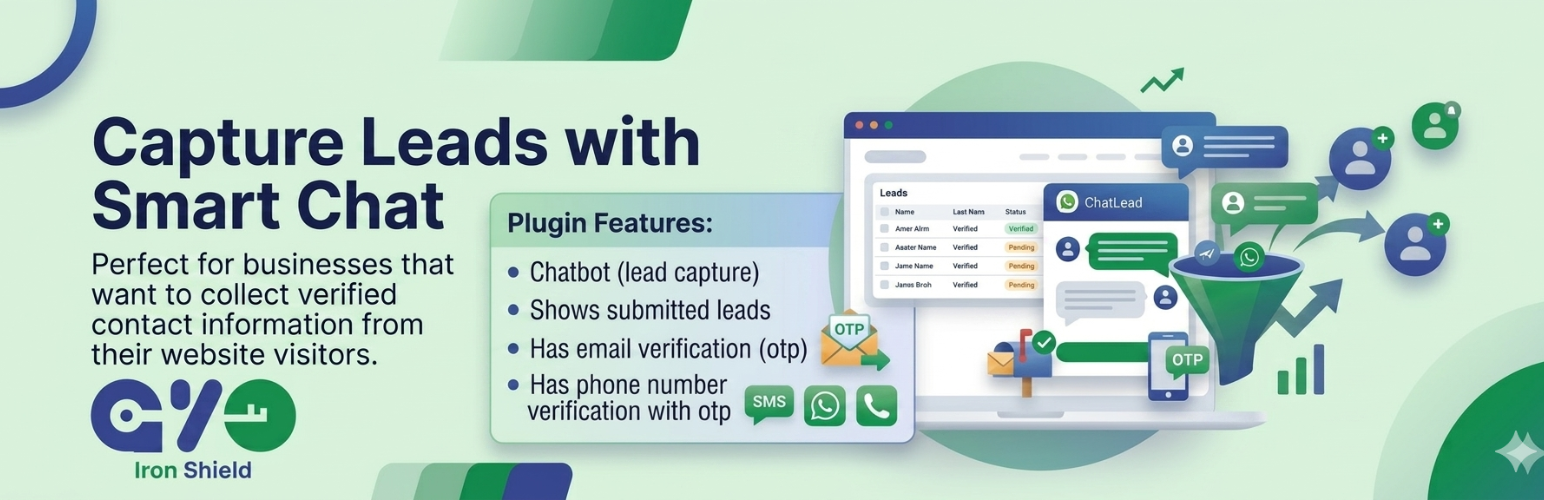
Authyo ChatLead – Chatbot Lead Capture is a powerful lead capture plugin that combines an interactive chatbot interface with secure OTP (One-Time Password) verification for both email and phone numbers. Perfect for businesses that want to collect verified contact information from their website visitors.
Video Tutorial – How to Use Authyo ChatLead Plugin
https://www.youtube.com/watch?v=m52uu9W3eS8
This plugin helps reduce spam and ensures that only verified users can submit your forms.
Note: OTP verification requires valid Authyo API credentials and sufficient wallet balance.
Key Features
- Interactive Chatbot - Engaging conversational interface for lead capture
- Email OTP Verification - Verify email addresses with one-time passwords
- Phone OTP Verification - Verify phone numbers with SMS OTP
- Country Selection - Automatic country code handling with cached country list
- Form Builder - Drag-and-drop interface to customize chatbot fields
- Lead Management - View, filter, and search leads from admin dashboard
- Accessibility - ARIA labels, keyboard navigation, screen reader support
- Responsive Design - Works perfectly on desktop, tablet, and mobile devices
- AI Chatbot - Answer visitor questions using your own knowledge base with OpenAI, Claude, Gemini, Mistral, DeepSeek, Groq, or Cohere
- Knowledge Base - Add text content or import webpage URLs for the AI to learn from
- Unified Mode - AI chatbot + lead capture in one seamless conversation
- Widget Support - Optional floating widget for site-wide deployment
- Shortcode -
[authyo_chatlead],[authyo_ai_chat], or the legacy[chatlead_by_authyo]for embedding in pages/posts
- Name
- Email (with OTP verification)
- Phone (with country code and OTP verification)
- Message
- Number
- Address
- Lead generation for sales teams
- Contact form with verified information
- Newsletter signups with email verification
- Customer support inquiries
- Event registrations
- Quote requests
- Authyo API credentials (get them at authyo.io)
- WordPress 5.0 or higher
- PHP 7.2 or higher
安装:
- Upload the
authyo-chatleadfolder to the/wp-content/plugins/directory - Activate the plugin through the 'Plugins' menu in WordPress
- Go to Authyo ChatLead → Settings and enter your Authyo API credentials
- Click "Refresh Country List" to cache the country data
- Go to Authyo ChatLead → Form Builder to customize your chatbot fields
- Add the shortcode
[authyo_chatlead]to any page or post - Alternatively, enable the floating widget in settings for site-wide deployment
常见问题:
How do I get Authyo API credentials?
Visit authyo.io to sign up for an account and obtain your App ID, Client ID, and Client Secret.
Can I customize which fields appear in the chatbot?
Yes! Go to Authyo ChatLead → Form Builder to add, remove, reorder, and configure fields. You can enable/disable fields, change labels and placeholders, and set required status.
Can I use the chatbot on multiple pages?
Yes! You can either:
- Add the
[authyo_chatlead]shortcode to specific pages/posts - Enable the floating widget in settings for site-wide deployment
Is the plugin GDPR compliant?
The plugin stores lead data in your WordPress database. You are responsible for ensuring compliance with GDPR and other privacy regulations. We recommend adding appropriate privacy notices and obtaining consent before collecting personal data.
What happens to my data if I uninstall the plugin?
When you uninstall (not just deactivate) the plugin, all data is permanently removed including:
- Plugin settings
- Lead database table
- Cached country list
- Scheduled events
更新日志:
1.0.6
- Update: Compatibility and stability improvements.
- New: AI Chatbot module — answer visitor questions using OpenAI, Claude, Gemini, Mistral, DeepSeek, Groq, or Cohere
- New: Knowledge Base — add text content or import webpage URLs for the AI to learn from
- New: Unified chat mode — AI chatbot and lead capture in a single widget conversation
- New: Guided Setup popup — step-by-step wizard to configure the entire plugin in minutes
- New: Lead status tracking — mark leads as New, Read, or Connected with colored badges
- New: Lead status bulk actions — mark multiple leads at once from the leads table
- New: Lead status filter — filter leads by status in the admin leads list
- New: Chat mode selector (Unified / AI Only / Lead Capture Only)
- New: Email notification settings in guided setup
- New: OTP test and verify flow in guided setup
- New: Configuration status dashboard on AI settings page
- New: Session persistence — chat conversations survive page navigation
- New: Fallback behavior — when AI can't answer, smoothly transition to lead capture
- New: [authyo_ai_chat] shortcode for embedding the AI chatbot
- Fix: OTP verification now works correctly on all frontend widgets
- Fix: Encryption consistency — all encrypt/decrypt methods use the same IV format
- Fix: Prevented double-encryption of API keys and OTP secrets
- Fix: Lead status changes no longer cause "headers already sent" error
- Fix: MySQL strict mode compatibility for TEXT column defaults
- Security: Encrypted storage for AI API keys (AES-256-CBC)
- Security: Rate limiting on AI chat endpoint (20 requests per 5 minutes per IP)
- Security: Frontend no longer exposes technical API error messages
- Added internationalization support (i18n) with text domain loading
- Added color customization settings for robot, eyes, and message styling
- Added chatbot display mode selector (Advanced Robot / Basic Chatbot)
- Added robot greeting messages configuration
- Added email notification settings for new leads
- Security: Improved encryption key derivation using sha256 hash
- Performance improvement: Phone number button now shows "Next" instead of "Send OTP" when Authyo API keys are not configured
- Performance improvement: Fixed chatbot widget scrolling with the page — widget now stays fixed in place on both desktop and mobile
- Performance improvement
- Added credential help links in admin settings
- Version bumped to 1.0.1
- Initial release
- Interactive chatbot with conversational flow
- Email OTP verification via Authyo API
- Phone OTP verification with country code support
- Admin form builder with 6 field types
- Lead management with filters, search, and pagination
- Accessibility features (ARIA labels, keyboard navigation)
- Responsive design for all devices
- Optional floating widget
- Shortcode support
- Complete uninstall cleanup