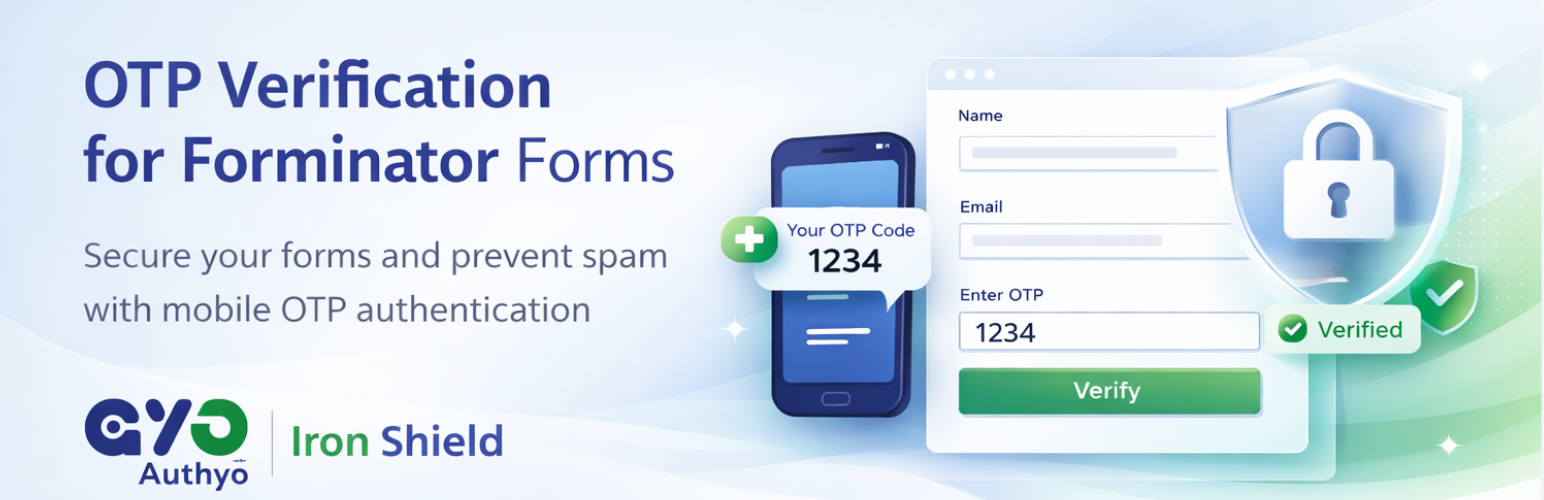
Authyo OTP for Forminator Form
| 开发者 | konceptwise |
|---|---|
| 更新时间 | 2026年10月13日 14:22 |
| PHP版本: | 7.4 及以上 |
| WordPress版本: | 7.1 |
| 版权: | GPLv2 or later |
| 版权网址: | 版权信息 |
详情介绍:
安装:
- Upload the plugin files to the
/wp-content/plugins/authyo-otp-for-forminator-formdirectory, or install directly via the WordPress Plugins screen. - Activate the plugin through the 'Plugins' screen in WordPress.
- Ensure the Forminator plugin is installed and active.
- Navigate to Authyo OTP for Forminator in the admin menu to enter your API credentials and configure global settings.
- Open any Forminator form, add a standard Email or Phone field (note the element ID, e.g.
email-1). - Add an HTML field below it and paste the shortcode:
[authyo_forminator_email field="email-1"]or[authyo_forminator_phone field="phone-1"]. - Save and publish your form — OTP verification is now live. The linked Forminator field is hidden automatically.
常见问题:
Do I need an Authyo account to use this plugin?
Yes. You need a free Authyo account and a valid API key to send OTPs via Email, SMS, WhatsApp, or Voice Call. Visit https://authyo.io/ to create your account and get started.
Does this plugin work with all Forminator forms?
Yes. Once Forminator is installed and active, you can add Authyo OTP verification to any Forminator form — contact forms, registration forms, lead capture forms, booking forms, and more.
What happens if my Authyo wallet balance runs out?
The plugin includes a smart fallback: if your wallet balance is exhausted or the API is temporarily unavailable, the form field is automatically marked as verified so genuine users are not blocked. This is an intentional safety mechanism to prevent lead loss — not a security gap.
Is any user data stored by this plugin?
No. All OTP data is processed in real-time through the Authyo API and is not stored permanently by this plugin. Phone numbers and email addresses are transmitted only at the moment a user requests an OTP.
Can I let users choose how they receive their OTP?
Yes. The plugin includes a "Visitor Choice" option that lets users pick their preferred OTP delivery method — SMS, WhatsApp, or Voice Call — directly on the form.
Which OTP delivery channels are supported?
Authyo OTP for Forminator supports four channels: Email, SMS, WhatsApp, and Voice Call. You can enable one or multiple channels per form.
Is this plugin secure?
Absolutely. Version 1.0.4 introduced AES-256-CBC encryption for stored API credentials, rate limiting on all OTP endpoints, server-side token storage, and OTP format validation — ensuring a robust, tamper-resistant verification flow.
Can I view all OTP-verified submissions in one place?
Yes. The built-in Leads Manager lets you view all verified form submissions directly from your WordPress dashboard.
Does the plugin support international phone numbers?
Yes. A built-in country selector supports global phone numbers. You can display all countries, a filtered selection, or a single country — ideal for region-specific forms.
Where can I get support?
Visit https://authyo.io/ for documentation, tutorials, and support resources.
更新日志:
- Improved: Redesigned the Verification Methods settings tab with a cleaner, responsive layout.
- Added: Note that Voice Call verification is available only in India.
- Added: New setup wizard step to create a page, or add the OTP form shortcode to an existing page, with a Copy Shortcode button. Existing page content is preserved and repeated setups never create duplicate pages.
- Fixed: Skipped email / phone verification now shows the submitted email address or phone number (with country code) after submission.
- Fixed: Verified email / phone values are no longer lost from entries, leads and notification emails after the form re-renders.
- Fixed: Errors on the hidden linked email / phone field are now shown inside the OTP widget instead of being invisible.
- Fixed: A linked phone field set to "International" validation now receives the number with its country code, so valid submissions are no longer rejected.
- Simplified API credentials: only Client ID and Client Secret are now required. The App ID field has been removed — existing sites keep working with no action needed.
- New: Added a sample credentials screenshot to the API Credentials section so keys are easier to locate in the Authyo dashboard.
- Security: Fixed a flaw where a credential stored in plain text could be mistaken for encrypted data and corrupted when read, which could cause OTP delivery to fail. Credential detection now verifies decryption instead of guessing from the format of the value.
- Security: Any API credential still stored unencrypted is now encrypted automatically, once, on the next admin page load.
- Security: Decryption never returns raw binary data, so a corrupted value can no longer be transmitted in place of a credential.
- Added an "origin" header carrying the site domain to all Authyo API requests.
- Performance improvement.
- New: Added one-click setup popup to configure the plugin quickly from the settings page.
- Performance improvement.
- Performance: Resolved class name conflicts with other Authyo plugins to ensure smooth activation and compatibility.
- Improvement: Settings option is now initialized on activation to ensure the encryption filter always fires.
- Performance: Improved form rendering and compatibility with all Forminator versions.
- New: Shortcode-based integration using
[authyo_forminator_email]and[authyo_forminator_phone]for better reliability. - Fixed: OTP fields now work seamlessly with Forminator's AJAX loading and caching.
- Fixed: Country dropdown default selection and stability improvements.
- Fixed: Send OTP button visibility and state management.
- Fixed: Form submission validation when using OTP fields.
- Fixed: Skip verification now requires valid input before allowing skip.
- Improved: Smoother OTP container animations and transitions.
- Improved: Better input validation and country code handling.
- Improved: Overall plugin stability and error handling.
- Security: AES-256 encryption, rate limiting, server-side tokens, and OTP format validation.
- Feature: Leads Manager with full form data, readable field labels, and expandable view.
- Feature: Default country option — pre-select a country while allowing visitors to change it.
- Feature: Video tutorial added to the How to Use tab.
- Feature: Post-submission redirect URL support per form.
- Fix: Skip Verification button now appears inline with OTP method selector buttons.
- Fix: Email OTP no longer triggers "Invalid phone number" error.
- Improvement: Country filtering, skip verification, and improved error handling.
- Performance improvements.
- Added Video Tutorial.
- Updated plugin version to 1.0.2.
- Added help text to API Credentials section in the General tab.
- Updated plugin version to 1.0.1.
- Initial release.