Autify Digital Ltd Lloyds Cardnet Gateway
| 开发者 |
Autify Digital Ltd
supportautify |
|---|---|
| 更新时间 | 2026年1月10日 01:12 |
| 捐献地址: | 去捐款 |
| PHP版本: | 7.4 及以上 |
| WordPress版本: | 6.9 |
| 版权: | GPLv2 or later |
| 版权网址: | 版权信息 |
详情介绍:
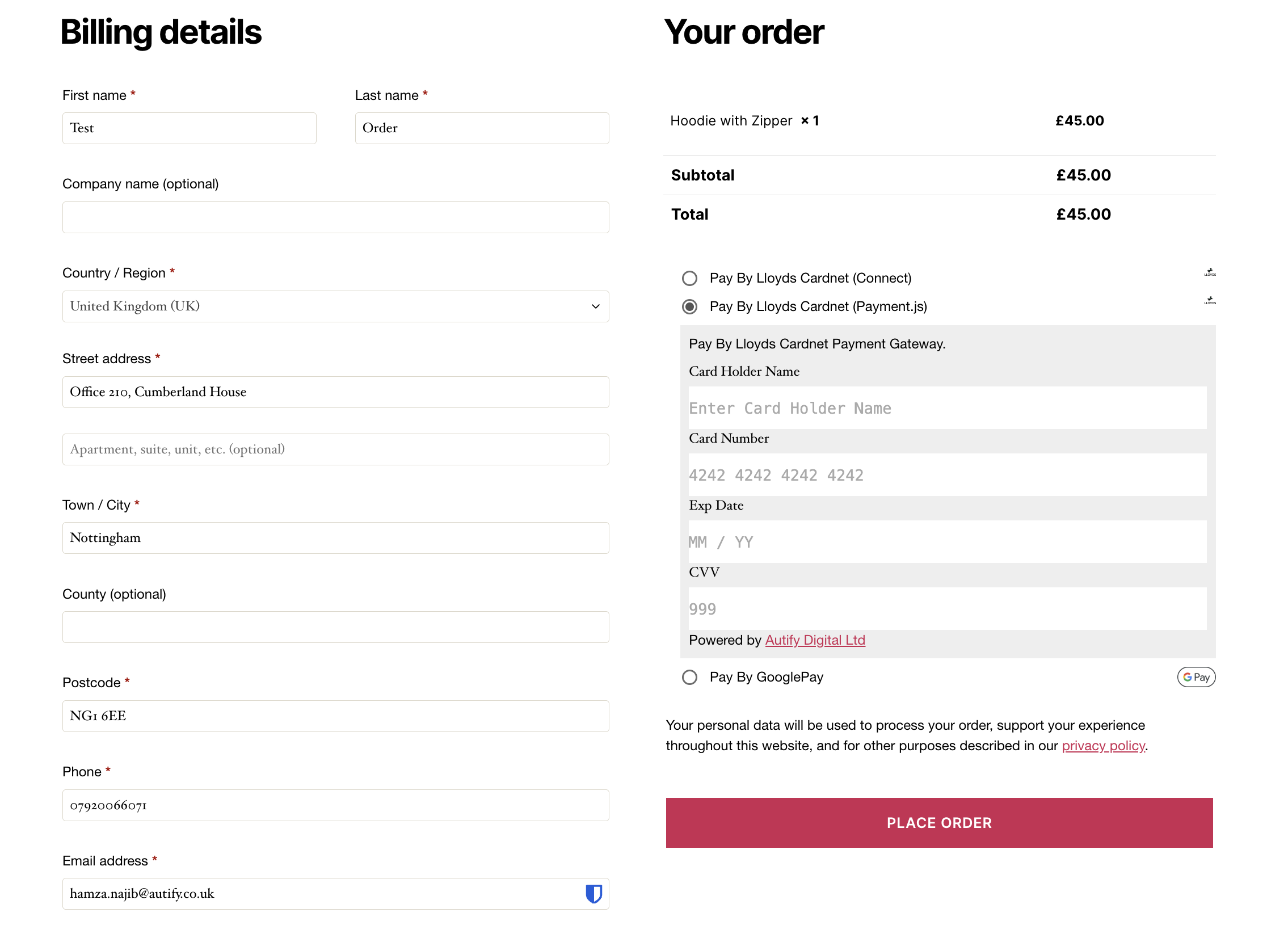
- Multiple payment methods: Hosted Payment Page (HPP), Payment JS, Apple Pay, and Google Pay
- Full tokenization support - customers can securely save cards for future purchases
- WooCommerce Subscriptions compatibility for recurring payments
- Smart 3D Secure authentication with dynamic challenge requirements
- MOTO (Mail Order/Telephone Order) support for admin-initiated transactions
- Advanced fraud prevention with customizable security settings
- Comprehensive webhook support for reliable payment status updates
安装:
- Upload the plugin in '/wp-content/plugins/' directory
- Activate the plugin through the 'Plugins' menu in WordPress
- Set the plugin settings from payment section in wp admin
屏幕截图:
常见问题:
Prerequisites & Setup
What do I need before installing this plugin?
You need an active Lloyds Bank Cardnet merchant account. The plugin cannot assist with account setup - please visit Lloyds Bank Business website to apply for an account first. You'll also need WooCommerce installed and configured on your WordPress site.
What credentials do I need from Lloyds Bank?
You'll need: Store ID and Shared Secret (provided when setting up your merchant account) For embedded payments: REST API Key and API Secret from the Developer Portal The REST API keys need to be linked to your Store ID by Lloyds Bank
Is professional installation available?
Yes, Autify Digital offers a professional installation service where their technical team will configure the plugin to your requirements.
Payment Methods
Which payment methods are supported?
The plugin supports all major credit and debit cards (Visa, Mastercard, American Express, etc.), plus Apple Pay and Google Pay digital wallets.
Can I offer both redirect and embedded payment options?
No, you need to choose one payment method - either the redirect to hosted payment page OR the embedded Payment.JS solution on your checkout page.
Where can Apple Pay and Google Pay buttons be displayed?
Express checkout buttons can be displayed on product pages, cart page, and checkout page, allowing customers to skip the standard checkout process.
Features & Functionality
Can I process refunds through WooCommerce?
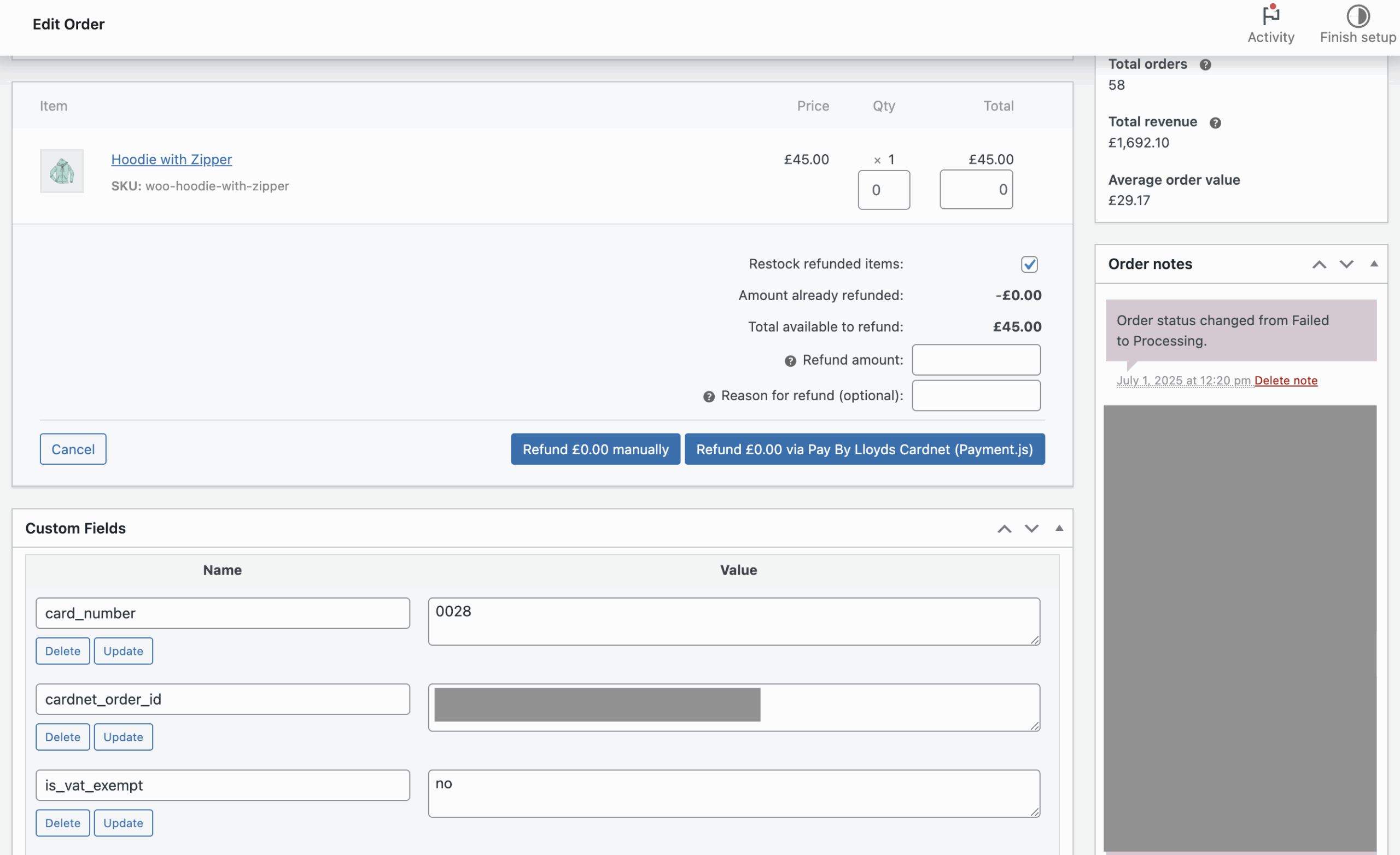
Yes, you can process both full and partial refunds directly from the WooCommerce order management interface.
Does the plugin support subscriptions?
Yes, the plugin supports recurring payments for subscription services. This feature is only available with card payments (not digital wallets).
What is MOTO payment functionality?
MOTO (Mail Order/Telephone Order) allows you to securely process payments taken over the phone or email directly from the WooCommerce admin area.
Can customers save their card details?
Yes, through tokenization, customers can securely save their card details for faster checkout in future purchases. The actual card data is never stored on your server.
Security & Compliance
Is the plugin PCI compliant?
When using either the hosted payment page or embedded payment solution, all transactions are processed by Lloyds Bank Cardnet's PCI-compliant infrastructure, not on your server. This significantly reduces your PCI compliance scope.
How is sensitive payment data protected?
Card details are never stored on your WooCommerce site. All sensitive data is handled by Lloyds Bank Cardnet using tokenization for saved cards and secure transmission protocols.
Do I still need SSL on my website?
Yes, you should always have a valid SSL certificate on your e-commerce website for general security and customer trust, even though payment processing happens on Lloyds Bank's secure servers.
Technical Requirements
What are the minimum requirements?
WordPress 5.0 or higher WooCommerce 3.5 or higher PHP 7.2 or higher Valid SSL certificate Active Lloyds Bank Cardnet merchant account
Does the plugin support multiple currencies?
Yes, the plugin includes international payment settings allowing you to configure multiple currencies and selling locations based on your merchant account capabilities.
How are payment notifications handled?
The plugin uses webhooks for real-time payment status updates. The webhook URL needs to be configured in your Lloyds Bank Cardnet account.
Troubleshooting
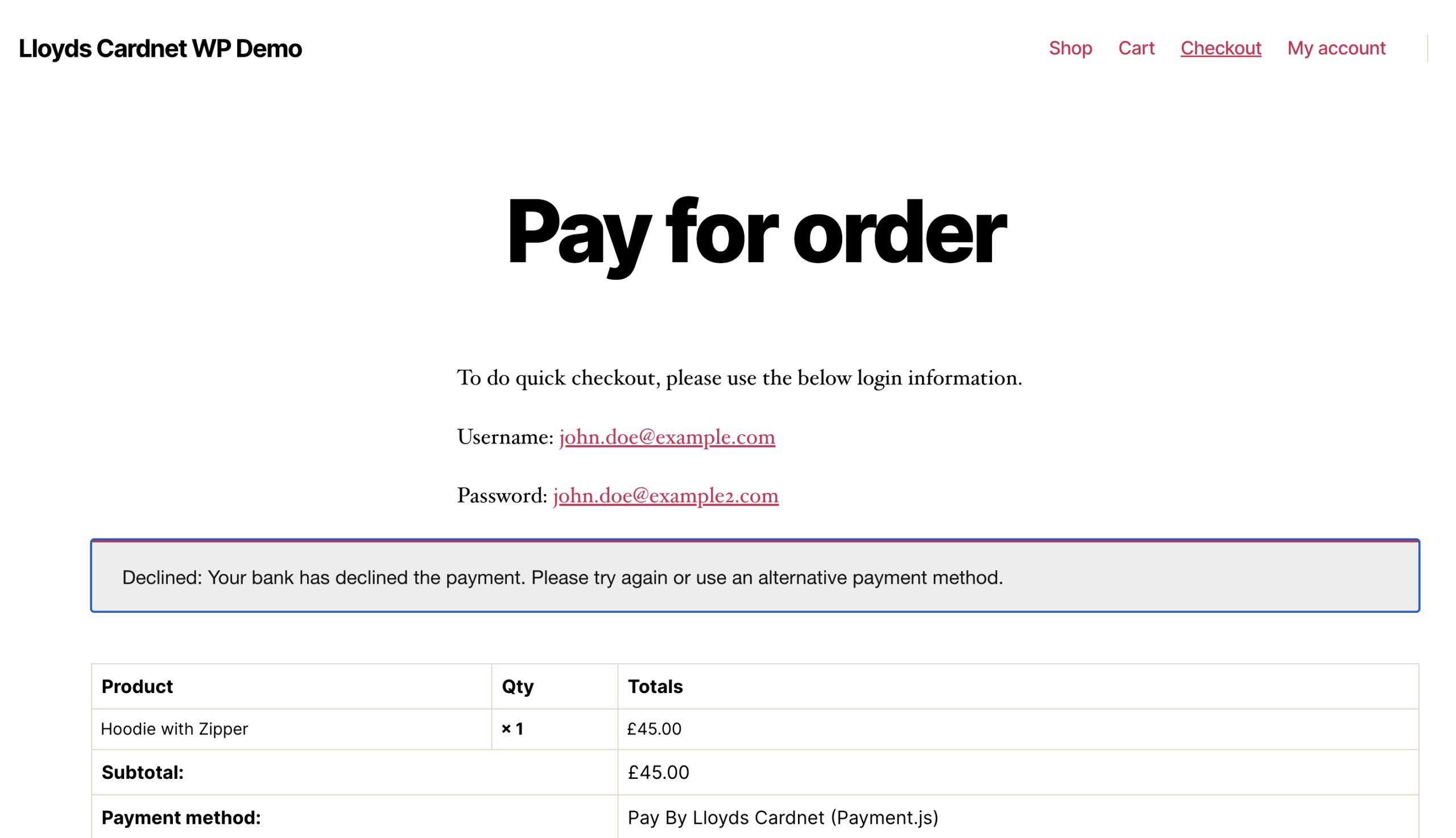
What if payments are being declined?
Check that: Your Lloyds Bank Cardnet account is active API credentials are correctly entered REST API keys are linked to your Store ID (for embedded payments) CVV verification is disabled as per setup requirements
Can I test the plugin before going live?
Yes, Lloyds Bank Cardnet provides test credentials and a sandbox environment. Configure these in the plugin settings to test transactions without processing real payments.
Where can I see transaction logs?
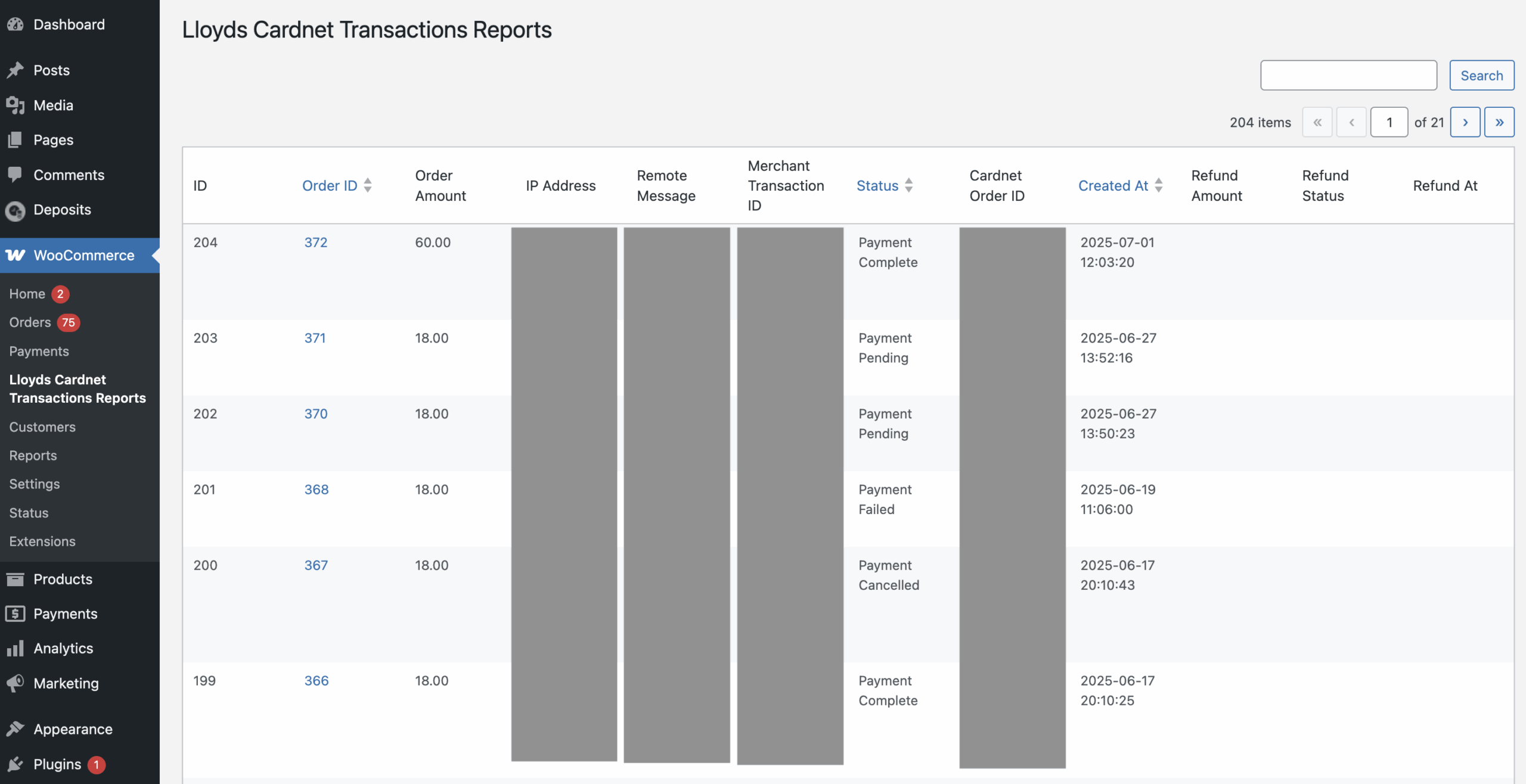
Transaction logs and order statuses can be viewed in the WooCommerce reporting dashboard. Detailed transaction information is also available in your Lloyds Bank Cardnet merchant portal.
Support & Customization
Is technical support available?
Yes, Autify Digital provides reliable installation and post-integration support. Contact cardnet@autify.co.uk for technical assistance.
Can the plugin be customized for specific business needs?
Yes, Autify Digital offers customization services for businesses needing tailored features or configurations beyond the standard plugin functionality.
How do I update the plugin?
Plugin updates are provided through your Autify account. Always backup your site before updating and test updates on a staging environment first.
What if I need to switch from redirect to embedded payments?
You can switch between payment methods in the plugin settings. For embedded payments, you'll need to obtain and configure REST API credentials from the Developer Portal.
Licensing & Compatibility
Is this plugin compatible with other WooCommerce extensions?
The plugin is designed to work with standard WooCommerce installations. Compatibility with specific third-party extensions should be tested on a case-by-case basis.
Can I use this plugin on multiple sites?
Licensing terms depend on your purchase from Autify Digital. Check your license agreement or contact support for multi-site usage rights.
Does the plugin work with WooCommerce Blocks?
Please check with Autify Digital support for the latest compatibility information regarding WooCommerce Blocks checkout.
Getting Started
Ensure you have an active Lloyds Bank Cardnet merchant account Purchase and download the plugin from Autify Digital Install the plugin on your WooCommerce site Configure with your Store ID and Shared Secret For embedded payments, add REST API credentials Configure payment methods and options Test with sandbox credentials Go live with production credentials For detailed installation instructions, refer to the documentation provided with your plugin purchase.
更新日志:
- Code Quality: WordPress PHPCS compliance improvements
- Bug Fix: GET method call curl issue for the decline transaction
- Feature: Transaction Reports table with advanced filtering (status, payment method, date range)
- Feature: CSV export functionality for transaction reports with all filters applied
- Feature: Full-text search across all transaction columns (Order ID, Amount, Status, Card Details, IPs, etc.)
- Feature: Transaction summary statistics showing total transactions, amounts, and refunds
- Feature: Traffic light verification status indicators (CVV, Street, Postcode checks) in reports
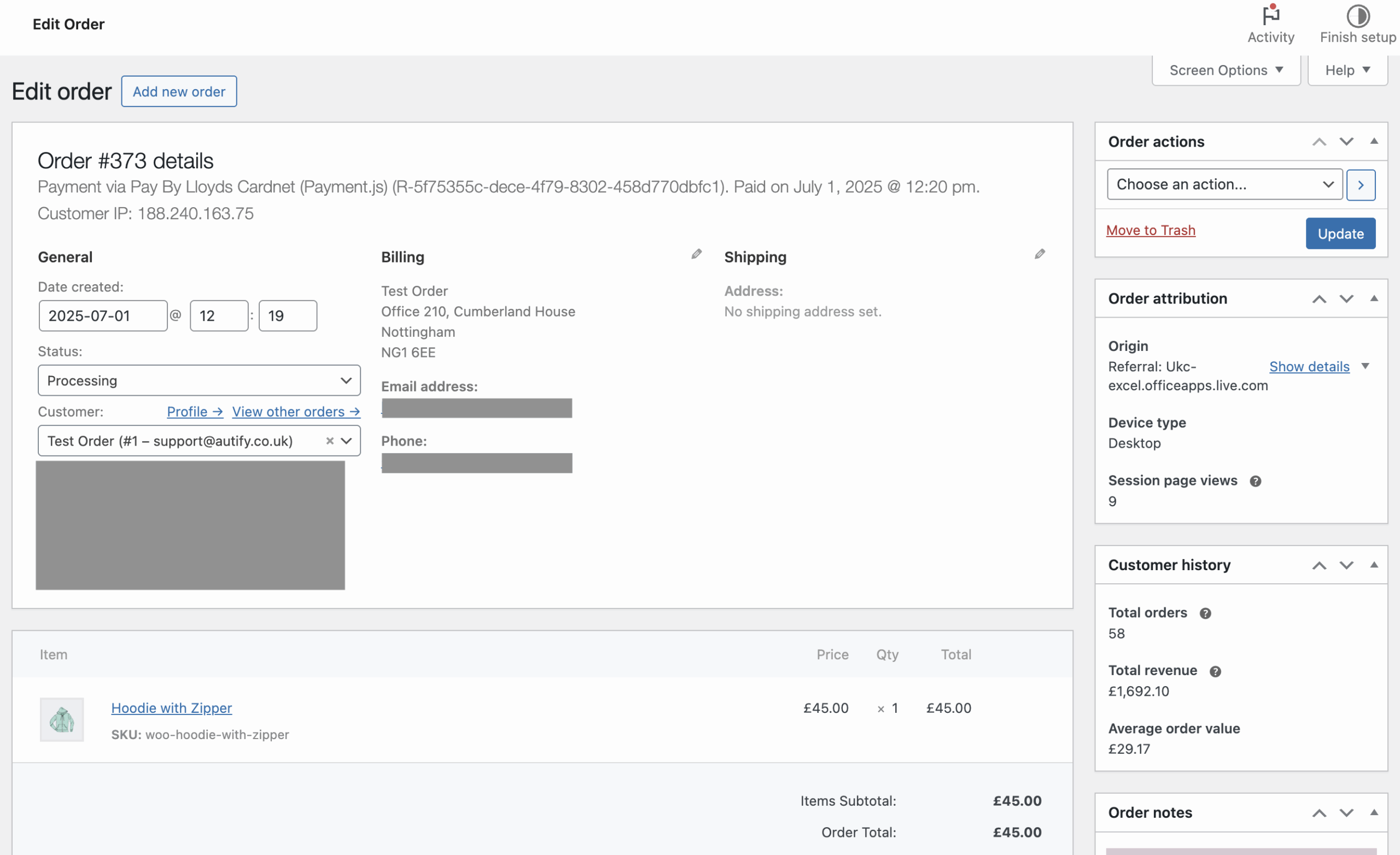
- Feature: Transaction details meta box on WooCommerce order view page with payment and fraud details
- Feature: Cardnet Status column in WooCommerce order grid with payment status, verification indicators, and card info
- Enhancement: License sync cron job for automatic license validation
- Enhancement: Unified refund processing across all payment methods (Card, Apple Pay, Google Pay)
- Enhancement: Centralized table name management in gateway helper
- Enhancement: External CSS file for admin styles instead of inline styles
- Enhancement: Support for both legacy post-based orders and HPOS (High-Performance Order Storage)
- Code Quality: WordPress PHPCS compliance improvements
- Code Quality: Added translator comments for i18n strings with placeholders
- Code Quality: Proper variable prefixing for WordPress coding standards
- Code Quality: Added phpcs:ignore comments for WooCommerce core hooks usage
- Dev: Comprehensive unit test coverage for new features
- Dev: Refactored verification status methods to camelCase naming convention 3.0.6 -
- Security: Fixed security vulnerabilities with proper sanitization of $_GET, $_POST, $_REQUEST data
- Security: Added proper validation and sanitization using sanitize_text_field() and wp_unslash()
- Enhancement: Made debug logging conditional - error_log() now only runs when WP_DEBUG is enabled
- Enhancement: Complete WooCommerce address line 2 support across all payment methods (Payment JS, Apple Pay, Google Pay, HPP)
- Enhancement: Comprehensive unit test coverage for all new features and validations
- Fix: Enhanced security for payment token handling and form processing
- Fix: Improved address data handling in redirect payment forms and wallet payments
- Dev: Updated all payment gateway classes with secure data handling practices
- Dev: Enhanced license manager with proper AJAX security and nonce verification
- Dev: Added comprehensive test suite covering address handling, and license management 3.0.5 -
- Enhancement: Full tokenization support for HPP/Redirect payment gateway - customers can now save cards for future use
- Enhancement: Smart 3D Secure handling with dynamic challenge indicators based on transaction type
- Enhancement: Improved code organization with dedicated helper methods for payment data building
- Enhancement: Subscription support improvements with proper token handling for recurring payments
- Fix: Duplicate token saving issue between webhook and order confirmation resolved
- Fix: Session dependency removed from webhook - now uses order meta for reliable server-to-server communication
- Fix: Improved shipping method calculation for wallet payments (Apple Pay and Google Pay)
- Fix: Shipping options now properly update based on customer location
- Fix: Shipping methods now respect WooCommerce zone restrictions and conditions
- Fix: Total calculation now uses backend-calculated values for accuracy
- Enhancement: Dynamic shipping option updates when address changes in wallet payments
- Enhancement: Proper tax and shipping recalculation based on selected address
- Enhancement: PO number building logic refactored for better maintainability
- Dev: Added modular payment request builders (buildPaymentRequestData, buildOrderData, build3DSecureData)
- Dev: Enhanced token storage with duplicate prevention mechanism
- Dev: Removed deprecated class-autify-lloyds-shop-page-handler.php file 3.0.4 -
- HPOS Declaration
- BugFix - Domain issue, as WooCommerce covers it already.
- Apple Pay removal of EMV, as this is not supported.
- Some Code improvements 3.0.2 -
- Feature: Adding Dynamic Order Data configuration and Clear Cookies for My account 3.0.1 -
- Fallback to Hosted Payment Method Support
- A configuration option has been added in Payment JS to enable or disable logging.
- The logger has been standardized to use the WooCommerce logging system, ensuring consistency across all WooCommerce payment methods. 3.0.0 -
- On-site Wallets: We can process on-site payments via Google Pay or Apple Pay directly from the product, cart, and checkout pages.
- Tokenisation: The customer can save their cards for future transactions.
- Subscription: The merchant can accept the subscription of the order via Card payments. The Wallets will not show up if there are subscription products in the cart.
- MOTO: The merchant can make an MOTO transaction by logging into the Administrator account.