
AYBABTU Inventory Sync for WooCommerce
| 开发者 | epicforce |
|---|---|
| 更新时间 | 2026年11月3日 12:37 |
| PHP版本: | 7.4 及以上 |
| WordPress版本: | 7.1 |
| 版权: | GPLv2 or later |
| 版权网址: | 版权信息 |
详情介绍:
安装:
- Install and activate WooCommerce.
- Install and activate this plugin.
- In wp-admin, open AYBABTU Sync and select Create your account. Complete signup and email verification in the AYBABTU portal. If you already have an account, select Already have an account? Connect and enter an API key.
- Confirm the connection status, then select Open AYBABTU dashboard to connect your store with WooCommerce REST API consumer credentials with read and write access.
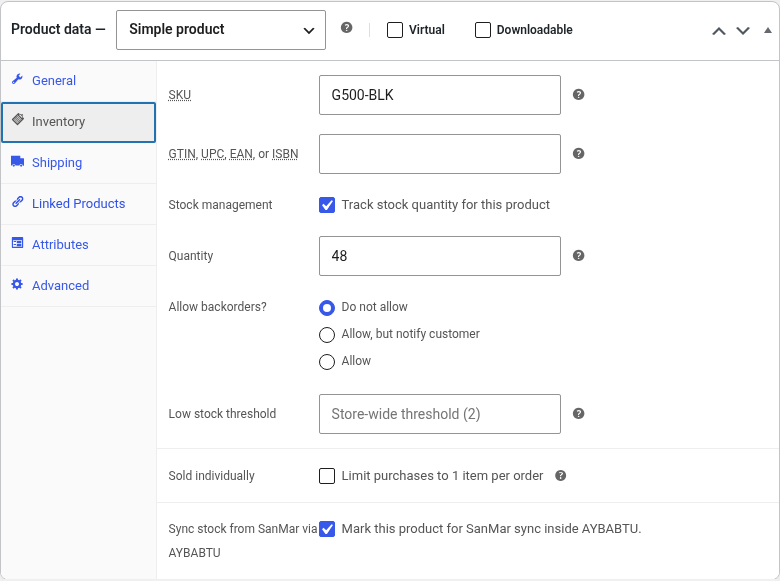
- Configure a supplier feed in the AYBABTU dashboard and choose which products to synchronize.
屏幕截图:
常见问题:
What does this plugin synchronize?
The AYBABTU service synchronizes selected WooCommerce product and variation inventory using the supplier feed and matching rules you configure. Depending on your settings, it can update stock quantities, backorder settings, and prices.
Where do I manage my AYBABTU connection?
Use Create your account or Already have an account? Connect on the AYBABTU Sync settings page. Use Open AYBABTU dashboard to open the separate AYBABTU portal in a new tab and manage the WooCommerce connection and supplier settings there.
When does setup send my store URL and administrator email?
WordPress sends the store URL and the current administrator email to aybabtu.app only after you click Create your account. The browser then opens the AYBABTU portal so you can complete signup and email verification.
Does the plugin contact supplier services directly?
No. The plugin connects to AYBABTU. If you configure a supplier such as SanMar, AYBABTU's service may contact that supplier using the credentials and feed settings you provide to AYBABTU.
Is AYBABTU affiliated with SanMar?
No. AYBABTU is not affiliated with or endorsed by SanMar Corporation.
Is the storefront link enabled by default?
No. The optional Inventory synced by AYBABTU link is off until an administrator enables it on the plugin settings page.
What information is sent to AYBABTU?
The plugin's server-side connection check sends the saved API key in an Authorization header. The AYBABTU service also communicates with WooCommerce to read and update products when you configure a store connection. See External services for details.
更新日志:
- Added first-run account setup with email verification and one-time API key handoff.
- Added a manual API key connection option for existing accounts and documented setup data flows.
- Replaced the wp-admin dashboard embed with a native settings page and external AYBABTU dashboard link.
- Added a server-side, cached API key connection check and scoped, persistent settings notices.
- Removed the browser-side API key handshake and made storefront-link configuration available in plugin settings only.
- Added an authenticated, idempotent receipt stock increment endpoint for AYBABTU ordering.
- Added atomic marker and stock updates for simple products and variations.
- Prepared the readme and package checks for WordPress.org directory review.
- Clarified the AYBABTU service data flows and optional storefront link.
- Retained the existing WooCommerce compatibility declarations and prefixed settings.