
Babilim – Auto Translation & Language Packs
| 开发者 | babilim |
|---|---|
| 更新时间 | 2026年11月25日 01:23 |
| PHP版本: | 7.4 及以上 |
| WordPress版本: | 7.1 |
| 版权: | GPL-2.0-or-later |
| 版权网址: | 版权信息 |
详情介绍:
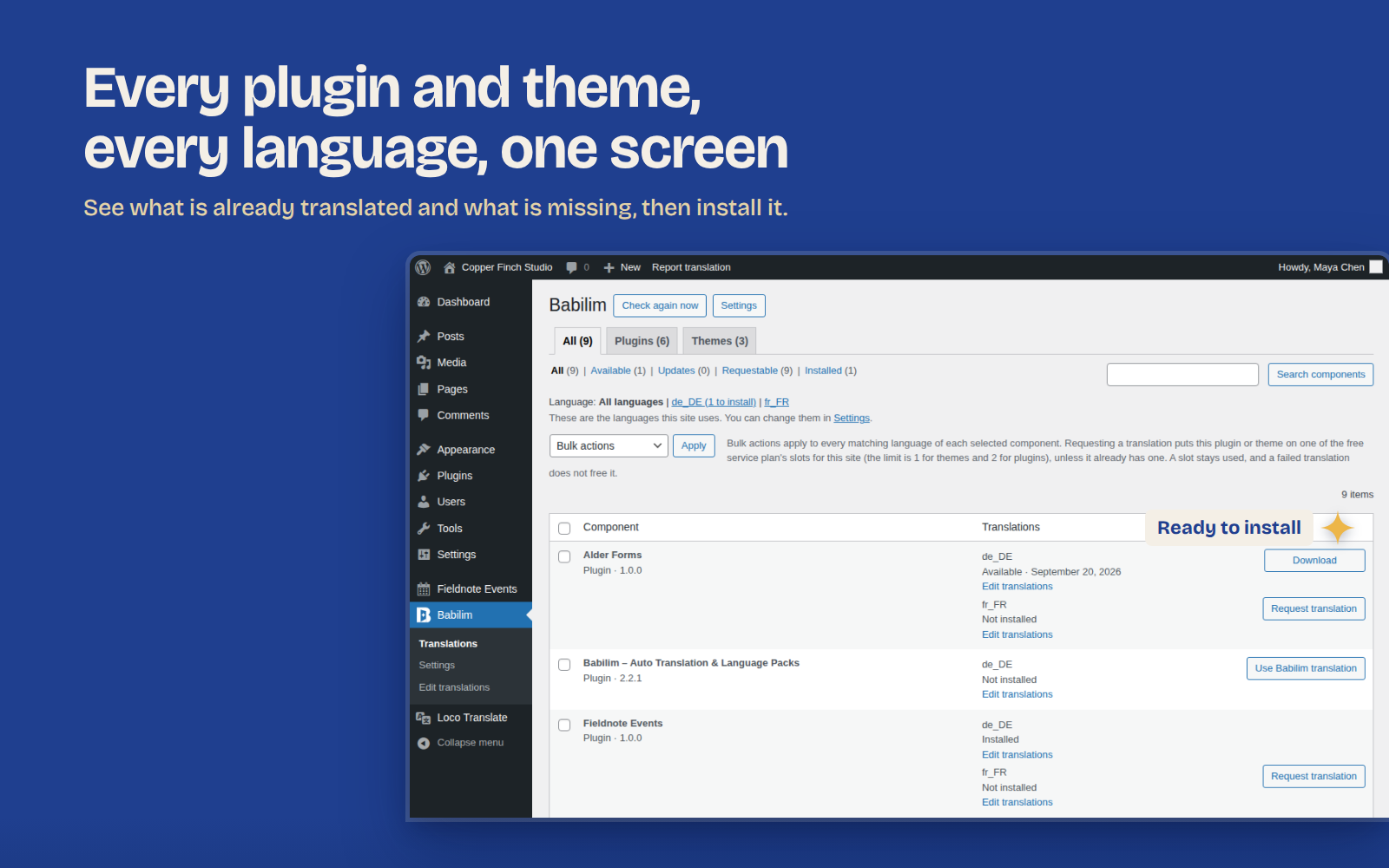
- See every plugin and theme on your site with its translation status in each language you manage.
- Install a translation with one click or automatically, or request one that does not exist yet.
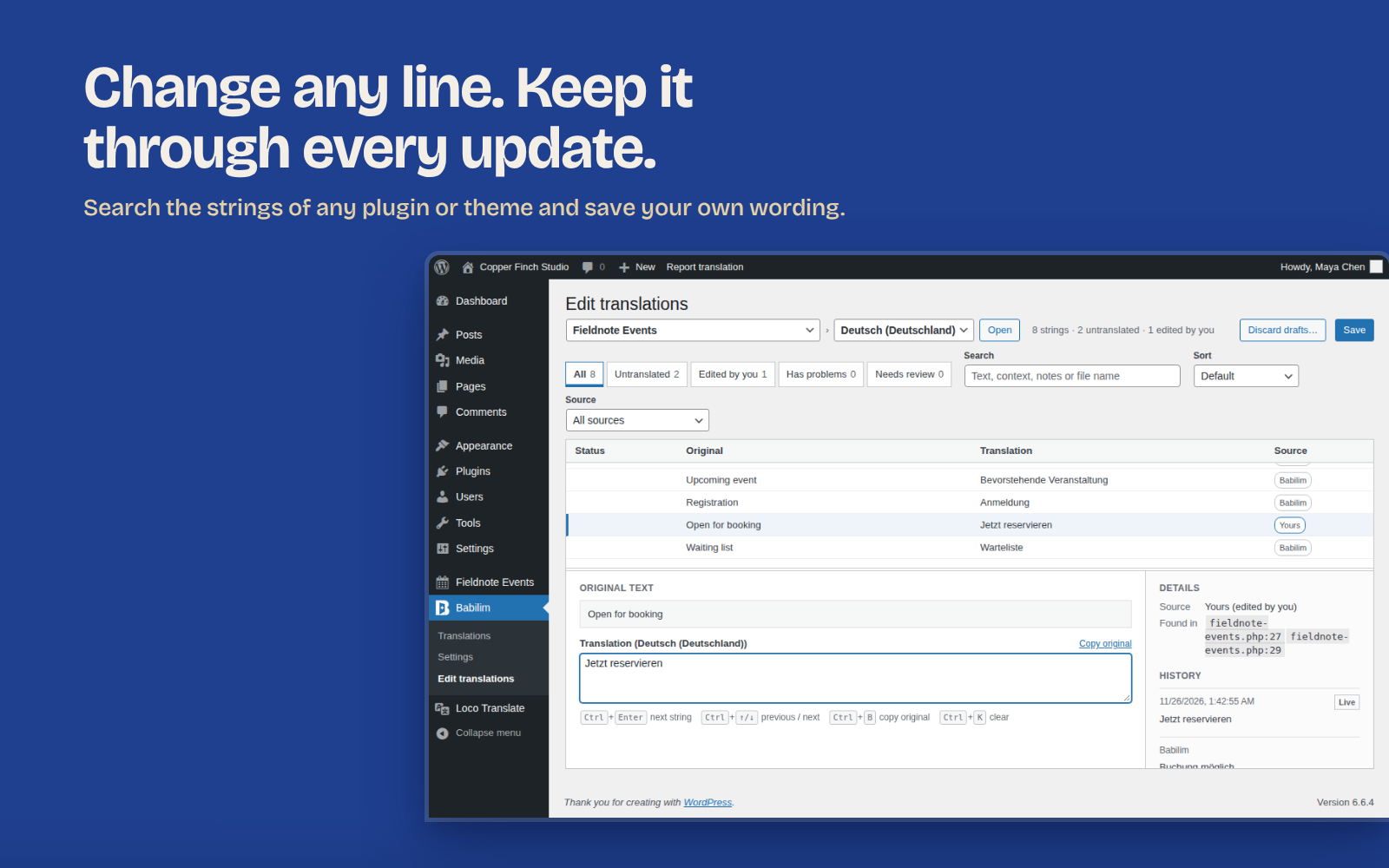
- Edit any translation on your site. Your changes survive plugin, theme and translation updates.
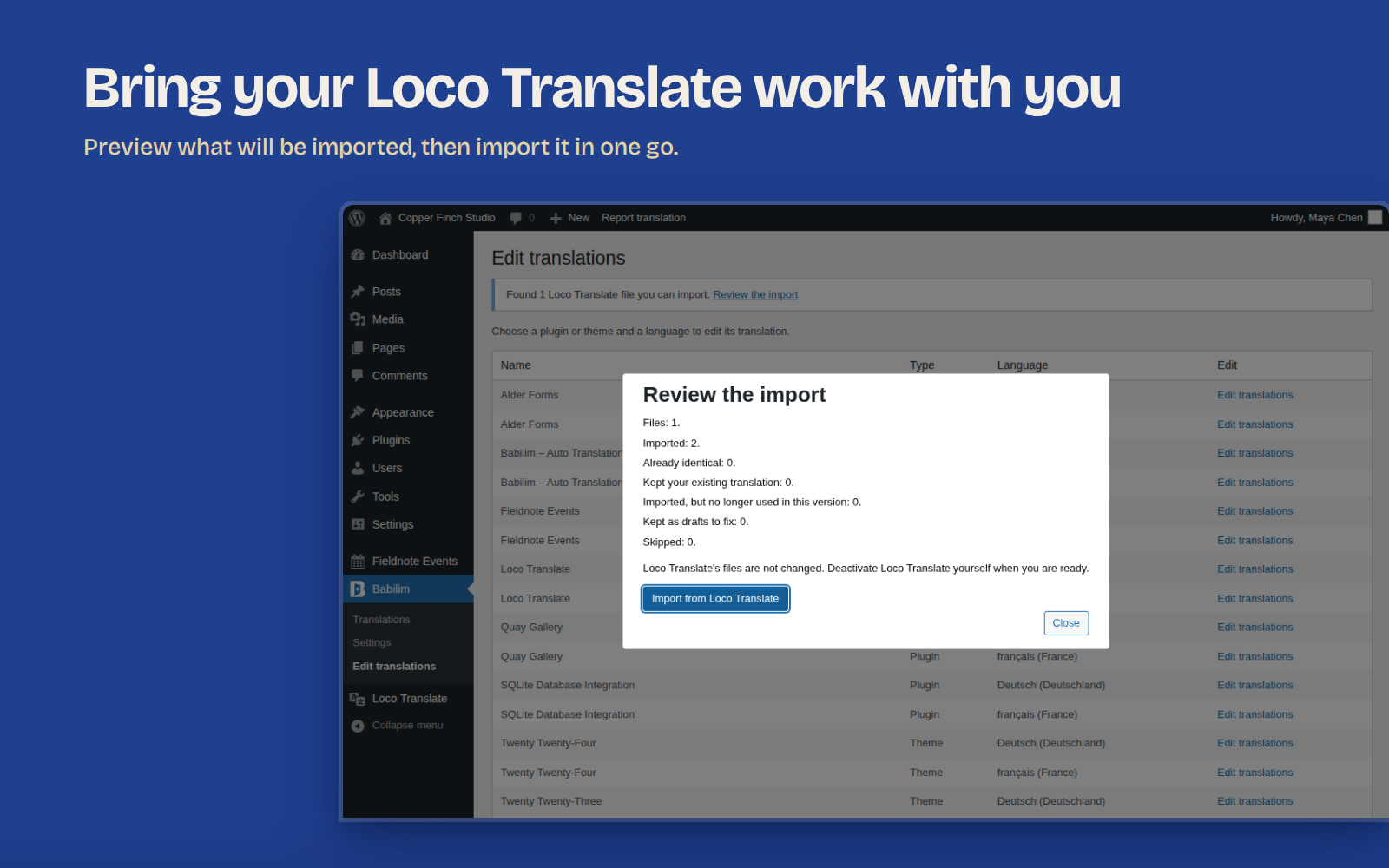
- Bring your translations over from Loco Translate. The import runs on your site.
- 可使用任何 WordPress 语言,没有任何语言被排序、优先或排除。
- 您同意之前不会发送任何数据,即使激活插件时也不会。
- No API key needed.
wp-content/languages/babilim/. Babilim does not touch your plugins, your themes or WordPress's own files.
安装:
- Install the plugin from the WordPress plugin directory, or upload it to
/wp-content/plugins/babilim. - Activate it. Activation sends nothing.
- Open Babilim > Translations, read what will be sent, and press Enable Babilim if you agree.
- Install or request translations on that screen. Choose languages under Babilim > Settings, and edit under Babilim > Edit translations.
屏幕截图:
常见问题:
What is sent, and when?
Nothing until you press "Enable Babilim", not even on activation. After that, Babilim sends your site's URL, versions, languages and list of plugins and themes. Anything more is sent only when you act, or when you turn on error reports or edit sharing. "外部服务" below lists it all, and "Disable Babilim" in Settings stops every request.
翻译从哪里来?
The Babilim service makes them with AI and makes them available to eligible sites using the same plugin or theme version. The plugin downloads translation files (.po, .mo, .json) and never runs remote code.
免费吗?
- The free plan covers one theme and two plugins listed on WordPress.org per site, chosen with "Request translation". A request counts even if the translation already exists.
- A covered plugin or theme gets its later versions at no extra charge. If it leaves WordPress.org, it gets no new versions on the free plan; installed translations stay.
- The paid plan is a one-time purchase per site and covers every plugin and theme. Prices: https://babilim.org/pricing/
- The editor needs no plan, and free and paid sites install and update translations the same way.
How do I change a translation, and which one wins?
Open Babilim > Edit translations, pick a plugin or theme and a language, edit, and press Save. After an update your changes move to the new version, and lines whose original changed wait under "Needs review". For a WordPress.org plugin or theme with no translation template, enable Babilim and press "Get the text list from Babilim".
Your own changes come first: the ones you make in the editor, and files you place in wp-content/languages/babilim/custom/ (imported into the editor and backed up in custom/_backup/). They beat Babilim, which beats a WordPress.org language pack or the plugin's or theme's bundled translation. For WordPress core's own default text domain, core's official translation beats Babilim's.
停用或删除插件会怎样?
Deactivating stops the scheduled checks and leaves the installed files in place. Deleting removes Babilim's settings and files but by default keeps your edits, your custom/ files and the site's registration, so a reinstall picks up where you left off.
在哪里获取帮助或报告错误的翻译?
Use Report translation in the admin toolbar or Report a problem on the Translations screen. Questions: https://wordpress.org/support/plugin/babilim/ . Bugs: https://github.com/babilim-org/babilim/issues . License or billing: support@babilim.org
更新日志:
- New: import your custom translations from Loco Translate.
- New: optionally share your edits with Babilim.
- New: for a WordPress.org plugin or theme that ships no translation template, enable Babilim, then get its text list and edit it.
- New editor layout: the string list on top and the editing area below, each scrolling on its own.
- Edit several strings, then press Save once. Until then every edit is kept as a draft.
- Problems show while you edit; a draft with a problem is not published.
- New filters, a wider search and sorting.
- After an update your changes move to the new version; changed originals wait under "Needs review".
- New name: Babilim – Auto Translation & Language Packs.
- New: edit any plugin or theme translation under Babilim > Edit translations.
- Your changes are checked before saving and stay in place through updates.
- The editor works without enabling the Babilim service.
- Actions finish on the same page.
- Confirmations and source uploads open in a dialog.
- Every screen still works without JavaScript. 旧版本的更新记录请见 changelog.txt。