Back In Stock Notifications
| 开发者 |
SunCart
hemantjangir |
|---|---|
| 更新时间 | 2025年11月27日 14:18 |
| 捐献地址: | 去捐款 |
| PHP版本: | 7.4 及以上 |
| WordPress版本: | 6.8 |
| 版权: | GPLv2 or later |
| 版权网址: | 版权信息 |
详情介绍:
Back In Stock Notifications allows your WooCommerce store to:
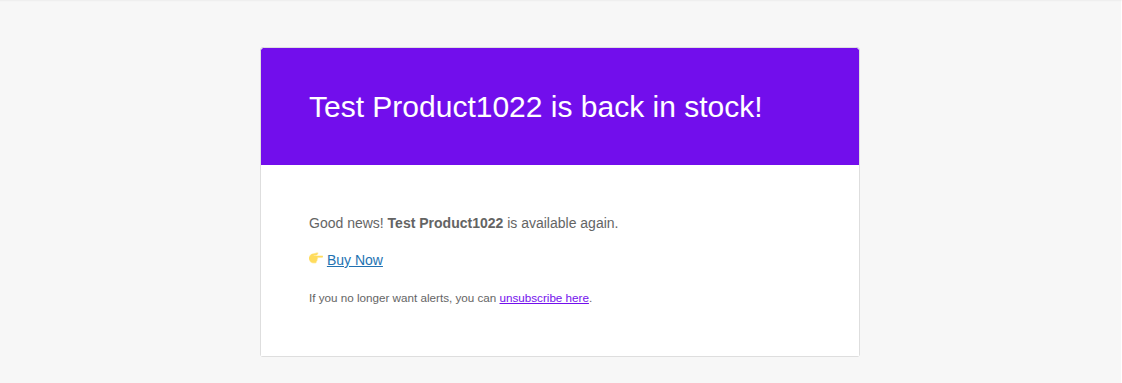
- Notify customers when out-of-stock products are available again.
- Enable a waitlist for sold-out products.
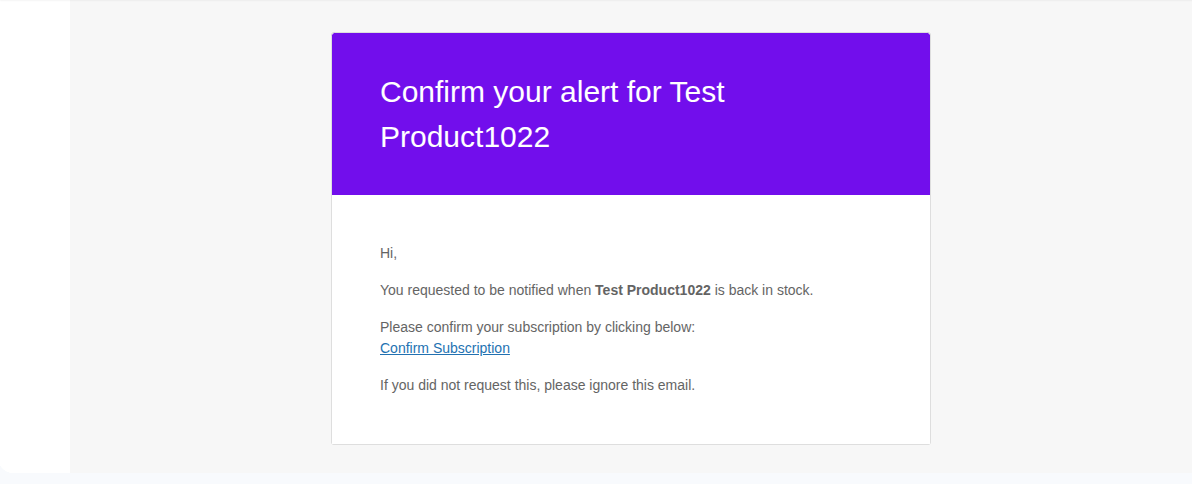
- Support double opt-in email confirmation.
- Automatically send back-in-stock notifications.
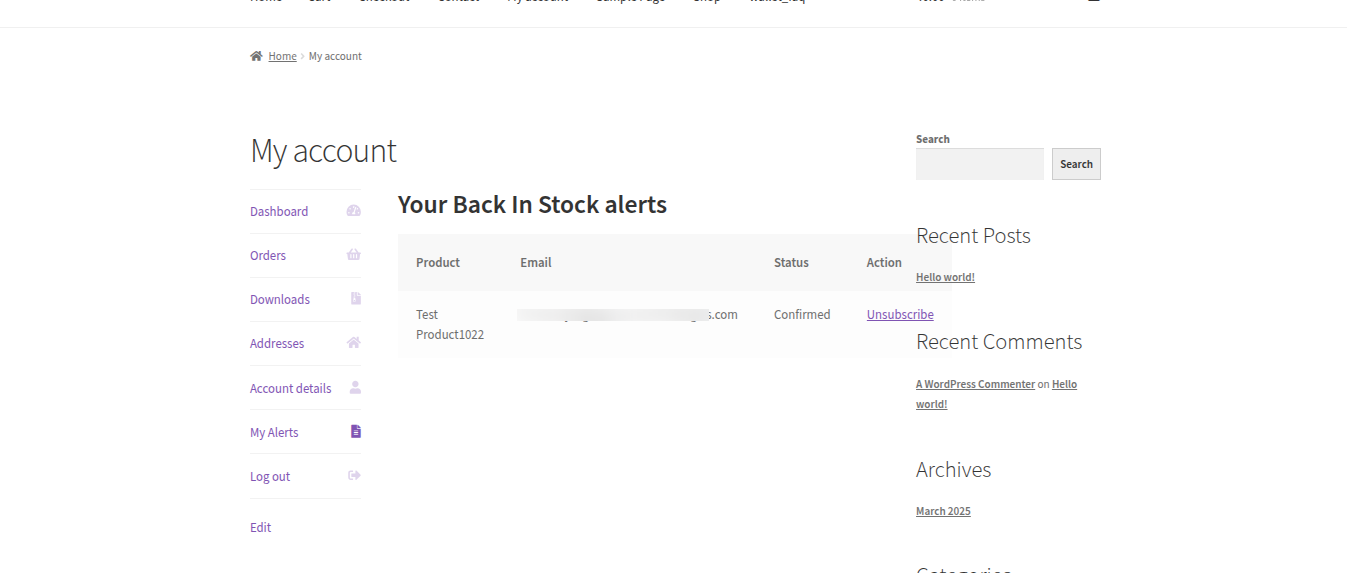
- Let logged-in users manage their alerts from the "My Account" page.
- Include a simple shortcode to place subscription forms anywhere on your site.
安装:
- Upload the
back-in-stock-notificationsfolder to the/wp-content/plugins/directory. - Activate the plugin through the 'Plugins' menu in WordPress.
- Make sure WooCommerce is installed and active.
- Subscribe forms will appear automatically on out-of-stock product pages.
- Use the shortcode
[bis_subscribe_form product_id="123"]to place a subscription form anywhere (replace123with the product ID).
屏幕截图:
常见问题:
Can I use this plugin with variable products?
Yes! It checks each variation. If any variation is in stock or allows backorders, the subscription form will not display.
Can I allow backorders and still notify customers?
No. Products that allow backorders are treated as available, so the form will not appear.
How do I manage my alerts?
Logged-in users can manage their alerts from a new menu item "My Alerts" in the WooCommerce "My Account" page.
Does it support double opt-in?
Yes, a confirmation email is sent to the user before they are added to the waitlist.
更新日志:
1.0.0
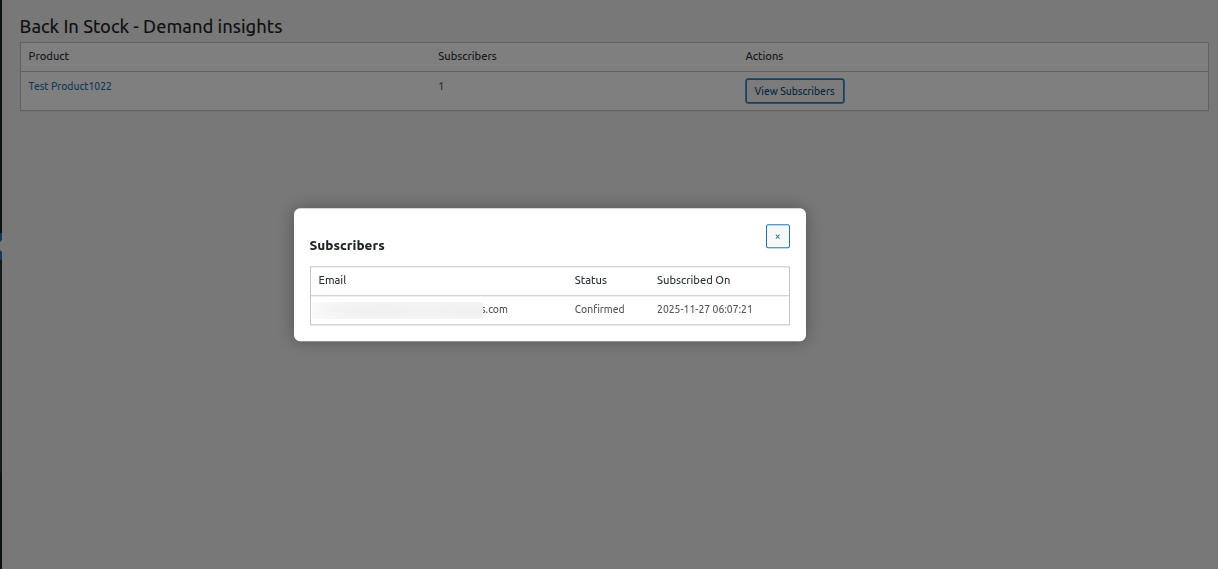
- Initial release with back-in-stock notifications, double opt-in, My Account integration, and admin insights.