
BackupFlow - Easy Backup, Restore & Migration
| 开发者 | codefreex |
|---|---|
| 更新时间 | 2026年8月22日 23:02 |
| 捐献地址: | 去捐款 |
| PHP版本: | 7.4 及以上 |
| WordPress版本: | 7.1 |
| 版权: | GPLv2 or later |
| 版权网址: | 版权信息 |
详情介绍:
- ✅ Create a backup before risky changes.
- ✅ Restore a compatible BackupFlow ZIP when needed.
- ✅ Move a WordPress website to another domain or host.
- ✅ Store backup files locally, on FTP, or on Google Drive.
- ✅ Follow live backup and restore progress inside WordPress.
- ✅ Use a clean setup wizard instead of confusing settings.
- 🗂️ Full website backups
- 🧠 Database-only backups
- 📁 Files-only backups
- 💻 Website server storage
- 🌐 FTP storage
- ☁️ Google Drive storage
- 🔁 Compatible BackupFlow ZIP files
- 🧠 Database backups
- 📁 Files backups
- 🗂️ Full website backups
- Full WordPress website backup
- WordPress database backup
- WordPress files backup
- Local server backup storage
- FTP backup upload
- Google Drive backup upload
- Backup ZIP archive creation
- Backup download from WordPress admin
- Backup delete option
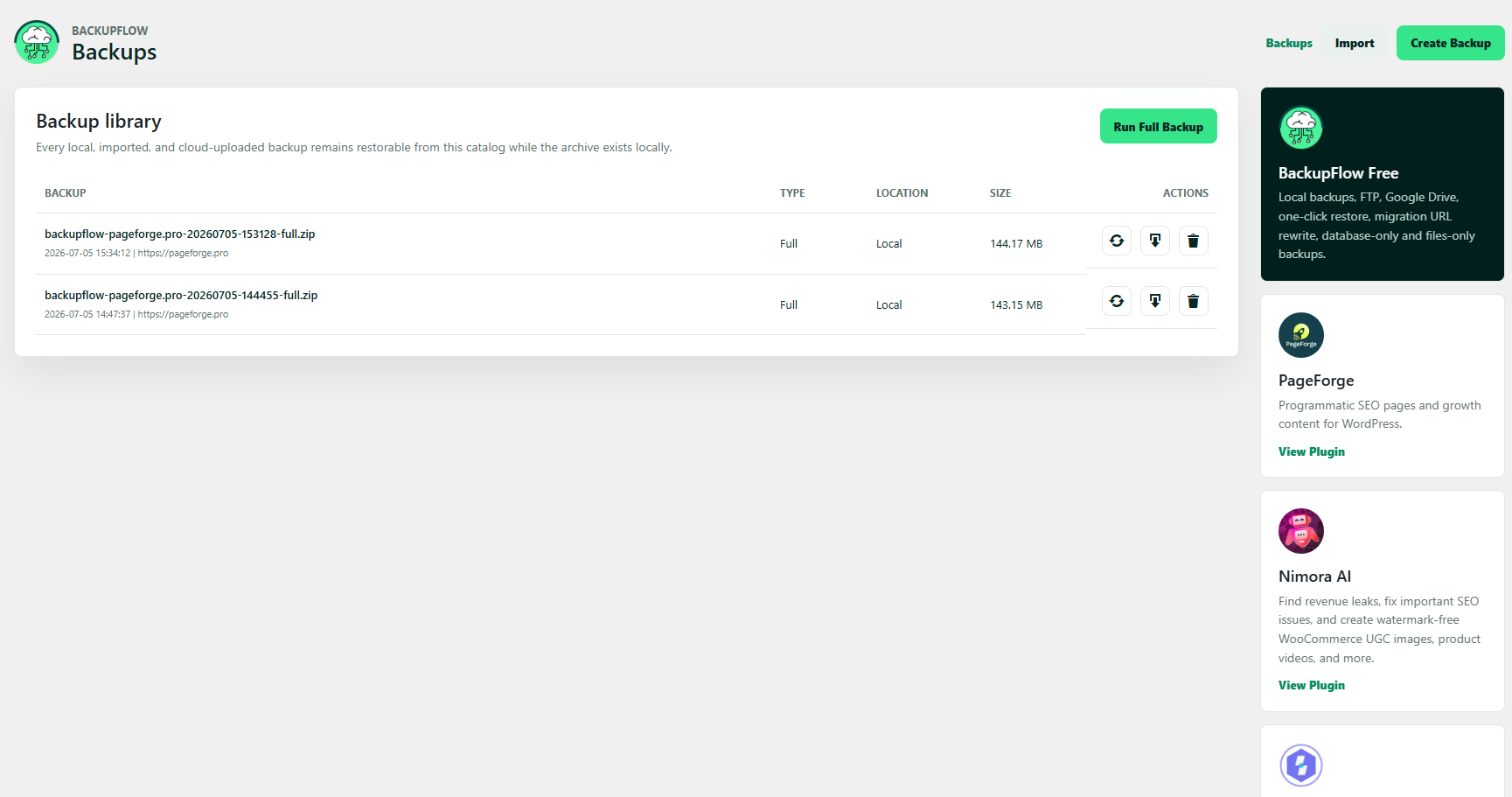
- Backup library inside WordPress
- Live backup progress
- Backup status logs
- Restore status logs
- One-click restore for compatible backups
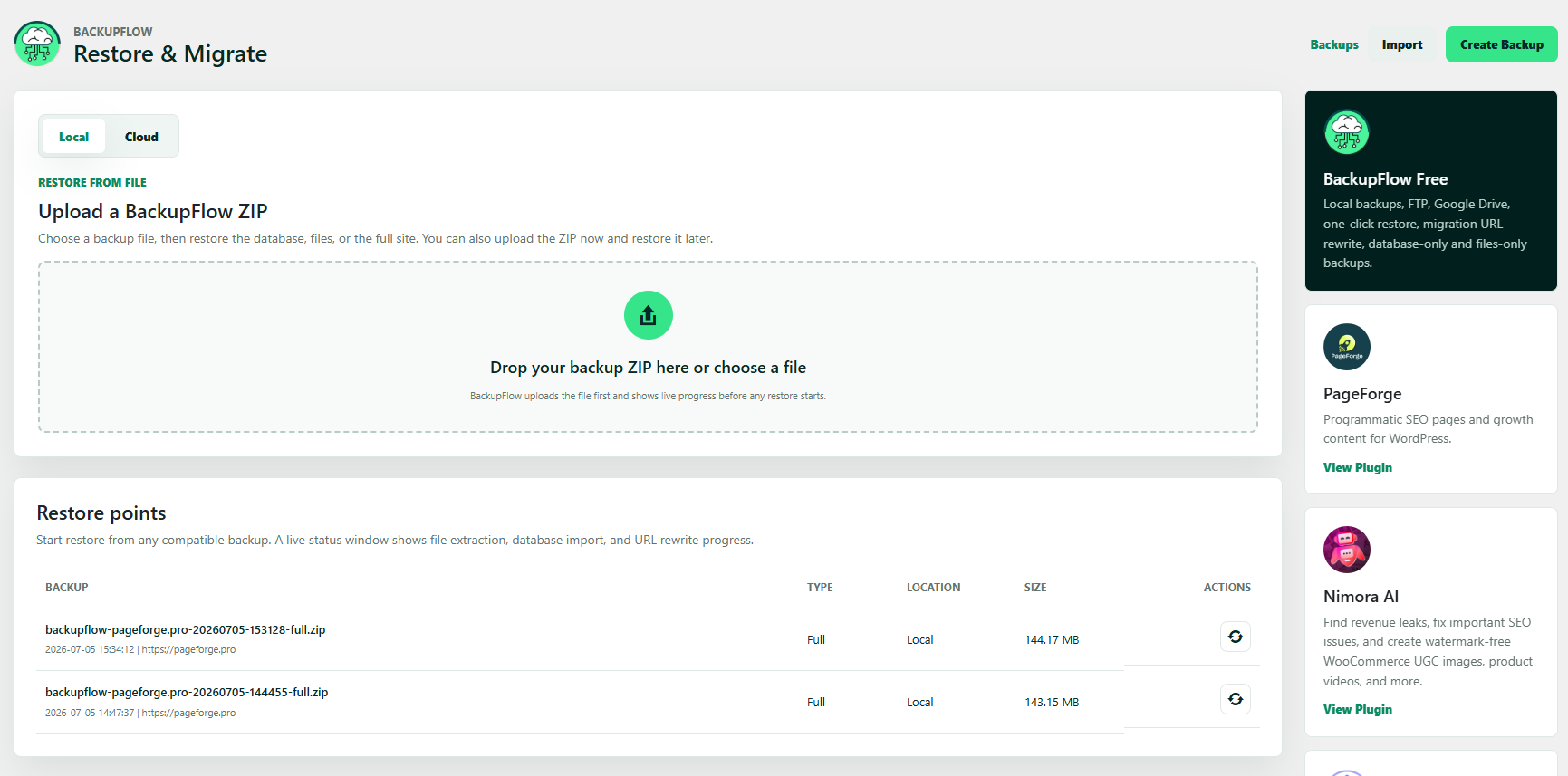
- Migration restore screen
- Source URL to current URL replacement
- Serialized-aware database replacement
- First-run welcome wizard
- Clean WordPress admin dashboard
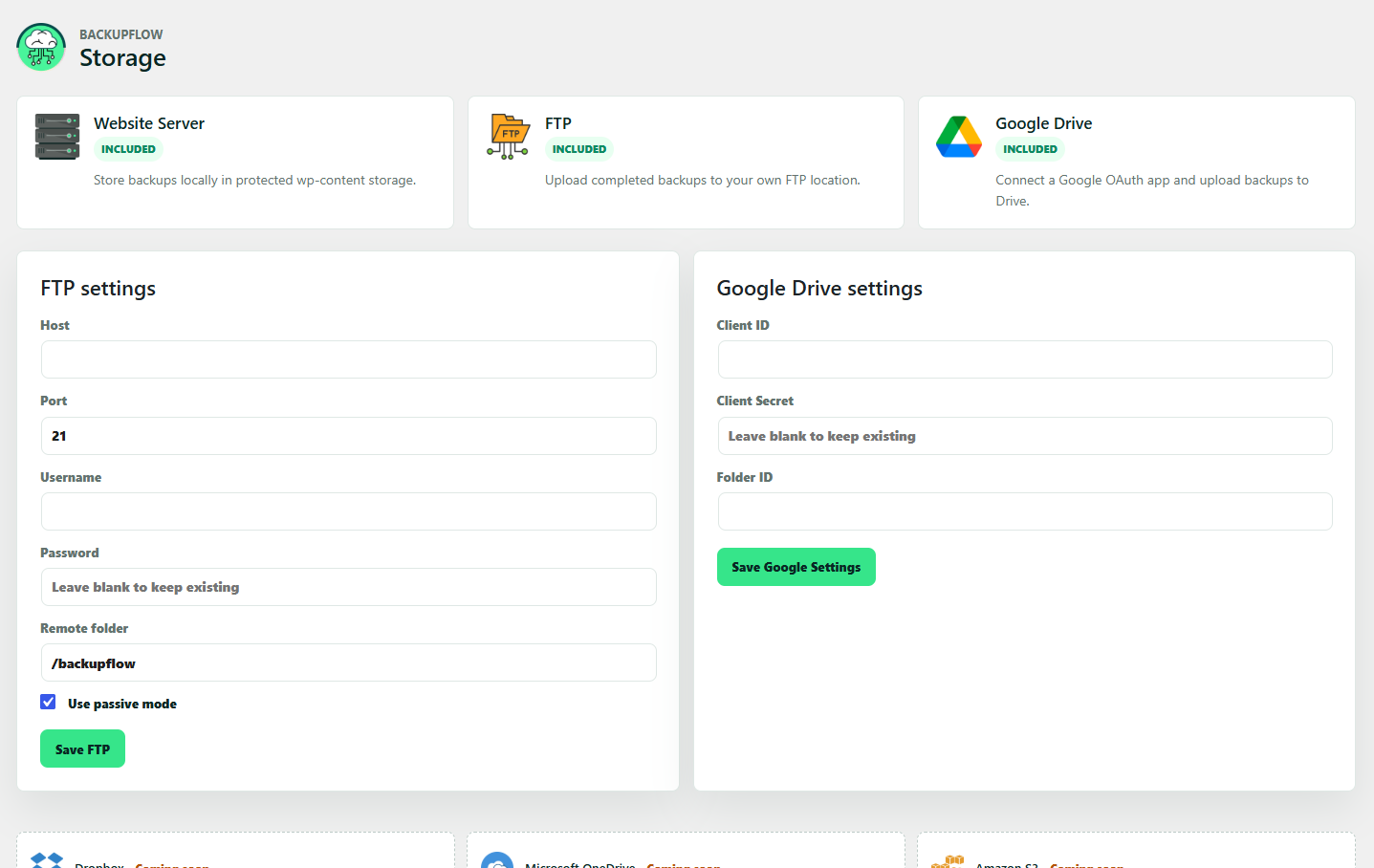
- Storage settings for local, FTP, and Google Drive
- Protective files inside backup storage folders
- A plugin update breaks your website.
- A theme change causes layout issues.
- A custom code change creates an error.
- A migration needs to be tested again.
- A staging site needs to be restored.
- A website needs to be moved to another host.
- A backup needs to be imported on a new WordPress install.
- Restore full website backups
- Restore database backups
- Restore files backups
- Upload and restore compatible BackupFlow ZIP files
- Restore directly from the backup library
- Restore confirmation step
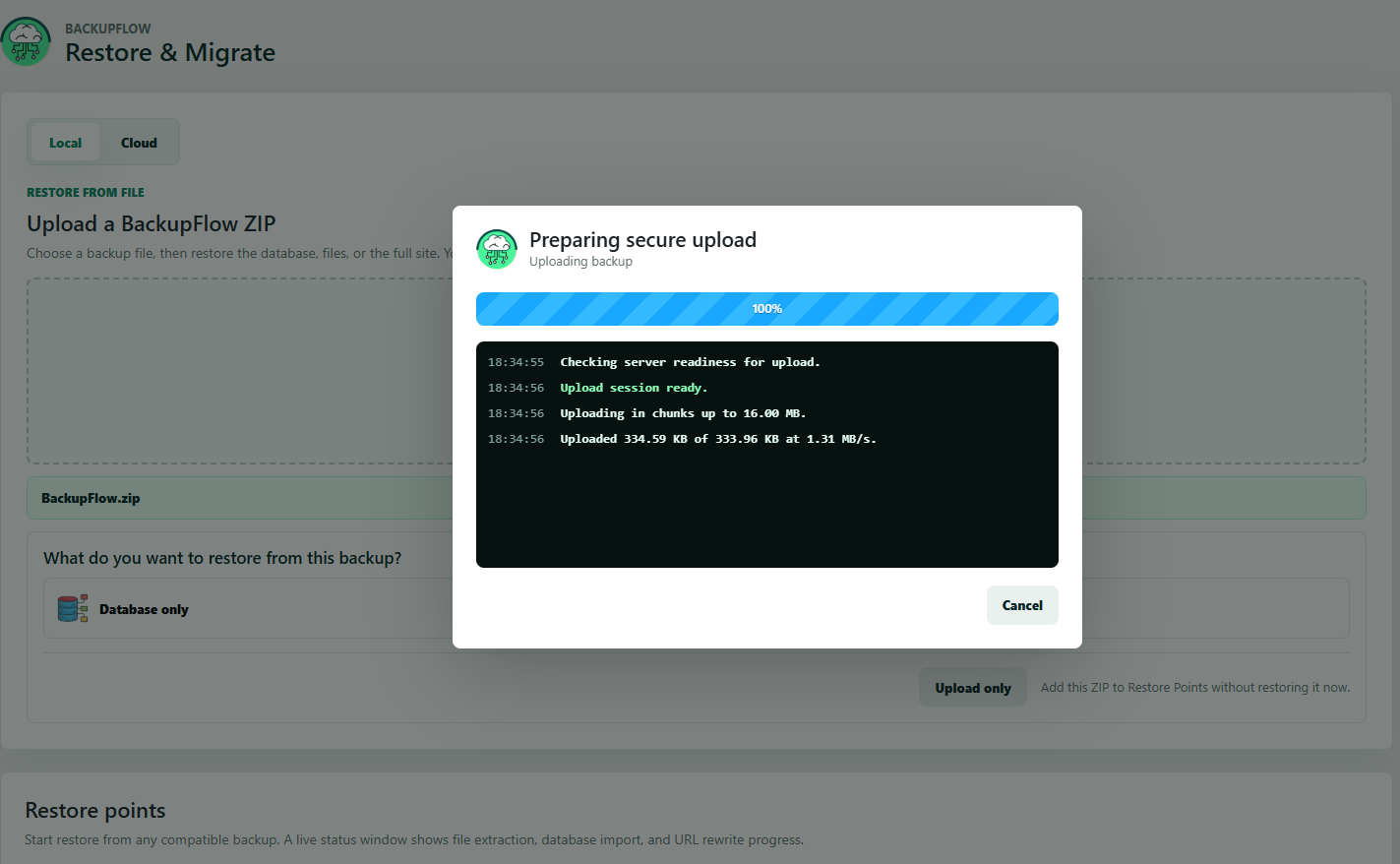
- Live restore progress
- Restore logs
- Migration URL replacement
- Serialized-aware URL replacement during database restore
- Local site to live site
- Staging site to production site
- Old domain to new domain
- Old host to new host
- Client website handover
- Development website to production
- Backup transfer between WordPress installs
wp-content/backupflow/backups
BackupFlow creates protective files such as index.php and .htaccess in its storage directories.
Local backup storage is useful when you want a quick restore point before making changes to your website.
For better protection, keep important backup copies outside the website server as well.
FTP backup storage
BackupFlow supports FTP backup upload.
FTP storage is useful when you want to keep a backup copy away from the main website server.
Use FTP backup storage to:
- Store backups on another hosting account.
- Store backups on a private backup server.
- Move backup files between servers.
- Keep off-site backup copies.
- Maintain client backup archives.
- Prepare backup files for migration.
- Google Client ID
- Google Client Secret
- Google refresh token
- Off-site WordPress backup storage
- Personal backup archives
- Client backup workflows
- Migration backup transfer
- Safer storage outside your hosting account
- Updating WordPress core
- Updating WooCommerce
- Updating plugins
- Updating themes
- Installing a new plugin
- Changing page builder layouts
- Editing theme files
- Importing demo content
- Migrating hosting
- Changing domain names
- Cleaning malware
- Testing custom code
- Making database changes
- Updating checkout or payment settings
- Updating WooCommerce
- Updating payment plugins
- Changing checkout settings
- Importing products
- Editing product data
- Updating shipping rules
- Changing tax settings
- Testing conversion plugins
- Migrating a WooCommerce store
- Create a backup before client revisions.
- Download a full backup before handover.
- Move a client site from staging to live.
- Keep a backup before plugin updates.
- Store client backups on FTP or Google Drive.
- Restore compatible backups during testing.
- Give clients a simple backup dashboard.
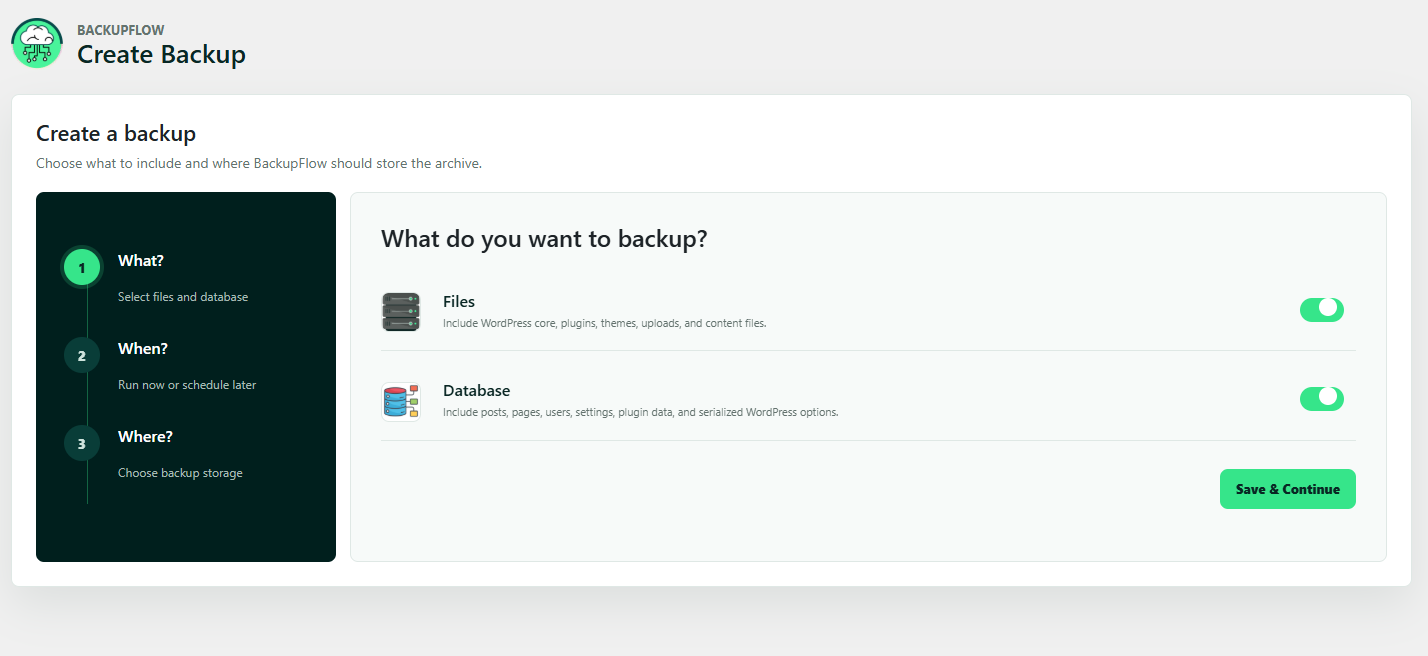
- Choose what you want to back up.
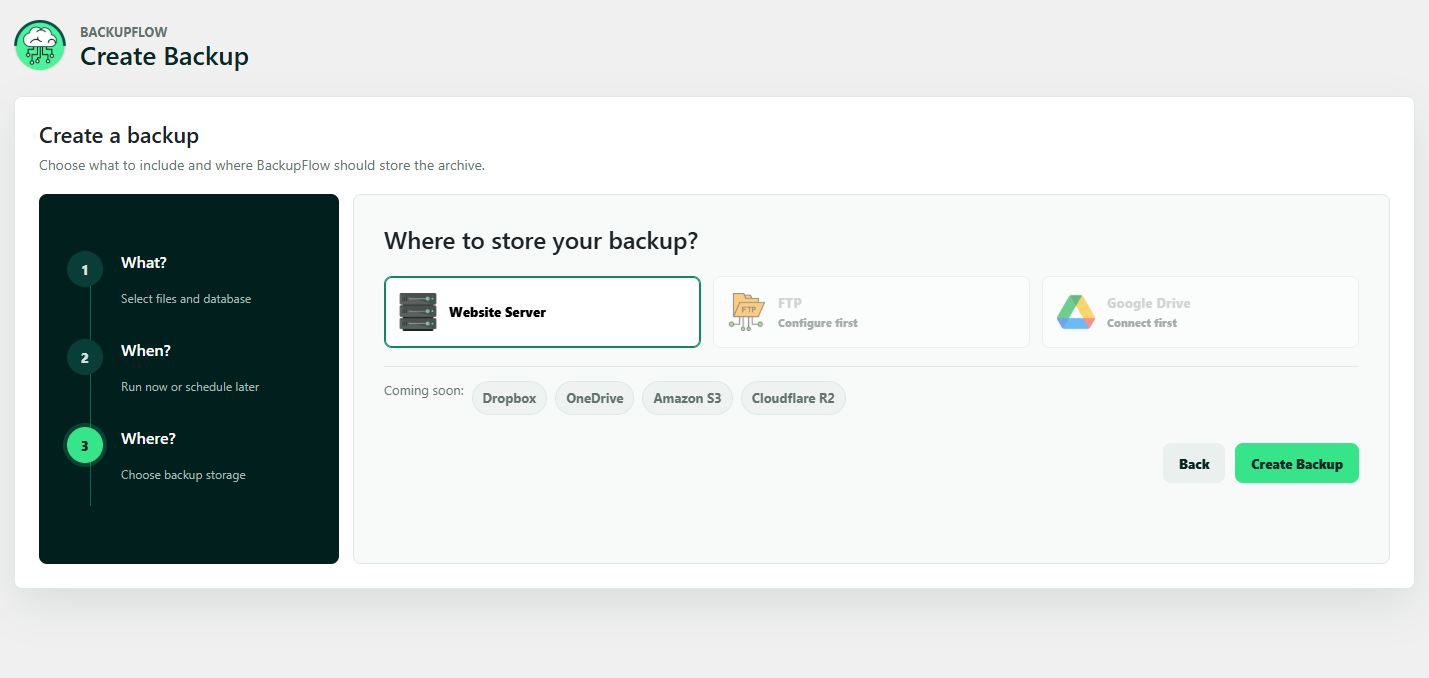
- Choose where you want to store the backup.
- Start your first backup.
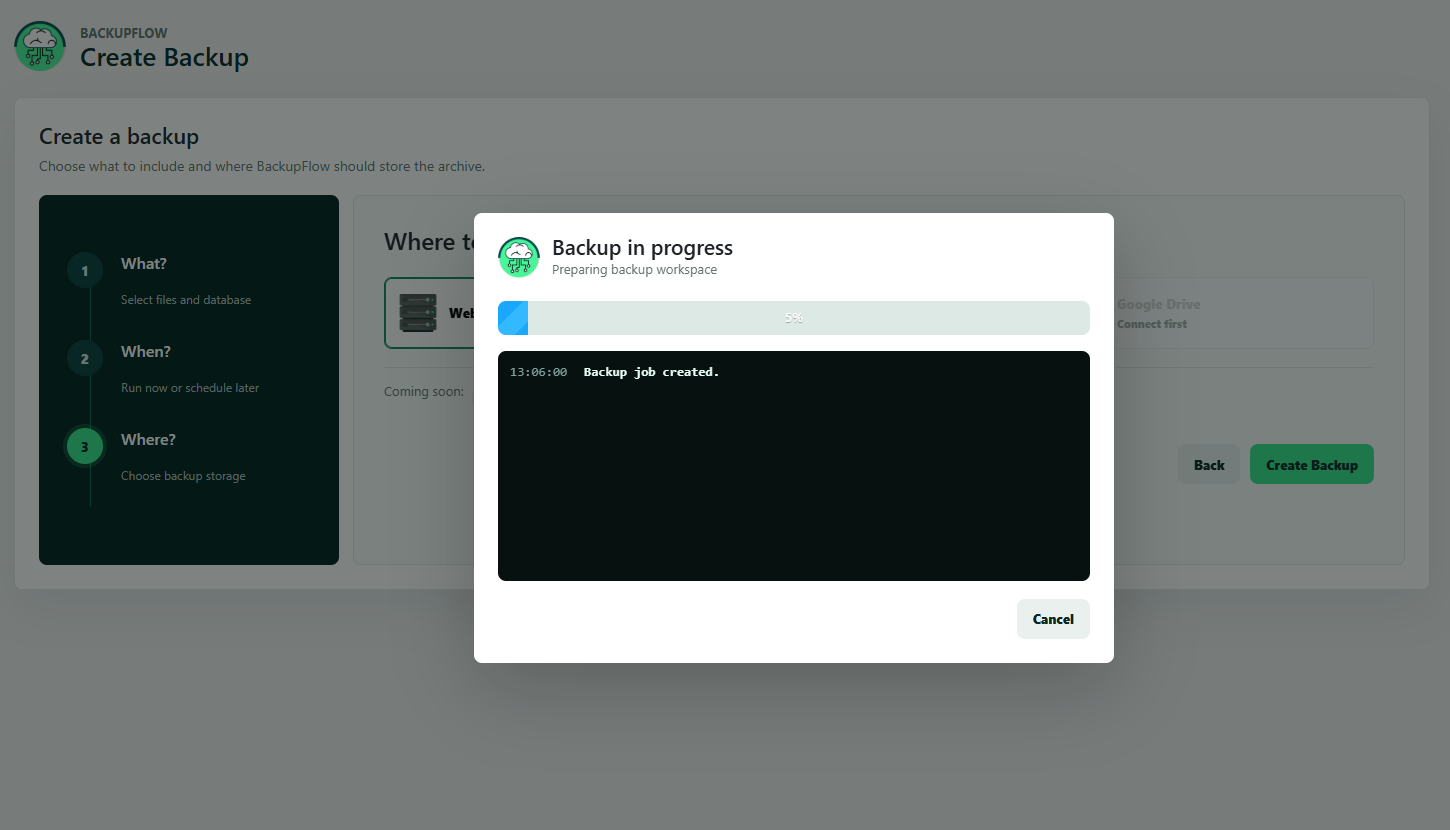
- Watch live backup progress.
- Manage backups from the backup library.
- Keep more than one backup copy.
- Store important backups off-site.
- Download important backups to your computer.
- Create a backup before every major update.
- Test restore workflows on staging when possible.
- Delete old backups you no longer need.
- Make sure your server has enough free storage.
- Avoid restoring on a live WooCommerce store during active order activity unless you understand the impact.
- PHP memory limit
- PHP execution time
- Disk space
- File permissions
- Server timeout rules
- Upload limits
- FTP connection limits
- Database size
- Hosting security rules
- WordPress site owners
- WooCommerce store owners
- Bloggers
- Agencies
- Freelancers
- Developers
- Website maintenance teams
- Local business websites
- Client websites
- Staging websites
- Development websites
- Landing page websites
- Business websites
- Content websites
- Portfolio websites
- WordPress backup
- WordPress restore
- WordPress migration
- Website backup
- Website restore
- Website migration
- Database backup
- Files backup
- Full site backup
- WooCommerce backup
- FTP backup
- Google Drive backup
- Local server backup
- Staging to live migration
- Domain migration
- Hosting migration
- Backup ZIP download
- Restore after failed update
- Restore after plugin issue
- Backup before theme change
- Backup before WooCommerce update
- Google OAuth authorization and token endpoints for account connection.
- Google Drive API upload endpoints for backup file uploads.
- Google Drive API file endpoints for listing or downloading connected backup files when those features are used.
- Google Privacy Policy: https://policies.google.com/privacy
- Google Terms of Service: https://policies.google.com/terms
- Google Drive API Terms: https://developers.google.com/terms
安装:
- Log in to your WordPress dashboard.
- Go to Plugins > Add New.
- Search for BackupFlow.
- Click Install Now.
- Click Activate.
- Open the BackupFlow setup wizard.
- Choose your backup type.
- Choose your storage location.
- Create your first backup.
- Download the BackupFlow plugin ZIP file.
- Log in to your WordPress dashboard.
- Go to Plugins > Add New.
- Click Upload Plugin.
- Upload the BackupFlow ZIP file.
- Click Install Now.
- Click Activate.
- Open BackupFlow from the WordPress admin menu.
- Complete the setup wizard.
- Create your first backup.
- Upload the plugin folder to
/wp-content/plugins/backupflow. - Log in to your WordPress dashboard.
- Go to Plugins.
- Activate BackupFlow.
- Open BackupFlow from the WordPress admin menu.
- Configure your preferred backup storage.
- Create your first backup.
屏幕截图:
常见问题:
What is BackupFlow?
BackupFlow is a WordPress backup, restore, and migration plugin. It helps you create full website backups, database-only backups, files-only backups, restore compatible backups, and migrate WordPress websites.
Is BackupFlow free?
Yes. BackupFlow is a free WordPress backup, restore, and migration plugin.
Can I create a full WordPress website backup?
Yes. BackupFlow can create a full website backup that includes your WordPress database and website files.
Can I create a database-only backup?
Yes. BackupFlow supports database-only backups. This is useful before content changes, WooCommerce changes, settings changes, or database-level updates.
Can I create a files-only backup?
Yes. BackupFlow supports files-only backups. This is useful before changing themes, plugins, uploads, media files, or custom code.
Where are local backups stored?
Local backups are stored in:
wp-content/backupflow/backups
BackupFlow also creates protective index.php and .htaccess files in its storage directories.
Can I download backup files?
Yes. BackupFlow includes a backup library where compatible backup files can be managed and downloaded.
Can I delete old backup files?
Yes. You can delete backup files from the BackupFlow backup library.
Does BackupFlow support FTP backups?
Yes. BackupFlow supports FTP backup upload using your own FTP credentials.
Does BackupFlow support Google Drive backups?
Yes. BackupFlow supports Google Drive backup upload using your own Google OAuth credentials.
Can Google Drive work without a Google OAuth app?
No. Google Drive connection requires a Google Client ID, Client Secret, and refresh token from the Google Drive connection flow.
Does BackupFlow support restore?
Yes. BackupFlow supports restore for compatible BackupFlow ZIP backup files.
Can I upload a backup ZIP and restore it?
Yes. BackupFlow includes a restore and migration import screen for compatible BackupFlow backup ZIP files.
Can I migrate a WordPress website with BackupFlow?
Yes. Create a backup on the source website, install BackupFlow on the destination WordPress website, upload the compatible BackupFlow backup ZIP, and run the restore process.
Does BackupFlow replace the old domain during migration?
Yes. During migration restore, BackupFlow can replace the source website URL with the current website URL.
Does BackupFlow handle serialized data replacement?
Yes. During database restore, BackupFlow uses serialized-aware replacement when rewriting the source home URL to the current site URL.
Can I use BackupFlow before updating WordPress?
Yes. BackupFlow is useful before updating WordPress core, plugins, themes, WooCommerce, page builders, or custom code.
Can I use BackupFlow for WooCommerce backups?
Yes. BackupFlow can back up WordPress websites that use WooCommerce. For active stores, be careful when restoring because new orders or customer data created after the backup may be replaced.
Can I use BackupFlow on staging websites?
Yes. BackupFlow is useful for staging websites, local development websites, test websites, and staging-to-live workflows.
Can I move my website to another host with BackupFlow?
Yes. BackupFlow can help move a WordPress site between hosting providers by creating a backup on the source website and restoring it on the destination WordPress installation.
Does uninstall delete my backup files?
No. Uninstall removes plugin options and job records only. Backup archives are intentionally preserved to help avoid accidental data loss.
Does BackupFlow protect the backup directory?
BackupFlow creates protective files such as index.php and .htaccess inside its storage directories.
What PHP version does BackupFlow require?
BackupFlow requires PHP 7.4 or higher.
What WordPress version does BackupFlow require?
BackupFlow requires WordPress 6.5 or higher.
What WordPress version is BackupFlow tested with?
BackupFlow is tested up to WordPress 7.1.
Does BackupFlow work with page builders?
BackupFlow backs up WordPress database content and website files. Page builder layouts are usually stored in the database and uploads directory, so they are included when you create a full backup.
What should I do before restoring a backup?
Before restoring, make sure you understand what the restore will replace. A restore can overwrite current files and database content. For important websites, test restore on staging first.
What happens if my website is very large?
Backup success can depend on your hosting limits, server resources, available disk space, database size, file permissions, and timeout settings. Make sure your hosting environment has enough resources before starting a large backup.
Why should I keep remote backups?
Local backups are helpful, but if the website server fails, local backup files may also become unavailable. FTP and Google Drive storage help keep backup copies outside the main website server.
Where can I find BackupFlow documentation?
You can read the documentation here: BackupFlow Documentation
更新日志:
- Added retry-safe, offset-based chunk uploads for multi-gigabyte backup imports.
- Added automatic checkpoint recovery after interrupted, timed-out, or duplicated upload requests.
- Made import finalization idempotent so a lost response can be retried safely.
- Reduced per-request upload size and adapted it to restrictive PHP upload limits.
- Added time-bounded file restore batches for better reliability on limited hosting.
- Added automatic retries for transient backup and restore job request failures.
- Tested up to WordPress 7.1.
- Improved restore imports for plugin tables with rejected foreign key constraints.
- Improved migration safety for database table prefix handling during restore.
- Protected the destination site URL during database restore so imports cannot redirect the admin to the source domain mid-process.
- Removed the manual translation loader so WordPress.org can load plugin translations automatically.
- Refreshed translation catalogs for the latest restore messages.
- Initial release.
- Added full WordPress website backup.
- Added WordPress database-only backup.
- Added WordPress files-only backup.
- Added local website server backup storage.
- Added FTP backup upload.
- Added Google Drive backup upload with user-provided OAuth credentials.
- Added compatible BackupFlow ZIP restore.
- Added migration restore with URL replacement.
- Added serialized-aware database URL replacement.
- Added backup library.
- Added restore and migration import screen.
- Added welcome wizard after activation.
- Added admin dashboard.
- Added storage settings.
- Added live backup and restore status modal.
- Added backup and restore progress logs.
- Added protective files for plugin backup storage directories.