BallesDev RealMCP
| 开发者 | ballesdev |
|---|---|
| 更新时间 | 2026年11月13日 21:12 |
| PHP版本: | 8.3 及以上 |
| WordPress版本: | 7.1 |
| 版权: | GPL-3.0-or-later |
| 版权网址: | 版权信息 |
详情介绍:
https://example.com/wp-json/ballesdev/mcp) in the assistant, log in to WordPress and approve. Nothing to install on your computer, and no account on another service. The AI acts as the WordPress user who approved it, with that user's permissions.
Tools:
- site-context: theme, page templates and design presets (colors, font sizes, spacing, layout widths).
- list-pages / get-page / save-page: find, read, create and update pages as block markup.
- list-posts / get-post / save-post: the same for blog posts, with categories, tags, featured image and scheduling.
- list-terms / save-term: categories and tags.
- search-content: search posts and pages at once, drafts included.
- list-comments: comments by status, without the commenter's email or IP.
- moderate-comment / reply-comment: approve, hold, spam, trash or reply. Off by default.
- list-blocks / list-patterns / list-media: registered blocks, patterns and images.
- site-health: WordPress, PHP and database versions, the available updates and the Site Health status, which it can also check on demand. Read only.
- turn each tool on or off. A disabled tool disappears from the list AI clients see, and calls to it are rejected. Tools that act on behalf of the site, such as replying to comments, start disabled;
- review the activity log: every tool call, with the user, the connection and client used, the item it affected, the result and how long it took. Entries are kept for 30 days by default.
安装:
- Install and activate the plugin. Your site needs HTTPS and a permalink structure other than Plain (Settings > Permalinks).
- Log in as the user the AI will act as. The page tools need a user who can edit pages, such as an Editor or an Administrator.
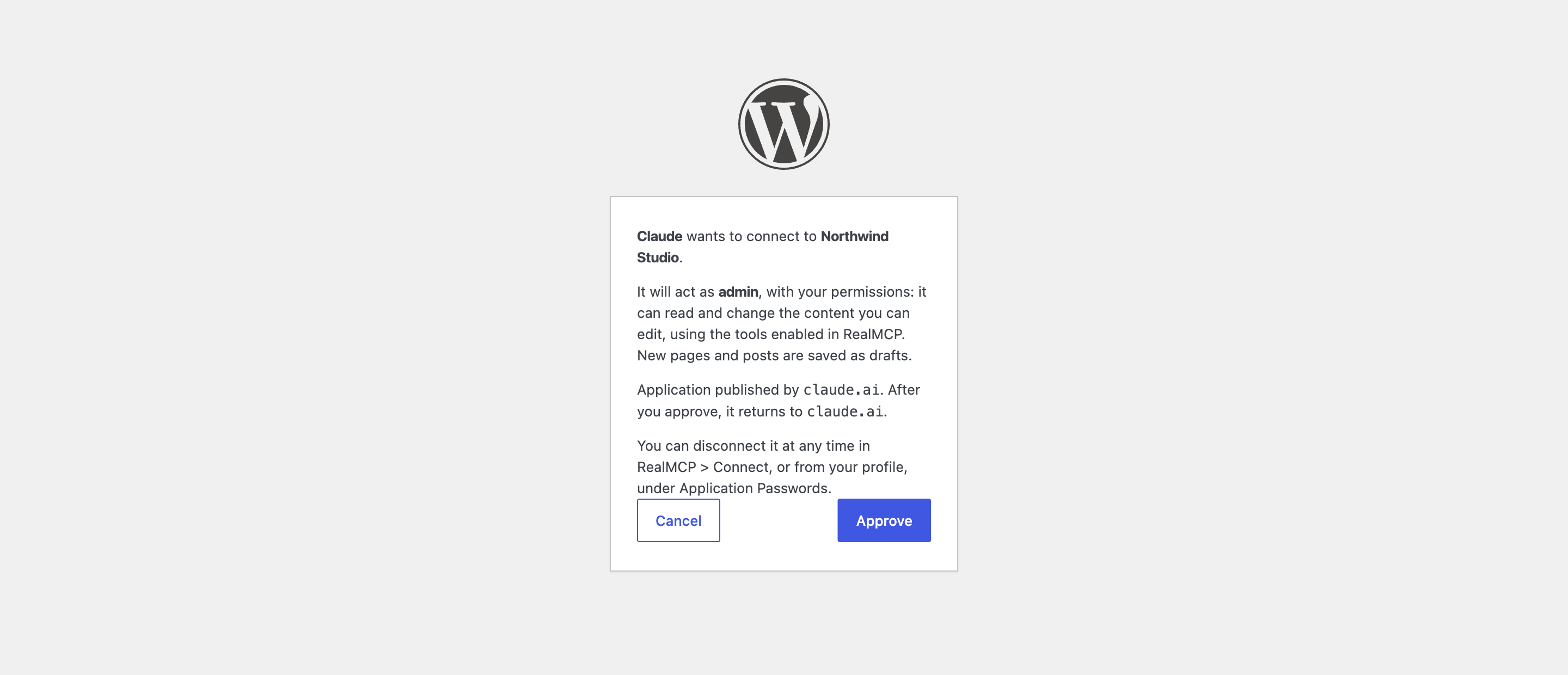
- Go to RealMCP > Connect and follow the steps for your assistant. In Claude, the "Add to Claude" button opens the connector with your site already filled in.
屏幕截图:


常见问题:
How do I connect Claude?
In Claude (claude.ai, Claude Desktop or the mobile app), go to Settings > Connectors > Add custom connector, paste your server URL (https://example.com/wp-json/ballesdev/mcp) and keep the sign-in options Claude detects. Then log in to your site and approve. Or click "Add to Claude" in RealMCP > Connect. Claude connects from Anthropic's servers, so your site must be reachable from the internet.
How do I connect Claude Code?
Run:
claude mcp add --transport http my-site https://example.com/wp-json/ballesdev/mcp
Then type /mcp in Claude Code, choose the server and sign in.
How do I connect Codex?
Run: codex mcp add my-site --url https://example.com/wp-json/ballesdev/mcp codex mcp login my-site The Codex CLI, the IDE extension and the app share this configuration.
How do I connect ChatGPT?
In ChatGPT on the web, open the plugins page, choose to add a custom MCP server and paste your server URL. Custom servers depend on your ChatGPT plan.
How do I connect OpenCode, VS Code or Cursor?
Open RealMCP > Connect and choose the "Other assistants" tab. For OpenCode, run opencode mcp add my-site --url https://example.com/wp-json/ballesdev/mcp and then opencode mcp auth my-site. For VS Code and Cursor, the buttons open the editor with the server ready to add.
My assistant can't sign in with OAuth
Create a connection token in RealMCP > Connect ("Connection token") and send it in the Authorization header as Bearer rmcp_mt_…. In Claude, add the custom connector with "No sign-in" and that header. The token is shown only once. You choose when it expires (90 days by default), and you can disconnect it at any time.
The assistant can't find how to sign in
Click "Check now" in RealMCP > Connect. If OAuth discovery says Blocked, your web server doesn't pass /.well-known/ addresses to WordPress (the nginx configuration suggested by WordPress blocks every path that starts with a dot). Ask your host to allow /.well-known/oauth-authorization-server, or use a connection token. The server URL must not redirect to another address, such as from example.com to www.example.com: use the final one.
I approved, but Claude says the site refused its request
If your site is behind Cloudflare or a firewall that blocks AI bots, it may let the sign-in through and block Claude's requests afterwards. Allow Anthropic's address range 160.79.104.0/21, or the paths /wp-json/ballesdev/ and /.well-known/oauth-.
The assistant connects, but every request fails with a 401 error
Some servers drop the Authorization header before it reaches WordPress: "Check now" in RealMCP > Connect tells you if yours does. On Apache, re-saving Settings > Permalinks restores the rule that passes it through. On other servers, ask your host. Also check that the Application Passwords section appears in your profile: RealMCP stores each connection as one, and some security plugins and hosts turn them off.
What can the AI do on my site?
Only what the connected user can do. It reads pages, posts, blocks, patterns, media, comments and design settings; it creates, edits and, if the user is allowed to, publishes pages and posts; and, if you turn those tools on, it moderates and replies to comments. New content is a draft unless the AI sets another status. What the AI saves goes through WordPress's HTML filter, even for administrators: scripts, iframes and event-handler attributes are removed. To limit it further, turn tools off in RealMCP > Tools: turning off every Write tool allows reading only. Comment text is written by visitors, so the AI is told to treat it as data, never as instructions. To revoke access, click Disconnect in RealMCP > Connect, or delete the connection's Application Password from the user's profile.
What does the activity log record?
Each tool call made through the plugin's MCP endpoint: the date, the WordPress user, the name of the connection used, the client (its User-Agent), the tool, the item it affected, the result and how long it took. It never records content. Entries older than the retention you set (30 days by default) are deleted once a day, and a user's entries are deleted with the user. They are also included in WordPress's personal data export and erasure tools. Calls that reach the same tools through other routes, such as the MCP Adapter plugin, are not logged.
Does the plugin send my data anywhere?
The plugin only contacts other sites in two cases, and never sends your content:
- When you approve an assistant, your site reads that assistant's public description (its name and the addresses it returns to), published by its maker at the address the assistant gives, for example
https://claude.ai/oauth/claude-code-client-metadata. The request carries no data from your site, and the description is cached for up to a day. - When you ask site-health to check the site now, it runs WordPress's own Site Health tests, which, as in their weekly run, check that your site can reach WordPress.org.
更新日志:
- First version: MCP endpoint (Streamable HTTP; protocol 2026-07-28, 2025-11-25 and 2025-06-18) and page, block, pattern and media tools.
- Blog post, category, tag, search, comment and site health tools.
- Admin screen to turn tools on or off and to review the activity log.
- Direct connection with OAuth 2.1 for Claude, Claude Code, Codex and ChatGPT, connection tokens for other assistants, and a Connect tab with the steps for each one.
- Saving is rejected while someone has the page or post open in the editor, and content from the classic editor can be kept when a page is updated.