
Bandwidth Saver: Image CDN
| 开发者 | imgpro |
|---|---|
| 更新时间 | 2026年10月8日 08:17 |
| PHP版本: | 7.4 及以上 |
| WordPress版本: | 7.1 |
| 版权: | GPLv2 or later |
| 版权网址: | 版权信息 |
详情介绍:
- Create an App on img.pro (the Free plan works) and copy an API key with Read and Write permission.
- Paste the key in Settings > Bandwidth Saver.
- The first time a page shows an image, the plugin copies it to your App in the background. Until the copy is ready, the image loads from your server.
- From then on, pages load the image from img.pro. Images no page shows are not copied unless you copy them from the Media Library, so until then they use none of your App's images.
- Faster page loads. Images come from img.pro's global network instead of your web host.
- Better Core Web Vitals. Faster image delivery helps LCP (Largest Contentful Paint).
- Less load on your server. Your host no longer serves image traffic for copied images.
- Safe by design. If img.pro cannot deliver an image, the browser loads it from your server instead.
- Free: up to 5,000 images per App, at no cost.
- Pro: up to 50,000 images per App, for $20 a month.
- Unlimited: no limit, for $100 a month.
- An img.pro column in list view, and an img.pro line in each image's details, show whether an image is copied, queued, not copied yet, or stays on your server, and why a copy failed.
- Copy to img.pro copies an image ahead of time, from its row, its details or its edit screen. To copy several, select them in list view and choose Copy to img.pro from Bulk actions.
- Copy img.pro URL copies the address of an image's img.pro copy, for images used where Bandwidth Saver does not change URLs, such as theme CSS.
- Images from your media library that your pages show, in every size they use
- Images inserted in posts, pages and widgets
- Featured images and images your theme or plugins output with
wp_get_attachment_image(), such as WooCommerce product images, including srcset - Images your posts load from other websites, such as an earlier domain of your site or an image inserted from a URL. img.pro copies each one from its address the first time a page shows it. You can turn this off in Settings > Bandwidth Saver.
- Block editor and classic editor
- WooCommerce product images and gallery thumbnails
- Page builders that output standard media library image URLs
- Lazy loading, native and plugin-based
- Responsive images with full srcset support
- Caching plugins such as WP Rocket, LiteSpeed Cache, W3 Total Cache and WP Super Cache
安装:
- Install and activate the plugin.
- Sign in at img.pro/apps and create an App. The Free plan works.
- In the App, open API Keys and choose New key. Keep Read and Write ticked and, if it asks for Data access, keep App storage only. img.pro shows the key once, so copy it.
- In WordPress, go to Settings > Bandwidth Saver, paste the key and click Connect.
屏幕截图:
常见问题:
Will this change the files on my server?
No. Your original files stay on your server and your database keeps its normal URLs. The plugin only uploads copies to img.pro and changes image URLs on your public pages. Deactivate it and every image loads from your server again.
How many img.pro images will my site use?
Only files your pages show are copied, and each copied file counts as one image. WordPress saves a photo in several sizes, often 4 to 8, and a page that shows it offers most of them to the browser in its srcset, so a photo usually uses 4 to 6 images. Images no page shows, such as old uploads nothing links to, use none. Images your posts load from other websites count too, one image each. The settings page shows how many files are copied and how many images your App stores.
Can I copy an image before a page shows it?
Yes. In the Media Library, choose Copy to img.pro under the image in list view, or in its details. To copy several, select them in list view and choose Copy to img.pro from Bulk actions. Every size of the image is copied.
Bandwidth Saver changes image URLs in post content, widgets, featured images and images output with wp_get_attachment_image(). Images whose URL a theme or plugin reads directly, such as background images in theme CSS or a social sharing image, keep their server address; copy them and use Copy img.pro URL in their details.
What happens when my img.pro App reaches its plan's limit?
Copying pauses. Images that were already copied keep loading from img.pro, and new ones keep loading from their original address. The App's owner can upgrade it in Billing on img.pro, or you can delete media you no longer use in WordPress, which deletes its copies too. Copying starts again on its own once the App has room, or you can click Try again now on the settings page. Deleting this site's images in the img.pro App itself does not make room for long: WordPress still uses those files, so Bandwidth Saver notices the missing copies (it checks up to 200 of its copies every hour, oldest first) and copies the files again. Until then, pages load those images from your server.
Does img.pro resize or convert my images?
img.pro does not resize them. WordPress keeps creating every size, and img.pro serves each one at the same dimensions, as a high-quality copy in the same format (lossless for PNG). It removes hidden photo metadata, such as camera details and GPS location, and converts colors to sRGB. HEIC files are served as JPEG. Animated PNGs stay on your server, because img.pro shows PNGs as still images. The files you uploaded are stored unchanged.
Can several sites use the same img.pro App?
Yes. Each image is labelled with the site it came from, and the plugin only lists or deletes images that carry its own site's label. All sites share the App's image limit.
I copied my site to a staging site. What should I do?
A copy of your site keeps the original site's img.pro connection. On the copy, go to Settings > Bandwidth Saver and click Disconnect and keep images. If you want the copy to use img.pro too, connect it again afterwards (any key works, even one for the same App): it then gets its own label and copies its own images, and never touches the original site's. While a copy is still connected as the original, deleting media there also deletes the original site's copies from img.pro. Never click Delete images from img.pro and disconnect on a copy that is still connected as the original: it deletes the original site's images.
What happens when I delete or edit an image in WordPress?
Deleting an image deletes its copies from img.pro. Editing an image (crop, rotate, scale) creates new files, which are copied the first time a page shows them, or right away with Copy to img.pro. WordPress keeps the previous files so you can restore them, and posts may still use them, so their copies stay on img.pro until WordPress deletes those files.
How do I remove my images from img.pro?
Go to Settings > Bandwidth Saver and click Delete images from img.pro and disconnect. This deletes every image this site uploaded and forgets the API key. Uninstalling the plugin does not delete anything on img.pro, so you can reinstall and reconnect to the same App without uploading again. If the site's address changed since it first connected, a reinstalled plugin cannot find those copies and uploads the files again, leaving the old copies in your App. To avoid that, click Delete images from img.pro and disconnect before uninstalling. On a copy of another site, such as a staging copy, use Disconnect and keep images instead.
What happens if img.pro is unavailable?
Each image keeps a copy of its original URL, and the browser falls back to your server if img.pro does not answer. Visitors still see every image. Copying waits and tries again later, without marking your images as failed. If it waits for a long time, click Try again now on the settings page to try again right away.
I use a page cache. When do images switch to img.pro?
Image URLs are chosen when a page is rendered, and a cached page keeps the URLs it was saved with. The first time a page is rendered after you connect, it asks for copies of its images and still shows them from your server, and your cache stores that version. Once the settings page shows nothing waiting to be copied, clear your page cache to switch those pages to img.pro.
My posts show images from other websites. Are those copied too?
Yes, unless you turn off Images from other websites in Settings > Bandwidth Saver. WordPress shows any image a post points to, wherever it is: an image inserted from a URL, another website's image, or your own site's images at an earlier domain. The first time a page shows one, img.pro copies it from its address, and from then on the page loads the copy. Each copy counts as one image in your App. An image at your site's earlier domain that WordPress recognizes as one of your media library files (it adds that file's sizes to the page) uses the copy of your own file instead, and so does an image at your own address with or without www. These keep loading from where they are:
- Images img.pro cannot reach, such as ones on a local or private address, and images whose website refuses or fails to send them.
- Tracking pixels and images from ad and analytics services, which have to keep reaching their own servers.
- Addresses that change from one view to the next, such as signed or expiring links.
- Images in a preview or in a post that is not published yet; they are copied once the post is public.
imgpro_cdn_copy_remote_image filter.
Can I use my own domain for image URLs?
Not at the moment. Images are served from img.pro's own domain.
I used version 1.x. What changed?
Version 2.0 replaces the old managed CDN and the self-hosted Cloudflare Worker with img.pro. Bandwidth Saver no longer uses the old service, so after updating your images load from your server until you connect an img.pro API key. Old settings, subscriptions and custom domains do not carry over.
更新日志:
- New: Bandwidth Saver now runs on img.pro. Connect your own img.pro App with an API key.
- New: Images are uploaded from your server's disk, so staging, private and local sites work.
- New: Images are copied on demand, the first time a page shows them, so your App only holds images visitors see.
- New: An img.pro column in the Media Library, and Copy to img.pro from an image's row, details or edit screen, or as a bulk action.
- New: Images posts load from other websites, such as an earlier domain or an image inserted from a URL, are copied too, by their address. On by default; you can turn it off in Settings > Bandwidth Saver.
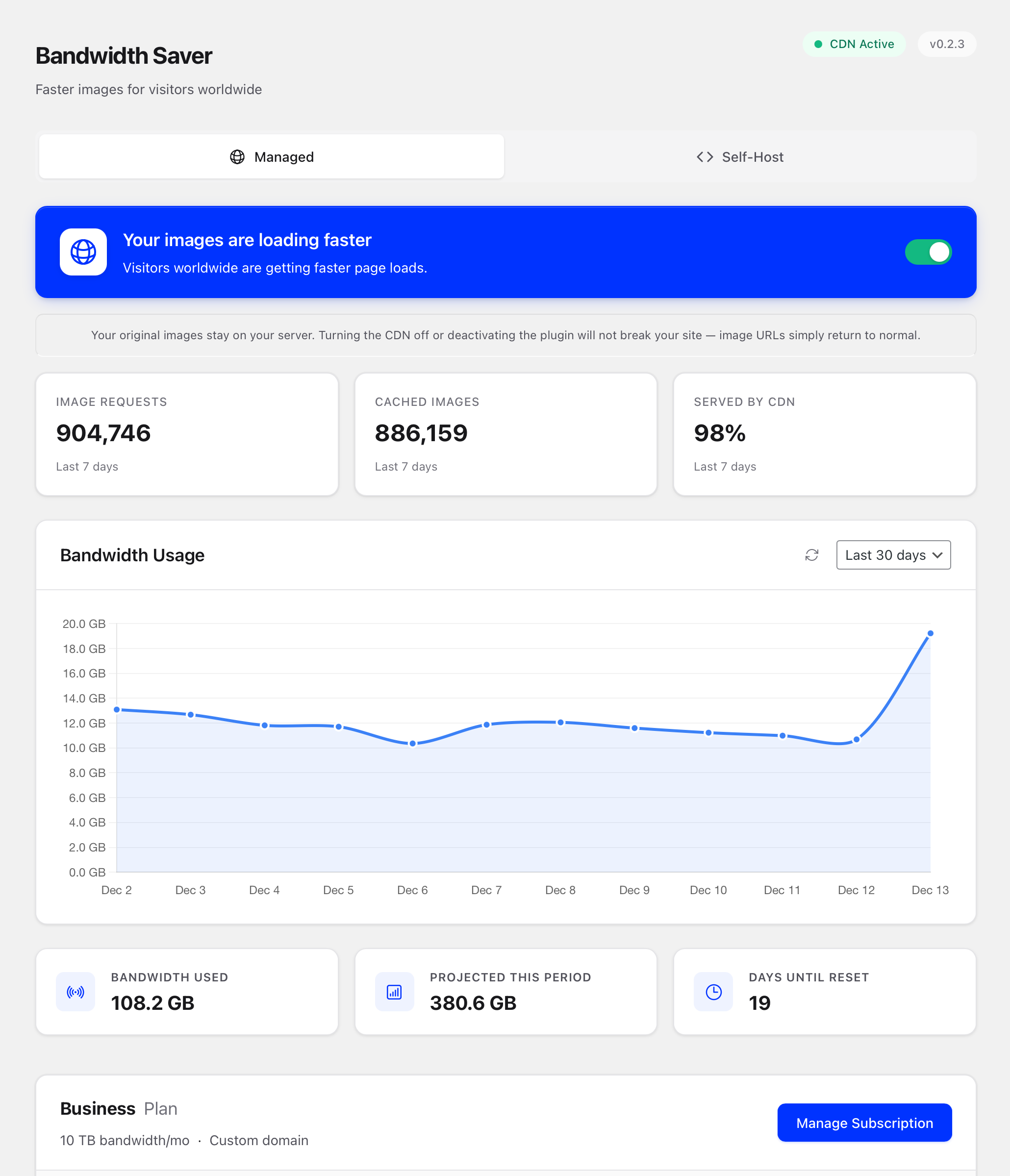
- New: The settings page shows what is copied, queued and not copied yet, with retries and error details.
- New: Every WordPress image size is served from img.pro, including srcset.
- New: Deleting an image in WordPress deletes its copies from img.pro, and regenerated thumbnails replace theirs.
- New: Several sites can share one img.pro App. Each site only manages its own images; a copy of a site, such as a staging copy, needs its own connection.
- New: "Delete images from img.pro and disconnect" removes every image the site uploaded.
- New: Settings page shows your img.pro plan and how many images your App stores.
- New: Copy img.pro URL in an image's details, for images used where Bandwidth Saver does not change URLs.
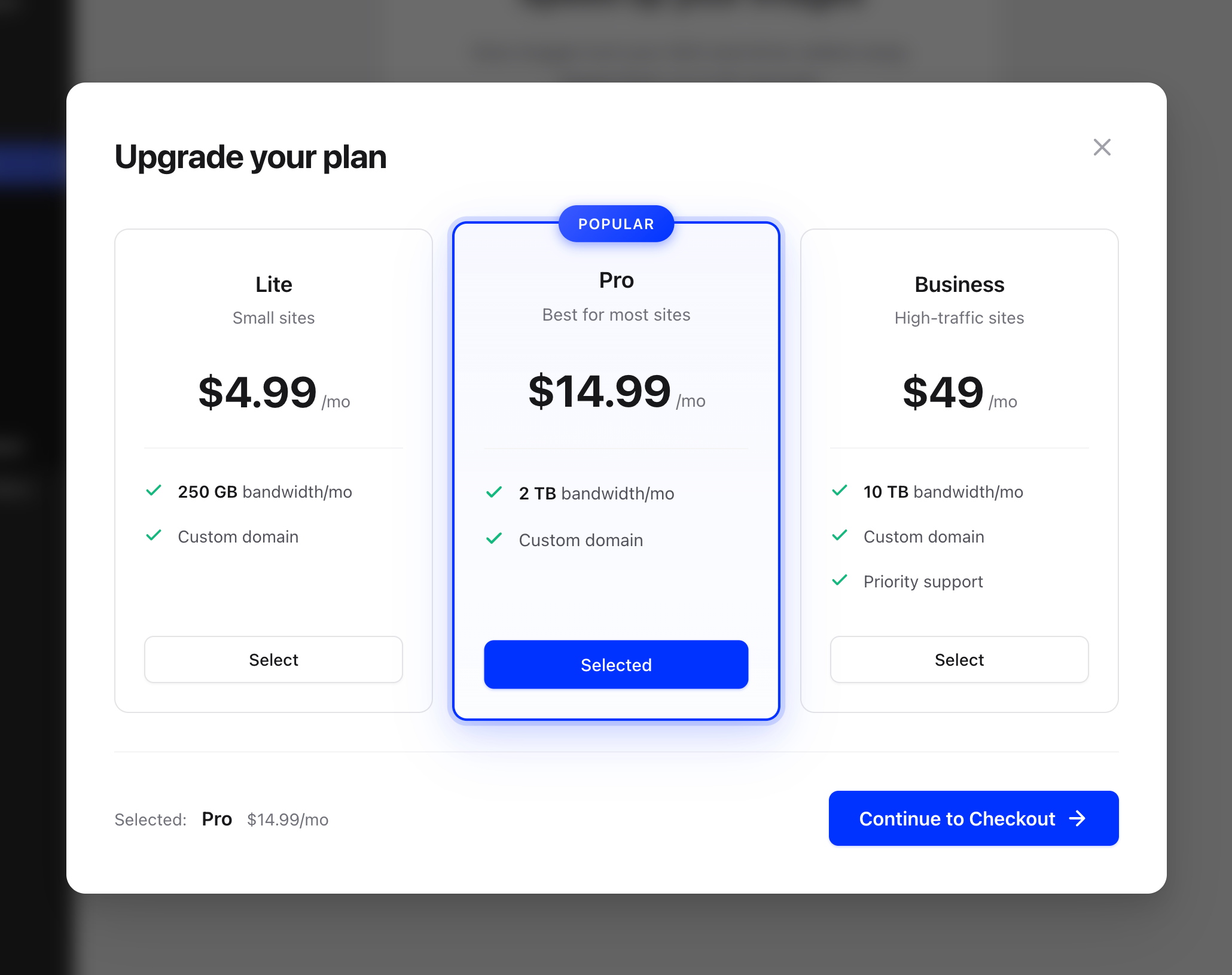
- Removed: The managed CDN and its old $9.99 a month plan, custom CDN domains and the self-hosted Cloudflare Worker mode.
- Removed: Bandwidth and request charts.
- Removed: The HTML comment and X-Image-CDN-Version header the plugin added to every page.
- Changed: SVG, BMP, ICO, TIFF, animated PNGs and files over 20 MB stay on your server.
- Changed: Settings from 1.x are not kept. After updating, images load from your server until you connect an img.pro API key.
- Fixed: Source URLs section showing empty on initial page load
- Fixed: Custom domain removal failing on sites with stale local data
- Fixed: Paid plans blocked from adding source URLs (unlimited domains)
- Fixed: Stale cached data overwriting settings after domain changes
- Improved: Custom domain state now syncs correctly when removed server-side
- New: Cleaner dashboard — see only what matters for your plan
- Fixed: Subscription not activating after checkout in some cases
- Fixed: Compatibility with accounts created in earlier versions
- Improved: Streamlined settings page with fewer distractions
- Fixed: Subscription status now updates correctly after checkout
- Improved: Smoother activation experience
- Changed: Converted from Media CDN to Image CDN
- Removed: Video, audio, and HLS streaming support (use Unlimited CDN plugin instead)
- Simplified: Image-only focus for better positioning and simpler codebase
- Updated: All UI text and documentation for Image CDN
- New: Rebranded as "Bandwidth Saver: Unlimited Media CDN"
- New: Simplified pricing - single Unlimited tier at $9.99/mo
- New: Video and audio CDN support with range requests
- New: HLS streaming support (M3U8 and TS segments)
- New: Request-based analytics (bandwidth tracking deprecated)
- Improved: Media-focused messaging and UI
- Improved: Unlimited bandwidth for paid tier