
Base ERP Invoices for WooCommerce
| 开发者 |
asaas
aztecweb |
|---|---|
| 更新时间 | 2026年9月24日 22:56 |
| PHP版本: | 7.4 及以上 |
| WordPress版本: | 7.1 |
| 版权: | GPLv2 or later |
| 版权网址: | 版权信息 |
详情介绍:
安装:
- Visit Plugins > Add New.
- Search for Base ERP for WooCommerce
- Click in Install Now and, after, in Activate.
- Visit WooCommerce > Settings > Base ERP
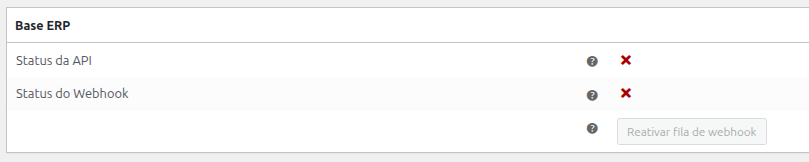
- Access Base ERP to generate your API key, and enter it in the designated field within the Base ERP settings in your WooCommerce dashboard.
屏幕截图:

常见问题:
What is Base ERP?
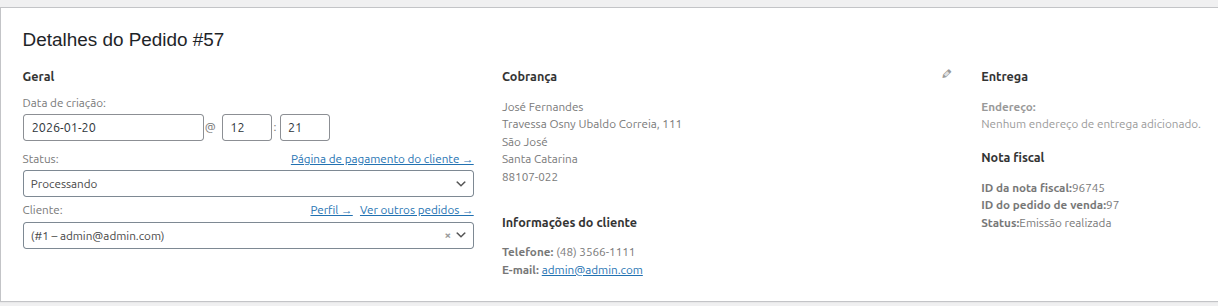
Base ERP is a free enterprise management system integrated with Asaas, designed to simplify the daily operations of small and medium-sized businesses. It offers essential features for sales management, invoice issuance, service management, and integration with payment methods — all delivered through a simple, flexible, and user-friendly experience. The Base ERP API already includes the functionality to issue Product Invoices (NF-e), fully integrated into the sales order workflow. In a simple and automated way, you can create a sales order and generate the corresponding invoice, ensuring agility and compliance in your billing processes.
How does the integration between the Asaas WooCommerce plugin and Base ERP work?
By using the Asaas WooCommerce plugin together with the Base ERP plugin, you can automate the issuance of invoices for all your sales. This automation reduces time spent on operational tasks, allowing you to focus on what matters most — your business.
What do I need to configure Base ERP?
In a simplified way, you only need to create an API key in your Base ERP account and enter it on the plugin settings screen in your WordPress admin panel. Please note that you will also need to register your products in Base ERP, as well as define taxes, fiscal groups, and other required information for issuing invoices (NF-e).
How do I link Base ERP products to WooCommerce?
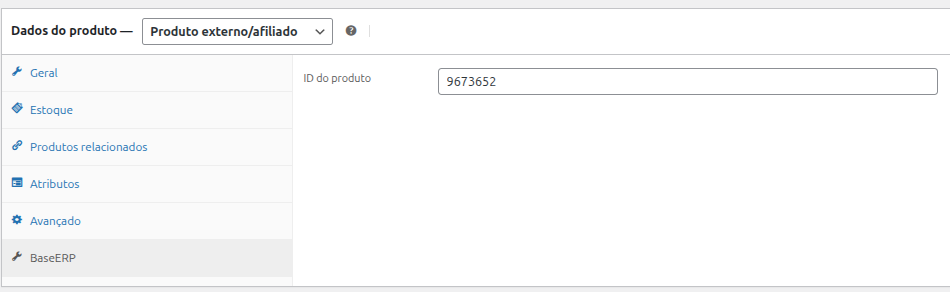
After creating your product in Base ERP, you need to access the product list in WooCommerce to link the two systems. The connection is made using a unique ID generated when you register the product in Base ERP. For more information, please refer to our documentation: https://docs.asaas.com/docs/cadastrov%C3%ADnculo-de-produtos
Where can I find the plugin documentation?
The documentation is available at: https://docs.asaas.com/docs/emissor-nf-para-woocommerce
What are the support channels?
For support regarding the Base ERP plugin or Asaas, please contact us via email at: integracoes@asaas.com.br
更新日志:
- Fix - Increases the default webhook auth token length to 32 characters, as required by Asaas
- Feature - Adds feedback messages regarding tax reform errors
- Feature - Adds X-Consumer header for sales order invoice requests
- Dev - Implements minimum version validations (PHP 7.4, WordPress 6.2, WooCommerce 8.2)
- Tweak - Adds HPOS compatibility declaration
- Initial plugin release