
Basketball Scorebook
| 开发者 | ofbita |
|---|---|
| 更新时间 | 2026年2月21日 19:19 |
| PHP版本: | 7.2 及以上 |
| WordPress版本: | 6.9 |
| 版权: | GPLv2 or later |
| 版权网址: | 版权信息 |
详情介绍:
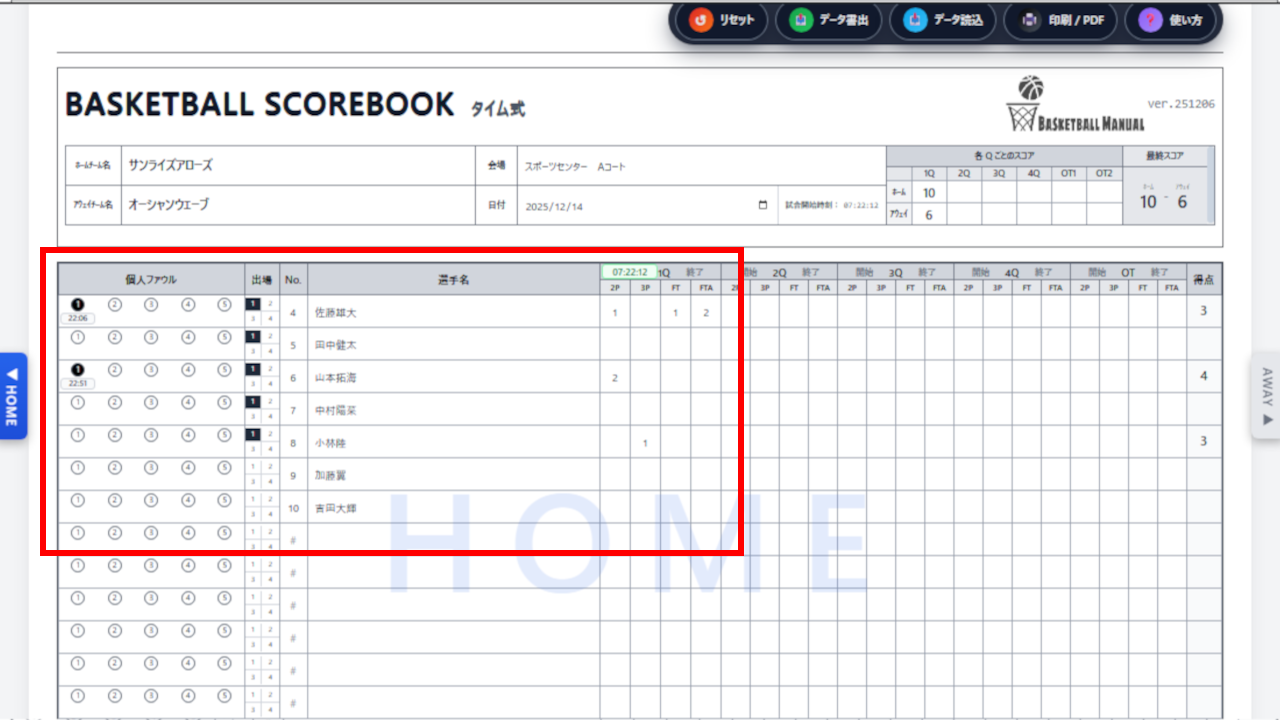
- Real‑time Scoring: Input 2P, 3P, and FT. Player stats are auto-calculated.
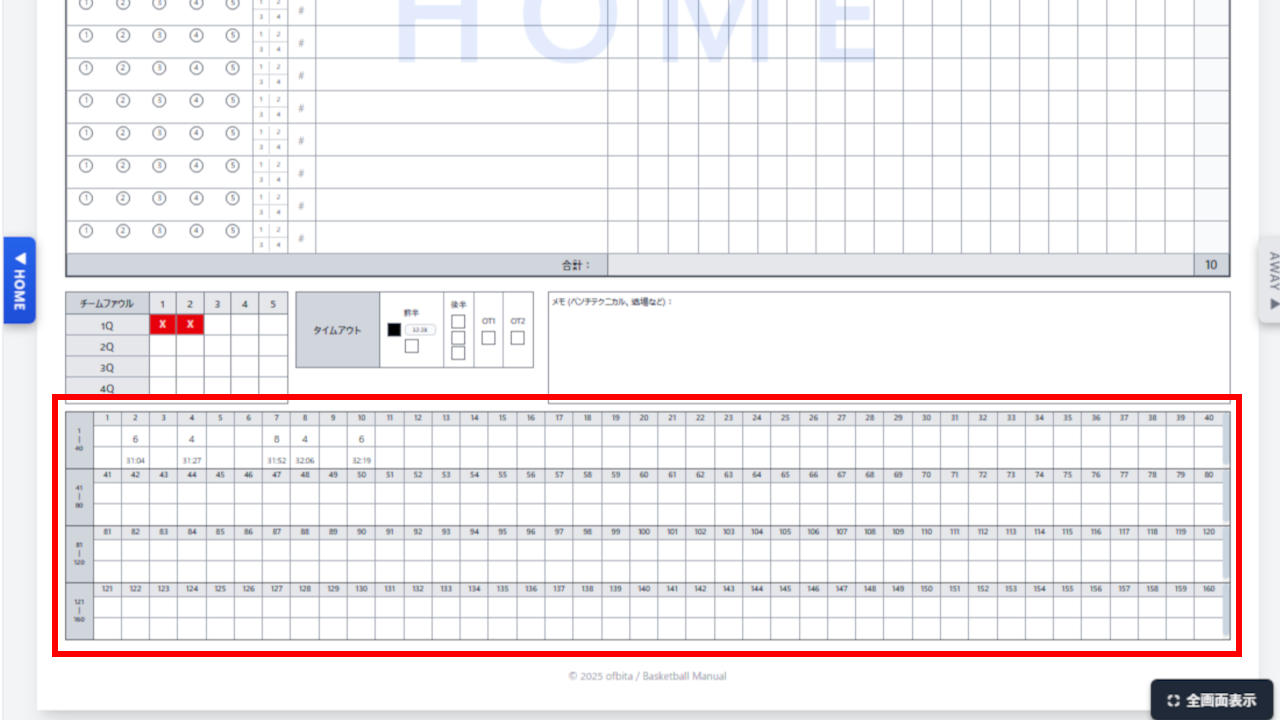
- Timestamped Events: Every foul and timeout is recorded with the exact game time.
- Running Score: Visual running score (1–160 pts) tracking with time and player number.
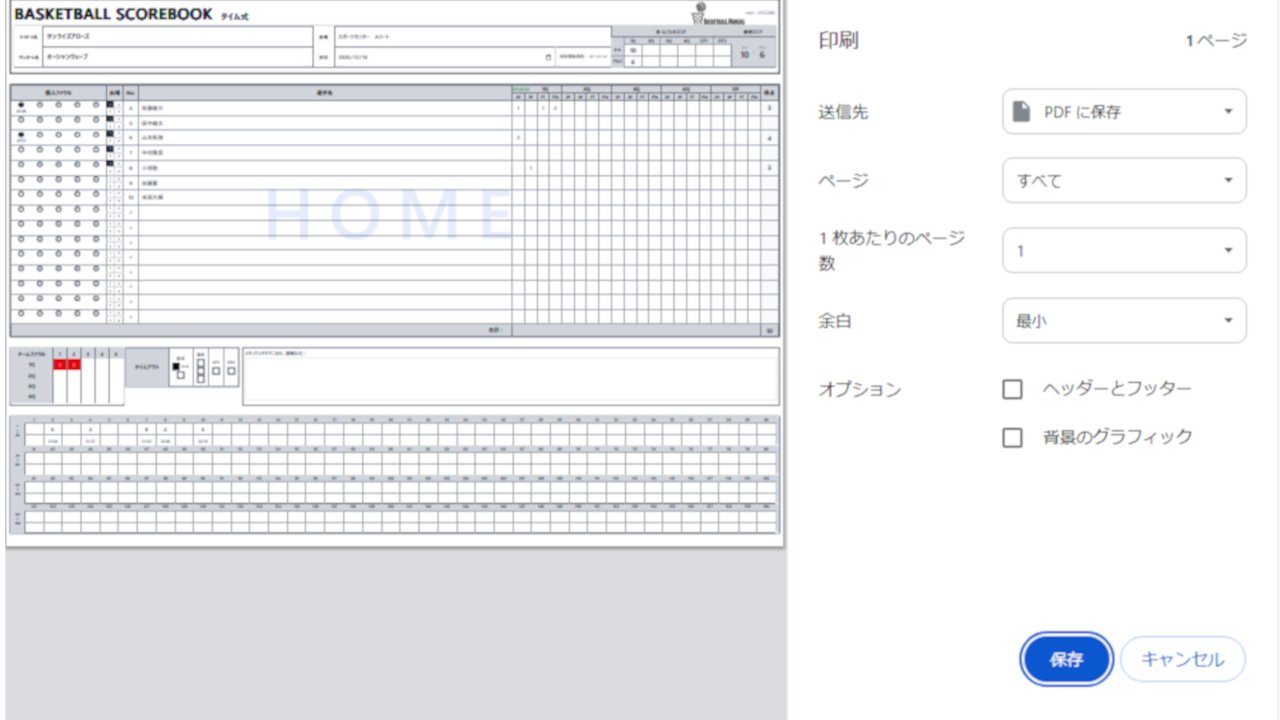
- Print Ready: Designed to print perfectly on A4 landscape paper or save as PDF via the browser.
- Data Persistence and Backup: Auto-saves to browser LocalStorage, so your data won't be lost even if the page is accidentally refreshed. However, to protect against browser cache clearing or device failure, we strongly recommend exporting to JSON for important games.
- JSON Import/Export: Save match data as JSON files for backup, sharing, or templates.
- No Database Bloat: All data is handled client-side (Alpine.js). It does not clutter your WordPress database.
[basketball_scorebook] to any page or post.
For the best experience, we recommend using a "Full-Width" page template to maximize the workspace.
安装:
- Upload the
basketball-scorebookfolder to the/wp-content/plugins/directory. - Activate the plugin through the "Plugins" menu in WordPress.
- Place the
[basketball_scorebook]shortcode in any page content.
屏幕截图:
常见问题:
Does this plugin work without an internet connection?
Yes, once the page is loaded. All calculations are done in the browser using JavaScript (Alpine.js).
Can my data be lost?
Your data won't be lost during normal use. However, if you clear your browser's browsing history (cache), LocalStorage data will also be deleted. As the safest approach, we recommend exporting to JSON at halftime or after the game ends.
Can I save the scorebook as PDF?
Yes. Select "Print/PDF". The layout is optimized for A4 landscape.
Is my data saved automatically?
Yes. The scorebook auto-saves to your browser's LocalStorage every time you make a change.
Does this plugin send any data outside my site?
By default, No. The plugin does not send any analytics/telemetry unless you explicitly opt in from the settings page. If you opt in, the plugin sends anonymous event counts only (plugin version, WordPress/PHP version, locale, and event name). It does not send your site URL, email address, or any scorebook contents.
更新日志:
- Fixed: Resolved "Update failed" error when saving posts while using this plugin together with pubsubhubbub or similar plugins.
- Fixed: Settings page now reliably saves when turning anonymous usage statistics (telemetry) back OFF, by always posting an explicit
0value for the opt-in checkbox. - Improved: When telemetry is opted in, anonymous events sent to Matomo now use a browser-like User-Agent string so they are less likely to be discarded by bot/robot filters (still opt-in only).
- Fixed: Added missing Japanese (and en_US) translations for the settings page (Privacy / Data Storage, Anonymous Usage Statistics, Save Changes, and review prompt strings: Thanks for using…, Leave a Review, View Help, Not Now)
- Added: Opt-in anonymous usage statistics (events only, default OFF)
- Added: Review prompt shown on the settings page after 7 days (one-time per user)
- Updated: Documentation and settings page privacy notes (data is stored in the browser)
- Fixed: English app Help button now opens the English usage guide URL (
?lang=en) - Improved: Disabled browser auto-translation inside the scorebook iframe to prevent UI breakage (DOM rewrites)
- Updated: Prepare v1.1.0 migration by extending saved data schema (adds
metaandfoulEventsto save/export/import while keeping LocalStorage key) - Updated: Add schema versioning (
meta.schemaVersion = 103) and default-fill logic for backward compatibility
- Added: Full internationalization (i18n) support
- Added: Japanese translation files (ja.po / ja.mo)
- Added: Japanese readme (readme-ja.txt)
- Fixed: Japanese IME input focus issue
- Improved: Enhanced plugin feature descriptions and documentation
- Fixed: Properly enqueue CSS and JavaScript files using
wp_enqueue_style()andwp_enqueue_script() - Fixed: Updated function prefixes to meet WordPress.org requirements (
BSB_toBASKSC_) - Added: Documentation for third-party library (Alpine.js) in readme
- Improved: Code structure following WordPress coding standards
- Initial release.