BcodeCraft Post Lifecycle
| 开发者 | mrboydwp |
|---|---|
| 更新时间 | 2026年2月1日 20:19 |
| 捐献地址: | 去捐款 |
| PHP版本: | 8.0 及以上 |
| WordPress版本: | 6.9 |
| 版权: | GPLv2 or later |
| 版权网址: | 版权信息 |
详情介绍:
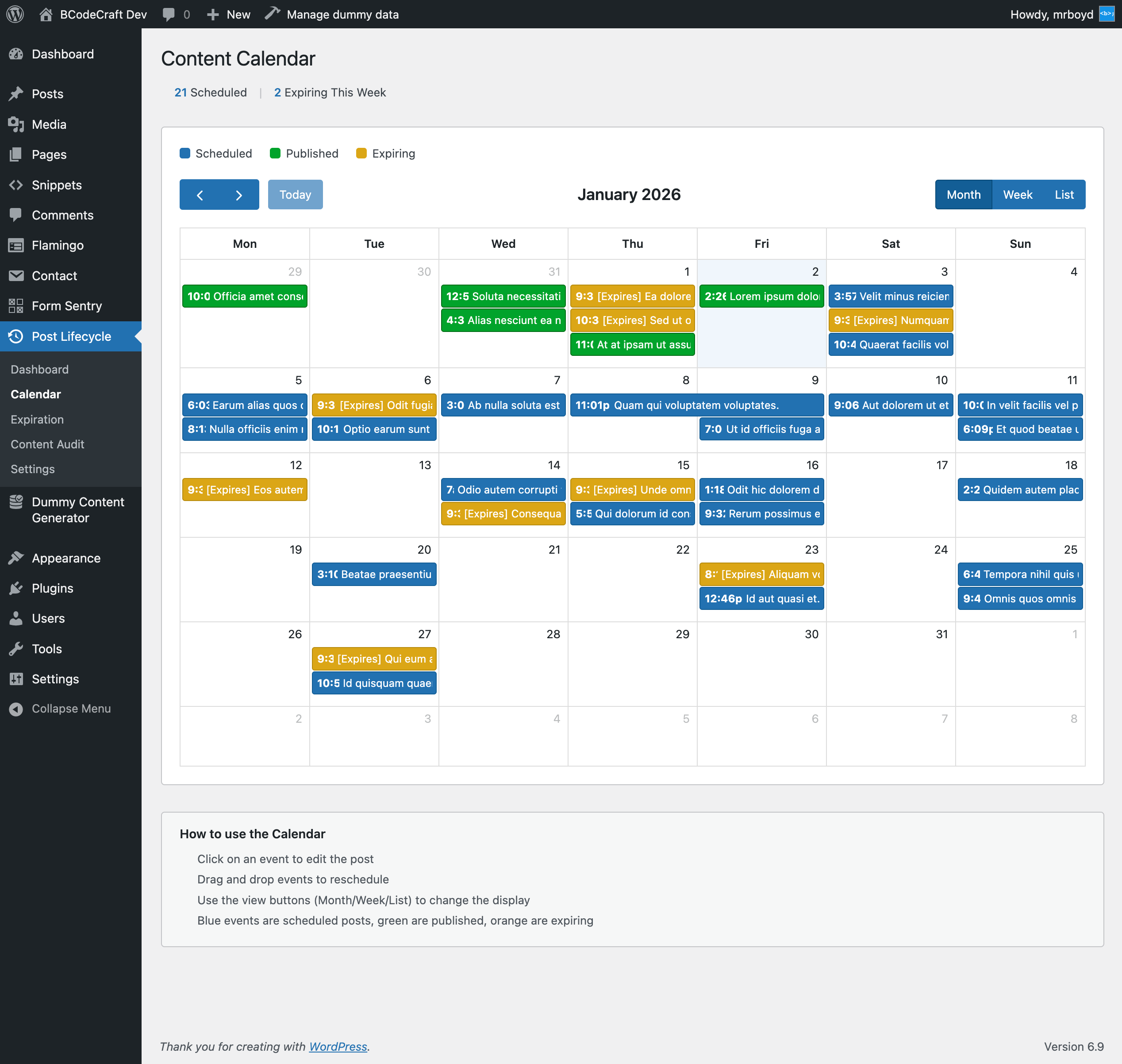
- Smart Scheduling - Visual calendar view for content scheduling with drag and drop support
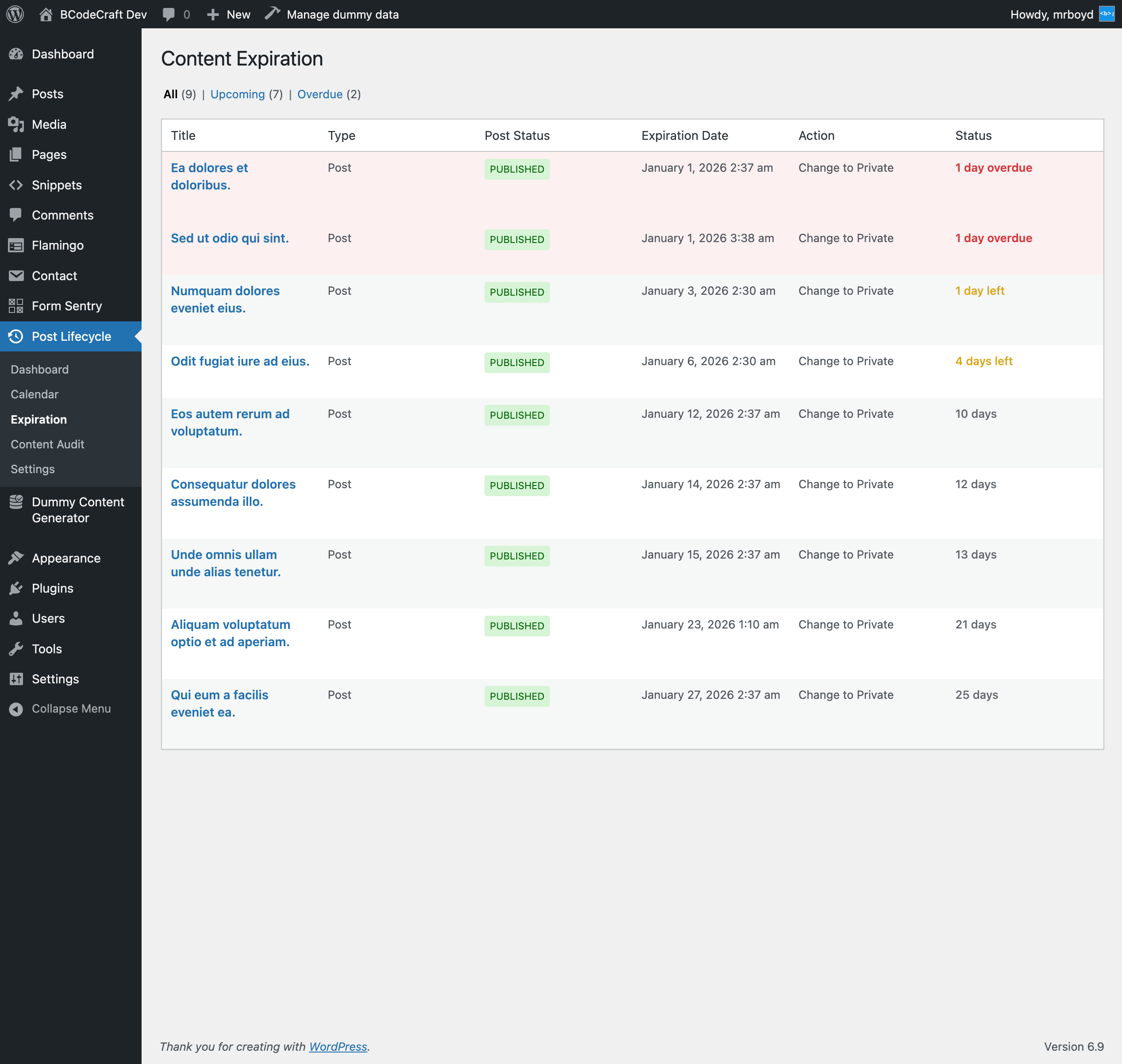
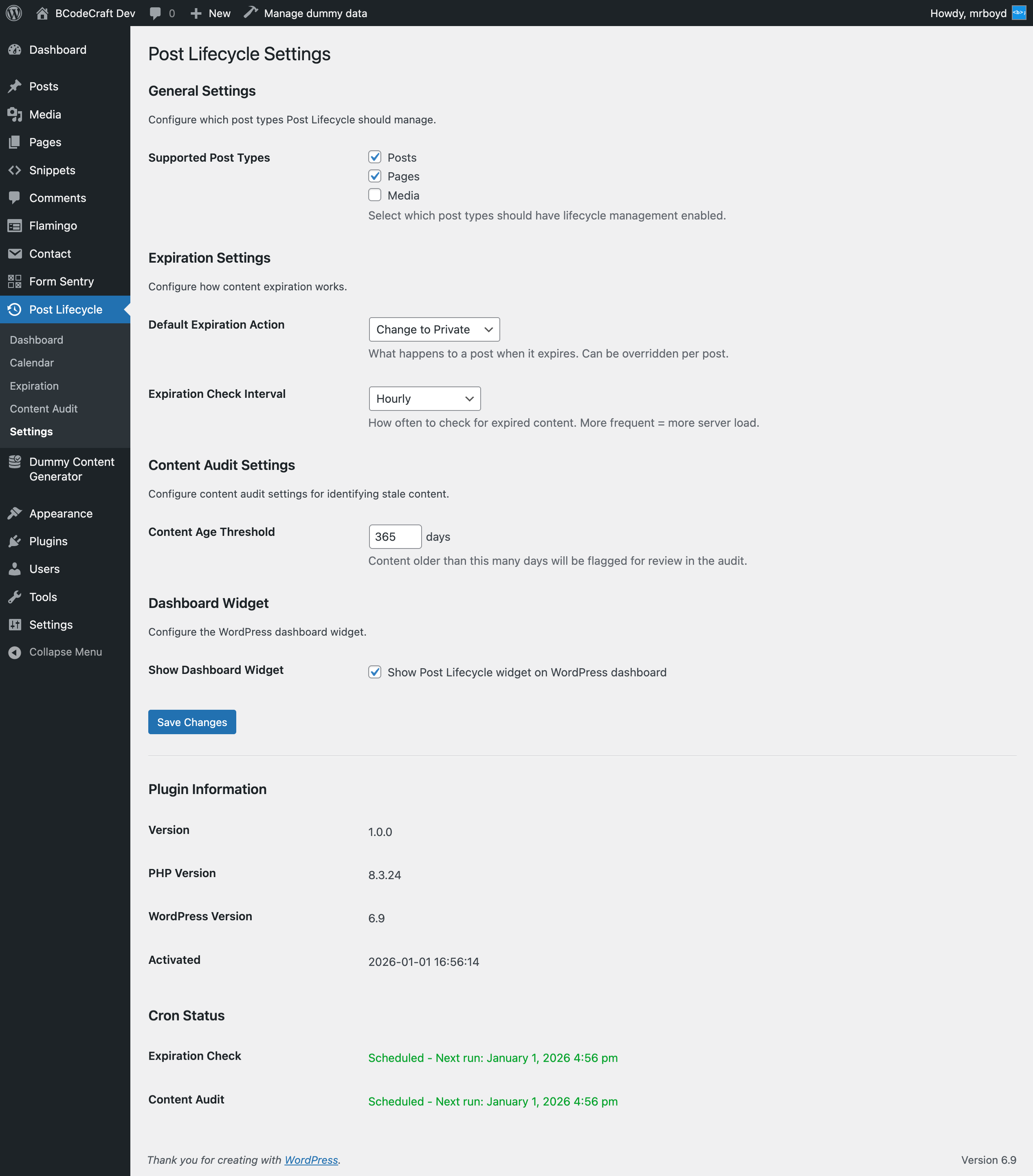
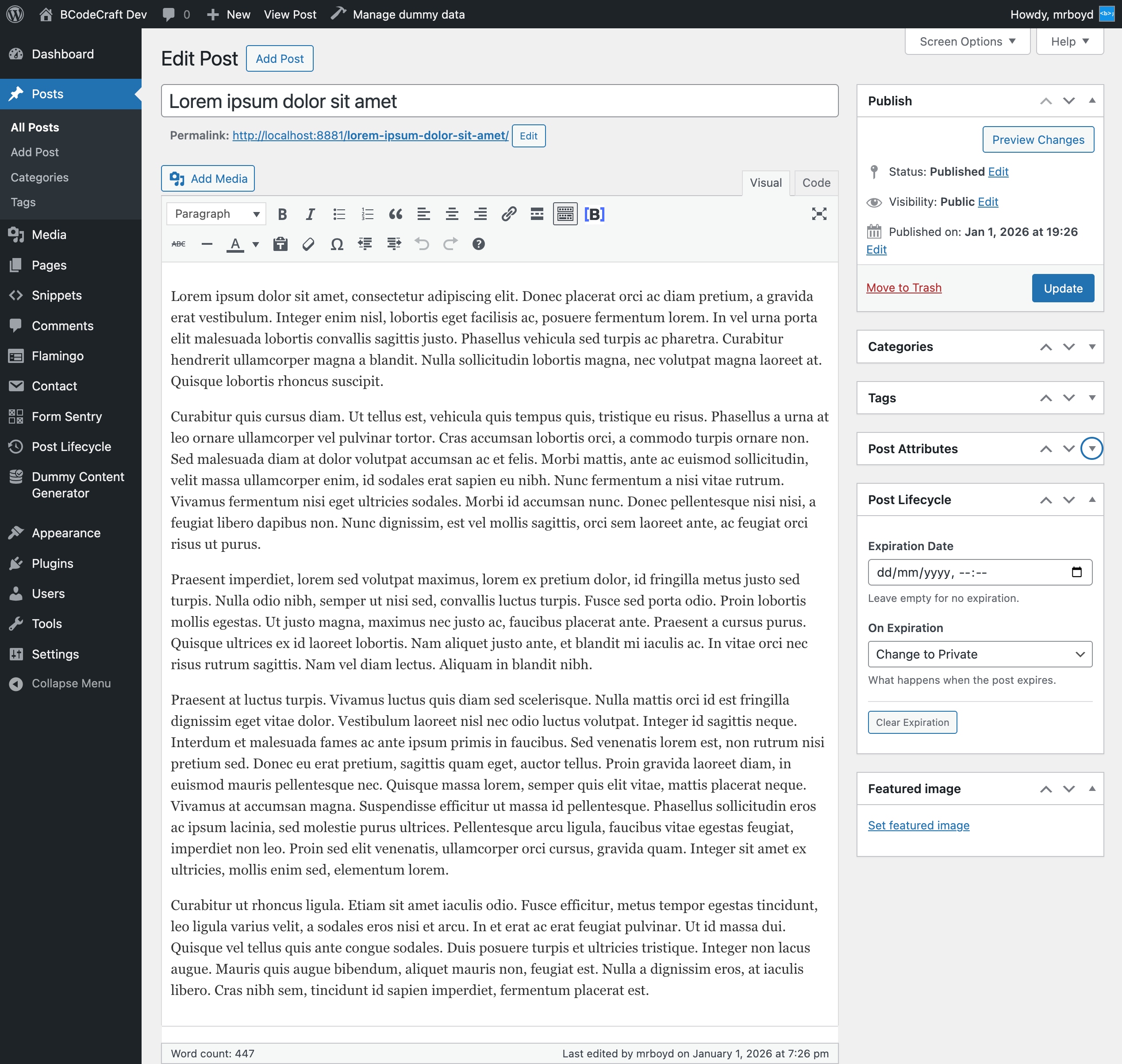
- Content Expiration - Set expiration dates with automatic status changes (draft, private, trash, or delete)
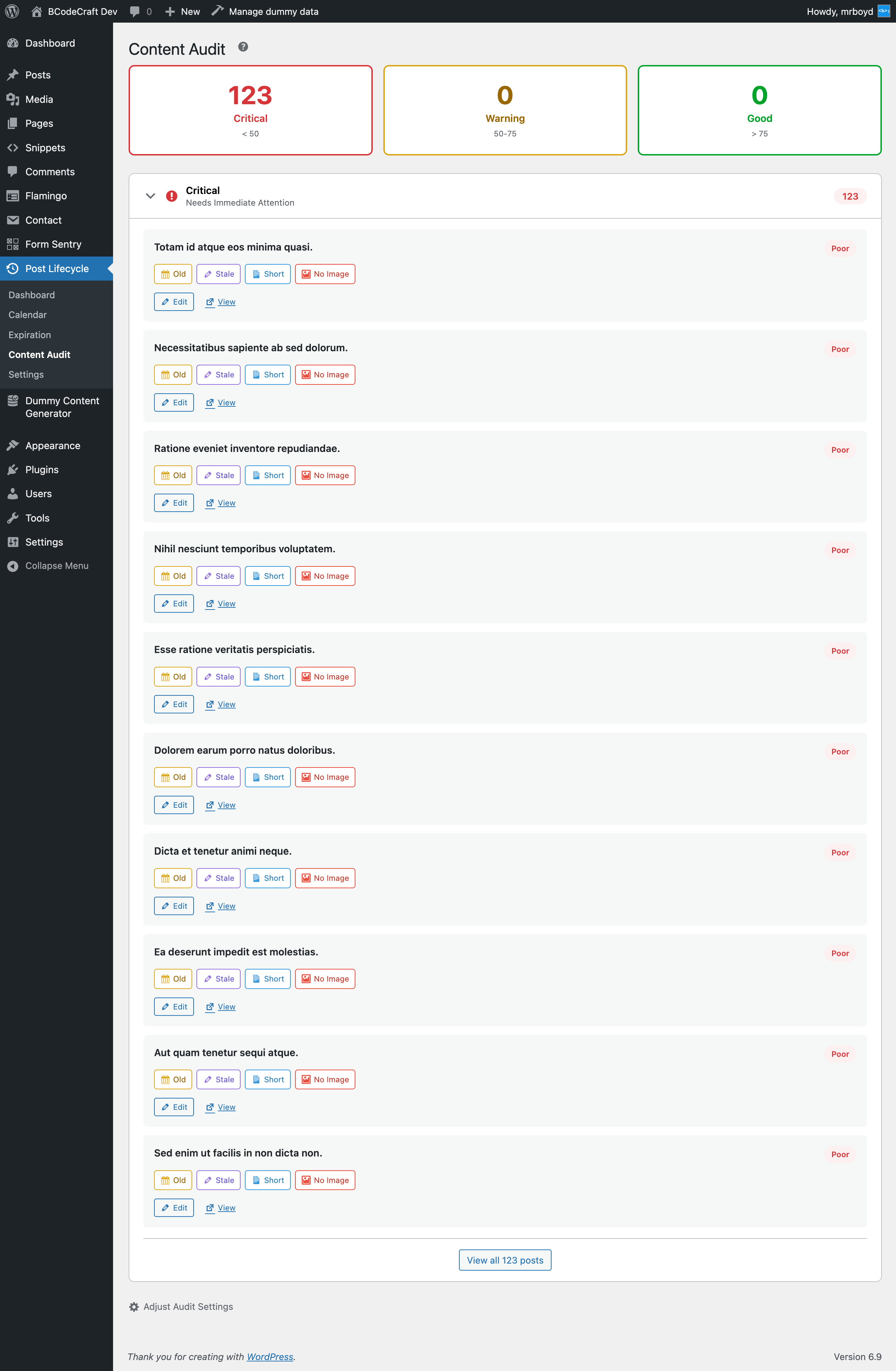
- Content Audit - Identify stale content that needs updating based on customizable age thresholds
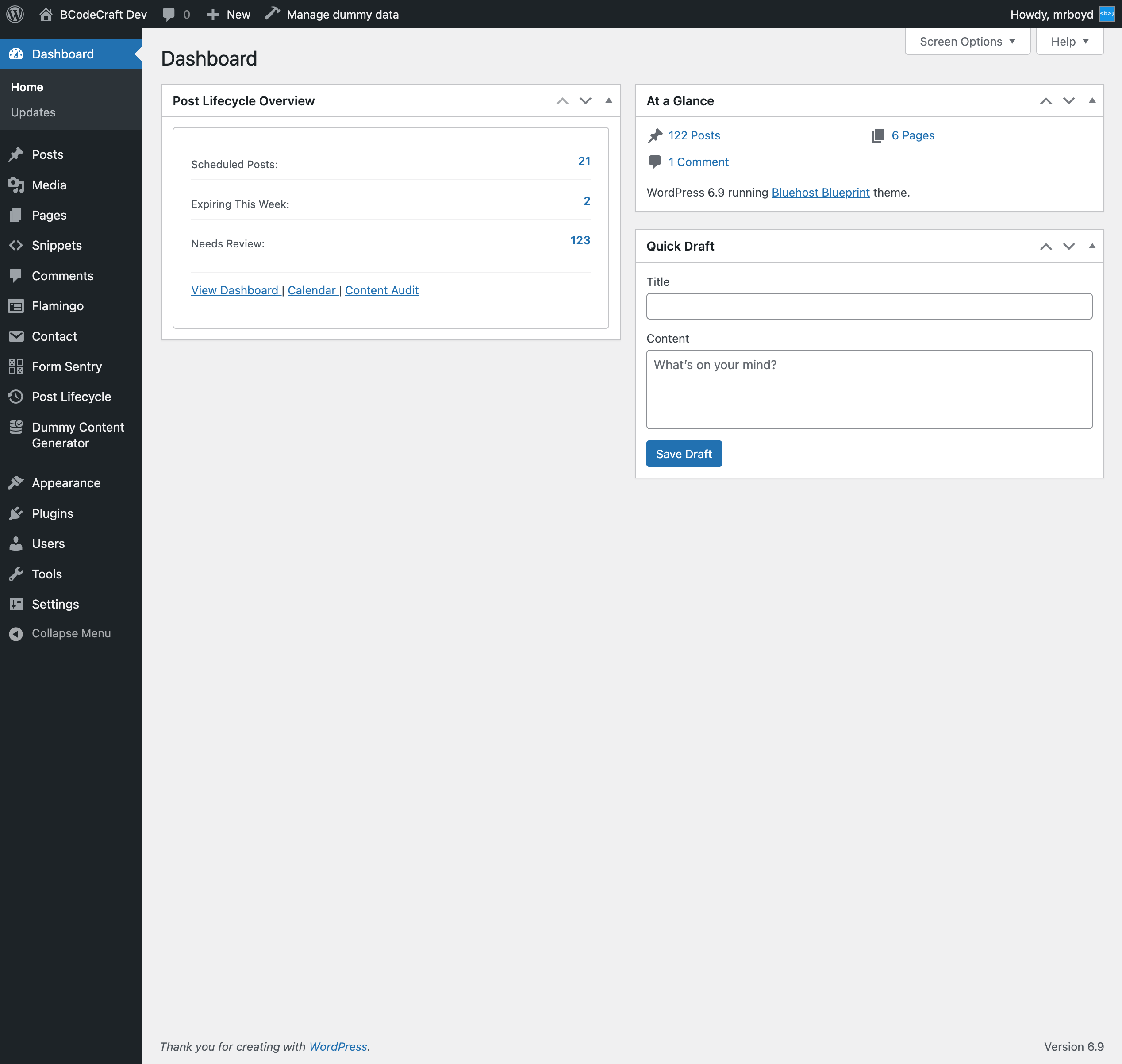
- Dashboard Widget - Quick overview of scheduled, expiring, and stale content right on your WordPress dashboard
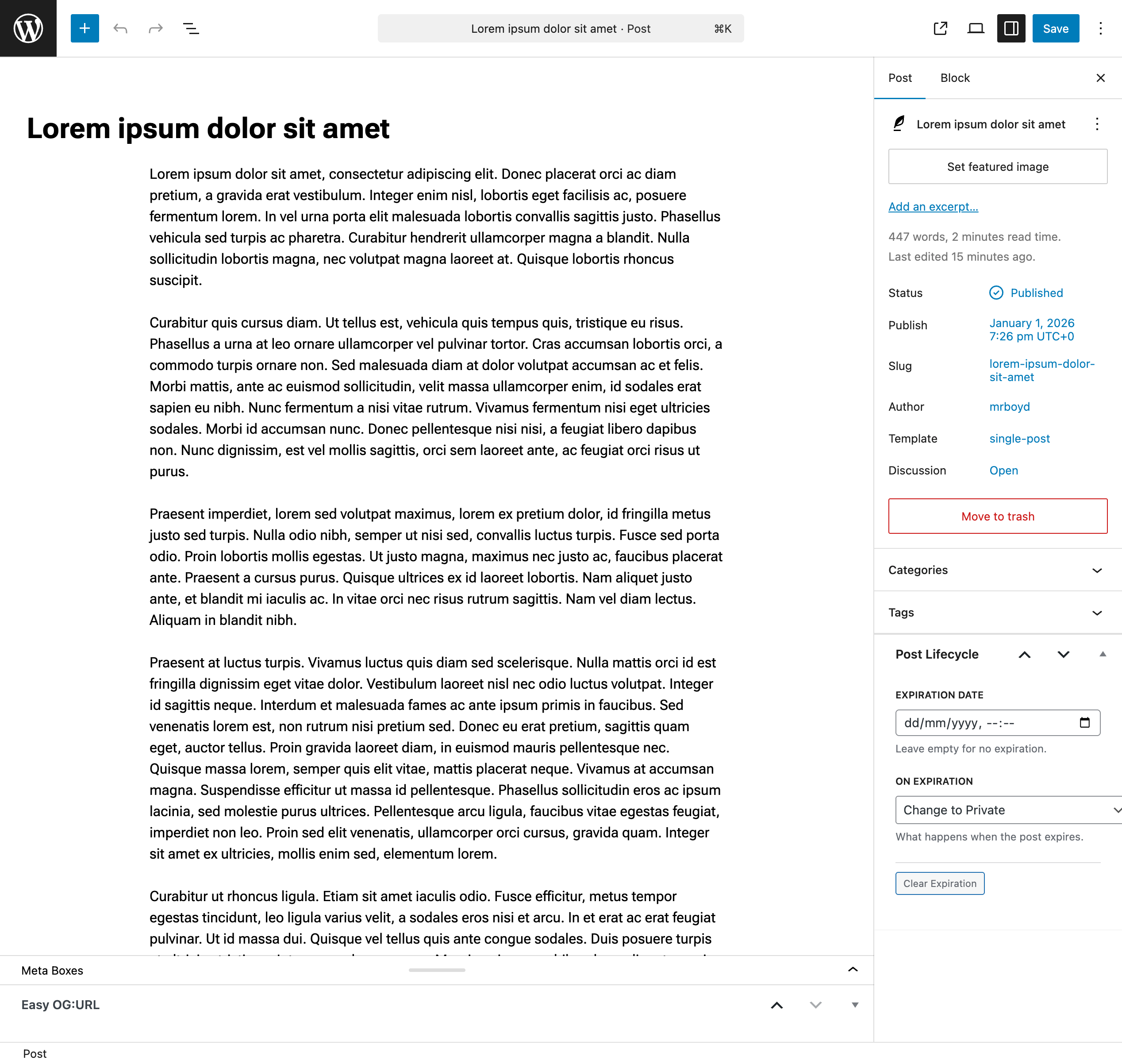
- Meta Box Integration - Easy-to-use expiration controls in the post editor
- Custom Post Types - Works with any public post type, not just posts and pages
- Cron-Based Checks - Reliable background processing for expiration checks
- Security First - Built following WordPress security best practices
- Content managers who need to keep published content fresh and updated
- Marketing teams managing time-sensitive campaigns and promotions
- Publishers with content that needs regular review or has legal expiration requirements
- Anyone who wants to automate content lifecycle management
安装:
- Upload the plugin files to the
/wp-content/plugins/bcodecraft-post-lifecycledirectory, or install the plugin through the WordPress plugins screen directly. - Activate the plugin through the 'Plugins' screen in WordPress.
- Go to BcodeCraft Post Lifecycle in your WordPress admin menu to start managing content lifecycle.
屏幕截图:
常见问题:
How do I set an expiration date for a post?
When editing a post, look for the "BcodeCraft Post Lifecycle" meta box in the sidebar. Set your expiration date and choose what action should occur when the post expires.
What happens when a post expires?
Based on your settings, the post can be changed to draft, made private, moved to trash, or permanently deleted. You can set a default action in settings and override it per-post.
How often does the plugin check for expired content?
By default, expired content is checked every 5 minutes. You can adjust this in Settings to hourly, twice daily, or daily depending on your needs.
Can I use this with custom post types?
Yes! Go to BcodeCraft Post Lifecycle > Settings to enable lifecycle management for any public post type registered on your site.
Will expired posts be indexed by search engines?
No, once a post is changed to draft or private, it will no longer be publicly accessible or indexed by search engines.
What is the Content Audit feature?
Content Audit identifies posts that may need updating based on their age. You can set a threshold (default 365 days) and the plugin will flag content older than that for review.
Is this plugin secure?
Yes, BcodeCraft Post Lifecycle is built with security-first principles, including proper input sanitization, output escaping, nonce verification, and capability checks.
更新日志:
- Initial release
- Content expiration system with automatic status changes
- Admin dashboard with content overview and statistics
- Settings page for expiration, audit, and post type configuration
- Post editor meta box with expiration date and action controls
- WordPress dashboard widget for quick overview
- Cron-based expiration checks (configurable intervals)
- Content audit for identifying stale content
- Support for custom post types