
Brilliant Directories Site Connector
| 开发者 | brilliantdirectories |
|---|---|
| 更新时间 | 2026年10月23日 14:14 |
| PHP版本: | 7.4 及以上 |
| WordPress版本: | 7.1 |
| 版权: | GPLv2 or later |
| 版权网址: | 版权信息 |
详情介绍:
/directory.
After you save a valid BD website URL, license key, and subfolder, the plugin writes the proxy files under the site root (the folder that serves your WordPress home URL). Visitors use your WordPress hostname. The plugin does not require you to upload .htaccess or PHP files by hand.
You do not need to create a WordPress page for this path. The plugin creates the folder and routing files automatically. If a WordPress page or permalink already exists at this URL, that page takes priority and this subfolder cannot be used.
Requirements
- A Brilliant Directories website and license key.
- Apache with
mod_rewriteenabled (the generated.htaccessroutes only the chosen subfolder). - The WordPress root folder must be writable so the plugin can create the subfolder.
- Stores the BD website URL and an encrypted license key.
- Validates the subfolder (including nested paths) and checks that it is not reserved by WordPress or already used by a page.
- Installs proxy files at
{WordPress root}/{subfolder}/. - Forwards directory traffic to your Brilliant Directories site and rewrites links, cookies, and redirects onto the WordPress path.
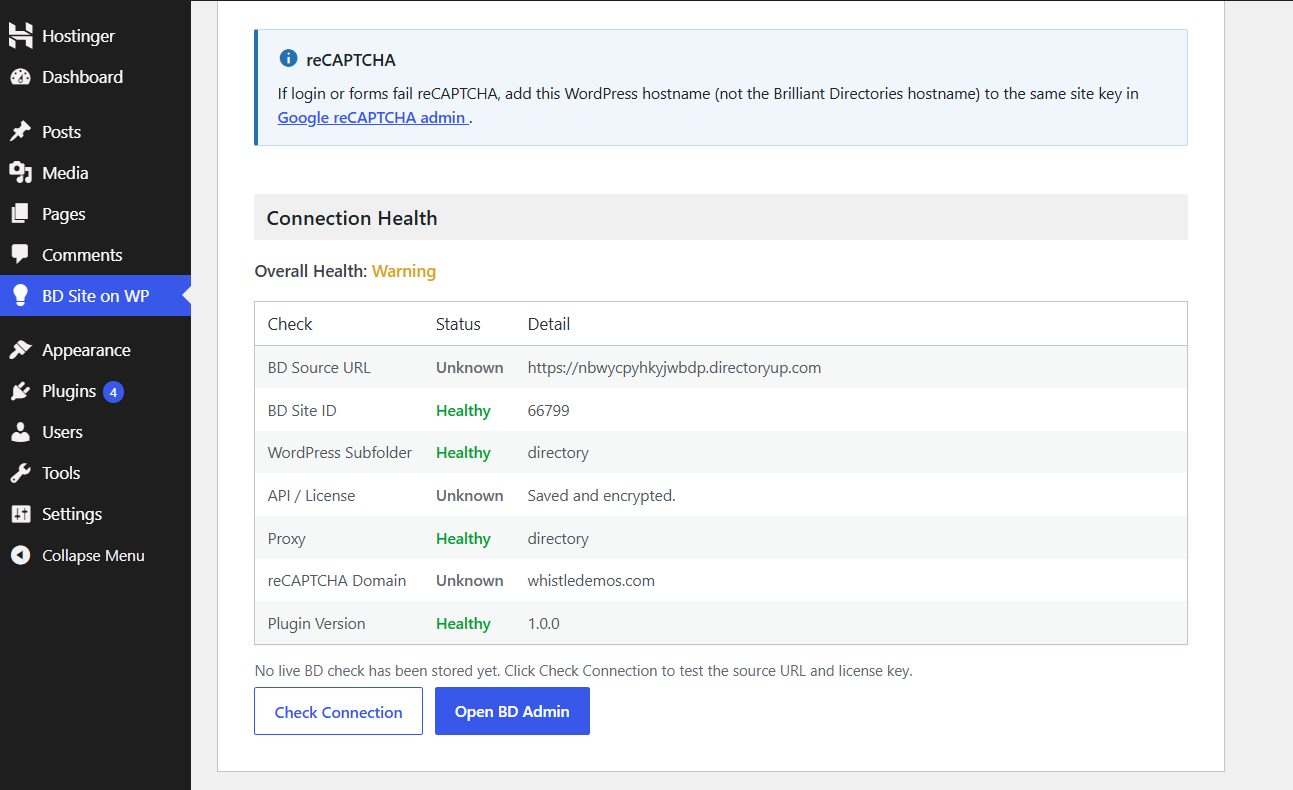
- Shows connection health for troubleshooting.
- Saves the BD Site ID after a successful connection check and adds an Open BD Admin button that opens the site's Brilliant Directories admin in a new tab.
安装:
- Upload the
bd-reverse-proxyfolder to/wp-content/plugins/, or install the zip from Plugins → Add New → Upload Plugin. - Activate the plugin on the Plugins screen.
- Open BD Site on WP in the WordPress admin menu (
/wp-admin/admin.php?page=bd-reverse-proxy). - Enter:
- BD Website URL — the full Brilliant Directories site URL, including
https://. - License Key — issued in your Brilliant Directories admin (Domain Manager → Change Domain → My WordPress website).
- Define Subfolder — the public path on this WordPress site, with no leading or trailing slash. Example:
directory. - Click Save / Install.
- Open the Public URL shown on the settings page (for example
https://example.com/directory/).
屏幕截图:
常见问题:
Do I need a Brilliant Directories account?
Yes. You can start at https://www.brilliantdirectories.com.
Where do I get a license key?
From your Brilliant Directories admin (Domain Manager → Change Domain → My WordPress website).
Why was the license key rejected?
Confirm the BD Website URL is the site that issued the key, the key is complete (no extra spaces), and the site is reachable over HTTPS.
Why can’t I use a subfolder name?
The path may be reserved (wp-admin, wp-content, wp-includes, wp-json), already used by a WordPress page or permalink, or already exist as a folder that this plugin does not own.
Does this work on Nginx?
The generated .htaccess is for Apache (and compatible hosts such as LiteSpeed with rewrite enabled). Nginx maps are not generated. Use Apache with mod_rewrite, or add equivalent Nginx routing for the subfolder yourself.
Opening proxy-config.php in the browser
That file is denied over HTTP (403). It must not show the license key. If it does, the server is not applying the generated .htaccess rules.
The directory page loads but assets or login break
Click Save / Install again so proxy files match the current plugin version. Confirm you are browsing the WordPress public URL, not the Brilliant Directories hostname. For reCAPTCHA errors, add the WordPress hostname in Google reCAPTCHA admin.
What happens if I change the Brilliant Directories URL later?
Save / Install regenerates proxy configuration for the current subfolder using the new URL and stored license key.
更新日志:
- Improved plugin performance, styling, and script loading.
- Fixed directory path handling and URL rewriting issues.
- Improved server compatibility detection and error notifications.
- Updated plugin labels and documentation for clarity.
- Initial release.