
BeeClear Smart Link Manager
| 开发者 | beeclear |
|---|---|
| 更新时间 | 2026年10月2日 14:38 |
| 捐献地址: | 去捐款 |
| PHP版本: | 7.4 及以上 |
| WordPress版本: | 7.1 |
| 版权: | GPLv2 or later |
| 版权网址: | 版权信息 |
详情介绍:
- Rule-based automation: Define phrases and target URLs once, and let the plugin automatically inject matching internal links into your content.
- No permanent content changes: Links are added on output through the
the_contentfilter. Disable the plugin and the generated links disappear instantly. - Links you already added count: If a post already links to a target by hand, the plugin does not add a second link to the same page.
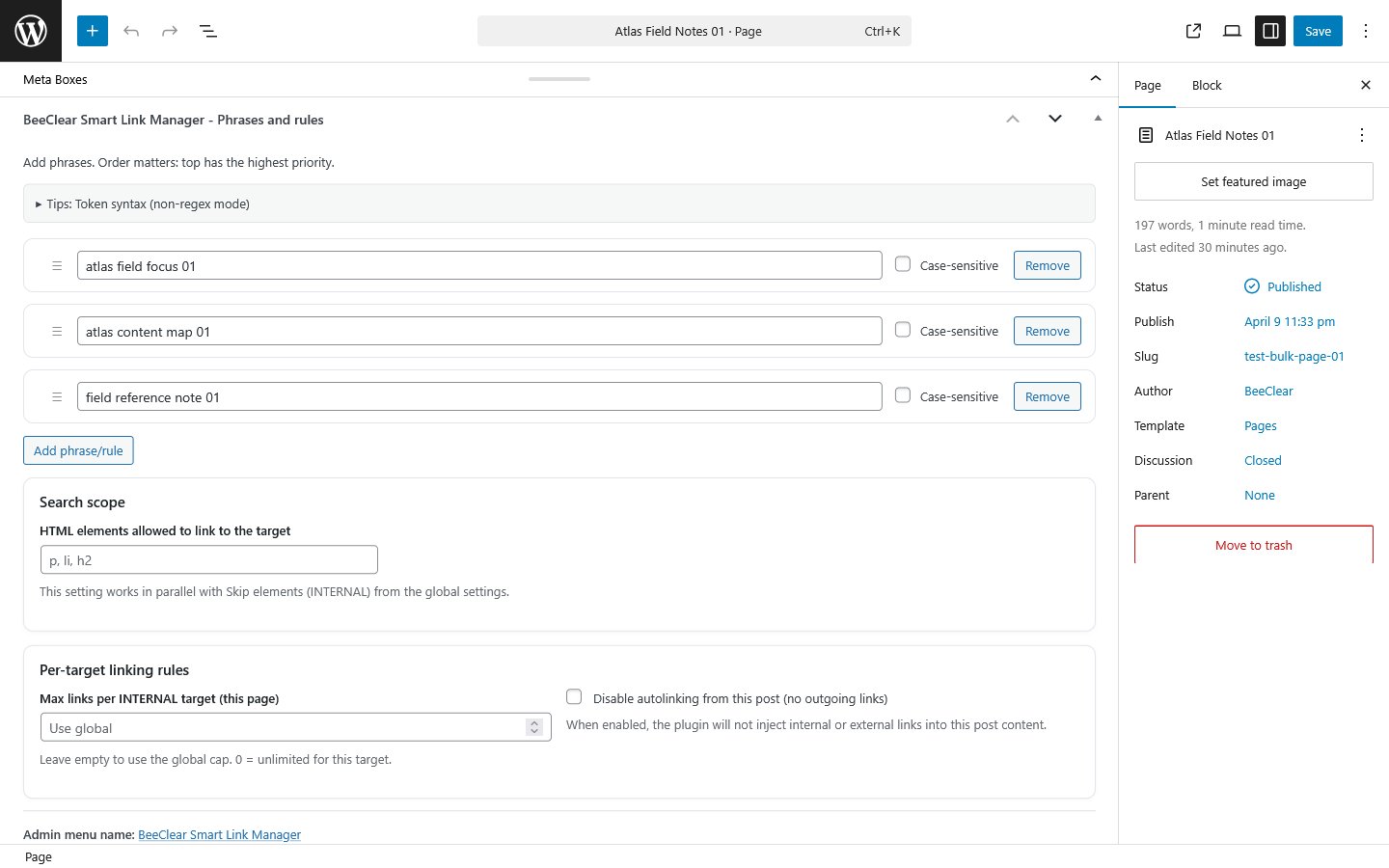
- Per-rule control: Set optional attributes such as
rel,title,aria-label, and CSS classes for each rule. - Limit link frequency: Control how many times a phrase can be linked on a single page to avoid over-linking.
- Fast index rebuilds: Rebuild the link index manually in one click or let the plugin refresh it automatically after post updates.
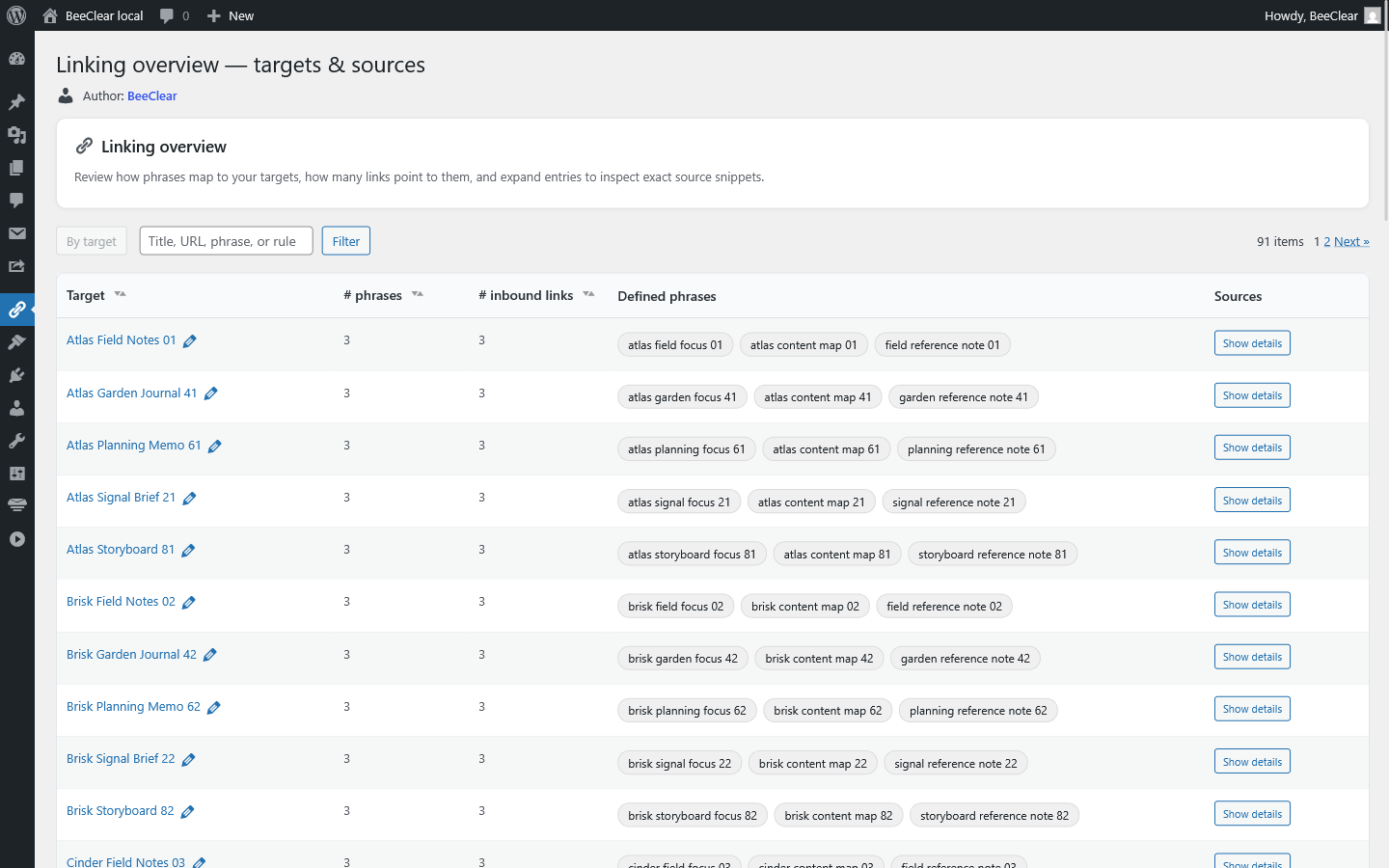
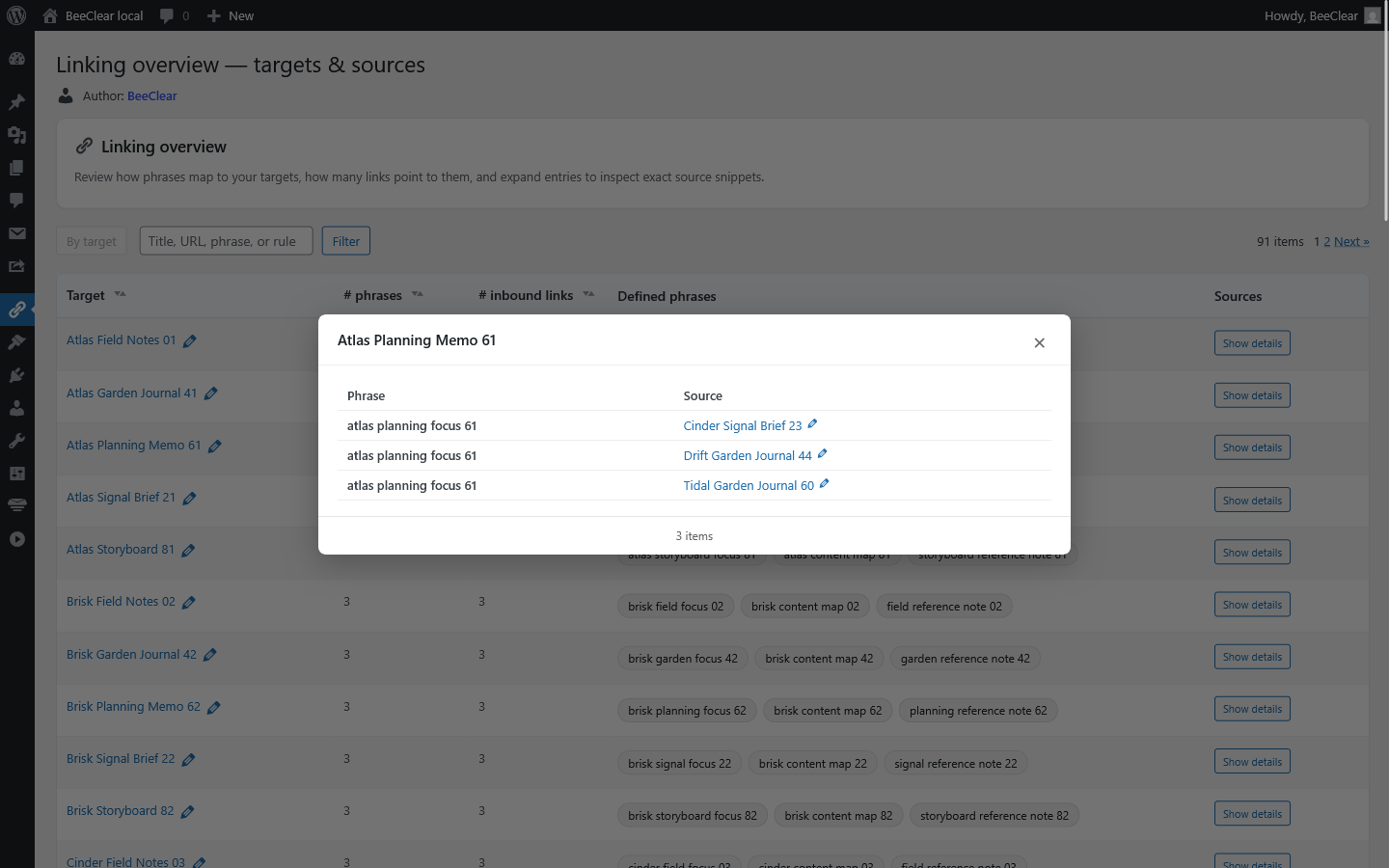
- Linking overview: See every target, its phrases and the posts that link to it, with a scheduled overview scan if you want it kept up to date.
- Import and export: Move your linking rules between environments without rebuilding everything from scratch.
- Clean workflow in wp-admin: Manage rules from a sortable admin table and use per-post controls where needed.
- Frontend-safe architecture: Scanning and indexing use internal WordPress APIs, avoiding loopback HTTP requests.
Want more? Smart Link Manager PremiumBuilt for... SEO specialists If you want a cleaner internal-linking structure without editing hundreds of posts by hand, BeeClear Smart Link Manager gives you a repeatable and controllable process. You define the rules once and scale internal linking across the site. Bloggers and content sites If you publish frequently, internal linking often becomes inconsistent over time. This plugin helps you connect related articles automatically, improving navigation and surfacing older content more effectively. Agencies When you manage multiple WordPress sites, repeatable SEO workflows matter. Import/export tools, configurable rules, and a predictable index rebuild process make the plugin practical across staging and production environments. Business websites Internal links help users discover related pages, services, and resources faster. That improves content discoverability and supports a clearer site structure without forcing database-level content edits. Go further with Premium: linking with AI The premium version adds an AI connector built on the Model Context Protocol (MCP). Connect Claude, ChatGPT, Gemini or Codex, and your assistant can review the linking overview, add phrases to posts, create external rules and rebuild the index for you, in plain language. It is off by default, every AI client gets its own revocable token (read only or read and write), and every change is written to the activity log. Your rules and settings carry over when you upgrade, so you can start with the free version and switch whenever you need more. Learn more about Smart Link Manager Premium Additional resourcesSee Smart Link Manager Premium
- AI connector (MCP): manage your linking by asking Claude, ChatGPT, Gemini or Codex.
- External linking rules: link phrases to trusted external sources.
- Regex rules and semantic keyword enhancement: catch variants a plain keyword misses.
- Page-level priorities: decide which page wins when targets compete.
- Links aggregators and an activity log.
安装:
- Go to Plugins > Add New.
- Search for BeeClear Smart Link Manager.
- Click Install Now, then Activate.
- Download the plugin ZIP file.
- Upload the
beeclear-smart-link-managerfolder to your/wp-content/plugins/directory, or upload the ZIP from Plugins > Add New > Upload Plugin. - Activate BeeClear Smart Link Manager in the WordPress admin.
- Open the plugin screen, create your first rule, and rebuild the index.
- If you need advanced linking features, compare the premium version here: https://beeclear.pl/en/plugins/smart-link-manager/
屏幕截图:
常见问题:
What is internal linking and why does it matter?
Internal linking means adding links from one page on your site to another page on the same domain. It helps users discover related content, improves crawl paths for search engines, and supports a clearer site structure.
Does the plugin modify my post content in the database?
No. BeeClear Smart Link Manager injects links dynamically at render time through the the_content filter. Your stored post content is not rewritten.
How does the plugin work?
You create linking rules with a phrase and a target URL. The plugin builds an index and then injects matching links when content is displayed on the frontend.
Can I control how many links are added on one page?
Yes. Each rule can include a per-page link limit, so the same phrase is not linked too often within a single piece of content.
Can I customize generated link attributes?
Yes. You can configure attributes such as rel, title, aria-label, and CSS classes for each link rule.
How do I apply changes to existing content?
After adding or editing rules, use Rebuild Index in the plugin interface. You can also enable automatic rebuilding on content updates.
Why are some phrases not being linked?
Common reasons include case-sensitive mismatch, the per-page limit already being reached, or the content being outside the plugin's linking scope.
Can I migrate rules to another site?
Yes. Use the import/export tools to transfer rules between WordPress environments.
Is it compatible with Gutenberg and the Classic Editor?
Yes. The plugin works with standard WordPress content rendering and is compatible with Gutenberg and the Classic Editor.
Does it use loopback HTTP requests to scan content?
No. The current free version uses internal WordPress APIs for scanning and index generation instead of loopback HTTP requests.
Is there a premium version with more features?
Yes. The premium version adds the AI connector (MCP), external linking rules, regex rules, semantic keyword enhancement, page-level priorities, links aggregators and an activity log. Learn more here: https://beeclear.pl/en/plugins/smart-link-manager/
Can I manage internal links with AI (Claude, ChatGPT, Gemini)?
Not in the free version. The premium version includes an AI connector (Model Context Protocol, MCP): create an access token, add the connector to your AI client, and the assistant can review your linking and change rules and settings for you, with every change recorded in the activity log. Details: https://beeclear.pl/en/plugins/smart-link-manager/
Can I keep the free version installed when I upgrade?
Yes. When the premium version is active, it takes over and the free version steps aside automatically, so your rules and settings carry over without any manual migration.
更新日志:
- Compatibility: tested with WordPress 7.1 (7.1.2).
- Changed: the official plugin page is now https://beeclear.pl/en/plugins/smart-link-manager/: used as the Plugin URI, by the "Author: BeeClear" link on the plugin screens and in the post metabox, and by the premium links.
- Readme: clearer description of the free features and an updated overview of the premium version (AI connector via MCP, external rules, regex, priorities).
- Fixed: the scheduled overview scan ran only when it had been switched on by saving the settings form. With the setting written any other way (settings import, a database copy, an option update) no WP-Cron event existed and the scan never ran; the event is now brought in line with the setting on the next admin request (scheduled when on, cleared when off). Synced with Premium 2.2.6.
- Fixed: a rule linked a target that the content already links by hand (e.g. a phrase in a later paragraph got a second link to the same page). Links already in the content now count toward the per-target limit; URLs are compared by path, so absolute, relative and other-host links to the same permalink match. Synced with Premium 2.2.5.
- Fixed: auto-links pointed to the domain the link index was last rebuilt on (e.g. http://localhost when the rebuild ran from WP-Cron/WP-CLI, or a staging/tunnel host), because the index stored each target's full URL. The index now keeps only the target post ID and the URL is resolved per request, so links follow the domain the site is opened on. Existing indexes work without a rebuild (the stored URL is ignored). Synced with Premium 2.2.4.
- Fixed: on the External linking screen the Title and Aria-label selects rendered empty and the post type checkboxes were missing, because their markup went through
wp_kses_post(), which strips<option>and<input>. Saving that form then droppedtitle_mode/aria_mode(PHP "Undefined array key" warnings), removed the links' title/aria-label, made the "custom" mode impossible to set and cleared per-rule post types. The markup is now allowed explicitly, and missing modes default tophraseboth when saving and at render time. - Fixed: importing an export file lost the external rules' "Exclude by post ID" list (the export stores an array, the import accepted only a comma-separated string); both formats are accepted now.
- Fixed: saving external rules unslashed the input twice, stripping backslashes from regex phrases and context terms (e.g.
\bfoo\d+\b); the input is unslashed once. These three fixes are synced with Premium 2.2.4.
- Fixed: on pages where auto-linking ran, the whole content could be wrapped in a stray
<div>that leaked from the DOM parser (saveHTML appends a trailing newline, so the old unwrap check missed it). As a class-less child of a constrained block layout it capped the page to the theme's content width, narrowing wide sections and pushing them off-centre. The wrapper is now stripped robustly by serializing the parser's child nodes.
- Changed: the left-hand admin menu now shows the plugin name without the "BeeClear" prefix; the page title keeps the full name.
- Fixed: internal linking phrases were silently not saved when the metabox contained an empty phrase row. An empty row no longer aborts the save — blank rows are ignored and all valid phrases are stored reliably in both posts and pages.
- Updated release metadata for the next plugin distribution package.
- Confirmed compatibility with WordPress 7.0.
- Fixed WordPress.org readme metadata warnings for plugin tags and short description length.
- Added scheduled "Scan site" — run the overview scan automatically on a daily or weekly schedule via WP-Cron, with a configurable site-local time.
- Added file-based import and export — settings and rules are exported as a downloadable JSON file and imported by uploading a file, replacing the previous copy-paste textarea approach.
- Autolinking now skips DOM parsing entirely for pages that contain no phrase matching any active rule, reducing per-request processing time on sites with many rules.
- Overview and popup tables now load post titles and permalinks only for the visible page of results, reducing database queries for sites with many link targets.
- Rebuild and export operations now process posts in batches instead of loading all IDs at once, avoiding memory spikes on large databases.
- Overview scan worker now processes one batch per WP-Cron run, reducing peak server load.
- Auto-run scan after saving content is now disabled by default; can be re-enabled in settings.
- Default activity log limit is now 50 entries.
- Uninstall cleanup now uses
delete_post_meta_by_key()for faster and more reliable removal of plugin meta across all posts. - Fixed WordPress Plugin Check compliance: output escaping annotations, nonce verification comments, missing translators comments, and readme.txt format.
- Fixed the default link CSS class and added a new menu item.
- Improved scanner behavior for page scanning and index regeneration.
- Refactored index build process to use internal WordPress APIs instead of loopback HTTP requests.
- Added background scanning via WP-Cron with batch processing for large sites.
- Added lightweight AJAX status polling during rebuild operations.
- Improved admin interface and sortable rule tables.
- Fixed invalid HTML in admin column output.
- Removed duplicate
admin_enqueue_scriptshook registration. - Improved promo notice button wording.
- Removed aggressive reset of per-user promo dismissal on plugin activation.
- Removed error suppression operator from
preg_matchcall.
- First public release.