OpptiAI Alt Text – AI Alt Text Generator for Image SEO
| 开发者 | beepbeepv2 |
|---|---|
| 更新时间 | 2026年11月26日 18:35 |
| PHP版本: | 7.4 及以上 |
| WordPress版本: | 7.1 |
| 版权: | GPLv2 or later |
| 版权网址: | 版权信息 |
标签
下载
详情介绍:
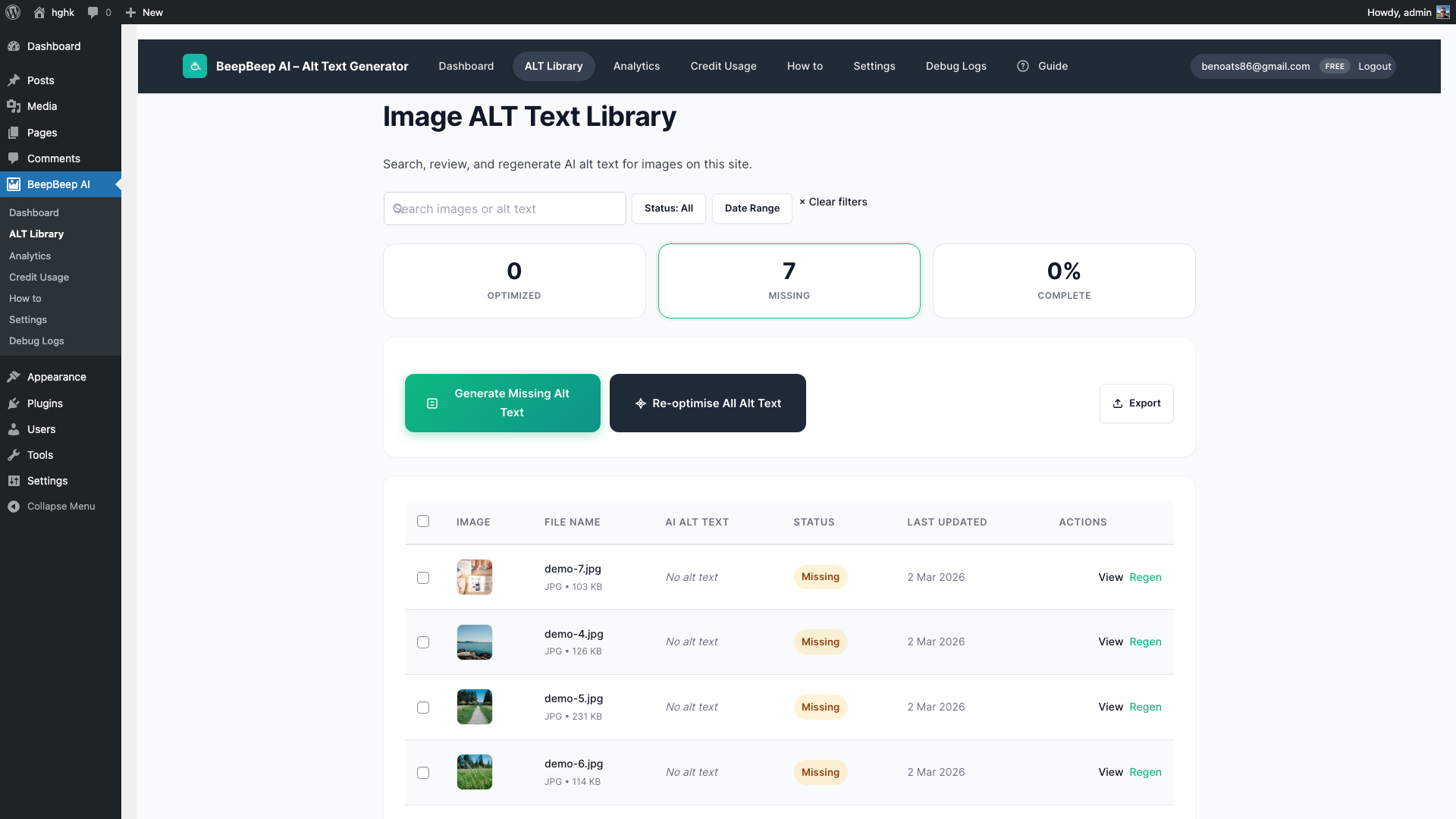
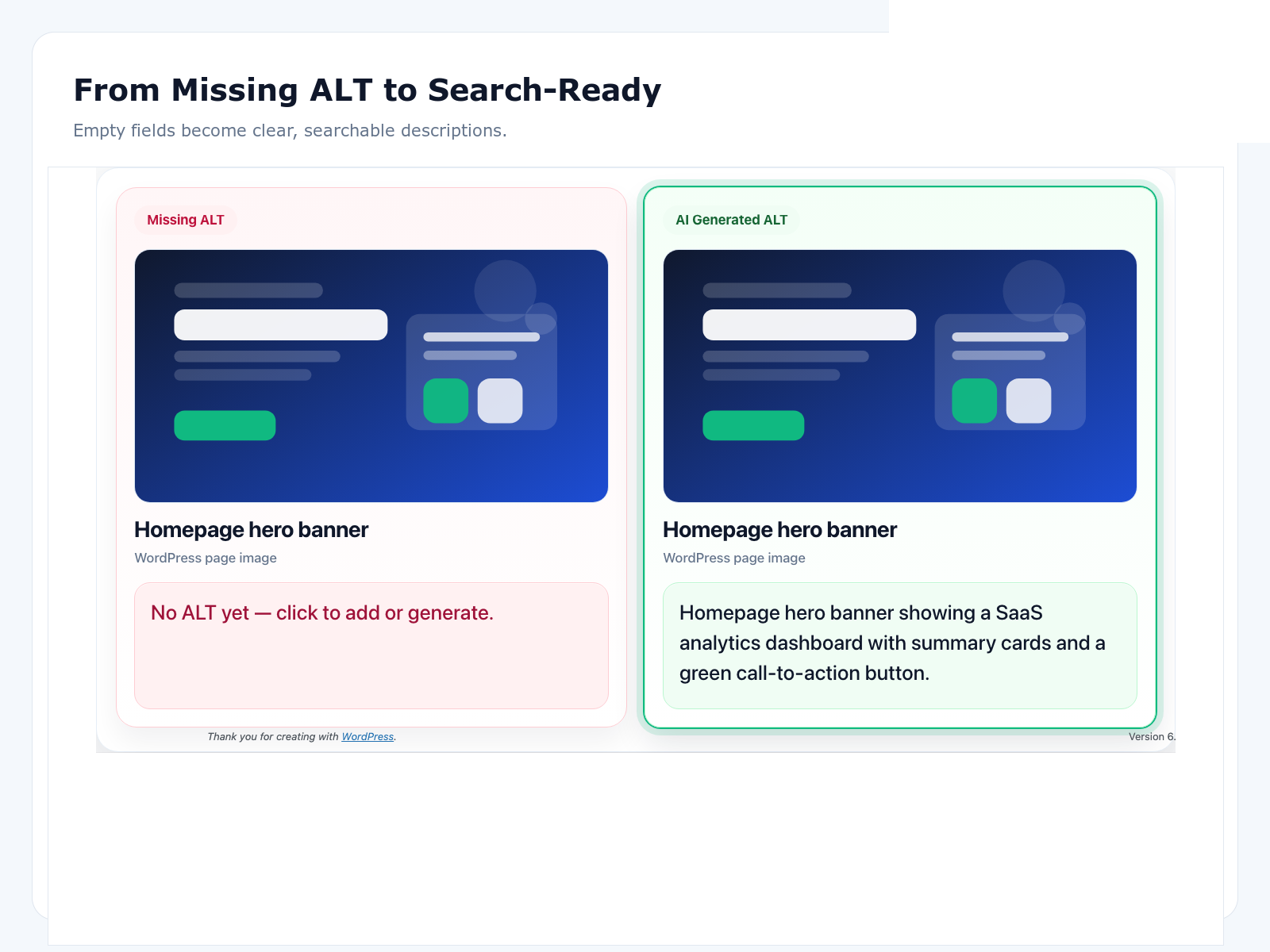
- Free alt text coverage scan of the Media Library and WooCommerce product images, with missing, needs review and optimised counts on one dashboard.
- Next recommended action so you know which images to fix first.
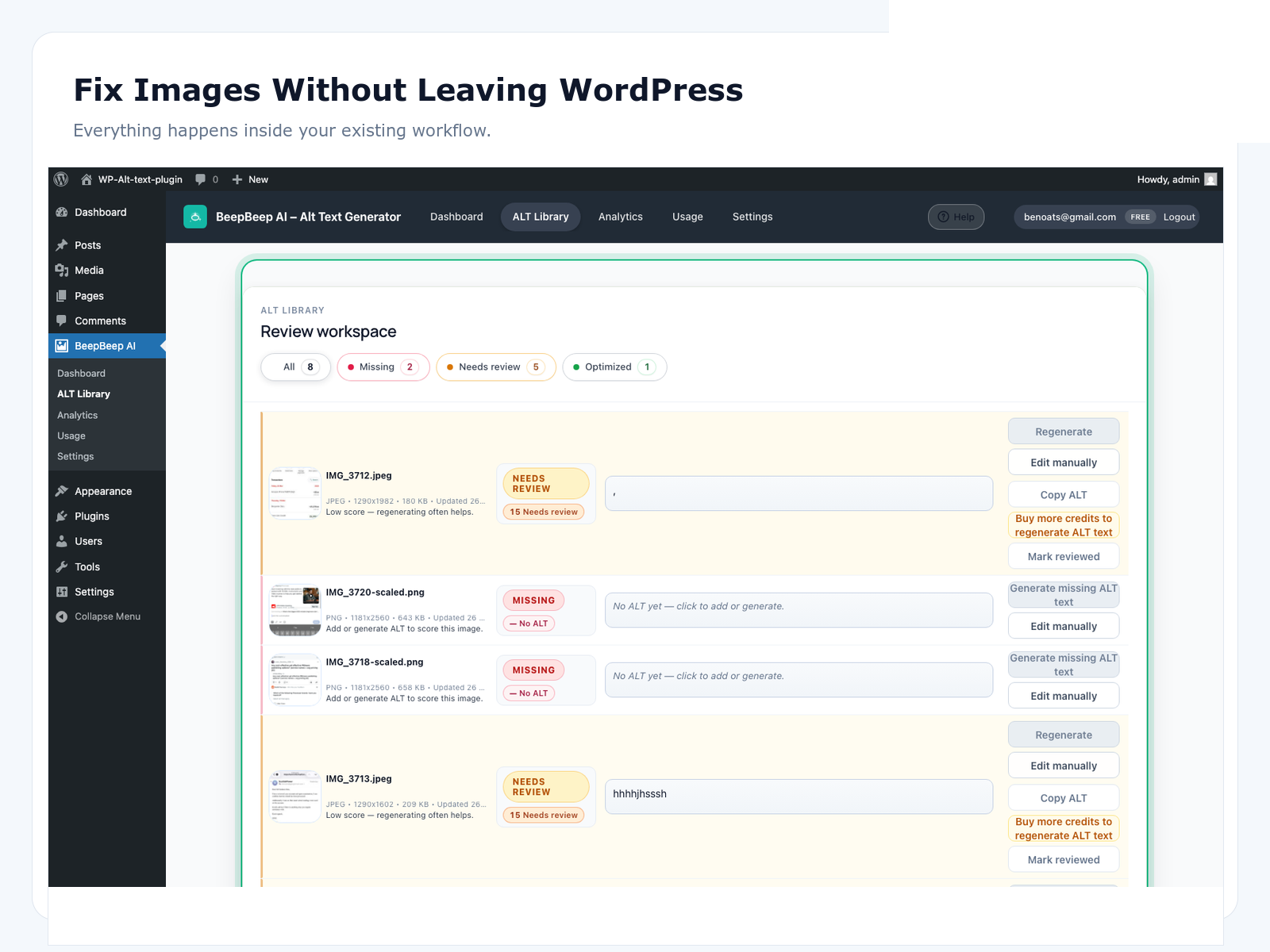
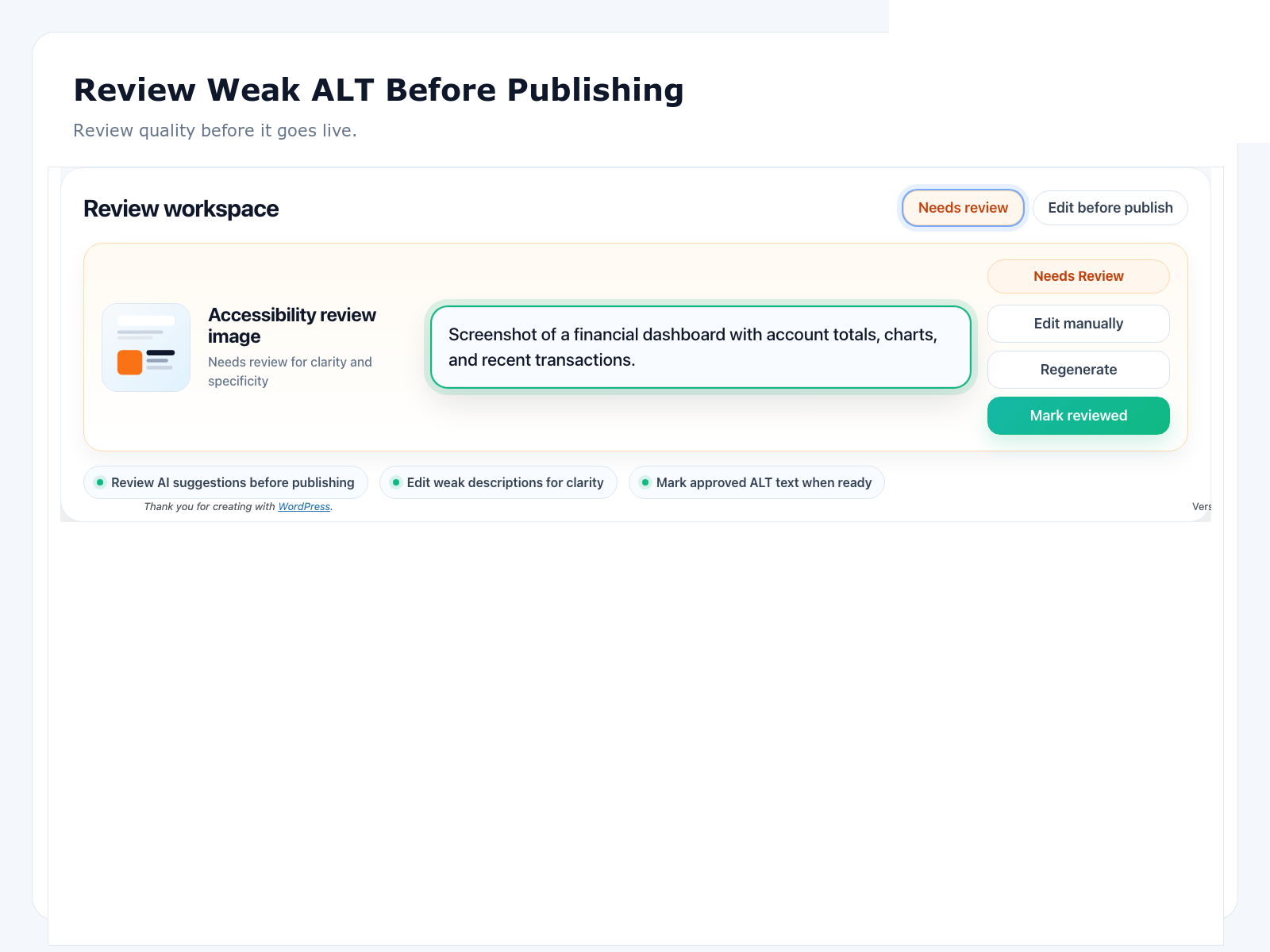
- AI alt text you can edit any time: review, edit or regenerate any result. Missing alt text is filled first, and you choose when to regenerate anything else.
- No OpenAI API key required. Generation runs through the OpptiAI service, so there is no separate AI key to manage or pay for.
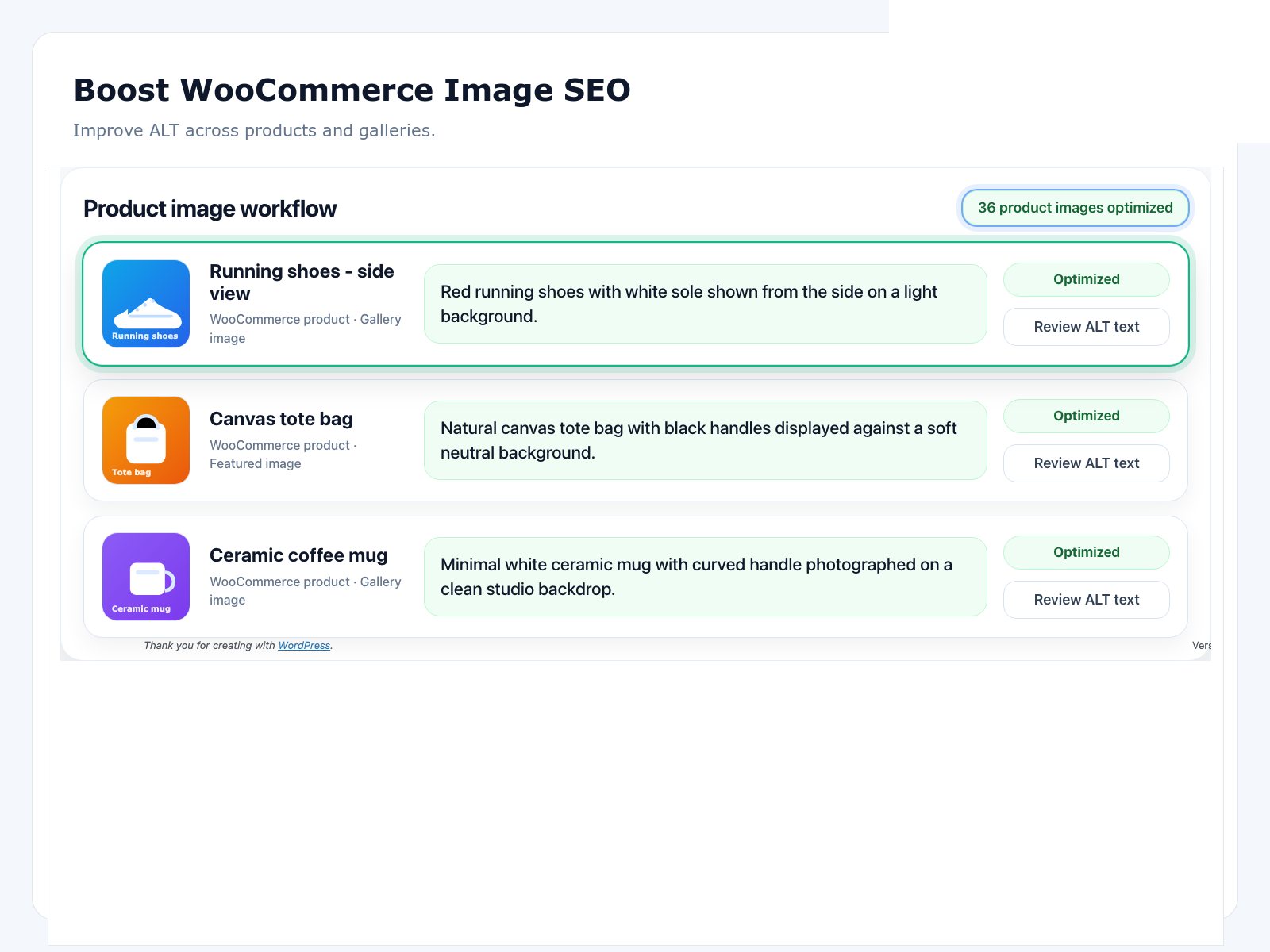
- WooCommerce ready for product featured images and gallery images, without touching your theme or catalogue.
- Bulk generation: select many images, generate them in one run, then review and edit the results. Bulk works within your free allowance, and paid plans add more volume.
- Automatic alt text on new uploads (Autopilot, with Growth or Agency) so coverage does not slip again.
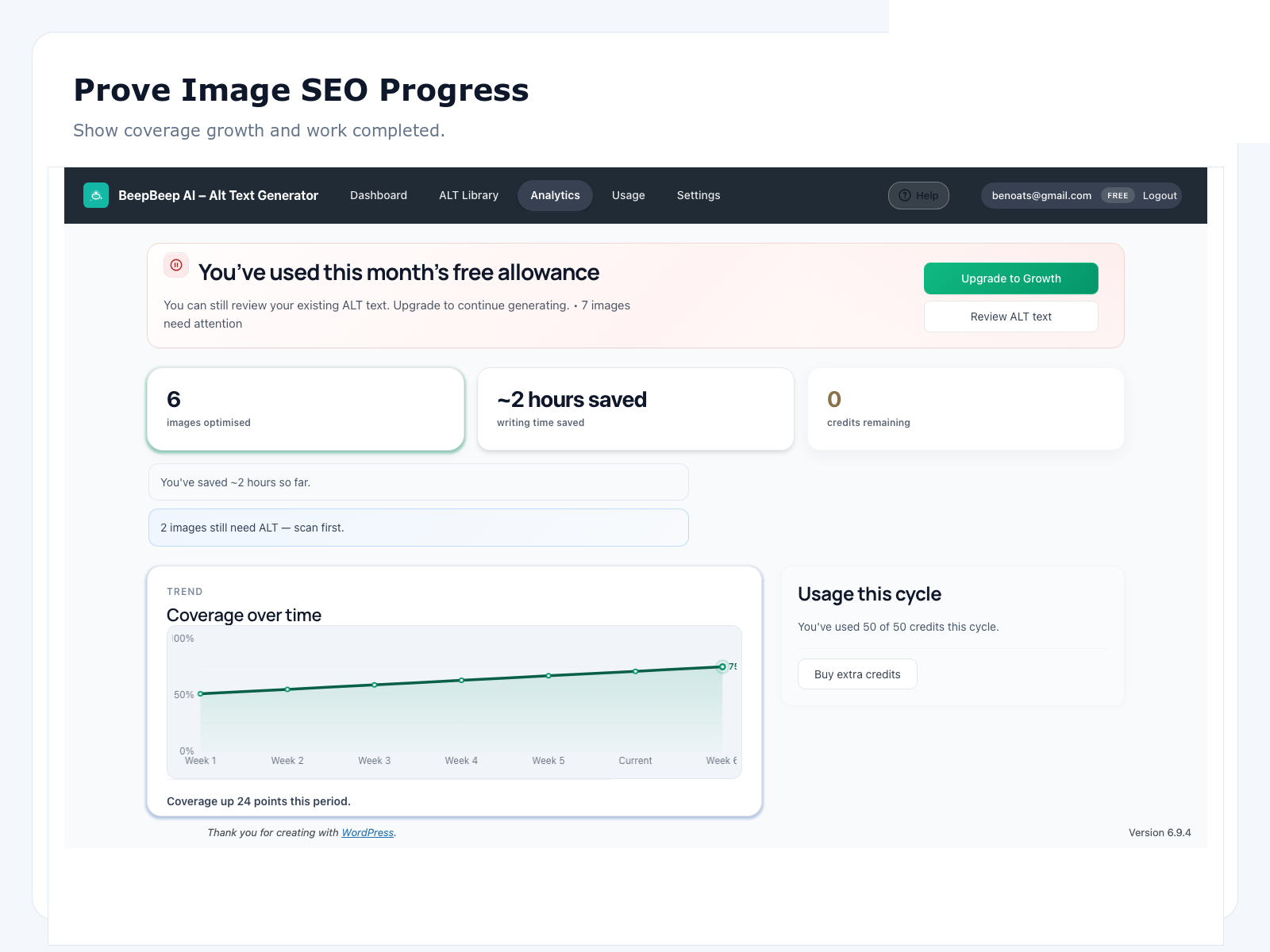
- Usage and coverage tracking so you can see progress over time.
- Native wp-admin workflow, not an external tool bolted on.
- One OpptiAI credit wallet shared with OpptiAI Titles and OpptiAI Internal Linking.
- Install and activate, then open OpptiAI Alt Text.
- Run the free scan to see your alt text coverage and the images that need work.
- Generate alt text for the images that matter most.
- Alt text saves to WordPress straight away, and you can review and edit the results at any time.
- Use bulk generation to clear more of the library in one run, within your allowance.
- Bloggers and publishers fixing image SEO across existing posts and future uploads.
- WooCommerce stores with product images and galleries that have no alt text.
- Agencies and freelancers managing large client media libraries.
- SEO teams improving image discoverability across content and commerce pages.
- Accessibility-focused site owners improving image descriptions as part of WCAG work.
安装:
- Go to WordPress Admin > Plugins > Add New.
- Search for "OpptiAI Alt Text" (or "alt text generator").
- Click Install Now, then Activate.
- Open OpptiAI Alt Text > Dashboard and run the free scan to see your alt text coverage. No API key setup required.
- Generate alt text for the images you want to fix first, then review and edit the results any time.
- Optional, with Growth or Agency: turn on Autopilot in Settings to cover new uploads automatically.
- Running a store? Use bulk generation for existing WooCommerce product images and galleries.
屏幕截图:
常见问题:
Is OpptiAI Alt Text free?
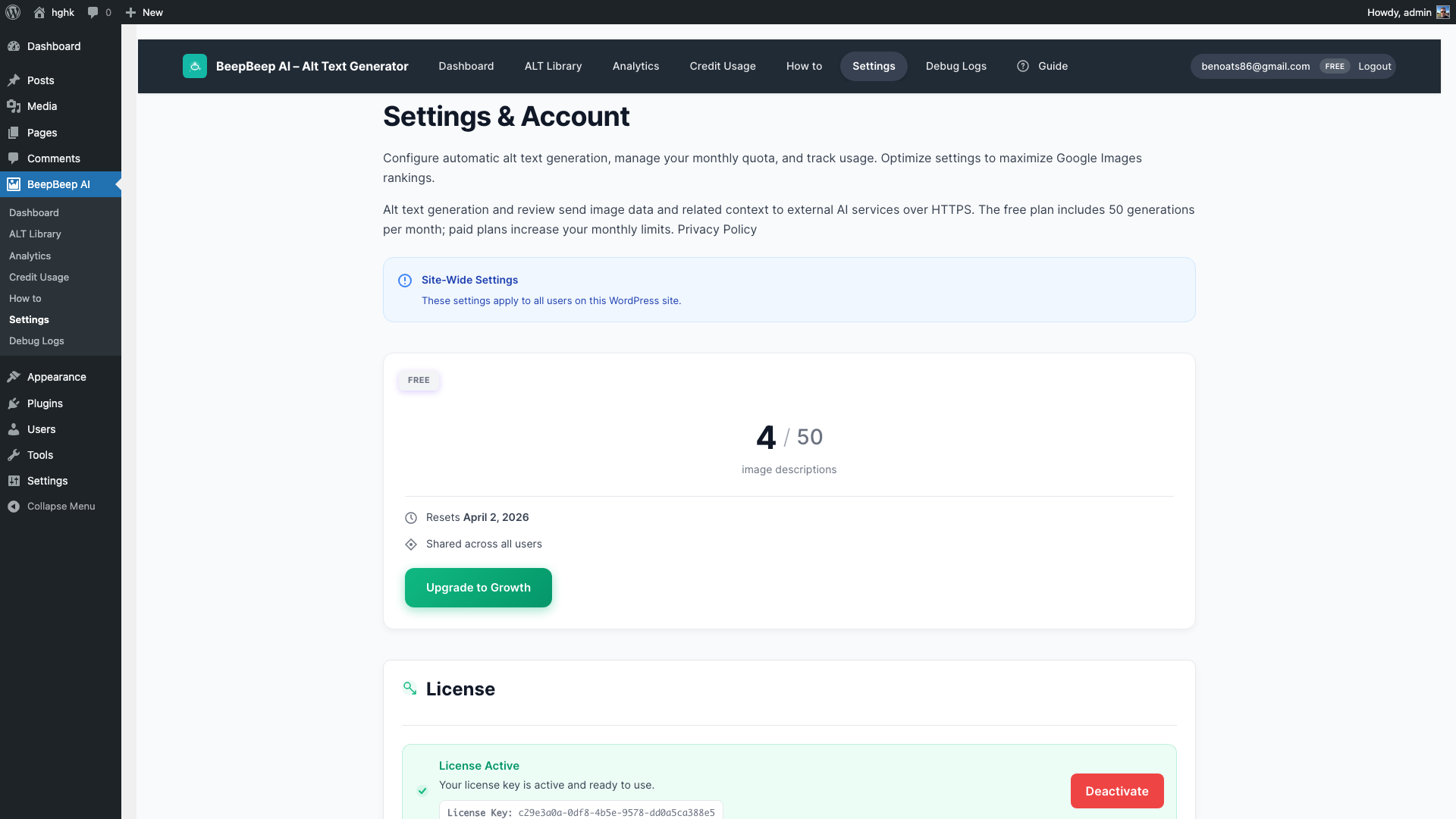
Yes, it is free to try. The coverage scan is free, and you can generate alt text for your first images before you sign up. A free account adds a monthly allowance, which you can use one image at a time or in bulk. Paid plans add more volume.
Can I see how many images are missing alt text before I sign up?
Yes. The scan shows how many images in your Media Library and WooCommerce catalogue are missing alt text, how many need review and how many are already optimised. No account is needed to see the result.
Do I need my own OpenAI API key?
No. Generation runs through the OpptiAI service, so you don't have to create, manage or pay for a separate OpenAI key. Install, activate and start generating.
Can I bulk generate alt text in WordPress?
Yes. Select the images that need work, generate alt text in one run, then review and edit the results. Bulk generation works within your free allowance; paid plans add more volume for larger libraries.
What happens when I run out of credits?
Your saved alt text stays exactly as it is. You can wait for your monthly allowance to refresh, or upgrade to a paid plan for more volume. Failed generations do not use credits.
How does this compare with other AI alt text services?
If you want AI alt text with review control, WooCommerce support and no separate AI key, and you want to try it free first, OpptiAI Alt Text is a practical alternative. See a full comparison of AI alt text tools for WordPress.
Can it fix missing alt tags and image alt attributes?
Yes. WordPress stores image descriptions as alt attributes (often called alt tags). OpptiAI Alt Text finds images with missing alt text and helps you write clearer descriptions for media attachments, posts, pages and WooCommerce products.
Does this plugin help with accessibility and WCAG?
Yes. It helps you find, add and review alt text at scale, which supports accessibility and WCAG-oriented workflows. It assists your judgement rather than replacing it.
Does OpptiAI Alt Text work with WooCommerce product images?
Yes. It supports WooCommerce featured images, gallery images and standard WordPress media attachments used across product pages and shop content.
Can it generate alt text automatically for new uploads?
Yes, with Growth or Agency. Turn on Autopilot in Settings so new uploads get AI alt text automatically. On the free and Starter plans, generation is manual.
Will it overwrite my existing alt text?
Automatic generation only runs on new uploads that arrive without alt text, and bulk generate and regenerate only change the images you choose. You can review and edit the results at any time.
Are there other OpptiAI plugins?
Yes, two more free audits. OpptiAI Titles runs a free SEO health check for missing, duplicate and wrong-length titles and meta descriptions, next to Yoast, Rank Math or AIOSEO. OpptiAI Internal Linking finds orphan pages in one scan, in WordPress, with no account and no credits. All three can share one OpptiAI account.
更新日志:
- After a bulk run uses your last credits, the summary now shows how to continue.
- Users on the free plan can now see when their credits refill.
- Opening Alt Text from the Website Auditor while signed out now brings you back to the images that need review after you connect.
- Wording updates.
- New: a Get started link on the Plugins screen, and a one-time notice after you activate the plugin that takes you to the OpptiAI Alt Text screen.
- New: after you upload images, a link takes you straight back to Generate ALT text.
- New: after your first result, a "More from Oppti" panel points you to our other plugins.
- Improved: empty states now lead with Upload images, and the Generate prompt only shows when the Generate button is there.
- New: an optional usage analytics card. Nothing is shared unless you choose yes, and no site URL, email, images or ALT text are sent.
- Improved: clearer wording on the first-run and trial screens.
- Security hardening for usage stats.
- The background queue skips images that already have alt text, unless you choose Regenerate.
- Usage analytics are only sent after you opt in.
- Security hardening.
- Reject invalid image inputs before generation and handle expired sessions clearly.
- Fixed: Starter accounts now see their own plan details instead of the Free plan limits.
- Fixed: every paid plan (Starter, Growth and Agency) is recognised as paid on the dashboard and usage pages.
- Fixed: the "Usage this month" counter updates right after you generate, using the number from your account.
- Fixed: upgrade buttons carry the right plan price, so checkout starts on the first click.
- Fixed: the Continue with Starter button in the out-of-credits notice opens checkout even if page scripts don't load.
- Fixed: if checkout can't start on a page without scripts, the error message now stays on screen.
- Fixed: plugin admin pages not loading for some paid plans.
- New: a "Usage analytics" switch in Settings. It is off unless you turn it on, and you can turn it off at any time.
- Changed: sites that never chose are treated as opted out.
- Improved: upgrade buttons open checkout in the same tab, and one click starts one checkout.
- Improved: if checkout can't start, you see the reason with Continue to payment, Copy link and Try again, instead of being sent to a different page.
- Improved: sites in the US see US dollar prices; everywhere else sees pounds.
- New: a short review request after your first ALT text is generated, shown once.
- New: a notice when you run out of free credits, with your refill date.
- Fixed: the "generations left" message updates right after you generate, without a reload.
- Fixed: the upgrade window no longer says you've used your free images while you still have some left.
- Fixed: sign-in errors such as a wrong password, or an email that already has an account, stay on screen until you change a field.
- Fixed: sign-up and log-in fallback links now open the plugin's own sign-in window instead of a dead address.
- Fixed: the free trial counter matches your account right after you generate, and updates without a reload.
- Fixed: after checkout or signing in, your plan and credits show straight away.
- Fixed: the credit notice no longer says you fixed 0 images.
- Fixed: if scripts on the page fail to load, upgrade buttons still open a real checkout in the same tab, or show the reason.
- Changed: contact and help messages now go to the OpptiAI support team.
- Fixed: upgrade buttons now open a working checkout page.
- Changed: usage analytics are off unless you opt in.
- Improved: sign-up question options.
- Fixed: a missing stylesheet request on admin pages.
- Fix: failed generations no longer use credits.
- Fix: more reliable background generation.
- New: an optional "How did you find us?" question on the sign-up form. You can skip it.
- Fix: when you're signed in, the credit count now always matches your account.
- Fix: Upgrade and Buy credits buttons now open a secure Stripe checkout linked to your account, so your plan or credits are applied to the right site.
- Fix: after checkout you now see a confirmation message, or a note that nothing was charged if you cancelled.
- Fix: pricing links now go to https://oppti.dev/pricing.
- Security hardening.
- Fix: SVG images are skipped instead of being sent and failing on every Generate click (no credit used), and no longer show a misleading "Generation failed" headline.
- Fix: stop the queue when the free trial is used up, clearer sign-up prompt, sign-up buttons open the right form, clearer login error messages.
- Agency plan top banner now says You’re on OpptiAI Agency with one-subscription Alt Text + Titles subtext (no Pro wording).
- Upgrade modal: US request country (CF-IPCountry) uses USD Stripe Price IDs and dollar amounts; missing/non-US keeps GBP.
- In-plugin By line is now OpptiAI linked to https://oppti.dev.
- Added a quiet OpptiAI Titles cross-sell line at the bottom of the home Dashboard for signed-in Free, Starter, and Growth users.
- Show “Only X credits left this month” on the usage card only when remaining ≤ 5; otherwise show used/limit numbers.
- Added a quiet usage clarification: credits count generations (including retries and titles); images count what you saved.
- Added Settings Account Credit Wallet matching Titles (shared pool, per-plugin breakdown, Titles Open when installed, View Growth plan).
- Updated remaining user-facing BeepBeep chrome in wp-admin to OpptiAI Alt Text.
- Renamed Upgrade to Pro CTAs to Upgrade to Growth (billing id unchanged).
- Fixed: When OpptiAI Titles is installed first, Alt Text now adopts that site's
beepti_site_idso both plugins share one credit wallet (Titles-first install order). Adoption only runs when Alt Text has no site id yet.
- Unified leftover Free and guest copy (exhausted-guest messaging, local allowance defaults, Free plan positioning).
- Rebranded visible wp-admin plugin name and sidebar menu label to OpptiAI Alt Text.
- Increased the free monthly allowance and the guest trial.
- Updated FAQ, dashboard upsell, trial meter and Free pricing copy to match.
- Improved: Remove duplicate usage progress bars and keep limit notices text-only so daily/monthly status is easier to scan.
- Improved: Free-plan limit copy now matches the active blocker (daily vs monthly).
- Fixed: Clarify free-plan daily vs monthly limits when today’s daily allowance is used.
- Fixed: Prevent PHP warning when billing info response omits the nested billing key on free accounts.
- Fixed the generation progress panel placement so it appears beneath the current visible dashboard actions rather than inside the hidden legacy runtime.
- Preserved the existing dashboard layout and only shows the panel while generation is active or has just completed.
- Restored the live generation progress panel beneath the existing logged-in dashboard actions.
- Kept the current dashboard layout and styling while showing processed images, total images, and completion percentage during background generation.
- Clarified that guests can try generation without signing up or entering card details.
- Added an impact-led signup modal at the end of the guest trial, showing images improved and ALT coverage gained.
- Added explicit anonymous-generation properties and complete guest-trial conversion events for PostHog funnels.
- Added a live generation progress bar beneath the dashboard action buttons, including current image, total images, and completion percentage.
- Updated the guest trial dashboard immediately after successful generation, without requiring a page refresh.
- Strengthened the exhausted-trial prompt so guests can clearly create a free account and keep going.
- Fixed an activation fatal by restoring the required marketing attribution class to the release package.
- Fixed generation retry correlation, explicit non-retryable response handling, and terminal telemetry deduplication.
- Fixed telemetry validation gaps: batch_generation_started, upgrade_cta_clicked on NAI paywall paths, checkout_started before Stripe redirect, and auth funnel flush before redirect.
- Fixed undefined entitlement_state PHP warning and wp_localize_script warnings on library admin pages.
- Exposed trackFeatureUsed on the bbaiTelemetry client API.
- Normalized feature_used feature names and routed NAI dashboard calls through the telemetry wrapper when available.
- Fixed NAI dashboard client telemetry for generation_started and generation_completed on the legacy drawer generation path.
- Fixed feature_used emissions for NAI shell navigation (library, settings, dashboard, billing, statistics).
- Fixed per-run generation_run_id assignment so generation_completed is not dropped when the drawer opens before bbai-admin dispatches.
- Telemetry hardening: canonical property enrichment for all new events (plugin_slug, telemetry_version, normalized host, generation_type, quota_state, license_state).
- feature_used events now always require feature_name.
- Unified logged-out and logged-in dashboard rendering around the shared ALT coverage dashboard structure.
- Made ALT Coverage, progress ring, scanned/optimised/missing/review counts, and Next Recommended Action the primary dashboard model.
- Removed remaining Today's Pass, ALT Pass, workflow stepper, and duplicate accessibility metric language from dashboard surfaces.
- Refactored the nAi dashboard into smaller PHP components and focused JavaScript modules while preserving existing dashboard behaviour.
- Split ALT Library generation state helpers into focused legacy-compatible modules for locks, notices, bulk orchestration, API request construction, and row/count/filter state.
- Added regression coverage and release compliance cleanup for dashboard and ALT Library generation flows.
- Fixed background generation persistence so progress survives page navigation, refreshes, and multi-tab sessions across all plugin pages.
- Fixed in-browser background jobs so progress syncs correctly via the shared bbaiJobState subscription, removing duplicate polling and stale state.
- Fixed the ALT Library pagination so approving all items on a filtered page automatically reloads to show remaining items from other pages, instead of leaving an empty view.
- Fixed the floating job widget so the Review images button is visible after generation completes (was invisible due to a WordPress admin CSS conflict).
- Removed the misleading "Review suggestions." suffix from the generation-complete widget status; the button label already communicates the next action.
- Fixed Plugin Check warnings by adding translator comments to all i18n calls with printf placeholders across the plugin.
- Aligned the dashboard insight card layout so the main value heading and CTA buttons sit at the same vertical position across all three cards regardless of the optional success badge.
- Updated the WordPress.org large and small banners with correctly sized Better Alt Text, Better Accessibility artwork.
- Refreshed the WordPress.org thumbnail icon and improved readme SEO coverage for AI alt text, image SEO, accessibility, WooCommerce, and missing alt attributes.
- Polished the dashboard insight cards with clearer outcome copy, proof badges, stronger visual hierarchy, and aligned refreshed-state values.
- Fixed manual Re-scan library feedback so scan completion or failure is shown inline and persists after dashboard refreshes.
- Fixed scan feedback timing so completion messaging is reattached if a dashboard render replaces the re-scan link.
- Improved all-optimised dashboard presentation, retention-strip copy, and state consistency after generation, review, approval, and polling.
- Fixed upgrade CTA and modal stacking edge cases around generation-complete and automation prompts.
- Replaced the WordPress.org banner and thumbnail icon with refreshed Better Alt Text, Better Accessibility artwork.
- Improved generation button loading states with one spinner, one clear Generating ALT text label, hard disabled buttons, and duplicate-click protection.
- Made dashboard polling idempotent so unchanged state no longer flickers, replays completion animations, or replaces stable DOM.
- Fixed dashboard state sync after generation and approval so the donut, right card, credits card, and progress CTA stay aligned without a refresh.
- Fixed stale all-optimised, Done, and review-ready state leaks after approving or generating images.
- Fixed monthly credit usage display and progress bars so usage updates from backend truth after generation.
- Added clear dashboard feedback after manual library re-scans complete or fail.
- Added contextual first-success, review, credit, and upgrade prompts without interrupting generation or review flows.
- Made automatic optimisation CTAs clickable, trackable, and connected to the existing upgrade modal.
- Improved the bulk generation modal with dynamic steps, real progress, live feed entries, compact layout, and clearer completion actions.
- Fixed upgrade modal stacking from the generation-complete automation link so pricing opens above the dismissed progress modal.
- Polished dashboard spacing, CTA alignment, retention-strip copy, and completion/review states.
- Maintenance release.