
BerryPath Guided Selling Flows for WooCommerce
| 开发者 | berrypath |
|---|---|
| 更新时间 | 2026年7月21日 23:55 |
| PHP版本: | 7.4 及以上 |
| WordPress版本: | 7.0 |
| 版权: | MIT |
| 版权网址: | 版权信息 |
详情介绍:
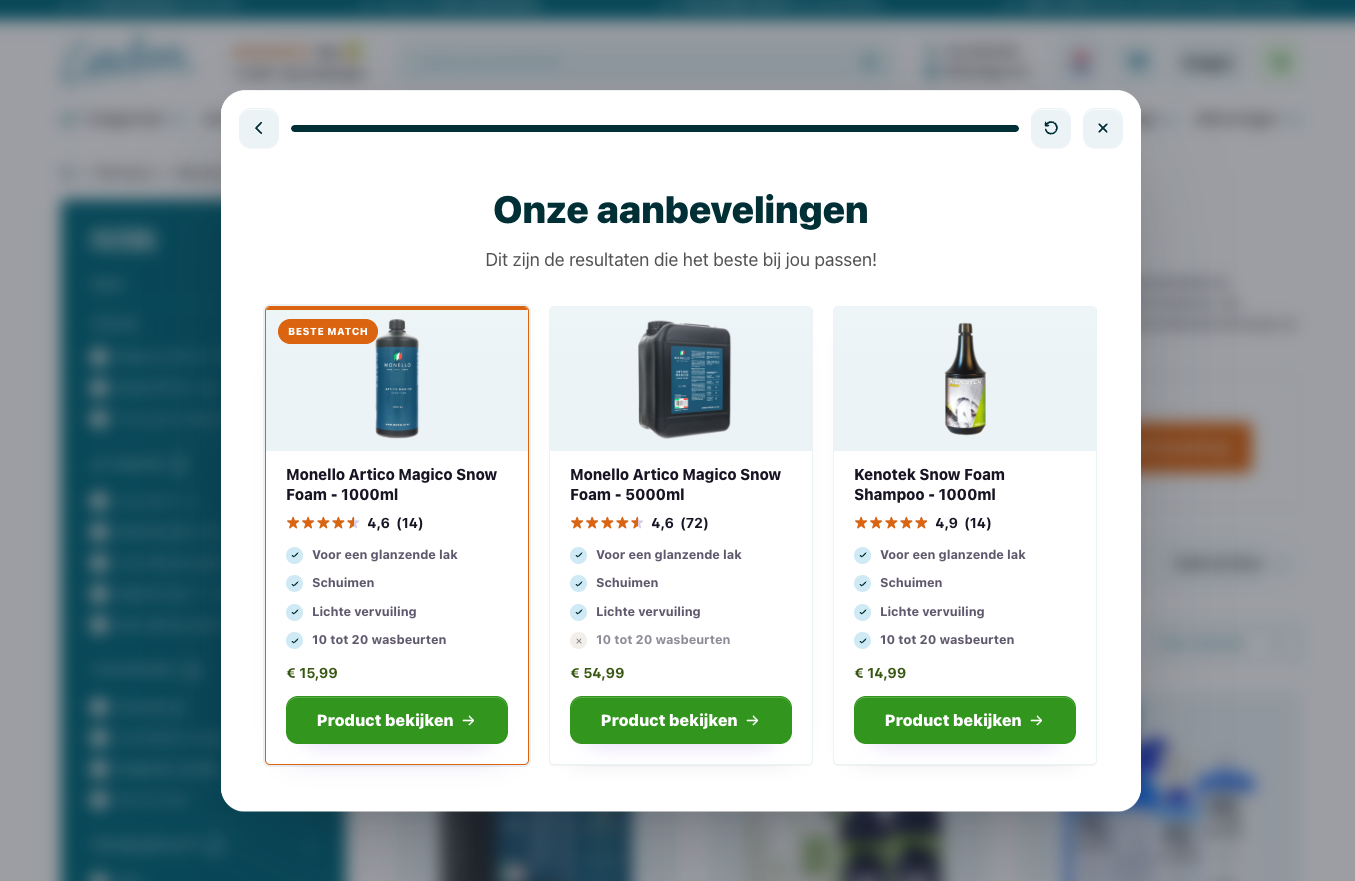
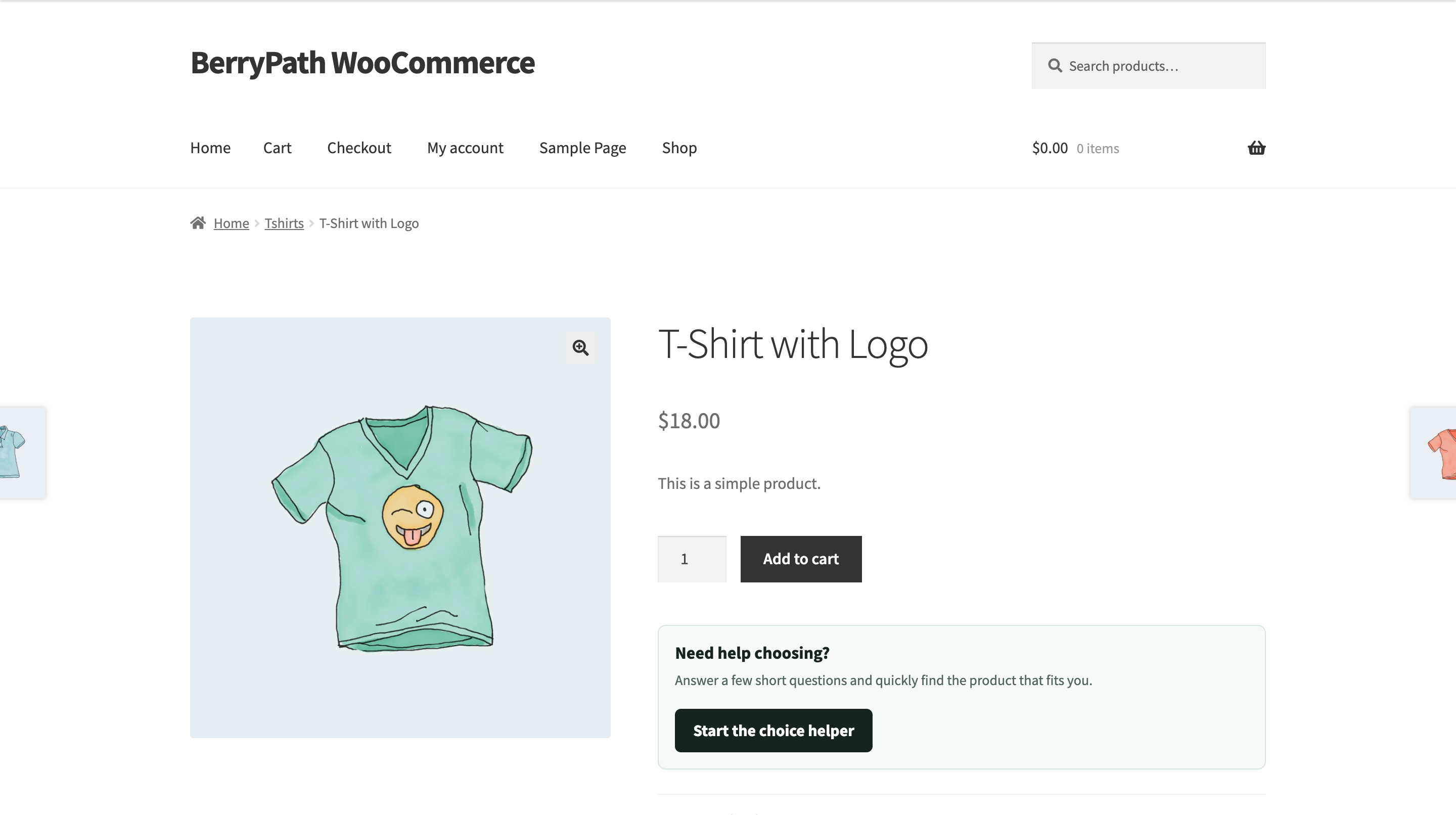
- Product pages: confirm whether the current product fits and guide shoppers to stronger alternatives.
- Category pages: narrow a large collection before filters and product grids become overwhelming.
- WordPress content: turn buying guides, landing pages, and campaign pages into interactive product advice.
- Popup, sidebar, or inline: choose the experience that best fits the page and your theme.
- Configure global market, locale, and product identifier defaults from WooCommerce.
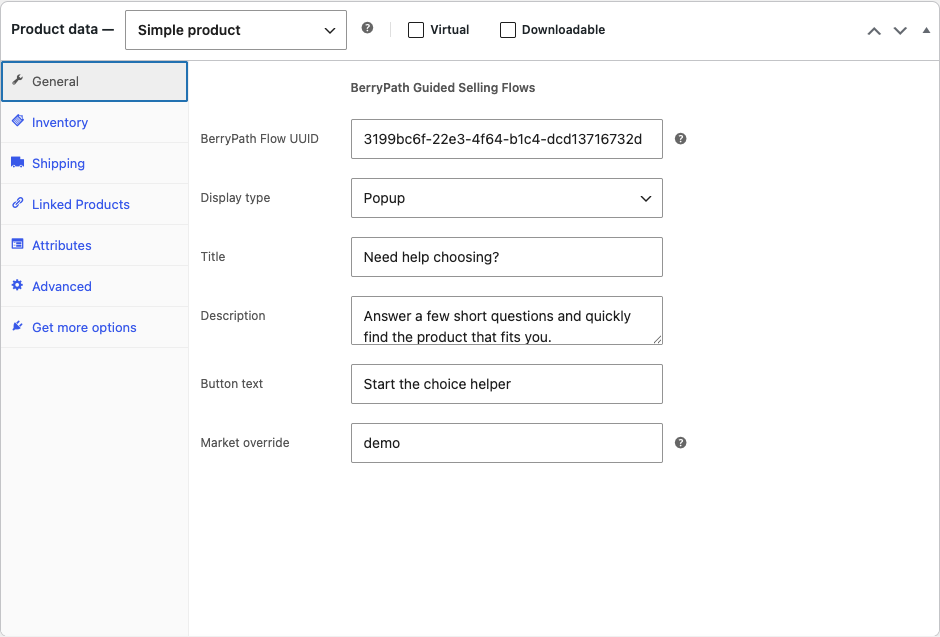
- Assign a different BerryPath Flow UUID to each product or product category.
- Insert the BerryPath Guided Selling Flows block in the WordPress editor.
- Use the
[berrypath_flow]shortcode in page builders and custom content. - Connect recommendations to the current product by ID, SKU, slug, name, global unique ID, custom field, or attribute.
- Measure assisted order value on the WooCommerce thank-you page.
- Override storefront templates and styling from your theme.
- Build and publish a guided selling flow in BerryPath.
- Copy its BerryPath Flow UUID.
- Paste the UUID into a WooCommerce product, category, WordPress block, or shortcode.
- Test the shopper journey and use BerryPath analytics to improve it.
安装:
- Install BerryPath Guided Selling Flows for WooCommerce from Plugins > Add New, or upload the plugin ZIP.
- Activate the plugin. WooCommerce must also be active.
- Go to WooCommerce > BerryPath Guided Selling.
- Review the product matching and assisted conversion defaults.
- Publish a flow in BerryPath and copy its BerryPath Flow UUID.
- Add the UUID to a product, product category, BerryPath block, or shortcode.
屏幕截图:




常见问题:
Do I need a BerryPath account?
Yes. The WordPress plugin connects WooCommerce to guided selling flows built and published in BerryPath. If you are new to BerryPath, you can start free with 1 guided selling flow and up to 2,500 products. Existing customers keep using their current BerryPath plan.
Is BerryPath free to use?
A free BerryPath plan is available with 1 guided selling flow and up to 2,500 products. The WooCommerce plugin itself has no separate charge. Existing paid customers keep their current plan. See BerryPath pricing if you need more flows, products, or plan features.
Does BerryPath replace my WooCommerce catalog or checkout?
No. BerryPath guides the product choice and sends shoppers to your existing WooCommerce products, cart, and checkout.
Where can I place a guided selling flow?
You can add a BerryPath Flow UUID to individual products and product categories. For WordPress pages and posts, use the BerryPath Guided Selling Flows block or the shortcode.
Can I use the plugin with a page builder?
Yes. Add the shortcode to any builder that supports WordPress shortcodes:
[berrypath_flow flow="YOUR_FLOW_UUID" type="popup"]
The supported display types are popup, sidebar, and inline.
How does BerryPath match the current WooCommerce product?
Choose the identifier that matches your BerryPath product dataset: product ID, SKU, slug, name, global unique ID, custom field, or product attribute. The plugin sends that value to the flow on product pages.
What does assisted conversion tracking send?
When enabled, the WooCommerce thank-you page sends the order total and configured product identifiers to BerryPath. It does not send customer names, email addresses, postal addresses, or payment details. You can disable this tracking in the plugin settings.
Can a theme override the widget markup and styling?
Yes. Copy templates from templates/ to your theme under berrypath-flow/. The included CSS also exposes custom properties for common visual adjustments.
更新日志:
- Rename the plugin to BerryPath Guided Selling Flows for WooCommerce.
- Add a guided setup, useful status summary, documentation links, and placement guidance to the settings page.
- Improve the block editor preview and empty-state guidance.
- Expand product matching field descriptions and plugin action links.
- Rewrite the WordPress.org listing around shopper outcomes, use cases, setup, privacy, and compatibility.
- Make the free plan allowance of 1 flow and up to 2,500 products clear during setup and on WordPress.org.
- Add branded icons, plugin header artwork, and a more complete screenshot set.
- Initial release.