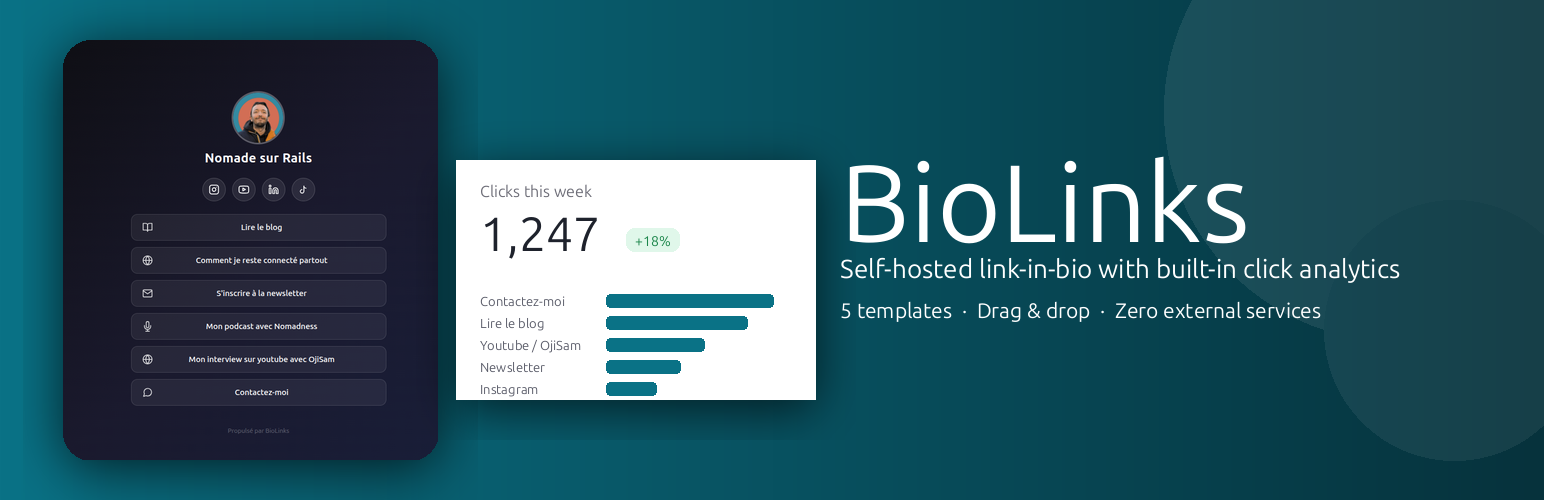
BioLinks
| 开发者 | nomadesurrails |
|---|---|
| 更新时间 | 2026年11月26日 18:49 |
| PHP版本: | 8.0 及以上 |
| WordPress版本: | 7.1 |
| 版权: | GPLv2 or later |
| 版权网址: | 版权信息 |
详情介绍:
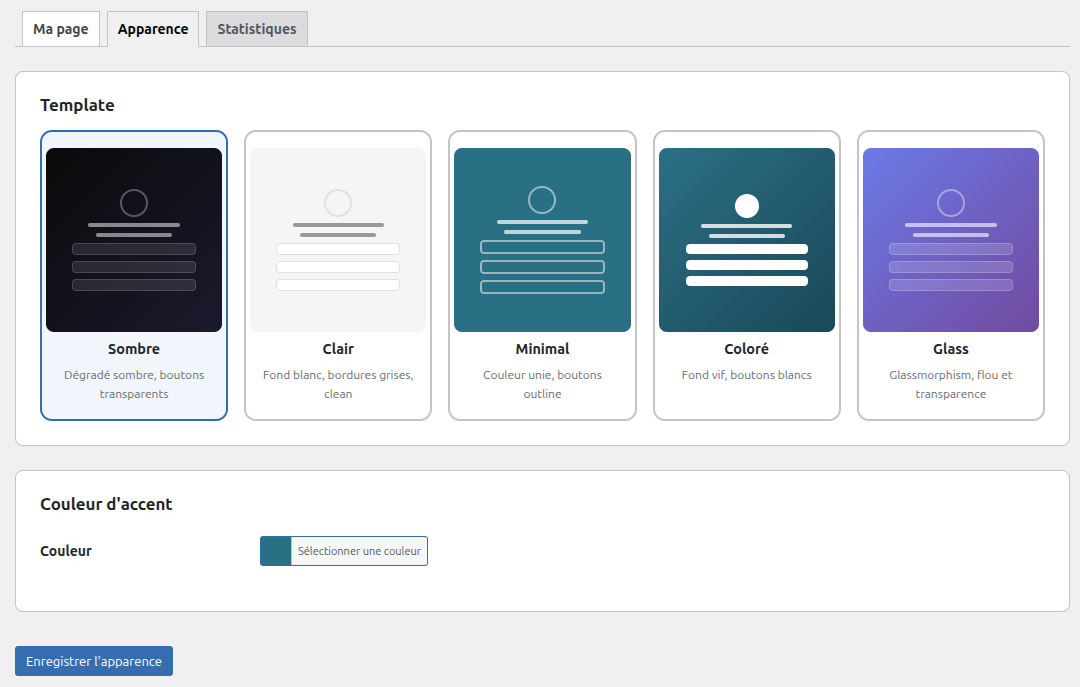
- 5 visual templates: Dark, Light, Minimal, Colorful, Glassmorphism
- Custom accent color: Native WordPress color picker to match your brand
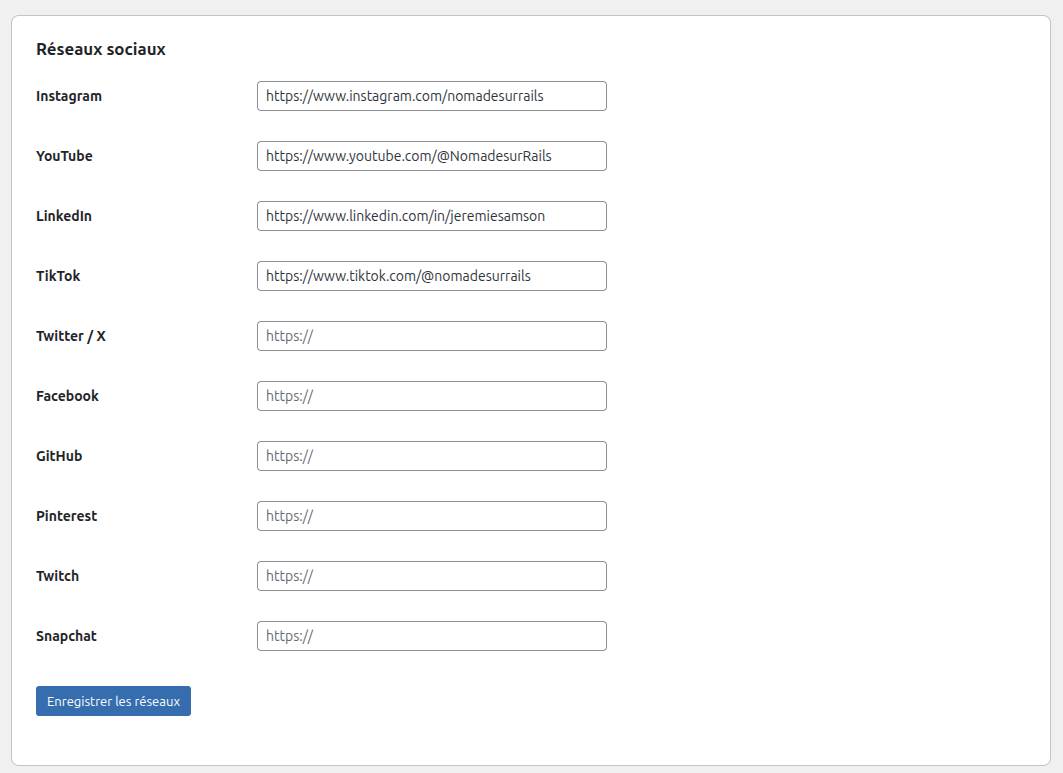
- Social media icons: Instagram, YouTube, TikTok, LinkedIn, Twitter/X, Facebook, GitHub, Pinterest, Twitch, Snapchat, WhatsApp, Bluesky, Mastodon, plus Blog and RSS links (SVG icons displayed automatically)
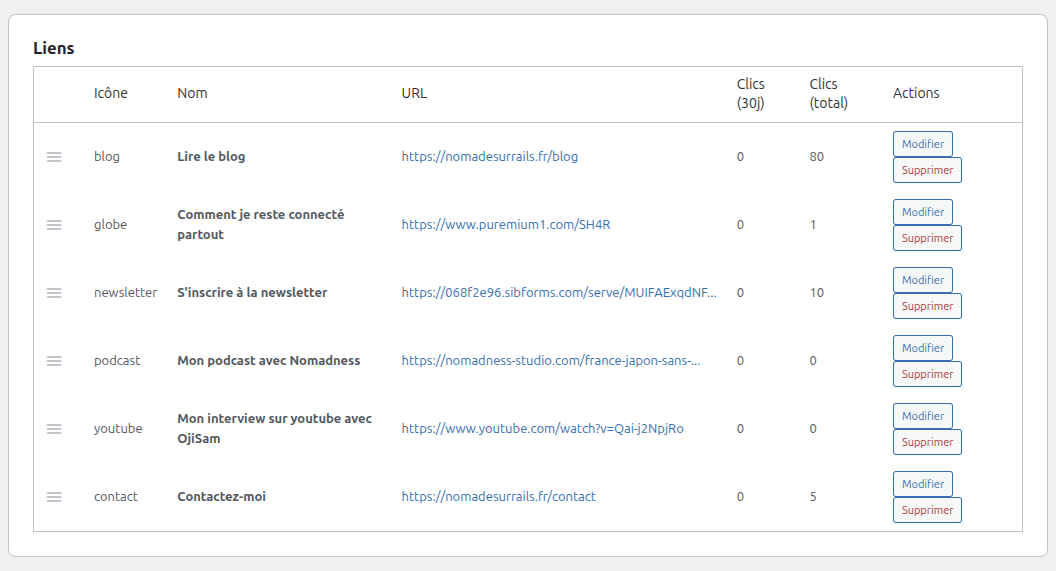
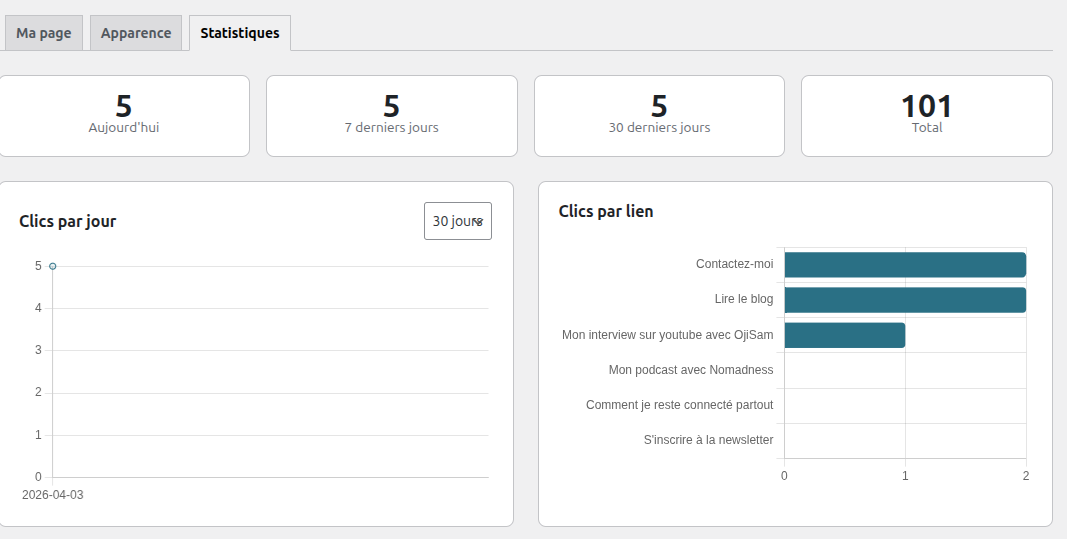
- Click tracking: Built-in analytics with daily charts and per-link stats inside your WordPress admin
- Page views and click-through rate: See how many visitors open your page and which share of them click each link
- Traffic sources: Find out whether your visitors come from Instagram, TikTok, Facebook, LinkedIn, search engines or other sites, detected on your own server
- Highlighted links: Make your most important link stand out with the accent color
- Section titles: Group your links under headings
- Scheduled links: Show a link from a start date, until an end date, or both. Works even when the page is cached
- UTM parameters: Optionally tag outgoing links so the destination site can attribute the visit to your link in bio
- Newsletter form: Optional email field that posts straight to your email provider (Mailchimp, Brevo, MailerLite, Kit...)
- Rich link previews: Open Graph and Twitter Card tags, so your page shows a title, a description and your photo when shared
- Standalone page: No theme header/footer, works with any WordPress theme
- Zero external dependencies: Everything hosted on your server. No CDN, no cookies, no third-party tracking. GDPR friendly by design
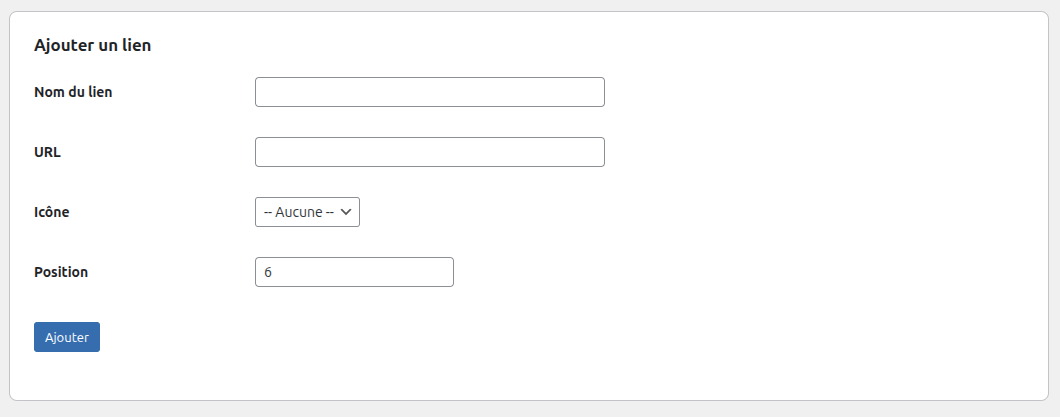
- Drag & drop link ordering: Reorder your links with a simple drag and drop
- Media Library integration: Upload your profile photo directly from the WordPress media library
安装:
- Upload the
biolinksfolder to the/wp-content/plugins/directory, or install the plugin through the WordPress plugins screen directly. - Activate the plugin through the 'Plugins' screen in WordPress.
- Your page is created automatically at
/links/. - Go to BioLinks in the admin menu to configure your links, photo, and template.
屏幕截图:

常见问题:
Is BioLinks really free?
Yes, 100%. No premium version, no locked features. The full plugin, forever.
What's the difference with Linktree?
Linktree hosts your page on their domain (linktr.ee). With BioLinks, your page lives on your own WordPress site. You keep full control over design, data, and SEO.
Is it compatible with my WordPress theme?
BioLinks generates a standalone page without your theme's header or footer. It works with any WordPress theme.
Can I customize the design?
Choose from 5 templates and customize the accent color. For advanced customization, you can add custom CSS in the WordPress customizer.
What happens when I uninstall the plugin?
All BioLinks data (links, settings, statistics) and the generated page are permanently deleted. Make sure to export any data you need before uninstalling.
Does it work with caching plugins?
Yes. The bio page is a standard WordPress page and works with all major caching plugins (WP Super Cache, W3 Total Cache, LiteSpeed Cache, etc.). Its stylesheet is inlined, so CSS optimization features cannot strip it, and click tracking keeps working on pages cached for days. Scheduled links are shown and hidden in the browser, at the right time, even on a cached page.
Does BioLinks use cookies?
No. Views and clicks are recorded on your server without any cookie or browser storage. The traffic source is guessed from the browser signature of social network apps and from the referring site, then stored as a single word such as "instagram". Each click also keeps the browser signature (user agent), page views keep nothing else. IP addresses are not stored in the statistics.
How do I add a newsletter form?
In the Appearance tab, enable the newsletter form and paste the form action URL and the email field name found in the embed code of your email provider. Add the hidden fields of that embed code if it has any. The visitor's address goes straight to your provider: BioLinks never sees it.
更新日志:
- Fix: click tracking silently stopped working once a page cache kept the BioLinks page longer than a day, because the security token embedded in the page expired. Tracking no longer depends on it, and requests coming from another site are rejected.
- New: page views, click-through rate per link and traffic sources (Instagram, TikTok, Facebook, LinkedIn, search engines...) in the Statistics tab. Existing clicks are classified retroactively.
- New: highlight a link with the accent color.
- New: section titles to group links.
- New: schedule a link with a start date, an end date, or both.
- New: optional UTM parameters on outgoing links.
- New: optional newsletter form that posts straight to your email provider.
- New: Open Graph, Twitter Card, meta description and canonical tags, so shared links show a proper preview.
- New icons: book, download, document, calendar, location, gift, star and heart.
- Improvement: the template stylesheet is now inlined. CSS optimization plugins can no longer strip it, and the page saves a request.
- Improvement: stylesheets, scripts and resource hints added by other plugins are no longer printed on the BioLinks page, and jQuery is no longer loaded there.
- Bots and link preview crawlers are no longer counted.
- The support banner now waits for real usage: it only shows up once your BioLinks page has collected at least 25 clicks.
- Add Bluesky, Mastodon, Blog and RSS as social network options.
- Housekeeping: remove an unused internal constant left over from the old link icon auto detection.
- Fix: admin JavaScript strings (media picker, chart labels, import button) were hardcoded in French and could not be translated. They now go through the translation system.
- Fix: the dashboard widget tooltip was hardcoded in English and is now translatable.
- French and German translations for the newly translatable strings.
- Confirm compatibility with WordPress 7.1 (tested against 7.1-RC3).
- Fix leftover theme and plugin widgets (back to top buttons, language switchers, cookie banners) showing up unstyled on the BioLinks page.
- Add the
biolinks_keep_callbacksfilter to let sites re-enable specific footer or header output on the BioLinks page. - Note: third party scripts no longer run on the BioLinks page, so site wide analytics stop counting views there. Use the
biolinks_keep_callbacksfilter to bring them back.
- Add WhatsApp as a social network option.
- Add German (de_DE) translation.
- Add an opt-in support banner on the admin page: leave a review and enable the footer credit.
- Fix: process admin form submissions on the page load hook so redirects work even when output buffering is off (previously could show a blank page after saving).
- Fixed an initialization race condition that prevented the dashboard widget sparkline from rendering when Chart.js was loaded in the footer
- Added a WordPress dashboard widget showing BioLinks click stats (today, 7 days, 30 days, all-time KPIs, 30-day sparkline, and top 3 most clicked links)
- Renamed transient key to use the
biolinks_prefix (wasbl_), avoiding potential conflicts with other plugins - Replaced promotional wording on the optional footer credit admin setting with neutral, factual labels (opt-in behavior unchanged, remains disabled by default)
- Replaced inline
<style>output withwp_add_inline_style()against the template handle - Replaced inline
<script>chart data withwp_add_inline_script()against the admin script handle - Removed Google Analytics auto-detection and third-party script loading; BioLinks no longer contacts any external server. Built-in click analytics remain fully available
- Updated the Contributors list to match the submitter account
- Made the optional "Powered by BioLinks" footer credit a clickable link to the developer's website
- Renamed the admin option to "Support the developer" with a clearer description of its purpose
- Fixed WordPress admin bar appearing unstyled on the standalone bio page for logged-in users
- Added internationalization (i18n) support with French translation
- Bundled Chart.js and SortableJS locally (no more external CDN)
- Added optional "Powered by BioLinks" footer credit linking to the developer's website (disabled by default)
- Added uninstall cleanup (removes all data on uninstall)
- Used dbDelta() for database table creation
- Added full plugin header for WordPress.org compatibility
- Initial release
- 5 visual templates (Dark, Light, Minimal, Colorful, Glass)
- Custom accent color with WordPress color picker
- Social media icons (10 networks)
- Click tracking with daily charts and per-link stats
- Standalone page without theme header/footer
- Drag & drop link ordering
- Media Library integration for profile photo
- Import from Click Tracker plugin