
Bionic Uptime
| 开发者 | bionicuptime |
|---|---|
| 更新时间 | 2026年10月2日 11:30 |
| PHP版本: | 7.4 及以上 |
| WordPress版本: | 7.1 |
| 版权: | GPLv2 or later |
| 版权网址: | 版权信息 |
详情介绍:
- Show "Online" unless Bionic Uptime said so in the last minute.
- Guess. If the plugin cannot reach Bionic Uptime, it says so in grey. It does not show the last good status.
- Rely on colour alone. Every status has a shape and words.
安装:
- Install and activate the plugin.
- Get a free key at bionicuptime.com/wordpress.
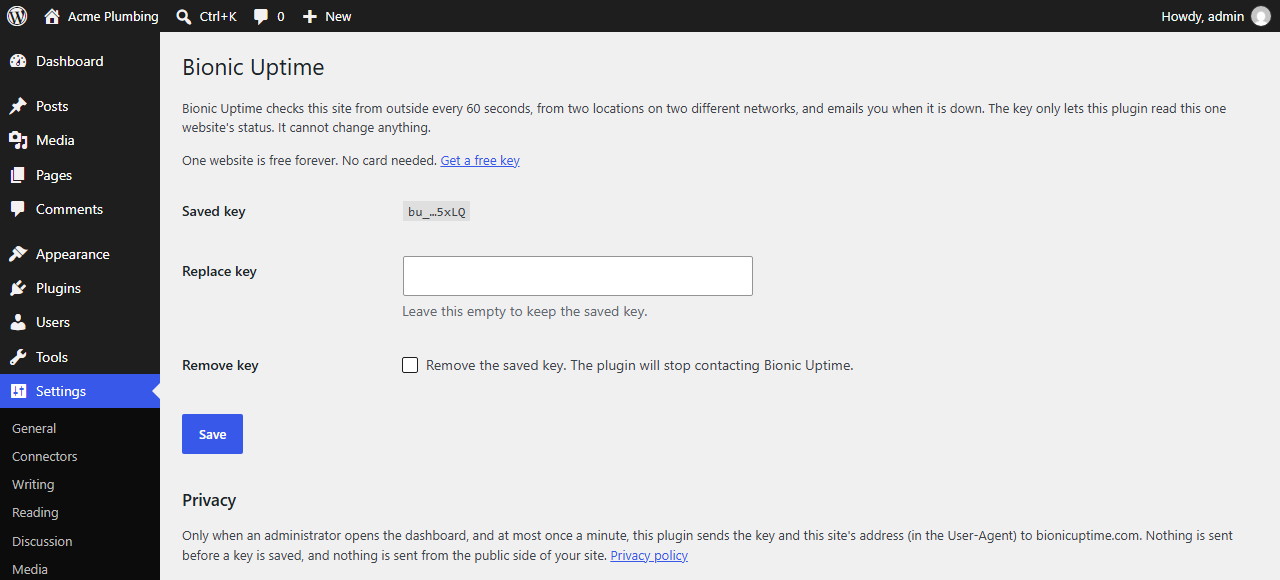
- Go to Settings, then Bionic Uptime, and paste the key.
- Open your dashboard. The Bionic Uptime widget shows the status.
屏幕截图:
常见问题:
Why is there no "check from inside WordPress"?
A plugin goes down with the site. When the site is down, the plugin is down too, so it cannot tell you. Bionic Uptime runs its checks from outside your server, so it can still see the site and email you when the site is not answering.
Does it slow my site?
No. The plugin makes no calls on the public side of your site. It only asks Bionic Uptime for the status when an administrator opens the dashboard, and at most once a minute.
What does it catch?
Your site not answering, error pages, and certificate problems. You can also set a phrase to look for, which catches pages that load but show the wrong thing.
Who can see the widget?
Only users who can manage options, which is normally administrators.
Where do the alerts come from?
From Bionic Uptime, by email. The plugin does not send email.
What happens when I delete the plugin?
It removes the saved key and the cached status from your database.
更新日志:
- The free plan now covers 3 websites; the settings page says so.
- First release.