BitBot - AI Chatbot, Content Generator, Forms & Leads
| 开发者 | youamibot |
|---|---|
| 更新时间 | 2026年4月3日 23:24 |
| 捐献地址: | 去捐款 |
| PHP版本: | 7.4 及以上 |
| WordPress版本: | 6.9.4 |
| 版权: | GPLv2 or later |
| 版权网址: | 版权信息 |
详情介绍:
[bitbot_form]. Spam protection built in.
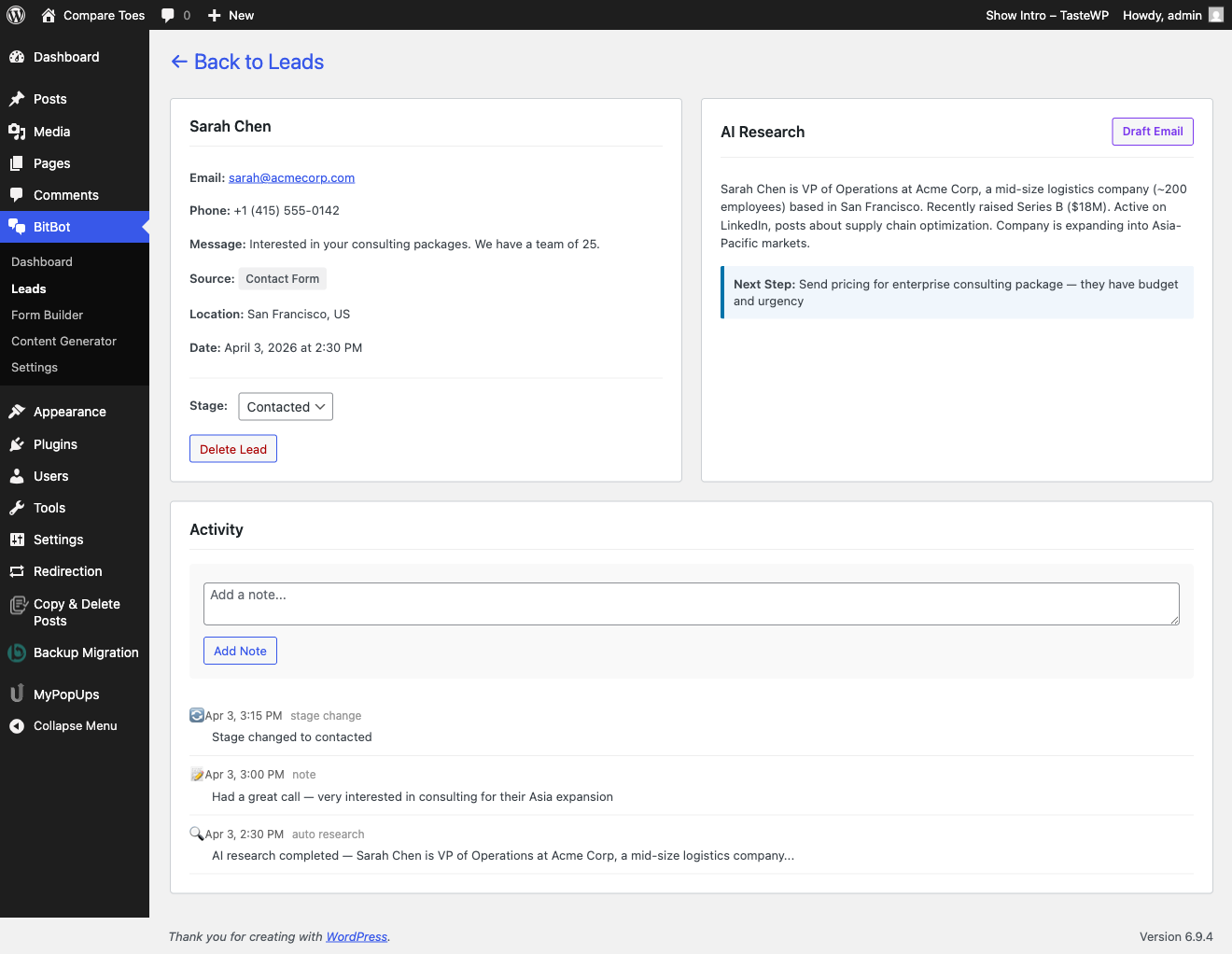
Leads Pipeline — Every form submission and chat email captured as a lead. Track through stages (New, Contacted, Qualified, Won, Lost). One-click AI research on any lead. AI-drafted follow-up emails. Geolocation included.
All four work together: content brings traffic, the chatbot answers questions and captures leads, forms capture the rest, and the pipeline helps you close them.
$10/month. First month free. No API keys. No per-token billing. Just install and go.
See it live on PolishingRocks.com — ask the chatbot anything about rock tumbling.
Content Generator
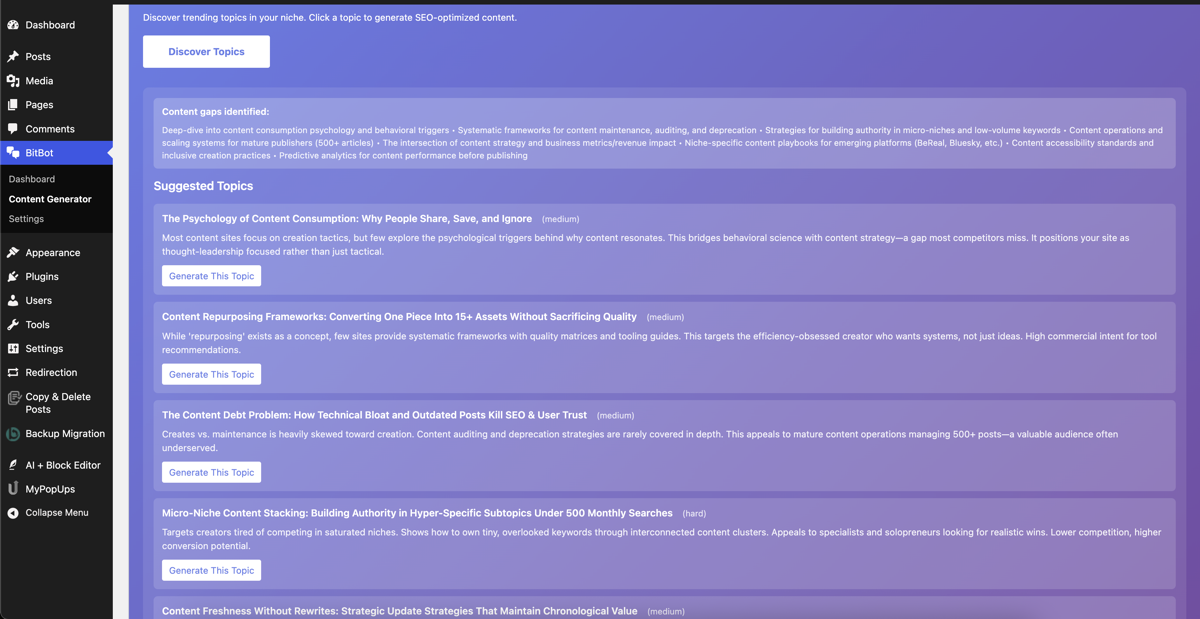
- Discover trending topics in your niche with one click
- Generate posts that complement your existing content — no duplicates
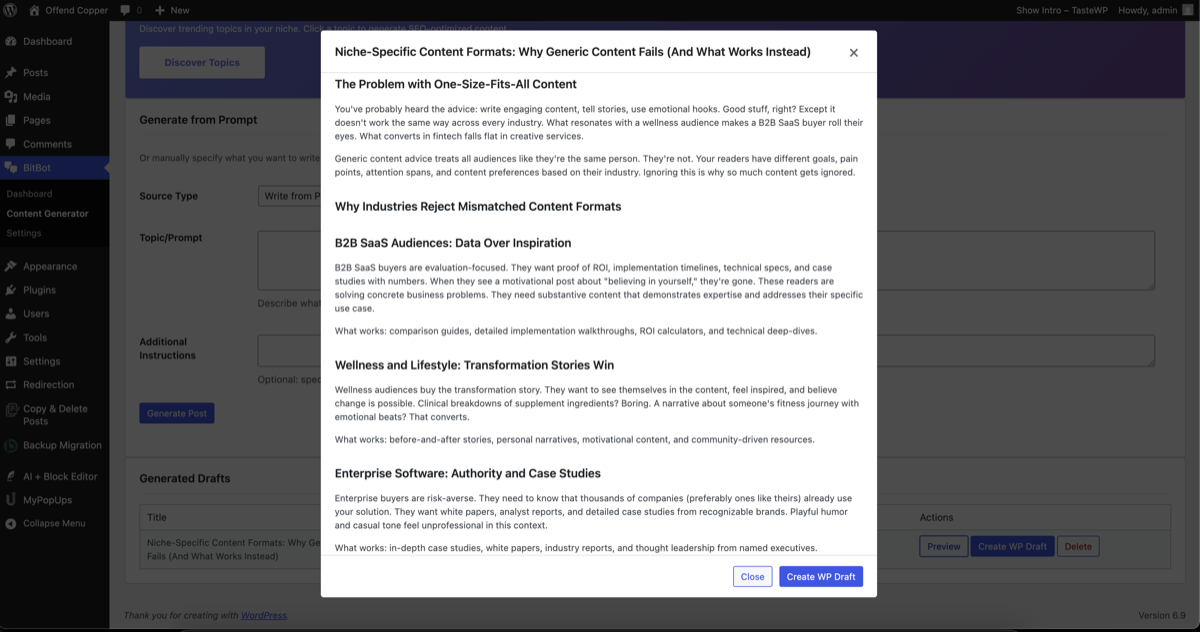
- Create from a prompt, a URL, or an uploaded document
- Full editorial control — preview, edit, approve before publishing
- SEO metadata generated automatically (title, description, focus keywords)
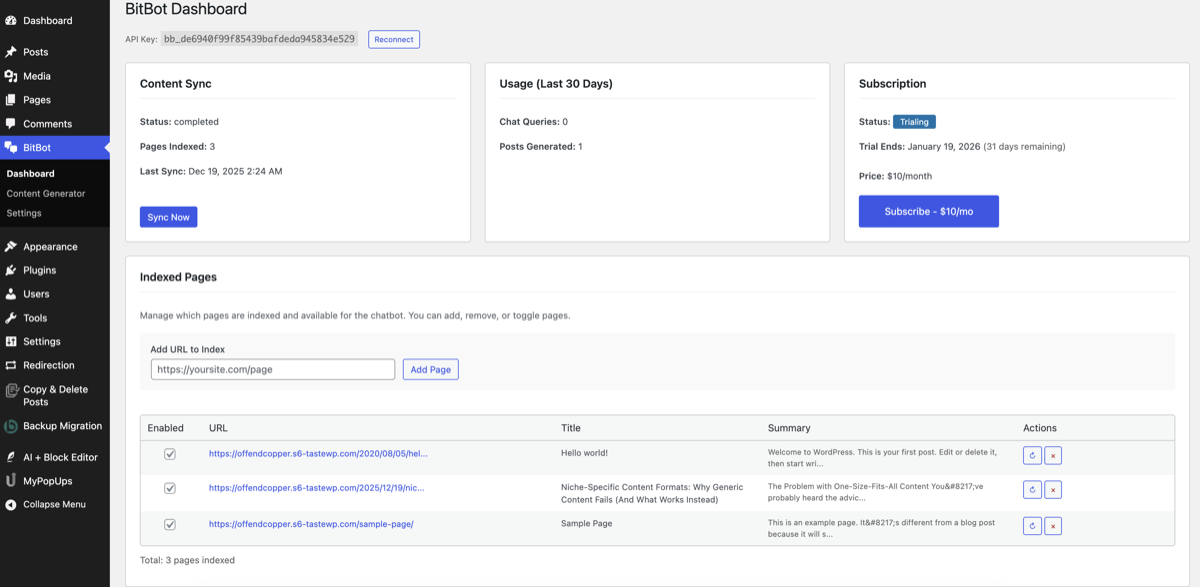
- Reads and indexes every page and post on your site automatically
- Answers from your content — not generic AI, not hallucinations
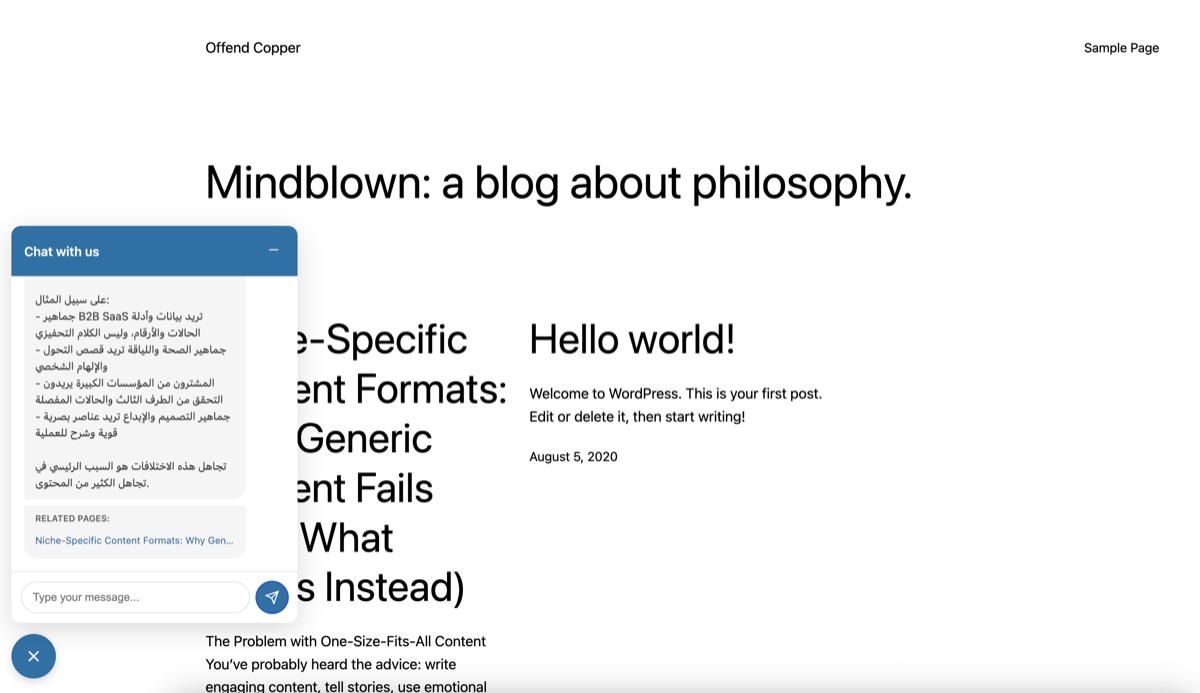
- Every answer includes citations linking back to the source page and section
- 100+ languages — visitor asks in Hindi, bot answers in Hindi, even if your site is in English
- Remembers conversation context — follow-up questions just work
- When the bot can't fully answer, it naturally suggests sharing an email — lead created automatically
- Auto-syncs when you publish, update, or delete content
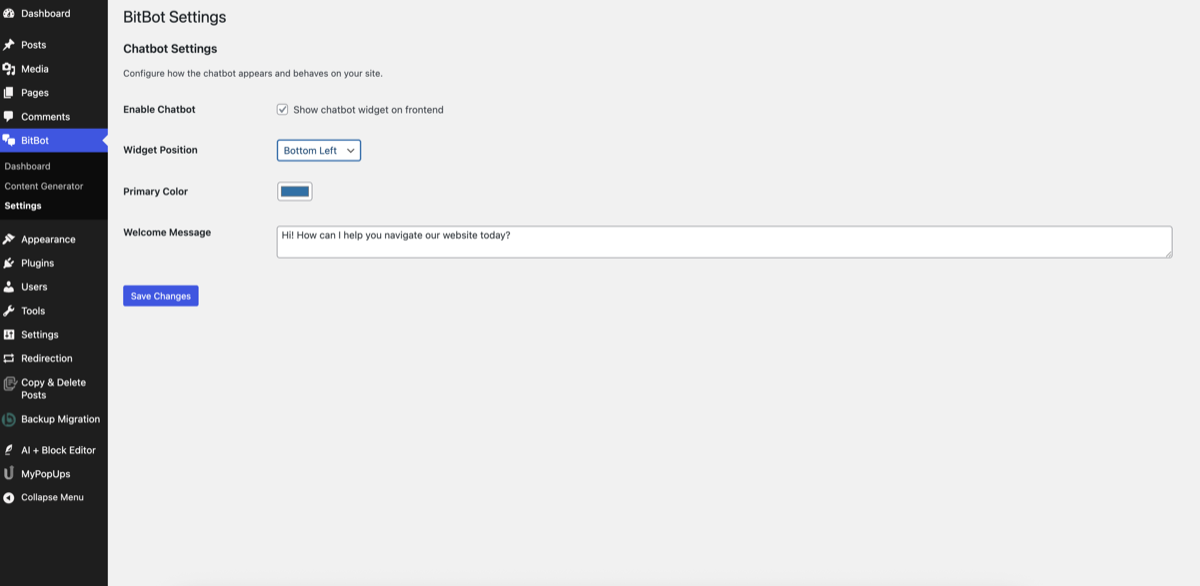
- Mobile-responsive, customizable colors, loads async (zero speed impact)
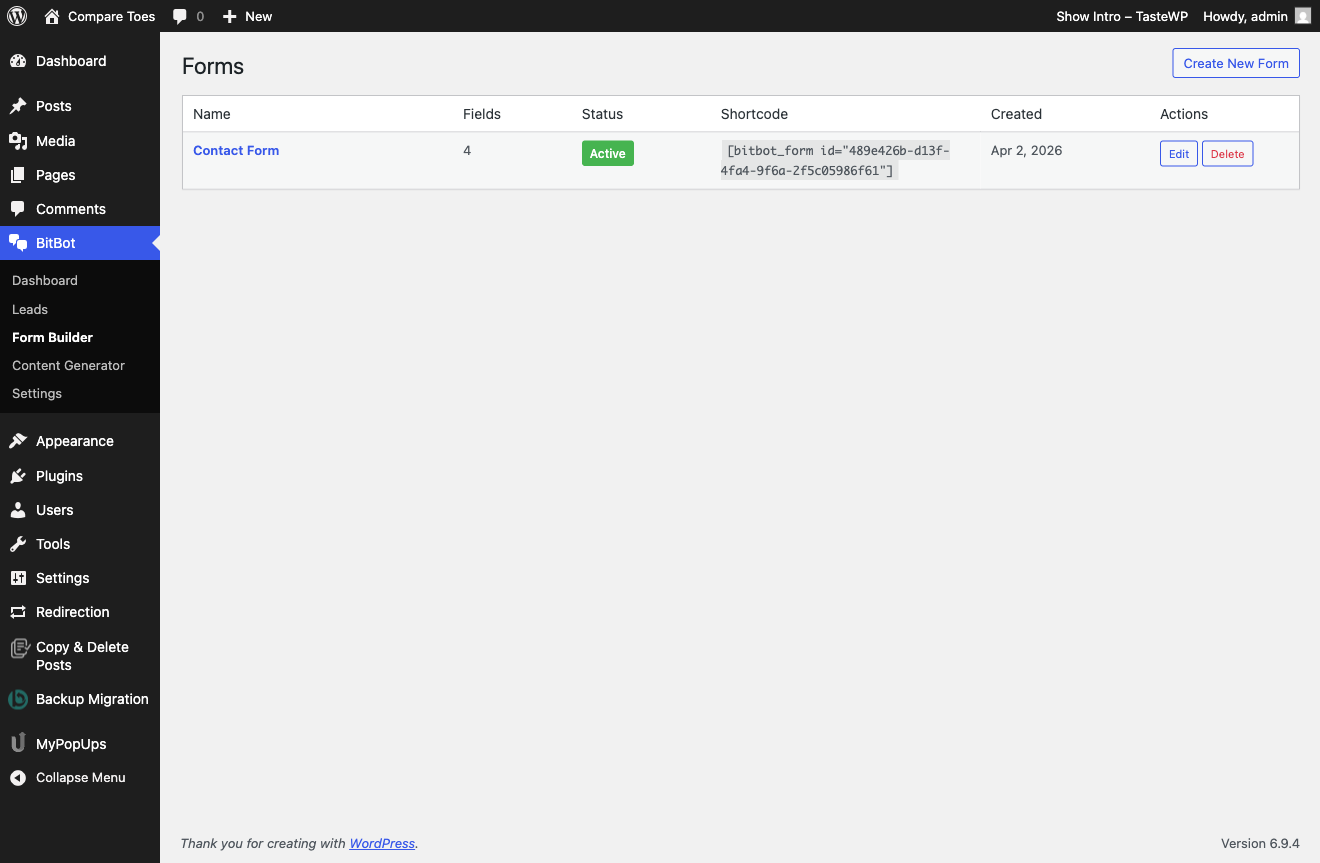
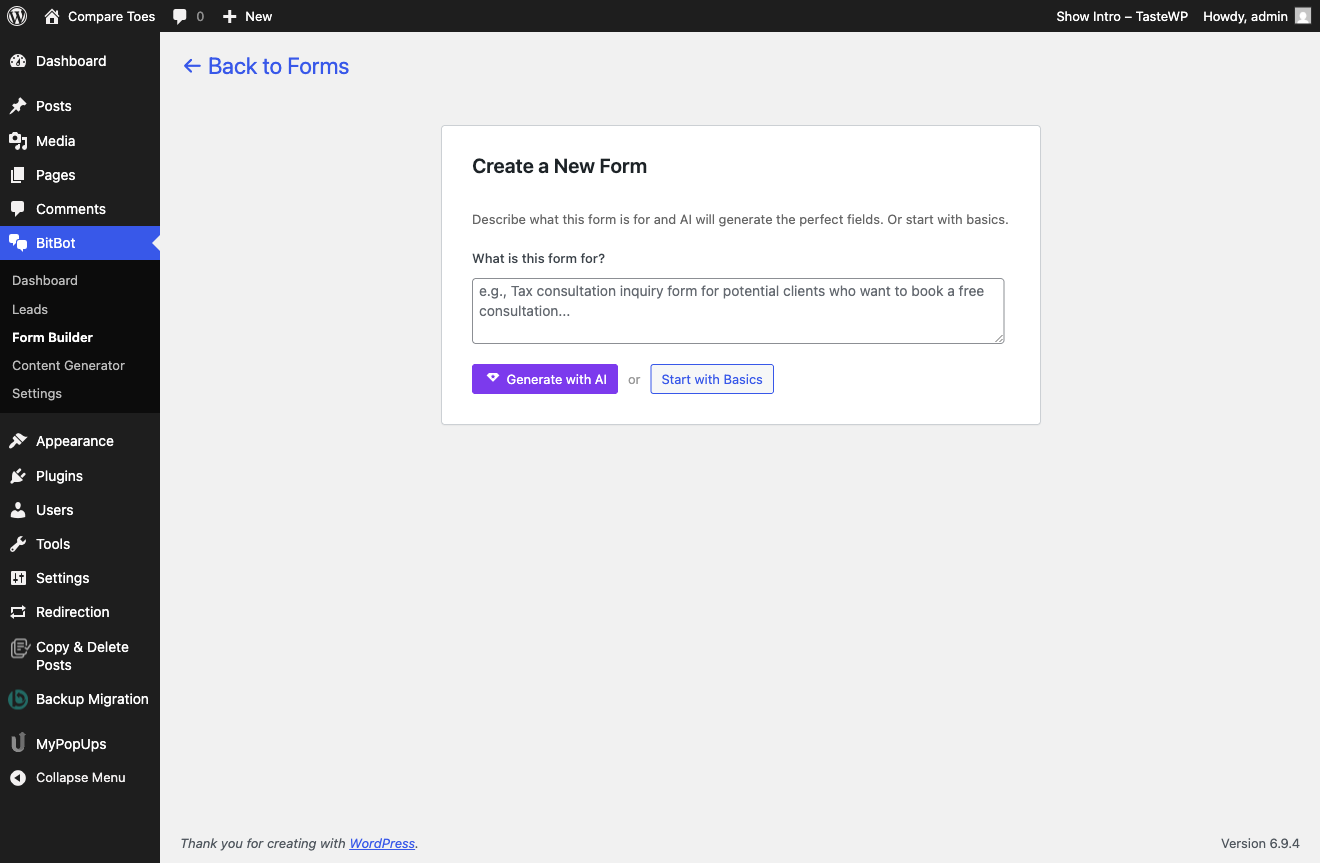
- Create unlimited lead capture forms
- Describe what you need in plain English — BitBot generates the fields
- Or start with basic fields and customize manually
- Embed on any page with
[bitbot_form]shortcode - Rate limiting and spam protection built in
- Every form submission and chat email becomes a lead
- Track leads through stages: New, Contacted, Qualified, Won, Lost
- AI lead research — scrapes their company website, searches the web, reads the full chat conversation, tells you who they are and what they need
- AI-drafted personalized follow-up emails
- View the full chat conversation for any lead that came from the chatbot
- Geolocation — see where leads are coming from (country and city)
- Activity timeline with notes, stage changes, and research history
- Free to try — full access for one month, no credit card required
- $10/month if you plan to continue — cancel anytime
- youami.ai API (https://youami.ai/api)
- Purpose: Process chat messages, generate content, sync website data
- Data transmitted: Website URL, sitemap, page content, chat messages, visitor IP addresses (for conversation tracking)
- When: On plugin activation, content sync, chat messages, content generation
- Terms of Service
- Privacy Policy
- Claude AI by Anthropic (via youami.ai servers)
- Purpose: Generate chat responses and blog post content
- Data transmitted: Your website content and user queries (processed through youami.ai)
- Your content is NOT used to train AI models
- OpenAI Embeddings API (via youami.ai servers)
- Purpose: Create semantic search embeddings for content retrieval
- Data transmitted: Website page content (processed through youami.ai)
- Stripe (https://stripe.com)
- Purpose: Subscription payment processing
- Data transmitted: Email address for billing
- When: During subscription checkout
- Stripe Privacy Policy
安装:
- Upload the
bitbotfolder to/wp-content/plugins/ - Activate the plugin through the 'Plugins' menu in WordPress
- Go to BitBot in the admin menu — your site automatically registers and starts syncing
- Wait for content sync to complete (usually under 2 minutes)
- The chat widget appears on your site immediately — that's it
屏幕截图:
常见问题:
What do I get out of the box?
Four tools, all working in under 2 minutes after install: AI Content Generator, AI Chatbot, Form Builder, and Leads Pipeline. No API keys, no configuration, no training data to upload.
How does the AI chatbot work?
On activation, BitBot indexes all your published pages and posts. When a visitor asks a question, it finds the most relevant content and generates an accurate answer with citations linking back to the source page. It auto-syncs when you publish, update, or delete content.
Can the chatbot answer in multiple languages?
Yes. BitBot supports 100+ languages automatically. If a visitor asks in Hindi, the chatbot answers in Hindi — even if your site is in English. No language configuration needed.
How does the AI content generator work?
Enter a topic, paste a URL, or upload a document. BitBot generates an SEO-optimized blog post with title, meta description, and focus keywords. It knows your existing content and avoids duplicates. You preview, edit, and publish with one click.
How does lead capture work?
Two ways. First, you can create lead capture forms with the form builder and embed them anywhere with [bitbot_form]. Second, when the chatbot can't fully answer a visitor's question, it naturally suggests they share their email — and a lead is created automatically with the full conversation, their location, and AI research attached.
What can I do with captured leads?
Track them through stages (New, Contacted, Qualified, Won, Lost). Run AI research to learn who they are and what they need. Draft personalized follow-up emails with one click. View the full chat conversation for leads that came through the chatbot.
Do I need API keys or a ChatGPT account?
No. BitBot handles all AI infrastructure. No API keys, no per-token billing, no configuration. Everything is included.
Will the chatbot make things up?
No. BitBot only answers based on your actual website content. Every answer includes citations linking to the source page. If it can't find the answer in your content, it says so and offers to connect the visitor with you.
Does it slow down my site?
No. The chat widget loads asynchronously with zero impact on page speed. Works with all caching plugins and page builders.
Is there a free trial?
Yes. Full access for one month, no credit card required. $10/month if you plan to continue. Cancel anytime.
What happens to my data?
Your content is stored securely and used only to answer your visitors' questions. It is not shared with third parties or used to train AI models. Contact support@youami.ai to request deletion at any time.
更新日志:
- Chat-to-Lead Capture — chatbot detects emails in conversation and creates leads automatically
- View Conversation — see the full chat history for any lead that came from the chatbot
- AI Research with chat context — lead research now includes the full conversation for better insights
- Auto-sync on activation — content indexed immediately after plugin install
- Incremental sync — new posts and pages indexed automatically on publish or update
- Delete detection — trashed content removed from chatbot knowledge automatically
- Sync Now menu item — quick access to trigger content sync from the sidebar
- Dashboard sync improvements — warning banner and highlighted card when content needs syncing
- Leads Pipeline — capture and manage leads with stage tracking (New, Contacted, Qualified, Won, Lost)
- Form Builder — create unlimited lead capture forms, with AI-generated fields or start from basics
- AI Lead Research — one-click research on any lead to understand who they are and what they need
- Draft Email — AI writes personalized follow-up emails you can copy and send
- Geolocation — see where your leads are coming from (country/city)
- Shortcode embed — drop
[bitbot_form]on any page to start capturing leads - Spam protection with rate limiting on form submissions
- Activity timeline with notes, stage changes, and research history
- Fixed null page title handling in chat contact page lookup
- Fixed API endpoint configuration
- URL-based content generation — Generate blog posts from any web URL
- Simplified source type dropdown — removed redundant options
- Improved error handling with user-friendly messages
- Bug fixes and performance improvements
- Page management — add, remove, toggle and resync individual pages
- Conversation history viewer in admin dashboard
- Reconnect functionality for API key refresh
- Improved sync reliability
- Multilingual support — 100+ languages with automatic detection
- Cross-language search — query in any language, find content in site's language
- Responds in visitor's language automatically
- Initial release
- Chat widget with customizable appearance
- Content sync from sitemap
- AI content generator with SEO optimization
- Topic discovery and content gap analysis
- Usage tracking dashboard
- Subscription management with Stripe integration
- Conversation history viewing