
BitFire Security - Firewall, Malware Scanner, Bot Blocker, Login Protection
| 开发者 |
BitSlip6
LLC Cory Marsh |
|---|---|
| 更新时间 | 2026年9月25日 02:02 |
| 捐献地址: | 去捐款 |
| PHP版本: | 7.4 及以上 |
| WordPress版本: | 7.1.1 |
| 版权: | AGPLv3 or later |
| 版权网址: | 版权信息 |
标签
下载
详情介绍:
- Unauthorized writes to PHP files that could install a backdoor.
- Unauthorized administrator creation or privilege changes.
- Attempts to impersonate an administrator without the required authorization.
- Startup chain: review the files loaded as WordPress starts.
- Scheduled tasks: inspect WordPress and system cron jobs for suspicious activity.
- Must-use plugins: investigate code that loads early and may be easy to overlook.
- Administrator access: review accounts, sessions, application passwords, and database triggers that could restore privileged access.
- Background processes: look for long-running PHP processes that could recreate malware.
- Database content: inspect scripts and iframes stored in WordPress data, with AI-assisted analysis.
安装:
- Install BitFire from the WordPress plugin directory, or upload the plugin files to
/wp-content/plugins/bitfire/. - Activate BitFire through the Plugins screen in WordPress. (this can take up to several minutes for the IP database to download)
- Open BitFire in your admin sidebar and follow the setup guide.
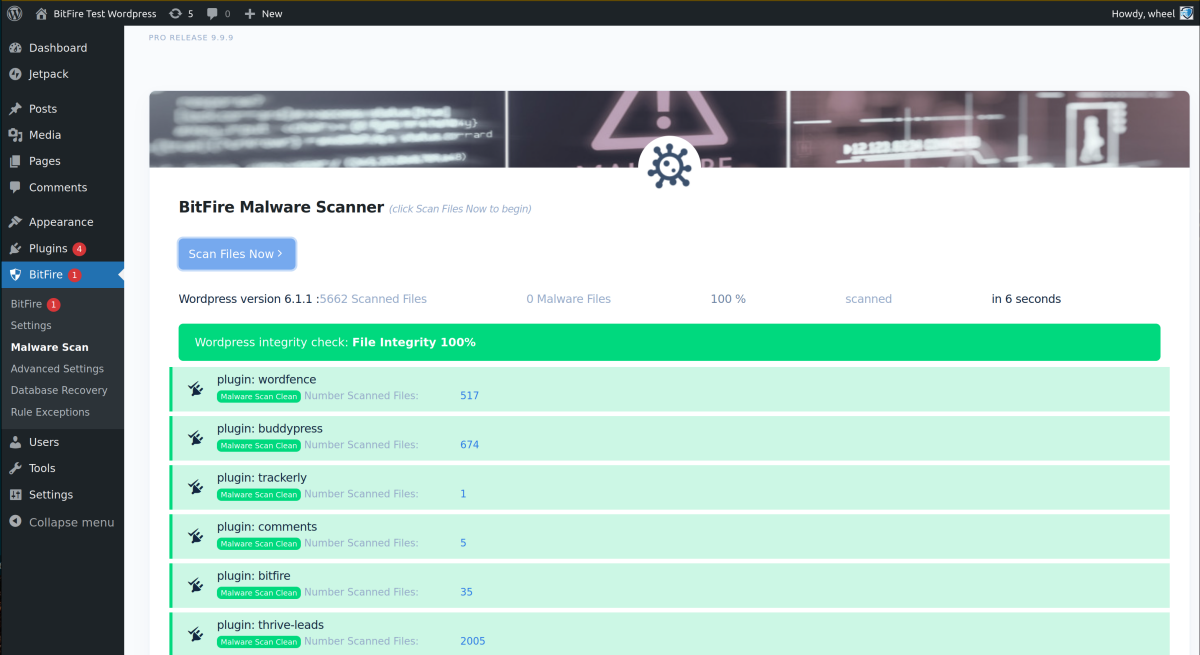
- Run your first malware scan and explore your traffic dashboard.
屏幕截图:
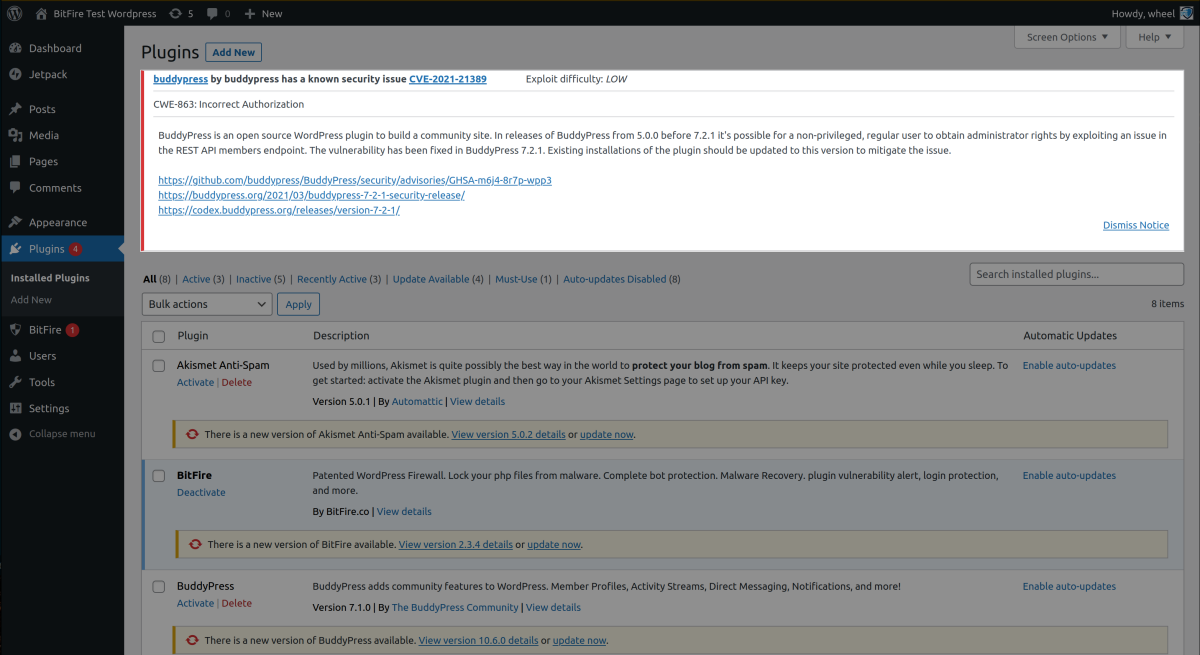
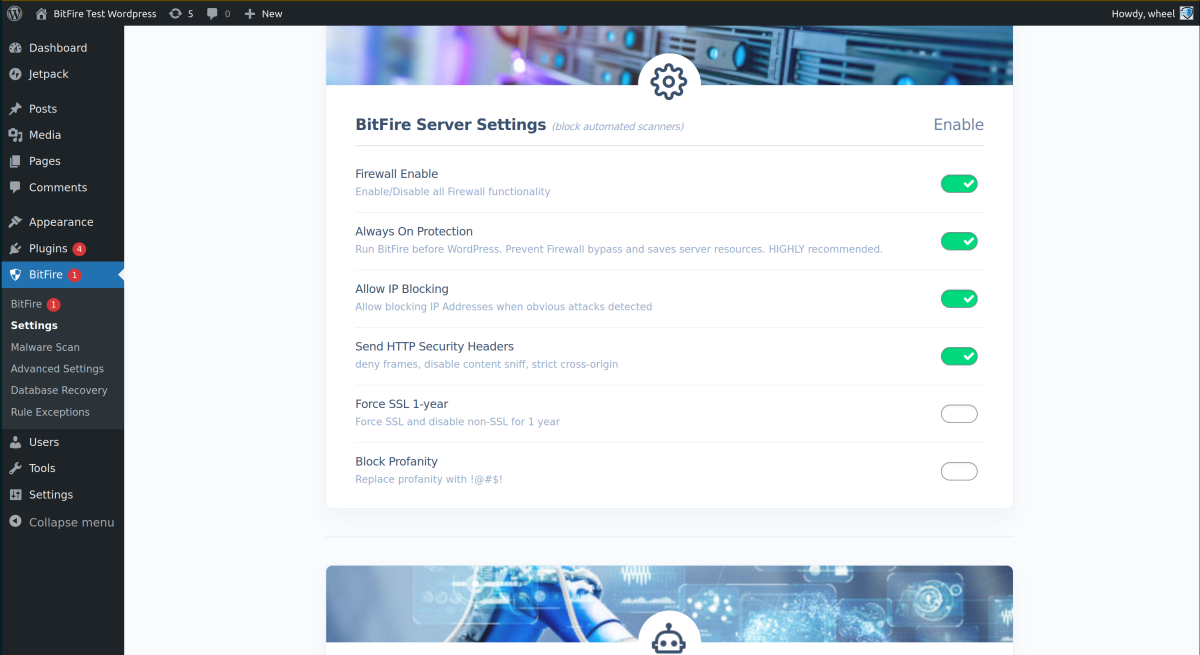
常见问题:
Is the web application firewall included in Free?
Yes. BitFire Free includes the web application firewall, bot blocking, login protection, manual malware scanning, traffic monitoring, and 12 AI analysis credits for the lifetime of the domain. Pro adds Always-On Protection, RASP, Threat Hunter, scheduled malware scanning, and an expanded allowance of 1,000 AI analysis credits.
What does Always-On Protection add?
Free includes the firewall as a WordPress plugin. Pro Always-On Protection loads BitFire before WordPress, extending inspection to PHP requests that bypass normal plugin loading. It puts your security layer earlier in the path of an attack.
What is the difference between a firewall and RASP?
The firewall evaluates incoming requests. RASP checks whether selected operations inside the application are authorized, such as writing PHP files or creating an administrator account. They are complementary layers. An exploit that is unfamiliar to request filtering may still be blocked when it attempts an unauthorized operation covered by RASP.
Can BitFire protect against an unknown vulnerability?
Yes. Pro runtime protection can block an unknown exploit when it attempts an unauthorized PHP file write, administrator privilege change, or administrator impersonation. It checks authorization rather than waiting for a signature that identifies the specific exploit.
Can I control what gets blocked?
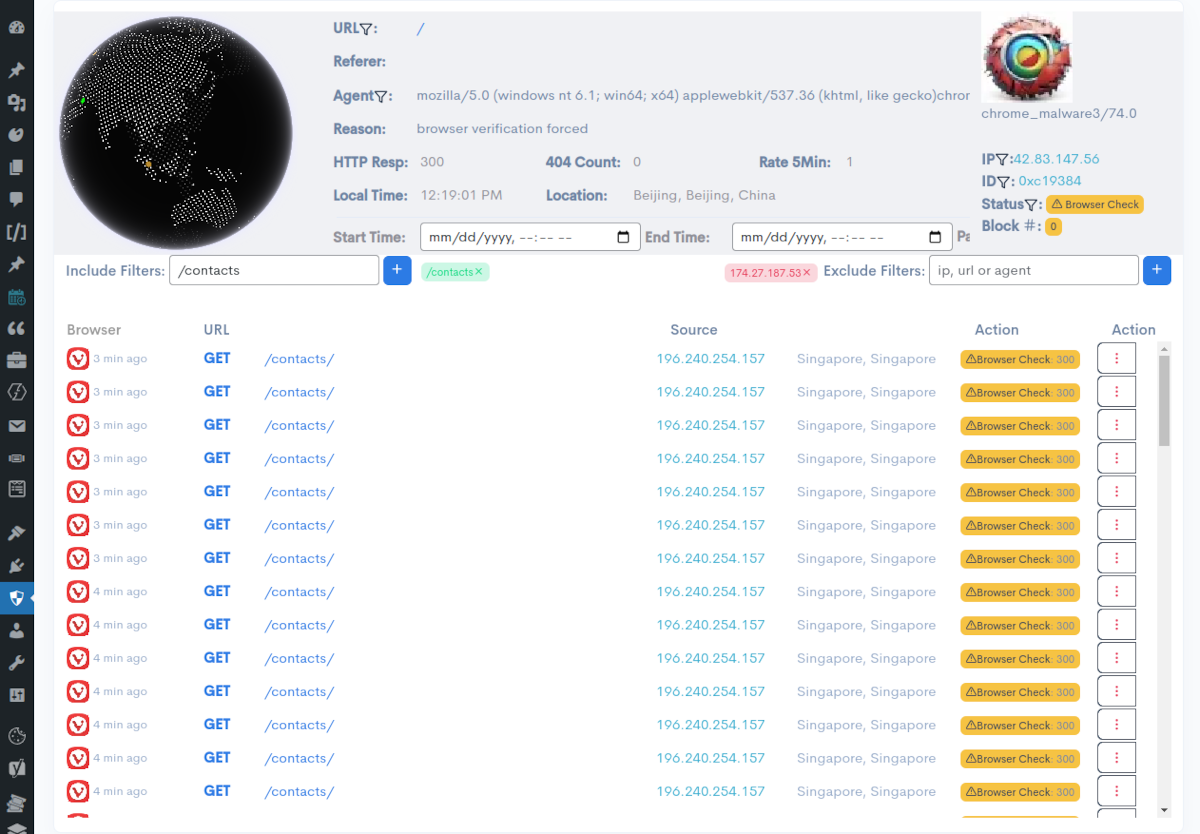
Yes. Review blocked requests in your dashboard, see why they were flagged, and approve legitimate traffic. Manage exceptions for your forms, store, and integrations from the same place you investigate suspicious activity.
Does BitFire block legitimate search-engine crawlers?
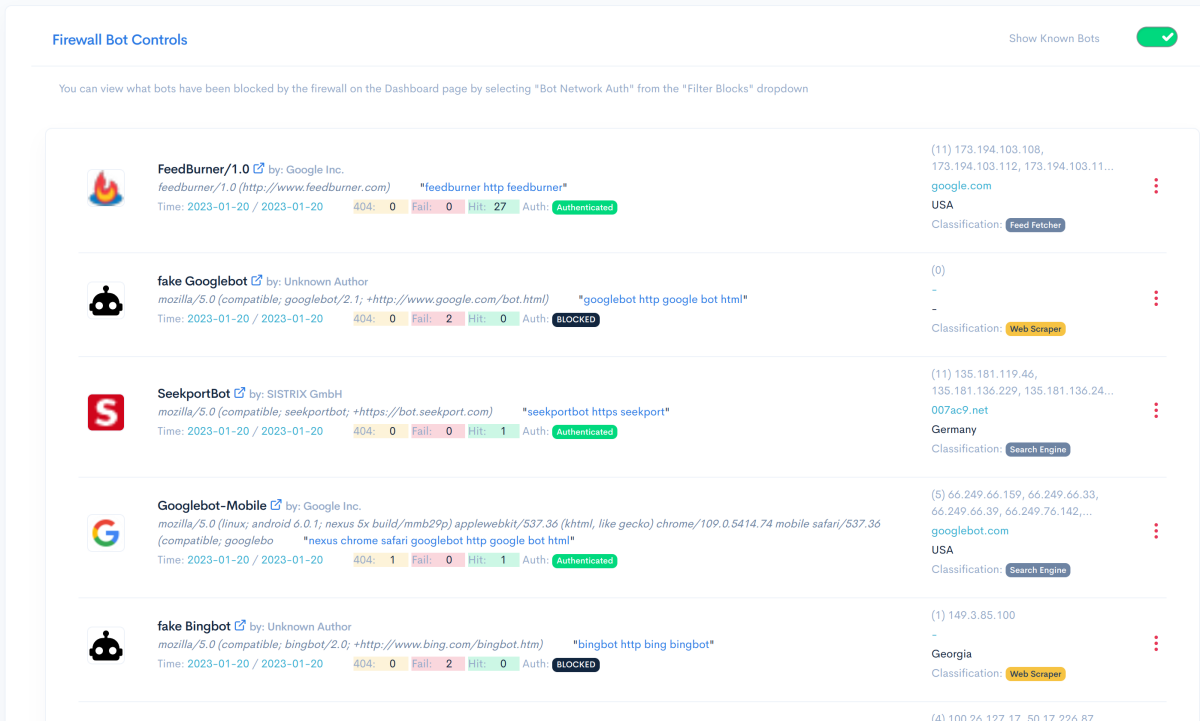
BitFire provides configurable bot policies. You can allow a bot, authenticate it using source-network information, or block it. Review your crawler policies during setup so the search engines and services your site relies on have the access they need.
Can I use BitFire with Cloudflare?
Yes. Keep your CDN and add protection inside WordPress. Pro RASP adds checks on unauthorized file writes and administrator changes, complementing the filtering at your site's edge.
Can BitFire help investigate an infected site?
Start with a malware scan to find suspicious files. Then use Pro Threat Hunter to investigate what could bring the infection back: scheduled tasks, hidden administrator access, database content, startup files, and background processes. Need expert help? Talk to BitFire about cleanup and incident response.
How does AI malware analysis work?
Submit suspicious code to BitFire's AI analysis service for help understanding what it does and why it was flagged. Use the assessment alongside scan evidence to decide what to allow, repair, or remove. Free includes 12 AI analysis credits for the lifetime of the domain. Pro includes 1,000 credits. See the malware scanning guide for workflow and usage details.
How much does Pro cost?
Pro is billed annually, with discounts for multiple sites. Optional paid Managed Protection and Priority Support packages add hands-on help. Find your plan and current pricing.
Where can I get help?
Use the WordPress support forum or the BitFire support documentation. For deployment assistance, managed protection, or questions about your hosting environment, contact the BitFire team.
更新日志:
- Fix for support error on some pro configurations
- Added recovery-safe protection that keeps WordPress accessible and alerts administrators if BitFire's secure configuration storage becomes unavailable.
- Hardened secure configuration discovery by validating configuration pointers as bounded data instead of executing them.
- Improved browser verification reliability with persisted-state checks, temporary fail-open recovery, and clearer failure logging.
- Improved verified crawler handling, including Storebot-Google authentication and better cached reverse-DNS identity.
- Improved WooCommerce, newsletter, and anonymous REST API compatibility while keeping WordPress user endpoints protected.
- Improved detection of HTML-entity-obfuscated request payloads.
- Fixed malware diff handling for oversized or incomplete comparisons.
- Improved traffic filtering and labels for browser challenge outcomes.
- Fixed
ok_apishandling and improved the auto-allow button for certain browser-verification block types.
- Improved browser verification controls and challenge-page handling.
- Fixed Elementor compatibility issue.
- Improved/Fixed REST api catalog curation for some plugins that registered callbacks late.
- Added dashboard filtering for JavaScript-verified browser traffic.
- Improved fake bot and fake browser labeling in traffic views.
- Improved bot identity hydration for fake crawler impersonation cases.
- Updated plugin copy, privacy details, and WordPress compatibility metadata.
- Fixed a bug that could prevent browser verification from running for some sites when the setting was toggled on and off repeatedly
- Refactored browser verification path to make WordPress AI checks pass
- Bots impersonating crawlers (bing, meta, google, etc) are not blocked for simple unrestricted GET requests
- Added daily fetch data for supplemental crawler dns / cidr lists
- Improved server IP address detection for allowing local server loop back calls
- Added plugin inventory hiding to malware detection capabilities
- Malware detections for plugins missing valid headers / plugin scripts
- Malware detections for plugins with random identifiers in them
- Improved logging of xmlrpc requests - now records list of method names - not raw xml
- Added ability to allow users to delete / restore entire plugins if they are only malware (not official plugins with strong malware signals)
- Binary files are excluded from malware diffs now
- Reduced false positives for SQL injection
- Bot Control panel links to dashboard filter user agents better
- AI verdict results are now stored for future reference
- Fix deprecation warning for http response headers on PHP 8.5
- Removed dependency on filter_var extension
- Added expert opinion check allowing admins to request a review of potential malware samples by BitFire staff
- Fixed an issue that could allow some admin-ajax requests to recieve a browser challenge for the logged in admin on first install
- Added additional filtering to cover unknown authorization values, provider keys, and hexadecimal tokens in log storage
- Added daily updated list of allowed network ranges for core web and AI crawers
- Improved chaching of DNS lookups for core web bots
- Added additional bot telemetry gating for bitfire core enable flag
- fixed an issue with bot triage recomendations that could generate fatal errors on some host in a background task
- Added traffic percent blocking for large sites to sample blocking behavior before fully commiting
- Increased free AI usage credits from 10 to 12
- Improved bot/browser verification compatibility with ModSecurity
- Added buttons for allowing traffic on the dashboard
- Fixed an issue that was blocking obviously malicious bots even when bot whitelist setting was not enabled
- Added reasonable limit for max malware file size to prevent resource exchaustion on servers with very large files
- Expanded bot source and threat intel data
- Older versions could label some woocommerce user-agents that were completely random as
- Improved detection of when to load wordpress vs when to inspect early
- Bots can be configured directly from the dahboard by clicking on their link to the bot control page
- False positives can now have execptions added on the dashboard with a single button click
- AI Malware change for OpenAI compliance - previous versions will no longer support AI analysis
- Threat hunter content scanner reduced false positiveso
- Basic harending (size limits, shape constraints) for inputs, moved some requests to POST
- Expanded learning to support sites that accept POSTs from off site for validated web browsers
- Bot triage moves from hourly to every 3 hours
- Expanded runtime protection to ensure environemnt loaded successfull before registering wordpress hooks
- Improved malware input tainting tracing which detects additional potential malware, reduced false positives
- Added an exclude list of allowed files in the root for the malware scanner
- Bots who have been repeat visitors with an AI recomendation different different than current mode now show up on to_review tab
- Reduced false positvies for malware scan
- Improved AI scan results with greatly reduced false positives
- Implemented quarantine restore for deleted malware files in case of site breakage with
- Add quarantine restore in case core files are deleted from malware cleanup using new mu-plugin error handler bitfire.php
- Improved RASP compatibility with fewer exceptions
- UI improvements
- Add quick links to wafer firewall scan and securityheaders.com tests
- Hardening for bot domain verification
- Improved UI browser and bot icons
- Support auto-updating BitFire PRO plugin
- Improved fallbacks for caching
- Minor refactoring to improve AI analysis of codebase
- Added special handling for servers with low available memory (< 10MB)
- Added support for servers that have getmypid() disabled
- Add security posture to settings page
- Improved bot identification
- Improved loading order decreases block time
- Multi-Site support!
- Few bug fixes
- Fixed an issue with support for PHP 7.4
- Links to header and WAF 3rd party verification checks on settings page
- Display hardening for malformed malware
- Fix for header signatures on 32bit systems
- New AI-powered malware analysis for suspicious files
- Reduced Pro pricing to $60/year with volume discounts
- Improved malware scanner performance and accuracy
- Updated bot and browser fingerprint databases
- Improved dashboard and settings UI
- Fix an issue that could reset the configuration on upgrade
- Improvements to the malware scanning UI
- Fixes for downloading non-PHP files
- Additional guards to handle corner cases
- Improved malware detection and reduced false positives
- Added 3 new file hash servers in US, DE, and KR
- Added support for checking for backups and files that could contain sensitive data
- New daily/weekly status emails
- Added daily malware scan scheduling
- Various stability and configuration improvements
- Improved dashboard messaging for IP and user-agent blocking
- Fixed toggle behavior on the exceptions page
- Fixed deprecation warnings
- Fixed an issue that could prevent uploading plugins when bot blocking was enabled
- Initial WP-CLI support: review logs, check metrics, manage blocks
- Configuration file reliability improvements
- PHP 8.3 compatibility fix
- Improved traffic monitoring and logging
- Added "Fake Browser" detection badges
- Added DoS protection for rate-limited IPs
- New traffic filter keywords: BLOCKED, RESTRICTED, ADMIN, LOGINS, and more
- Added email notifications for server health
- Performance improvements across the board
- Added AI verification framework for block accuracy
- Reduced server communication timeout for faster responses
- Additional blocking class types for exclusions
- PHP 8.4 compatibility
- Updated Google, Bing, and Cloudflare IP lists
- Improved dashboard log searching
- Fixed a rare memory issue with log writing
- Moved configuration and log storage to a more secure location
- Added .htaccess protection for data directories
- Resolved several minor PHP warnings
- Fixed filtering on blocked requests
- Fixed handling of malformed file uploads
- Added additional browser support
- Major quality and performance improvements
- Daily report emails
- Complete rewrite of caching and statistics
- Full support for cached websites (Cloudflare, etc.)
- Log up to 30 days and 2 million requests per month
- Major overhaul of browser and bot detection
- Added 180+ browsers and 300+ browser icons
- Switched to high-performance binary log format
- Added commercial IP reputation database with 300K+ abusive IPs
- Simplified user interface