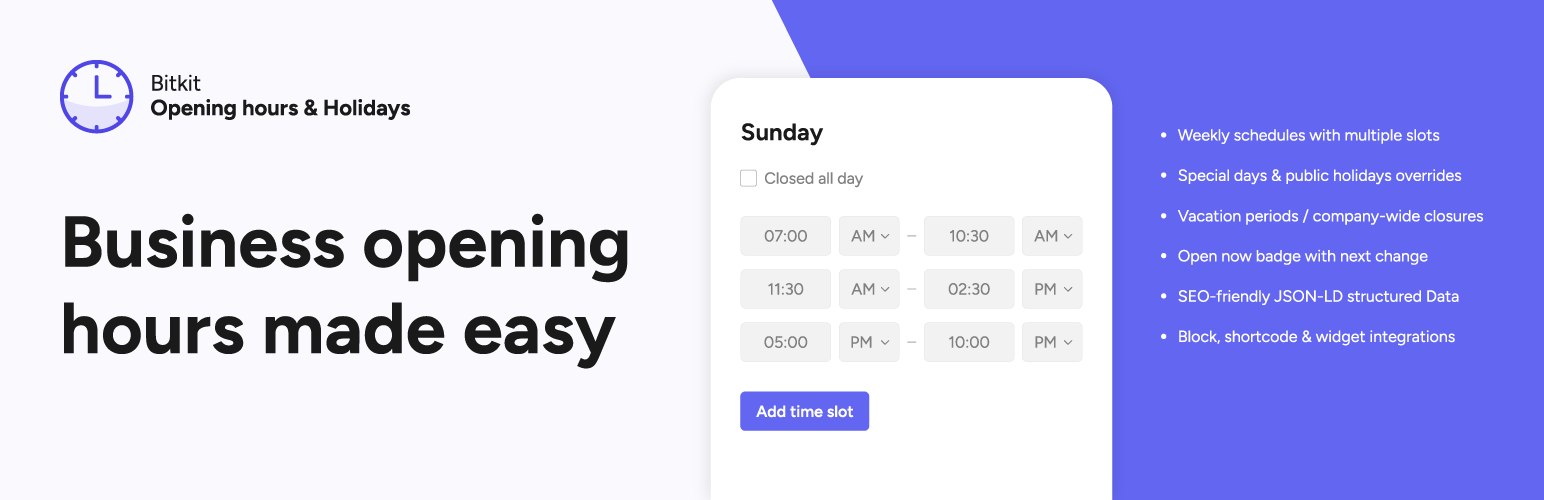
Bitkit Opening Hours & Holidays
| 开发者 | bitkit |
|---|---|
| 更新时间 | 2025年12月12日 18:07 |
| PHP版本: | 8.1 及以上 |
| WordPress版本: | 6.9 |
| 版权: | GPLv2 or later |
| 版权网址: | 版权信息 |
详情介绍:
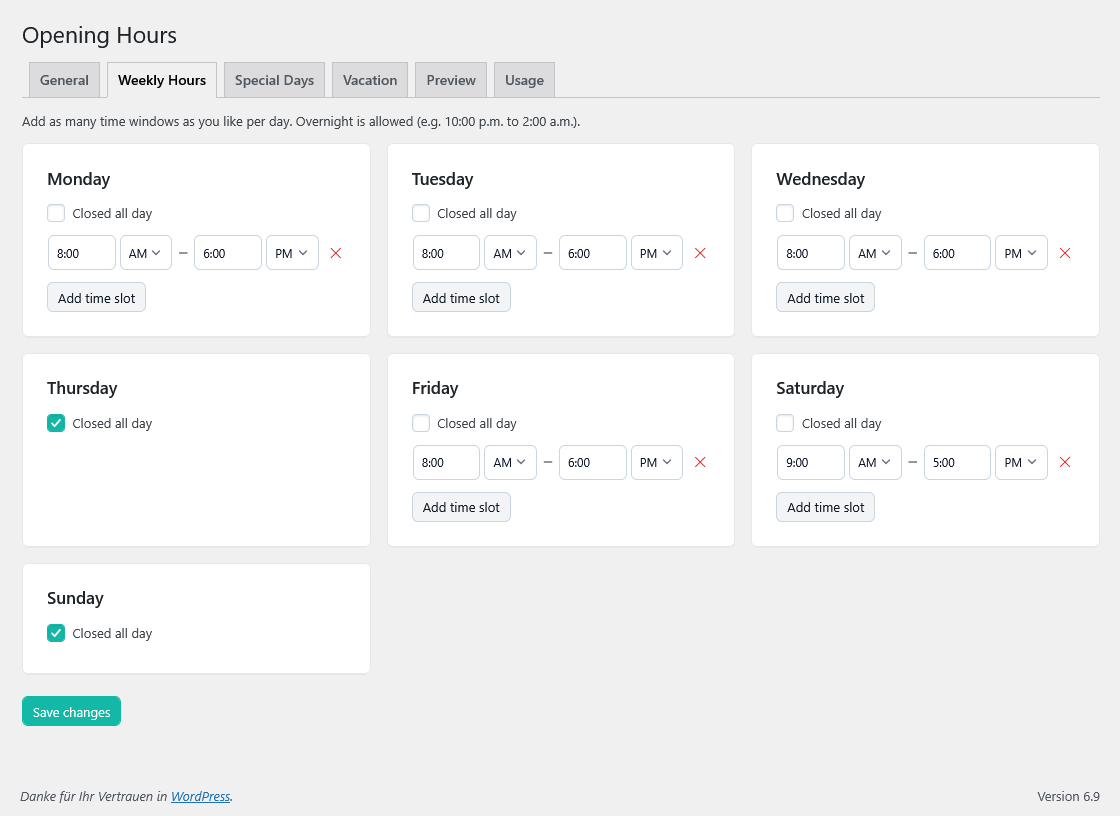
- Define weekly opening hours (Mon–Sun) with multiple time windows per day.
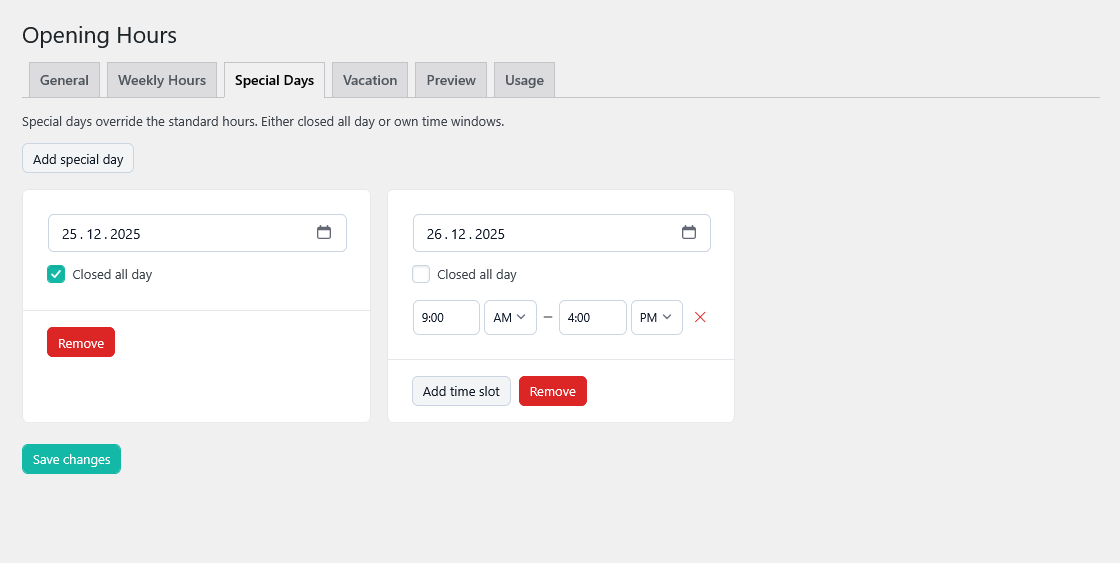
- Add special days (e.g. public holidays, one-off openings/closings).
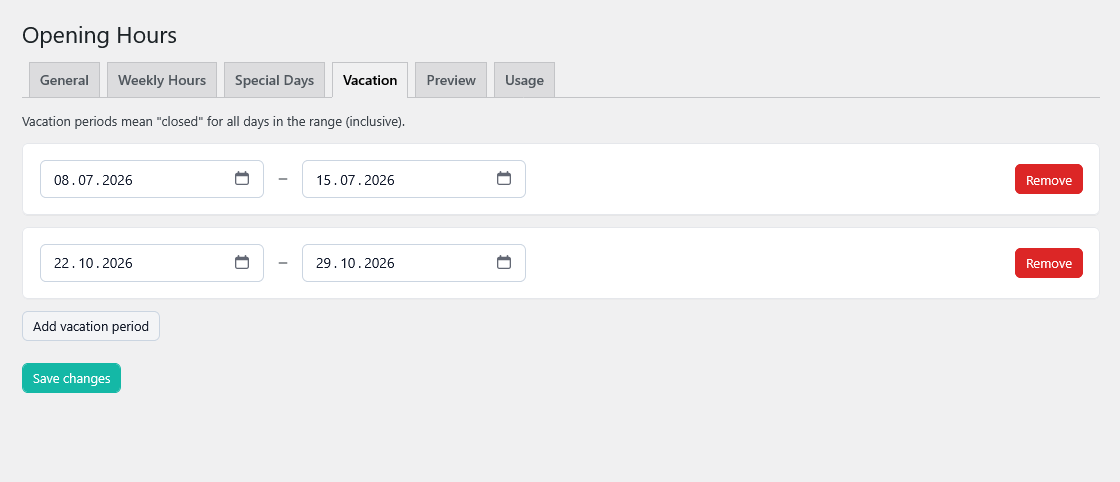
- Add vacation periods with custom hours or “closed all day”.
- Show a “Now open / Now closed” badge with human-readable “next change” text.
- Output JSON-LD (Schema.org) for
openingHoursSpecificationand special opening hours to help search engines display correct business hours. - Render via:
- Gutenberg block “Opening Hours”
- Classic widget “Opening Hours”
- Shortcodes for hours, badge and special days.
- Single global location (Free) – one central timetable for your business.
- Weekly opening hours
- Multiple time windows per day (e.g. 09:00–12:00 and 13:30–18:00).
- Mark days as closed.
- Special days / holidays
- Override normal hours for specific calendar days.
- Mark as closed or set custom hours.
- Vacation periods
- Configure longer ranges (e.g. company vacation).
- Closed or limited hours during the range.
- Display options
- Show/hide “Now open?” badge.
- Show/hide “Next change” text (“closes in 2 hours”, …).
- Show/hide closed days in the weekly grid.
- Choose time and date formats (PHP date/time format).
- Views
- Grid view – full weekly overview.
- Today view – only show today’s opening hours.
- Compact view – badge + short line of text (for tight spaces, sidebars, footers).
- Structured data
- Outputs Schema.org JSON-LD for
LocalBusinesswith weekly and special opening hours. - Uses your site title and home URL by default.
- Editor integrations
- Gutenberg block with inspector controls for view, badge, “next change”, JSON-LD and optional CTA link.
- Classic widget for legacy themes.
- Translations
- Ships with initial translations: de_DE, de_CH, fr_FR, it_IT, es_ES, nl_NL, da_DK, fi, sv_SE, nb_NO, cs_CZ, pl_PL, pt_PT, ru_RU, ja, zh_CN.
- Fully ready for translate.wordpress.org.
安装:
- Upload the plugin folder
opening-hours-holidaysto/wp-content/plugins/or install it via the WordPress plugin installer. - Activate the plugin through Plugins → Installed Plugins.
- Go to Settings → Opening Hours to configure:
- Timezone, time/date formats
- Weekly opening hours
- Special days / holidays
- Vacation periods
- Display options (badge, next change, show closed days)
- Add the output on the frontend using:
- The “Opening Hours” block in the block editor, or
- The classic widget “Opening Hours”, or
- One of the shortcodes described below.
屏幕截图:
常见问题:
Does it support multiple locations?
The free version is intentionally kept simple and manages one global set of opening hours per site.\ Support for multiple locations (each with its own timetable, shortcodes and JSON-LD) is planned for a separate Pro add-on.
What schema.org type is used for JSON-LD?
By default the plugin outputs JSON-LD using the LocalBusiness type, your site title as the name and the home URL as the @id/url. The weekly hours and special days are mapped to openingHoursSpecification and specialOpeningHoursSpecification.
Will it work with caching plugins?
Yes. The “open now” status is calculated in PHP and cached internally for a short time using WordPress transients. When you save new opening hours, the plugin automatically invalidates its own cache.\ Be aware that very aggressive full-page caching can still delay the visible change between “open” and “closed” if the cached page is not refreshed.
Can I change the timezone or time format?
Yes. You can set the timezone and formats on the settings screen, and some shortcodes also accept optional timezone, format_time and format_date attributes. The plugin uses PHP’s DateTime internally.
Which languages are supported?
The plugin is fully translation-ready and ships with several .po/.mo files (German, French, Italian, Spanish, Dutch, Danish, Finnish, Swedish, Norwegian (Bokmål), Czech, Polish, Portuguese, Russian, Japanese, Simplified Chinese).\
Once the plugin is published on wordpress.org, translations will be managed via translate.wordpress.org as well.
更新日志:
- Added AM/PM selection for 12-hour time formats (dropdown + logic).
- Improved CSS for front-end output.
- Added validation for special days: prevent past dates and duplicate entries with clear error messages.
- Initial public release.
- Single global location with weekly opening hours.
- Special days/holidays and vacation periods.
- “Now open?” badge with human-readable “next change”.
- Gutenberg block, classic widget and multiple shortcodes.
- JSON-LD output for LocalBusiness opening hours.
- Includes several ready-to-use translations.