BKiAI KI Chatbot
| 开发者 | BusinessKiai |
|---|---|
| 更新时间 | 2026年8月21日 01:34 |
| PHP版本: | 7.4 及以上 |
| WordPress版本: | 7.0 |
| 版权: | GPLv2 or later |
| 版权网址: | 版权信息 |
详情介绍:
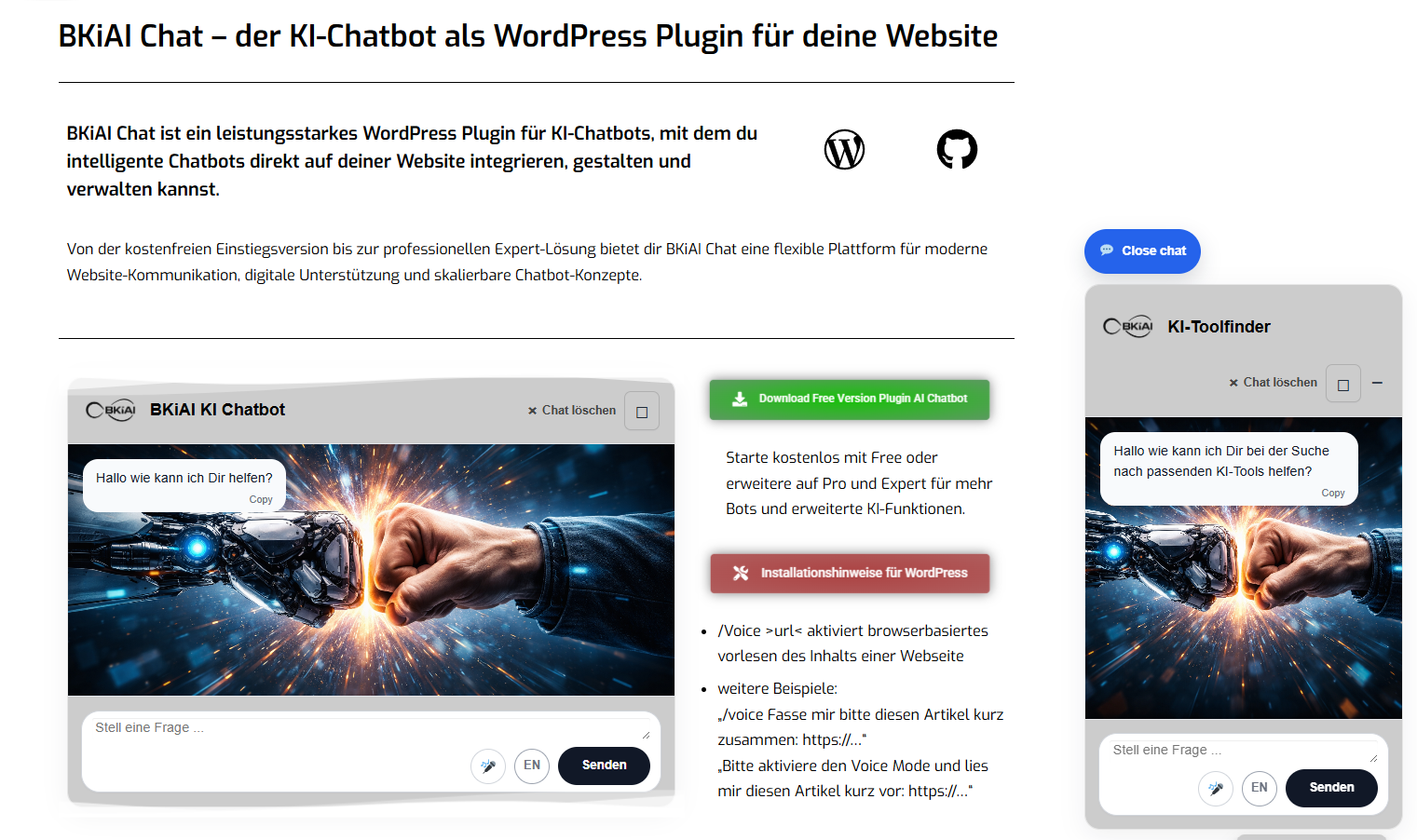
- AI chat integration for WordPress
- One configurable bot
- Voice recording in supported browsers (microphone button)
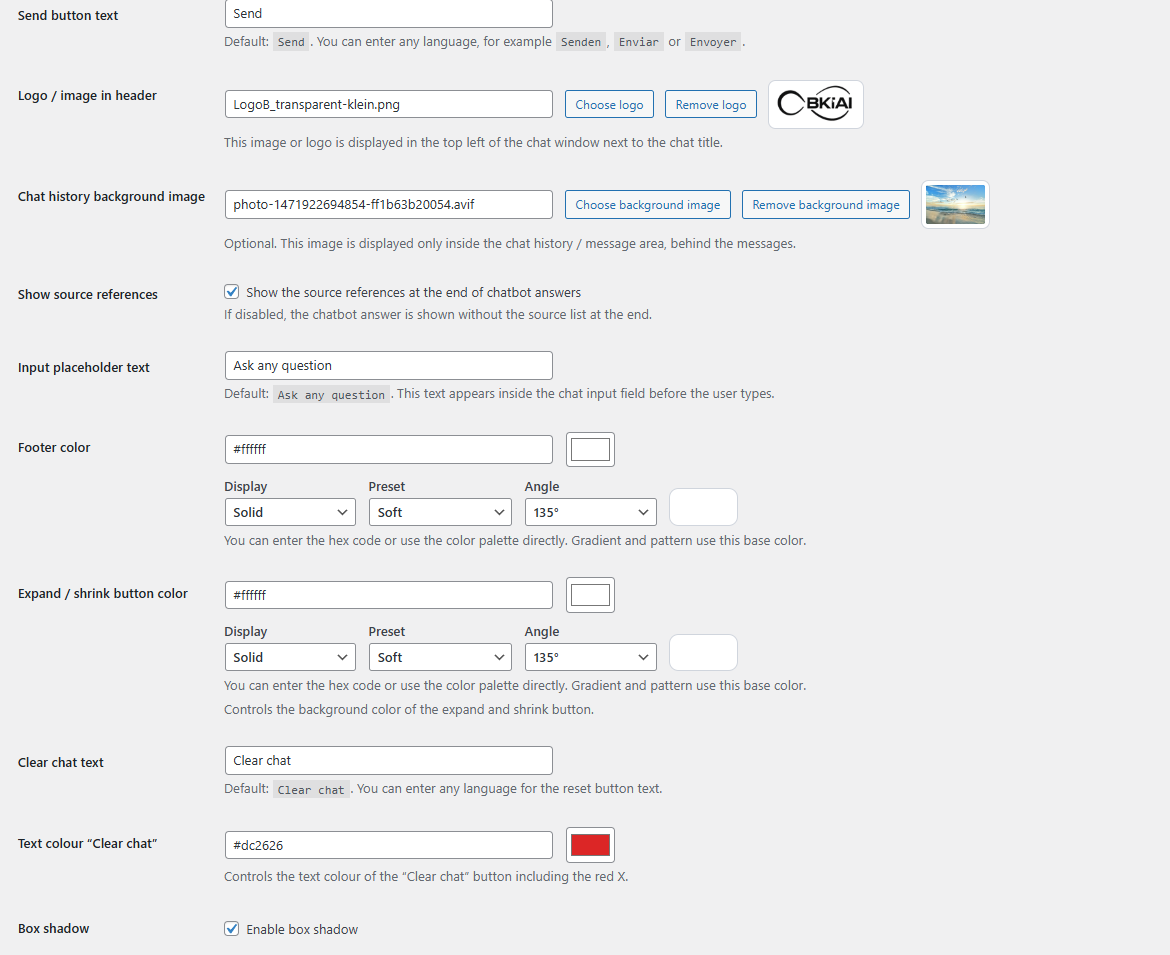
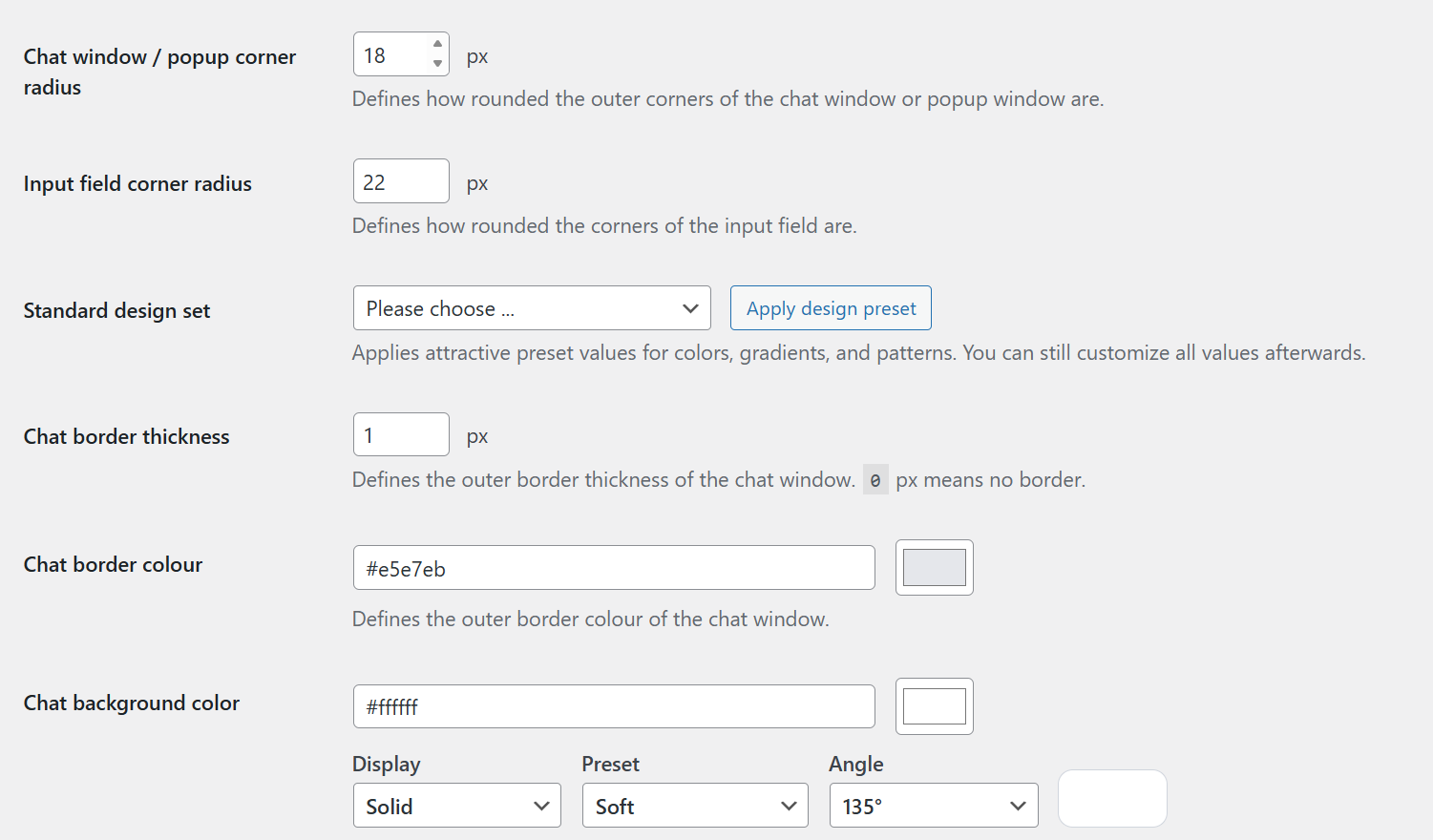
- Design and layout settings for the chat window (colors, background image, border radius, dimensions)
- Three display modes for Bot 1: embedded via shortcode, popup window, or a panel that slides in at the side or bottom
- One uploaded knowledge file for Bot 1 (Markdown, TXT, or CSV, up to 10 MB)
- Improved chunk-based knowledge-file retrieval with intent-aware ranking
- Two selectable OpenAI chat models: GPT-4o mini and GPT-4.1 mini
- Public request protection (per-IP burst limit) against spam and sudden cost spikes
- Daily token limit per bot for cost control
- Additional bots (Pro: 2 bots, Expert: up to 20 bots)
- Extended GPT model set (GPT-4o, GPT-4.1, GPT-5 mini, GPT-5, GPT-5.1, GPT-5.2, GPT-5.4 nano/mini/pro, GPT-5.5, GPT-5.6 Sol/Terra/Luna)
- Live voice conversation (real-time voice chat)
- URL read-aloud mode via browser voice
- Website-content knowledge sources (crawl your own pages as knowledge)
- Image generation and image editing (GPT image 1, 1.5 and 2)
- PDF generation
- Web search
- Search via URL
- Context-aware action buttons (contextual call-to-action in chat)
- Lead capture (built-in contact form in chat)
- Lead capture chat log
- Local chat logs and transcripts in the WordPress backend
- Geo analytics world map
- Token usage visualisation
- GDPR automatic lead retention cleanup
- Extended knowledge-file uploads (Pro: 25 MB, Expert: 100 MB)
- DE / EN conversation language switcher (Free: DE only)
安装:
- Upload the plugin files to the
/wp-content/plugins/bkiai-chat/directory, or install the plugin through the WordPress plugins screen. - Activate the plugin through the 'Plugins' screen in WordPress.
- Open the BKiAI Chat settings in the WordPress admin area.
- Enter your OpenAI API key in the General tab.
- Configure the general settings and Bot 1 settings as needed.
- Optionally upload one knowledge file (Markdown, TXT, or CSV, up to 10 MB) for Bot 1.
- Embed the chat window on your website using the shortcode
[bkiai_chat bot="1"]. - If you use the popup chat mode, configure it through the settings in Bot 1.
- Save your settings and test the chat on the frontend.
屏幕截图:
常见问题:
What is included in the free edition?
The free edition includes one active bot, voice recording, design settings, three display modes for Bot 1 (shortcode, popup window, or side/bottom panel), and one uploaded knowledge file (up to 10 MB) for Bot 1. Two OpenAI models are available: GPT-4o mini and GPT-4.1 mini.
How do I embed the chatbot on my website?
Use the shortcode [bkiai_chat bot="1"] to embed the chatbot on a page or post. You can also switch Bot 1 to the popup window or the panel in the Bot 1 settings.
Does the plugin use external services?
Yes. The plugin sends chat requests to OpenAI in order to generate responses. Please review the external-services section above.
Which models are available in the free edition?
The free edition includes GPT-4o mini and GPT-4.1 mini. Pro and Expert add the full model set including GPT-4o, GPT-4.1, GPT-5 mini, GPT-5, GPT-5.1, GPT-5.2, GPT-5.4 nano/mini/pro, GPT-5.5 and GPT-5.6 (Sol, Terra, Luna).
What is the maximum knowledge-file size?
The free edition allows one knowledge file up to 10 MB. Supported formats: Markdown (.md), plain text (.txt), and CSV. Pro allows up to 25 MB per file, Expert up to 100 MB per file.
Do I need an OpenAI API key?
Yes. For the plugin to work, you need your own OpenAI API key. The plugin connects your WordPress site to the OpenAI models, and OpenAI API usage costs are billed separately through your OpenAI account.
Can I upgrade to Pro or Expert later?
Yes. You can start with the Free edition and later upgrade to Pro (2 bots, all advanced features) or Expert (up to 20 bots) at any time. Upgrade is possible on the BusinessKiai product page.
Can the chatbot read my website content as knowledge?
Website-content knowledge sources (crawling your own pages as knowledge) is a Pro/Expert feature. In the Free edition, you can upload one Markdown, TXT, or CSV file as the bot's knowledge base.
Is the free edition suitable for production sites?
Yes, the free edition is fully functional for smaller sites, first chatbot projects, and single-bot use cases. The public request protection (per-IP burst limit) and daily token limit help control spam and API costs.
更新日志:
- Changed: the ring that shows the microphone is listening is now a thin red outline instead of a thick dark red border, matching the rest of the input row.
- Fixed: in the side panel, the curved arrow in the header did not clear the chat. The button sits in the panel header, which is outside the chat container the script was searching, so it never received a click handler and the click did nothing.
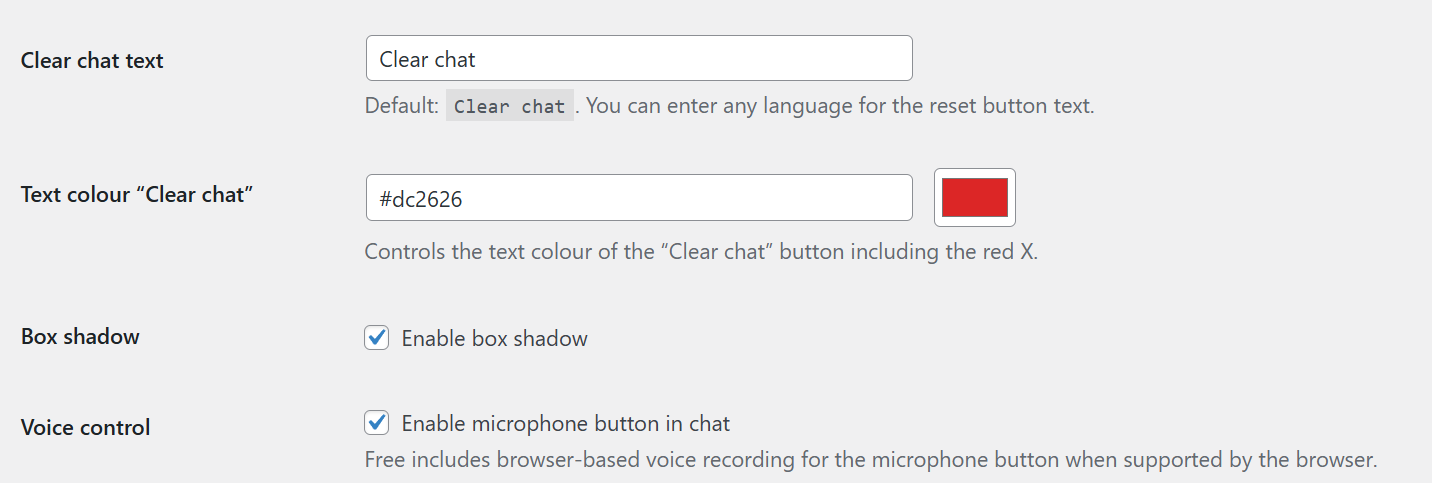
- Changed: popup and shortcode now show the same curved arrow for clearing the chat instead of a cross, so the symbol means the same thing in every view. The cross in the side panel still closes the chat.
- Changed: the microphone button now uses a drawn icon instead of the emoji, so it looks identical on every device instead of following the operating system. The outline around the microphone is much lighter and no longer competes with the send button.
- Fixed: the question field used a different typeface than the rest of the chat. Browsers do not pass the surrounding font on to form fields, and the plugin never set one, so the field fell back to the browser default. Themes that carry their own form reset hid the problem, which is why it showed on some sites and not on others. The field now uses the same font as the chat around it.
- Fixed: the setting "Appearance of the open button - symbol only (speech bubble with stars)" had no effect in the panel chat mode. The labelled button with the chat name was always shown. The symbol option now works as described.
- Fixed: the setting "Open automatically" (never / desktop only / always, with delay) was saved but ignored in panel mode. The panel now opens on its own as configured.
- Changed: the links to the Pro & Expert page now point to the current product page.
- Changed: German admin texts now consistently say "Button" instead of "Knopf".
- Added: the chat window itself is now translatable and appears in German on a German WordPress installation - send button, input placeholder, "clear chat", status messages such as "The AI is thinking", copy and voice labels. Texts you entered yourself in the admin are always kept as they are.
- Added: the admin menu entries are now translated as well.
- Fixed: the bundled German translation was never actually loaded, so the admin area stayed English even on a German WordPress installation. The plugin now registers its own languages folder, and all 216 admin texts appear in German when WordPress is set to German. English installations are unaffected.
- Security: the saved OpenAI API key is no longer written into the settings page HTML. The field stays empty and shows a masked hint (**1234); leaving it blank keeps the saved key, entering a new key replaces it.
- Changed: the per-IP burst protection for public chat requests is now enabled by default on new installations. Existing installations keep their saved setting.
- Improved: the embedding vector dimension is now derived from the embedding model instead of being hard-coded, preparing support for other embedding models. Behaviour with the current model is unchanged.
- Fixed: on sites with aggressive full-page caching, the chat could stop responding once the cached security token expired. The chat now detects this, fetches a fresh token in the background, and retries the message automatically.
- Performance: the chat script and stylesheet (~53 KB) are no longer loaded on every page of the site. They now load only where the chat actually appears: on pages where the popup/panel is allowed to show, and on pages whose content contains the chat shortcode. Pages excluded via the page-targeting rules stay lighter too. If a theme or widget inserts the shortcode dynamically, the chat still works - its assets are loaded on demand as before.
- Security: uploaded knowledge files are no longer readable by anyone who guesses their URL. The knowledge folder now denies all web access (.htaccess), new uploads get an unguessable random code in the file name (works on every server, including nginx), and existing files are renamed the same way once during the update. The display name in the admin stays unchanged, and the chatbot itself is unaffected - it reads files from disk, never via URL.
- Fixed: the background indexer for knowledge files no longer retries forever (once per minute) when a permanent error occurs, such as an invalid OpenAI API key or exhausted OpenAI credit. Indexing is now paused, the cron job is stopped, and an admin notice explains the actual reason. It resumes automatically as soon as a corrected API key is saved, or at the latest after 6 hours. Files the API permanently rejects are skipped individually; temporary errors (network, server overload) are retried at most 10 times per file.
- Improved: when OpenAI is slow or unreachable, live chat messages no longer wait up to 34 seconds before falling back to keyword search. The chat path now tries at most twice (5 s, then 10 s timeout) without pause, so a visitor waits at most ~15 extra seconds in the worst case. Knowledge-file uploads and the background indexer keep the full patient retry behaviour.
- Added a capacity warning for the knowledge base. Every chat message loads all knowledge chunks into server memory; the plugin now calculates the safe limit from the server's PHP memory limit and shows a yellow notice (from 50% of the estimated failure point) or a red notice (from 80%) on the plugin's admin pages. Purely informational - nothing is blocked and nothing changes below the threshold.
- Robustness: added a guard so the plugin no longer triggers a fatal "Cannot redeclare class" error (white screen) if the free and premium versions are ever active at the same time.
- Added a third option for where the chat appears: everywhere EXCEPT the pages you tick. Previously you could only list the pages where it should show.
- Changed: pages are now picked with tick boxes plus a filter field, instead of a multi-select list that required holding Ctrl. A stray click no longer wipes the whole selection.
- Added a switch for the legal-page rule. The chat was always suppressed on pages containing impressum, datenschutz, agb or barrierefreiheit in the title or address - that was hard-wired, invisible in admin, and could not be turned off.
- Fixed: after clicking the symbol-only open button, a dark ring appeared around it. That was the browser focus ring, which many themes draw as a circle. It is now suppressed for mouse clicks while remaining visible for keyboard navigation, so the button can still be reached with the Tab key.
- Fixed: no grey highlight box when tapping the button on phones.
- Added a second style for the panel's open button: a plain symbol (speech bubble with stars) instead of a button with the chat name. The bubble takes the button colour, the stars the text colour, and there is no box around it.
- Added a setting for opening the chat automatically: on computers only, always, or never - with an optional delay in seconds. It applies to both the popup window and the panel. Previously the popup always opened by itself on screens from 1024 pixels wide, with no way to switch it off.
- Fixed: the plugin carried a second, hard-coded version number that had stayed at 3.5.0. It is attached to the CSS and JavaScript URLs, so on existing installations browsers and caching plugins could keep serving the old files after an update. The version is now read from the plugin header.
- Fixed a misleading message: the microphone button said "not supported in this browser" even on browsers that fully support it. The real reason is an insecure
http://page - browsers only release the microphone in a secure context (https://, orlocalhost). The message now names that reason.
- Added a third display mode for Bot 1: a panel that slides in at the side over the full height, or at the bottom over the full width. It can either slide over the website or push it aside.
- Changed: the checkbox "Show Bot 1 as a collapsible popup window" is now a dropdown with three options - no popup, the familiar popup window, or the new panel. Existing installations keep their setting.
- Added panel content settings: subtitle below the name, example questions, quick choice buttons and a note line at the bottom. A click on an example or quick choice sends that text to the bot.
- Added colour settings for the quick choice buttons under Design, so they can match the accent colour of the website.
- On phones the panel always covers the whole screen, whatever position is selected.
- Added semantic search powered by OpenAI embeddings. The chatbot now finds relevant information in knowledge files based on meaning, not just keywords. Questions like "how much does it cost?" now correctly match content about "Preis" or "Gebühr" even without shared words.
- Added automatic background migration for existing knowledge files. When the plugin is updated, embeddings for already-uploaded files are generated via WP-Cron without blocking the admin.
- Added intelligent Markdown chunker that understands escaped Markdown syntax from Word/Google Docs exports, detects pseudo-headings, tracks heading hierarchy, and enriches each chunk with its section context for significantly better retrieval quality.
- Added keyword-fallback: if the OpenAI embeddings API is temporarily unavailable, the chatbot automatically falls back to the previous keyword-based search. No downtime for visitors.
- Added status badges per knowledge file in admin (ready / preparing / no semantic search).
- Added help popup with structuring guidelines and a downloadable example knowledge file (hair salon template).
- Added debug mode via
?bkiai_debug=1URL parameter (admins only) for troubleshooting bot answers. - Added dashboard widget showing indexed files, chunks, and search status.
- Added new database table
{prefix}_bkiai_embeddingsto store vector data. Automatically created on plugin activation, removed on uninstall.
- Fixed: The shortcode
[bkiai_chat bot="1"]now works correctly in the Gutenberg block editor and on Full Site Editing (FSE) block themes (Twenty Twenty-Three/Four/Five and similar). Previously the chat rendered its markup but produced abkiaiChatConfig is not definedJavaScript error on page load, and the input field could not send messages. Root cause: on block-based rendering the shortcode runs after the normal script-enqueue phase, sowp_localize_script()was ignored. The shortcode now outputs its JavaScript configuration as an inline script directly before the chat markup, which works reliably with any theme and page builder. - Fixed: Frontend assets are now loaded whenever Bot 1 is enabled, not only when popup mode is active. This allows the shortcode to be used on any page without first enabling popup mode.
- Added explicit 10 MB upload limit per knowledge file in the free edition. Larger files are rejected with a clear admin notice that names the file and the limit, so the reason is transparent.
- Added memory-safety guard for knowledge-file reading: files larger than the plugin can safely process in the current PHP memory limit are skipped rather than triggering an out-of-memory crash.
- Improved knowledge-file retrieval: intent-aware ranking now boosts matching chunks when the visitor asks for a summary, a list, or a specific section. Heading-aware chunking, bullet-list detection, and first-chunk summary priority make answers more on-point without any configuration.
- Markdown auto-detection: files saved as .txt but containing Markdown headings are now chunked with the Markdown chunker automatically, producing better section-level retrieval for knowledge articles.
- Admin: upgrade links now point to the current BKiAI Chat sales page and pre-select the Pro 1-website variant in the EDD shopping cart, reducing friction on the upgrade path.
- Admin: remaining German strings in the upgrade box (header, button labels, description) translated to English for consistent UI.
- Added German translation (bkiai-chat-de_DE.po/.mo) covering all current admin strings. The plugin now automatically displays in German when the WordPress site language is set to German.
- Internal: plugin version constant (
BKIAI_CHAT_FREE_VERSION) synchronised with the plugin header so that browser cache-busting for CSS/JS works correctly on updates.
- Improved free-edition frontend UX with right-aligned controls, clearer voice-button states, and a ready tone for browser voice input.
- Added a bot-specific source-reference toggle with server-side source filtering for Bot 1.
- Added public request protection settings plus an inline help popup in the free settings.
- Improved knowledge-file retrieval with chunk-based matching for Markdown, TXT, and CSV files.
- Moved BKiAI Chat to its own top-level admin menu and refreshed the free-edition settings flow.
- Cleaned the WordPress.org package and line endings for a store-ready update.
- Improved frontend voice button UX with right-aligned controls, red active state, and a short ready tone.
- Fixed transparent chat header logo rendering.
- Added bot-specific source-reference toggle and server-side source filtering for Bot 1.
- Added public burst protection settings for public chat requests in the free edition.
- Improved knowledge-file retrieval with chunk-based matching for Markdown, TXT, and CSV files.
- WordPress.org resubmission release with the cleaned free build, updated package structure, and streamlined settings experience.
- Removed remaining realtime/live-voice JavaScript from the free build and kept voice input limited to supported browser speech recognition.
- Cleaned dead locked-feature CSS selectors and repository wording in uninstall metadata.
- Clarified the real minimum message-area height and aligned the saved setting with the frontend minimum of 150px.
- Fix: restored popup page selection list and missing context/helper methods for the WP.org test build.
- Fixed missing AJAX chat handlers in the WP.org candidate build.
- Restored selectable page/post list for popup targeting.
- Removed remaining premium-only PHP handlers from the free build, including realtime voice, image generation, PDF generation, and local log-storage code.
- Cleaned the package structure for the WordPress.org re-submission and kept the in-plugin upgrade link focused on the external product page.
- Added a WordPress.org-safe upgrade link to the Pro and Expert product page inside the settings screen.
- Kept the free settings focused on usable free functionality without reintroducing locked premium tabs.
- Removed repository-internal compare and upgrade areas from the free build.
- Reduced the free build to one active bot and free-only options.
- Moved admin CSS and admin JavaScript out of the main plugin file.
- Clarified external-services documentation for OpenAI.
- Updated the plugin name to BKiAI Chat.
- Added a backend design setting for the default chat input-field height.
- Added animated three-dot loading feedback before streamed answers appear.
- Refined the streamed response speed to feel more natural and human-like.