
Blockrush Coupon Code Dispenser
| 开发者 | blockrush |
|---|---|
| 更新时间 | 2026年9月1日 21:05 |
| PHP版本: | 8.2 及以上 |
| WordPress版本: | 7.1 |
| 版权: | GPLv2 or later |
| 版权网址: | 版权信息 |
详情介绍:
Blockrush Coupon Code Dispenser creates configurable email forms that send coupon or promotional codes to visitor-supplied email addresses.
Features include:
- Any number of independently configured coupon products.
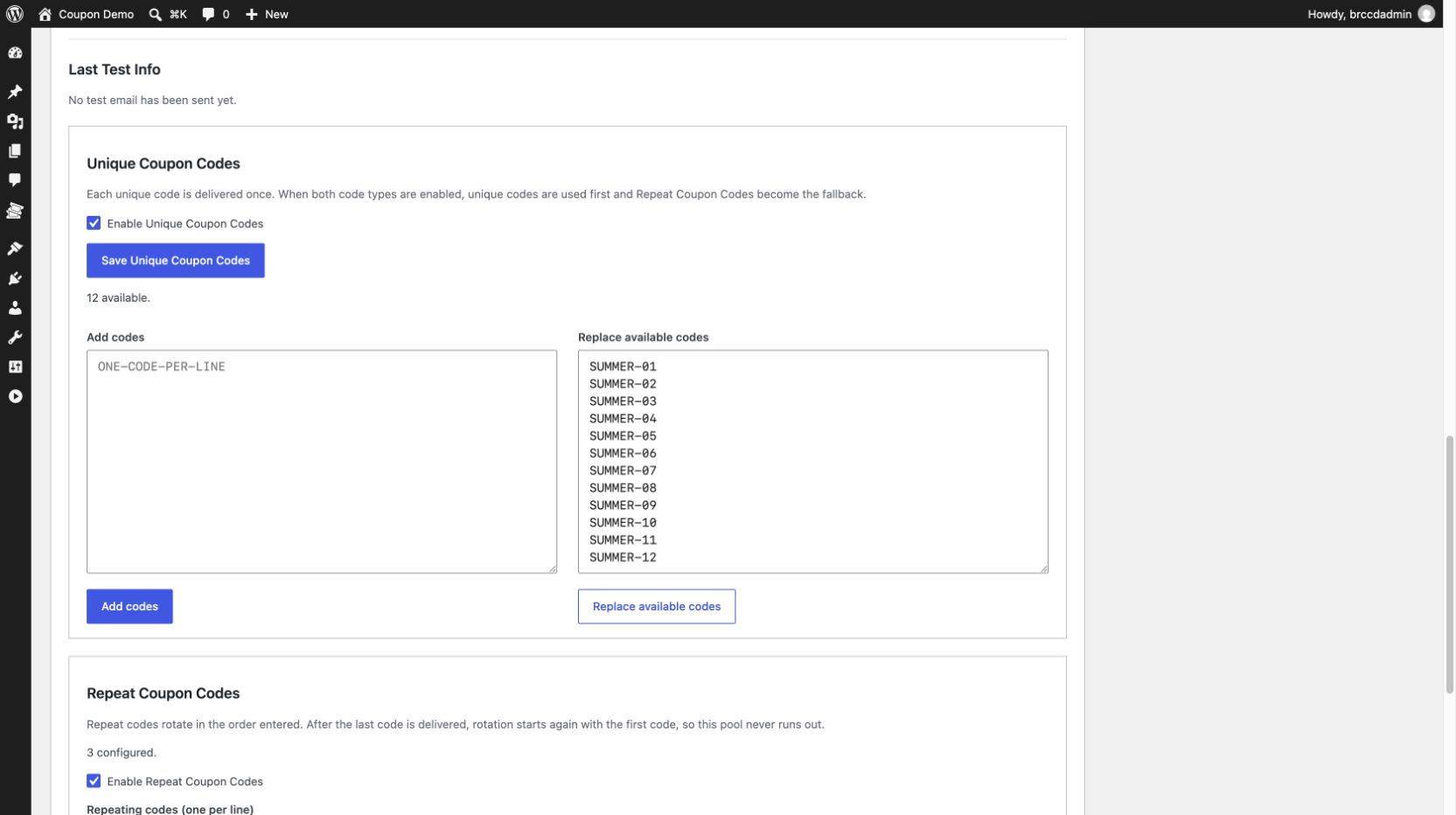
- Any number of available Unique Coupon Codes, each delivered once.
- Optional Repeat Coupon Codes that rotate continuously in their configured order.
- Independent enable or disable controls for unique and repeating code sources.
- Collision-resistant
[brccd_coupon title="Product Name"]shortcode. - Conditional legacy
[coupon title="Product Name"]compatibility when another plugin has not registered that shortcode. - Configurable success, duplicate, unavailable, and rate-limit messages.
- Custom HTML email and out-of-codes templates.
- Last Test Info with an expandable email and non-secret server diagnostic report.
- Hourly and daily limits that cover both code and out-of-codes email.
- Optional newsletter consent checkbox.
- Optional Google reCAPTCHA verification, disabled by default.
- WordPress personal-data export and erasure integration.
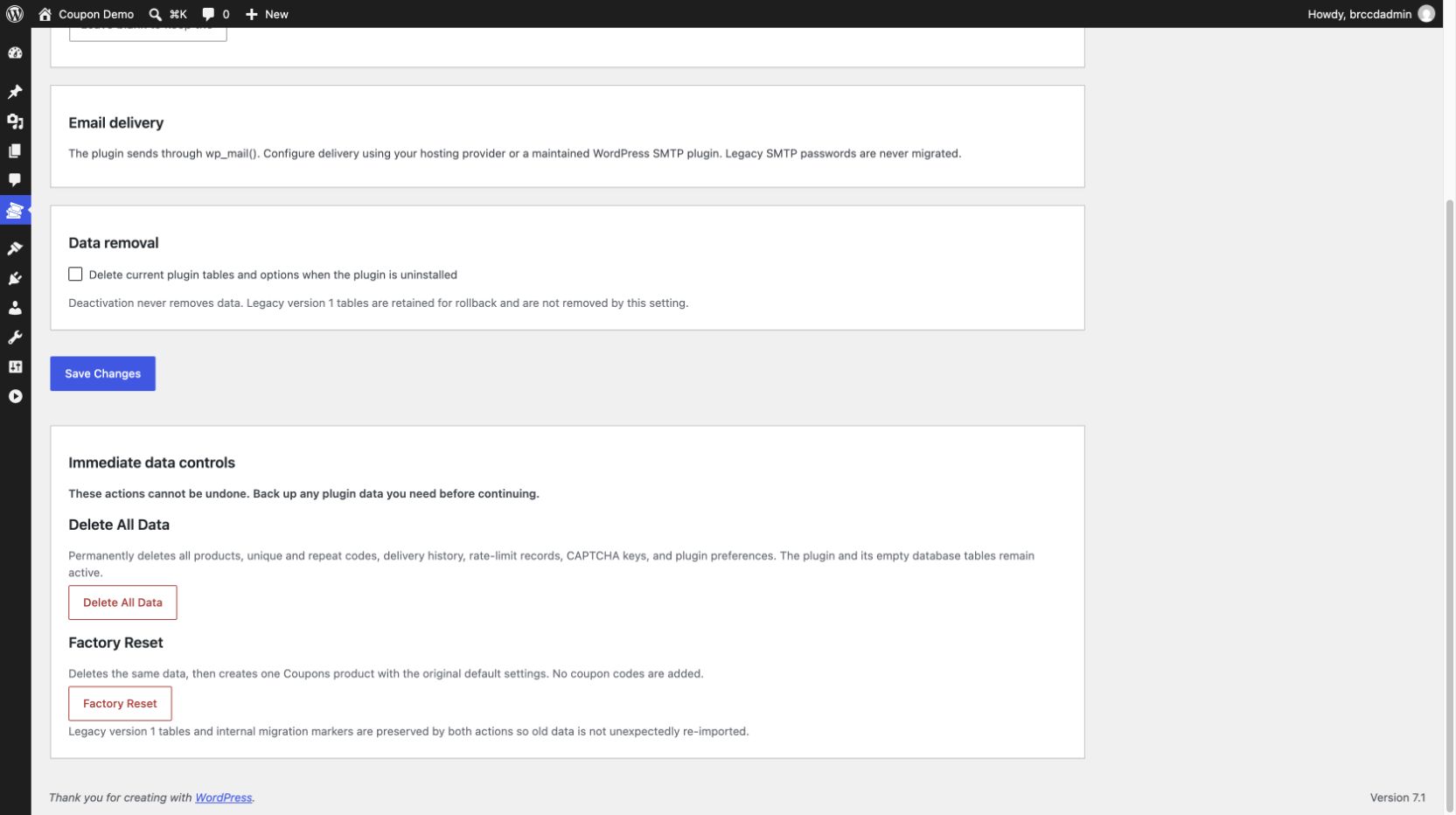
- Confirmed Delete All Data and Factory Reset controls.
wp_mail(). Configure delivery through your host or a maintained WordPress SMTP plugin.
安装:
- If Coupon & Promo Code Dispenser is active, deactivate it without uninstalling it. Its data remains in place for migration.
- Upload and activate Blockrush Coupon Code Dispenser.
- Open Coupon Codes in WordPress Admin and verify any migrated products.
- Configure a product and add unique or repeating codes.
- Add
[brccd_coupon title="Coupons"]to a page or post.
屏幕截图:
![Display the responsive visitor request form with the `[brccd_coupon]` shortcode.](https://cdn.jsdelivr.net/wp/blockrush-coupon-code-dispenser/assets/screenshot-3.png)
常见问题:
Will deactivating the plugin remove data?
No. Deactivation does not remove data. Optional uninstall cleanup can be enabled in the plugin settings.
How is email sent?
The plugin uses WordPress wp_mail(), allowing the site owner to choose and maintain their mail transport.
What happens when both code sources are enabled?
Available Unique Coupon Codes are delivered first. When unique inventory is empty, Repeat Coupon Codes become the fallback and rotate from the last code back to the first.
How can I make coupon codes easier to read and enter?
The plugin delivers codes exactly as entered, so use a readable format when creating them:
- Avoid characters that are easily confused, especially
Oand0,I,l, and1,Sand5,Band8, andZand2. - Prefer uppercase letters and numbers with a consistent length.
- Separate longer codes into short groups with hyphens, such as
SAVE-7K9M, instead of one long unbroken string. - Avoid spaces and punctuation that may be dropped, wrapped, or changed by email clients.
- Keep codes reasonably short and test both copy-and-paste and manual entry on mobile devices.
- Do not include customer names, email addresses, or other personal information in a code.
Does the plugin confirm that a visitor owns the email address?
No. The form validates the address format and sends the code to that address, but it does not run a separate ownership-verification step.
Where can I get support?
Use the plugin support forum.
更新日志:
2.5.1
- Aligned the official author URL with the Blockrush.com domain used by the WordPress.org account.
- Re-audited every administrator action for direct capability and action-specific nonce verification before request processing.
- Simplified coupon-product administration while retaining delivery records for duplicate prevention, delivery controls, migration, and WordPress privacy tools.
- Added a guarded migration handoff that prevents the earlier plugin and this replacement from loading the same PHP classes together.
- Removed product and unique-code limits so the directory plugin is complete and fully functional.
- Separated optional bulk delivery into an independently installed add-on.
- Changed the primary shortcode to
[brccd_coupon]and made the legacy[coupon]alias collision-safe. - Adopted uniquely prefixed hooks, options, tables, assets, routes, and screen identifiers.
- Added automatic migration from pre-2.4 tables and options while retaining rollback data.
- Replaced authentication-salt-dependent hashes with a stable plugin-owned secret and rehashed existing identities.
- Applied delivery limits to out-of-codes email and added seven-day pseudonymous attempt cleanup.
- Changed product deletion from a state-changing link to a nonce-protected POST form.
- Expanded external-service and privacy disclosures.
- Enabled standards-based email autofill and mobile email-entry hints on the public coupon form.
- Fixed Center form alignment so the visible email, consent, CAPTCHA, and submit controls are centered as a group.
- Scoped public form styles to prevent collisions with similarly named theme or plugin classes.
- Added per-product Last Test Info with date, status, From, To, mail transport, SMTP, WordPress, PHP, and web-server details.
- Recorded failed test-email diagnostics without collecting password, API-key, or authentication credential fields.
- Made the Save Unique Coupon Codes action a prominent primary button.
- Added nonce-protected Delete All Data and Factory Reset controls to Coupon Code Settings.
- Preserved earlier tables and migration state during immediate data cleanup.
- Added independent Unique Coupon Codes and continuously rotating Repeat Coupon Codes.
- Included repeat deliveries in stored delivery records and privacy tools.
- Rebuilt the plugin for current WordPress and PHP releases.
- Added secure request validation, contextual escaping, and prepared database queries.
- Added atomic coupon reservations to prevent duplicate delivery.
- Added legacy data migration, privacy tools, and reproducible release builds.