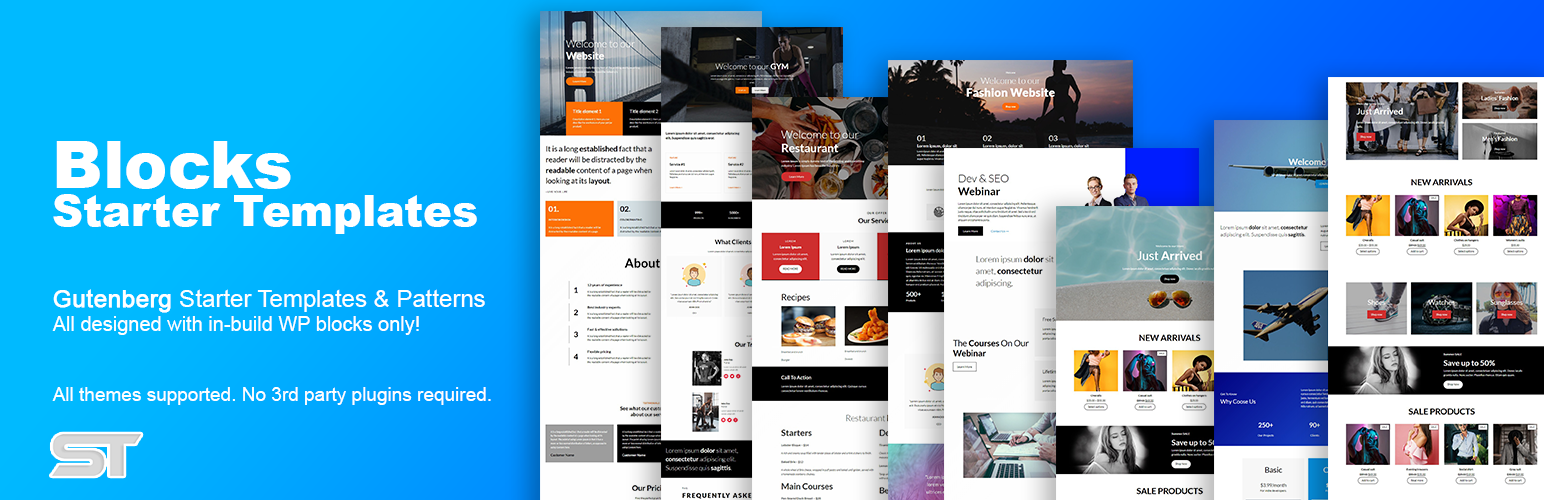
Blocks Starter Templates
| 开发者 | theblockswp |
|---|---|
| 更新时间 | 2026年11月1日 01:27 |
| PHP版本: | 7.4 及以上 |
| WordPress版本: | 7.1 |
| 版权: | GPLv2 or later |
| 版权网址: | 版权信息 |
详情介绍:
- Open a page in the block editor and click Starter Templates in the toolbar (or go to Starter Templates › Templates).
- Choose a template – a whole website – or a single section.
- Import it. The blocks, layout and pictures are added to your site, ready to edit.
- Business, consulting, agency, construction and transport websites
- Landing pages for products, apps, SaaS and webinars
- Restaurants and cafes
- Fitness studios and personal trainers
- Fashion and beauty
- Portfolios and personal websites
- Online stores with WooCommerce blocks
- Core WordPress blocks only – your pages stay editable with any block theme, today and later
- No page builder, no extra scripts or styles on your pages
- Pictures are copied into your Media Library, so your site never depends on ours
- Export any page as a JSON file, or as a ZIP file with its images, and import it on another site
- Store templates show the products of your own WooCommerce store; the plugin offers to install WooCommerce when a template needs it
- The list of the library (https://wp-fse.com/wp-json/bst-library/v1/list), loaded at most twice a day (once an hour after a failed attempt) when the plugin needs its lists – the template window, the Templates screen or the notice of new templates in the admin: it adds free templates and sections published after your version of the plugin, the previews of new designs and the current list of PRO templates. The last list is kept, so the plugin works without a connection with the templates it already knows.
- Template files (https://wp-fse.com/wp-json/bst-library/v1/file) of such new free templates, downloaded only when you import or insert one of them. The bundled templates never need the service.
- Previews and pictures: the previews of the templates and sections, and the pictures of a template you import, are loaded from wp-fse.com; on import the pictures are copied into your Media Library.
安装:
- Go to Plugins › Add New, search for Blocks Starter Templates, install and activate it.
- Open Starter Templates › Templates, or edit a page and click Starter Templates in the toolbar.
- Pick a template or a section and import it. Step-by-step guides: Getting started.
屏幕截图:


常见问题:
Is it free?
Yes. The plugin and its 18 starter templates and 192 sections are free, also for client websites. Starter Templates PRO adds premium designs.
Where do I find the templates?
In the block editor click Starter Templates in the top toolbar, or open Starter Templates › Templates in the admin menu. Every template also has a live demo.
Does it work with my theme?
Yes. The templates use only core WordPress blocks, so they work with any theme that supports the block editor. Block themes look closest to the demos; for templates with their own header and footer the plugin suggests a full-width page template.
Will an import change my existing pages?
Importing a template replaces the content of the page you are editing – you are asked first. The Templates screen always creates a new draft. Sections are added where you are editing; the rest of the page is not touched.
Do I need a page builder or extra blocks?
No. Everything is built with the blocks that come with WordPress. Deactivating the plugin does not change your pages.
Where do the pictures come from?
The pictures of a template are copied into your Media Library when you import it. Replace them with your own whenever you like.
Can I move a page to another site?
Yes. Export the page as JSON (or as a ZIP file with its images) from the editor menu and import it on the other site with Import from file.
Does it work without an internet connection?
The bundled templates and sections import without our service. New designs, previews and pictures are loaded from wp-fse.com (see "External service").
I updated from version 1.x. What changed?
Version 2.0 is a new library: a faster template window with categories and sections, previews of every page, the Templates admin screen and export as JSON or ZIP. Your imported pages are not changed. The old cached template lists are removed from the database.
更新日志:
- New template library: templates and sections with categories, search and Free / PRO filters
- New Starter Templates admin menu with the Templates screen (import into a new draft)
- Preview a page with your theme before importing
- Images are copied into the Media Library on import
- Export a page as JSON or as a ZIP file with its images; import JSON and ZIP files (also files of version 1.x)
- Installs WooCommerce when a store template needs it
- After an update, a notice shows the new templates with small previews; new templates and sections are marked "New" for 30 days
- New free templates and sections from the library on wp-fse.com without a plugin update (the bundled templates stay as a fallback)
- Removed the old template lists cached in the database
- Tested with WP 7.0
- Tested with WP 6.7
- Fixed button loading
- Updated importing code
- Added 3rd party service note in readme.txt
- Removed unused code
- Updated code based on WP review
- Updated theme text domain
- Tested with WP 6.4
- Initial release