Blog Filter - Post Grid Filter by Category or Tag
| 开发者 |
awordpresslife
razipathhan hanif0991 muhammadshahid fkfaisalkhan007 sharikkhan007 zishlife FARAZFRANK |
|---|---|
| 更新时间 | 2026年9月1日 20:21 |
| 捐献地址: | 去捐款 |
| PHP版本: | 7.0 及以上 |
| WordPress版本: | 7.1 |
| 版权: | GPLv2 or later |
| 版权网址: | 版权信息 |
标签
下载
1.0.9
1.2.0
1.2.3
1.2.5
1.2.6
1.2.7
1.2.8
1.2.9
1.3.0
1.3.1
1.6.1
1.7.4
1.8.4
1.8.5
1.0.5
1.8.0
1.6.0
1.3.6
1.3.3
1.3.9
1.4.0
1.4.2
0.1.1
1.0.0
1.0.7
1.0.8
1.3.2
1.3.5
1.3.7
1.8.2
1.0.3
1.4.1
0.0.8
0.0.9
1.2.2
1.4.3
1.5.8
1.5.9
0.0.5
0.0.6
1.4.6
1.5.1
1.5.2
1.5.3
1.5.4
1.5.5
1.5.6
1.5.7
0.0.1
1.0.10
1.4.5
1.8.3
1.8.6
0.0.10
1.6.2
1.6.4
1.6.5
1.7.0
1.7.2
1.7.3
0.0.2
0.0.4
0.0.7
0.1.0
1.0.1
1.2.4
1.3.4
1.0.2
1.0.4
1.3.8
1.4.4
1.6.3
1.7.5
1.7.6
1.7.8
1.8.9
1.0.6
1.7.7
1.7.9
0.0.3
1.2.1
1.7.1
1.8.1
1.5.0
1.8.7
详情介绍:
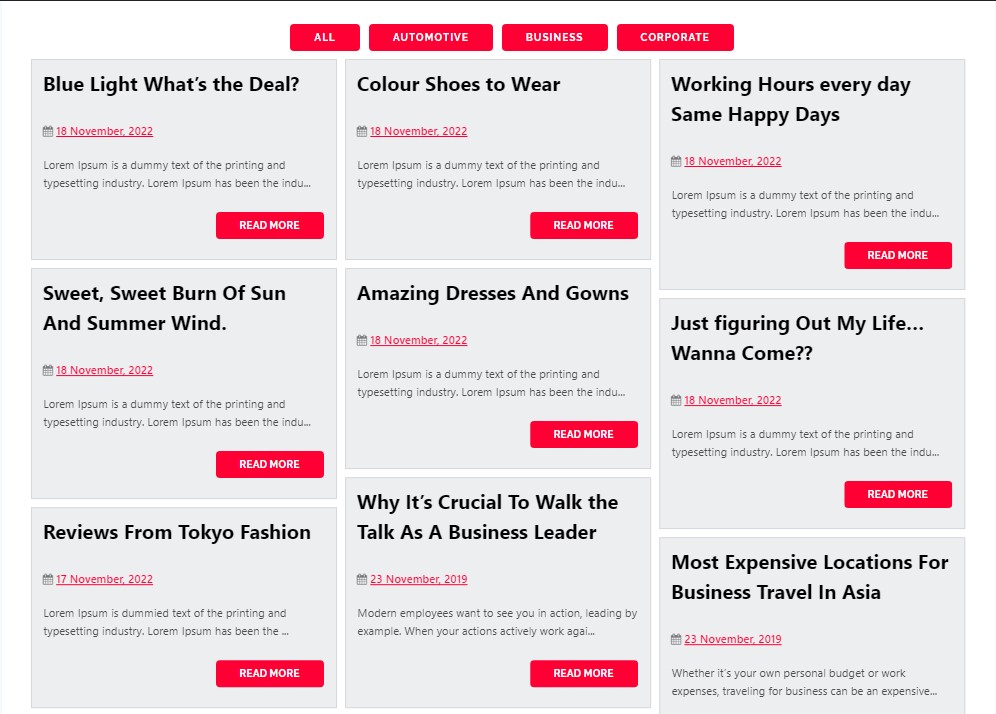
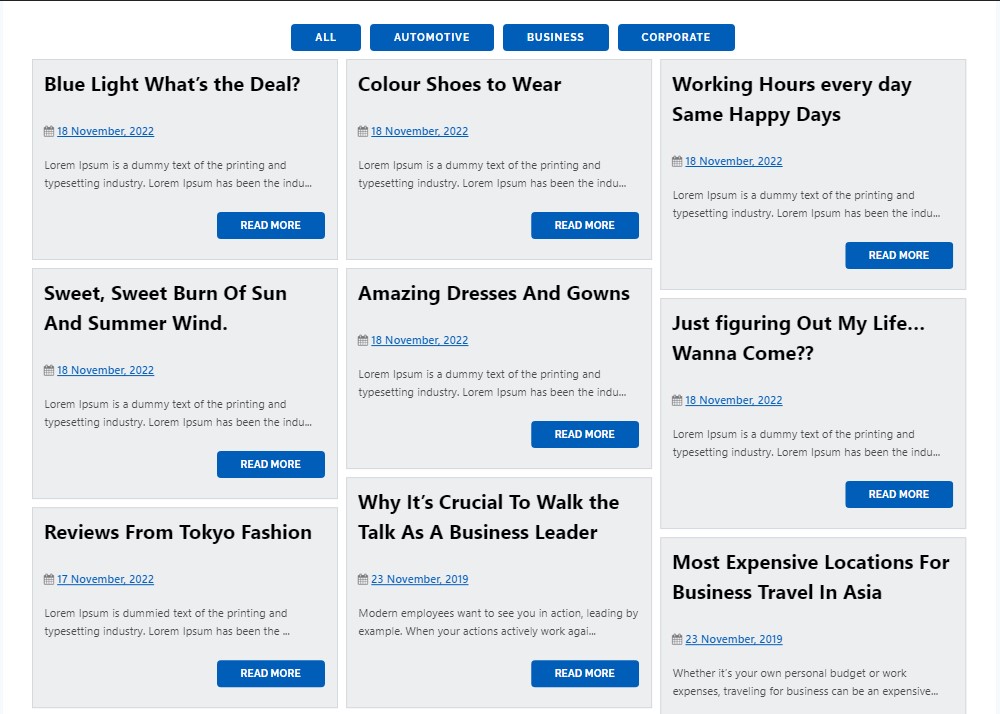
Need a beautiful blog post grid for your site? This plugin is built for you. It helps you show your posts in clean grids or masonry layouts.
Visitors can instantly filter posts by Category or Tag without loading new pages. This makes your site faster and much easier to explore.
[youtube https://www.youtube.com/watch?v=7Ue3eIM3nu4]
Upgrade To Premium - Blog Filter Plugin
Premium Blog Filter Plugin Demo
Simple and Powerful
Our Blog Filter fetches your content automatically. You can choose two main styles for your Post Grid:
- Grid Layout: Shows your posts in even rows and neat columns.
- Masonry Layout: Fits posts tightly together like Pinterest, saving empty space.
- Bloggers: Let readers sort through articles by Category or Tag.
- News Sites: Arrange top news into easy sections that users can toggle.
- Portfolio Sites: Showcase your work dynamically in a clean visual grid.
- Writers: Help users find specific topics using simple button clicks.
安装:
From WordPress Dashboard
- Go to Plugins > Add New
- Search for "Blog Filter"
- Click Install Now, then Activate
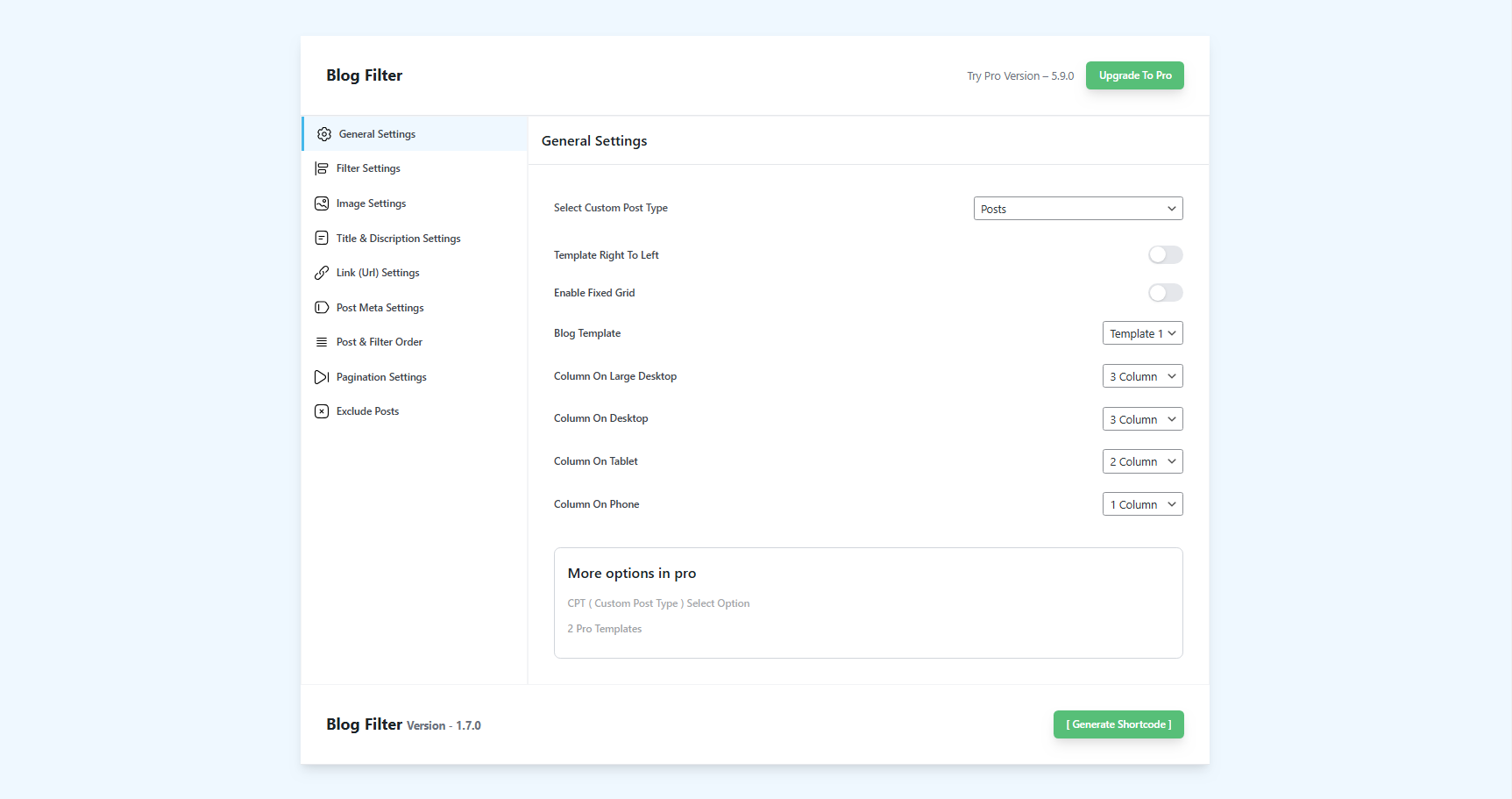
- Find Blog Filter Settings in your admin menu
- Download the plugin zip file
- Extract and upload the
blog-filterfolder to/wp-content/plugins/ - Activate through the Plugins menu
- Configure settings and generate your shortcode
屏幕截图:

常见问题:
How do I show the Blog Filter Post Grid?
Copy the generated shortcode from settings. Paste it into any page, post, or widget area you like.
Can visitors sort by both Category or Tag?
Yes. You can choose to display a Category filter, a Tag filter, or both together.
Will the Blog Filter slow down my site?
No. The plugin is lightweight. It uses fast AJAX to load and filter posts instantly.
Does it support Custom Post Types?
Yes! The premium version fully supports filtering custom post types by any custom taxonomy.
更新日志:
1.8.7
- Date: 01-09-2026
- Fix: Cleaned all plugin files to remove UTF-8 BOM byte-order marks, preventing "Cannot modify header information - headers already sent" warnings and redirect/cookie failures.
- Fix: Resolved "Error" display in "Select Taxonomy for Filtering" dropdown on the admin settings screen by embedding direct security nonces in the DOM and hardening AJAX taxonomy retrieval.
- Admin UX: Preserved dynamic post type taxonomy fetching and terms table rendering with graceful fallbacks.
- Date: 31-08-2026
- Fix: Resolved issue where uppercase/capital letters in search queries returned no matching posts by making Filterizr search matching strictly case-insensitive.
- Fix: Resolved vertical misalignment where category and tag icons sat higher than the text in post cards; implemented inline-flex vertical centering.
- UI/UX: Synchronized search input border, text color, placeholder, and focus styling dynamically with the selected button color ($blog_buttons_color).
- UI/UX: Enhanced loading spinner horizontal centering directly below filter buttons with responsive auto margins.
- Date: 27-08-2026
- UX / Loading State: Repositioned loading spinner to display centered directly below the filter buttons.
- Animation & Reveal: Posts remain cleanly hidden while images and layouts calculate, followed by a smooth fade-in reveal once Filterizr initializes.
- CSS Optimization: Improved
.blog_loaderCSS centering with responsive margin auto and smooth spin transitions.
- Date: 27-08-2026
- WordPress 7.1 & PHP 8.x Compatibility: Full compatibility overhaul for modern WordPress versions, PHP 8.0 - 8.4+, and Block Themes (Full Site Editing).
- Fix: Resolved JavaScript
Uncaught SyntaxErrorby implementing safe JSON encoding (wp_json_encodewith strict hex flags) for all inline and localized script variables. - Fix: Resolved post visibility and opacity issues by eliminating hardcoded inline
opacity:0styling on post cards. - Fix: Fixed frontend CSS and JS asset rendering in block themes and dynamic template renderers by registering dependencies properly and embedding scoped dynamic stylesheets.
- Fix: Resolved fatal 404 template crash on modern block themes by replacing legacy template inclusions with safe query pagination sanitization.
- Fix: Corrected default taxonomy from
blog_categoryto standard corecategoryand updated visual defaults to ensure instant post display with zero configuration. - Fix: Removed deprecated PHP pass-by-reference
&$thiscall signatures from hook callbacks and modernized string trimming. - Fix: Resolved undefined variable reference in admin settings shortcode generator.
- Date: 09-06-2026
- UI: Added new premium/pro features (Subcategory Filters, Default Filter Selection, URL-Based Filtering, and Post Link on Featured Image) to the Free vs Pro comparison table on the settings screen.
- UI: Rearranged and categorized comparison table features by usability to improve readability (Layout & Core Settings, Filters & Search, Loading & Navigation, Interactive Media & Hover Effects, and Advanced).
- Date: 03-06-2026
- Performance: Removed standard Bootstrap CSS and JS libraries to reduce payload size by ~200 KB and completely prevent styling conflicts with active themes.
- Grid Layout: Added a lightweight responsive Flexbox grid scoped strictly to the plugin, preserving all responsive column configurations.
- UI: Corrected shortcode overlay modal centering alignment and layer priority index. Removed redundant "Disable Bootstrap CSS/JS" option checkboxes from the settings panel.
- Cleanup: Deleted all redundant, unused, and duplicate asset files from the plugin workspace.
- Date: 02-06-2026
- Security: Hardened AJAX handlers with capabilities check (
current_user_can) to restrict admin operations to administrators. - Standards: Switched dynamic inline CSS/JS output in shortcode to enqueued inline script/style wrappers.
- Modernization: Hooked admin enqueues to
admin_enqueue_scriptswith page-specific suffix checks and modernized Clipboard copy API. - Escaping: Resolved custom CSS escaping entity corruption issue and escaped single post permalinks.
- Performance: Replaced global lazy load disabling filter with targeted callback for plugin images only.
- Cleanup: Eliminated PHP's
extract()from shortcode and AJAX scripts, and cleaned placeholder options.
- Date: 16-05-2026
- Perfecly work with New wordpress version 7.0
- Feature: Ported advanced description fallback logic from Premium for improved builder and CPT support.
- Compatibility: Added native support for Divi Builder layouts, preventing blank descriptions on Divi posts.
- Fix: Automatically resolves and renders Divi Dynamic Content tokens (Base64 @ET-DC@ markers) to output clean, evaluated plain text instead of garbled database strings.
- Security: Hardened AJAX handlers with strict unslashing and input sanitization (
map_deep,sanitize_text_field). - Performance: Optimized taxonomy count queries and shortcode database interactions to reduce server load.
- Compatibility: Enhanced template path resolution for consistent file inclusion during AJAX.
- UI: De-cluttered admin interface by removing inactive "Pro" feature toggles and placeholders.
- Logic: Optimized background processing for category exclusion and term filtering.
- Refiner: Improved shortcode attribute handling and refreshed default values.
- Bugfix: Resolved pagination issues in AJAX-loaded content by ensuring proper query parameter handling.
- Modernization: Completely removed Font Awesome dependency. Replaced icons with lightweight inline SVGs and cleaned up associated CSS/font assets.
- Fixed: AJAX "Load More" functionality by ensuring absolute paths for template inclusion.
- Fixed: Posts-per-page query logic in AJAX handlers to use unified settings.
- Fixed: AJAX Term count logic for accurate post distribution across categories.
- Improved: JavaScript post insertion for Filterizr grid to handle multiple items and prevent layout issues.
- Fixed: Constant definition error in main plugin file.
- Plugin Check Compliance: Replaced all _e() with esc_html_e() across settings page
- Plugin Check Compliance: Added version parameters to all wp_enqueue_style/script calls
- Plugin Check Compliance: Removed offloaded CDN Tailwind script from settings page
- Security: Escaped all PHP output in inline JavaScript with esc_js()
- Security: Escaped admin_url() with esc_url() and wp_create_nonce() with esc_attr()
- Security: Replaced json_encode() with wp_json_encode() for safe JSON output
- Security: Escaped $disabled and $is_selected variables in printf() with esc_attr()
- Security: Wrapped wp_strip_all_tags() output in esc_html() for custom CSS
- Security: Escaped get_day_link() output with esc_url() in templates
- Fixed: CSS selector spacing issues in blog-filter-output-css.php
- Added option to disable Bootstrap CSS loading
- Added option to disable Bootstrap JS loading
- Prevents conflicts when theme already includes Bootstrap
- Default variables fixed.
- Security: Fixed Stored Cross-Site Scripting (XSS) vulnerability
- Security: Added proper output escaping for all shortcode attributes
- Security: Sanitized custom CSS output with wp_strip_all_tags()
- Security: Fixed unsafe innerHTML assignments in JavaScript with textContent
- Security: Sanitized AJAX targetFilter parameter
- Security: Fixed $_GET['filter'] handling with proper sanitization
- Security: Added sanitization for critical bfg_query_vars fields
- Improved: Added esc_attr() and esc_html() escaping throughout templates
- Improved: Better input validation for AJAX handlers
- Tested compatibility with WordPress 6.9
- Removed automatic redirect to settings page after activation
- Tested compatibility with WordPress 6.8.3
- Fixed load more button color styling issue
- Tested compatibility with WordPress 6.8.2
- Redesigned settings page interface
- Added custom post type support for pages
- Introduced load more post feature
- Added multiple new post display options
- Fixed pagination issue
- Resolved text domain error
- Tested compatibility with WordPress 6.8.1
- Fixed issue with extra page URLs generating when pagination is disabled
- Tested compatibility with WordPress 6.8
- Regular maintenance and updates
- Added Hebrew language translation
- Tested compatibility with WordPress 6.7.1
- Regular maintenance and updates