BlogDoSEO Disclaimer +18
| 开发者 |
matheusgoomes
undercover006 |
|---|---|
| 更新时间 | 2026年9月14日 04:48 |
| PHP版本: | 7.4 及以上 |
| WordPress版本: | 7.1 |
| 版权: | GPL-2.0-or-later |
| 版权网址: | 版权信息 |
详情介绍:
- Dark and Light themes
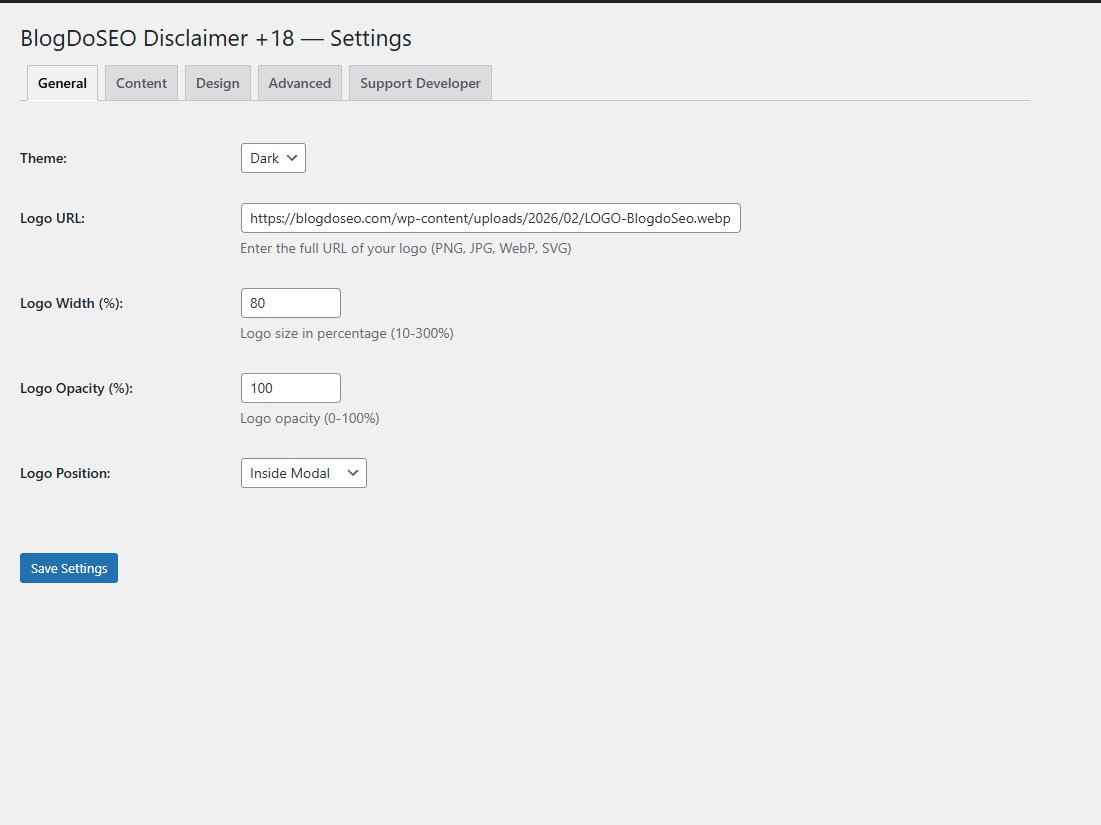
- Custom logo support (PNG, JPG, WebP, SVG), with a WordPress Media Library picker, inside/outside position, size and opacity controls
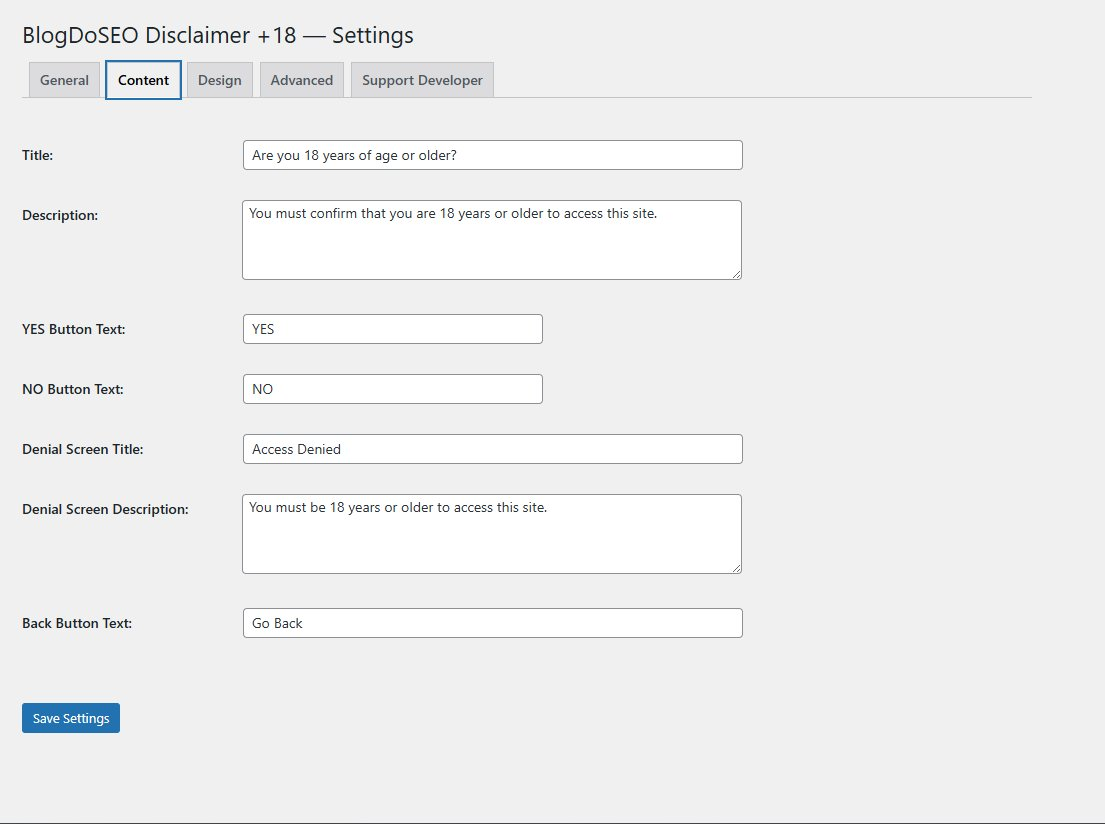
- Full content customization: title, description, button texts, denial screen
- Custom colors for buttons, modal background and text
- Background image support for the overlay
- Redirect visitors who click NO to any URL
- Cookie-based memory: visitors who confirm are not shown the modal again for 30 days
- Scroll lock while the modal is open
- Blur effect on background content
- Fully responsive (mobile and desktop)
- Keyboard-friendly modal with focus management
- Intuitive admin panel with tabs: General, Content, Design, Advanced
安装:
- Upload the blogdoseo-disclaimer folder to the /wp-content/plugins/ directory, or install directly via the WordPress plugin screen.
- Activate the plugin through the Plugins menu in WordPress.
- Go to Settings > Disclaimer +18 to configure the plugin.
屏幕截图:


常见问题:
Does this plugin work with current WordPress and PHP versions?
Version 1.1.0 was functionally tested with WordPress 7.1 and PHP 8.5.10. Tests covered activation, settings, desktop and mobile display, cookie persistence, custom content and logo position, light-theme colors, keyboard navigation, the Media Library picker, and the configured redirect. Minimum requirements remain WordPress 5.0 and PHP 7.4.
Can I change the button texts?
Yes. Go to Settings > Disclaimer +18 > Content tab and update the YES and NO button texts to anything you like.
Can I use my own logo?
Yes. In the General tab, choose an image from the WordPress Media Library or paste its full URL. You can also adjust its position, size and opacity.
What happens when a visitor clicks NO?
The visitor sees the denial screen first. Its Back button redirects to the URL set in the Advanced tab; by default, that URL is Google.
How long is the visitor's choice remembered?
The plugin saves a cookie for 30 days. After that, the modal will appear again.
Does the plugin work on mobile?
Yes, the modal is fully responsive and adapts to any screen size.
更新日志:
- Added an internal Active/Disabled switch with toast confirmation, so the plugin can be turned on or off from its own settings
- Added WordPress Media Library image picker and preview
- Added functional outside logo position
- Fixed custom colors in the light theme
- Improved keyboard navigation, focus handling and mobile layout
- Added safer validation for logo size and opacity
- Tested with WordPress 7.1 and PHP 8.5.10
- Initial release
- Dark and light themes
- Custom logo with size and opacity controls
- Full content and color customization
- Background image support
- Cookie-based memory (30 days)
- Redirect on NO
- Responsive layout