Teydea Login Customizer - Custom Login Page, Branding & Styling
| 开发者 |
BinaryMoon
teydeastudio bartoszgadomski |
|---|---|
| 更新时间 | 2026年8月28日 07:11 |
| PHP版本: | 7.4 及以上 |
| WordPress版本: | 7.1 |
| 版权: | GPLv3 |
| 版权网址: | 版权信息 |
详情介绍:
- Adjust colors, fonts, spacing, and layout of every login page element without writing CSS.
- Add your logo, social media links, and custom footer to create a branded login experience.
- Support for multilingual sites with per-language text customization for labels, buttons, and notices.
- Works with WordPress multisite networks for consistent branding across all sites.
安装:
- Upload the
bm-custom-logindirectory to/wp-content/plugins/. - Activate the plugin through the "Plugins" menu in WordPress.
- Go to "Settings" > "Login Customizer" to open the settings page.
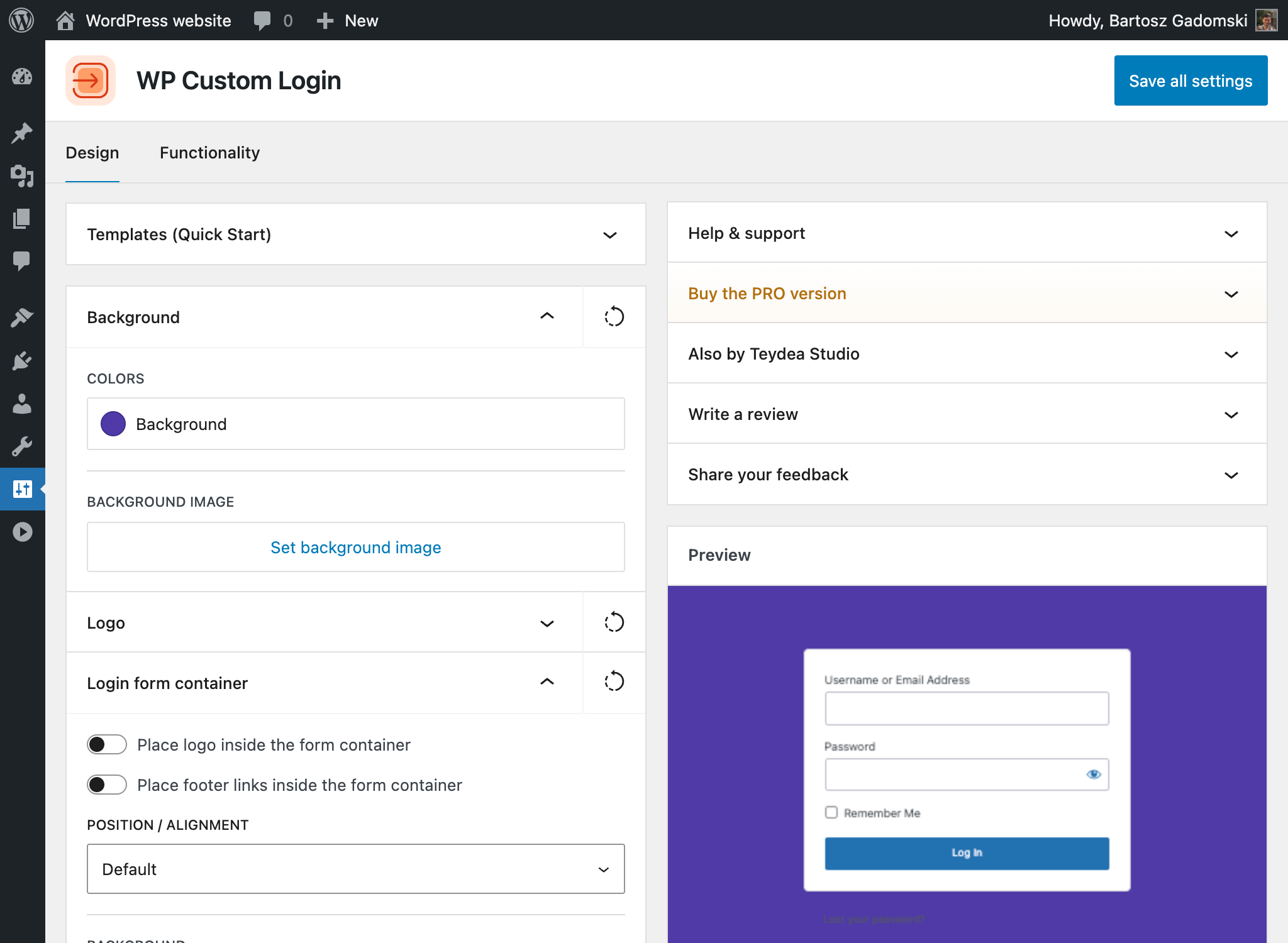
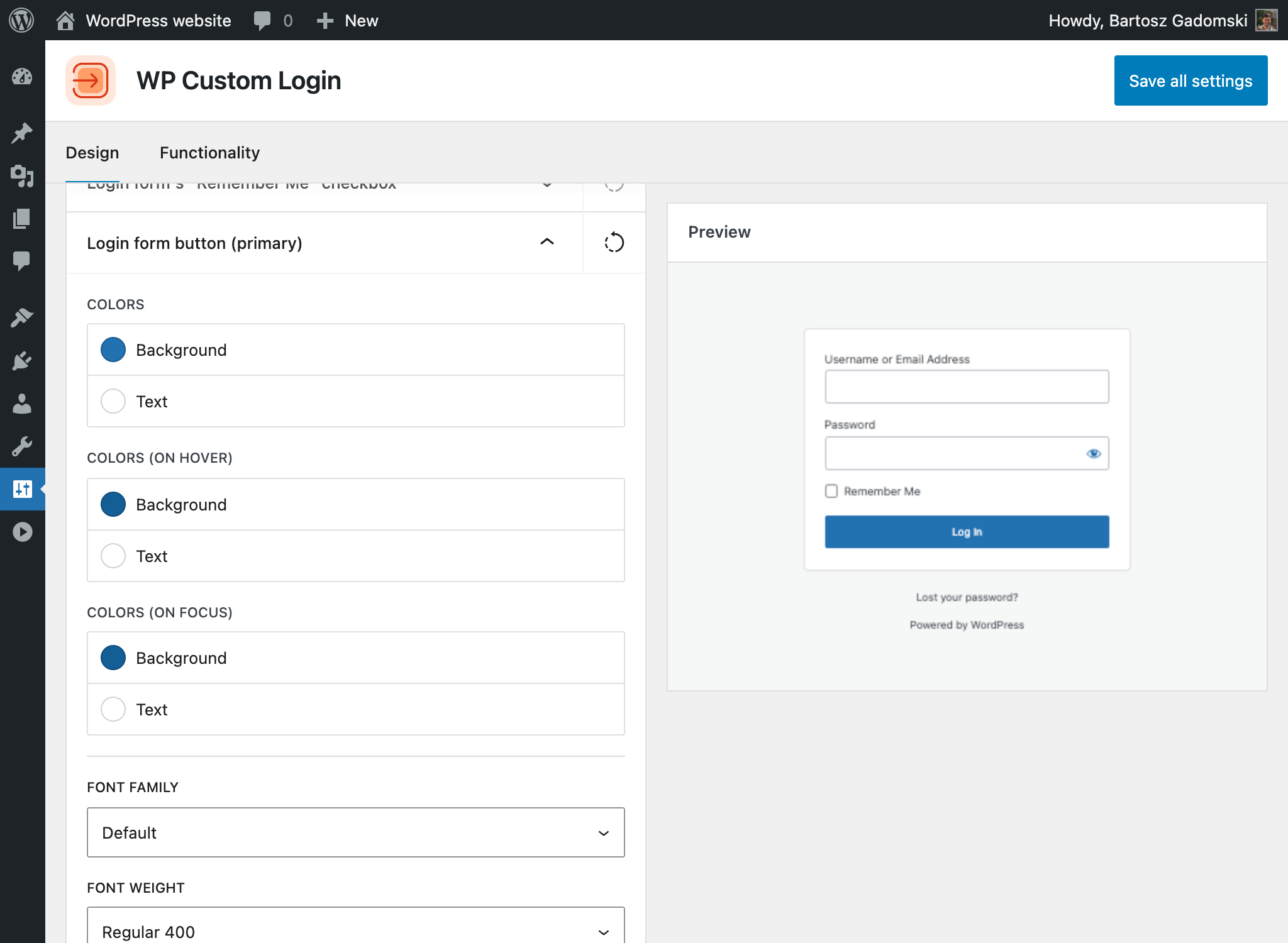
- Use the visual controls to customize your login page. Changes are shown in the live preview on the right side of the settings page.
- Save your settings. Your customized login page is now live.
屏幕截图:
常见问题:
How do I access the settings?
After activation, go to "Settings" > "Login Customizer" in the WordPress admin. The settings page provides visual controls for every element of the login page, along with a live preview.
Does this plugin work with WordPress multisite?
Yes. Teydea Login Customizer supports WordPress multisite networks and can be activated network-wide. Each site in the network can have its own login page customization.
Can I customize login page text for multiple languages?
Yes. Labels, placeholders, button text, and custom notices all support per-language configuration. This is useful if your site serves visitors in more than one language.
Will my customizations be lost if I update the plugin?
No. All your settings are stored in the WordPress database and are not affected by plugin updates.
What is the difference between the free and PRO versions?
The free version gives you full control over colors, fonts, layout, logo, social icons, and form styling. The PRO version adds pre-designed templates, advanced background options (animated gradients, slideshows, split-screen), post-login redirects by user role, and premium support. See the pricing page for details.
Can I add custom CSS to the login page?
Yes. The settings page includes a custom CSS field where you can add any additional styles that go beyond what the visual controls offer.
Where can I find the unminified source code?
All source ships with the plugin: the plugin's own JavaScript is in src/, and the bundled @teydeastudio/components and @teydeastudio/utils libraries are in deps/js/components/src/ and deps/js/utils/src/. To rebuild, install Node.js 20 and run npm install && npm run build in the plugin directory.
更新日志:
- Plugin renamed to "Teydea Login Customizer"; settings, hooks, and stored data are unchanged
- Compatibility with WordPress 7.1 confirmed
- New controls for the "Remember Me" help tooltip introduced in WordPress 7.1: show or hide it, replace its text, and set the icon and bubble colors
- The "Remember Me" help text now defaults to WordPress' own wording in each installed language
- Fixed the login page preview corrupting attribute values containing style-like text
- Fixed missing descriptions and labels on several settings controls
- Refreshed plugin icons, banners, and screenshots
- Dependencies updated
- Code improvements
- Fixed images and template slider backgrounds not rendering in the sandboxed login-page preview
- Security fix: prevent stored CSS injection on the login page by sanitizing custom color and box-shadow values on save
- New margin controls for the login-page logo (top, right, bottom, and left)
- Fixed the custom logo being cropped to a 150px thumbnail; the full-size image is now rendered
- Settings page tabs are now reflected in the URL, so a tab can be bookmarked and shared
- Added a clear admin notice for unmet server requirements (minimum PHP/WordPress version, required extensions)
- Dependencies updated
- Code improvements
- Compatibility with WordPress 7.0 confirmed
- Unnecessary translation files removed since these are loaded from WordPress.org
- Added missing styles to the checkbox field
- Fix font family issue on the password field
- Added support for choosing different WordPress logo color (blue vs. gray)
- Dependencies updated
- Code improvements
- Complete plugin rebuild with a modern, React-based settings page and live preview
- Add granular styling controls for form container, labels, input fields, checkboxes, and buttons (including separate hover and focus states)
- Add primary and secondary button customization with font, color, size, width, and alignment options
- Add notice and error message styling with support for custom persistent notices
- Add social media icon links (23 platforms) with configurable placement
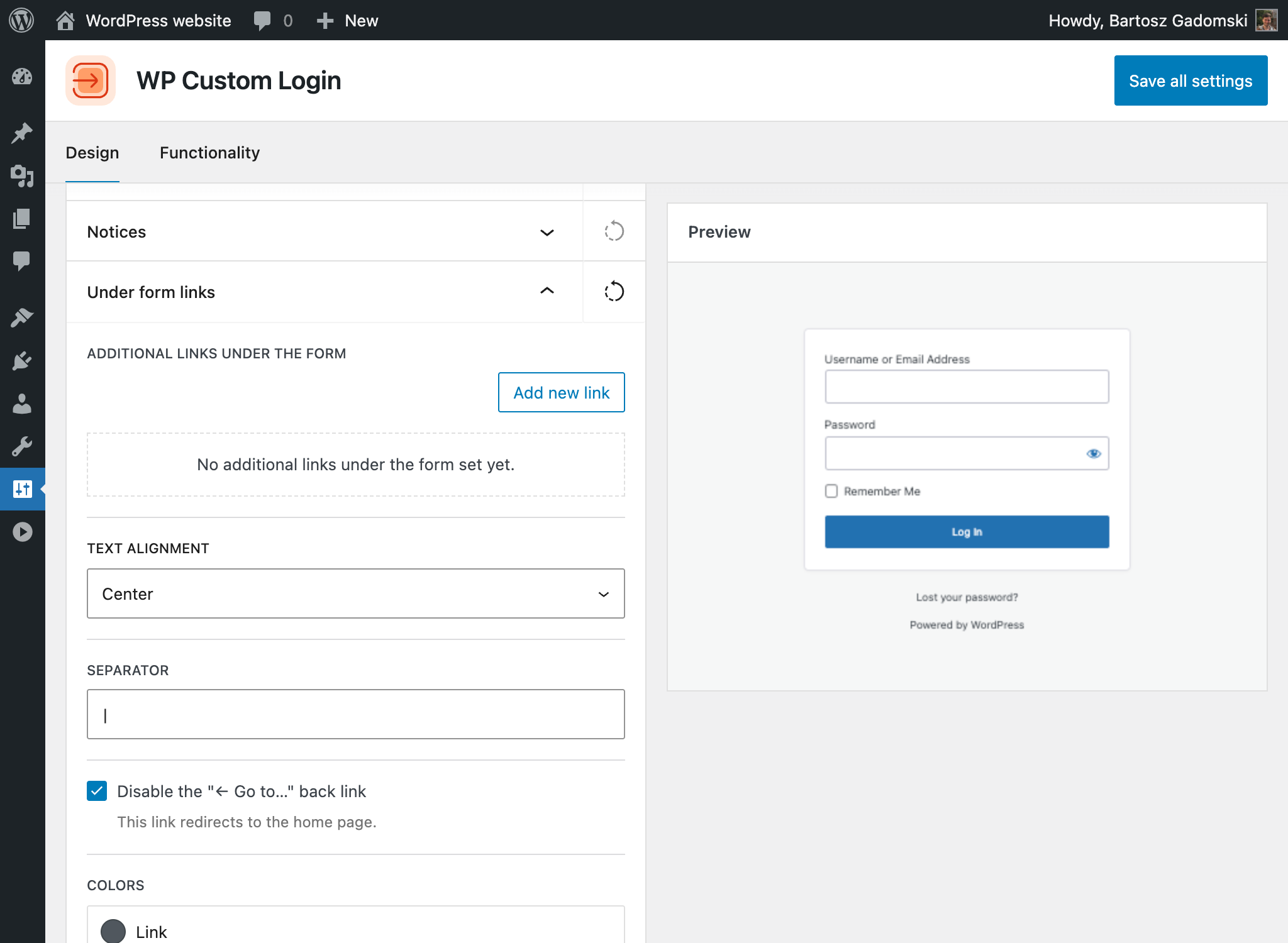
- Add under-form link customization with custom links, separator styling, and option to disable the "Back to" link
- Add custom footer with configurable text, font, color, and alignment
- Add privacy policy link and language switcher visibility and styling controls
- Add "Remember Me" checkbox show/hide toggle with custom label text
- Add per-language text customization for labels, placeholders, button text, and notices
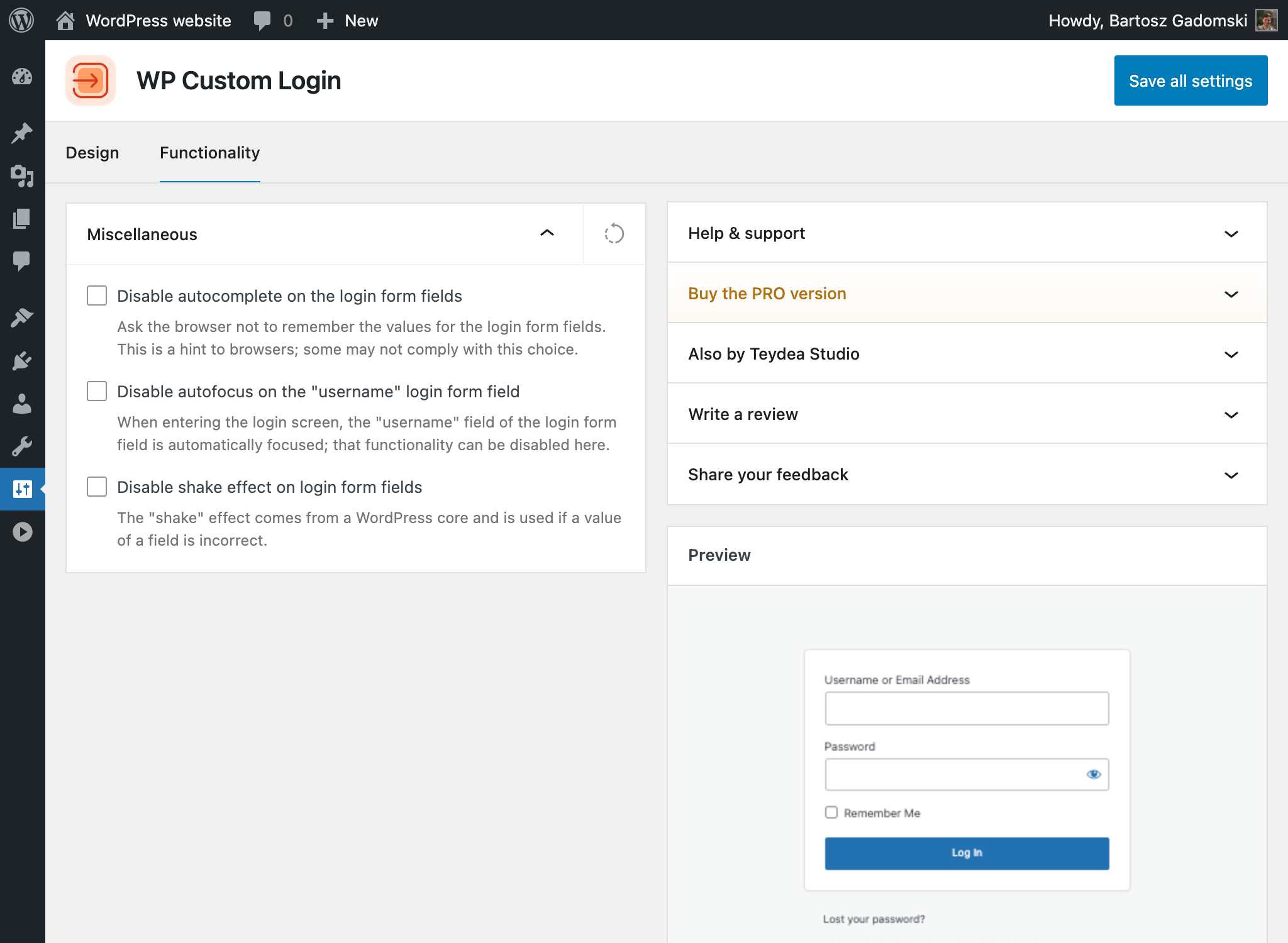
- Add functionality options: disable autofocus, disable error shake, disable autocomplete
- Add logo alignment, link configuration, and site icon as logo source option
- Improve background image controls with focal point, size, and repeat options
- Migrate existing settings from previous versions automatically
- Create changelog.txt file and add all missing records
- Update readme.txt file, list of contributors, tags, and the plugin author data
- Remove promotional contents
- Drop csstidy entirely and use similar approach for css sanitization as in WordPress core
- Remove invalid plugin uri header
- Bump tested-up-to version to WordPress 6.6
- Fix security issues
- Load plugin stylesheet through
login_enqueue_scriptshook
- Fix errant comma that caused a 500 error on some servers
- Fix PHP error for missing settings
- Display the "powered by" text underneath the login form to ensure it is visible. It can be targeted with CSS using
.cl-powered-by
- Fix implode parameter order
(For older records, see the
changelog.txtfile).