
BOGO Plus for WooCommerce
| 开发者 | rashmiwp |
|---|---|
| 更新时间 | 2026年1月5日 01:42 |
| WordPress版本: | 6.9 |
| 版权: | GPL-3.0-or-later |
| 版权网址: | 版权信息 |
详情介绍:
BOGO Plus for WooCommerce lets store owners create clear and reliable Buy One, Get One (BOGO) promotions using WooCommerce’s built-in coupon system.
The plugin focuses on same-product BOGO offers, meaning when a customer qualifies for a deal like Buy 3, Get 2 Free, the same product is automatically added to the cart as a free item, clearly marked and priced at $0.00.
BOGO Plus also continues to support percentage-based BOGO discounts, such as Buy One, Get One 50% Off, giving you flexibility to run different types of promotions without complex pricing tricks.
All rules are configured directly inside WooCommerce coupons, keeping the experience simple, familiar, and predictable for both store owners and customers.
Developed in partnership with SiteWired.com, BOGO Plus for WooCommerce is designed to deliver reliable, real-world Buy One, Get One promotions for WooCommerce stores & fully compatible with WooCommerce HPOS (High-Performance Order Storage).
安装:
- Upload the plugin files to the
/wp-content/plugins/directory, or install the plugin through the WordPress Plugins screen. - Activate the plugin through the Plugins menu in WordPress.
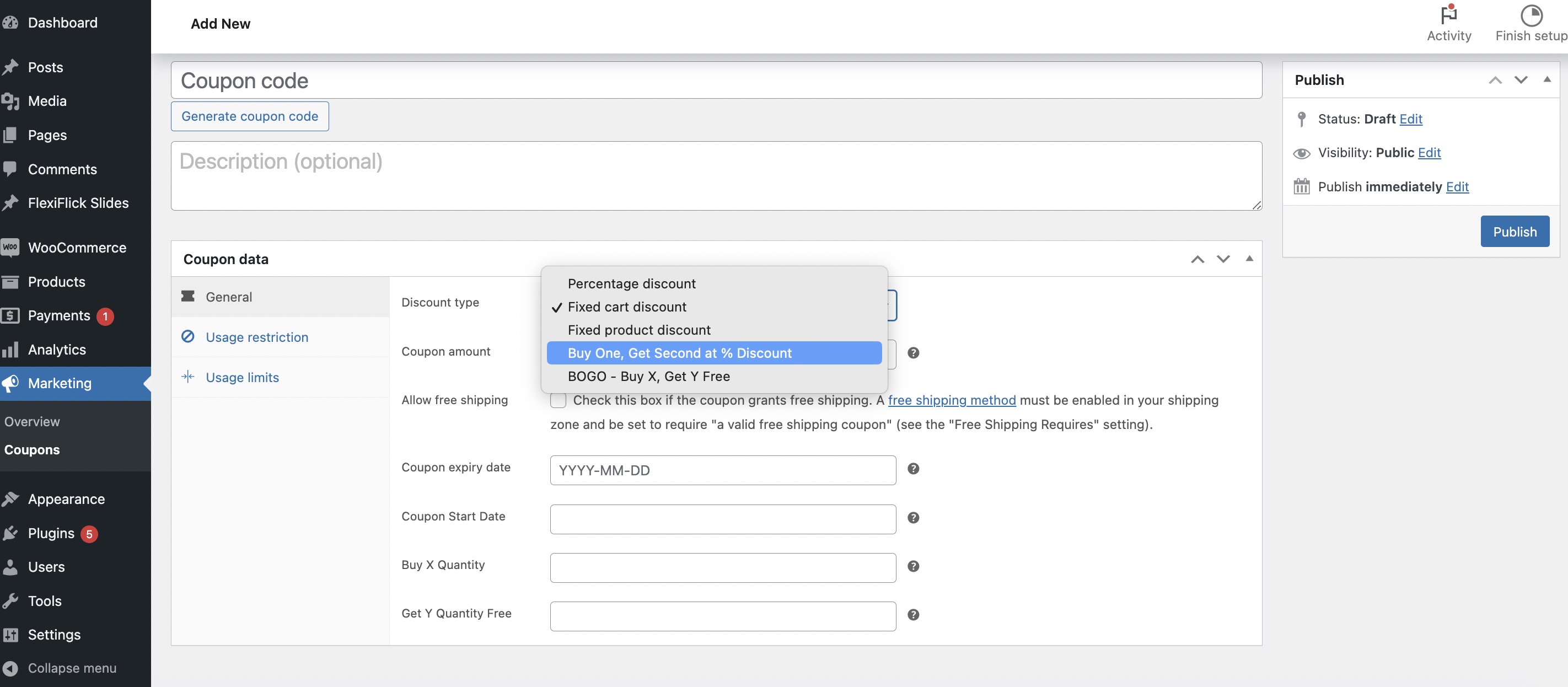
- Go to Marketing → Coupons in your WordPress admin.
- Click Add New Coupon.
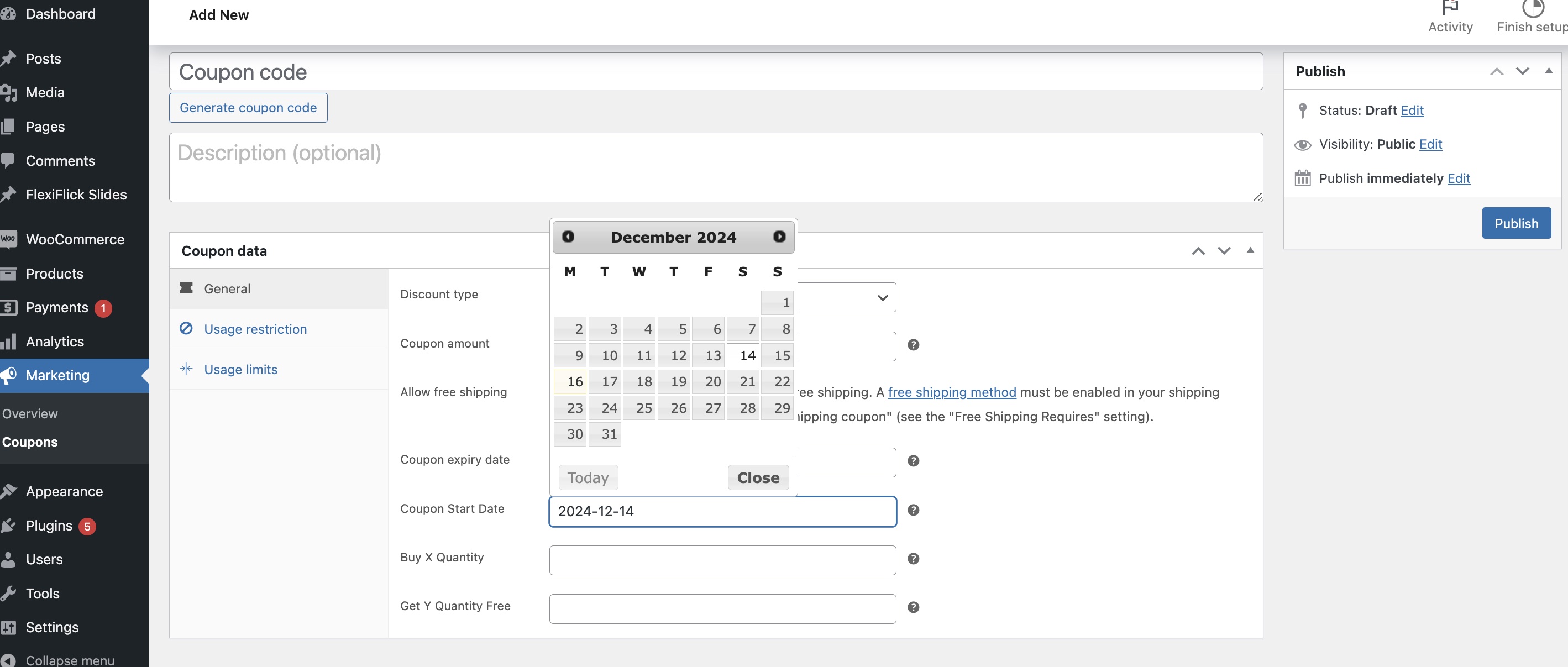
- Enter basic coupon details such as Coupon Code, Description, Start Date, and Expiry Date.
- Choose the type of promotion you want to create:
屏幕截图:
更新日志:
1.1.0
- Fixed an issue where Buy One, Get One Free coupons did not always apply correctly in certain cart scenarios.
- Improved overall stability of same-product BOGO promotions.