Vigore Widget
| 开发者 |
devbookme
devvigore |
|---|---|
| 更新时间 | 2026年6月17日 15:23 |
| PHP版本: | 7.0 及以上 |
| WordPress版本: | 6.8 |
| 版权: | GPL-2.0+ |
| 版权网址: | 版权信息 |
详情介绍:
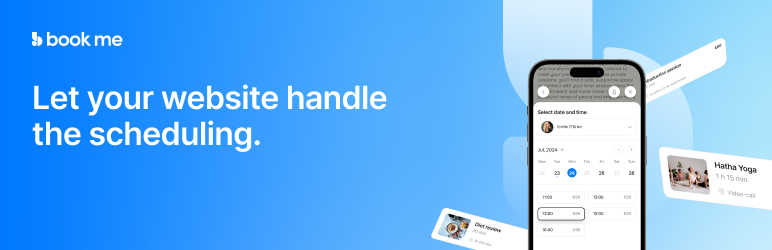
The Vigore Widget Plugin lets you embed the vigore.app booking widget as an iframe on your WordPress site. It allows your customers to book any timeslot based offering directly from your site. Easily connect your Vigore account and customize which professionals and languages are available for booking through the plugin settings. The widget is fully responsive and appears as a fixed element on the page, ensuring easy access for users across all devices.
安装:
- Install the Plugin
- Go to Plugins > Add New in your WordPress Admin Dashboard.
- Search for "Vigore Widget."
- Click Install Now, then Activate the plugin.
- Set Up the Plugin
- Go to Vigore Widget in your WordPress admin menu.
- Log in with your Vigore account (or use Google login).
- After logging in, select your Professional (if needed).
- Choose your preferred language for the widget display.
- Click Save Settings to enable the widget on your website. The widget will now appear on all pages, allowing customers to book services directly from your website.
更新日志:
2.3.0
- Enable WordPress dashboard connect flow — connect site directly from Vigore dashboard
- Add rate limiting for pending connection polling (once per minute)
- Add remote disconnect detection — widget deactivates when disconnected from dashboard
- Improve login error handling for unverified/unfinished accounts
- Bump plugin version to 2.3.0
- Added automatic site connection from Vigore dashboard
- Added daily heartbeat to track plugin status
- Added widget active/inactive toggle via dashboard disconnect
- Minor improvements and stability fixes
- update to new vigore apis
- Fixed API endpoint URL for instructor fetching
- Improved widget state management and sizing
- Fixed asset loading hook for better compatibility
- Enhanced widget responsiveness
- Major update: Per-user vigore authentication, and more UI/UX enhancements.
- Initial release of Vigore Widget.