Booktics – Appointment Booking Calendar for Service Businesses
| 开发者 |
arraytics
ehsanriyadh abrasel600 |
|---|---|
| 更新时间 | 2026年9月9日 12:03 |
| PHP版本: | 7.4 及以上 |
| WordPress版本: | 7.0 |
| 版权: | GPLv2 or later |
| 版权网址: | 版权信息 |
详情介绍:
- Create and manage unlimited services and appointments
- Offer group booking options
- Add extra services and add-ons
- Accept payments via Stripe, PayPal, and more
- Automate workflows with email notifications and reminders
- Use a responsive booking calendar that works on any device Smart Calendar & Scheduling Integration Booktics connects with Google Calendar and Outlook, so every booking updates automatically across your calendars. This helps prevent double bookings, missed appointments, and scheduling conflicts.
- TutorLMS, LearnPress and LifterLMS site owners who need bookable office hours or live tutoring sessions alongside their online courses
- Independent tutors and online coaches who don't need a full LMS just a clean booking calendar that works
- Language schools, driving instructors, and test-prep centers managing recurring student appointments and eLearning session scheduling
- Corporate trainers and workshop hosts offering bookable seminars, team coaching, and instructor-led training (ILT) sessions
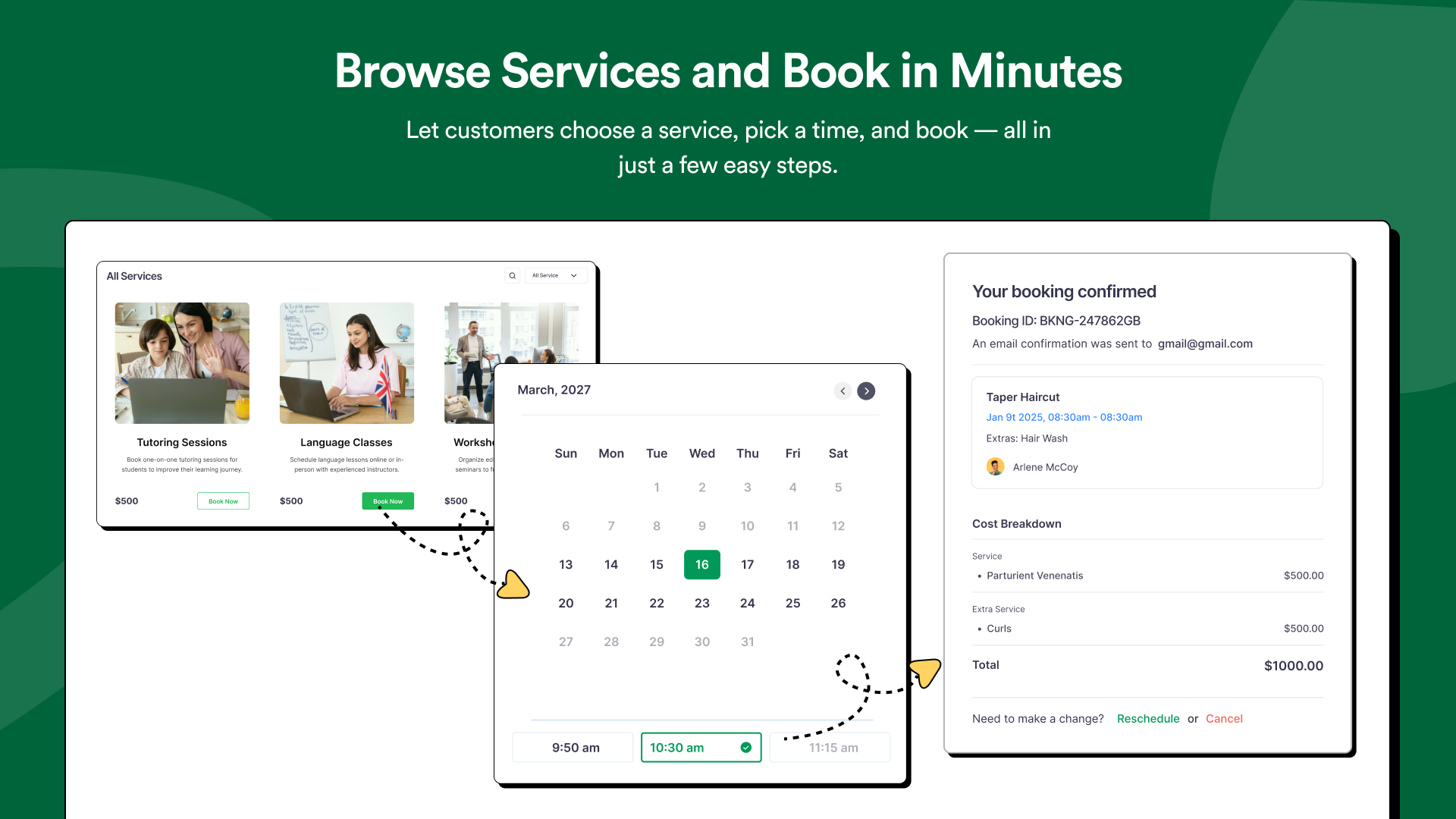
- 24/7 Online Booking — Customers book directly from your website at any time. They see only available time slots, eliminating phone calls and preventing double bookings automatically.
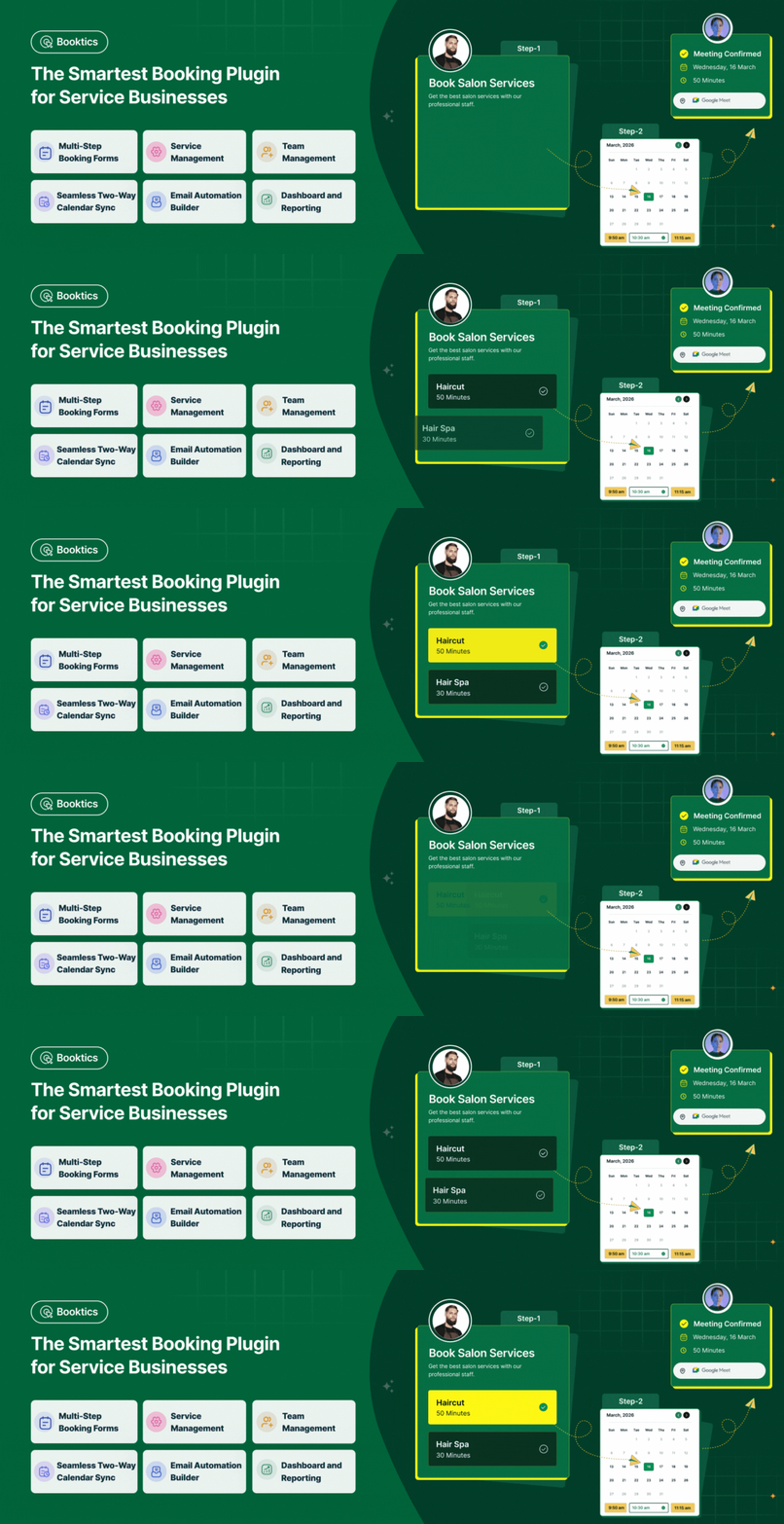
- Multi-Step Booking Form — A guided step-by-step flow: choose a service → pick a date and time → confirm. Designed to reduce drop-offs and works flawlessly on mobile and desktop.
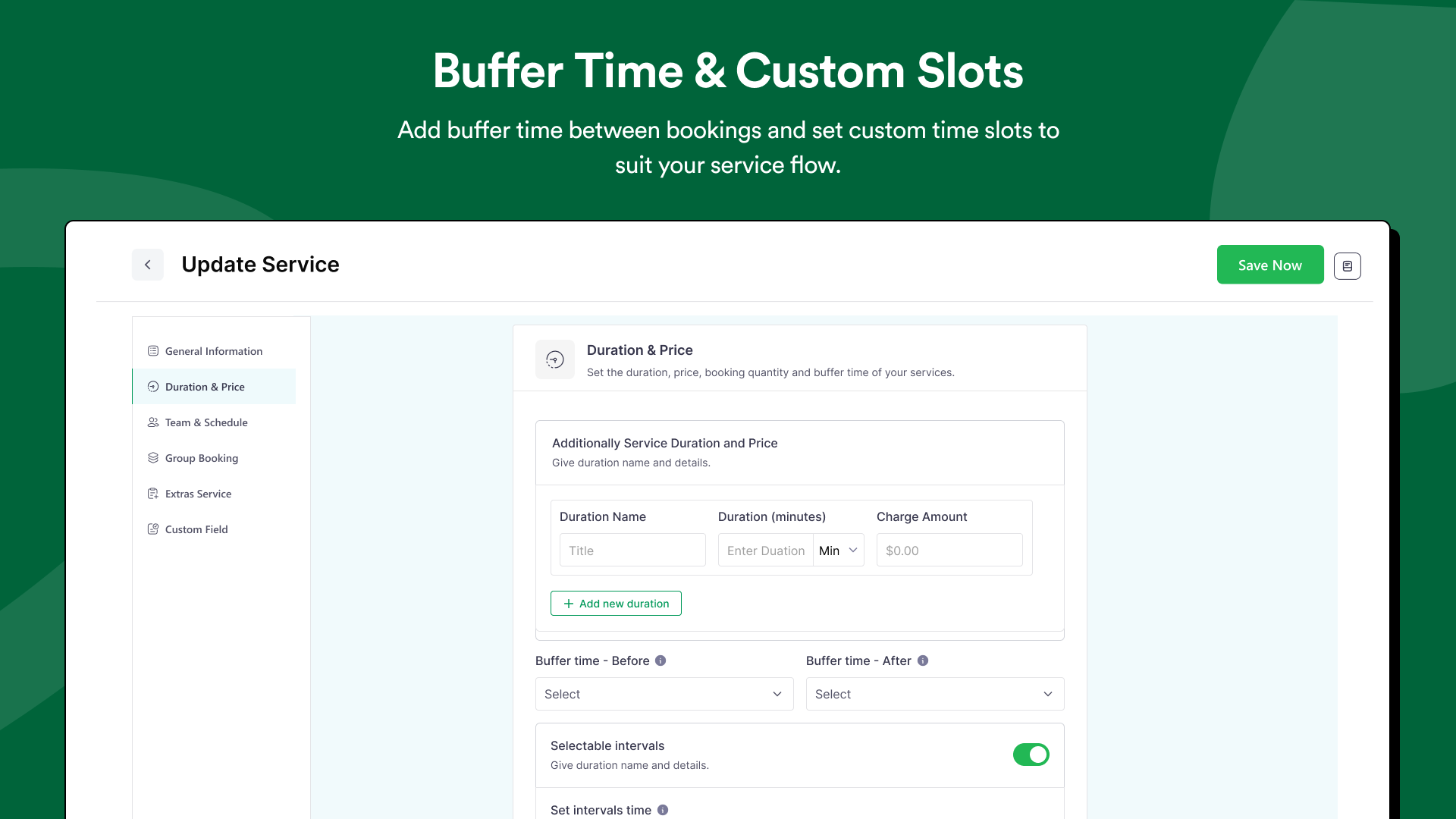
- Custom Time Slots — Set the exact duration for every service. A 30-minute haircut and a 90-minute massage each get their own accurate slot length.
- Buffer Time Between Appointments — Add prep or cleanup time before or after any service. Protects your team from back-to-back burnout and keeps your schedule realistic.
- Booking Limits — Cap the number of appointments per time slot or per day to prevent overbooking and protect your team's capacity.
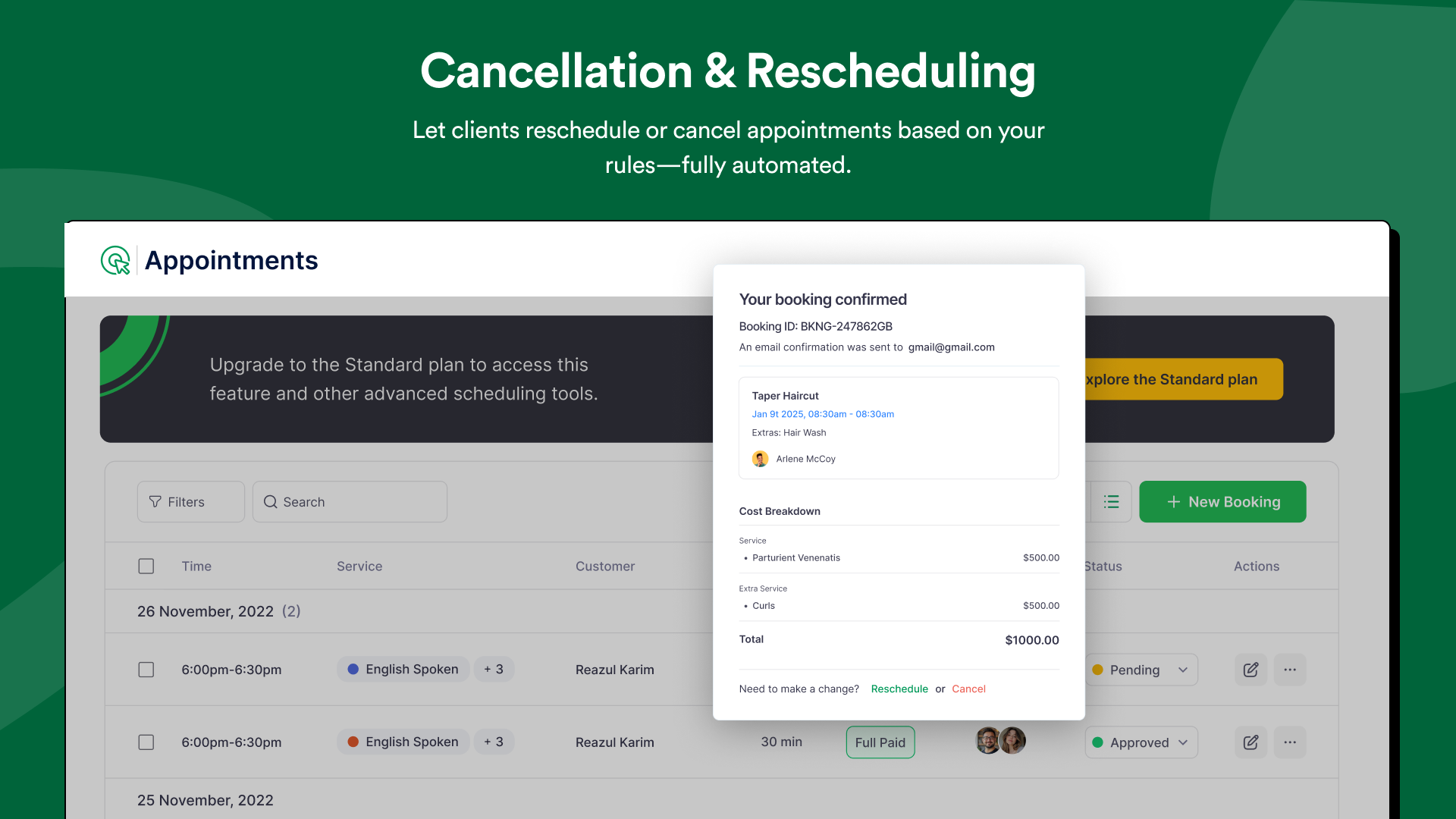
- Client Self-Service Cancellation & Rescheduling — Customers manage their own bookings via a direct link. Reduces admin workload and keeps your calendar accurate without manual updates.
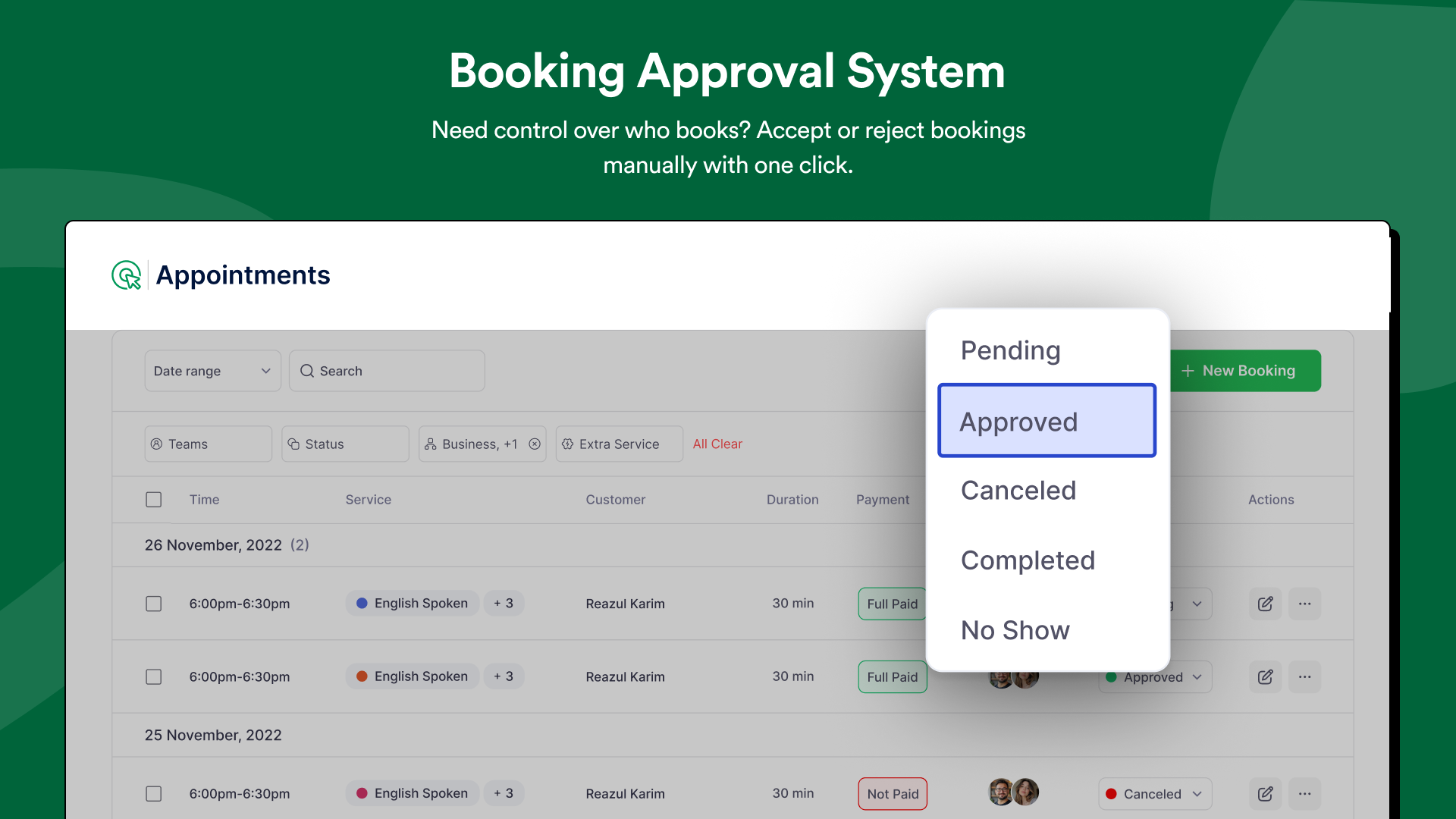
- Booking Approval System — Choose between auto-confirmation and manual review for new bookings. Ideal for premium services, consultations, and intake-required appointments.
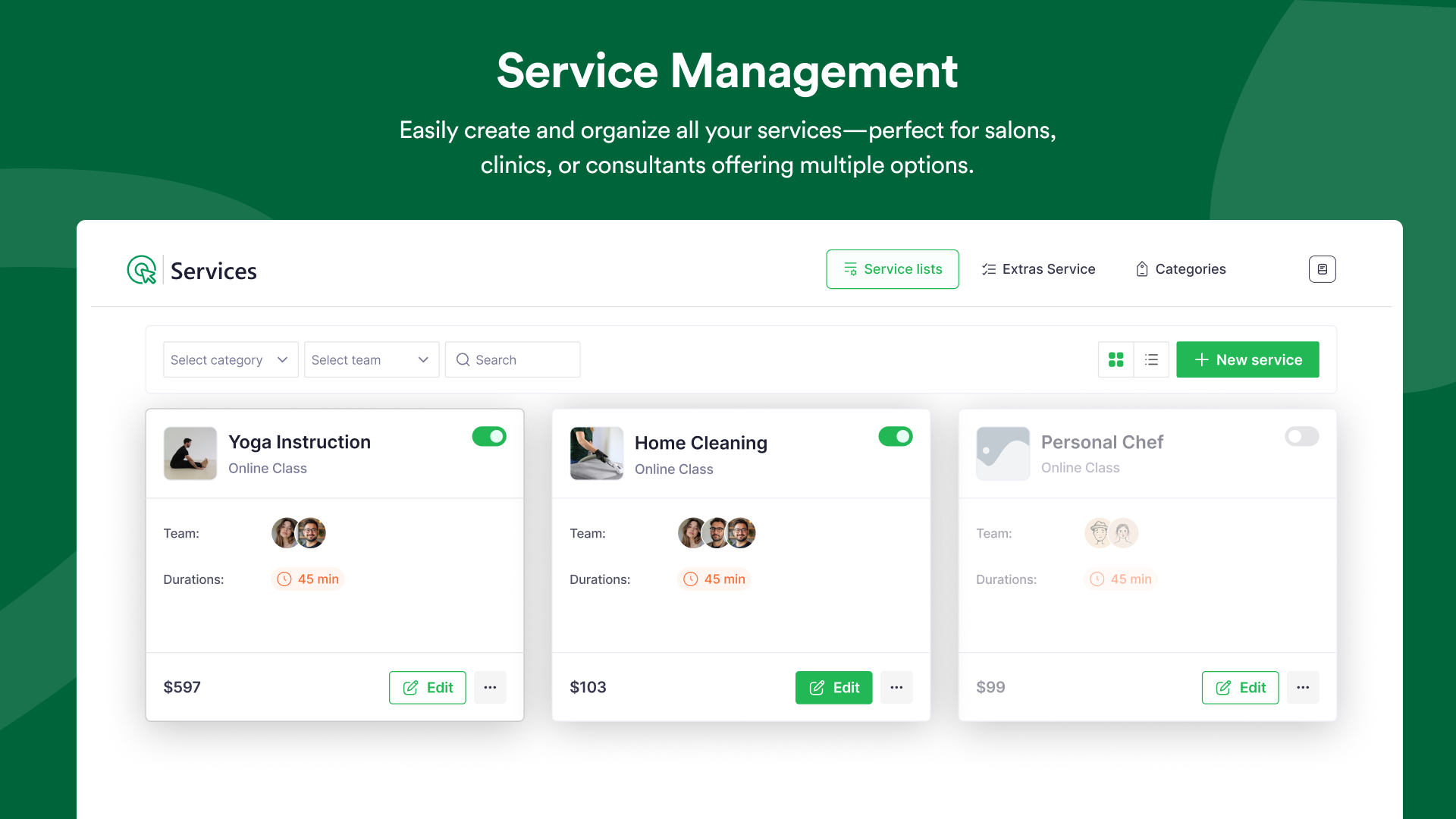
- Unlimited Services — Add as many services as your business needs, each with its own name, duration, price, and description.
- Service Categories — Group services into categories (e.g., Hair, Skin, Wellness) so customers find what they need faster and your booking form stays organized.
- Service-Level Scheduling Rules — Configure unique availability, duration, and pricing per service for maximum scheduling flexibility.
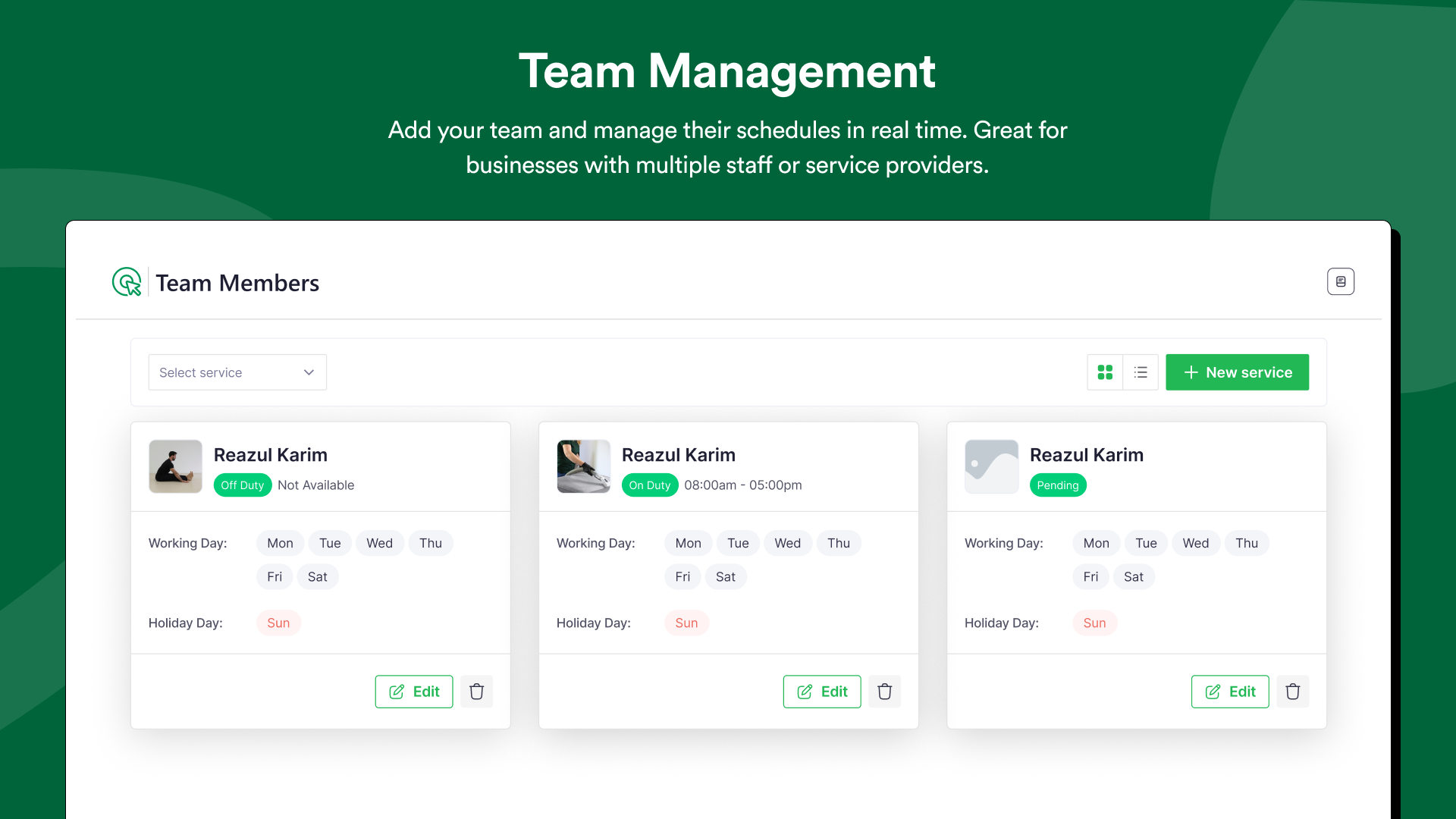
- Team Member Management — Assign specific services to each staff member, set individual working hours, and keep everyone's calendar organized from one admin panel.
- Individual Staff Panels — Each team member gets their own secure login to view and manage their personal appointment schedule. Admins maintain full oversight from the central dashboard.
- Automatic Conflict Prevention — Booktics blocks already-booked time slots in real time. Two clients can never be assigned to the same staff member at the same time.
- Stripe Integration — 100% Free — Accept credit cards, debit cards, Apple Pay, and Google Pay at checkout. No commission taken by Booktics. No upgrade required. Full Stripe is available in the free version — unlike Bookly, Salon Booking System, and LatePoint which charge for this.
- Local & Offline Payment — Offer in-person or cash-on-arrival payment for clients who prefer not to pay online.
- WooCommerce Integration — Connect Booktics with WooCommerce to access additional payment gateways, tax management, invoicing, and advanced order tracking synced with your booking calendar.
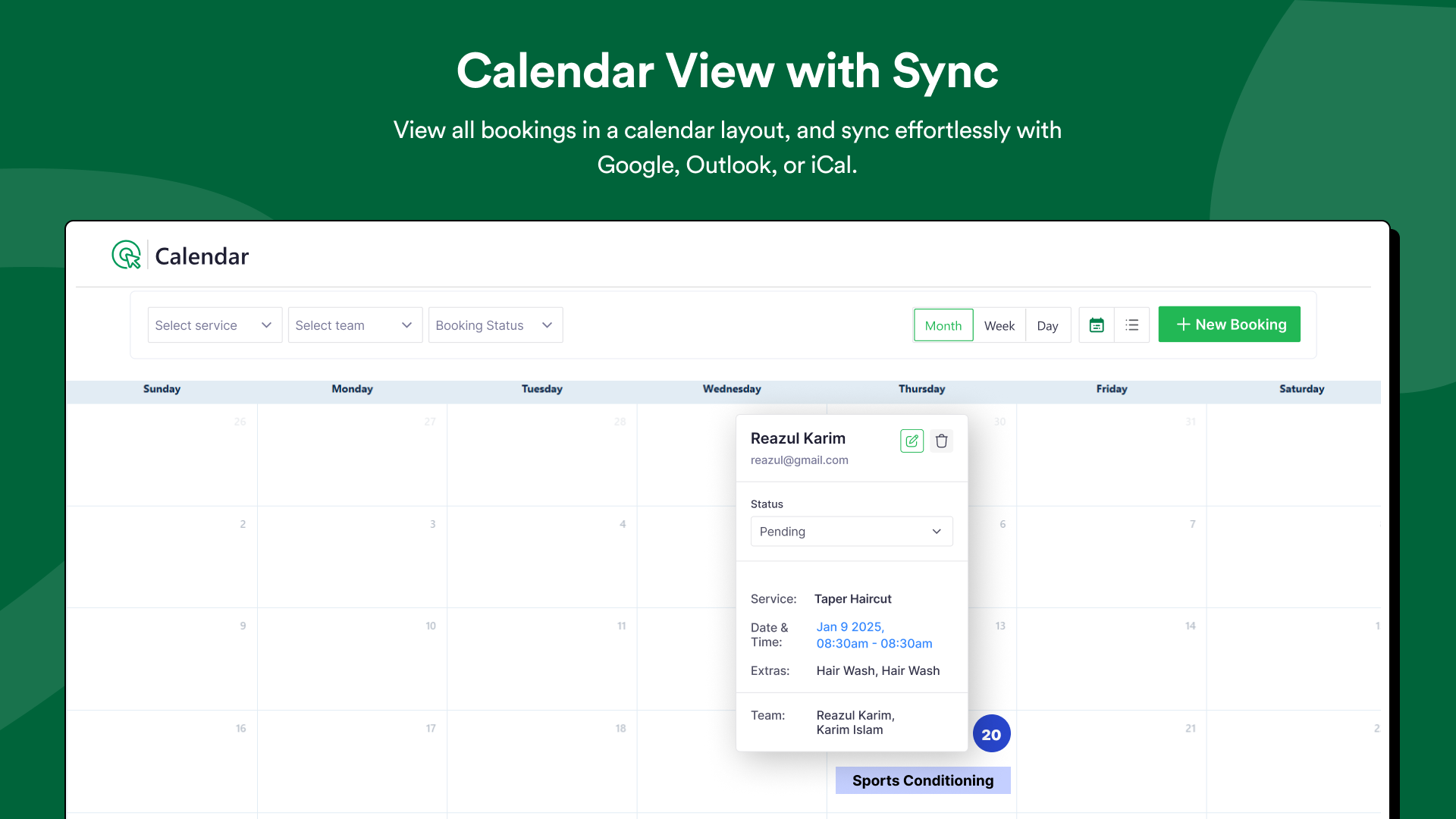
- Two-Way Google Calendar Sync — Every new booking appears on your Google Calendar instantly. Changes made in Google Calendar sync back to Booktics automatically. Prevents double bookings and keeps your schedule accurate across every device. Available free — no upgrade required.
- Drag-and-Drop Calendar View — An interactive backend calendar lets admins and staff move, edit, and review appointments visually with a single drag.
- Business Dashboard — See all upcoming bookings, total revenue, and customer stats at a glance from one clean admin screen.
- Booking Status Tracking — Monitor confirmed, pending, and cancelled appointments from one organized panel.
- Upcoming Bookings View — Always know what is scheduled next so your team is never caught off guard.
- Automated Email Notifications — Automatically send booking confirmations, reminders, rescheduling alerts, and cancellation notices to both clients and staff. Reduces no-shows and builds trust.
- Google Meet Integration — Offer virtual appointments and automatically generate Google Meet links when a booking is confirmed. Perfect for online consultations and remote sessions.
- FluentCRM Integration — Sync customer data with FluentCRM for follow-up campaigns and loyalty communications.
- Gutenberg block — native WordPress block editor
- Elementor widget
- Shortcode — paste
[booktics]into any page, post, or sidebar
- Extra Service Add-Ons — Let clients add optional extras at checkout. A salon can offer "Haircut + Deep Conditioning"; a clinic can bundle "Consultation + Lab Test." Increases average booking value per customer.
- Group Booking — Accept bookings for multiple people in one appointment. Perfect for yoga classes, workshops, fitness sessions, and team training.
- Multiple Pricing & Duration Options — Offer the same service at different lengths and price points. A therapist can list a 30-minute and a 60-minute session as separate bookable options.
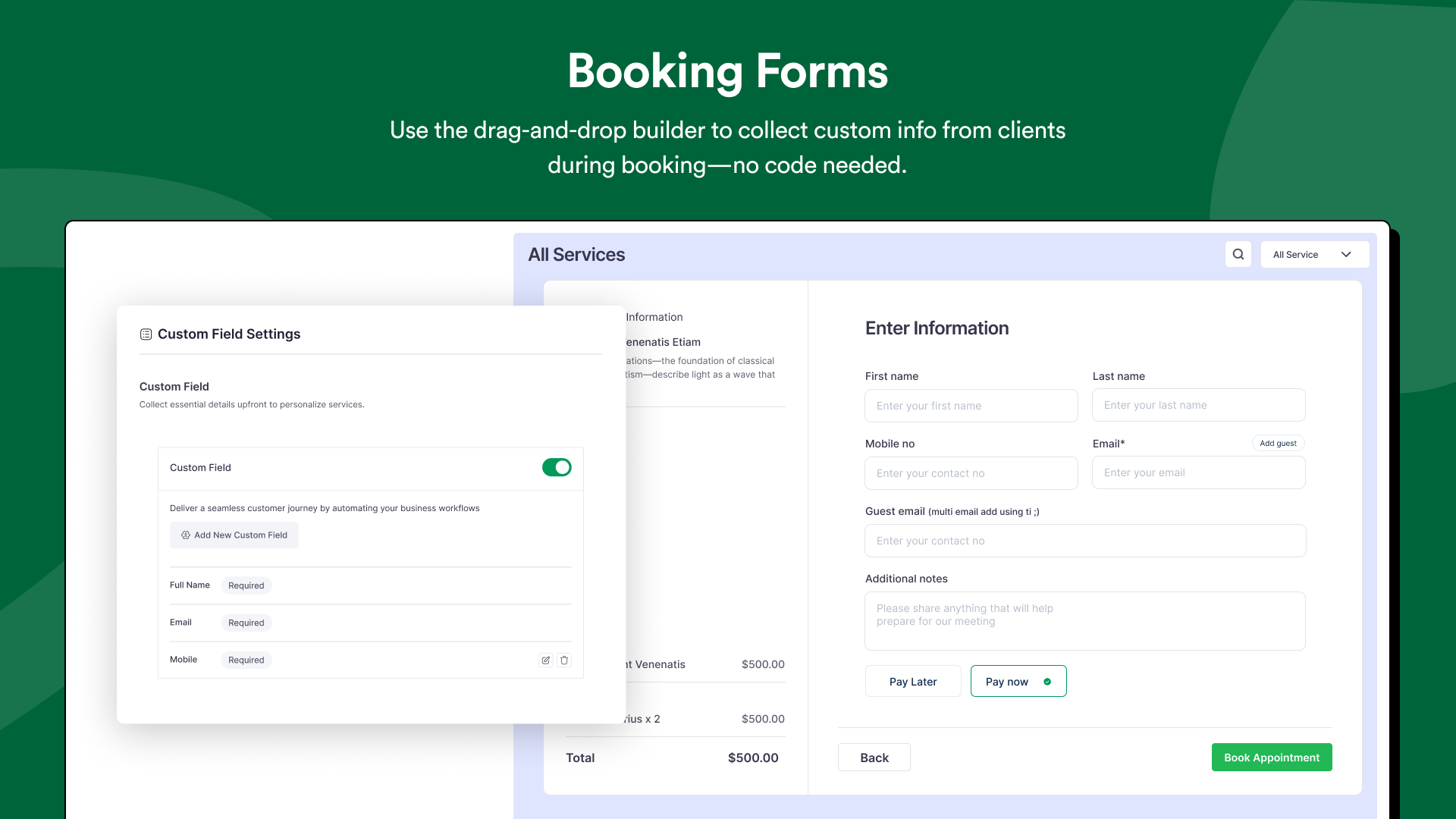
- Custom Booking Fields — Add custom questions to the booking form — preferred staff, medical notes, special requirements, or anything your service requires.
- PayPal Integration — Accept PayPal payments at the time of booking. Available exclusively in Booktics Pro.
- Outlook Calendar Integration — Connect Microsoft Outlook to keep your work and personal schedules aligned across devices.
- Directorist Integration — Link Booktics directly to your Directorist directory listings so visitors can discover and book your services in one step.
- Granular Team Permissions — Set detailed permissions for each staff member. Team members manage their own bookings independently while admins keep full oversight and control.
- Multi-Location Support — Run your booking system across multiple branches or locations from one central WordPress admin panel.
安装:
- Log in to your WordPress admin dashboard.
- Go to Plugins → Add New.
- Search for "Booktics".
- Click Install Now, then click Activate.
- A new Booktics menu will appear in your left sidebar. Click it to begin setup.
- Download the Booktics plugin zip file.
- Unzip the file on your computer.
- Using an FTP client, upload the
bookticsfolder to/wp-content/plugins/on your server. - In your WordPress admin, go to Plugins and activate Booktics.
- Add your services — Go to Booktics → Services. Create each service with a name, duration, and price.
- Add your team — Go to Booktics → Team Members. Add staff and assign them to services with their working hours.
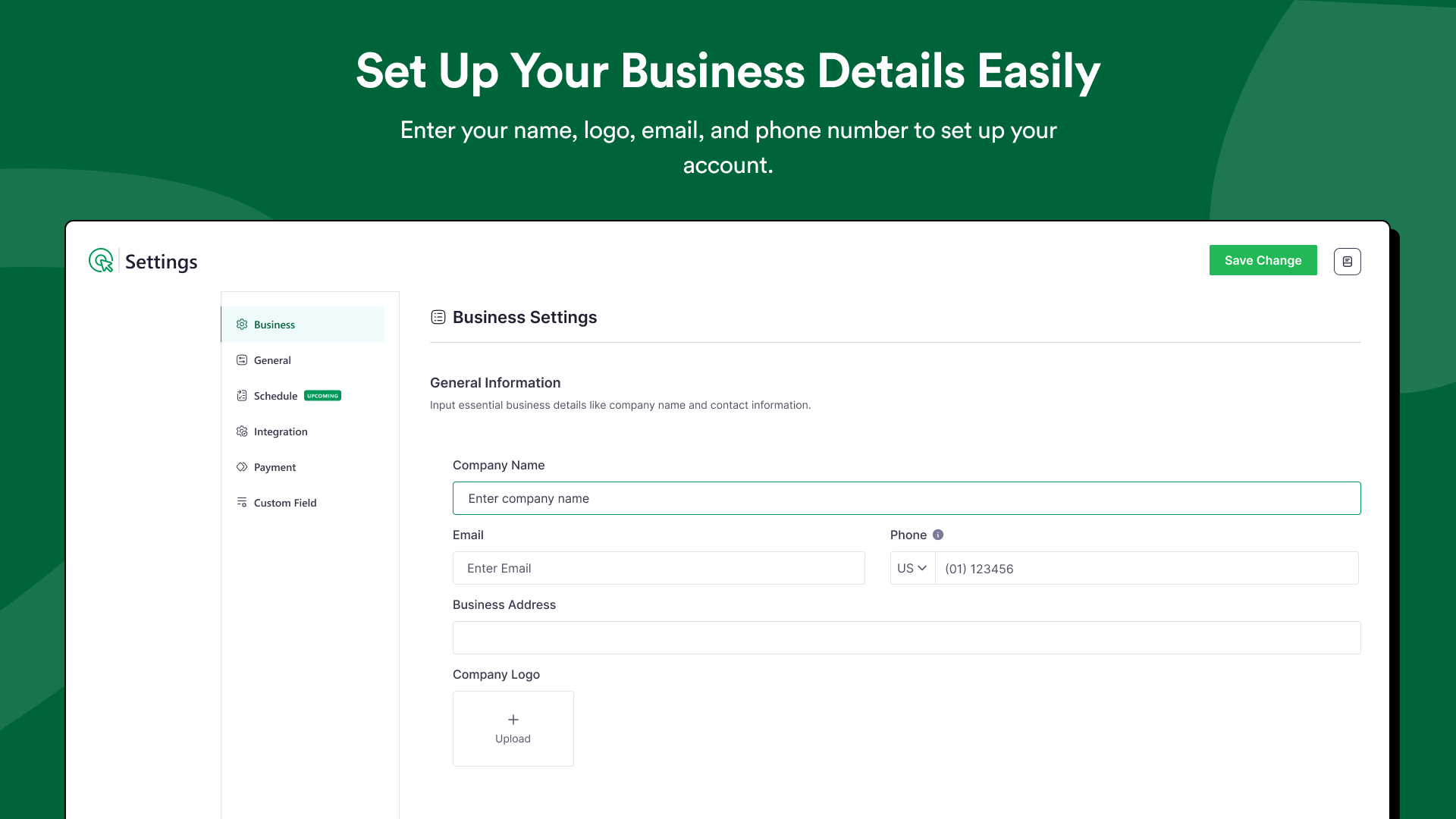
- Configure payments — Go to Booktics → Settings → Payments. Enable Stripe (free) for online payments.
- Publish your booking form — Add the
[booktics]shortcode or the Booktics Gutenberg block to any page or post.
屏幕截图:
常见问题:
Is Booktics built specifically for service businesses?
Yes. Booktics is designed exclusively for service-based businesses — salons, clinics, fitness studios, cleaning services, tutors, coaches, repair services, and any business that operates on appointments. Every feature in Booktics is built around how service businesses actually work: staff management, service duration, buffer time, capacity limits, and real-time availability. It is not a generic booking tool.
Does Booktics include Stripe payments in the free version?
Yes — and this is one of the biggest advantages of Booktics. The free version includes full Stripe integration so you can accept credit card payments, Apple Pay, and Google Pay directly through your WordPress booking form. No upgrade required, and Booktics takes zero commission. Competing plugins like Bookly, LatePoint, and Salon Booking System require paid plans to unlock Stripe.
Is Google Calendar sync available in the free version?
Yes. Booktics includes two-way Google Calendar sync completely free. Every new booking appears on your Google Calendar instantly. Changes or cancellations sync back in real time. This keeps your schedule accurate across every device and prevents double bookings — no paid upgrade needed.
How does Booktics compare to Bookly, LatePoint, or Salon Booking System?
Booktics is the only free WordPress appointment booking plugin that includes Stripe payment processing, two-way Google Calendar sync, and full team management all in the free version. Bookly and LatePoint require paid upgrades for both Stripe and Google Calendar. Booktics gives service businesses a complete, professional booking system without forcing you into a subscription to unlock core features.
Is Booktics beginner-friendly?
Yes. No coding or technical skills are required. Install the plugin, add your services, configure your team, and your online booking system is live within minutes. A setup wizard guides you through every step. The entire process typically takes under 15 minutes.
Can I manage multiple staff members with Booktics?
Yes. The free version supports multiple team members. Each staff member gets a personal panel to view and manage their own bookings. Admins maintain full control from a central dashboard. You can assign specific services to specific staff, set individual working hours, and the system prevents scheduling conflicts automatically.
Can clients cancel or reschedule their own appointments?
Yes. Clients can cancel or reschedule based on the rules you configure — giving them flexibility while keeping your calendar organized without manual admin work.
Which page builders does Booktics support?
Booktics works with all major WordPress page builders: Gutenberg (native WordPress block editor), Elementor (via dedicated widget), and any theme or page builder that supports shortcodes via [booktics].
Does Booktics support multiple languages?
Yes. Booktics is fully translation-ready and compatible with WPML and Polylang for multilingual WordPress websites. You can translate the booking form, email notifications, service names, and all customer-facing text into any language.
Can I accept online payments without upgrading to Booktics Pro?
Yes. Booktics Free includes Stripe integration for credit cards, Apple Pay, and Google Pay. WooCommerce payment integration is also available free for additional payment options. PayPal is available in Booktics Pro.
Is Booktics suitable for hotel or property rental bookings?
Booktics is purpose-built for time-based service appointments — salons, clinics, fitness, coaching, cleaning, and similar businesses. It is not designed for multi-day property rentals or hotel room reservations. For accommodation bookings, a dedicated rental plugin is recommended.
Is Booktics GDPR compliant?
Booktics supports GDPR-compliant data handling. Customer information is stored securely and transparently. Payment card data is never stored by Booktics — it is handled directly by Stripe. We recommend adding a consent checkbox to your booking form and reviewing your site's privacy policy accordingly.
Where can I find documentation and get support?
Full documentation is available at docs.arraytics.com/docs/booktics. For support, visit arraytics.com/support. Join our Facebook Community for tips, updates, and help from other Booktics users.
Frequently Asked Questions
Where do I report security bugs found in this plugin?
Please report security bugs found in the source code of the Booktics plugin through the Patchstack Vulnerability Disclosure Program. The Patchstack team will assist you with verification, CVE assignment, and notify the developers of this plugin.
更新日志:
- Fix: Localization – Resolved translation not loading for multilingual sites.
- Fix: Booking – Fixed permission error that could occur during the booking process.
- Fix: Services – Corrected pagination issues on the services management page.
- Fix: Services – Ensured category filters correctly display all active services.
- Tweak: Security – Strengthened overall security measures across the plugin.
- Tweak: Performance – Optimized plugin loading performance for faster page loads. = 1.0.17 = (March 09, 2025)
- Fix: Resolved error when adding a booking to cart.
- Tweak: Improved security measures. = 1.0.16 = (February 18, 2026)
- Tweak: Improved WordPress 6.x compatibility. = 1.0.15 = (January 29, 2026)
- Fix: Corrected service value display on the booking Thank You page.
- Fix: Prevented schedule time shifts when updating team member data. = 1.0.14 = (January 12, 2026)
- Fix: Dependency optimization issue resolved. = 1.0.13 = (January 6, 2026)
- Fix: Resolved Stripe payment issue for bookings in multiple currencies. = 1.0.12 = (December 18, 2025)
- Tweak: Code adjustments to maintain cross-version compatibility. = 1.0.11 = (November 09, 2025)
- Fix: Resolved error in service shortcode when service description contained emoji characters. = 1.0.10 = (October 15, 2025)
- Tweak: General user experience improvements across the booking flow.
- Fix: Customer cancellation notes not displaying in the admin panel. = 1.0.9 = (September 30, 2025)
- Tweak: Stripe payment keys are now fully configurable with user-provided secret and publishable keys.
- Fix: Google Calendar auto-logout issue resolved.
- Fix: Database error when Google Calendar module was active.
- Fix: Deleting an appointment now correctly removes the linked event on Google Calendar.
- Fix: Service price not appearing on the successful booking confirmation page.
- Fix: Dashboard not displaying total revenue correctly.
- Fix: Cancelling an appointment now properly reduces the total booking count.
- Fix: Team members could see all appointments in the calendar — now restricted to their own. = 1.0.8 = (September 10, 2025)
- Tweak: Email notifications can now be sent to team members as well as customers.
- Fix: Navigation error on the location management page.
- Fix: Team member creation from the admin panel.
- Fix: Appointment time format display in email notifications.
- Fix: Team member profile image update issue. = 1.0.7 = (August 25, 2025)
- New: Category-wise service booking now available from the front-end — customers browse by category.
- New: Category shortcode added to the shortcode management page.
- New: Enhanced booking form layout with improved visual design.
- Tweak: Added PayPal filter in the order table for easier payment method management.
- Fix: Missing variable values in email automation templates.
- Fix: Issue with previewing services as an admin.
- Fix: Incorrect status shown on the plugin dashboard page.
- Fix: Cost breakdown not displaying for group bookings.
- Fix: Total booking count mismatch in the customer panel.
- Fix: Appointment duration not displaying correctly in booking summary.
- Fix: Error when searching appointments by customer name.
- Fix: Calendar icon selection issue in settings.
- Fix: Customer first and last name display issues across the admin panel. = 1.0.6 = (August 14, 2025)
- Tweak: Improved UX for custom holiday and schedule configuration.
- Tweak: Payment status can now be updated directly from the order edit page.
- Fix: Timeslot availability issue with custom schedules.
- Fix: Blocking time slots based on service duration now works correctly.
- Fix: Appointment status change issue in the admin panel.
- Fix: Theme color settings change not applying in general settings.
- Fix: Multiple people being able to book the same time slot simultaneously.
- Fix: Team members unable to update their own profile.
- Fix: Customer name not displaying in appointment and order tables.
- Fix: Incorrect total duration calculation for multi-service bookings.
- Fix: Dashboard chart display issue.
- Tweak: Improved UI design for order edit sidebar.
- Fix: "Add New Order" button not appearing in admin.
- Fix: Single order placement issue.
- Fix: Order edit sidebar not opening from calendar appointments.
- Fix: "Add to Calendar" button not displaying correctly.
- Fix: Order status update issue.
- Fix: Free service bookings incorrectly showing payment method options.
- New: Team member panel — staff can now log in and manage their own bookings independently.
- New: Buffer time support — add prep or cleanup time before and after any appointment.
- New: Default email automation — confirmations, reminders, and cancellations sent automatically.
- New: Order creation directly from the admin panel.
- New: Support for existing WordPress users as booking customers.
- New: Google Meet Integration — generate virtual meeting links automatically on booking.
- New: Two-way Google Calendar Sync — bookings appear on Google Calendar in real time.
- Tweak: Dashboard now displays only confirmed bookings for a cleaner overview.
- Tweak: Updated Settings > Integration & Payment UI with improved toggles.
- Tweak: Added advanced settings section for granular service control.
- Fix: Miscellaneous bug fixes and stability enhancements.
- Fix: Resolved multiple issues with the booking process flow.
- Fix: Fixed multisite support issue.
- Fix: WordPress version compatibility issue resolved.
- New: Improved user interface with visual enhancements.
- New: Introduced module-based architecture for better flexibility.
- New: Added support for shortcode-based booking form rendering.
- Fix: Resolved various bugs and stability issues.
- New: Integrated Booking Calendar module for improved scheduling visibility.
- New: Added FluentCRM integration for customer marketing and follow-ups.
- New: Introduced appointment editing functionality for admins.
- New: Email automation for rescheduling and cancellation notifications.
- Tweak: Improved synchronization for Pro features.
- Tweak: Upgraded the Service module for better usability.
- New: Appointment and order creation from the admin panel.
- New: Full appointment table actions (delete, bulk delete, view, pagination).
- Tweak: Added layout and navigation to the service module.
- Fix: Category selection bug when creating a new service.
- Fix: Avatar display issues across all table views.
- New: Dashboard with key business metrics overview.
- New: Category management for organizing services.
- New: Order management module for tracking customer bookings.
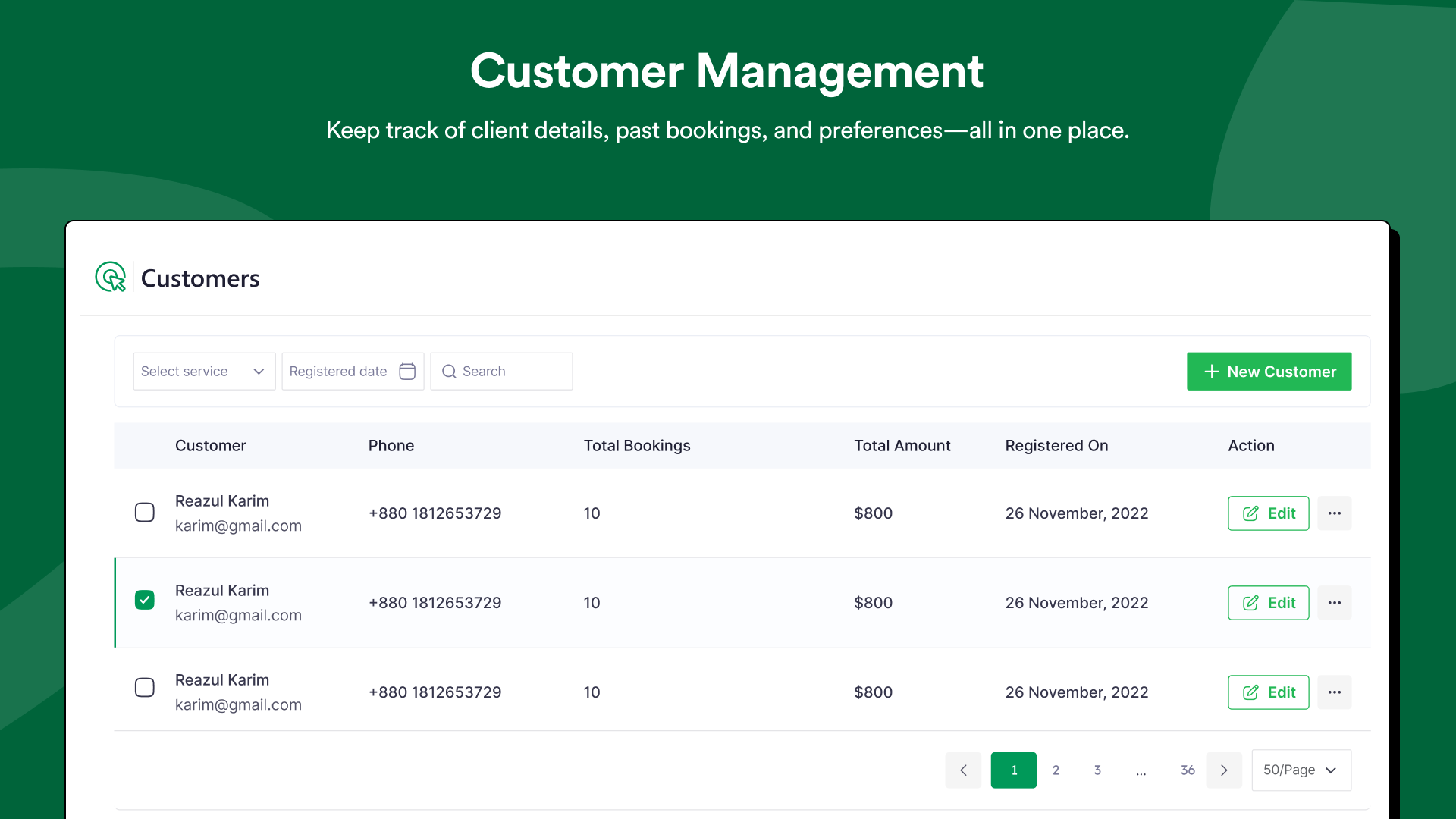
- New: Customer management for better client handling.
- New: Service preview feature before publishing.
- New: Stripe integration for secure online payment processing.
- Initial release — first version of Booktics.