
BoostMaster
| 开发者 | boostmasterofficial |
|---|---|
| 更新时间 | 2026年9月23日 17:50 |
| PHP版本: | 7.4 及以上 |
| WordPress版本: | 7.1 |
| 版权: | GPLv2 or later |
| 版权网址: | 版权信息 |
详情介绍:
- Serves your IndexNow key. The key file is answered by WordPress at your domain, so Bing, Yandex, Seznam, Naver and Yep accept notifications for your pages. Nothing is written into your web root.
- Adds the priority sitemap line to robots.txt. Search engines accept a sitemap hosted elsewhere when your own robots.txt points to it. The plugin adds that one line.
- Puts real dates in your sitemap. The sitemap that ships with WordPress leaves out lastmod, so a page you changed looks the same as one you never touched. The plugin fills it in from the post's own modified date.
- Tells BoostMaster when you publish or update. New and changed addresses are queued and sent a few seconds later, so saving a post stays fast.
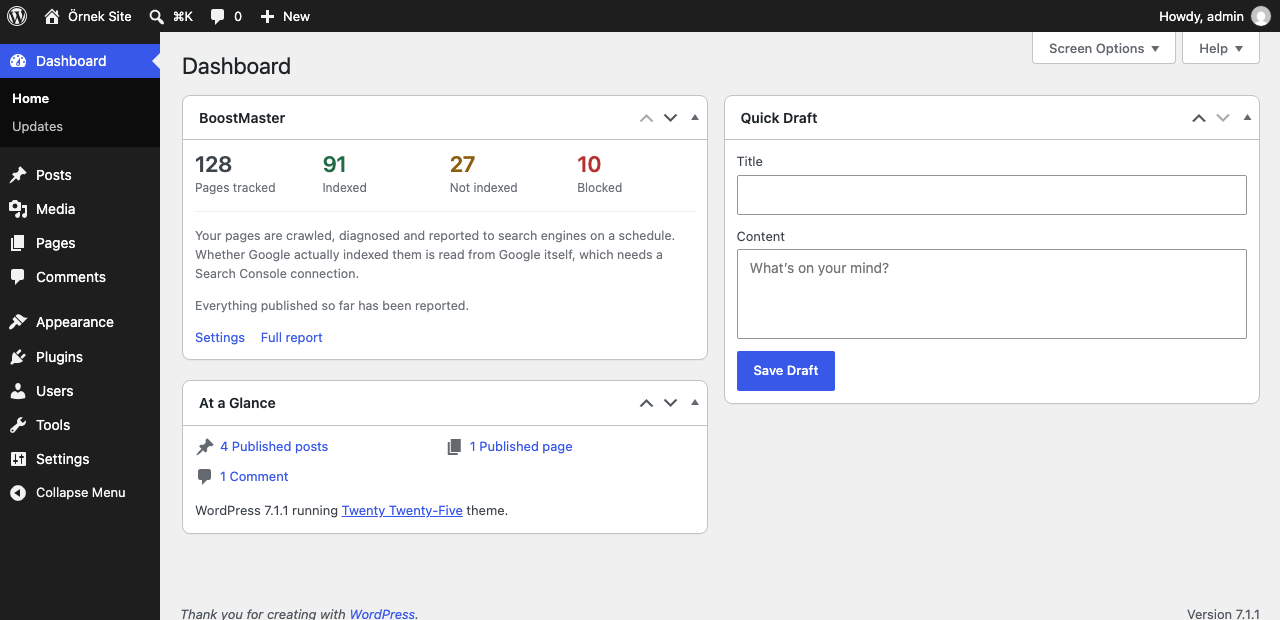
- Puts a summary on your WordPress dashboard. How many pages are tracked, how many Google has indexed, how many are still waiting and how many are blocked, without leaving WordPress. The figures are fetched twice a day in the background, so your dashboard never waits for the network.
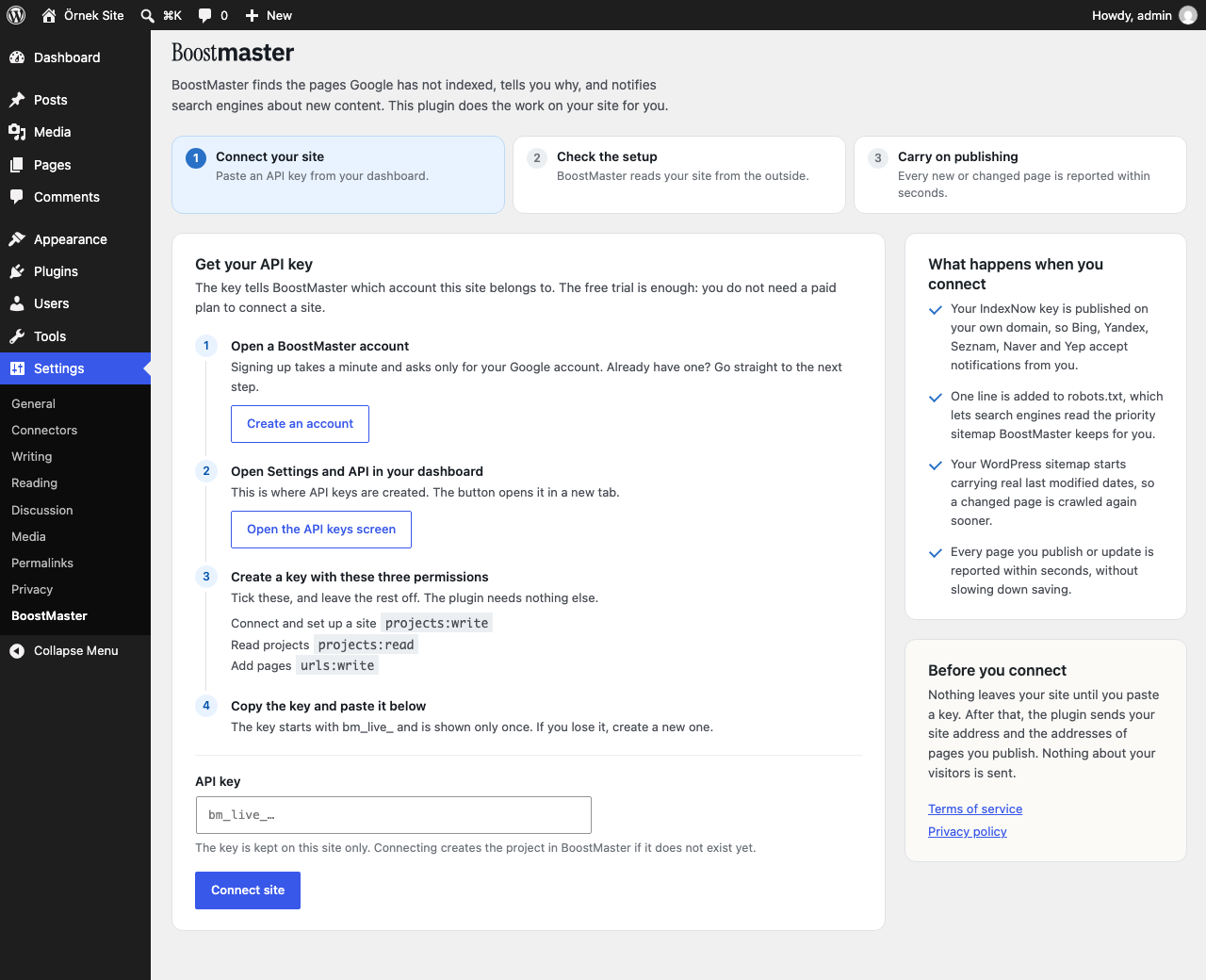
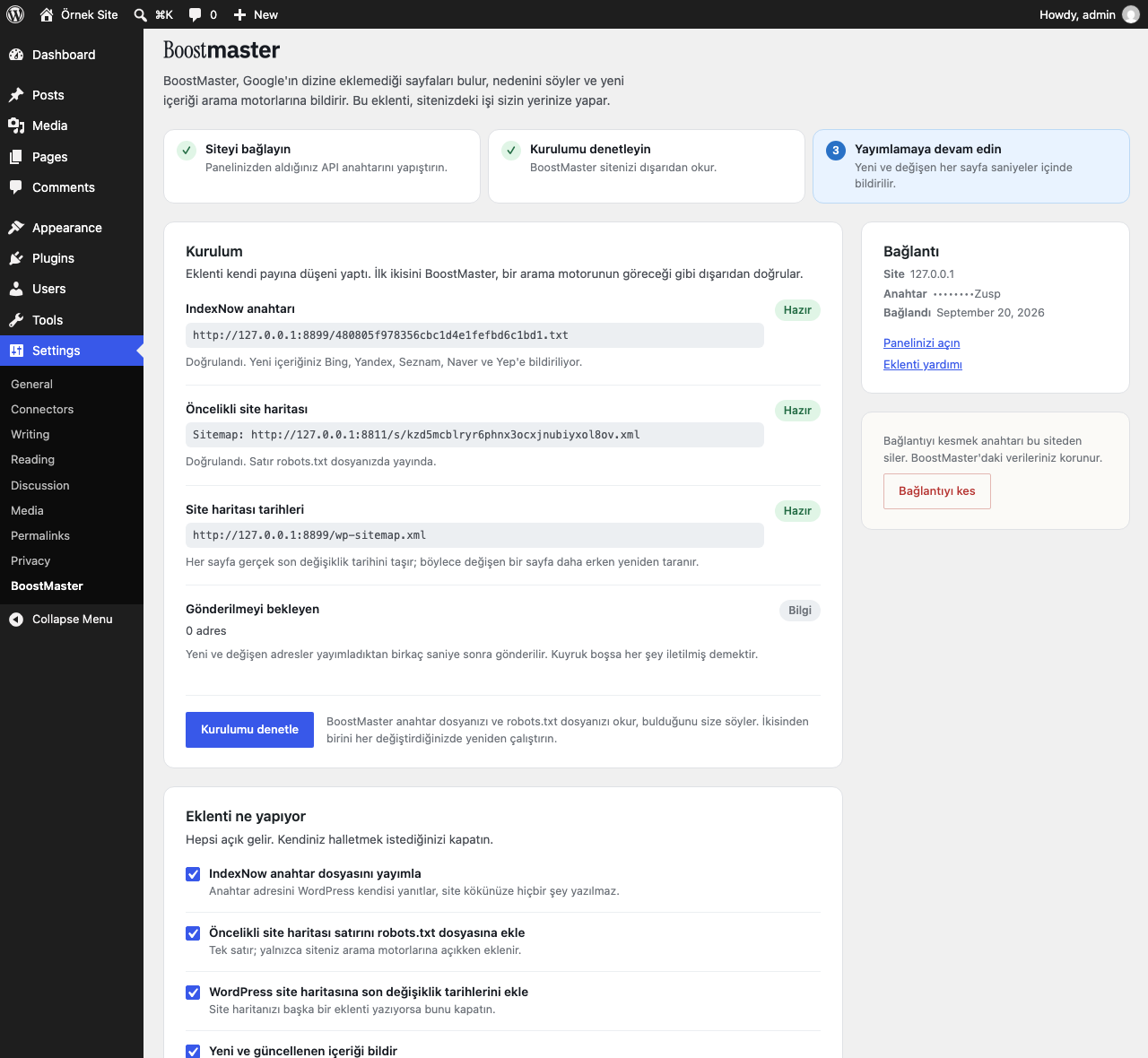
- Walks you through the setup. One screen shows the three steps, what is already done, what BoostMaster still has to confirm from the outside, and the exact text to paste when your server needs it done by hand.
- Gives you a "latest posts" block. Search engines find pages through links. Use the shortcode
[boostmaster_recent_posts count="5" title="New posts"]on a page that is crawled often.
https://boostmaster.com.tr and only after you paste an API key.
What is sent: your site address and name when you connect, and the addresses of posts you publish or update. Your API key is sent with every request so the service knows which account the site belongs to. Nothing is sent about your visitors.
- Terms of service: https://boostmaster.com.tr/en/terms
- Privacy policy: https://boostmaster.com.tr/en/privacy
安装:
- Install and activate the plugin.
- In your BoostMaster dashboard, go to Settings and API and create a key with the "Connect and set up a site", "Read projects" and "Add pages" permissions.
- In WordPress, go to Settings and BoostMaster, paste the key and press "Connect site".
- Press "Check setup". BoostMaster reads your key file and your robots.txt from the outside and reports what it found.
屏幕截图:
常见问题:
Do I need a paid plan?
No. Connecting a site, publishing the IndexNow key and sending new addresses work on the free trial as well. Paid features are separate and are always shown in the dashboard before anything is charged.
Does the plugin write files into my site?
No. The key file is answered by WordPress at request time, and the robots.txt line is added through the WordPress filter. If your site has a real robots.txt file on disk, the plugin tells you to add the line to that file yourself.
My WordPress runs in a subdirectory.
IndexNow reads the key from the root of the domain. WordPress can only answer inside its own directory, so the plugin tells you to copy the key file to the root of the domain by hand.
Do I have to connect Search Console?
No, and most of the plugin works without it. Your sitemaps are read on a schedule, your pages are crawled and diagnosed, and new or changed pages are reported to the search engines that accept notifications. What needs Search Console is Google's own answer to "did you index this page?". Without it the dashboard box says so instead of showing a zero.
I use Yoast, Rank Math or another SEO plugin.
That is fine. Those plugins write their own sitemap with lastmod dates, so BoostMaster leaves the sitemap to them. Everything else keeps working. One thing to watch: some SEO plugins do not add to robots.txt, they rewrite it. BoostMaster adds its line last so it survives, but if the plugin still drops it, the settings screen tells you and gives you the line to paste into your SEO plugin's robots.txt editor.
Will publishing get slower?
No. Addresses are put in a queue and sent by WP-Cron a few seconds later. If the send fails, the queue is kept and tried again.
How do I stop sending data?
Turn off "Tell BoostMaster when content is published or updated", or press "Disconnect" to remove the key from the site.
更新日志:
- First release: guided setup screen, IndexNow key file, priority sitemap line in robots.txt, lastmod dates in the WordPress sitemap, publish and update notifications, dashboard summary box, latest posts shortcode.