
BotFirewall | Stop Spam Bots & Secure Login
| 开发者 | hallemmit3 |
|---|---|
| 更新时间 | 2025年6月5日 22:29 |
| PHP版本: | 5.0 及以上 |
| WordPress版本: | 6.8 |
| 版权: | GPLv2 or later |
| 版权网址: | 版权信息 |
详情介绍:
wp-login.php. BotFirewall addresses these threats by providing smart and flexible protection that:
- Blocks bots with seamless JavaScript verification that most bots cannot pass.
- Secures key pages like wp-login.php and wp-signup.php from unauthorized access.
- Uses encrypted cookies to ensure only verified users gain access.
- Offers customizable settings through an intuitive interface in the WordPress admin panel.
Key Features of BotFirewall
- JavaScript Verification: Ensures visitors can execute JavaScript, effectively filtering out most bots.
- Encrypted Cookies: Cookies are tied to IP and User-Agent for enhanced security against spoofing.
- Customizable Page Protection: Enable or disable protection for
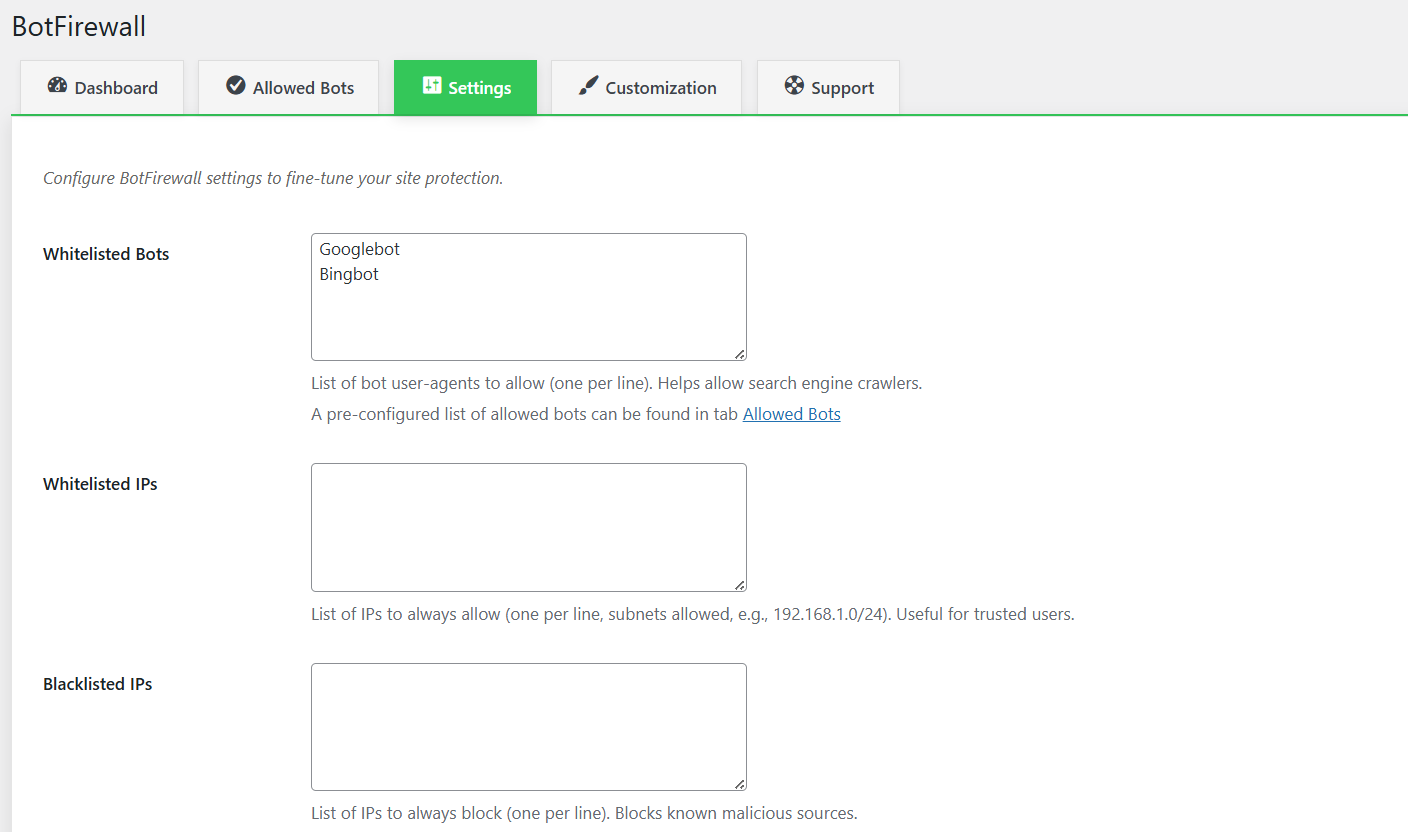
wp-login.phpandwp-signup.phppages via settings. - Whitelist and Blacklist: Configure lists of allowed bots (e.g., Googlebot) and IPs, and block known malicious IPs, including subnet support (e.g., 192.168.0.0/24).
- Exclude URLs: Specify URLs to bypass bot protection entirely (e.g., for APIs or specific pages).
- Real-Time Statistics: Monitor bot activity with detailed stats – filter by time periods (Last 24 hours, Last Week, Last Month).
- Action Logging: Logs blocks and successful verifications with URL details, keeping data for the last 30 days.
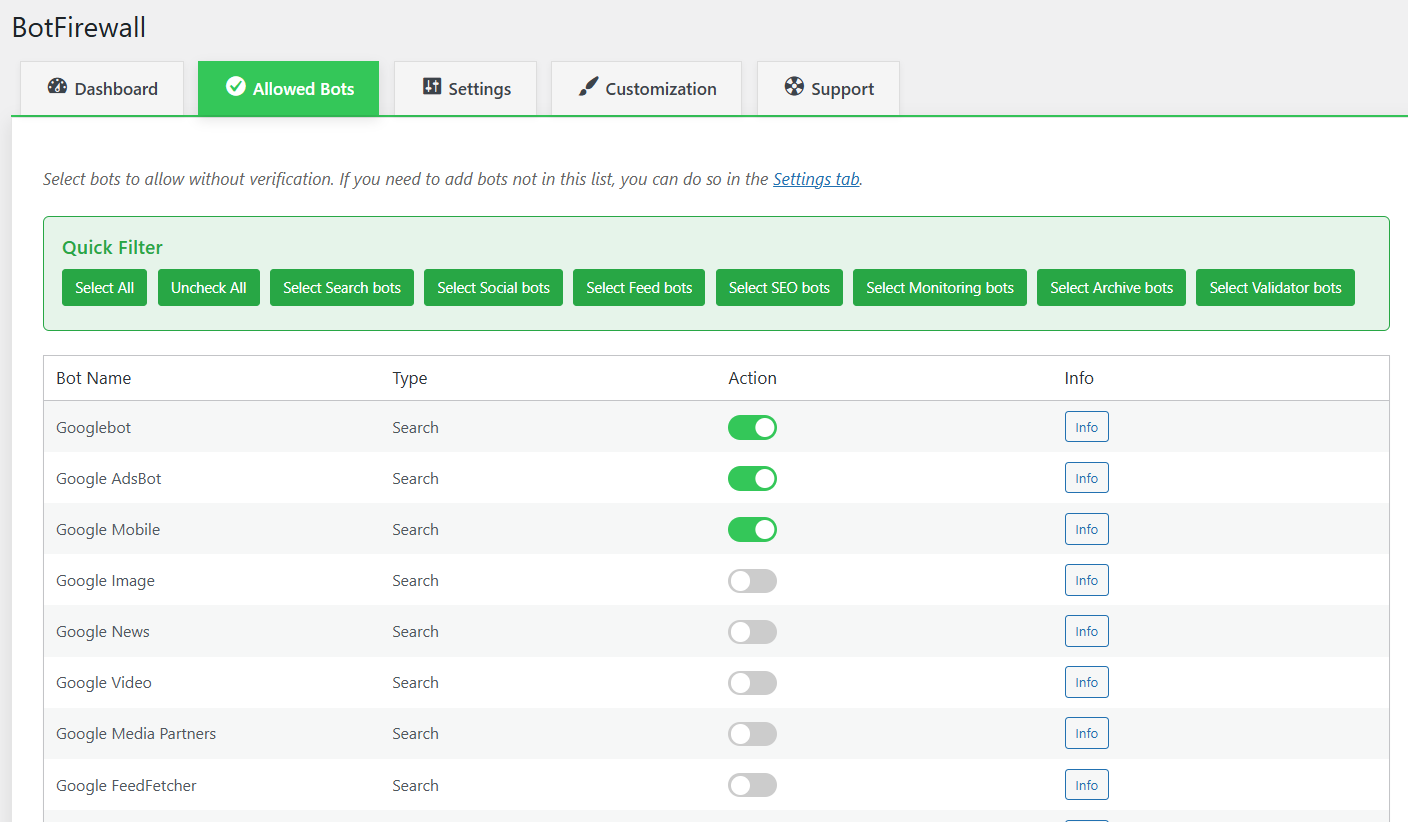
- Allowed Bots Tab: Easily select known bots to allow without verification, with quick filters for bot types.
- Recent Activity: View the latest 10 logged sessions with details like IP, URL, and status.
- Lightweight and Fast: Optimized for minimal impact on site performance.
- Clean Uninstall: Removes all data, including logs and settings, upon deactivation and deletion.
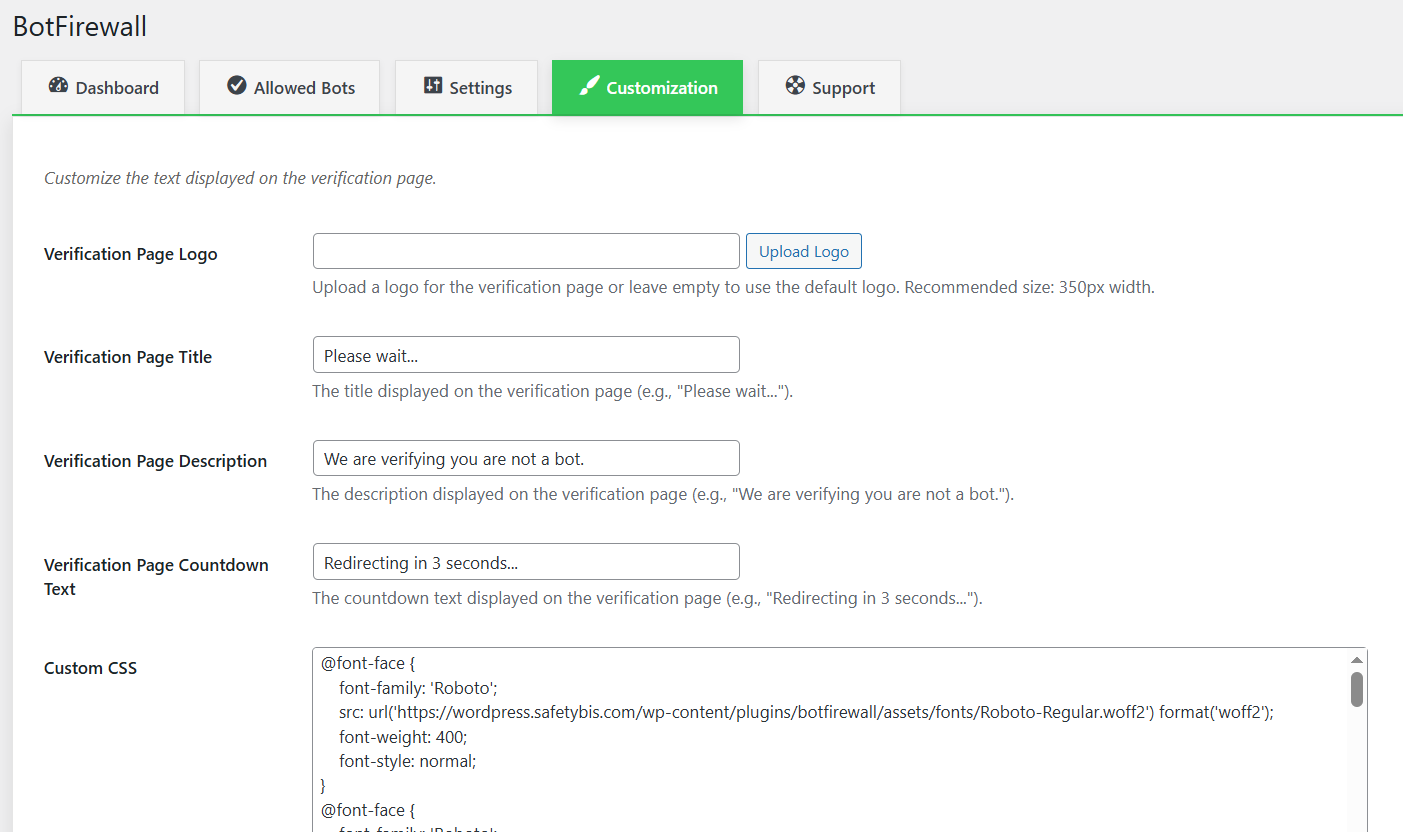
- Customizable Verification Page: Tailor the text (title, description, countdown), CSS styling, and logo of the verification page to match your site’s design.
- Enhanced Support: Get assistance directly through Live Chat in the Support tab for quick resolution of issues.
wp-login.php and wp-signup.php to prevent brute-force attacks.
5. Post-Verification Redirect: After successful verification, the user is redirected to their original page, and a cookie is set for future visits.
Why BotFirewall is a Must-Have for Your Site
- Spam and DDoS Protection: Effectively blocks bots that attempt to spam or overload your site.
- Login Security: Safeguards
wp-login.phpandwp-signup.phpfrom unauthorized access and brute-force attacks. - Flexibility: Customize protection with whitelists, blacklists, cookie lifetime settings, and verification page styling.
- Transparency: Detailed statistics and logs let you monitor bot activity.
- Ease of Use: A user-friendly interface in the WordPress admin panel makes configuration a breeze.
- Professional Look: Customize the verification page with your own text, styles, logo, and a modern font (Roboto) for a polished appearance.
- Reliable Support: Access our support team via Live Chat for help with any technical or security issues. BotFirewall is an essential tool for WordPress site owners who want to protect their content, users, and server from malicious bots. Install BotFirewall today and secure your site with confidence!
安装:
- Upload the
botfirewallfolder to the/wp-content/plugins/directory. - Activate the plugin through the 'Plugins' menu in WordPress.
- Go to the BotFirewall menu in your admin dashboard to configure settings.
- Optionally, enable protection for
wp-login.phpandwp-signup.phpin the Settings tab. - Customize the verification page text, styling, and logo in the Customization tab.
屏幕截图:
常见问题:
How does BotFirewall detect bots?
BotFirewall uses JavaScript verification to detect bots. If a visitor cannot execute JavaScript, they are considered a bot and blocked. Additionally, it checks for a valid cookie to allow verified users to bypass the verification process.
Can I allow search engine bots like Googlebot?
Yes! You can add search engine bots to the whitelist in the Settings tab. For example, add "Googlebot" or "Bingbot" to the "Whitelisted Bots" list, and they will be allowed to access your site without verification.
Does BotFirewall protect my login page?
Yes, you can enable protection for wp-login.php and wp-signup.php in the Settings tab. This helps prevent brute-force attacks and unauthorized access to these sensitive pages.
What happens if a visitor fails verification?
If a visitor fails verification (e.g., they cannot execute JavaScript), they will be blocked, and the attempt will be logged in /wp-content/botfirewall-logs/blocked.log with details like IP, User-Agent, URL, and timestamp.
Does BotFirewall slow down my site?
No, BotFirewall is lightweight and optimized for performance. It only triggers verification for unverified visitors, and the process is seamless for real users.
Can I customize the verification process?
Yes, you can customize the cookie lifetime, whitelist bots and IPs, blacklist IPs, and choose whether to protect specific pages like wp-login.php and wp-signup.php through the Settings tab. Additionally, you can customize the verification page text, styling, and logo in the Customization tab.
What happens when I uninstall the plugin?
BotFirewall performs a clean uninstall, removing all its settings, logs, and data from your WordPress installation, leaving no trace behind.
Can I preview my verification page customizations?
Yes! In the Customization tab, you can use the Preview button to see how your verification page will look with the customized text, logo, and styles before saving.
How can I get help if I encounter issues?
Visit the Support tab in the BotFirewall admin panel to access our Live Chat feature, where you can get real-time assistance from our support team for any technical or security concerns.
Can I exclude specific URLs from bot protection?
Yes! In the Settings tab, you can specify URLs to exclude from bot protection using the "Exclude URLs" setting. Visitors accessing these URLs will bypass all verification checks, which is useful for pages like APIs or contact forms.
Can I customize the logo on the verification page?
Yes! In the Customization tab, you can upload a custom logo for the verification page using the "Verification Page Logo" setting. By default, the logo is set to a 350px width, which can be adjusted via the Custom CSS setting.
更新日志:
- Added Exclude URLs setting to bypass bot protection for specific URLs.
- Added option to upload a custom logo for the verification page in the Customization tab.
- Enhanced logging to include URL and store logs for the last 30 days only.
- Added Allowed Bots tab with quick filters for selecting bots to whitelist.
- Added time-based filtering for statistics (Last 24 hours, Last Week, Last Month) in the Dashboard tab.
- Added Recent Activity table in the Dashboard tab, showing the latest logged sessions with URL details.
- Added Customization tab to allow tailoring of verification page text and CSS styling.
- Integrated local Roboto font for a modern look on the verification page.
- Added Preview and Reset buttons in the Customization tab for easier design adjustments.
- Introduced Support tab with Live Chat for real-time assistance.
- Initial release with JavaScript verification, encrypted cookies, and full logging.
- Added settings to protect
wp-login.phpandwp-signup.php.