
BotShield CAPTCHA for Contact Form 7
| 开发者 | sabbir37 |
|---|---|
| 更新时间 | 2026年9月8日 20:01 |
| PHP版本: | 7.4 及以上 |
| WordPress版本: | 7.1 |
| 版权: | GPLv2 or later |
| 版权网址: | 版权信息 |
详情介绍:
- Multi-Provider Support: Choose between Google reCAPTCHA, Cloudflare Turnstile, or Self-hosted challenges.
- Google reCAPTCHA Integration: Supports both v2 ("I'm not a robot") and v3 (Invisible) keys.
- Cloudflare Turnstile: The modern, privacy-friendly alternative that stops bots without annoying puzzles.
- Lightweight Built-in Protection: Use simple Math or Image CAPTCHAs without needing any external API keys.
- Seamless Contact Form 7 Integration: Adds a dedicated "BotShield" tag generator button directly to the CF7 editor.
- Mobile Optimized: Fully responsive challenges that work perfectly on smartphones and tablets.
- Privacy-Conscious Options: Built-in challenges keep verification on your server, while Turnstile minimizes user friction.
- Accessibility Ready: WCAG 2.1 compliant designs for screen reader support.
- v2 Checkbox: The classic "I'm not a robot" checkbox users trust.
- v3 Invisible: valid users are verified in the background with zero interaction. 2. Cloudflare Turnstile (Privacy-First)
- Verify visitors without solving complex puzzles. Smart, fast, and respectful of user privacy. 3. Built-in Challenges (No Keys Required)
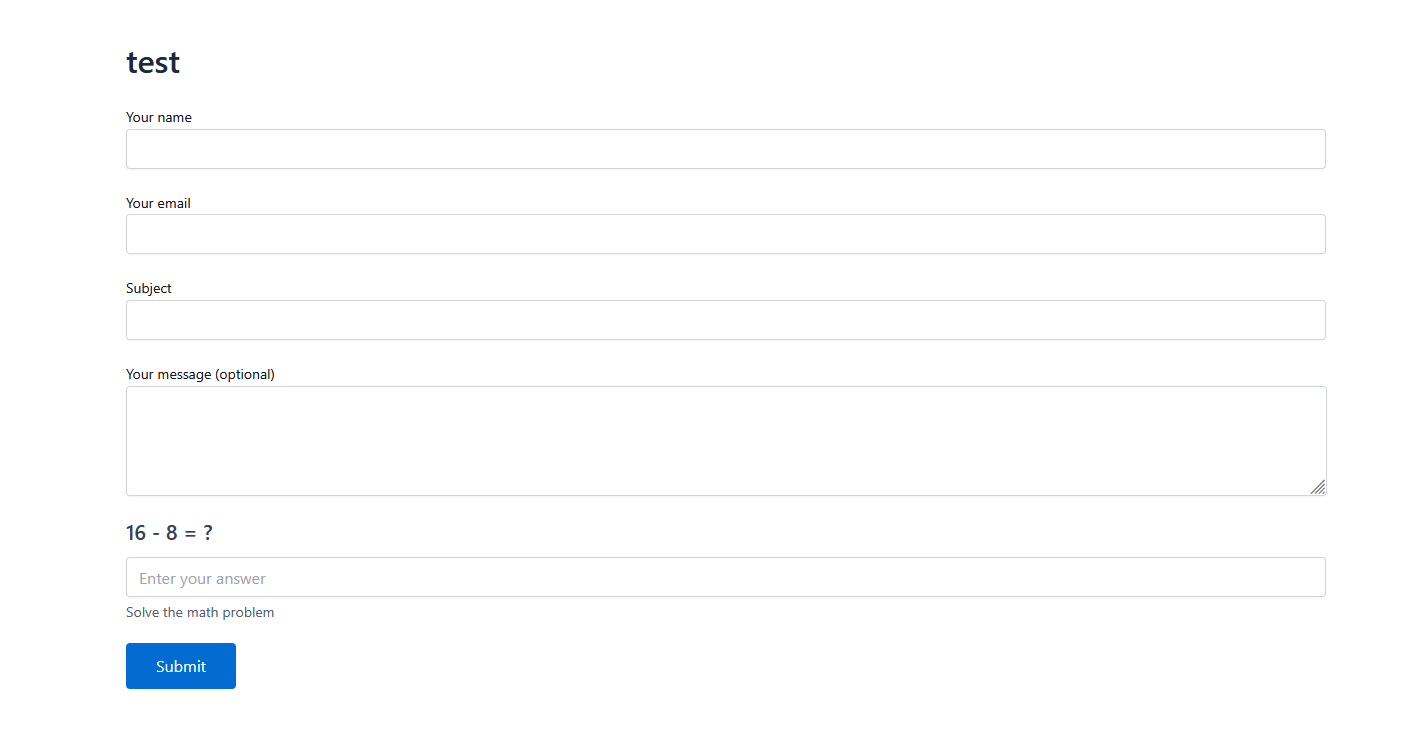
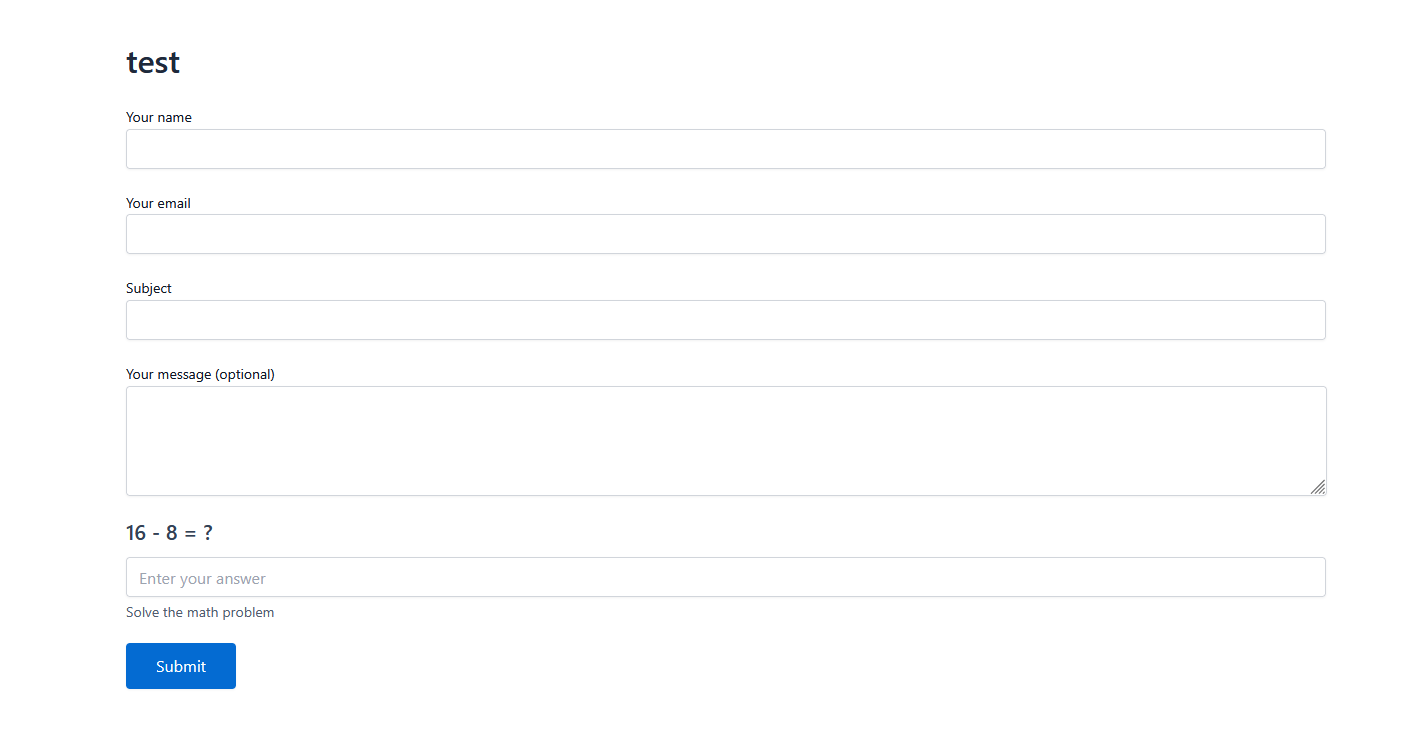
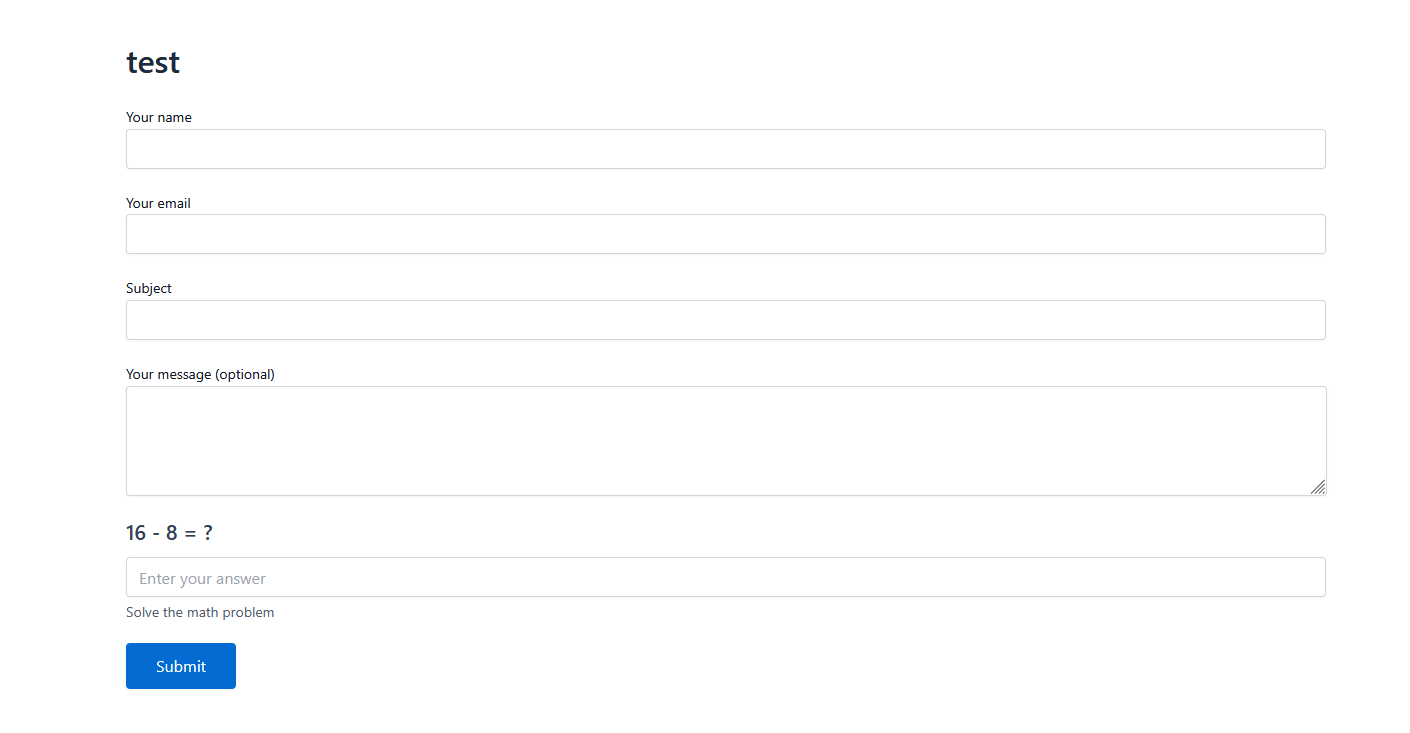
- Arithmetic: Simple math questions (e.g., 7 + 2 = ?) effective against basic bots.
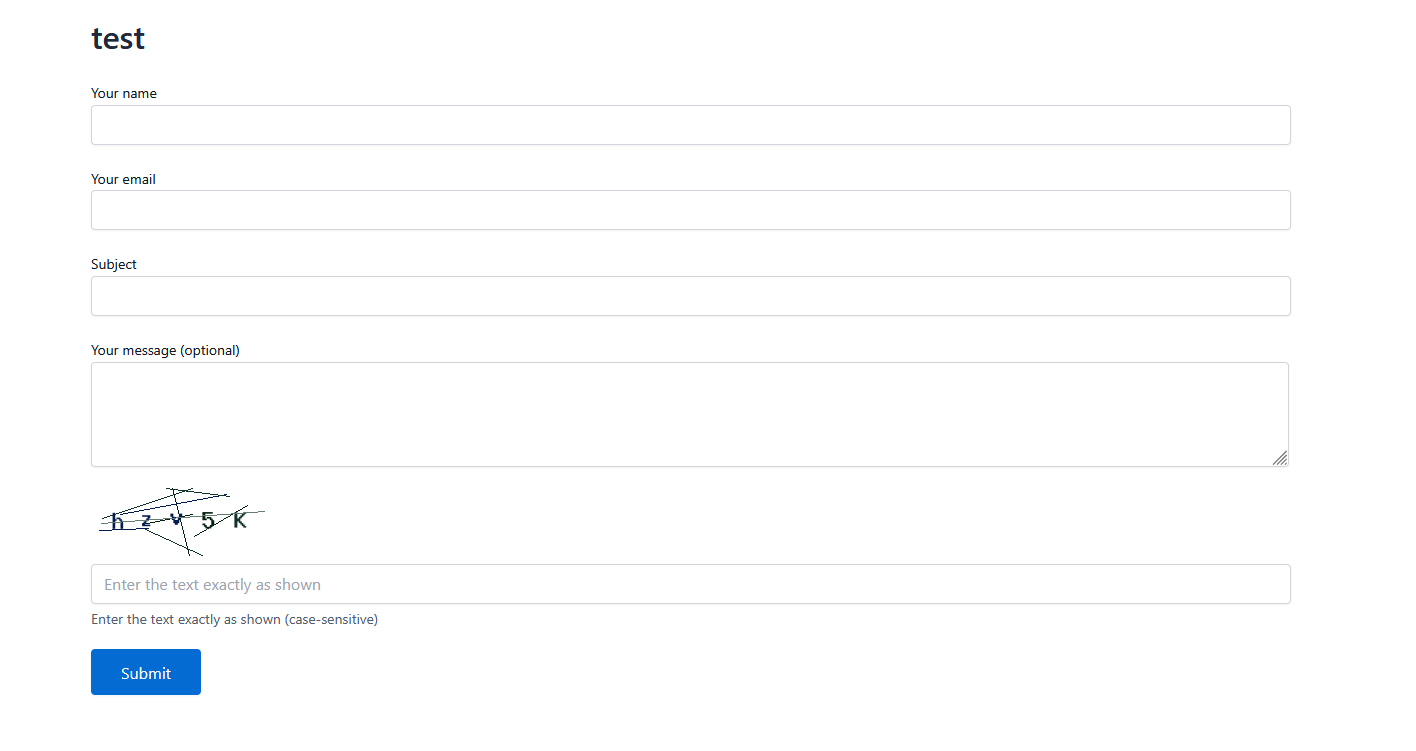
- Alphanumeric: Distorted text images for traditional verification.
- Zero external dependency, 100% self-hosted.
- Contact forms
- Registration forms
- Quote request forms
- Newsletter signups
- Any Contact Form 7 form needing spam protection
- WordPress 5.0 or higher
- Contact Form 7 plugin (must be active)
- PHP 7.4 or higher
- GD PHP extension for image CAPTCHAs
安装:
- Go to your WordPress Dashboard > Plugins > Add New.
- Search for "BotShield CAPTCHA".
- Click Install Now and then Activate.
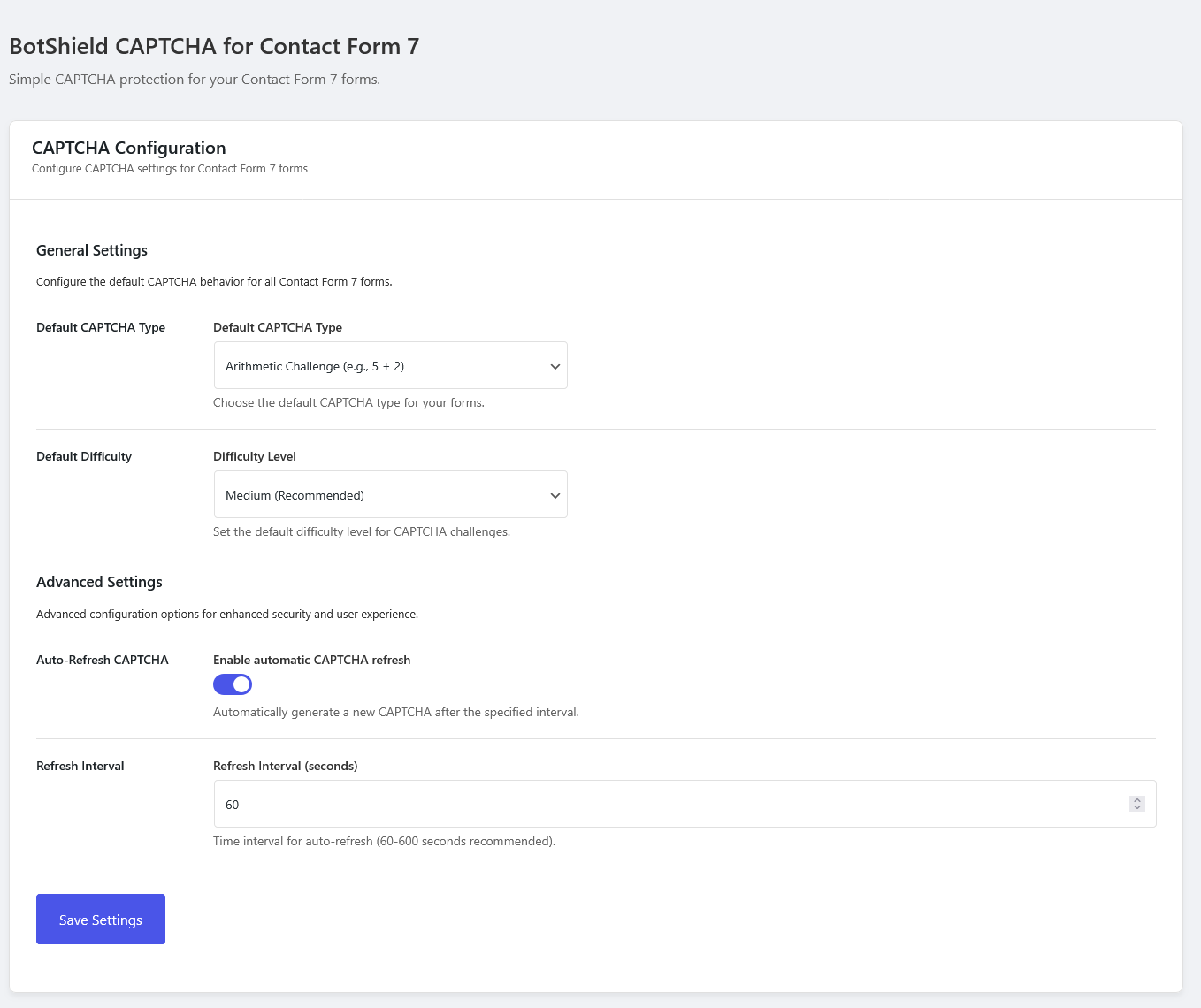
- Navigate to Contact > BotShield CAPTCHA.
- Select your Default CAPTCHA Type:
- Google reCAPTCHA
- Cloudflare Turnstile
- Arithmetic / Alphanumeric (Built-in)
- For reCAPTCHA/Turnstile Users:
- Switch to the "Integration Settings" tab.
- Enter your Site Key and Secret Key (links provided in the admin panel to get these for free).
- Click Save Settings.
- Go to Contact > Contact Forms and edit your desired form.
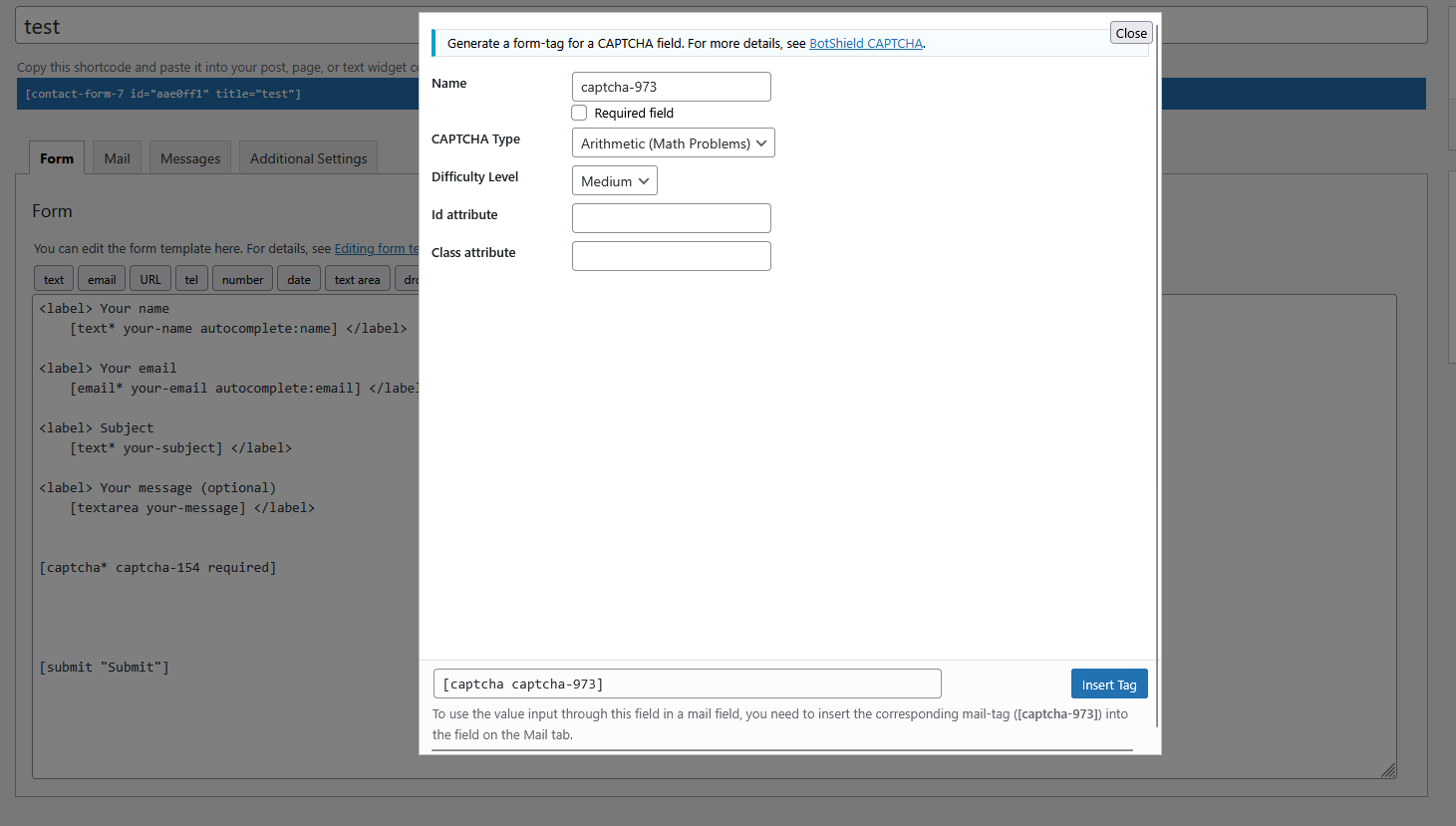
- Click the "BotShield" button in the CF7 tag generator toolbar (usually above the message body text area).
- Select Interaction Type: A popup will appear. You can use your "Global Default" or override it with a specific type (e.g., force "Turnstile" on this specific form).
- Click Insert Tag.
- CRITICAL: Ensure the generated shortcode (e.g.,
[captcha* captcha-answer]) is placed ABOVE your[submit]button. - Save the form.
屏幕截图:
常见问题:
Do I need API keys?
- For Built-in CAPTCHAs: No, these work out of the box.
- For Google reCAPTCHA: Yes, you need a free Site Key and Secret Key from the Google reCAPTCHA Admin Console.
- For Cloudflare Turnstile: Yes, you need a free Site Key and Secret Key from the Cloudflare Dashboard.
Which CAPTCHA should I choose?
- reCAPTCHA v3 or Cloudflare Turnstile are best for user experience (invisible/frictionless).
- reCAPTCHA v2 is best if you want users to explicitly proving they are human.
- Built-in is best for strict privacy requirements or local-only environments.
Is BotShield CAPTCHA GDPR compliant?
Yes.
- Built-in Challenges: 100% compliant, no data leaves your server.
- Cloudflare Turnstile: Privacy-focused and generally considered GDPR compliant.
- Google reCAPTCHA: Subject to Google's privacy policy and terms.
Does this plugin slow down my site?
No. Assets (CSS/JS) are conditionally loaded only on pages where a Contact Form 7 form is present. We prioritize performance and lightweight code.
Can I use multiple CAPTCHAs per page?
Yes! Each Contact Form 7 form can have its own independent CAPTCHA configuration.
does it work on mobile devices?
Absolutely! The CAPTCHA is fully responsive and works perfectly on all devices including smartphones and tablets.
Is it accessible for people with disabilities?
Yes! The plugin includes proper ARIA labels, keyboard navigation, and screen reader compatibility following WCAG 2.1 guidelines.
Can I customize the appearance?
Yes! Choose from three built-in themes (Default, Minimal, Modern) or add custom CSS for further customization.
What is the BotShield CAPTCHA shortcode?
The required shortcode is [captcha* captcha-answer]. This tag ensures that the user completes the CAPTCHA before submitting the form.
Can I use the shortcode for Google reCAPTCHA or Turnstile?
Yes! The same [captcha* captcha-answer] shortcode works for all types. The plugin automatically renders the correct challenge (reCAPTCHA, Turnstile, or Built-in) based on your settings.
How do I make the shortcode optional?
To make the CAPTCHA optional (not recommended), use the tag without the asterisk: [captcha captcha-answer].
更新日志:
- Security: Continued security-focused maintenance of server-side CAPTCHA validation, token handling, and administrative permission checks.
- Security: Hardened CAPTCHA validation with stronger server-side token verification and enhanced permission checks for a more robust security posture.
- Improved: Smoother, more intuitive admin experience with polished UI interactions and visual consistency across all settings screens.
- New: Added support for Google reCAPTCHA (v2 Checkbox & v3 Invisible).
- New: Added support for Cloudflare Turnstile (Privacy-focused).
- New: Completely redesigned Admin Dashboard with modern tabbed interface.
- Improved: General UI/UX polish for better administrative experience.
- Improved: Enhanced plugin security and validation protocols.
- Improved: General stability improvements and other minor fixes.
- Initial plugin release.
- Arithmetic CAPTCHA with math problems.
- Alphanumeric image CAPTCHA with distorted text.
- Three difficulty levels (Easy, Medium, Hard).
- No API keys required for built-in types.