BotsMap - XML Sitemap Manager
| 开发者 | techievedam |
|---|---|
| 更新时间 | 2026年10月23日 13:08 |
| 捐献地址: | 去捐款 |
| PHP版本: | 7.2 及以上 |
| WordPress版本: | 7.1 |
| 版权: | GPLv2 or later |
| 版权网址: | 版权信息 |
详情介绍:
BotsMap – XML Sitemap Manager gives you absolute control over your website's search engine visibility and indexation. By default, WordPress generates native XML sitemaps that may include pages, author archives, or hidden post types you don't want search engines crawling.
This plugin acts as a lightweight XML sitemap manager, letting you clean up your site's structural footprint, protect your crawl budget, and block unwanted bots from tracking unoptimized content.
Key Features:
✅ Disable Native Sitemaps: Instantly turn off default WordPress XML sitemaps without hassle or custom code snippets.
✅ Individual Post Exclusion and Archive Control: Easily remove any single post or page.
✅ Crawl Budget Optimization: Automatically prunes low-value URLs (like empty archives or thin content) before a bot even attempts to visit them.
✅ Improve SEO & Crawl Efficiency: Stop search engines from indexing low-value archive pages or duplicate URLs.
✅ Smart WooCommerce Filtering: Prevent "Out of Stock" or "Hidden" products from diluting your search presence.
✅ Lightweight & Fast: Built for performance with zero bloat, ensuring your site speed remains unaffected.
✅ Automatic Meta Description Tags: Dynamically includes HTML meta descriptions across post types to optimize on-page SEO.
Give search engines a cleaner, more direct path to your valuable content.
安装:
Installing BotsMap
- Download and Activate the plugin through the Plugins screen in WordPress.
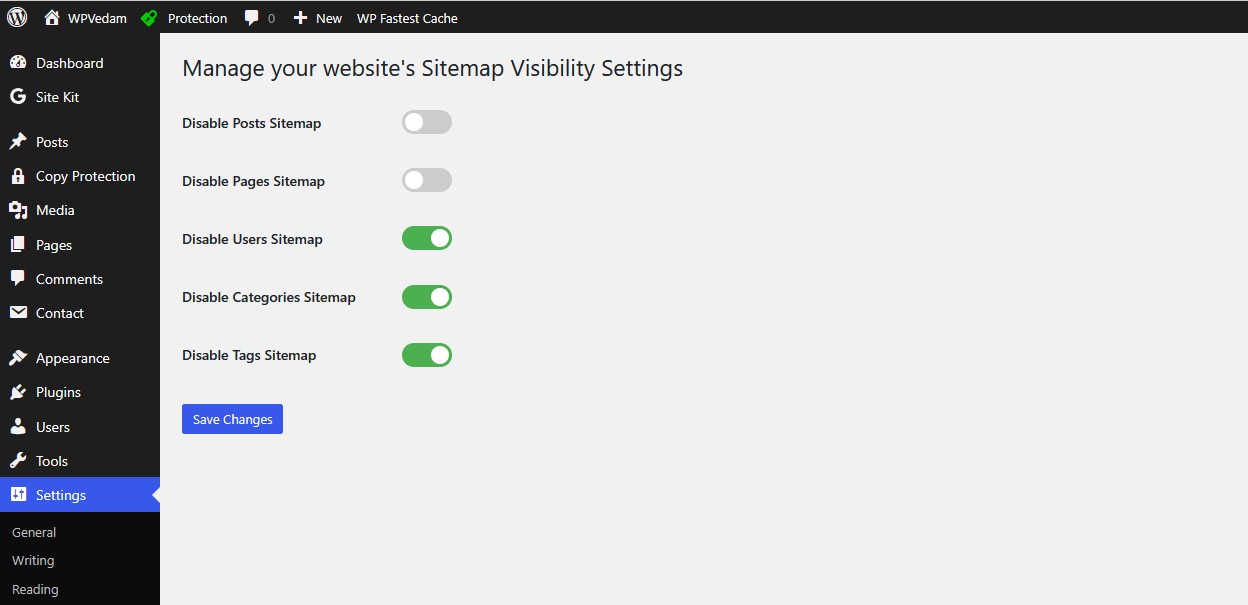
- Go to Settings → BotsMap. Toggle the options to include or exclude item from sitemaps list.
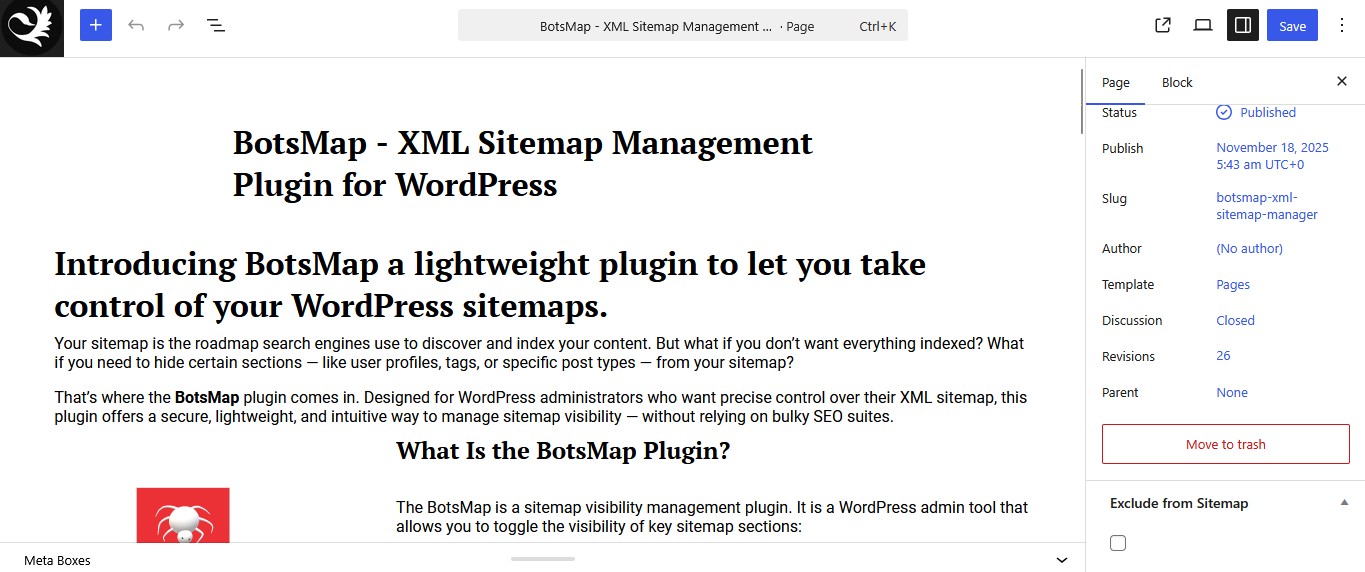
- Edit any specific post or page and check the "Exclude from Sitemap" box to omit it from the sitemap.
屏幕截图:
常见问题:
Does this work with custom post types?
Yes, but not for individual custom posts.
Does this affect Yoast or Rank Math sitemaps?
No. This plugin only modifies WordPress's native sitemap. For third-party SEO plugins, use their built-in filters.
Where is the sitemap located?
WordPress\'s default sitemap is available at /wp-sitemap.xml.
Does this plugin create new sitemaps?
No. It works with existing WordPress or SEO plugin sitemaps and lets you control which ones are visible to search engine bots.
Will hiding a sitemap affect my SEO?
It depends on your strategy. Hiding certain sitemaps can prevent bots from indexing unwanted content, but make sure you keep important sitemaps visible for proper search engine coverage.
Does the plugin store or share any user data?
No. This plugin is privacy‑friendly and does not collect, store, or transmit any personal data.
More Questions
Send any questions or feedback via my contact form.
更新日志:
If you like BotsMap XML Sitemap Manager, please take a moment to give a 5-star rating. It helps to keep the plugin going strong, and is greatly appreciated.
1.0
- Initial release.
- Updated code logic with conditional filtering of post types from sitemap.
- Release.
- Added privacy feature.
- Added WooCommerce Sitemap Support.
- Added WooCommerce Sitemap Support.
- Added html meta desciption tag support.
- Added new dashboard features like sitemap preview and more.