
BotSpot
| 开发者 | haavardmk |
|---|---|
| 更新时间 | 2026年9月8日 19:50 |
| PHP版本: | 7.4 及以上 |
| WordPress版本: | 7.1 |
| 版权: | GPLv2 or later |
| 版权网址: | 版权信息 |
详情介绍:
- Sync selected post types, including posts and pages.
- Fetch and render appendix HTML from BotSpot.
- Emit JSON-LD structured data in the page head.
- Place the appendix at the end of the content, at the end of the page, or manually with a shortcode.
- Add appendix placement with the
[botspot_appendix]shortcode or the BotSpot Appendix block. - Cache rendered content with WordPress transients.
- Retry failed syncs with WP-Cron.
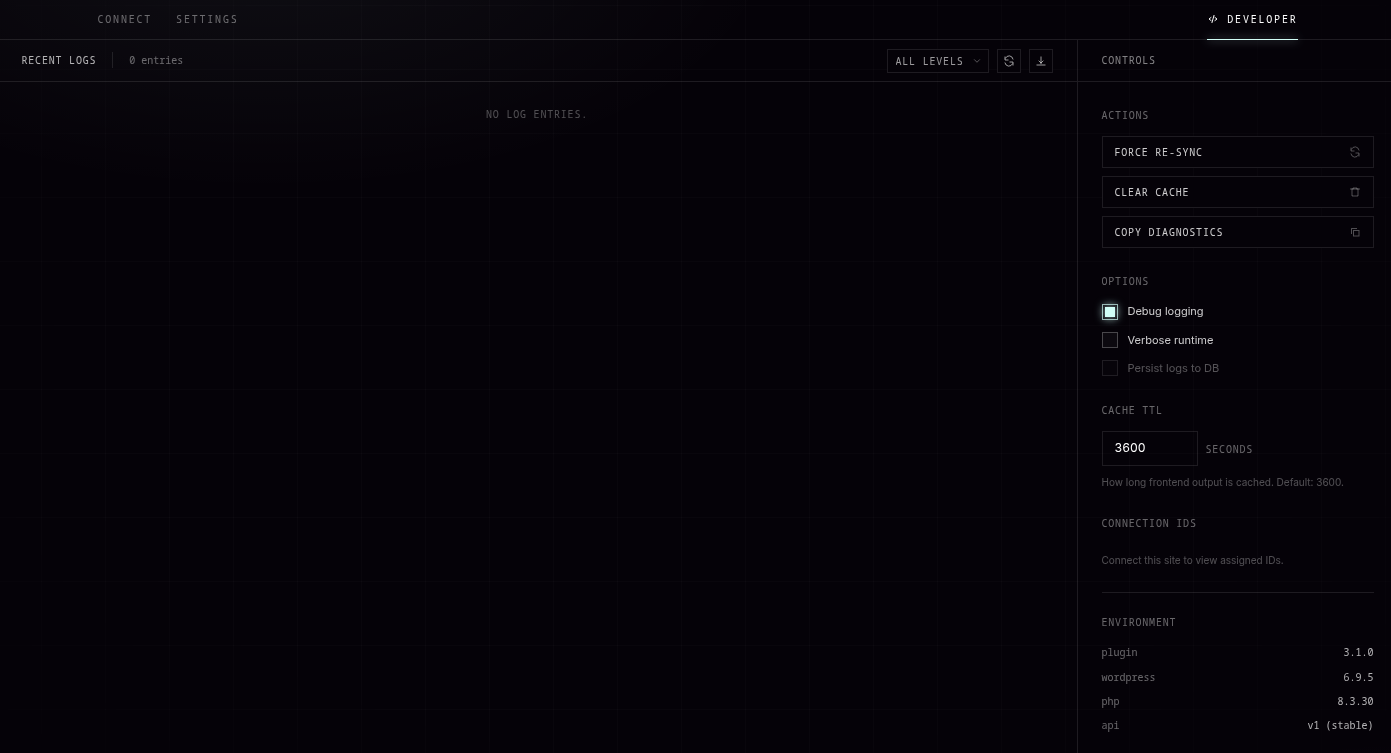
- View connection, sync, runtime, and diagnostic information in the WordPress admin.
安装:
- Upload the
botspotfolder to the/wp-content/plugins/directory, or install the plugin from the WordPress Plugin Directory. - Activate the plugin through the Plugins screen in WordPress.
- Open the BotSpot menu in the WordPress admin.
- Sign in to BotSpot and create an access key.
- Paste the access key into the Connect tab and click Connect.
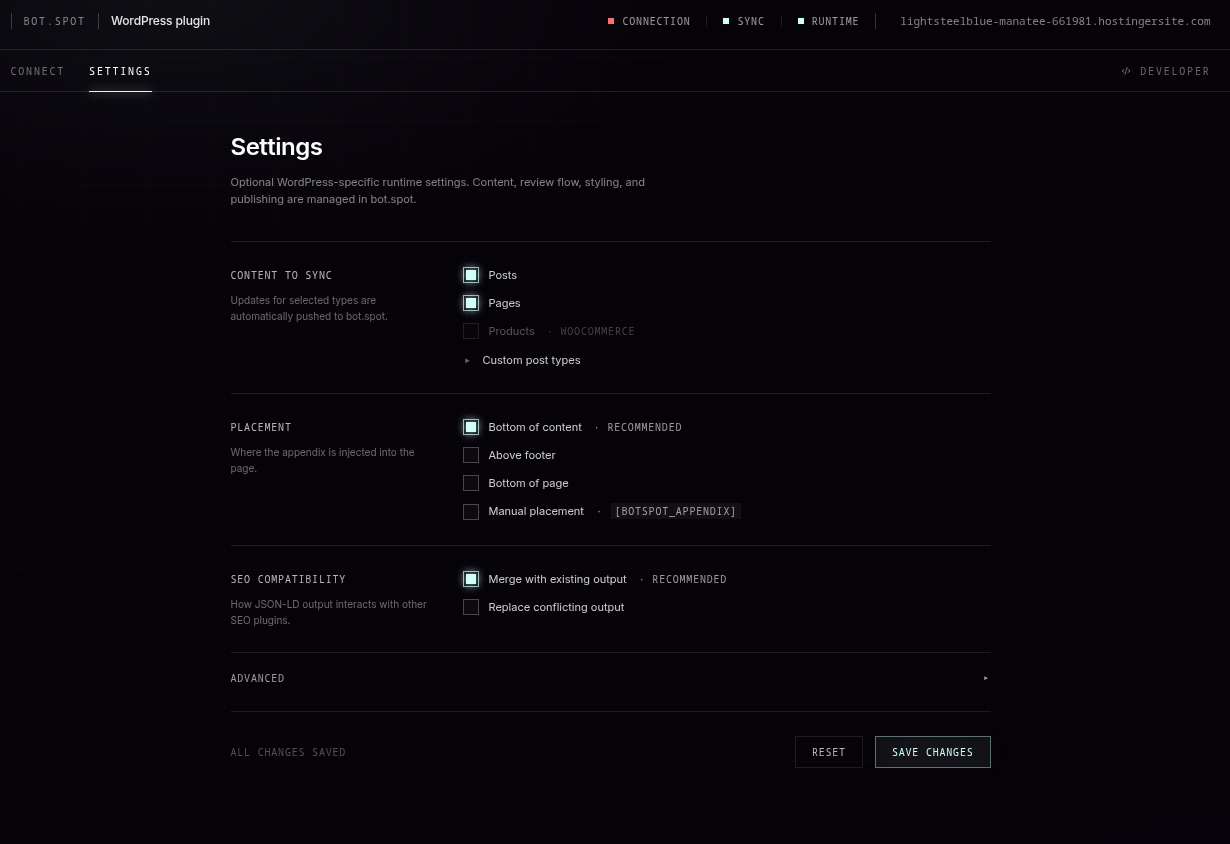
- Review the Settings tab to choose which post types should sync and where output should be rendered.
屏幕截图:
常见问题:
Do I need a BotSpot account?
Yes. BotSpot is an interface to the BotSpot software-as-a-service platform. An access key is required before content can be synced or rendered.
Does the plugin send data to an external service?
Yes. After an administrator connects the plugin, selected published content and related metadata are sent to BotSpot so the service can process and render appendix content and structured data. See the External Services section for details.
Can I choose what content is synced?
Yes. Content sync settings are managed in the BotSpot dashboard and sync automatically to the plugin. The Settings tab displays the current configuration. By default, posts and pages are selected.
Can I disable automatic output?
Yes. Output settings including appendix HTML, JSON-LD, placement, and post types are managed in the BotSpot dashboard. Changes made there sync automatically to this plugin.
How do I place the appendix manually?
Set placement to Manual placement and add the [botspot_appendix] shortcode where the appendix should appear. You can also use the BotSpot Appendix block in the block editor.
Does this replace my SEO plugin?
No. The plugin emits BotSpot JSON-LD as a separate structured data script and is designed to work alongside common SEO plugins.
What happens if BotSpot is temporarily unavailable?
Previously fetched content can be served from WordPress transients while cache entries are still available. Failed sync attempts are logged, and some sync failures are retried with WP-Cron.
Does this work on WordPress Multisite?
Yes. Each subsite connects to BotSpot independently with its own access key. Network administrators cannot configure BotSpot network-wide; each subsite administrator manages their own connection and settings.
更新日志:
- Security: password-protected posts are no longer synced. A protected post keeps the "published" status, so it passed the previous eligibility check, and its body could reach bot.spot. Protected posts are now excluded on every sync path, including bulk sync and page registration.
- New setting: "Send author names", on by default. Turn it off to keep post author display names out of synced content and out of the appendix structured data.
- New installs now place the appendix at the end of the page instead of the end of the content. The end of the page survives page builders and themes that wrap the post text. Sites installed before this release keep the placement they already have.
- The connection status indicators now agree. The header pill and the Connect tab pill both check the same state, so one cannot show connected while the other shows disconnected.
- Crawler measurement now recognises many more AI assistants and search crawlers, including ChatGPT search, Claude, Perplexity, Gemini, and Meta AI, and reports each one separately instead of grouping them.
- Visits that arrive with campaign tags in the address (utm_source and friends) now report those tags, so you can see when an AI assistant sends a reader to your page. No cookies are set or read, and no IP address is stored.
- BotSpot now measures how often AI and search crawlers reach your pages. Each frontend page view sends the path, the user agent, and the referrer to BotSpot in a background request that does not delay the page. No cookies are set or read, and no IP address is stored.
- The plugin now reports its own version to BotSpot, so support can see which build a site runs without asking. No settings change and no new data about your content.
- Placement values now match the names the BotSpot dashboard shows, so a placement chosen there no longer reverts on the next save. Existing settings migrate on read and need no action.
- The placement settings no longer ask for a CSS selector. Placement is at the end of the content, at the end of the page, or a manual shortcode.
- "In content" is now called "End of the content", and each placement option describes where the appendix lands when you hover it.
- Connecting now registers the site with bot.spot straight away. Sites with no published posts appear as connected instead of waiting for the first content sync.
- Connecting to a domain another integration already owns now reports the clash instead of failing silently.
- Placement now has three settings: in the content, at the end of the page, or manual shortcode. Older settings migrate automatically.
- Sites set to "above footer" now render the appendix below the footer.
- The appendix renders at the chosen position on the server. JavaScript no longer moves it after the page loads.
- A new optional CSS selector places the appendix next to a specific element. The appendix stays at the end of the page if the selector matches nothing.
- Placement and post-type changes made in the BotSpot dashboard now reach the site right away.
- Placement and post-type changes made in WordPress now push back to the dashboard. The most recent change wins.
- The settings screen no longer locks itself after a dashboard change.
- Page-builder pages now sync their real content. Divi and WPBakery were shipping raw shortcode markup, and Elementor, Bricks and Beaver Builder only had a dozen widget types read by a hardcoded allowlist.
- Content is now harvested by value shape rather than a per-widget allowlist, so third-party and newly added widgets are picked up without a plugin update.
- Fixed main-content extraction truncating an article at the first nested closing tag; the page is now parsed with DOM instead of a regex.
- Script, style and code-widget bodies are no longer sent as page copy.
- The extraction path used for each page is now reported alongside the content.
- Escaped all output at the point of output, including the appendix HTML, JSON-LD, diagnostic comments, and admin notices.
- Appendix HTML is now filtered before it is escaped, so output added by the
bspt_appendix_htmlfilter is escaped too. - Replaced the legacy
[botdot_appendix]shortcode registration with an automatic rewrite to[bspt_appendix], so existing pages keep working without the plugin claiming a shortcode name that lacks its prefix. - Fixed page cache purging for WP Rocket, which was never being triggered, and routed W3 Total Cache purges through its public API so all of its cache modules are cleared.
- Fixed a bug where a page using the
[bspt_appendix]shortcode or BotSpot Appendix block could receive a second, automatically injected appendix.
- Fixed two admin notice links that still pointed at the old settings page slug and produced a permissions error.
- Synced version metadata across the plugin header, version constant, and readme.
- Removed the Plugin URI header so the plugin and author URIs are no longer identical.
- Fixed a fatal error on activation caused by a call to a removed webhook secret method.
- Guarded the settings tab against a null post type list.
- Settings now lock only when the BotSpot dashboard explicitly pushes configuration, not on initial connect.
- Fixed hidden settings controls caused by a stale checkbox override.
- Webhooks are now always re-registered instead of trusting a cached webhook id.
- Fixed the settings page hook and admin CSS selectors after the plugin slug was renamed to "botspot".
- Prefixed all global template variables (bspt_) to satisfy WordPress.org global-namespace guidelines.
- Corrected the plugin text domain to match the plugin slug ("botspot") across all strings.
- Renamed the plugin to "BotSpot" and removed the invalid "Network" header for WordPress.org compliance.
- Removed the manual load_plugin_textdomain() call (handled automatically for hosted plugins) and updated the "Tested up to" version.
- Hardened for WordPress.org review: output escaping, translation text domain, input sanitization, and strict comparisons across admin and public code.
- Documented plugin-owned direct database queries and removed stale analytics references from the readme.
- Uninstall now removes all plugin options and transients, including platform settings and migration flags.
- Version bump for WordPress.org plugin review submission.
- Fixed Developer tab badge status checks (Sync timezone, Runtime transient prefix).
- Fixed Settings form field selector prefixes.
- Removed incomplete server-side analytics feature.
- Updated WordPress tested-up-to version to 6.8.
- Synced version metadata across plugin header and readme.
- Upgraded test harness dependencies to resolve security advisories.
- Continued WordPress.org Plugin Directory compliance refinements.
- Rebranded user-visible strings from "BotSpot" to "bot.spot".
- Auto-detect WooCommerce and include product post type in sync options.
- Relocated analytics section to Developer tab.
- Simplified UX by hiding sensitivity setting and defaulting to high.
- Settings now only lock when dashboard pushes config, not on initial connect.
- Hardened release packaging, metadata, third-party license notices, analytics rendering, JSON-LD output encoding, sync authorization, SSL verification, lifecycle behavior, and uninstall cleanup for WordPress.org submission readiness.
- Renamed internal code from botdot-wp to botspot-wp to match BotSpot branding.
- File names, class names, constants, hooks, and options now use botspot prefix.
- Migration code automatically preserves settings from v2.x installations.
- Legacy hook names (botdot_wp_*) remain as aliases for backwards compatibility.
- Legacy shortcode [botdot_appendix] remains as alias for [botspot_appendix].
- Current stable release.
- Improves push-based content sync and appendix rendering.
- Supports JSON-LD output, appendix HTML output, manual placement, block editor placement, caching, diagnostics, and enrichment status updates.
- Fixed cache clearing so plugin-owned appendix and JSON-LD transients are removed correctly.
- Added external page-cache purge hooks when enrichment updates are received.
- Added cache helper actions for site-specific integrations.
- Improved force resync behavior for large sites.
- Improved Connect flow so access keys can be saved inline.
- Changed JSON-LD output to emit BotSpot structured data as a separate peer script.
- Improved multilingual language detection for Polylang and WPML.
- Improved source JSON-LD cleanup before sync.
- Added admin analytics cards for sync health, enrichment lifecycle, and aggregate impressions.
- Added local bot classification and scheduled analytics flushing.
- Improved sanitization for external HTML.
- Re-encoded JSON-LD output before rendering.
- Improved error logging and cache handling.
- Initial push-based sync and appendix injection release.