BoundaryGuard Headers
| 开发者 | jsjack74 |
|---|---|
| 更新时间 | 2026年8月17日 14:45 |
| PHP版本: | 7.4 及以上 |
| WordPress版本: | 7.0 |
| 版权: | GPLv2 or later |
| 版权网址: | 版权信息 |
详情介绍:
- Essential Protection: Adds X-Frame-Options, X-Content-Type-Options, Referrer-Policy, and Permissions-Policy to reduce attack surface and prevent clickjacking.
- HSTS (Strict Transport Security): Forces HTTPS connections to help prevent protocol downgrade and man-in-the-middle attacks.
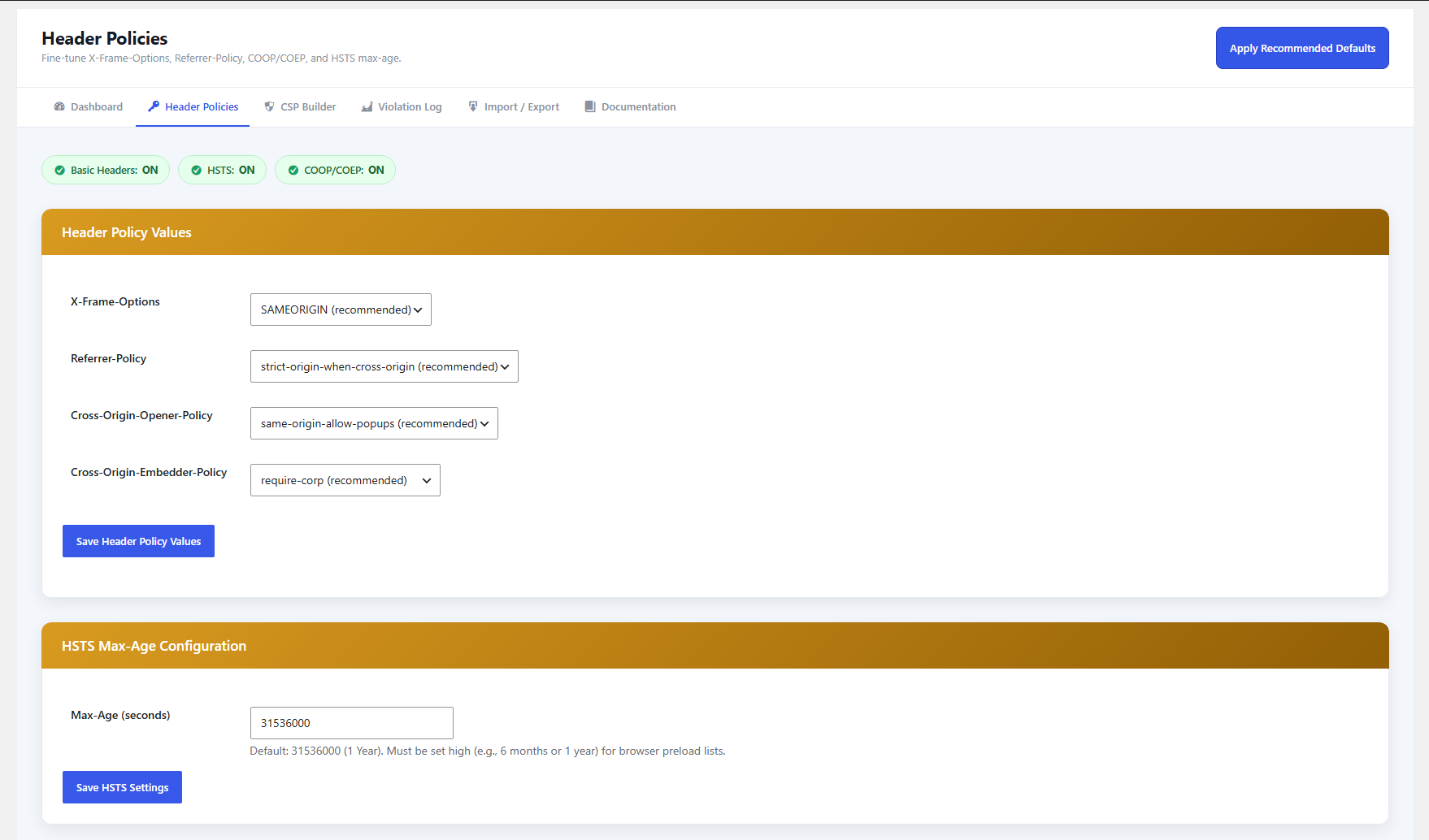
- Advanced Isolation (COOP/COEP): Enables Cross-Origin-Opener-Policy and Cross-Origin-Embedder-Policy to improve cross-origin isolation and mitigate certain side-channel attacks.
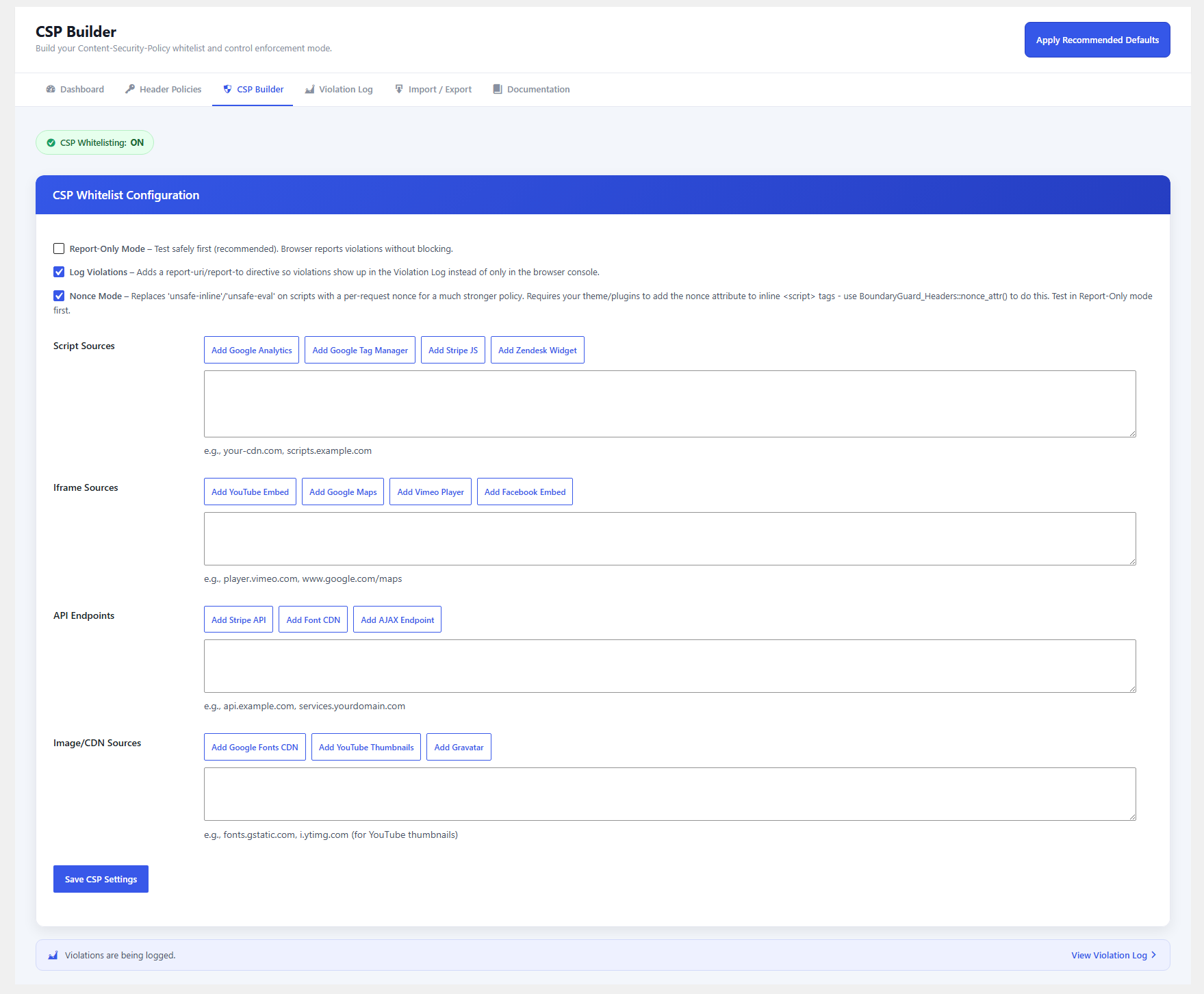
- Content Security Policy (CSP): One of the strongest defenses against XSS. Includes a dashboard-based CSP builder with one-click presets to whitelist trusted sources for scripts, iframes, API endpoints, and images.
- CSP Report-Only Mode & Nonce Mode: Test your policy safely without blocking content, then move to per-request script nonces for the strongest possible policy.
- Security Score: A 0-100 score and A+-to-F grade computed from your settings, with an itemized checklist showing exactly what's missing.
- Live Header Scan: Checks your site's actual live HTTP response headers so protection already provided by your host, theme, another plugin, or a CDN is correctly detected and credited.
- CSP Violation Log: A visual dashboard (14-day trend, top blocked sources, breakdown by directive) for anything your policy has blocked, with CSV export.
- Import/Export: Move your configuration between sites as a JSON file — handy for agencies rolling out the same policy across clients.
- In-Plugin Documentation: A full read-only reference covering every setting, without leaving WP Admin.
- Server Header Hardening: Removes or limits exposure of headers such as
X-Powered-ByandServer. - Lightweight and Fast: Uses PHP headers for broad server compatibility and minimal performance impact.
- No
.htaccessEditing Required: Works without modifying server configuration files.
安装:
- Upload the
boundaryguard-headersfolder to the/wp-content/plugins/directory. - Activate the plugin through the Plugins menu in WordPress.
- Configure the settings from the BoundaryGuard menu in the WordPress admin sidebar.
屏幕截图:

常见问题:
Does this plugin edit .htaccess?
No. BoundaryGuard Headers uses PHP headers, which improves compatibility across different hosting environments.
Can I test Content Security Policy without breaking my site?
Yes. The plugin includes a CSP Report-Only Mode that allows you to monitor policy violations without blocking any resources.
Will this affect site performance?
No. The plugin is lightweight and adds negligible overhead, as headers are sent as part of the normal HTTP response.
What is the Security Score, and how is it calculated?
It's a 0-100 score (A+ to F) shown on the Dashboard, based on nine weighted checks across all four header groups. Full breakdown of point values is on the in-plugin Documentation page.
What does the Live Header Scan do?
It checks your site's actual live response headers, not just this plugin's own settings — so if a header is already being sent by your host, theme, another plugin, or a CDN, you get credit for it and it's labeled "External" so you always know where the protection is really coming from.
Will this work with a caching plugin or a CDN?
It depends on how caching is set up. Headers are sent through PHP on each request, so they apply whenever WordPress actually handles that request. If a full-page cache serves a stored HTML file directly (bypassing PHP entirely) or a CDN edge serves from its own cache, this plugin's headers won't be part of that cached response. Run the Live Header Scan after setting up caching to confirm the headers are still showing up on the live site — if they're missing, you may need your caching layer to pass through origin response headers, or add matching headers at the server/CDN level as a supplement.
What is CSP Nonce Mode, and should I turn it on?
Nonce Mode replaces the looser 'unsafe-inline'/'unsafe-eval' allowance on script-src with a unique per-request nonce, which is a meaningfully stronger policy. It only helps your inline <script> tags if they carry that nonce, though — use the BoundaryGuard_Headers::nonce_attr() helper (see the in-plugin Documentation page) to add it to any inline scripts your theme or plugins output. Turn it on after adapting your inline scripts; otherwise, unnonced inline scripts will be blocked once CSP is enforced.
My site broke (styles, scripts, or embeds stopped working) after enabling CSP. What do I do?
Switch to CSP Report-Only Mode — it logs what the policy would have blocked without actually blocking anything. Check the Violation Log to see exactly which sources are being flagged, add the legitimate ones to the CSP Builder (presets cover common services like Google Analytics, Stripe, YouTube, etc., or add custom domains), then switch back to enforcing mode once the log is clean.
What does the Violation Log show, and where does the data come from?
When "Log Violations" is enabled, visitors' browsers report anything your Content Security Policy blocks (or would block, in Report-Only Mode) to a REST endpoint this plugin registers, and that report is stored in your own database — no third-party service is involved. The Violation Log page shows a 14-day trend, your top blocked sources, and a breakdown by directive, with CSV export and a one-click "Clear Log" (with a confirmation prompt) if you want to start fresh.
Is it safe to turn on HSTS?
Only enable HSTS once your site is reliably served over HTTPS with a valid SSL certificate. HSTS tells browsers to refuse plain-HTTP connections to your domain for the duration you set (one year by default) — if your certificate lapses or you need to fall back to HTTP, visitors won't be able to reach the site until the max-age expires or they manually clear HSTS in their browser.
Can I copy my settings to another site?
Yes. Use "Export Settings (.json)" on the Import/Export page, then upload that file on the destination site's Import/Export page. Useful for agencies applying the same policy across multiple client sites.
Does uninstalling remove my settings?
Deactivating asks whether to keep or delete your settings and violation log. Deleting the plugin afterward always removes both via uninstall.php, including on multisite.
更新日志:
- Fixed: the deactivation "keep or delete your data" confirmation wasn't appearing — WordPress URL-encodes the plugin path in the deactivate link's href, so the script's old link-matching logic never found it. It now matches the plugin's row on the Plugins screen directly, so the confirmation always fires. The confirmation is now also a styled in-page dialog instead of a plain browser confirm() popup
- Fixed: that script also attached to a jQuery-dependent script handle that isn't always loaded on the Plugins screen; it's now attached to jQuery directly so it's reliably present
- Removed a stray, incorrect
register_deactivation_hook()registration left over from development that duplicated (and could interfere with) the real hook the confirmation relies on - Fixed several PHPCS findings: an incorrect direct-filesystem-call warning on a streamed CSV export, unsanitized-input warnings on the settings-import file upload, a missing-nonce warning on a read-only success-notice flag, and unprefixed-global-variable warnings in
uninstall.php's multisite cleanup - Reworked the admin UI: replaced the single long settings screen under Settings with a dedicated top-level "BoundaryGuard" menu and six focused pages — Dashboard, Header Policies, CSP Builder, Violation Log, Import/Export, and Documentation
- Added a Security Score card: a 0-100 score and letter grade (A+ to F) computed from your settings, with an itemized checklist and tips for closing each gap
- Added a Live Header Scan: the Security Score now checks your site's actual live HTTP response headers, not just this plugin's own settings — so protection already provided by your hosting, a theme, another plugin, or a CDN/edge layer is correctly detected and labeled "External," with a "Re-scan Now" action and scan-status bar; results are cached for an hour (5 minutes on failure) and fall back to plugin-only detection if the scan can't reach your site
- Exposed X-Frame-Options, Referrer-Policy, COOP, and COEP as configurable dropdowns (previously read from options but never editable in the UI)
- Added CSP violation reporting ("Log Violations") and a visual Violation Log dashboard (14-day trend, top blocked sources, breakdown by directive) built on Chart.js, with CSV export alongside the existing JSON settings export
- Added CSP Nonce Mode: replaces 'unsafe-inline'/'unsafe-eval' on script-src with a per-request nonce for a stronger policy; exposes
BoundaryGuard_Headers::nonce_attr()for theme/plugin developers - Added one-click "Apply Recommended Defaults" button, Import/Export of settings as JSON, and a confirmation prompt on "Clear Log" to prevent accidental deletion
- Added quick status/toggle pills, empty-state prompts, a tab strip, and quick-nav cards for faster navigation between sections
- Added a new in-plugin Documentation page — a read-only reference covering how header sending works, what each admin page does, the full Security Score breakdown, a CSP quick reference, violation reporting, the developer nonce helper, data storage, and an FAQ — laid out with a sticky on-page navigation sidebar and icon-led section cards
- Refreshed the admin UI with a consistent color palette across every page, cleaner card and button styling, and a fixed CSP Builder hint that previously rendered as unstyled floating text below the "Save CSP Settings" card
- Added
uninstall.phpfor reliable cleanup on delete, including multisite - Fixed: settings sanitization now merges with existing saved options instead of rebuilding from scratch, preventing one settings form from silently blanking out fields owned by another form
- No changes to settings storage or option keys from 1.0.0 — all existing configurations carry over automatically
- Initial release
- Added essential HTTP security headers
- Implemented HSTS support
- Added CSP builder with report-only mode