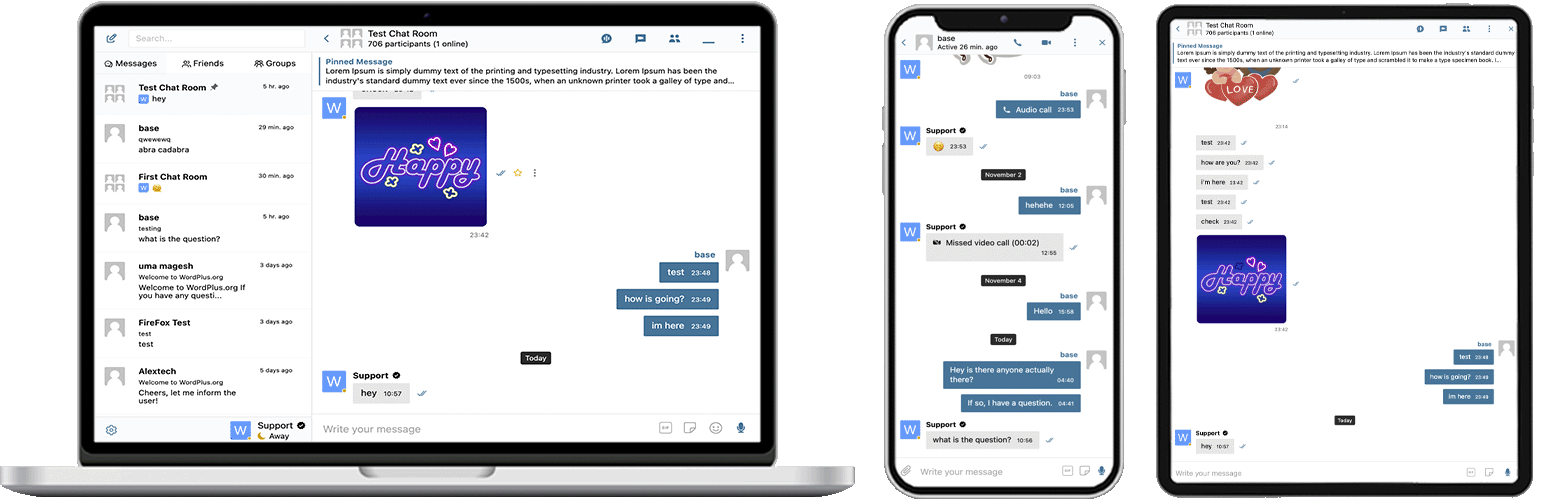
Better Messages is the most feature-rich
realtime private messaging system for WordPress, with native integrations for
BuddyPress, BuddyBoss Platform, Ultimate Member, PeepSo and any other WordPress powered websites.
Transform your WordPress site into a powerful communication platform with
private messaging,
chat rooms,
video and audio calls,
group video chats,
AI chat bots, and
native mobile apps.
无论您是在构建私人或公共社区、社交网络、内网、聊天室网站、市场、会员网站、约会平台,还是创作者经济网站 – Better Messages 都能提供企业级的消息功能和易于使用的界面。
Try Better Messages:
For developers:
Popular use cases:
Better Messages 被广泛用于为以下场景提供消息功能:
- Private communities — paid and members-only community platforms, mastermind groups, alumni networks, course cohorts, coaching circles, role-restricted messaging, group chats, AI Chat Bots for onboarding and FAQs, end-to-end encryption for sensitive conversations
- Public communities and social networks — open social platforms, hobby and interest communities, BuddyPress / BuddyBoss / PeepSo / FluentCommunity-powered sites, private messaging, group conversations, chat rooms, mini chat widgets that follow users across the site
- Intranet and corporate websites — internal employee communication, team and department channels, role-restricted access by WordPress role, file sharing, voice and video calls for remote teams, self-hosted plan for sites with data-sovereignty requirements
- Chat rooms websites — sites built around real-time chat rooms as the primary feature, public and private rooms, topic-based discussion, guest access for unregistered visitors, AJAX or WebSocket delivery
- Dating and matchmaking sites — private 1-on-1 chat, photo and video attachments, voice and video calls, profile-to-profile chat buttons on member directories, guest chat for browsing visitors, end-to-end encryption for private conversations
- Creator economy and fan platforms — paid messaging with per-message and per-call billing via GamiPress or MyCRED, private video calls, mass messaging to fans, always-on mini chat widgets
- Premium and monetized DM platforms — charge per direct message or per call with per-role pricing, balance display, role-restricted messaging, AI Content Moderation to filter spam and scam attempts
- Coaching and mentorship platforms — client-to-coach DMs, scheduled video calls, voice messages, file sharing, course chat rooms via LMS integrations
- Online stores (WooCommerce) — pre-sales chat on product pages, post-purchase order support, cart-context-aware messages, embedded inbox in My Account
- Multi-vendor marketplaces and classifieds — buyer-to-seller chat on every listing, per-listing threads, guest chat for unregistered visitors
- Online courses (LMS) — course chat rooms, instructor-to-student DMs, group conversations for cohort-based courses
- Forums and Q&A communities — Private Message link on every reply, follow-up chat for thread participants
- Real estate and listings sites — agent inquiry messaging, property-context chat threads, guest chat for browsing visitors
- Live events and webinars — event lobby chat rooms, guest access for non-registered attendees, group voice and video calls for AMAs, pinned messages with event agendas
- Booking and appointment platforms — guest-to-host messaging on listings and bookings, file sharing for documents, voice and video calls before check-in
- Crypto and Web3 communities — token-gated chat rooms via membership plugin and WordPress roles, AMA group calls, AI knowledge bots for whitepaper questions, mobile apps for on-the-go engagement
"
Better Messages" plugin is formerly called "
BP Better Messages".
Translate Better Messages to your language
https://www.youtube.com/watch?v=jMHx97QsXj8
Core Messaging Features:
- AJAX 或 WebSocket 驱动的实时对话
- 私密一对一对话
- 无限参与者的群组对话
- 支持访客访问的聊天室
- BuddyPress 群组、PeepSo 群组、Ultimate Member 群组、FluentCommunity 群组的消息
- 对话主题
- 搜索所有消息
- 将消息标记为收藏
- 将重要消息置顶
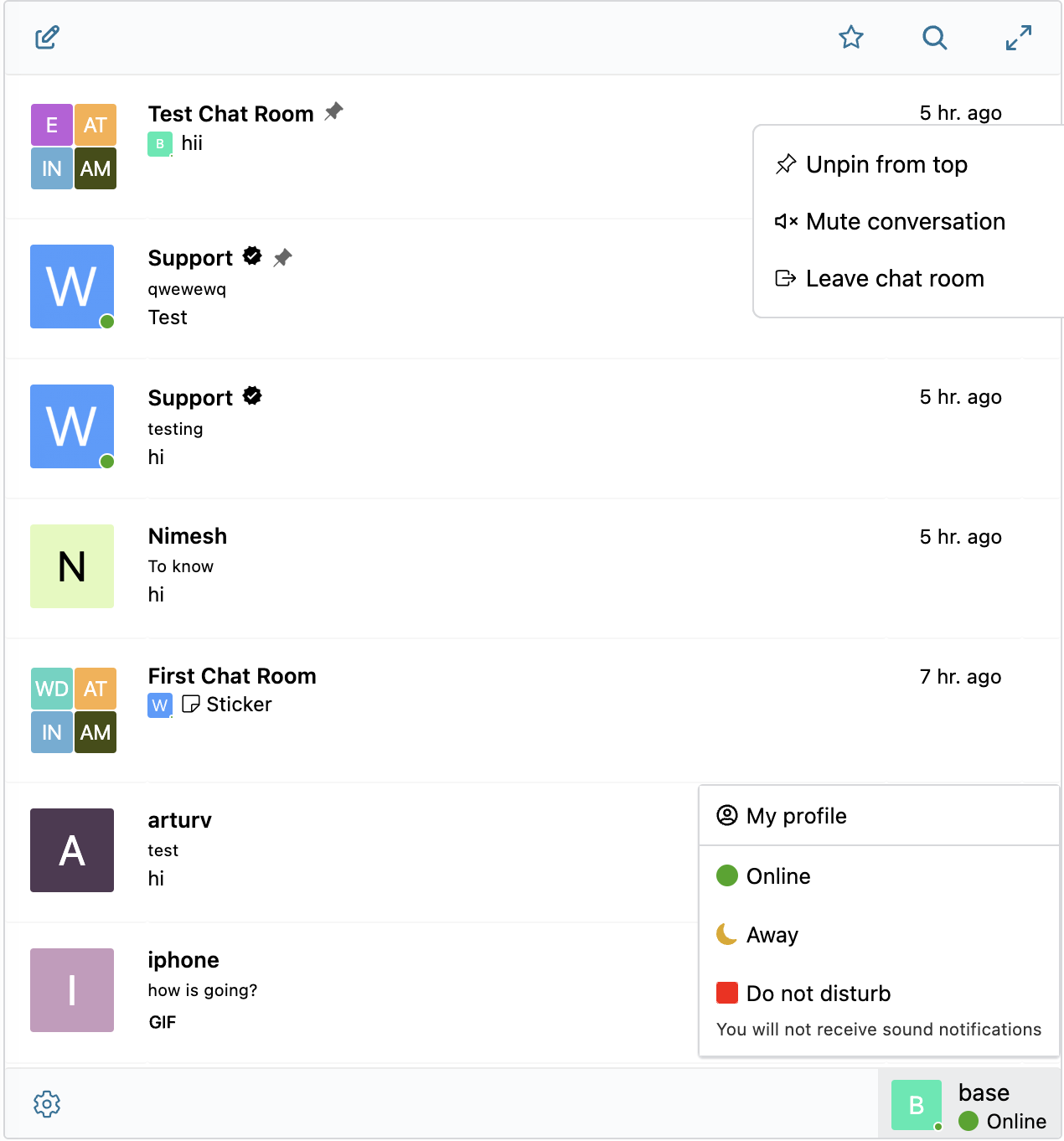
- 将喜爱的对话置顶
- 筛选对话列表以仅显示未读对话
- 回复特定消息
- 编辑已发送的消息(带编辑指示器)
- 删除消息
- 将消息转发到其他对话
- 静音对话通知
- 带恢复功能的消息草稿自动保存
AI & Automation:
- 由 OpenAI、Anthropic (Claude) 和 Google Gemini 驱动的 AI 聊天机器人
- 群组对话中基于@提及响应的 AI 聊天机器人
- AI 会话摘要和定时摘要
- 带成本估算的令牌使用量跟踪
- 语音消息转文字由 Better Messages Cloud AI 或 OpenAI 提供支持
- AI 机器人的网络搜索功能
- AI 机器人的文件搜索工具
- AI 图像生成
- AI 对话的 PDF 文件支持
Media & Content:
- 支持断点续传的文件共享和保护文件免受直接访问的功能(图片、视频、文档)
- 客户端图像和视频优化,实现跨浏览器兼容性和节省存储空间(格式转换、质量控制、元数据剥离)
- Photo cropping and editing before sending
- Location messages with a map picker and nearby place suggestions
- Voice messages and video messages (available as addon)
- 带缩略图和描述的嵌入链接
- 支持 YouTube、Vimeo、Spotify、SoundCloud、Flickr 等 20 多项服务的 oEmbed
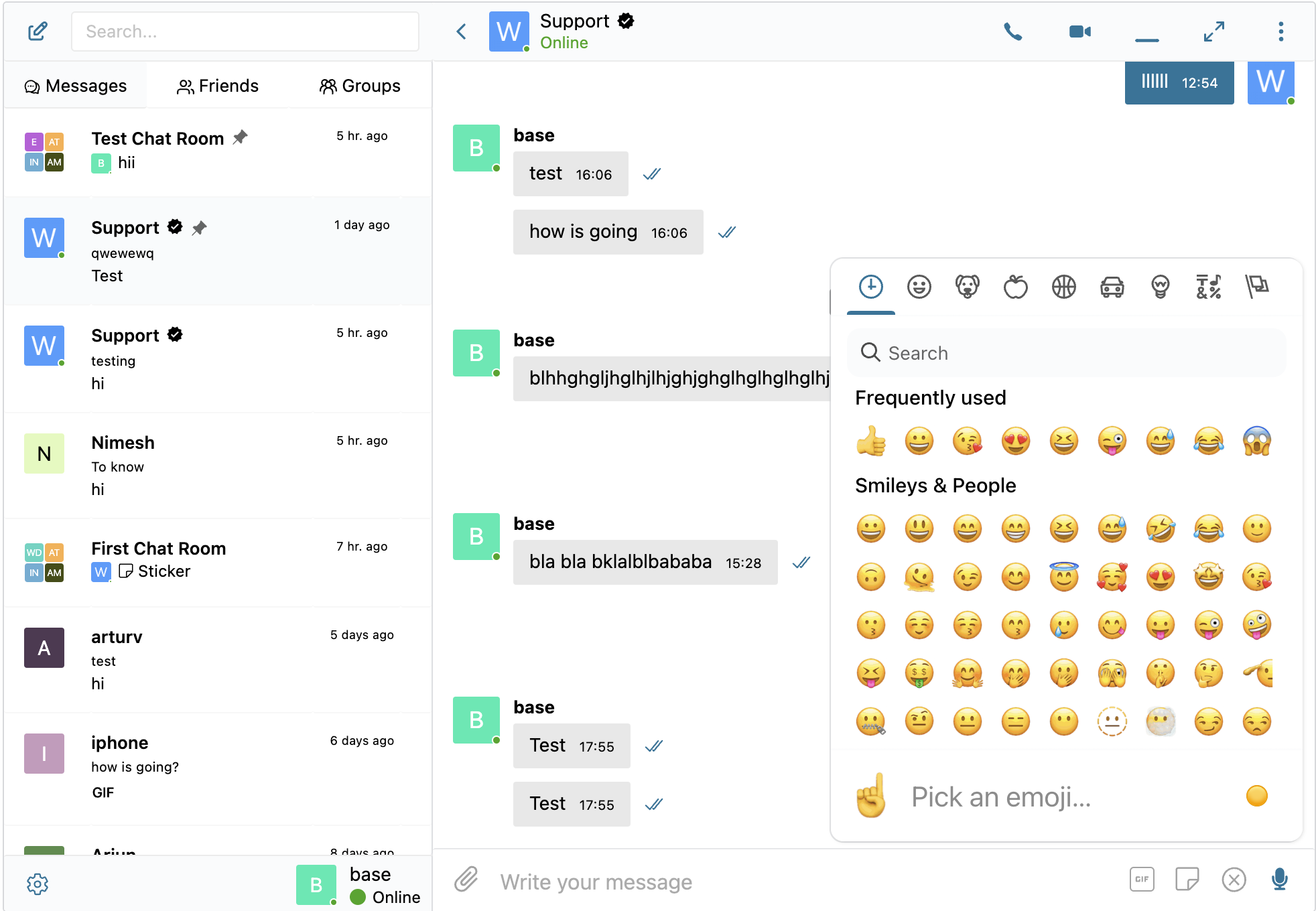
- 表情符号选择器
- 内置贴纸包,支持基于角色的访问控制和多语言支持
- GIF 集成,支持 GIPHY 和 Klipy 提供商
- 输入时内联贴纸建议
- Markdown 文本格式支持
Notifications:
- 未读消息的邮件通知(可自定义模板)
- 邮件中的退订链接支持
- 新消息声音通知
- 网站任何位置的站内弹窗通知
Moderation & Security:
- 支持两个提供商的 AI 内容审核:
- Better Messages Moderation AI — included with WebSocket license at no additional cost, no third-party API keys required. Powered by Better Messages Cloud with extended categories, custom rules, and conversation context awareness
- OpenAI Moderation API — free to use, requires an OpenAI API key
- 自定义审核规则——用纯文本定义您自己的规则
- 对话上下文感知——检测分散在多条消息中的模式
- 在审核操作"仅标记"(推荐)或"保留待审"之间进行选择
- 预审核消息 - 在发送前审核消息
- 消息举报功能
- 可自定义黑名单的不良词汇过滤器
- 用户屏蔽功能
- 基于角色的访问控制
- 用于审核的用户白名单/黑名单
Engagement Features:
- 消息回应
- 提及 (@用户名)
- 通过 WP 管理后台进行群发消息,支持定时发送、文件附件和后台处理
- 为新用户推荐对话
Mini Widgets:
- 无需使用短代码即可在您网站的任何位置嵌入对话入口
- 五种小部件:好友、群组、用户、AI 机器人、聊天室
- 两种显示样式:经典栏或悬浮气泡(带聊天头像)
- 三种放置位置:底部栏、侧边面板、移动标签栏
- 每个小部件均有图标选择器、搜索框、角色限制以及"为空时隐藏标签"开关
- 用户小部件支持三种显示模式(全部/按角色/精选)以及按最近活动或注册日期排序
- 可自定义迷你小部件、侧边面板和移动视图中的标签顺序
Customization:
- 现代化、完全可自定义的设计
- Appearance tab — repaint every part of the messenger, reshape its corners and spacing and tune dark mode, with a live preview
- 自定义通知声音
- RTL 布局支持
- 白标解决方案
- 完全可翻译
- 自动删除旧消息选项
Privacy & GDPR:
- Dedicated Privacy & GDPR settings page
- 所有消息数据均存储在您自己的服务器上
- AI 审核 (启用时) 会发送消息内容进行分析 — Better Messages Cloud 不会存储任何数据,如使用 OpenAI 提供商,请查阅 OpenAI 的数据政策
- 支持 WordPress 个人数据导出和删除(工具 → 导出/删除个人数据)
- 根据启用的功能自动调整的建议隐私政策文本
- 自托管表情图片选项 — 无外部 CDN 请求
- 隐私友好的视频嵌入 — YouTube、Vimeo 仅在用户点击后加载
- 不设置 Cookie,无分析或跟踪脚本
- Privacy & GDPR documentation
This is not a complete list of features - Better Messages has many more small features and options that are not listed here. We are constantly adding new features and improvements based on user feedback.
Compatible plugins & themes — 35+ native integrations:
Better Messages works on
any WordPress site out of the box. If your site already runs a community plugin, an LMS, a marketplace, or a directory, Better Messages plugs into it directly — inheriting members, profiles, groups, courses, listings, and posts so chat surfaces appear in the right places without setup.
Community & Membership Platforms — replaces the built-in messenger and inherits members, profiles, friends, and groups:
Learning Management Systems (LMS) — course chat rooms, instructor messaging, and student-to-student conversations:
E-commerce — WooCommerce — pre-sales and order support chat for online stores:
- WooCommerce — Contact buttons on product, cart, checkout, and order pages. Cart contents are auto-posted into the conversation as a rich message so your support agent immediately sees what the customer is looking at, order pages post a structured order context card. Plain product URLs pasted into any chat are expanded into rich product cards. Embedded inbox lives inside WooCommerce My Account. HPOS-compatible, block-theme-compatible, works with guest checkout. Available on both the free and WebSocket versions — the WebSocket version opens chats as a popup mini-widget overlay instead of navigating away.
Marketplaces & Multi-Vendor — buyer-to-vendor chat on top of WooCommerce, with per-vendor opt-in and contact buttons on vendor stores, product pages, and order details:
Listings, Directories & Classifieds — contact buttons on every listing, with per-listing threads:
Real Estate Themes — agent and inquiry messaging on property listings:
Forums — Private Message link on every reply:
Gamification, Points & Paid Access — charge per message or call with per-role pricing and balance display:
Automation & Page Builders:
Push & PWA:
Universal Shortcode Builder — add chat to anything else:
Don't see your plugin or theme in the list? Better Messages ships a visual
Shortcode Builder at
WP Admin → Better Messages → Shortcodes that lets you drop a Live Chat Button onto any custom post type, directory, marketplace listing, agent profile, or page builder block —
without writing PHP. Point it at a sample post, choose how the target user is resolved (post author, postmeta-stored user ID, or a fixed inbox), set a thread strategy and label, and copy the generated shortcode. The same shortcode then works for every post of the same shape, with automatic per-post threading and an optional in-chat banner. Paste it into Gutenberg, Elementor, Bricks, Divi, or directly into a theme template.
Full list of integrations
Feel free to report any incompatibility or request more integrations — that is very important and helps improve Better Messages!
WebSocket version:
WebSocket 版本是付费选项,您可以在我们的网站上获取许可证密钥。
我们使用专用服务器在您的网站和用户之间实现 WebSocket 通信。我们的服务器完全私密,不存储或跟踪任何私人数据 — 所有消息都保留在您的数据库中。
Performance & Reliability:
- Significantly reduces the load on your server (up to 200x fewer requests)
- Instant message delivery in realtime
- 适用于包括共享主机在内的任何主机
- 并发连接数或月活跃用户数无限制
Video & Audio Calls:
- 高清视频通话(一对一)
- 高清语音通话(一对一)
- 群组视频聊天(最多 32 位参与者)
- 群组语音聊天(最多 50 位参与者)
- 通话和群聊中的屏幕共享
Mobile Apps (Alpha):
- iOS 移动应用(构建您自己的品牌应用)- Alpha
- Android 移动应用(构建您自己的品牌应用)- Alpha
- 通话和消息的推送通知
- 来电 VoIP 通知
注意:移动应用目前处于 Alpha 阶段。核心功能可用,但部分功能可能受限或正在开发中。
Realtime Features:
- 消息送达状态(已发送、已送达、已读)
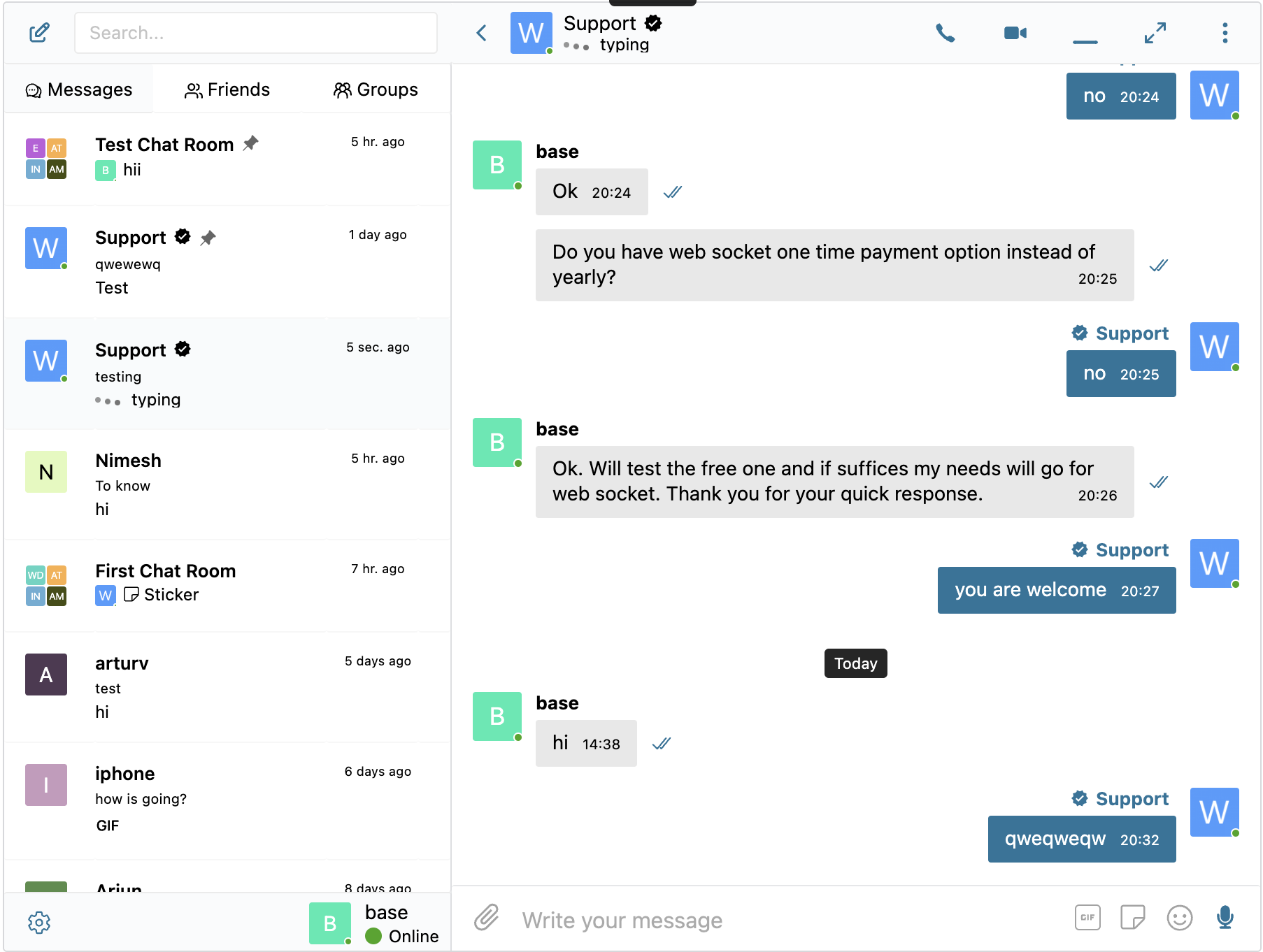
- 正在输入、语音录制和文件上传活动指示器
- 在线/离线状态指示器
- 用户状态(在线、离开、请勿打扰)
- 迷你聊天 - 在您网站的任何位置显示聊天窗口
- 迷你对话小部件 - 从任意页面列出并继续最近的会话
- 用户迷你小部件的仅在线筛选和在线优先排序
Better Messages Cloud AI:
- 一对一对话中的自动消息翻译 — 53 种语言,自动检测
- AI 内容审核 — 23 个类别、自定义规则、对话上下文感知
- 语音消息转文字 — 支持 99+ 种语言并自动检测
- 无需第三方 API 密钥 — 随 WebSocket 许可证免费提供
Security & Encryption:
- 可选的端到端加密 (E2EE) — 可在网站级别和每个对话级别启用,消息和文件在用户的浏览器中使用 AES-256-GCM 加密,服务器永远看不到明文
- 用于离线消息存储的本地浏览器加密 (AES256)
- Web 推送通知(即使浏览器关闭也能使用)
- 所有数据在传输中加密,因此我们无法在服务器上读取
Support:
Why WebSockets are a game-changer?
Get WebSocket version license key | Terms of Use
Languages
插件内置了 RTL 布局支持。
You can translate plugin to your language with LocoTranslate or
participate in plugin translation.
Important — please read before updating to 3.0
3.0 is a full redesign. Your conversations, settings and integrations carry across untouched — including the colors and sizes you set in the Customizer — but three things need your attention:
- Custom CSS needs rewriting: the messenger's classes are now prefixed
bm- instead of bpbm- and bp-messages-
- Update the exclusion lists of any caching or optimisation plugin: the script and style files were renamed (
bp-messages* → better-messages*, bpbm-worker.js → bm-worker.js)
- The WordPress Customizer integration is gone — colors and sizes now live in the Appearance tab, and snippets calling
Better_Messages()->customize stop working
Noticed something wrong after updating to 3.0? Please tell us. A redesign this large can behave differently on a theme or plugin combination we have not seen. If anything looks broken, missing or out of place, email us at
support@better-messages.com — or open a topic on the
support forum if you are can not contact email for some reason — and we will get it fixed. Please do not leave it unreported, every report speeds up a fix for everyone.
3.0.0
- The messenger has been redesigned from the ground up — every surface, from the conversations list to mini chats and popups, is new, while keeping the layout and workflows you know
- The Appearance tab has been rebuilt around the new design — repaint any part of the messenger, reshape its corners and spacing, tune dark mode, and watch every change land in a live preview before saving; the colors and sizes you set in the Customizer are carried over
- The messenger's font is now yours to set at Appearance → Typography — pick a stack, type your own, or hand it to your theme's font
- The Mobile App page has been rebuilt and is no longer in alpha — a readiness checklist says what a build still needs before you start one, and the installed app now tells you when an update needs a restart, or a newer version is waiting in the App Store or Google Play
- Messages can now carry a location — a map picker with nearby place suggestions, off until you turn it on in the new Location tab, which also chooses the map and place providers and which roles may send one
- Voice messages can be answered with a video message, through the Voice and Video Messages add-on 2.0 — the new Video Messages tab sets round or square, a maximum length, auto-deletion and which roles may send them
- AI chat bots can now be spoken to — send a voice message and the bot answers what was said, whatever model it runs on. Each bot has its own Voice Input switch, and all it needs is a transcription provider picked on the Voice Messages tab
- Voice messages can be transcribed the moment they are sent — the new Auto Transcription option on the Voice Messages tab does it for every voice message, and the bubble shows the transcription running instead of asking for a tap
- A conversation can now be read in your own language — turn translation on for that conversation and every message arrives translated, with the original one tap away; the Translation tab now reaches group conversations, chat rooms and chat bot messages, and can have it on by default
- Messages and files sent while offline are kept on the device and sent by themselves once you are back online, or cancelled before that
- Conversations cached on a device are now kept across plugin updates and settings changes, and trimmed by themselves once the copy grows large — a new Storage section in the user settings shows what the device holds and can free it up, and Tools can reset every device's copy
- A reply to a photo or file now carries a thumbnail of it, and the attachments list can jump straight to the message a file was sent in
- Answering a call on one device now stops the others ringing at once, instead of leaving them to ring on until the caller gave up
- The Classic design, the follow-the-device color scheme, the Settings → Mobile tab and Mini Widgets → Layout have been removed — the Appearance tab replaces them, and the WordPress Customizer integration is gone with them, so snippets calling
Better_Messages()->customize no longer work
- Custom CSS and caching exclusions need updating: the messenger's CSS classes are now prefixed
bm- rather than bpbm- and bp-messages-, and the script and style files were renamed (bp-messages* → better-messages*, bpbm-worker.js → bm-worker.js)
- Fixed a crafted guest registration passing as an AI chat bot, which let it into role-restricted chat rooms (CVE-2026-89093)
- Fixed a chat room's messages and participants being readable over the REST API by visitors its guest setting turns away (CVE-2026-89334)
- Fixed a crafted icon SVG smuggling markup past the sanitizer in a CDATA section, which let it run script on the icon preview screen
- Fixed a phone notification from an AI chat bot showing
<!-- BM-AI --> in front of the text, and an empty one being sent the moment a bot began answering in a one-to-one conversation
- Fixed the user menu showing no name or avatar for a member or guest who does not have any conversations yet
- Fixed the guest registration bar losing its right-hand edge on themes that do not set border-box sizing
- Fixed the installed app staying on a broken update until it was retried by hand — it now replaces or rolls one back on its own
- Fixed chat notifications still being sent to phones the app had been removed from, and those devices counting as reachable
- Fixed a failed call to the app build server being reported as a success, hiding the real error
- Everything released in the 2.15 line, up to 2.15.33, is included — those entries are listed separately below
- Other minor bugfixes and improvements
2.15.33
- Added Unique Guest Names setting at Settings → General — turn it off to let guests use a display name someone else already took
- Added
BetterMessages.openGroupCall() JavaScript function — take a member straight into a chat room's group call from any page
- Fixed an AI chat bot's Conversations list failing with a critical error and reporting no conversations, when the bot was in a group or course
- Fixed a new encrypted conversation being created without a key when encryption was not yet set up on that device, leaving it unusable
- Fixed the other person's video staying black in a one-to-one call answered in Firefox, while their audio and the call itself worked
- Fixed the default avatar at Settings → Discussion being ignored on BuddyPress and BuddyBoss — users without a Gravatar showed the Gravatar logo
- Fixed a guest display name containing an underscore or percent sign being wrongly rejected as already taken
- Fixed unread counters bound to
better_messages_update_thread_unread never dropping back to zero once a conversation was read
- Fixed text smiles containing
<, > or &, such as <3, never turning into an emoji, and the conversion staying on when it was switched off
- Fixed a voice message shorter than a second arriving with no length shown, and the recording timer lagging up to a second behind
- Fixed a JavaScript error when an on-site notification was dismissed just as a new message reopened it
- Fixed conversations rendering blank when every emoji was removed from the reaction list
- Fixed the reaction picker still appearing on messages after reactions were switched off in the settings
- Fixed FluentCommunity's pull to refresh reloading the page while scrolling a conversation in an installed iOS app
- Other minor bugfixes and improvements
2.15.32
2.15.30 - 2.15.31
- Chat attachments are no longer listed by the WordPress media API
- Fixed guests being counted as BuddyPress members, which could report hundreds of members on a site with only a handful registered — updating clears the records already left behind
- Fixed a Send Message button in a members or friends list on a BuddyPress or Youzify profile page opening a conversation with the profile owner instead of the member it belongs to
- Fixed the Create encrypted conversation button being cut off at the bottom of a mini chat, with no way to scroll down to reach it
- Member and online counts in the chat rooms list no longer read "1 members" for a single member
- Presence-based chat rooms no longer carry an Open label in the chat rooms list
- The User Inbox block is now called Messages, and the settings that spoke of an "inbox" name the messages page or the conversation list instead
- Added
better_messages_fluent_notify_integration PHP filter — return false to disable the FluentNotify integration
- Other minor bugfixes and improvements
2.15.29
- Fixed the messenger not loading at all on a site whose Ultimate Member Groups extension is too old for the installed Ultimate Member — the extension never starts up in that pairing, and the conversations list stayed permanently empty
- An Ultimate Member group with no picture of its own now shows a group marker, in place of an image that had been failing to load since the service hosting it shut down
- Fixed a chat room with no picture showing the generic person avatar in the chat rooms list, which made it look like a member — presence-based rooms, which keep no stored members, hit this every time
- A link to a chat room now opens the Chat Rooms tab only when that room is not in the conversations list — a room left in the inbox opens there, next to everything else the member is talking in
- Fixed the settings button missing from the messenger on phones — a site whose mobile tab bar comes from Chat Rooms, Users or AI Bots rather than Friends or Groups had no way to reach user settings there
- Fixed line breaks vanishing from messages typed over several lines when Enter starts a new line instead of sending — browser extensions that tag page elements, such as Bitdefender, were collapsing them into one run-on line
- Names decorated by the site keep that decoration in profile tooltips, as they did before 2.15.28 — only the avatar description, which is read aloud by screen readers, takes the name on its own
- Fixed a name decorated by the site through the username filters losing that decoration in the conversations and users lists — on a phone those lists are most of the messenger
2.15.28
- Added Remember Last Tab at Settings → Mini Widgets → Layout — the messenger reopens on the tab each member used last, the way the mini widgets already do
- Users can now be given control over more of their own messenger — how Enter sends a message (Send on Enter Control, Settings → Messaging), whether the new message popup appears (Popup Notification Control, Settings → Notifications), and the sound played when they send one
- Sound switches are no longer offered to users for a sound that is silenced site-wide
- Buttons on the end-to-end encryption screens now follow the Messages Window Roundness setting
- Corrected the Send on Enter description, which named Ctrl+Enter as the alternative — it has always been Shift+Enter
- Fixed a "Send message" link from a forum or profile opening the side panel on the chat rooms list instead of the conversations list
- Fixed the call restriction at Settings → Calls having no effect on guests — calls are now refused for every restricted role, not only hidden
- Fixed Auto-Delete Old Messages leaving an unread badge that could never be cleared, and conversations now refresh once the cleanup has run instead of keeping removed messages on screen
- Fixed guests losing their end-to-end encryption keys on every page load — a guest was asked for the password again on each visit
- Fixed the report reason arriving untranslated in the moderation email — it showed "inappropriate" instead of "Inappropriate"
- Fixed the sidebar collapse button doing nothing when Compact Mode was set to Always Expanded or Always Compact
- Fixed a name decorated by the site, such as a role badge, repeating itself in the avatar description and the profile tooltip
- Fixed a prefilled message on the new conversation screen being inserted as HTML instead of plain text
2.15.27
- Added support for the gpt-image-2 image generation model in AI chat bots
- Added built-in pricing for the GPT-5.5 and GPT-5.6 models, so their token cost and point charges are calculated instead of reported as zero
- Fixed AI chat bot replies from gpt-5.4-mini and gpt-5.4-nano being charged at the full gpt-5.4 price
- The Context Messages Limit of an AI chat bot now also applies to OpenAI bots in one-to-one conversations — a long-running chat no longer makes every new reply more expensive than the last
- Fixed the AI chat bot model list offering models that cannot answer messages — such as ChatGPT's
-chat-latest aliases and the image, audio and transcription models — where choosing one left the bot failing on every message
- Fixed an AI chat bot whose model is no longer offered by the provider answering with a generic error, instead of telling the site administrator that the model needs to be changed
- Fixed the title and the YouTube logo on a shared video doing nothing when clicked — they open the video on YouTube in a new tab again, while the conversation itself still cannot be navigated away
- Fixed shared videos not responding to a click inside mini chats — a mini chat is smaller than any video service will play in, so videos there now open from a poster with a play button
- Fixed Privacy-friendly oEmbeds rendering a broken placeholder with the video title spilled into the message as text
- Videos opened from a placeholder now start playing straight away instead of waiting for a second click on the play button
- Fixed the video placeholder ignoring the first tap on phones and tablets
- Fixed the Conversations tab being listed last at Settings → Mini Widgets → Layout on sites that arranged their tabs before it became sortable, while the messenger kept opening on it
- Fixed the unread counter on a side panel or mobile tab covering the tab icon when tab labels are shown — the count now sits in front of the icon
- Fixed the unread counter on a tab being unreadable in dark mode, where it was drawn in white on a white badge
- Fixed the search box of the friends, groups, courses, chat rooms and users lists being drawn as a rounded white field by the theme, which left it unreadable in dark mode
- Themes can no longer round the corners of the messenger's own input fields
- Fixed the page appearing extremely tall while the messenger loads and then jumping once it is ready — the loading placeholder now fits the window exactly like the loaded messenger, including with Max Height set to a large value like 9999
- Renamed the Fixed Header Height setting to Window Height Offset, as it reserves window space for any fixed element on the page, not only a sticky header
2.15.26
- Added
better_messages_push_notification PHP filter — change the link, title and text of push notifications on every delivery path
- Added
better_messages_mobile_push_content PHP filter — change the wording of push notifications sent to the native mobile app
- The messenger now opens on whichever tab is placed first at Settings → Mini Widgets → Layout, and the Conversations tab is now sortable like every other tab
- The collapsed side panel now keeps every tab usable as a vertical icon column, and on windows too narrow for the panel the tabs move to a strip at the top of the messenger
- Chat rooms now show unread and mention counters in the chat rooms list
- The Messages tab of the side panel and the mobile tab bar now shows an unread counter, configurable at Settings → Mini Widgets → Conversations
- The open conversation is now highlighted in every side panel list
- Fixed moderation in presence-based chat rooms — muting, banning and appointing moderators no longer fail with a permissions error, and bans and mutes are now enforced
- Fixed the muted and banned lists of a conversation returning expired bans and restrictions of other conversations
- Fixed the page scrolling to the chat on every conversation switch made from inside the messenger
- Fixed the Participants List Order setting being ignored by the online users sidebar and the participants list of presence-based rooms
- Fixed online counters not including the viewer right after logging in
- Fixed the browser tab title being emptied when an SEO plugin or theme outputs the title tag after the plugin scripts
- Fixed starting an end-to-end encrypted conversation failing with a "not on your friends list" error when messaging was restricted to friends or followers
- Fixed a new end-to-end encrypted conversation losing its encryption when the first message was held by pre-moderation — encrypted conversations now always skip the moderation queue
- Fixed AI chat bot replies occasionally left as unformatted, cut-off or garbled text after streaming finished, most often in the native mobile app
- Fixed tapping a shared YouTube or Vimeo video navigating the page to the video site instead of playing it — video players are now sandboxed, adjustable with the
better_messages_embed_sandbox PHP filter
- Fixed links typed with a capitalised address, such as the
Https:// phone keyboards produce, not being replaced by their preview
- Fixed shared videos refusing to play in the mobile app on iPhone and iPad — video services now require the address of the embedding page, which an app cannot provide, so players are loaded through a small page served from your own site
- Fixed a conversation opening as an empty messenger when one of its messages quoted HTML or JSX source code, most often an AI chat bot reply — code in messages is now always shown as text
- User statuses, call messages and end-to-end encryption notices of the WebSocket version are now translatable on WordPress.org
- Other minor bugfixes and improvements
2.15.25
- Added
better_messages_thread_header_actions JavaScript filter — the conversation header buttons (calls, minimize, maximize, the More menu) are now built as a single filterable list, so custom buttons can be added at any position and the built-in ones can be reordered, removed or replaced. Until now the header had no supported extension point: a button inserted into it by hand was moved or removed again whenever the header re-rendered. Custom buttons pick up the styling of the built-in ones, and the same filter also runs for mini chat headers
- Added
better_messages_fluent_community_group_chat_members and better_messages_fluent_community_course_chat_members PHP filters — exclude specific users from the automatic membership sync of FluentCommunity Space and Course group chats: user IDs removed by the filter are taken out of the chat by the sync itself and are no longer re-added by later enrollment events
- Fixed YouTube videos shared in messages staying locked inside the message bubble on iPhone and iPad — tapping one now opens the full screen player again, as it did before YouTube changed the default playback behaviour of its embeds
- Fixed link previews showing raw HTML codes such as
& in titles, and dropping the thumbnail when the image address contained one
- Link previews now also find the page title when it is spread over several lines or carries attributes, and can no longer be spoofed by markup hidden inside a page's scripts
- The minimum required WordPress version is now 6.3, matching what the Better Messages blocks have needed since they were introduced
- Added Button Icon setting at Settings → Mobile → Floating Chat Button — choose a preset icon or paste your own SVG for the floating chat button on mobile, which previously always used the built-in messages icon with no way to change it
- Fixed the "Chatting as" persona banner in the Houzez and RealHomes integrations briefly appearing to the other side of the conversation and vanishing from the persona side's own view while messages were delivered in the WebSocket version — viewer-specific conversation details are no longer part of the shared realtime payloads
- Other minor bugfixes and improvements
2.15.20 - 2.15.24
- Added Chat Room Moderators — assign per-room moderators in the chat room editor: moderators can remove, mute and ban participants of their room, can reply while the room is closed, and see the participants list even when it is hidden from regular members
- Added Moderators can add participants per-room setting — moderators get an "Add new participants" action right in the chat interface, so room membership can be managed without contacting site administrators
- Added Presence-based chat rooms (WebSocket version) — a new chat room type where participants are only the users currently in the room: closing the page or navigating away removes them immediately, no membership is stored, and the participants list always shows who is really present
- Added per-room Group video calls and Group audio calls toggles to chat room settings — disable group calls in specific chat rooms while keeping them enabled globally
- Added Website Context setting to AI Content Moderation — describe what your website is used for and Better Messages Moderation AI will judge messages by your community norms, fixing overly aggressive moderation on dating sites and similar communities
- Added Roles that can send Bulk Messages setting — allow selected roles (for example HR or communications staff) to send bulk messages from the Administration page without full administrator access: they see and manage only their own bulk messages and cannot send on behalf of another user
- Added Roles that can access Administration setting — grant selected roles the Administration page and site-wide moderation powers without full administrator access, replacing the need for a role editor plugin to assign the moderation capability
- Added Markdown support to Bulk Messages — the bulk message editor now understands the same Markdown syntax as regular chat messages, so headings, bullet and numbered lists and links typed in the editor are delivered formatted
- Site administrators can now add participants to any regular chat room directly from the chat interface
- Fixed chat room moderators being unable to send messages in closed chat rooms
- Chat room moderators are never removed by Auto exclude users or Auto-remove inactive participants
- Fixed the Chat Rooms list showing only the first 100 rooms — rooms now load page by page as you scroll, search covers every room you have access to, and rooms you were added to are no longer missing from the list on sites with many chat rooms
- Fixed the Browser push notifications opt-in missing from the messenger user settings on sites where the email notification interval was set to 0 and Sound Notification Control was disabled, leaving users with no way to subscribe to web push
- Added
better_messages_onesignal_integration PHP filter — return false to fully disable the OneSignal integration, including the script which associates WordPress user IDs with OneSignal subscriptions
- Added Open online users list by default per-room setting (WebSocket version) — when the online users sidebar is enabled, it can open automatically when users enter the chat room on desktop
- Added GTranslate integration — on GTranslate paid plans the messenger interface now follows the language of the page the visitor is on, instead of staying in the site default language on every translated sub-domain or sub-directory
- WebSocket version now stops AJAX fallback polling by default — when a visitor's WebSocket connection cannot be established, their browser makes a single sync request per page load instead of polling the server every few seconds. The new Continuous Fallback Mode setting restores continuous fallback polling for the rare setups that need it, such as audiences behind country-level firewalls that block WebSocket traffic
- Improved settings page mobile menu layout
- Other minor bugfixes and improvements
2.15.13 - 2.15.19
- Added Automatic Message Cleanup for chat rooms
- Added Participants List Order setting at Settings → Messaging → Group Conversation Settings
- Better Messages → Administration moderation area now showing message timestamps in the site timezone from Settings → General
- Fixed user badge icons (e.g. PeepSo VIP icons) showing as HTML code instead of images in WP Admin user lists
- Fixed user badge icons (e.g. PeepSo VIP icons) appearing as raw HTML code in moderation and report email notifications
- Fixed encrypted conversations staying locked forever after a participant reset their encryption keys — the conversation key is now reliably re-shared as soon as any other participant visits the site or unlocks their encryption keys
- Fixed MasterStudy mobile bottom menu bar showing through the full-screen messenger on the student dashboard
- Fixed Better Messages mobile floating chat button and new-message notification being hidden behind the MasterStudy bottom menu bar on account pages
- Fixed SureDash integration message button on member profiles opening the messages page without starting a conversation with the selected member
- PeepSo integration: members banned in PeepSo can no longer send messages or start new conversations in Better Messages
- PeepSo integration: group chats are now accessible to group members only
- Fixed messenger failing to load with error 500 — infinite loop when an encrypted conversation awaiting encryption key sharing was deleted or no longer accessible
- Update Freemius SDK to 2.13.4
- Banned members in chat room cant join group video and audio calls anymore
- Added Weglot integration — the messenger interface now automatically follows the current Weglot language on multilingual sites
- Added
better_messages_i18n_locale filter to control which language the messenger interface loads
- Fixed fatal PHP error (allowed memory size exhausted) when opening or starting a private conversation on sites with a very large accumulated history of no-reply bulk messages
- Fixed the LMS Courses tab (LearnPress, LearnDash, MasterStudy, TutorLMS, FluentCommunity) not showing in the mobile tab bar even when enabled — it now appears on mobile devices as it does on desktop
- Fixed MOV videos not playing in Safari on iPhone, iPad and macOS when File Protection Proxy is enabled
- Fixed OneSignal JavaScript error
- Other minor bugfixes and improvements
2.15.9 - 2.15.12
- Migration to new Roadmap
- Added Shortcode Builder — visual admin tool at Settings → Shortcodes that configures the
[better_messages_live_chat_button] shortcode without code.
- Added initial BuddyBoss ReadyLaunch theme integration
- Added new BuddyBoss settings group at Better Messages → Settings → Integrations → BuddyPress — separate Full-page messenger, Full Width, Page Title, and Hide Mini Widget on Messages Page toggles for the ReadyLaunch theme and the classic BuddyBoss Theme
- Fixed FluentCommunity integration script throwing
Cannot read properties of null on non-FluentCommunity pages
- Hide the messenger Minimize button on the FluentCommunity
/messages route — the mini widgets are hidden there, so minimize had no surface to restore from
- Fixed image download from the lightbox opening a stuck Quick Look preview when Better Messages is used in an iPhone PWA — now uses the native iOS share sheet
- Fixed guest authentication being silently dropped after long tab-idle periods in some websites
- Fixed BuddyBoss user-dropdown My Messages item not showing the unread counter on sites where the BuddyBoss Theme renders the user dropdown from a WordPress nav menu instead of the standard admin-bar nodes
- Fixed MultiVendorX vendor dashboard "Messages" sidebar link missing on some sites
- Fixed in-thread message Delivered tick rendering white in dark mode
- Added Settings → Integrations → WooCommerce → MultiVendorX toggle "Hide Messages tab when vendor disables live chat" — off by default
- Fixed the "Sound Notification Control" setting not hiding the sound mute toggle from user settings when disabled
- Fixed the Guest Messages Page rendering the raw
[bp-better-messages] placeholder instead of the messenger when no main Messages Location page is set
- Fixed user avatars and names not loading for not-yet-registered guests in chat rooms and the mini widget
- Other minor bugfixes and improvements
2.15.8
- Fixed pages with the slug
messages returning 404 on sites that use WooCommerce as the Messages Location
- Fixed the compact-sidebar hover tooltip lingering on the conversation screen after tapping an avatar on mobile
- Added Guest Messages Page setting
- Added per-thread participant override mechanism — addons can display a participant under a different name, avatar and profile URL inside one specific thread without touching their real WordPress identity elsewhere. Same WP user can wear different identities in different threads at the same time. See the developer guide for the reusable pattern
- Added initial Houzez Real Estate Theme integration
- Added initial RealHomes Real Estate Theme integration
- Other minor bugfixes and improvements
2.15.7
- Added Send Message, Audio Call and Video Call buttons to the PeepSo user hovercard
- Added emoji search translations — admin can download per-locale annotations so emoji picker search works in 30+ languages (e.g. German "gesicht" finds 😀)
- Optimized emoji and stickers data delivery
- Fixed guest users seeing their own name and avatar in one-on-one conversation headers, mini chat heads, and thread list previews instead of the other participant in some cases
- Fixed MasterStudy LMS account mobile bottom menu overlapping the chat on the Messages page in full-screen mobile view
- Other minor bugfixes and improvements
2.15.6
2.15.5
- Added per-role filter for the auto-remove inactive chat room participants feature, so an admin can target guests or other specific roles only and leave members untouched
- Fixed new chat room participants could be remove if auto-removal option is enabled for users who did not wrote any message in the chat room
- Fixed online participant count in the chat rooms list not updating in real time when a user joined or was added to a room
- Fixed some group chats threads could reappear after the admin deleted them
- Other minor bugfixes and improvements
2.15.3
- Added System Messages
- Added per-role restrictions for group calls — Settings → Group Calls → Group Call Restrictions lets admins block specific WordPress roles from starting and / or joining group audio and video calls
- Group calls are now available to guest visitors
- Added possibility to auto-remove inactive chat room participants
- Added possibility to enable group audio/video calls button in mini chats
- Added support for LearnDash Instructor Role add-on
- Added shortcodes for every Send Message / Message Instructor button in the GeoDirectory, Directorist, LearnDash, LearnPress, Tutor LMS and MasterStudy LMS integrations, so they are possible to use with page builder. Check Integrations tab in plugin settings to find appropriate shortcode
- Reorganized Settings → General tab — added a Quick Actions dashboard with shortcuts to the Chat Rooms, AI Chat Bots and Administration screens and added easy access to detected integrations
- End to end encryption is moved to Messaging settings tab
- Fixed PHP 8.5 deprecation notices
- Fixed sticker images pointing to the previous site URL after a domain migration
- Fixed guest visitors being redirected to wp-login after starting a chat from a WooCommerce
2.15.2
- Added initial MasterStudy LMS integration
- Added initial Directorist integration
- Added initial GeoDirectory integration
- Remake database displaying in plugin settings which make it easier to fix database if something not migrated properly
- LMS course chats are now their own thread type in database
- Added "Email Notifications" and "Push Notifications" toggles for LMS course chats under Settings → Integrations → LMS → Shared Course Settings
- Other minor bugfixes and improvements
2.15.1
- Added initial LearnPress LMS integration
- Added initial Tutor LMS integration
- Added initial LearnDash LMS integration
- Added MultiVendorX 5.0+ integration alongside the existing < 5.0 support
- Older MultiVendorX 4.x sites are unaffected — the previous integration continues to load on those installations
- Added FluentCommunity Courses integration
- Added a dedicated Courses widget to the Mini Widgets which will be showing user enrolled courses in LMS
- Added "Maximum Message Length" setting (Settings → Messaging) — cap the number of characters allowed in each message
- Other minor bugfixes and improvements
2.15.0
- Added three new widgets: Users (browse and message any site member, with optional online-only filtering, online-first ordering, sort by last activity or registration date, and three display modes — all / by role / hand-picked), AI Bots (start or continue conversations with configured AI chat bots), and Chat Rooms (browse public chat rooms with optional online-count badge)
- Redesigned the Settings → Mini Widgets page into per-widget sub-tabs, with each widget exposing its own icon picker, search-box toggle, role restrictions matrix (mini bar / side panel / mobile bar), and widget-specific options
- Added "Hide Tab When Empty" toggle per widget — hides the Friends / Groups / AI Bots / Chat Rooms / Users tab entirely when the current user has nothing to show, instead of rendering an empty list
- Added AI Chat Bot welcome message — bots can greet users with a configurable opening message and placeholder
- Added dynamic placeholders which allows to dynamically change ai chat bots system prompts and welcome messages
- Renamed
better_messages_open_ai_bot_instruction filter to better_messages_ai_bot_instruction since it applies to all AI providers, and added new $thread_id and $message_id arguments so callbacks can read the conversation context and the triggering user message — the old name remains available as a deprecated alias
- Added per-message edit time limit — restrict how long users can edit their own messages after sending
- Fixed fatal error when uploading attachments at the bulk messages screen
- Fixed
hideParticipants chat room setting being ignored when the attachments browser was enabled
- Fixed stale sticker suggestions remaining visible in the composer after a sticker was sent
- Fixed AI Chat Bots admin layout breaking on older PHP versions and removed a misleading missing-key error
- Fixed sticker pack "Add language" button appearing when no remaining locales were available
- Fixed reply form not being blocked for deleted conversations when PeepSo friendship filter was active
- Fixed Private Message button still showing in chat room user list and message context menu when "Hide New Conversation Button" was enabled
- Improved performance of reported-messages admin screen for sites with millions of messages — queries now scale cleanly instead of relying on transient caches
- Other minor bugfixes and improvements
2.14.16
- Making Stipop Sticker provider legacy as it increased price significantly since initial integration
- Added built-in sticker packs system - create and manage your own sticker packs, with role-based access control and per-locale support
- Added 8 pre-created sticker packs which can be installed from plugin settings
- Added inline sticker suggestions — stickers are suggested as you type based on keywords if enabled in plugin settings
- Rebuilt GIF integration into multi-provider system with support for GIPHY and Klipy providers — select your preferred provider in Settings → Integrations
- Fixed pasted emojis being converted to WordPress emoji images in reply editor
- Other minor bugfixes and improvements
2.14.14
- Added WooCommerce integration — adds contact buttons on product, cart, checkout, and order pages with configurable placement and recipient
- Added Product Page contact button with 4 placement options (above/below summary, above/below add-to-cart) — works in both classic and block themes
- Added Order Page contact button on My Account → View Order
- Added Pre-purchase Help Button on cart and checkout pages
- Added automatic cart snapshot — when a customer starts a chat from cart or checkout, the contents of their cart are auto-posted as a rich message in the conversation.
- Added rich product cards in chat — plain WooCommerce product URLs pasted in any chat message are auto-expanded into rich cards with image, title, and price
- Fixed bug where saving plugin settings could wipe registered rewrite endpoints (WooCommerce, BuddyPress, Better Messages) until permalinks were manually re-saved
- Removed hardcoded logo width and height in the email notifications template
- Other minor bugfixes and improvements
2.14.13
- Added new "Floating Bubble" display style for mini widgets — replaces the classic bottom tab bar with a circular button that expands into a chat panel on click
- Added "Bubble Chat Heads" option — shows recently closed conversations as avatar bubbles stacked above the floating bubble button (similar to Messenger chat heads), with hover tooltips showing thread name, time, and last message preview
- Added Bubble Icon picker in admin settings
- Added customizer controls for bubble button and chat head sizes and roundness
- Added smooth open/close/transition animations for mini widgets, bubble panel, and chat heads (can be disabled in admin settings)
- Fixed bug where photos uploaded from iOS could appear rotated in chat — caused by buggy EXIF orientation handling in iOS Safari's createImageBitmap
- Fixed bug where the "Select Logo" button on the Email template settings page did nothing because the WordPress media library was not enqueued
- Other minor bugfixes and improvements
2.14.11 - 2.14.12
- Added Better Messages Translation AI — automatic message translation for 1-to-1 conversations
- Added Better Messages Transcription AI — voice message transcriptions
- Added Test Callback URL button to the Settings page in the WebSocket version, which allows testing the callback URL for the Better Messages Cloud AI
- Initial integration with WordPress Abilities API, which allows using MCP and AI
- Fixed bug with AI Chat Bots not allowing to select model if no global api key setting
- Fixed bug with attachments being sent to previously opened conversation when using "Send now" button in the file uploader popup
- Fixed bug where disabling End-to-End Encryption would lock users out of previously encrypted conversations and prevent starting new ones with the same participants when the Single Conversation Per Recipient option is enabled
- Other minor bugfixes and improvements
2.14.8 - 2.14.10
- Initial release of Better Messages Cloud AI
- Added Better Messages Moderation AI — included with WebSocket license at no additional cost, no third-party API keys required.
- Cloud-powered content moderation with extended categories, custom rules, and conversation context awareness
- Added AI moderation provider selection: choose between OpenAI Moderation API and Better Messages Moderation AI
- Added custom moderation rules — define your own rules in plain text (e.g. block contact sharing, promotions)
- Added conversation context for AI moderation — detect patterns like phone numbers split across multiple messages
- Added 10 new moderation categories for Better Messages AI: spam, scam/phishing, minor safety, contact sharing, profanity, impersonation, doxxing, drugs/alcohol, threats, commercial promotion
- Translations now loaded as cacheable external file instead of inline scripts to make it more efficient
- Added ability to open and close chat rooms
- Added chat room management actions: duplicate, clear messages, remove all participants
- Fixed PeepSo Notifications Popup overlapping Better Messages Popup
- Fixed PeepSo Vip Icons displaying incorrectly in administration panel
- Reworked reactions selector displaying as they became a bit jumpy, especially on mobile devices
- Improved database reset detection and connection timeout for settings changes
- Added FluentCommunity Spaces integration for groups widgets (mini widgets, side panel tabs, mobile tabs)
- It's now possible to find users by email in admin user search
- Fixed PHP warning for undefined 'lang' key in mobile device registration
- Improved SharedWorker reconnect, plugin updates no longer require page reload
- Updated Freemius SDK to latest version
- Other minor bugfixes and improvements
2.14.7
- Added new Privacy & GDPR settings page with compliance overview and privacy controls
- Added self-hosted emoji sprites option — download emoji images to your server instead of loading from external CDN
- Added Privacy-friendly oEmbeds — YouTube, Vimeo and other video embeds load only after user clicks
- Added WordPress personal data export and erasure support (Tools → Export/Erase Personal Data)
- Added suggested privacy policy text that adapts based on enabled features (Settings → Privacy)
- Added option to delete file attachments when user requests data erasure
- Added option to enable or disable Emoji Picker button
- Added option to enable or disable automatic text emoticon to emoji conversion
- Improved caching — scripts and resources that don't change between updates are now cached independently by the browser
- Scripts and resources are now loaded on demand only when the feature is actually used
- Added filter hooks for custom AI provider registration
- AI Chat Bots will not be auto-removed from Group Conversations when members list syncing
- Show "Voice message" fallback text when voice messages addon is disabled
- Fixed mentions popup not closing when no matches found
- Fixed voice message uploads returning 404 when file attachments disabled
- Fixed E2E encrypted file uploads in new conversations
- Fixed group member sync running for groups with chat disabled
- Improved email template customization — preview now reflects all settings accurately
- Fixed custom HTML email template not saving properly
- Other minor bugfixes and improvements
2.14.2 - 2.14.6
- Added option to randomize filenames on upload to prevent Web Application Firewalls from blocking file uploads in some web hosts
- Added double confirmation for message auto deleting setting to prevent accidental data loss
- Improved integrations subtabs sorting — active plugins now appear first
- Improved AI Digests with better context awareness and error logging
- Improved video and image transcoding to prevent GIF animation loss
- Fixed chat room moderators not recognized in group video call permissions (join, start, admin controls)
- Fixed async chunk loading issues caused by browser caching after plugin updates
- Fixed reactions selector overflowing bottom of viewport
- Fixed image/video optimization output formats not saved to settings and not validated on upload
- Fixed stale E2E encryption status when sending messages after switching threads
- Fixed Ultimate Member directory message button missing target user ID
- Fixed Chat Room block "Create new" link pointing to old post editor
- Fixed messages location warning showing incorrectly for integration plugins
- Fixed mentions with HTML badges (e.g. PeepSo verified icons) rendering as raw HTML instead of images
- Fixed CSS issue for SVG icons in FluentCommunity Groups
- Fixed Fluent Community mobile bottom menu not returning after closing keyboard on Chrome iOS with native button
- Improved Fluent Community mobile bottom menu icon now navigating back to messages list when not at it
- Other minor bugfixes, improvements and optimizations
2.14.0 - 2.14.1
- Completely rebuilt Settings page in WP Admin to make it more compact and easier to navigate while adding new features
- Reworked GamiPress and myCRED addons into unified Points System with per-role pricing and balance display directly in Better Messages interface
- AI Chat Bots: Added support for adding chat bots to group conversations and ability to respond when they are mentioned
- AI Chat Bots: Added support for Anthropic (Claude) and Google Gemini providers alongside OpenAI
- AI Chat Bots: Added conversation summarization and scheduled digests features for Group Conversations
- AI Chat Bots: Added token usage tracking with cost estimation and ability to charge with MyCRED or GamiPress points
- AI Chat Bots: Bots now appear as online users and show typing indicators while generating responses in WebSocket Version
- AI Chat Bots: Added dedicated admin page for bot management
- Added activity indicators for voice recording and file uploading in addition to typing indicator in WebSocket Version
- Added Voice Messages settings tab with max recording duration, auto-delete, voice transcription and role restrictions
- Added new Chat Rooms administration page in WP Admin
- Added ability to force notification for tagged users even if muted the conversation
- Added online users sidebar panel in Chat Rooms with toggle button
- Added ability mute and unmute participant microphones in group video calls
- Added ability to send voice messages when creating a new conversation
- Added ability to customize order of tabs in mini widgets, side panel and mobile view
- Added compatibility with the new Progressify plugin (wordpress.org version) alongside the legacy CodeCanyon version
- Tested with WordPress 7.0 Beta
2.13.0 - 2.13.1
- Added optional End-to-End Encryption (E2EE) for private and group conversations (WebSocket version only)
- Can be enabled at the website level and optionally per conversation
- Messages encrypted in user browsers — server never sees plaintext
- AES-256-GCM encryption for messages and file attachments
- Password-protected key backup for multi-device access
- Key recovery if the user forgets an encryption password
- Automatic key distribution for new conversation participants
- Added client-side image and video optimization for cross-browser compatibility and saving storage space
- Automatic image conversion to WebP, AVIF, or JPEG before upload
- Configurable image quality and max resolution
- Metadata stripping for privacy
- HEIC/HEIF automatic conversion for cross-browser compatibility
- Video format conversion to MP4 for universal playback
- Added Compact Mode for Side Conversations List with auto and always compact options
- Renamed "Combined View" to "Side Conversations List"
- Fixed "Enable PeepSo Header at Messages Page" was not working after some updates
- Other minor bugfixes, improvements and optimizations
2.12.9
- Added optional feature to enable messages forwarding
- Reworked bulk messaging
- Moved bulk messaging to a dedicated WP Admin screen
- Added ability to attach files to bulk messages
- Moved bulk messaging sending to a background process instead of frontend processing
- Added ability to schedule bulk messages for later
- Added ability to pause, resume and cancel bulk jobs
- Added follow-up messaging to send additional messages into existing bulk conversations
- Added activity filter to target users active within or inactive for a specified number of days
- Added ability to send bulk messages as another user
- Added ability to send bulk messages to specific users
- Added ability to send bulk messages to group members (BuddyPress, PeepSo, Ultimate Member)
- Added send rate (batch size) control
- Added test/preview for bulk messages before sending
- Added initial integration with SureDash
- Removed jQuery dependency from inline scripts
- Fixed empty chat rooms to be properly shown in user inbox when user auto added to it
- Added Thread ID indication and View in inbox button to Chat Rooms settings page in WP Admin
- Other minor bugfixes, improvements and optimizations
2.12.5 - 2.12.6
- Added option to filter conversations list to show only unread conversations
- Migrated WC Vendors and WCFM Add-ons to the core plugin. WCFM and WC Vendors Add-ons are now deprecated and will be removed, please deactivate them in your website if you are using them.
- Updated OneSignal Integration code to support the latest OneSignal API changes
- Mentions search now supports searching usernames with whitespace
- Other minor bugfixes, improvements and optimizations
2.12.2 - 2.12.4
- Completely reworked Voice Recorder Add-on UX
- Added Attachments browser feature which allows browsing all uploaded files in the conversation information panel
- Added message draft autosave feature — unsent messages are automatically saved and restored when returning to a conversation, with a draft indicator shown in the conversations list
- Added voice message transcription powered by OpenAI (requires OpenAI API key)
- Added protect files with proxy feature to protect uploaded files from direct access with support for X-Sendfile, X-Accel-Redirect and LiteSpeed optimized serving
- Added resumable file uploads for improved reliability on slow or unstable connections
- Added option to switch between file upload method (Standard POST Upload or TUS (Resumable Upload)) as some hosting blocks TUS uploads with WAF
- Improved upload directory structure with per-thread unique subfolders to improve security and keep original filenames
- Other minor bugfixes and improvements
2.12.0 - 2.12.1
- Added AI Content Moderation powered by OpenAI Moderation API
- Group Video & Audio Calls improvements:
- Added moderator controls: lock room, mute all participants, broadcast mode
- Added Promote to Speaker / Demote to Viewer controls in broadcast mode
- Added Raise Hand / Lower Hand feature for viewers in broadcast mode
- Added Lower All Hands button for moderators
- Added option to restrict who can start group calls (anyone or moderators only)
- Added default call mode setting (Participatory or Broadcast) in conversation settings
- Added group call settings section in conversation information panel
- Added visual speaker highlighting during group calls
- Improved microphone and camera device switching reliability
- Replaced browser database engine with new lightweight custom solution for better performance and stability
- Browser database and WebSocket connection is now shared across browser tabs via SharedWorker, improving performance and real-time sync
- AI Moderation supports two modes: Hold for Review (messages require admin approval) and Flag Only (messages are sent but marked for admin review)
- AI Moderation includes configurable sensitivity threshold, content category selection, and role-based bypass
- AI Moderation supports image moderation in addition to text content
- AI Flagged messages appear in the moderation panel alongside user-reported messages
- Improved moderation notification emails with detailed reason information (AI moderation, first-time sender, blacklisted user)
- AI Chat Bots: Added support for OpenAI reasoning models (o-series, GPT-5)
- AI Chat Bots: Added Temperature, Max Output Tokens, and Reasoning Effort settings
- Added Chat Room block for WordPress Block Editor (Gutenberg) with full screen auto-open option
- Added option to hide participants count in chat room header
- Improved rendering performance of the messages list, reducing unnecessary updates when receiving new messages
- Improved auto-recovery when browser database is unexpectedly deleted
- Fixed calls not starting in some cases
- Fixed group video call crash when container has zero dimensions during initialization
- Fixed AI Chat Bot error "You cannot send messages to this user"
- Fixed scrollbar thumb direction in some browsers
- Compatibility update for WordPress 6.2+ by replacing deprecated
get_page_by_title() usage during activation
- Other minor bugfixes and improvements
2.11.0 - 2.11.1
- Added ability to customize the email template for unread messages notifications in WP Admin
- Added ability to add unsubscribe link to email notifications
- Added ability to send test email notifications message from plugin settings page
- Added Pre-Moderated Messages feature, which allows moderating messages before they are delivered to recipients
- Added ability to pre-moderate messages when the user did not have messages at website yet
- Added ability to enable moderation of new conversation by user role in plugin settings
- Added ability to enable moderation of new replies by user role in plugin settings
- Added ability to whitelist users from moderation in the administration screen
- Added ability to blacklist users, which enables force moderation of messages from them
- Added ability to set email list which will receive notifications about new messages for moderated or new message reports
- Added options for admins to bypass words blacklist
- Added initial support for new Dokan Vendor Dashboard UI
- Removed Customizations tab from settings page, settings from that page moved to Messaging tab
- Other minor bugfixes and improvements