BrandBees Delivery Scheduling for WooCommerce
| 开发者 |
hassanejaz
genius786 |
|---|---|
| 更新时间 | 2026年3月2日 19:21 |
| PHP版本: | 8.0 及以上 |
| WordPress版本: | 6.9 |
| 版权: | GPLv2 or later |
| 版权网址: | 版权信息 |
详情介绍:
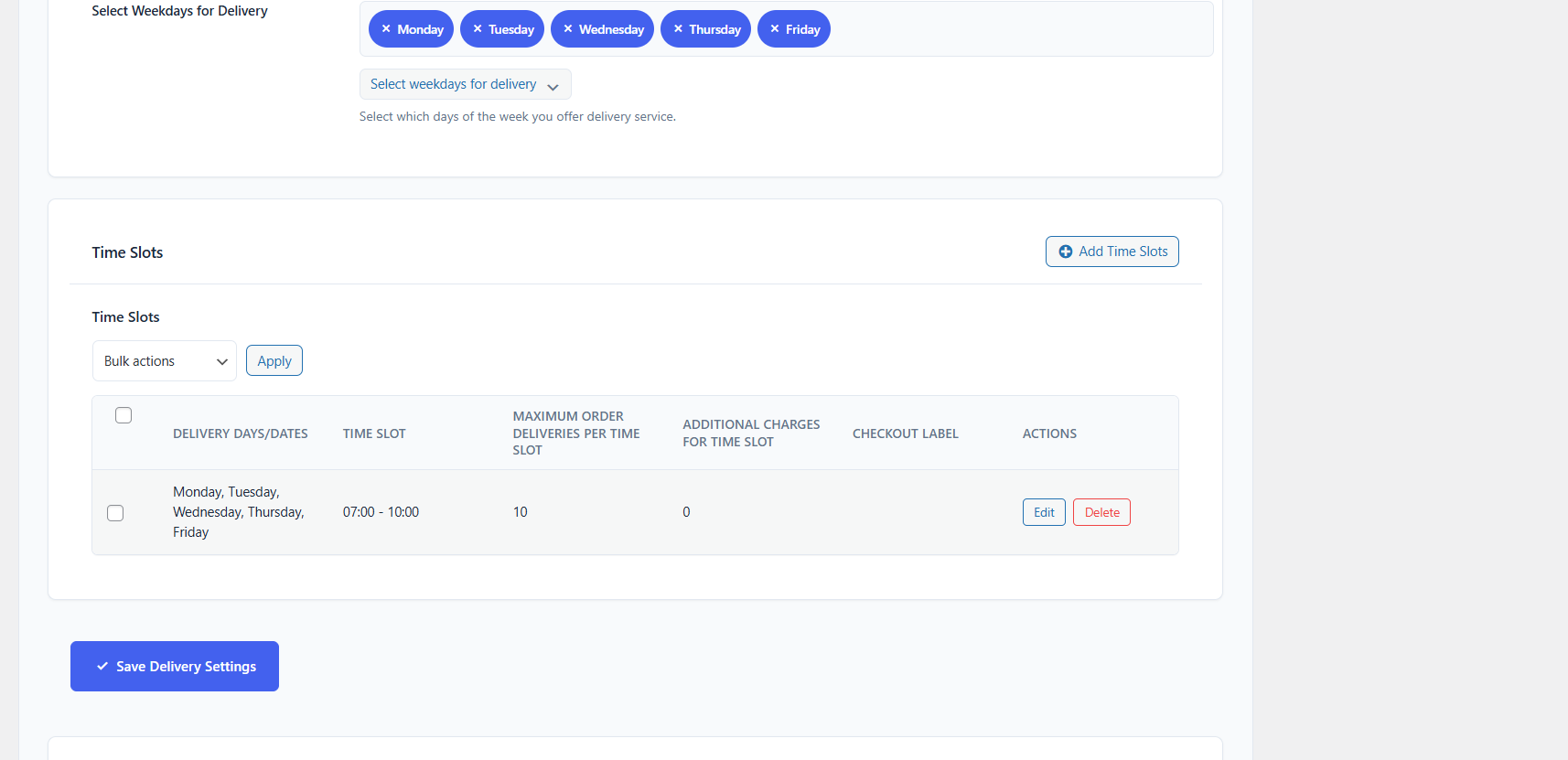
- Flexible Delivery Schedules - Create custom delivery time slots for different days
- Capacity Management - Set maximum orders per time slot to prevent overbooking
- Cutoff Times - Define cutoff times to prevent same-day orders after certain hours
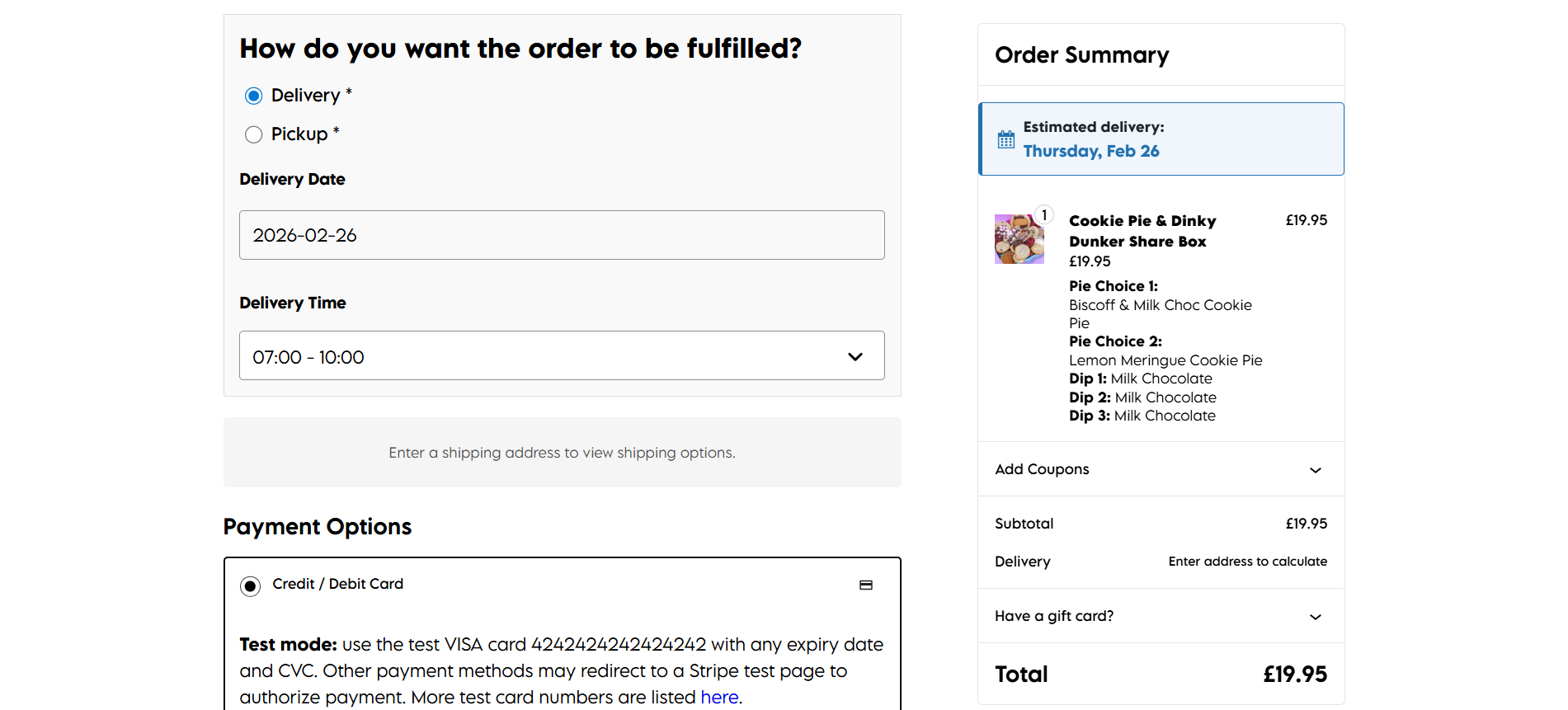
- Pickup & Delivery Support - Support both delivery and pickup fulfillment methods
- Holiday Management - Block specific dates when you're closed
- Preparation Time - Set global or per-product preparation times
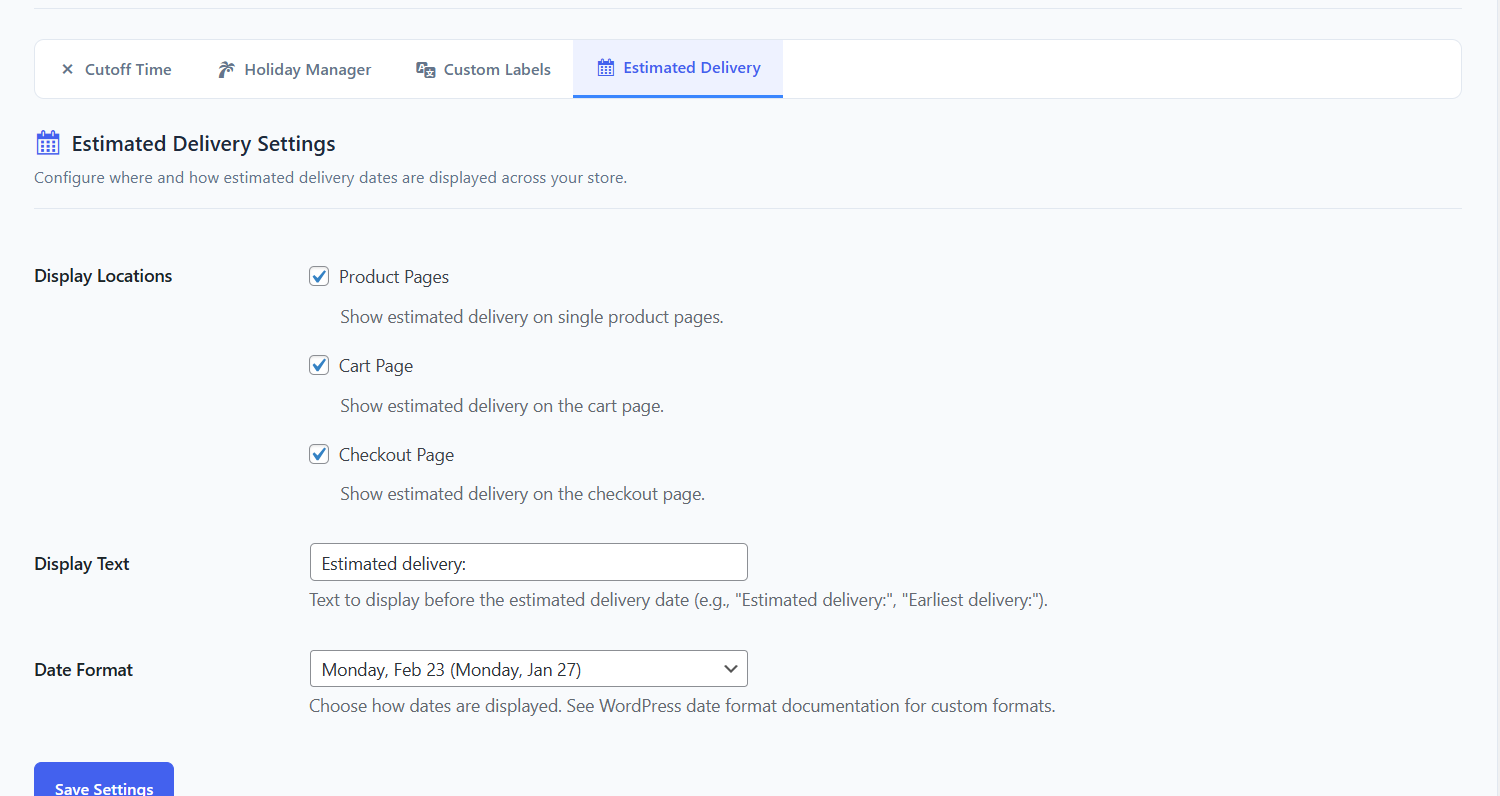
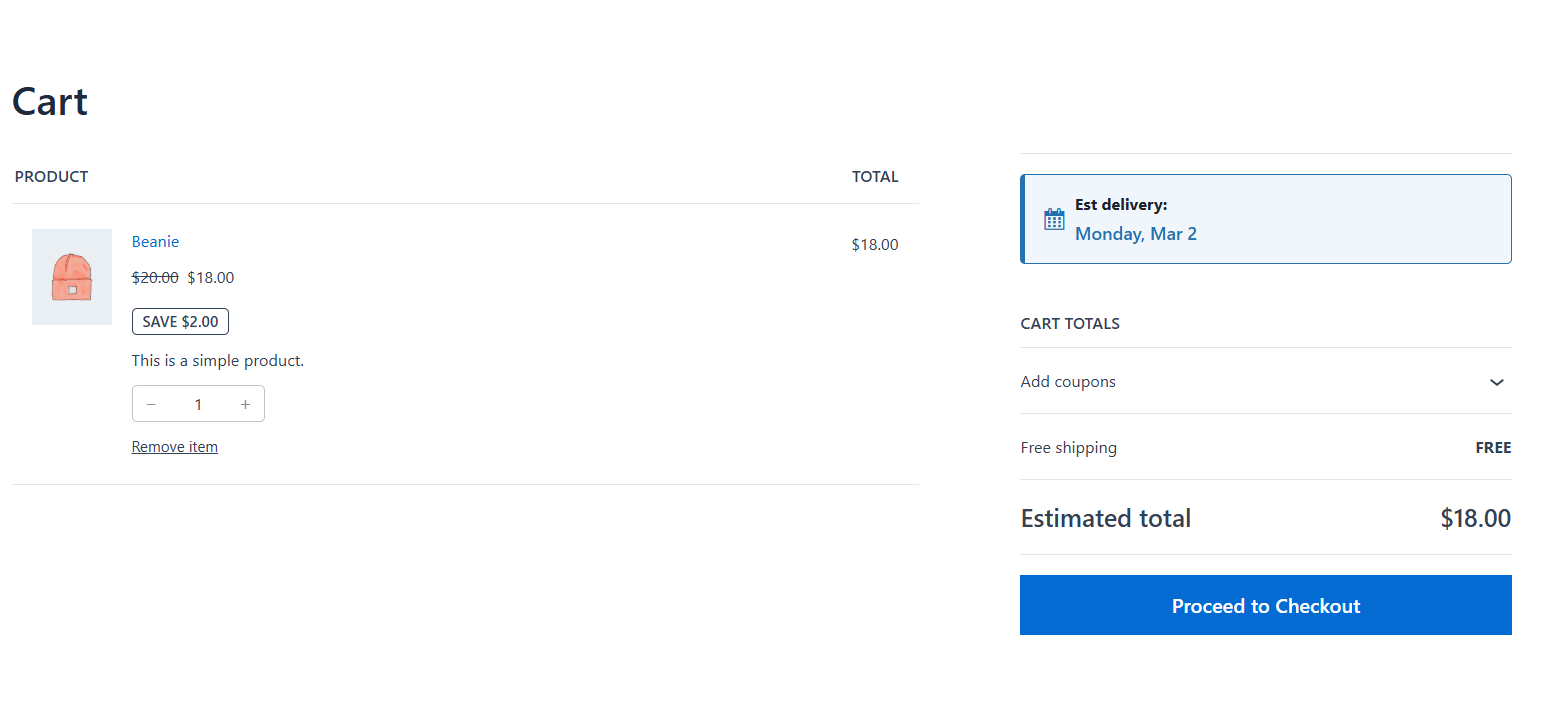
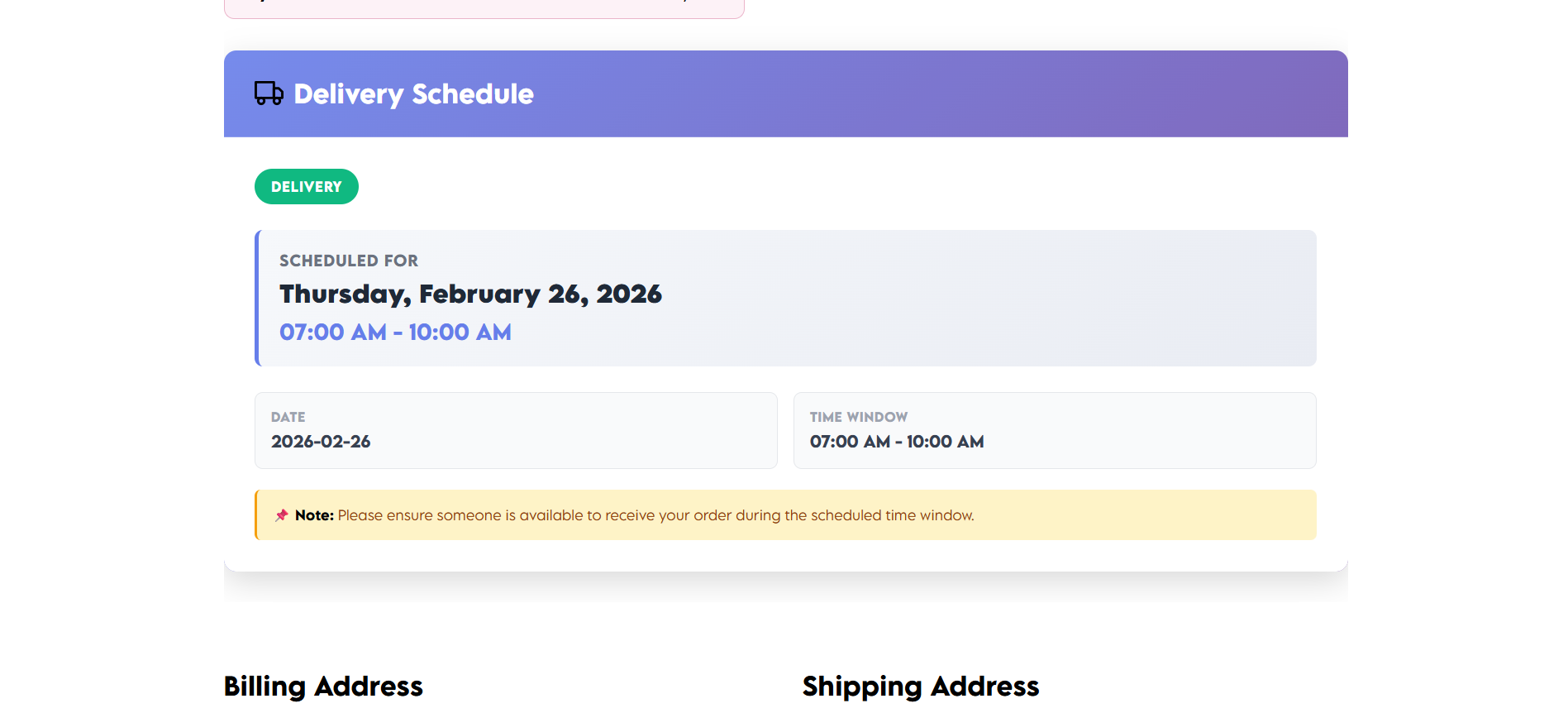
- Estimated Delivery Display - Show customers when their order will arrive
- WooCommerce Blocks Compatible - Works with both classic and block-based checkout
- Email Integration - Delivery information included in order emails
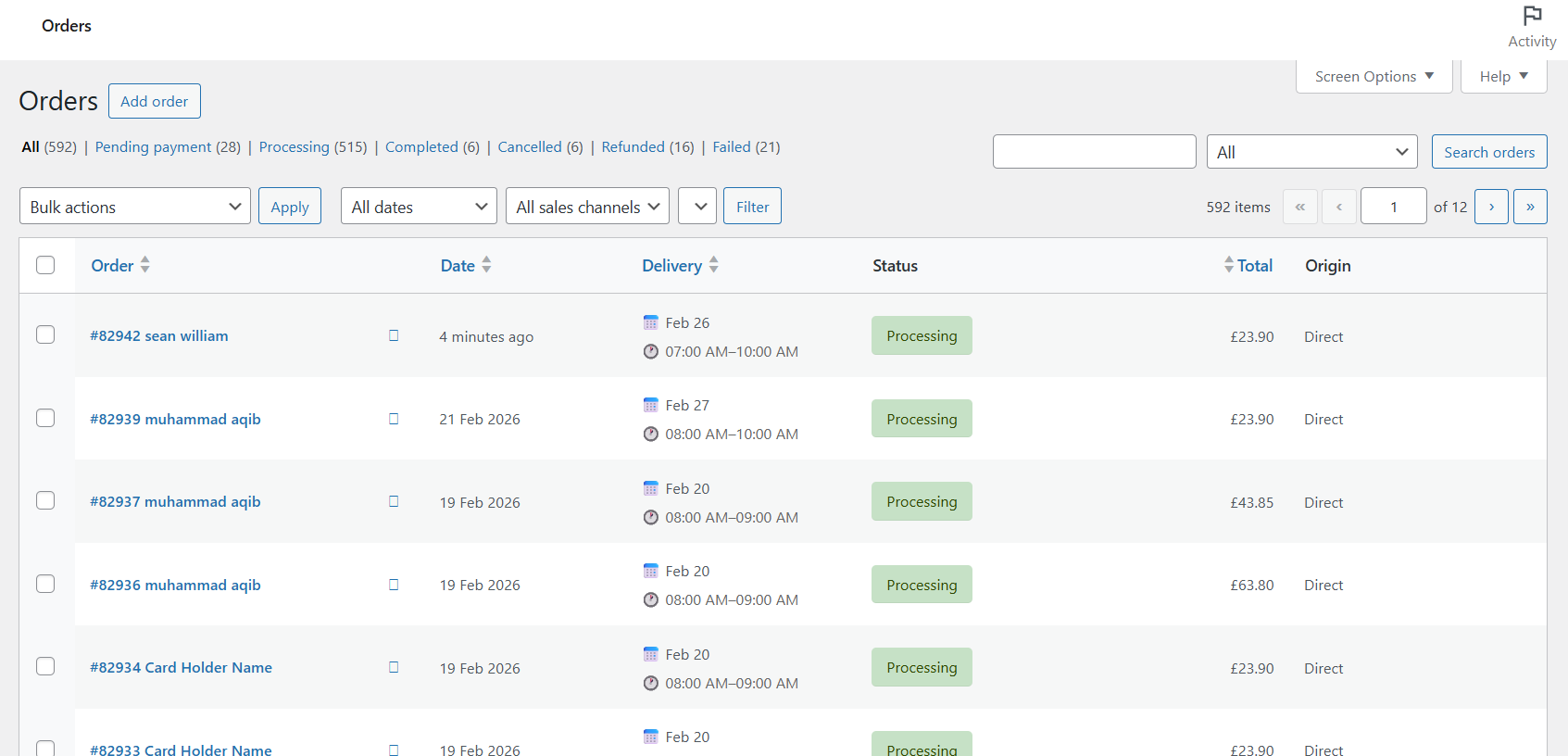
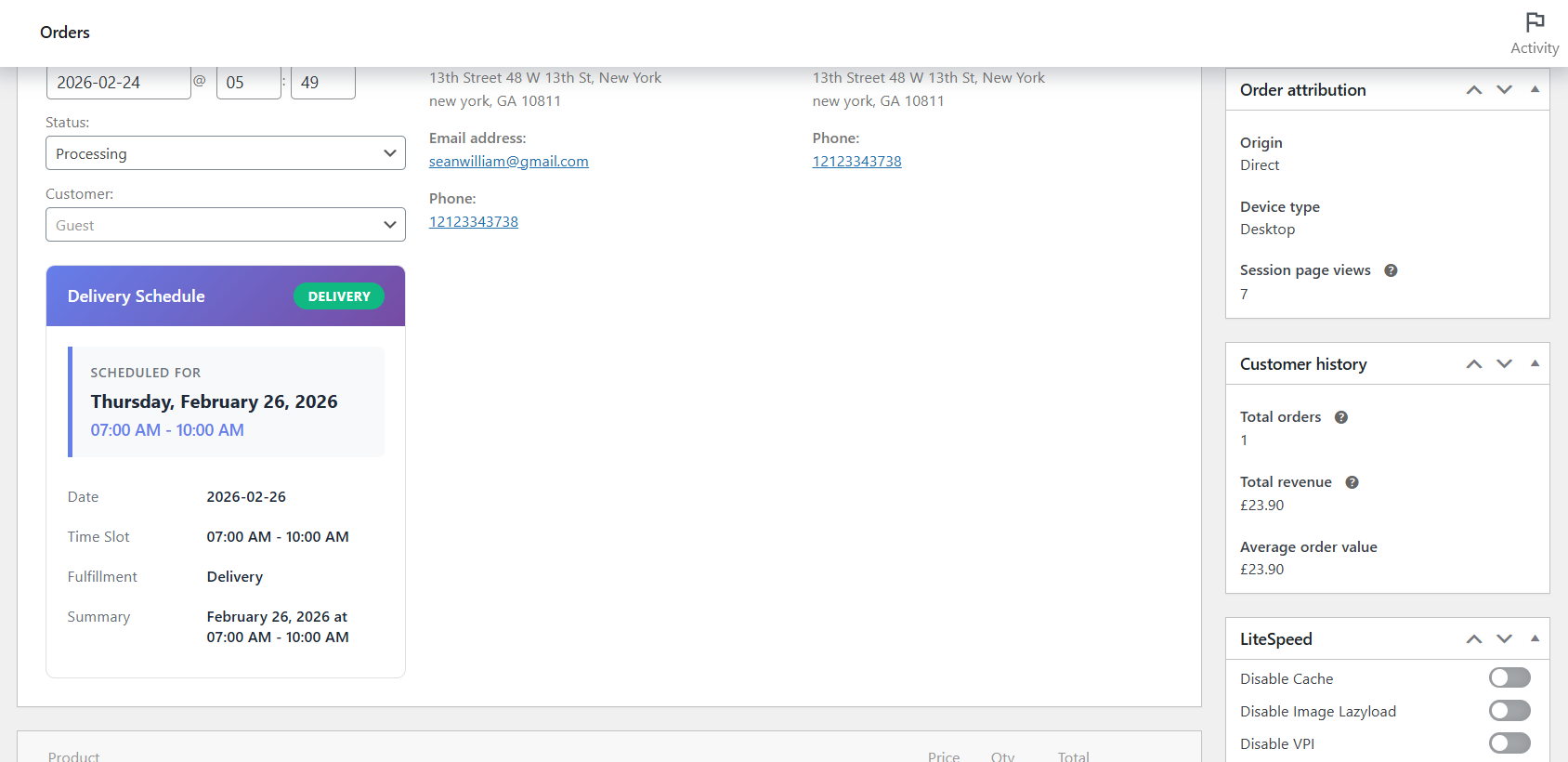
- Admin Order Display - View delivery details in WooCommerce admin
- Custom Labels - Customize all customer-facing text
- Developer Friendly - Extensive hooks and filters for customization
- Restaurants and food delivery services
- Grocery stores and meal kit services
- Florists and gift shops
- Furniture and appliance retailers
- Bakeries and catering services
- Any business requiring scheduled deliveries
- Zone-based delivery slots
- Dynamic pricing per time slot
- SMS notifications
- Calendar view for admins
- Advanced reporting
- Multiple locations support
安装:
- WordPress 6.0 or greater
- WooCommerce 8.0 or greater
- PHP 8.0 or greater
- MySQL 5.7 or greater
- Log in to your WordPress dashboard
- Navigate to Plugins > Add New
- Search for "BrandBees Delivery Scheduling"
- Click "Install Now" and then "Activate"
- Upload the plugin folder to
/wp-content/plugins/ - Activate the plugin through the 'Plugins' menu in WordPress
- Go to WooCommerce > Delivery Slots to configure
屏幕截图:

常见问题:
- What is BrandBees Delivery Scheduling for WooCommerce?
BrandBees Delivery Scheduling is a WooCommerce plugin that allows store owners to create and manage delivery dates, time slots, and pickup scheduling directly within their WooCommerce store. It helps businesses control when orders can be delivered or picked up, prevent overbooking, and provide customers with a smooth checkout experience.
- How do I add delivery date and time slots in WooCommerce?
After installing the plugin, you can create delivery schedules from the WooCommerce settings panel. You can define available days, assign specific time slots to each day, and configure rules such as capacity limits and cutoff times. Customers will then see these options during checkout.
- Can I limit the number of orders per delivery time slot?
Yes. The plugin includes built-in capacity management. You can set a maximum number of orders per time slot, automatically disable a slot once it reaches capacity, and prevent overbooking during peak hours.
- Can I set same-day delivery cutoff times?
Yes. You can define cutoff times to stop accepting same-day orders after a specific hour. For example, if your cutoff is 3 PM, customers placing orders after 3 PM will only see the next available delivery date.
- Does the delivery plugin support both delivery and pickup scheduling?
Yes. BrandBees Delivery Scheduling supports both fulfillment methods. Customers can select delivery with available time slots or choose store pickup with designated pickup times.
- Can I block holidays or specific closed dates?
Yes. You can easily block public holidays, store vacation dates, specific weekdays, or special closure days. Blocked dates will not appear as available options at checkout.
- Can I set preparation time for products?
Yes. The plugin allows you to configure global or per-product preparation times to ensure realistic scheduling. The plugin automatically adjusts available slots based on these requirements.
- Does the scheduling plugin show estimated delivery time to customers?
Yes. Customers can see their selected delivery date and time during checkout, in order confirmation emails, and within their account order details.
- Is the delivery scheduling plugin compatible with WooCommerce Blocks?
Yes. BrandBees Delivery Scheduling works seamlessly with both the Classic WooCommerce checkout and the newer Block-based checkout.
- Will delivery details appear in order emails and admin orders?
Yes. Delivery information is automatically included in customer confirmation emails, admin notifications, and the WooCommerce order dashboard for easy management.
- Can I customize delivery-related labels and text?
Yes. You can customize customer-facing labels, including delivery selection titles, pickup wording, and instructions shown at checkout to match your brand voice.
- Is this plugin suitable for restaurants and food delivery?
Absolutely. It is ideal for restaurants, bakeries, and catering services that need to control peak hour demand, limit orders per slot, and manage kitchen preparation time.
- Can grocery stores use this for delivery time slot booking?
Yes. Grocery stores can offer structured delivery windows (morning, afternoon, evening) while limiting capacity to maintain operational efficiency.
- Can it be used for furniture or large-item deliveries?
Yes. It provides the controlled scheduling and longer preparation times needed for logistical coordination of large items.
- Will this plugin slow down my WooCommerce checkout?
No. The plugin is highly optimized for performance and integrates cleanly without negatively impacting checkout speed.
- Is the plugin developer-friendly?
Yes. It includes extensive hooks and filters, making it easy for developers to extend functionality without modifying core files.
- Does this plugin work for meal prep and subscription businesses?
Yes. It works well for weekly meal prep, subscription boxes, and any pre-order based business model.
- Is this the best WooCommerce delivery date and time slot plugin?
BrandBees offers a unique combination of flexible time slot control, capacity management, and a smooth UX without the bloat of other plugins.
- What types of businesses benefit most?
Ideal for Restaurants, Grocery stores, Florists, Bakeries, Furniture retailers, and any store requiring scheduled fulfillment.
更新日志:
- Initial release
- Flexible delivery schedule creation
- Capacity management per time slot
- Cutoff time configuration
- Holiday management
- Pickup and delivery support
- WooCommerce Blocks compatibility
- Email integration
- Custom label support
- Preparation time calculator
- Estimated delivery display