
Brasth Document Sync for Google Docs
| 开发者 | canvilled |
|---|---|
| 更新时间 | 2026年8月23日 16:35 |
| PHP版本: | 8.1 及以上 |
| WordPress版本: | 7.0 |
| 版权: | GPLv2 or later |
| 版权网址: | 版权信息 |
详情介绍:
- Site: https://docsyncwp.com/
- Setup walkthrough: https://docsyncwp.com/how-it-works/
- User guide: https://docsyncwp.com/user-guide/
- Self-managed Google OAuth setup wizard with next-action guidance.
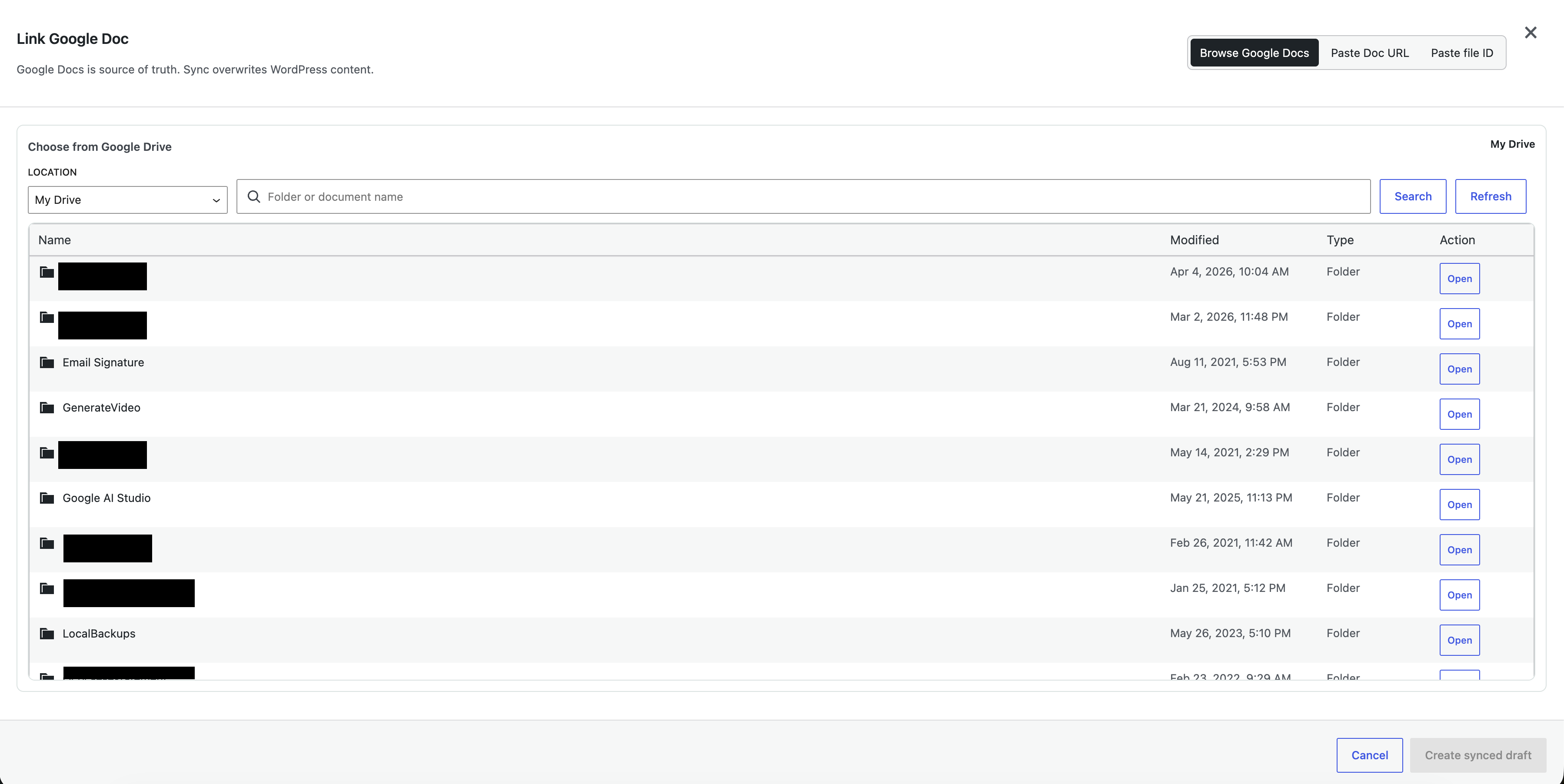
- Server-side Google Drive document browser for My Drive and shared drives.
- Advanced Google Docs URL and raw file ID linking.
- Background sync through WP-Cron with source status and diagnostic logs.
- Searchable Sync Activity logs with troubleshooting views, advanced filters, recovery hints, and safe output-path details.
- Safe log clearing for one source or all visible sources without deleting synced content or source links.
- One-way Google Docs to WordPress sync for posts, pages, and enabled public custom post types.
- Media import for images exported from Google Docs.
- Default synced layout presets for Gutenberg imports: Clean Article, Documentation, and legacy Plain Blocks.
- Elementor layout presets for Elementor sync: Elementor Hero Page and Elementor Feature Block.
- Gutenberg block markup for common headings, paragraphs, lists, tables, code, callouts, and images.
- Documentation preset heuristics for semantic code, fenced code, Google Docs styled code-like paragraphs, and explicit Note/Tip/Warning/Important/Caution callouts.
- Uninstall cleanup for settings, encrypted user tokens, and scheduled events.
- Optional admin feedback form that creates a public GitHub issue without storing a GitHub token in the plugin.
- Google OAuth 2.0 endpoints, to authorize a user's Google account and refresh access tokens.
- Google Drive API, to list visible Google Docs, shared drives, folders, document metadata, and HTML ZIP exports.
- Google Docs API, to read document structure when the large-document fallback is needed.
- Google Privacy Policy: https://policies.google.com/privacy
- Google API Services User Data Policy: https://developers.google.com/terms/api-services-user-data-policy
- Google APIs Terms of Service: https://developers.google.com/terms
https://telemetry.brasth.com/v1/check-in. This Brasth telemetry service is used to count active opted-in installs and understand version compatibility. The request contains only an anonymous site hash generated from a random install ID, the plugin slug, plugin version, WordPress version, PHP version, and telemetry consent version. It does not contain Google data, site URL, user email, post data, document IDs, document metadata, document content, or imported media.
The telemetry service stores the fields listed above in Cloudflare D1, does not store IP addresses, user agents, request URLs, or request headers, and deletes rows that have not checked in for more than 90 days. Privacy Policy: https://docsyncwp.com/privacy-policy
Authorized users can optionally submit feedback from the admin area. The plugin sends the feedback type, title, and details to the configured Brasth feedback Worker, which creates a public issue in https://github.com/Brasth/DocSync-WP. The plugin also sends plugin, WordPress, and PHP versions for troubleshooting. It does not send the site URL, user identity, Google data, document content, or credentials. Reports are rate-limited to 5 per user and 20 per IP per hour using short-lived WordPress transients. Do not include secrets, private URLs, or customer data in feedback. The GitHub token is stored only as a Cloudflare Worker secret.
安装:
- Upload the
brasth-document-sync-for-google-docsfolder to/wp-content/plugins/, or install the plugin ZIP through Plugins > Add New > Upload Plugin. - Activate Brasth Document Sync from the WordPress Plugins screen.
- In Google Cloud, create or select a project.
- Enable the Google Drive API and Google Docs API.
- Configure the OAuth consent screen for the WordPress site users.
- Create an OAuth 2.0 Web application client.
- Add the authorized redirect URI shown in the Brasth Document Sync setup wizard.
- In WordPress admin, open Brasth Document Sync and save the OAuth client ID and client secret.
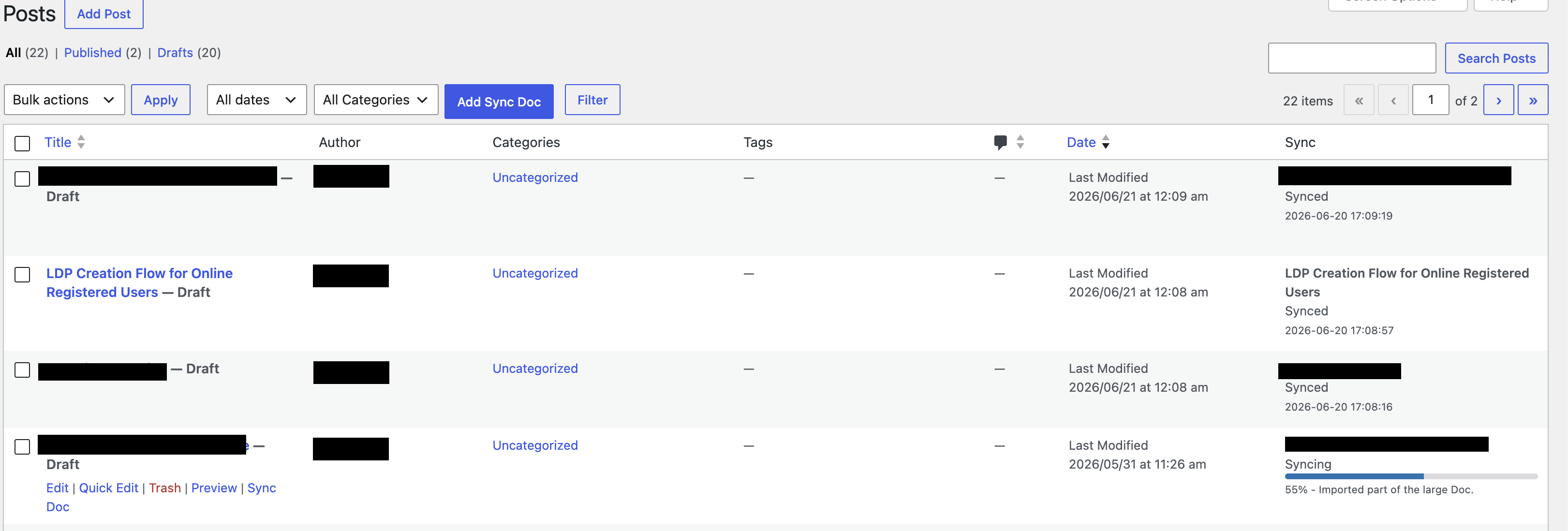
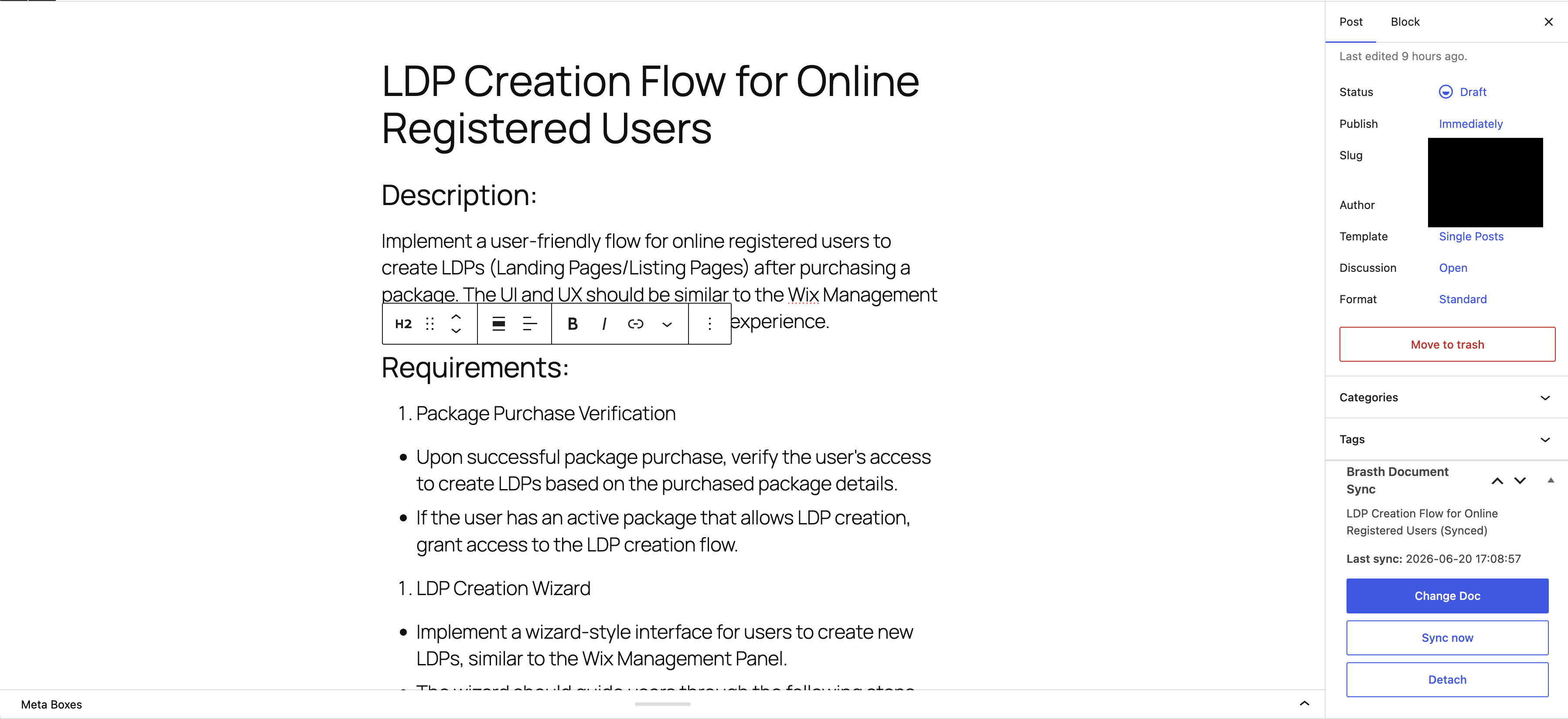
- Connect a Google account, browse or paste a Google Doc, and link it to a WordPress post or page.
屏幕截图:
常见问题:
Does Brasth Document Sync provide a hosted Google connector?
No. This release uses self-managed Google OAuth. The site owner supplies the Google Cloud project and OAuth web client.
Which Google APIs are required?
Enable both the Google Drive API and Google Docs API in the same Google Cloud project used by the OAuth client.
Which Google OAuth scope is used?
Brasth Document Sync uses https://www.googleapis.com/auth/drive.readonly so connected users can browse and sync Google Docs their account can read.
Does sync delete WordPress posts?
No. Sync updates the linked post content, and uninstall never deletes synced posts. Full post-meta cleanup is available only through the documented full-uninstall constant or filter.
What happens on low-traffic sites?
Manual and scheduled background syncs use WP-Cron. Low-traffic sites or sites with DISABLE_WP_CRON should configure a real server cron job that calls wp-cron.php.
Can I clear sync logs?
Yes. The Logs screen can clear stored diagnostic events for one source or all sources you can edit. Clearing logs removes only _docsync_wp_sync_events; it does not delete linked Docs, sync status, credentials, progress, synced posts, or imported media.
Are Google OAuth secrets and user tokens stored safely?
Brasth Document Sync encrypts the site OAuth client secret and per-user Google tokens with WordPress salts before storage. Rotating WordPress salts invalidates those credentials and users must reconnect.
更新日志:
- Added a Drive Folders admin screen with a compact table, search and status filters, and row actions.
- Replaced the narrow folder-watch drawer with a URL-backed full-page watch detail.
- Added PATCH
/folders/:idso operators can change schedule, post status, presets, subfolders, and excludes without recreating a watch. - Added a weekly folder schedule option. Schedule-only saves no longer require Google OAuth.
- Added a cron-health heartbeat on the workspace and detect stalled cron before the first heartbeat.
- Improved the inventory panel with search, include/exclude filters, bulk selection, and visible API errors.
- Send only changed watch fields and skip unchanged reconcile work.
- Preserve unsaved watch-detail edits during polling.
- Treat a no-op
update_optionas success. - Drop out-of-scope docs from retry, skip heartbeat on Scan now, and load watch inventory with the watch owner's Google connection.
- Added Drive folder automation: watch a Google Drive folder, inventory its Google Docs, create drafts, and pick up new Docs on the folder schedule.
- Added folder-level Include subfolders, draft or publish policy, and per-folder schedule override.
- Added the authenticated admin feedback form and Cloudflare Worker relay for creating public GitHub issues without shipping a GitHub token.
- Hardened release validation with exact-commit provenance, PHP 8.1 compatibility checks, official readme validation, release ZIP inspection, and clean-install runtime smoke coverage.
- Fixed a PHP 8.1 fatal on plugin activation caused by true union return types.
- Fixed background sync scheduling and source-state handling found during internal release hardening.
- Improved HTML ZIP extraction cleanup and sync lock behavior to protect reliable retries.
- Added explicit WordPress Blocks versus Elementor Layout selection when linking Google Docs on Elementor-enabled sites.
- Added legacy Elementor upgrade actions for existing sources that predate explicit Elementor presets.
- Added safe Sync Activity details showing whether a sync used a Gutenberg preset, Elementor preset, or the legacy Elementor converter.
- Fixed large-doc fallback partial writes so selected Elementor presets are used consistently.
- Added Composer fixture coverage for large-doc fallback Elementor preset consistency.
- Added Elementor Hero Page and Elementor Feature Block presets for Elementor sync.
- Added a separate Elementor preset selector so Gutenberg and Elementor layout choices do not conflict.
- Added Elementor preset fingerprints so changing an Elementor preset forces safe re-conversion even when Google metadata is unchanged.
- Preserved existing Elementor sources without an explicit Elementor preset on the legacy Elementor conversion path.
- Added deterministic Elementor golden fixtures and Composer verification.
- Recommended for all users after the 1.1.0 layout preset release.
- Improved layout preset descriptions and setup guidance so site defaults and per-source layout choices are easier to understand.
- Added tracked layout fixture coverage for Clean Article, Documentation code blocks, Documentation callouts, Plain Blocks upgrade compatibility, and per-source preset overrides.
- Added layout fixture verification to CI so future preset changes are checked before release.
- Added a Default synced layout setting in Setup sync defaults for block editor imports.
- Added Clean Article, Documentation, and Plain Blocks Gutenberg layout presets.
- Expanded Documentation output for semantic code, fenced code, Google Docs styled code-like paragraphs, and explicit callout labels.
- Kept existing installs on Plain Blocks by default while new installs start with Clean Article.
- Added layout fingerprints so preset changes re-convert content even when Google metadata is unchanged.
- Kept Elementor sync on the existing Elementor conversion path.
- Added golden fixture coverage for article, image, documentation, table/callout/list, and legacy plain-block output.
- Hardened REST access so logged-in users must also be administrators or have edit/create capability on at least one enabled target post type.
- Required
X-WP-Noncefor mutating DocSync REST requests while keeping_wpnonceonly as a read-only GET fallback. - Tightened source, Drive browser, document inspection, sync log, and settings request validation before service calls.
- Limited post/list-table DocSync assets, notices, and source metadata output to users with applicable target capabilities.
- Confirmed public settings, OAuth account status, admin inline config, and sync diagnostics do not expose client secrets or Google tokens.
- Added a branded Brasth admin shell with compact mastheads, contained notices, consistent button sizing, and runtime branding assets.
- Reworked Setup into a task-first workspace with one primary next action for saving credentials, connecting Google, reconnecting scope, or creating the first synced draft.
- Moved Google Cloud help into the credential task and kept sync defaults as secondary configuration.
- Compact source row actions keep Sync and Logs controls easier to scan.
- Added searchable Sync Activity logs with troubleshooting views, advanced filters, useful summaries, recovery hints, and composed empty states.
- Replaced destructive browser prompts with Radix confirmation dialogs for log clearing and account disconnect.
- Added safe clear-log actions for one source or all stored source logs without deleting source links, sync status, credentials, progress, or synced content.
- Reworked the setup flow into a first-sync checklist with clearer Google API, OAuth redirect URI, credential, account connection, and first draft guidance.
- Added a connected-state Create synced draft path that links to the existing Posts list Add Sync Doc flow.
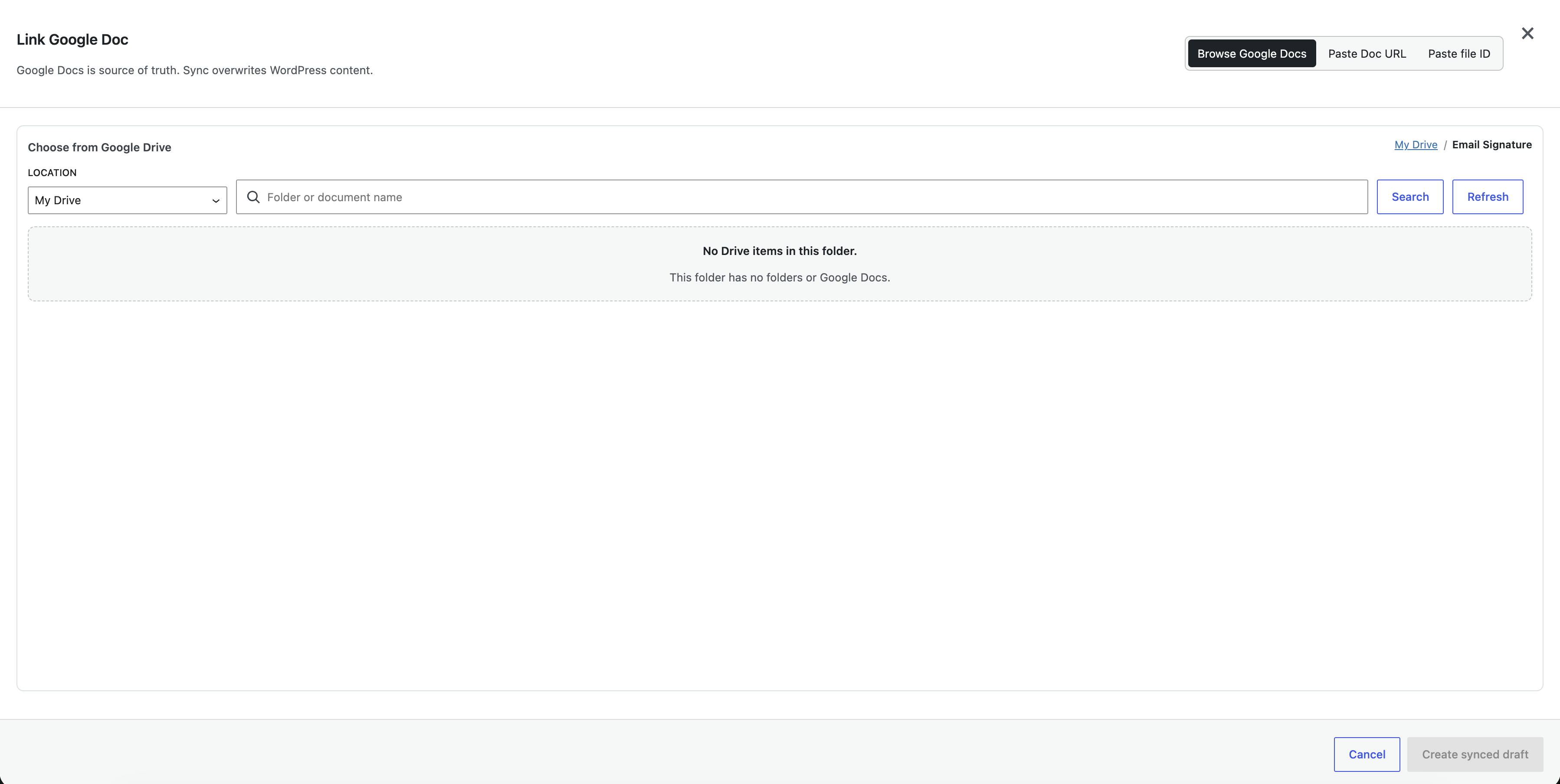
- Improved empty states for Sources, Logs, and the Drive browser with next actions and decorative illustrations.
- Polished admin UI alignment for setup loading, setup step badges, source log actions, and the Google Drive source modal.
- Added POT generation, JS translation JSON generation plumbing, and script translation loading for admin bundles.
- Translated OAuth JSON import parser errors and refreshed placeholder guidance for translators.
- Updated npm dev dependencies to latest patch and minor compatible versions.
- Fixed known development-only vulnerabilities in Vite and js-yaml via dependency updates.
- Expanded CI PHP lint matrix to PHP 8.2 and 8.3 with PHPCompatibilityWP 8.3 checks.
- Added Composer and pnpm security audits to the CI pipeline.
- Verified PHP 8.2/8.3 compatibility through PHPCompatibilityWP static analysis.
- Verified REST permissions, media sideloading, OAuth token storage, and admin output escaping.
- Combined the roadmap hardening and performance patch scope after 1.0.5 shipped.
- Split Setup, Sources, and Logs into separate admin bundles with screen-specific CSS.
- Lazy-loaded the Google Drive browser assets from the post sync modal.
- Removed an unused WordPress data script dependency from post sync admin screens.
- Improved loading semantics for admin and Drive browser states.
- Added Elementor sync support (opt-in via settings).
- Added per-post Elementor/block sync toggle in the post sync meta box.
- Synced Elementor posts use native Elementor widget layouts with container or section/column wrapping.
- Scoped Elementor CSS cache invalidation to the synced post, with global cache clear as fallback.
- Improved admin UI/UX for Sources, Logs, and Drive Browser.
- Fixed Sources table row tag rendering and layout.
- Fixed color and high-contrast accessibility issues.
- Fixed admin asset enqueuing on Sources and Logs pages.
- Added WordPress.org screenshot assets and readme sync lint.
- Hardened the build pipeline and installable ZIP artifact layout.
- Hardened release metadata, WordPress.org readme compliance, CI checks, and admin i18n coverage.
- Updated WordPress.org listing artwork and directory tags.
- Aligned plugin version metadata for the 1.0.1 GitHub release package.
- Initial WordPress.org-ready release.
- Added self-managed Google OAuth setup.
- Added Google Drive document browser and advanced URL/file ID linking.
- Added one-way Google Docs to WordPress sync for posts, pages, and enabled public custom post types.
- Added HTML ZIP import, image sideloading, Gutenberg block conversion, background sync, and diagnostic logs.