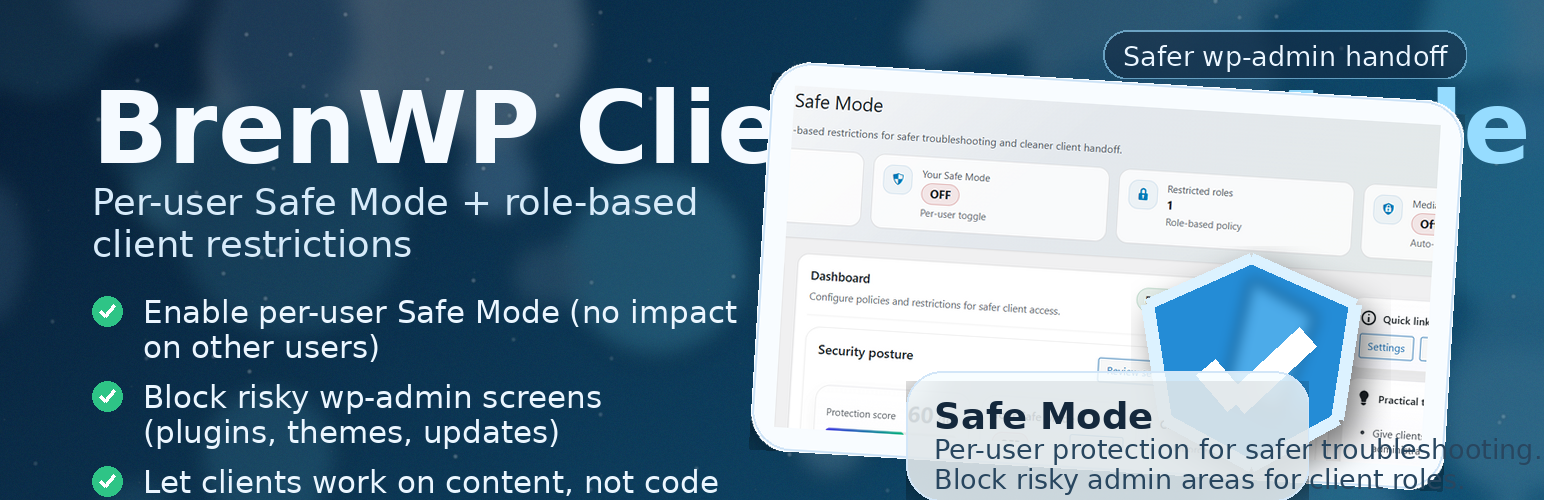
BrenWP Client Safe Mode
| 开发者 | brendigo |
|---|---|
| 更新时间 | 2026年1月7日 05:54 |
| PHP版本: | 7.4 及以上 |
| WordPress版本: | 6.9 |
| 版权: | GPLv2 or later |
| 版权网址: | 版权信息 |
详情介绍:
- Block access to risky wp-admin screens (plugin/theme management, core updates, Site Health, and update actions)
- Disable file modifications (plugin/theme installs, updates, editors)
- Optionally block update/install capabilities (prevents running updates/installs even via alternative flows)
- Optionally block destructive capabilities (prevents deleting plugins/themes while Safe Mode is enabled)
- Optionally disable the built-in plugin/theme editors (capability-based) while Safe Mode is enabled
- Hide update notices
- Trim selected admin bar nodes (Updates / Comments / New Content)
- Auto-disable after a configurable number of minutes (optional)
- Optionally target a specific user account (in addition to roles)
- Hide risky menus
- Block direct access to sensitive wp-admin screens
- Disable file modifications
- Hide update notices
- Optionally limit the Media Library to a user’s own uploads (privacy on multi-author sites)
- Optionally hide common Dashboard widgets for restricted roles (UI cleanup)
- Optionally hide the Screen Options dropdown (independent toggle)
- Optionally hide the Admin Bar on the front end for restricted roles
- Optionally block Customizer access (customize.php)
- Optionally block Users screens (Users list/Add/Edit) even if the broader screen blocklist is disabled
- Optionally block Tools screens (Tools/Import/Export) even if the broader screen blocklist is disabled
- Optionally lock profile email/password changes for restricted roles (prevents self-service account takeover)
- Optionally show a dismissible 2FA security reminder notice (notice only)
- Optionally hide the Admin Bar on the front end for restricted roles
- Disable XML-RPC
- Disable the built-in plugin/theme editors for all users (capability-based)
- Optional settings export download (admin-only) via a nonce-protected endpoint (default OFF) Administrators are never restricted by client restrictions. On multisite, super-admins are also excluded.
- Options (Settings): stored in the
brenwp_csm_optionsoption (site option). This contains your configured settings. - Activity log (optional): stored in the
brenwp_csm_activity_logoption only if Activity logging is enabled. This log is bounded by Max entries and can optionally be pruned by age (Retention days). - Operational options: internal housekeeping options such as
brenwp_csm_last_settings_changeand a short-lived lock key used to avoid concurrent log writes. - User meta (Safe Mode):
brenwp_csm_safe_mode(on/off flag for a user)brenwp_csm_safe_mode_until(optional expiry timestamp if auto-off is enabled)
- Activity logging is disabled by default.
- The activity log does not store IP addresses and attempts to redact likely secrets from context values.
- Retention controls:
- Max entries caps log size.
- Retention days can automatically prune older entries (0 = disabled).
- The Clear log action removes all log entries immediately (admin-only, nonce protected).
- Adds suggested text to the Privacy Policy Guide (Settings → Privacy)
- Registers a personal data exporter and eraser for the Safe Mode user meta
bren_client role if it was created by the plugin.
安装:
- Upload the plugin folder to /wp-content/plugins/brenwp-client-safe-mode/
- Activate the plugin via Plugins → Installed Plugins
- Open BrenWP Safe Mode in wp-admin
- Configure Safe Mode and Restrictions as needed
常见问题:
Does Safe Mode affect visitors?
No. Safe Mode is per-user. Visitors and users without Safe Mode enabled see the normal site.
Will administrators be restricted?
Administrators are never restricted by client restrictions (role/user targeting). If an administrator enables Safe Mode for their own account, optional Safe Mode policies (like blocking file modifications) can apply to that account.
Can I restrict a single user without creating a new role?
Yes. In the Restrictions tab, you can select a specific user account in Restricted user (optional). This applies the same restrictions even if that user’s role is not selected. Administrators (and multisite super-admins) are excluded to prevent lock-outs.
Does this plugin collect personal data?
It stores a per-user Safe Mode flag so it can remember whether Safe Mode is enabled for that account. If auto-expiry is enabled, it also stores an expiry timestamp. No tracking, analytics, or external requests.
How do I remove all plugin data?
When you uninstall (delete) the plugin, it removes its options, its activity log option, Safe Mode user meta, and the optional bren_client role (best-effort).
Why does the admin bar Safe Mode toggle require JavaScript?
To prevent state changes via GET requests (and potential link prefetch), the admin bar toggle submits the action as a POST request. This is handled using lightweight JavaScript.
更新日志:
- UX: About tab expanded with clearer purpose, use cases, scenarios, and direct links (plugin/author/support).
- New (General): Optional “Settings export download” toggle (admin-only, nonce-protected endpoint) to download settings JSON as a file.
- New (Restrictions): Optional, dismissible 2FA reminder notice for restricted users (notice only; no integrations).
- Fix: Prevent redirect loops when a blocked-screen redirect destination is also restricted.
- Maintenance: Documentation updates and minor UI consistency cleanup.
- UX: Simplified settings layout (Basics/Recommended/Advanced) so new users are not overwhelmed.
- UX: Moved the About screen into an “About” tab to reduce admin menu clutter.
- New: Admin-managed Safe Mode for other users (optional per-user expiry).
- New: Activity log export (JSON/CSV) and configurable retention with daily auto-prune.
- New: Custom wp-admin screen blocklists (separate lists for Safe Mode and Restrictions).
- New: Optional restriction toggles: Hide Screen Options only, Block Customizer access, Block Users screens.
- New: Safe Mode toggle to block destructive capabilities (delete plugins/themes).
- Fix: Improved i18n compliance (missing translators comment for placeholders).
- Security: Hardened admin actions (capability checks, POST-only, nonces) and safer input handling/escaping.
- Compatibility: Multisite safeguards (never restrict Network Admin; protect super-admin accounts).
- Performance: Per-request caching and safer option storage (autoload off for log / large options).
- Dashboard: Added Quick Actions (presets, settings export/import JSON, reset to defaults).
- Restrictions: Added optional “Restricted access” banner and user selector with AJAX search (better for large sites).
- Restrictions: Added optional profile hardening (lock email/password) for restricted roles.
- Safe Mode: Added optional UI hardening (hide admin notices) and additional safety toggles.
- Security/Hardening: Improved state-changing admin actions (nonces, capability checks, POST-only), and safer activity log writes.
- Security: Hardened settings submission capability checks and improved defensive checks around admin assets.
- Compatibility: Replaced PHP filter_input() usage with WordPress-native input handling (wp_unslash + sanitize_*).
- Performance: Added lightweight per-request caching for Safe Mode and restriction checks.
- Multisite: Avoided applying restrictions inside Network Admin.