
BreznFlow
| 开发者 | mifupadev |
|---|---|
| 更新时间 | 2026年4月25日 03:21 |
| PHP版本: | 8.0 及以上 |
| WordPress版本: | 6.9 |
| 版权: | GPL-2.0-or-later |
| 版权网址: | 版权信息 |
详情介绍:
- Website: breznflow.com
- FAQ: breznflow.com/faq
- Live demo: breznflow.com/demo
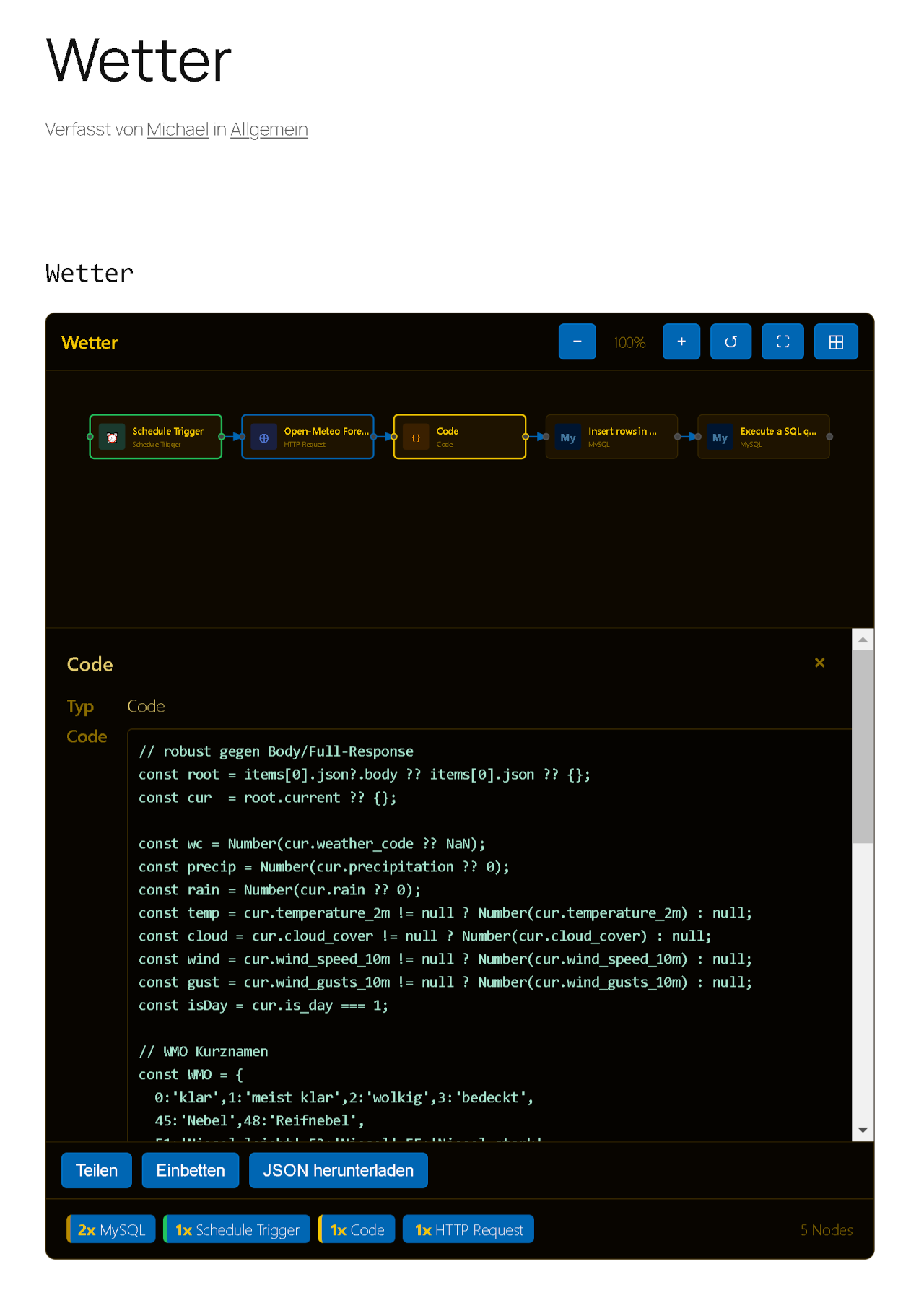
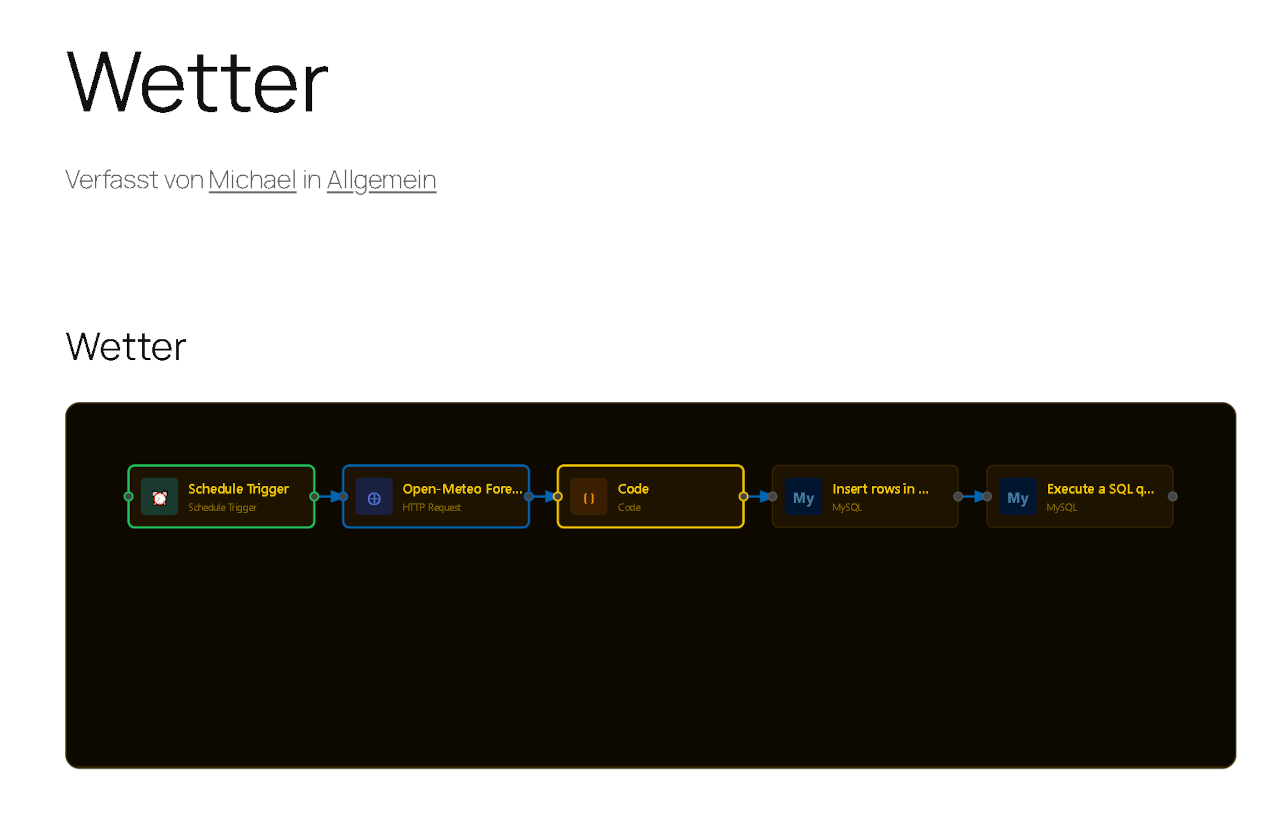
- Renders n8n workflow JSON as interactive SVG diagrams with zoom, pan, and click
- 86 node types with brand-accurate colors and icons (OpenAI, Slack, GitHub, Telegram, and more)
- Click any node to inspect its parameters in a detail panel below the diagram
- Automatically masks API keys, tokens, and secrets before storage — the raw JSON is never saved
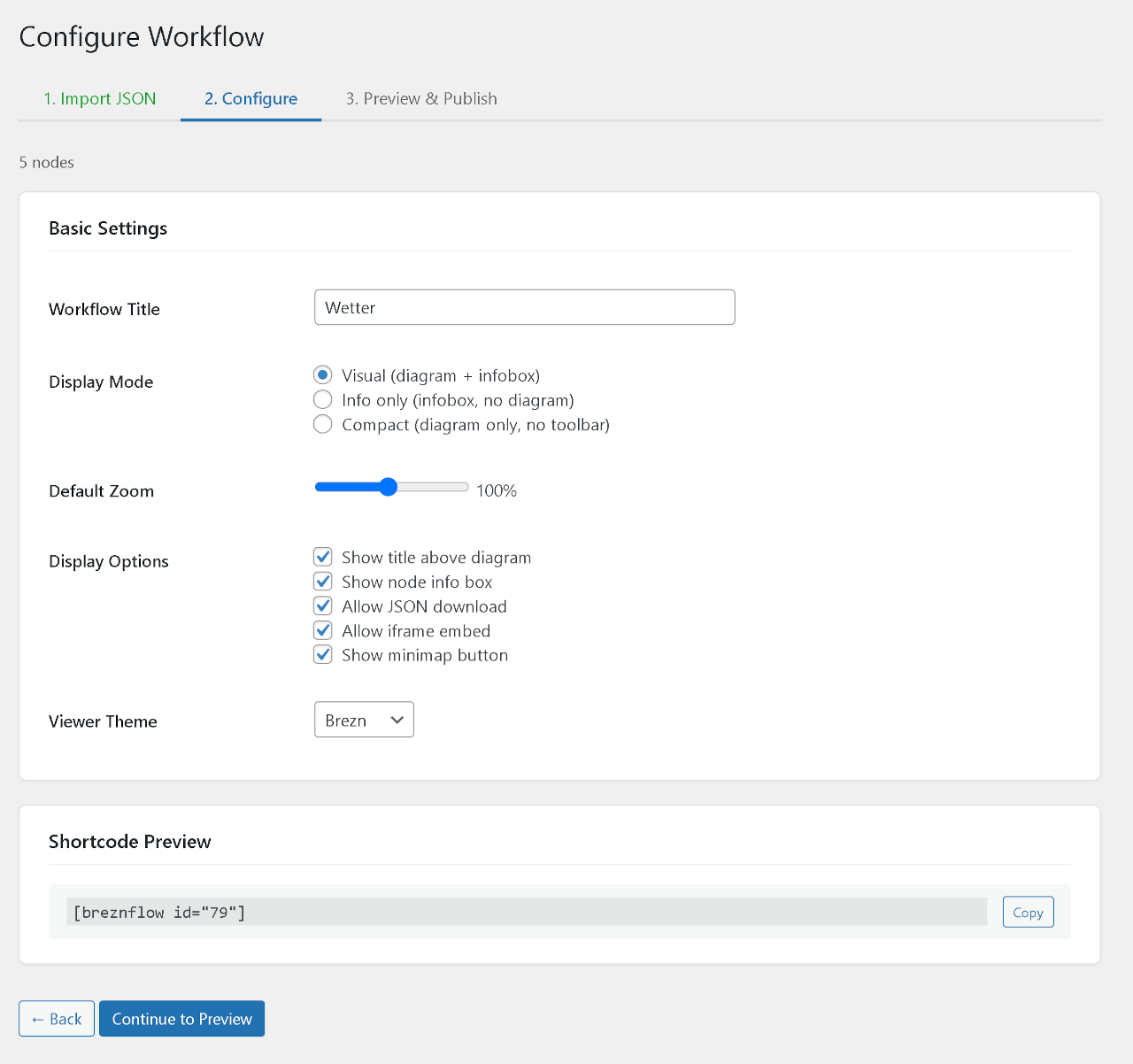
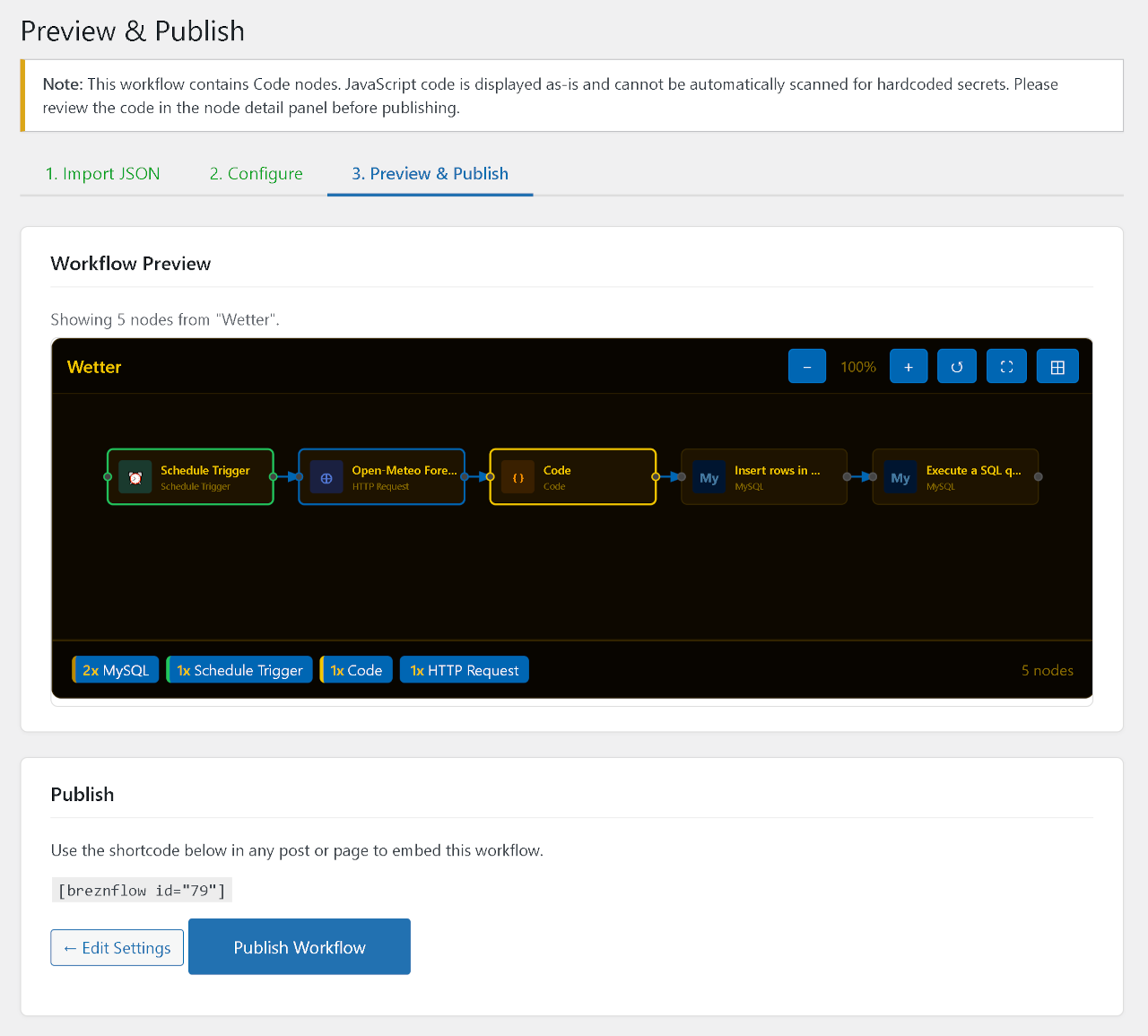
- 3-step import wizard: paste JSON, configure display, preview and publish
- 5 built-in themes (Dark, Light, Minimal, Tech, Brezn) plus custom theme import
- Shortcode
[breznflow id="X"]with 13 attributes for per-instance configuration - Action bar with share, embed, get JSON, and download actions
- Standalone embed page for iframe integration
- Related workflows by shared node types
- View counter and AI detection badges
- Zero dependencies — vanilla JavaScript, no external CDN, no tracking
- No external services. Everything runs locally inside WordPress. No CDN, no SaaS, no API calls during page loads.
- Security first. Sensitive data (API keys, tokens, secrets) is automatically detected and replaced with
[REDACTED]before storage. The raw workflow JSON is never saved. - Real interactivity. Not a static image — visitors can zoom, pan, and click nodes to see their configuration.
- Vanilla JavaScript. No React, no jQuery, no build step. The renderer is a single JS file that generates SVG elements directly.
- Built for real sites. Running on the developer's own production sites since version 1.0.
- Visual — full diagram with toolbar, detail panel, and action bar
- Info — node counts only (InfoBox summary like "3× HTTP Request, 2× Code") — no diagram
- Compact — diagram without toolbar or action bar
.breznflow.json files containing 41 CSS color tokens. Themes are selectable globally, per workflow, or per shortcode.
Node type registry
86 predefined node types across 10 categories: Triggers, Core Logic, Data Transformation, Databases, Communication, Google, Dev Tools, AI, Storage, and CRM/Marketing. Unknown node types get a deterministic fallback with auto-generated colors — the same unknown type always looks the same.
Sensitive data masking
Before saving, BreznFlow runs a two-pass sanitization:
- All strings pass through WordPress sanitization
- Secret detection scans for API keys in URL parameters, sensitive header values (Authorization, Bearer, X-API-Key), and high-entropy condition values
- Share — article link and anchor link for hash navigation
- Embed — iframe embed code for standalone embedding
- Get JSON — formatted JSON display with file size
- Download — sanitized JSON file download
安装:
- Download the plugin zip and go to Plugins → Add New → Upload Plugin in your WordPress admin.
- Upload the zip file and click Install Now, then Activate.
- Go to BreznFlow → Add Workflow.
- Paste your n8n workflow JSON, upload a
.jsonfile, or fetch from a URL. - Configure display settings (mode, theme, zoom) and preview the diagram.
- Publish — use
[breznflow id="X"]in any post or page.
屏幕截图:
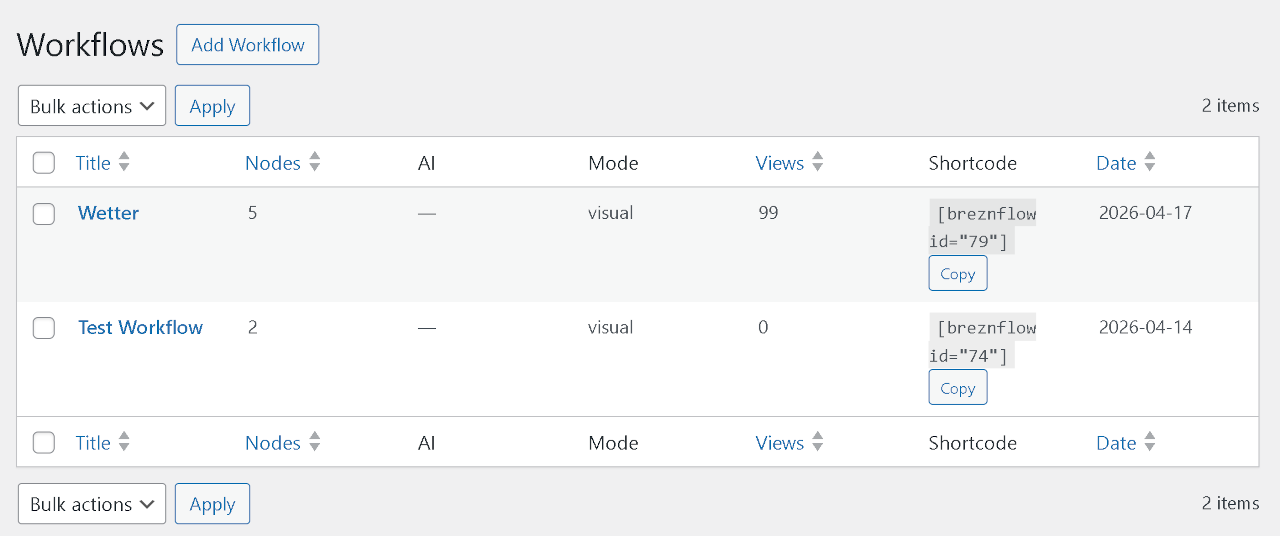
常见问题:
Where do I get a workflow JSON?
In n8n, open your workflow and use the menu: Workflow → Export → Download JSON. Then paste the JSON into BreznFlow's import wizard or upload the file directly.
Are my API keys safe?
BreznFlow automatically detects and replaces common secret patterns with [REDACTED] before storing. This includes API keys in URL parameters, Authorization headers, and high-entropy condition values. The masking log in the wizard shows exactly what was masked and why. The raw workflow JSON is never saved — only the sanitized version.
Note: JavaScript code in Code nodes (jsCode) is displayed as plain text and never executed in the browser, but is NOT automatically scanned for secrets. Review Code node contents manually before publishing.
Can I embed multiple workflows on one page?
Yes. Use [breznflow id="1"], [breznflow id="2"], etc. The JavaScript and CSS are loaded only once regardless of how many shortcodes are on the page.
What n8n version is supported?
The plugin supports the standard n8n workflow JSON export format. It has been tested with workflows from n8n 1.x. The node type registry covers 86 predefined types — unknown types are handled gracefully with auto-generated colors and initials.
Can visitors download the workflow JSON?
Only if you enable it. Downloads require both the global allow_download setting and the per-workflow download permission to be enabled. Only the sanitized (masked) JSON is available — never the original.
How does the embed feature work?
When enabled, BreznFlow serves a standalone HTML page at ?breznflow_embed={id} — no WordPress theme, no admin bar, just the SVG renderer. You can embed this via iframe. Both the global allow_embed setting and the per-workflow _breznflow_show_embed permission must be enabled (dual-gate security). The embed page includes X-Robots-Tag: noindex, nofollow headers.
Can I customize the appearance?
Yes, at three levels: (1) Choose from 5 built-in themes or import custom themes with 41 CSS color tokens. (2) Set display mode, zoom level, and feature toggles per workflow. (3) Override any setting per shortcode with 13 available attributes.
What are the shortcode attributes?
[breznflow id="42" mode="compact" theme="light" zoom="80" show_title="1" show_infobox="1" show_minimap="0" show_download="0" show_share="1" show_embed="0" show_get_json="0" max_code_lines="50"]
Only id is required. All other attributes fall back to the workflow's saved settings, then to the global plugin settings.
Does it work with page builders?
Yes. BreznFlow uses a standard WordPress shortcode ([breznflow]), which works in Gutenberg, the Classic Editor, Elementor, Divi, WPBakery, and any other builder that processes shortcodes.
Will it slow down my site?
No. The renderer JS and CSS are only loaded on pages that contain a [breznflow] shortcode. No external HTTP requests are made during page loads. All rendering happens client-side.
更新日志:
- Security: Detect generic
keyfields (n8n Google API patternqueryParameters.parameters[].name = "key") and redact them when the value looks secret-shaped. Closes a gap where API keys bypassed the name-based filter. - Security: Defense-in-depth entropy heuristic (
looks_like_secret()) with vendor regex for AIza / sk- / ghp_ / Bearer plus a length+char-class fallback — catches custom tokens the name allowlist can't enumerate. - Security: Redact credential display names and
meta.instanceIdso workflow exports can no longer be correlated to the originating n8n instance or team. - Security: Optional tag removal at publish time (opt-in checkbox in wizard step 3). Workflow tags are often harmless but occasionally identifying — publisher decides per workflow.
- Security: Wizard step 3 now shows a collapsible Reason / Key / Note table listing exactly what was masked, so publishers can verify before clicking Publish.
- Mobile: Rewrote the SVG touch handling. Single-finger pan is now smooth; pinch-to-zoom and double-tap-to-zoom work on iOS and Android.
touch-action: noneon the diagram SVG ends the browser-vs-plugin gesture tug-of-war that caused the "finger loses tracking" stutter. - Mobile: Minimap now responds to touch — tap or drag to navigate.
- Note: Starting a touch on the diagram SVG blocks page scroll until the finger lifts. This is intentional so gestures are unambiguous; scroll around the diagram still works.
- Fixed double rendering when "Easy Table of Contents" (or any plugin that re-runs
the_contentfilters) is active. The shortcode now silently deduplicates re-entrant invocations via a fingerprint of post id + resolved render settings. - Wrapper
idis now unique per instance (breznflow-wrap-<POSTID>-<COUNTER>), enabling multiple embeds of the same workflow with different attributes in one post. - Anchor span
id="breznflow-<POSTID>"is emitted only for the first instance per post to keep the DOM valid and preserve existing share links. - Renderer now guards against mounting twice onto the same container.
- Fixed WordPress.org plugin review issues.
- Embed page now uses wp_enqueue_style/wp_enqueue_script with wp_head/wp_footer instead of direct HTML tags.
- Added nonce verification to wizard step navigation (steps 2 and 3).
- Improved input sanitization for $_FILES handling in theme import.
- Improved JSON input handling with explicit type validation.
- Added wp_strip_all_tags() escaping for inline CSS in wp_add_inline_style() calls.
- Added late escaping (sanitize_key, esc_attr) in custom theme CSS output.
- Improved phpcs:ignore documentation for public read-only endpoints.
- Fixed WordPress Plugin Check warnings for WordPress.org compliance.
- Removed deprecated
load_plugin_textdomain()call — translations are now loaded automatically by WordPress (since WP 4.6). - Prefixed all global template variables in themes.php with
breznflow_for WPCS naming conventions compliance.
- Interactive SVG renderer with zoom, pan, and node detail panel.
- 3-step import wizard with JSON validation, URL fetch, and sensitive data masking.
- 86 node type registry with brand colors and icons.
- Shortcode
[breznflow]with 13 attributes for mode, zoom, theme, and display toggles. - Auto-fit zoom for large workflows (configurable threshold, default: 30 nodes).
- Minimap toggle per workflow and via shortcode attribute.
- 5 built-in themes (Dark, Light, Minimal, Tech, Brezn) plus custom theme import via
.breznflow.jsonfiles. - Action bar with share, embed, get JSON, and download buttons.
- Embed handler for standalone iframe embedding with dual-gate security.
- Download handler for sanitized JSON export with dual-gate security.
- Two-pass sensitive data masking: URL parameters, header values, and entropy-based condition detection.
- View counter and related workflows by shared node types.
- AI detection badges for workflows containing AI nodes.
- InfoBox node summary (e.g. "3× HTTP Request, 2× Code").
- Schema.org HowTo structured data support.
- Anchor navigation with
#breznflow-{id}hash links and 60px scroll offset. - Custom post type
breznflow_workflowwith hierarchicalbreznflow_categorytaxonomy. - Complete German translation.
- Zero dependencies — vanilla JavaScript, no external CDN, no tracking.